[app.mixmax.com] Stored XSS on Adding new enhancement.
A stored cross-site scripting flaw existed in the enhancement name field on the integrations settings page. An attacker could inject script that executed when a victim accepted a shared enhancement and was redirected to the vulnerable page.

- Triaged in under an hour
- Fixed in 7 days
- Disclosed after 7 days
Hi Mixmax team,
Today I just found a Stored XSS on app.mixmax.com by adding a new enhancement. Just follow the steps below to reproduce this bug.
Vulnerable URL APP MIXMAX - Settings - Integrations & API
Payload "><img src=x onerror=alert(document.domain)>
Steps to reproduce
-
Go to the Vulnerable URL.
-
Click Integrations & API then click Add Enhancement.
-
In the Name Field just add the Payload into it. add what ever you want in to the other fields then click Add Enhancement
-
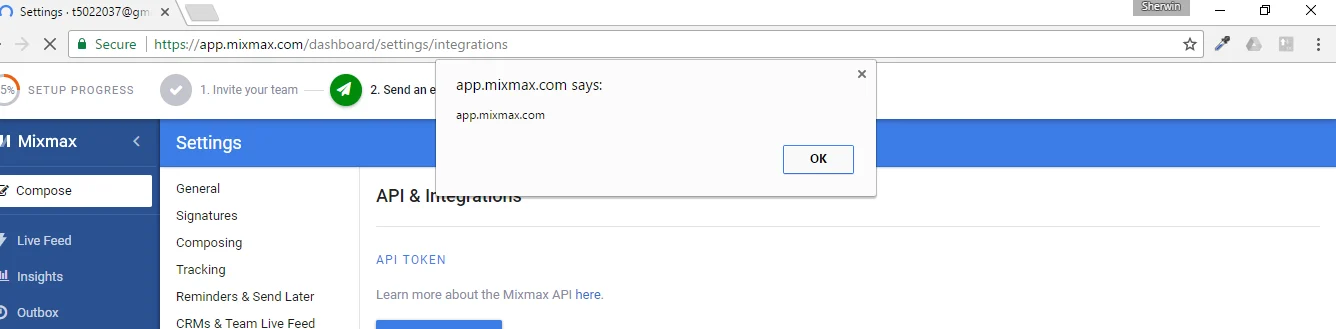
after you add the new enhancement. the prompt will show like this: F191647
-
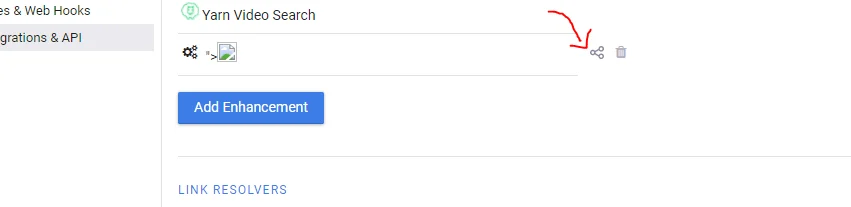
and then we can share this New Enhancement to the other users or a team by clicking the share icon beside to our newly added enhancement. F191648
-
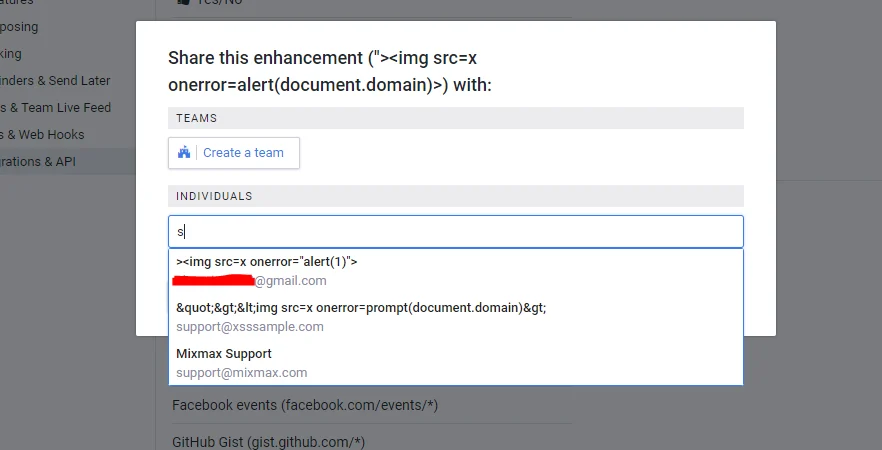
add a user or a team to share this enhancement. F191655
-
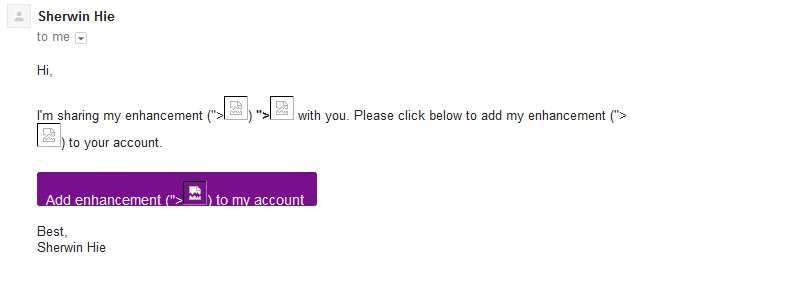
after you share this to the use users, the users will recieve an email regarding to the enhance that you have been shared to them. F191656
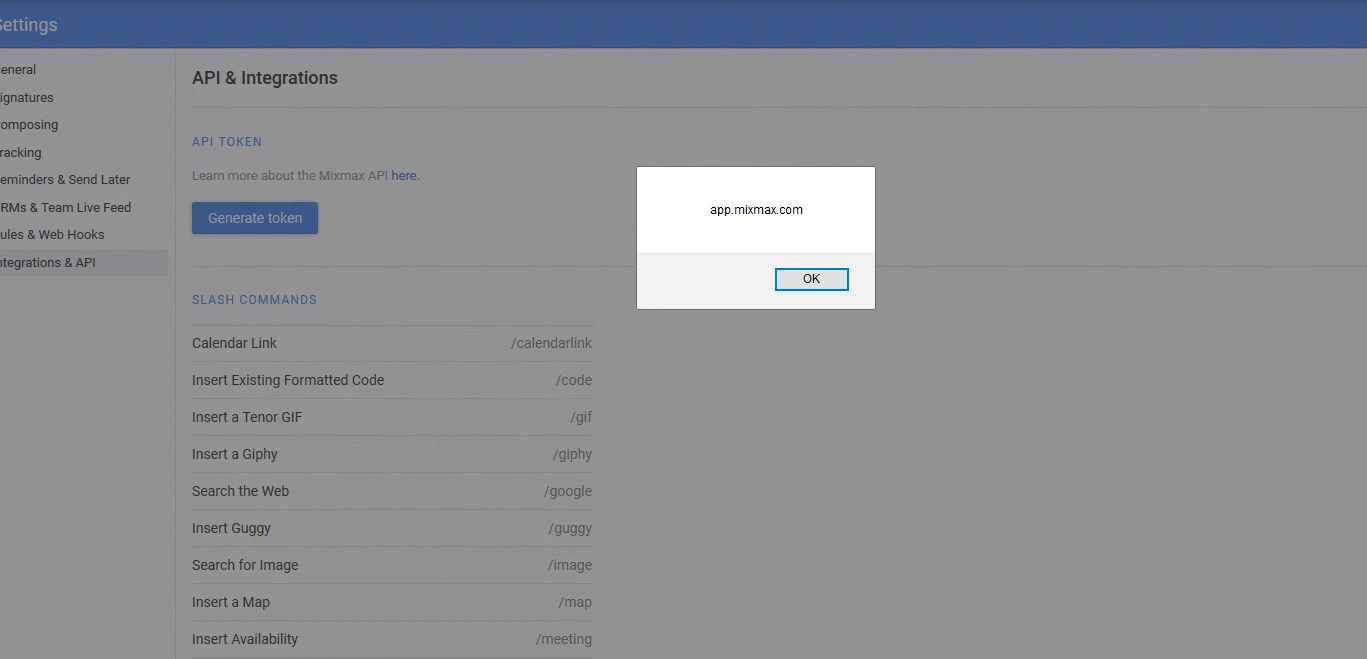
when the users or the the victim accept the enhancement, it will redirect to the Vulnerable URL and showing that our payload are working.
XSSED! F191663
Regards, Sh3r1
Attachments
Not written yet. The AI write-up for this report has not been written yet. The Original tab links to the source.
How it worked
Root cause
Likely the enhancement name was stored and rendered without proper output encoding or sanitisation.
Impact
An attacker could run script in a victim's browser session after the victim accepted a shared enhancement.
What the attacker needed
Attacker account; victim accepts shared enhancement
How it was found
- Go to the integrations settings page.
- Click Integrations & API then Add Enhancement.
- Enter the payload in the Name field and fill other fields, then submit.
- Share the new enhancement with a user or team.
- The recipient receives an email and accepts the enhancement.
- Accepting redirects to the vulnerable URL where the payload executes.
Explained by bugbounty.wiki with AI from the original and checked against quotes from it; it can still be wrong. Read the original before relying on a detail.
Not written yet. The AI write-up for this report has not been written yet. The Original tab links to the source.
Cross-site scripting (XSS) is when a website displays user input without cleaning it, so a malicious script runs in another person's browser. Here, the name of a shared 'enhancement' was saved and later shown to the victim, letting the attacker's script run as if it came from the site.
What is XSS?
Script an attacker supplies runs in another user's browser, on the target's origin, with that user's session.




