Bypass "No Links" Restriction in Biography via Protocol-Relative URL (//)
The biography field on the site stated that links were forbidden, but a protocol-relative URL inside an anchor tag still produced a working clickable link to an external site. An attacker could therefore embed links to phishing or malware pages despite the stated restriction.

- Triaged in 47 hours
- Fixed in 55 days
- Paid in 10 days
- Disclosed after 56 days
Summary by the program
The report identifies an issue in the biography field on addons.allizom.org where the application's restriction on using links can be bypassed using protocol-relative URLs. Despite the explicit policy against links, users can embed functional hyperlinks using the syntax <a href="//evil.com">click</a>, which successfully creates clickable links that redirect to external websites.
The restriction on using links is mainly to avoid spam and not necessarily a security control, therefore, the severity of bypassing the restriction is low.
The report
Summary:
The application claims to disallow hyperlinks in the Biography field with the notice:
Links are forbidden.
However, it is possible to bypass this restriction using a protocol-relative URL (//evil.com) in an <a> tag. This allows an attacker to embed external links despite the stated limitation, violating trust and posing security risks.
Steps To Reproduce:
- Log in to the website
https://addons.allizom.org - Click on
edit profile
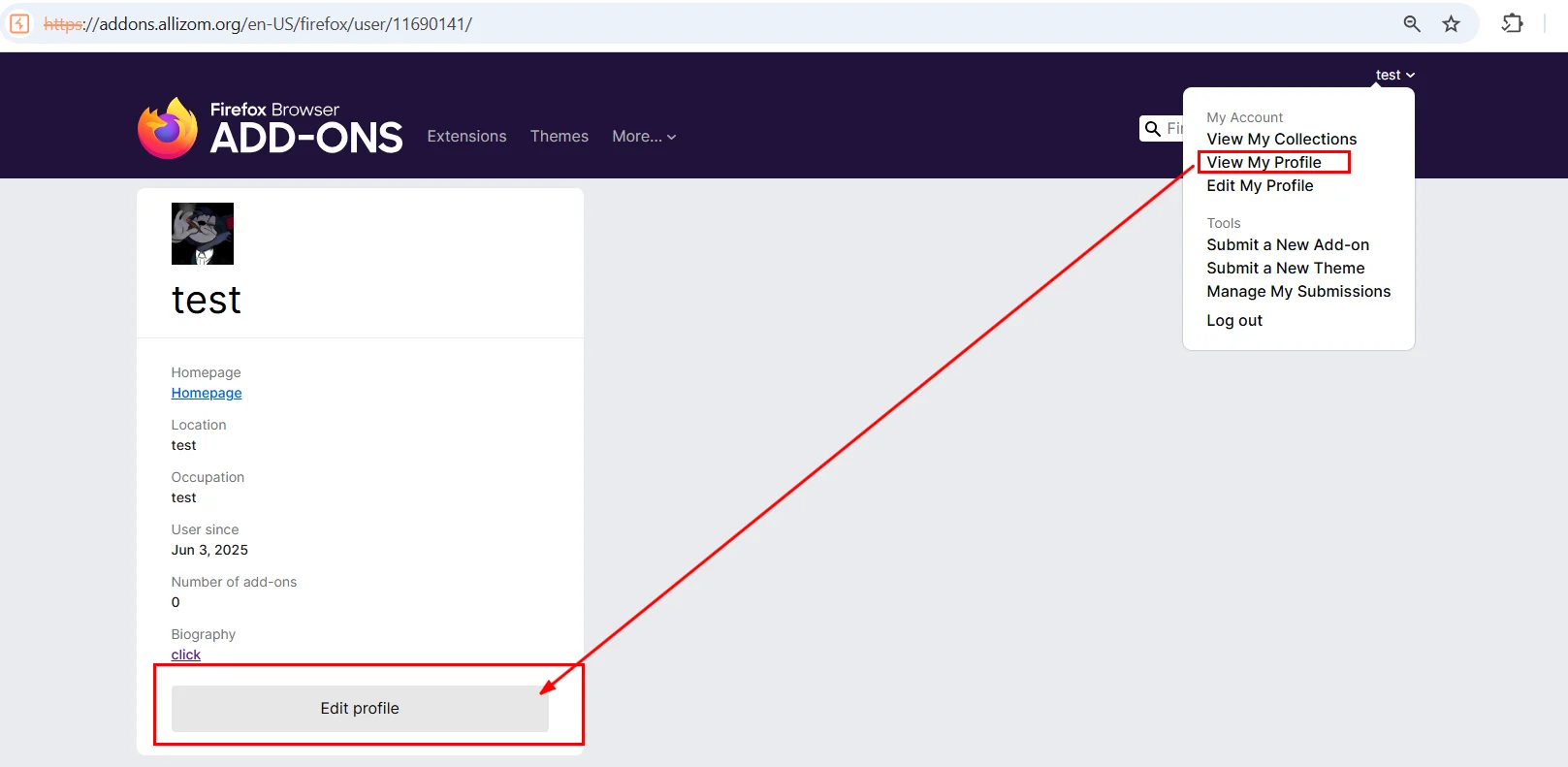
- In the
Biographyfield, there will be a warning that
Some HTML supported: <abbr title> <acronym title> <b> <blockquote> <code> <em> <i> <li> <ol> <strong> <ul>. Links are forbidden.
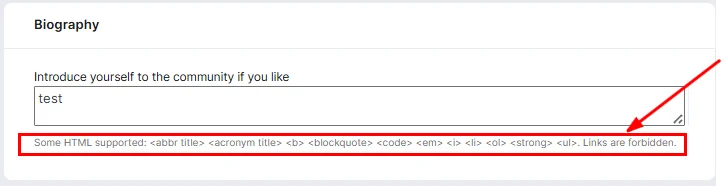
- Now, we add the <a> tag
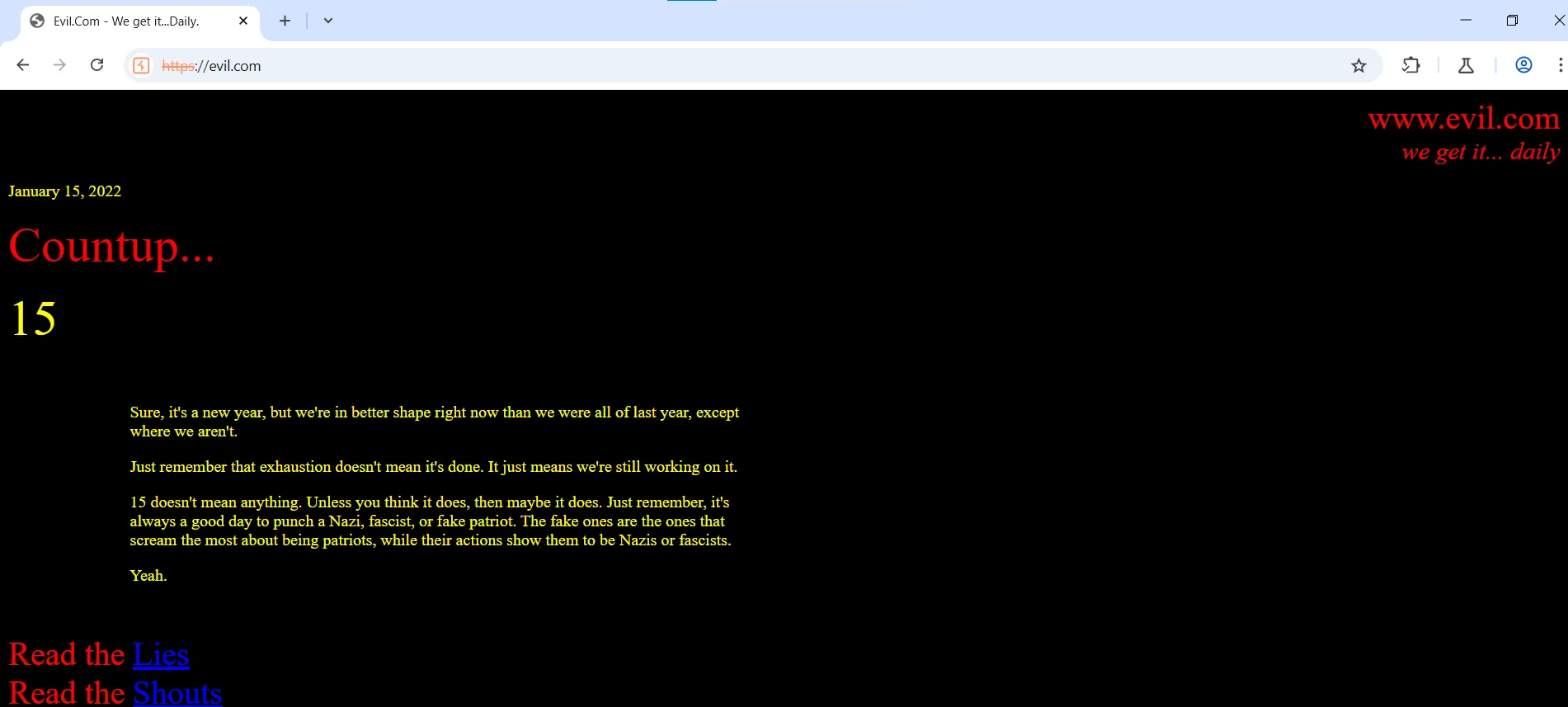
##payload: <a href="//evil.com">click</a>
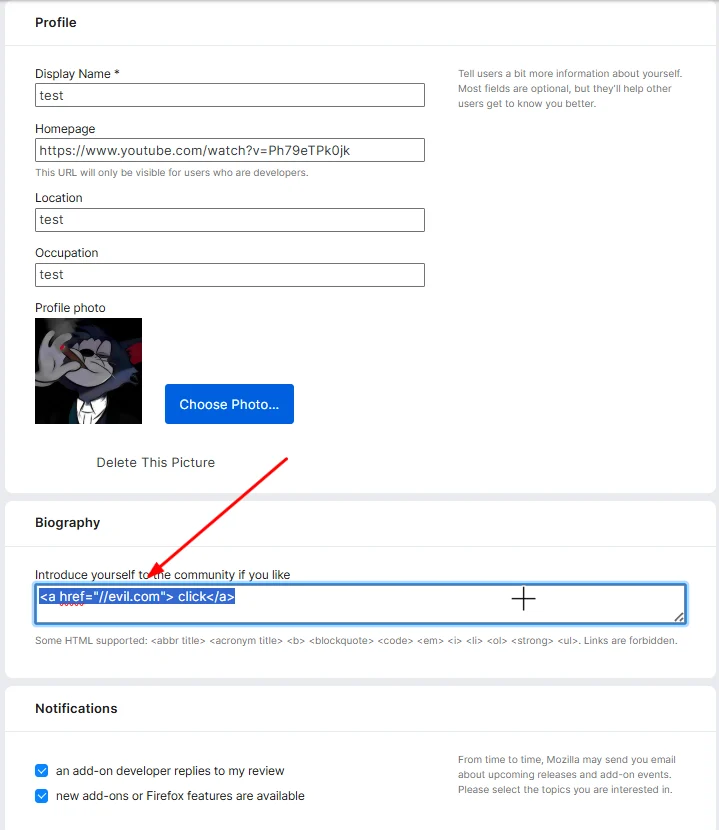
- Check that this <a> tag is executed. and when clicking on
clickwill redirect to the pagehttp://evil.com/
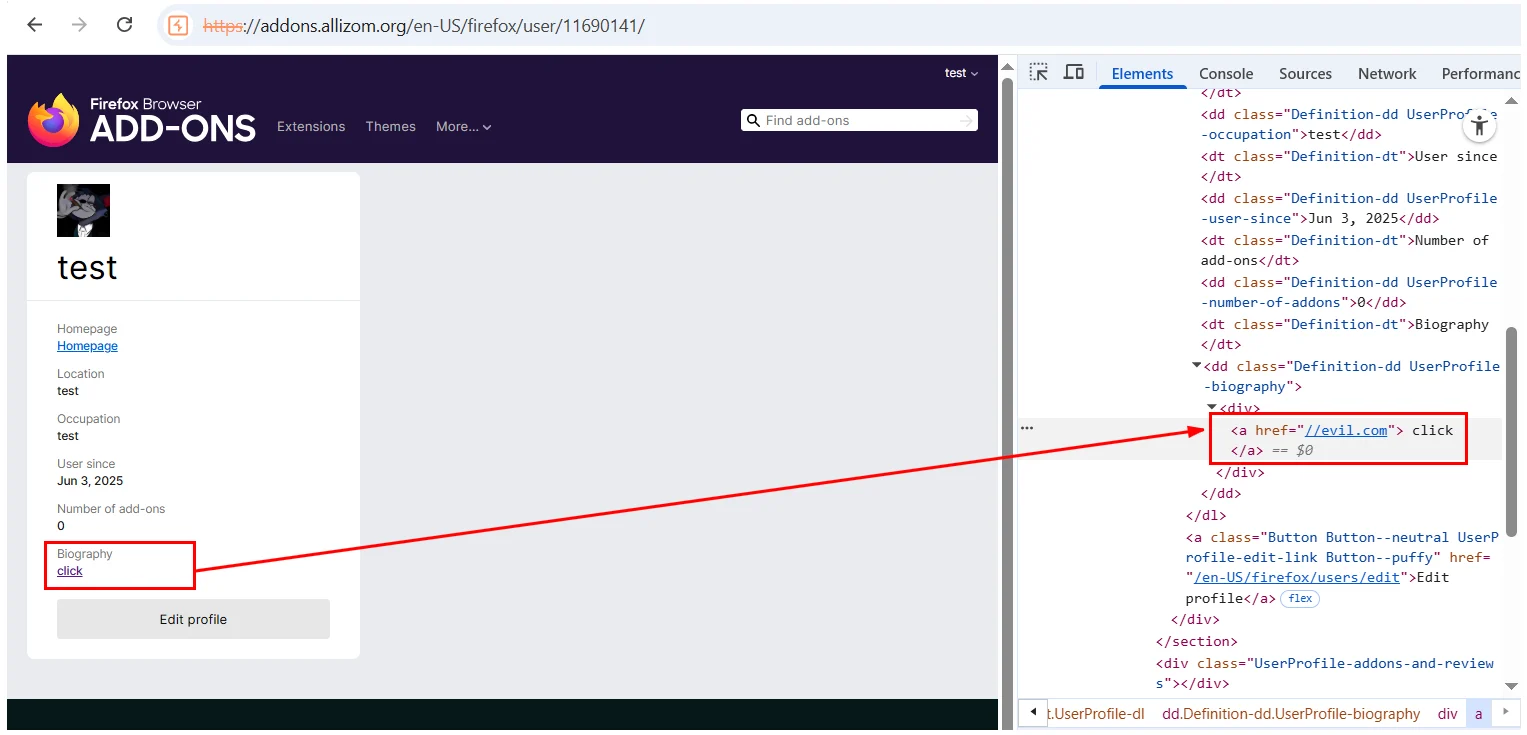
Impact
- Violates declared application policy: users trust that links are not allowed.
- Enables attackers to embed links to:
- Phishing sites.
- Malware downloads.
- Social engineering payloads.
Not written yet. The AI write-up for this report has not been written yet. The Original tab links to the source.
How it worked
Root cause
Likely the link filter only matched absolute URLs with a scheme and did not account for protocol-relative URLs, which inherit the page's scheme.
Impact
The bypass lets users embed links to phishing, malware or social-engineering pages even though the site says links are not allowed; the reporter rates the severity as low because the rule is mainly an anti-spam measure rather than a security control.
What the attacker needed
A user account on the site; ability to edit the biography field
How it was found
- Log in to the site and open the profile editing page.
- Look at the biography field, which shows a notice that links are forbidden.
- Enter an anchor tag whose address is a protocol-relative URL.
- Save and confirm the tag renders, then click the link and see it redirect to the external site.
Explained by bugbounty.wiki with AI from the original and checked against quotes from it; it can still be wrong. Read the original before relying on a detail.
Not written yet. The AI write-up for this report has not been written yet. The Original tab links to the source.
A biography field lets users write a short profile. The site said links were not allowed there, but it only checked for the usual form of a link. By writing the address without the http part, a user could still make a clickable link that sends visitors to another website.
What is XSS?
Script an attacker supplies runs in another user's browser, on the target's origin, with that user's session.