Account takeover via Google OneTap
The backend did not verify that the email address from a Google OneTap sign-in was confirmed, so an attacker could register a GSuite trial for the victim's email domain and then sign in as the victim. This allowed takeover of any Priceline account whose email domain was not already registered with Google.

- Triaged in 3 days
- Fixed in 3 months
- Paid in 4 days
- Disclosed after 2.7 years
Summary:
It's possible to take over any priceline.com user's account knowing their email. The only requirement is that the victim's email domain is not registered with Google's Gsuite. The root cause of this issue is that the backend does not verify whether the email provided is a confirmed one.
Steps To Reproduce:
- Create Account A (in my case
[email protected]) with priceline.com, without any SSO, via the "Create an account" link (aka "register with email"). - Once the account has been created, add a dummy phone number to the profile. It will serve as a canary to demonstrate we accessed the same data in the next steps.
- In another browser/session (eg, incognito/private mode) sign up for a trial GSuite account at https://gsuite.google.com/signup/basic/welcome . This will be Account B.
- Use any email to register as you won't need to confirm that email.
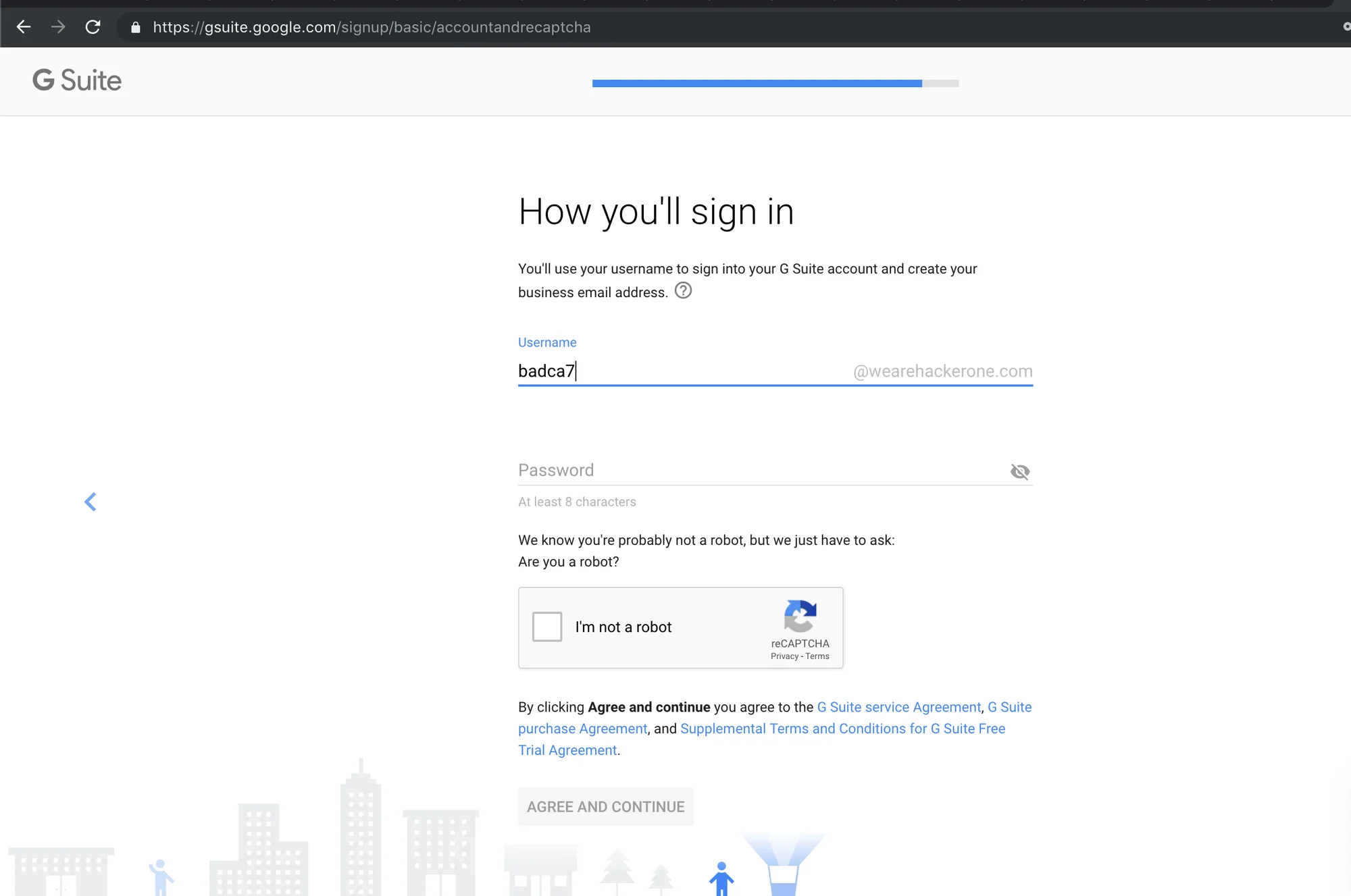
- When the wizard comes to the "Does your business have a domain?" confirm and enter
wearehackerone.com(or any other domain that hosts the victim's email box) as in F552718. You may not use the same domain name at this stage, as I claimed it for the purposes of this PoC however you can do so when my GSuite trial expires. From this comes the requirement that the victim's email domain name must not be registered with Google prior to this attack. - Once you saved the domain record with Google, stop there as there's no need to verify the domain.
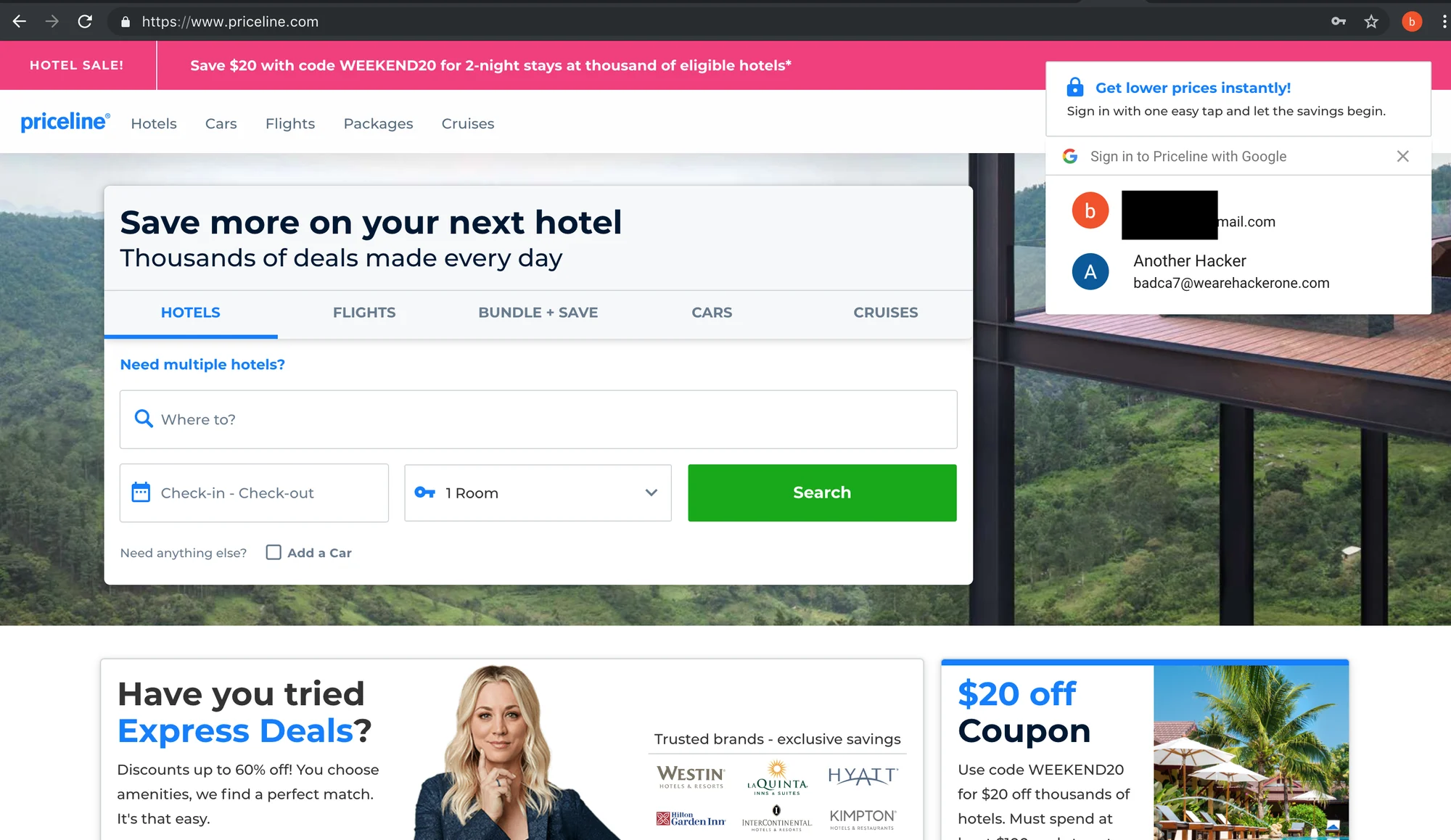
- At this stage the OneTap/GoogleYOLO popup will be showing on priceline.com when visited in the same browser session. It took me some time to get it to show however signing in and out of Google Account several times with the newly created GSuite credentials and then refreshing the priceline.com page helped. On another occasion a Gmail account, which I signed in in the same browser window helped too. You may need to play around with these until you see the newly created account to show in the list. F552723
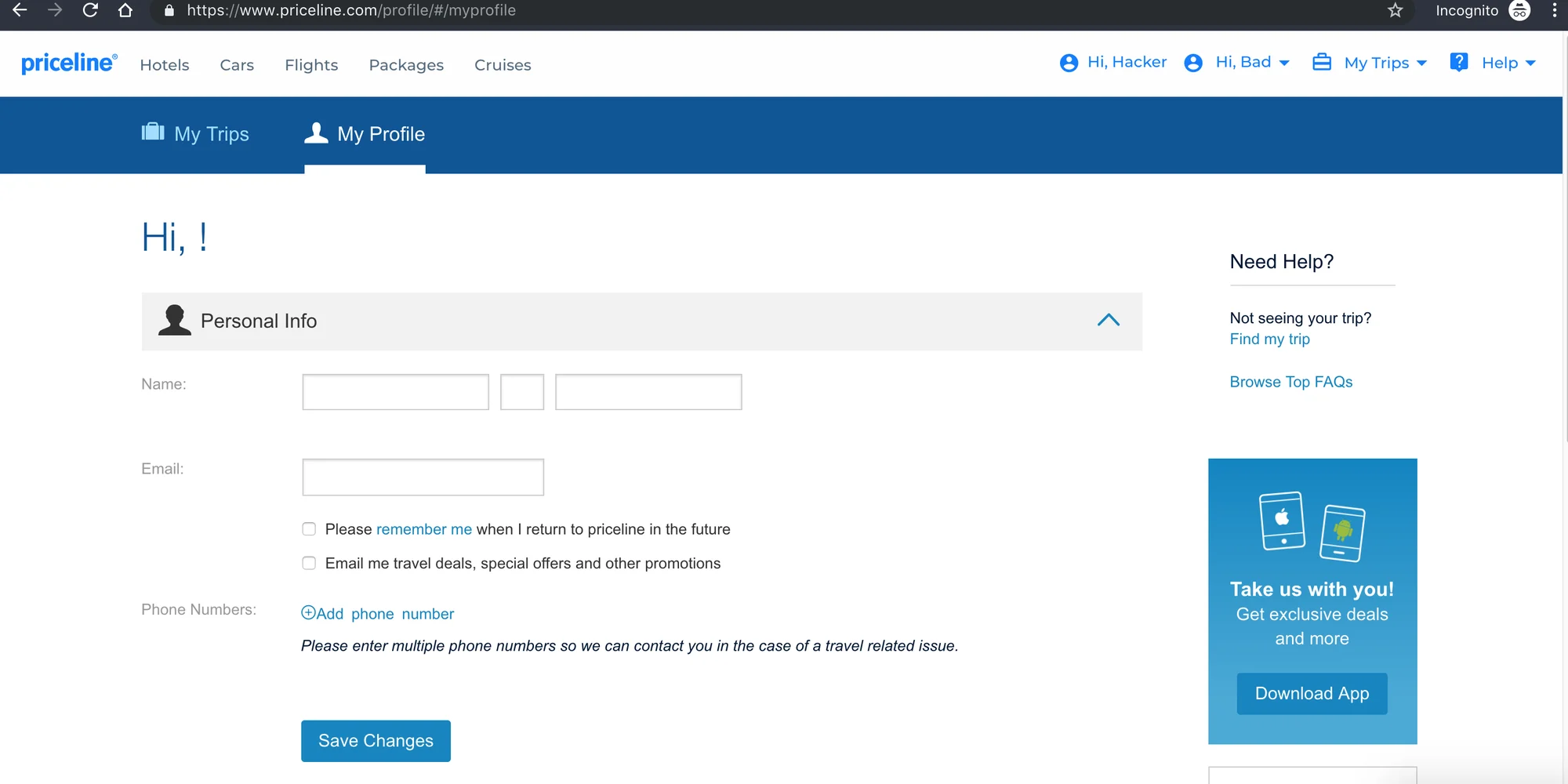
- Once you have that, just sign in (
[email protected]in my case). You can confirm you accessed Account A by seeing the phone number you added in step (2). In the other browser window/session with Account A you can see that now there are two accounts showing in the top right corner and the profile data is blank. - Account takeover complete. F552724
Notes
- IP used for this PoC: ███
Impact
Attackers can take over any priceline.com account given they were able to register a specific domain with GSuite.
Attachments
Not written yet. The AI write-up for this report has not been written yet. The Original tab links to the source.
How it worked
Impact
Attackers could take over any Priceline account if they were able to register the victim's email domain with GSuite.
What the attacker needed
Victim's email domain not registered with Google; attacker can register a GSuite trial
How it was found
- Create a normal Priceline account with an email address and add a dummy phone number to the profile.
- In a separate browser session, sign up for a GSuite trial account using any email address.
- During the GSuite setup, claim the victim's email domain (e.g., wearehackerone.com) without verifying it.
- Visit Priceline in the same browser session until the OneTap popup shows the newly created GSuite account.
- Sign in with the GSuite account and observe that the victim's account data (the dummy phone number) is accessible.
Explained by bugbounty.wiki with AI from the original and checked against quotes from it; it can still be wrong. Read the original before relying on a detail.
Not written yet. The AI write-up for this report has not been written yet. The Original tab links to the source.
When you sign in with Google, the website trusts the email address Google sends. Here, the site did not check that the email was actually verified by Google. An attacker could set up a fake Google business account for the victim's email domain and then use that to log in as the victim.
What is Account takeover?
Getting into someone else's account through a flaw in sign-in, password reset, second factor, single sign-on or session handling.



