Journey Of My First Bug Bounty (Nov 2018)
A locked WhatsApp instance could be opened without authentication when a second WhatsApp was added via Samsung's dual apps feature, and this also unlocked the first WhatsApp. An attacker with physical access could enter the user's locked apps.
 Published on medium.com
Bug Bounty
The full write-up lives on its author's site
It belongs to its author, so we link to it rather than copy it. The other two tabs are our own rewrites, checked against it.
Context
This is the story of a first bug bounty, found in November 2018 on a Samsung phone and reported through Samsung's official Mobile Security vulnerability reporting site, https://security.samsungmobile.com/main.smsb. The affected feature is S Secure, a Samsung application used to lock other apps behind authentication, and the interaction between that lock and Samsung's dual apps feature, which lets a user run a second copy of an app such as WhatsApp in a parallel space.
Normally, an app that a user has locked with S Secure should require authentication (PIN or fingerprint) every time it is opened. The report describes a case where that check is skipped.
Setup
No special tooling was used. The researcher was a second year engineering student on summer holidays, working only with his own phone and the S Secure and dual apps features already present on it. He had no prior experience of writing reports and did not know what a PoC was at the time. The only precondition is a device where S Secure is used to lock WhatsApp and where a second WhatsApp has been added through the dual apps feature.
Finding it
While scrolling on his phone during the holidays, the researcher noticed what looked like a misconfiguration. He repeated the same procedure two or three times and saw the same behaviour each time, which led him to conclude it was a bug. Not knowing where to report it, he searched on Google and found the Samsung Mobile Security reporting site, created an account there and read the instructions for submitting a bug.
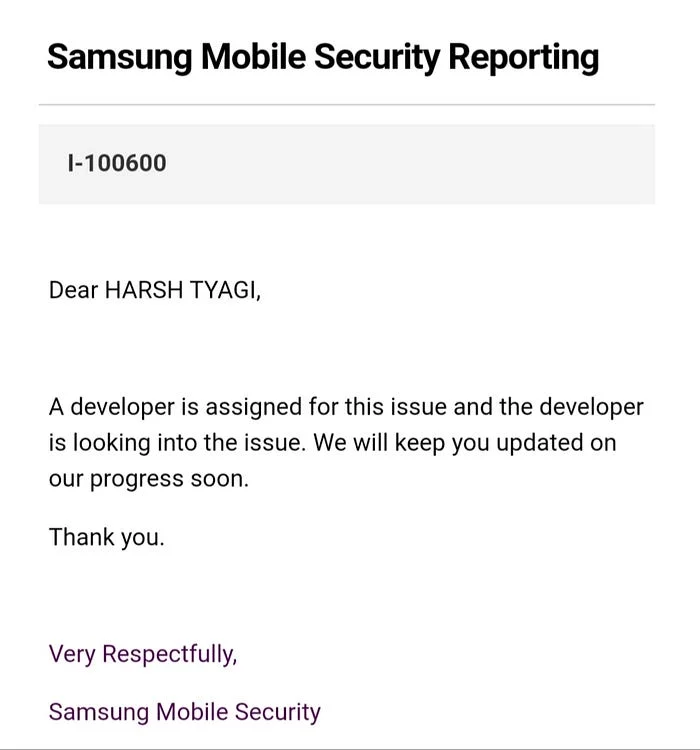
He wrote a simple report and recorded a PoC video, which he sent to Samsung. The next morning he received an email in response.
Exploitation
The attack scenario is short and entirely manual.
Step 1: lock WhatsApp with S Secure
The user locks WhatsApp using the S Secure application.
Step 2: add a second WhatsApp through dual apps
The user adds a second WhatsApp using Samsung's dual apps feature, which works in the same way as a parallel space application.
Step 3: open the second WhatsApp
When the second WhatsApp is opened, it sometimes opens without any authentication, meaning without a PIN or fingerprint. The same bug then also unlocks the first WhatsApp, so anyone with the phone can get into the locked apps.
The report gives no request, payload or command for this flow; the whole procedure is performed through the phone's interface.
Root cause
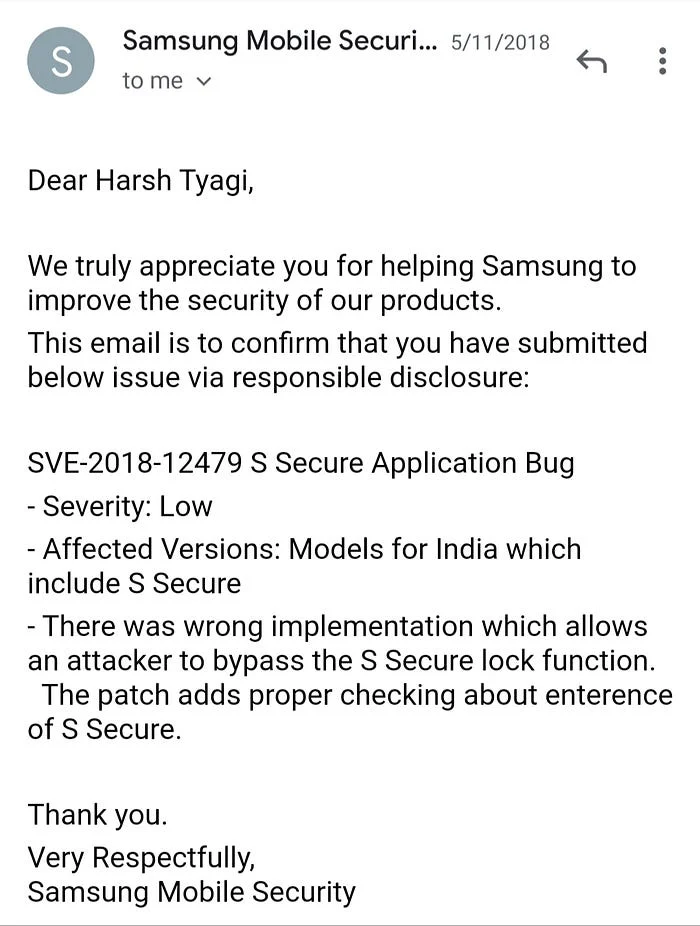
The report does not analyse the code. What it describes is an authentication bypass: the lock enforced by S Secure is not applied consistently to the second instance of an app created by dual apps, and once that instance is opened the lock on the original instance is also defeated. Why the existing check fails for the dual apps copy is not stated, and any explanation of the underlying mechanism would be speculation.
Impact
Anyone holding the phone can enter apps the owner has locked, in the specific configuration where the app is locked with S Secure and a second copy exists through dual apps. The report does not describe remote exploitation or any case without physical access to the device.
Fix
The report does not say what Samsung changed.
Reward
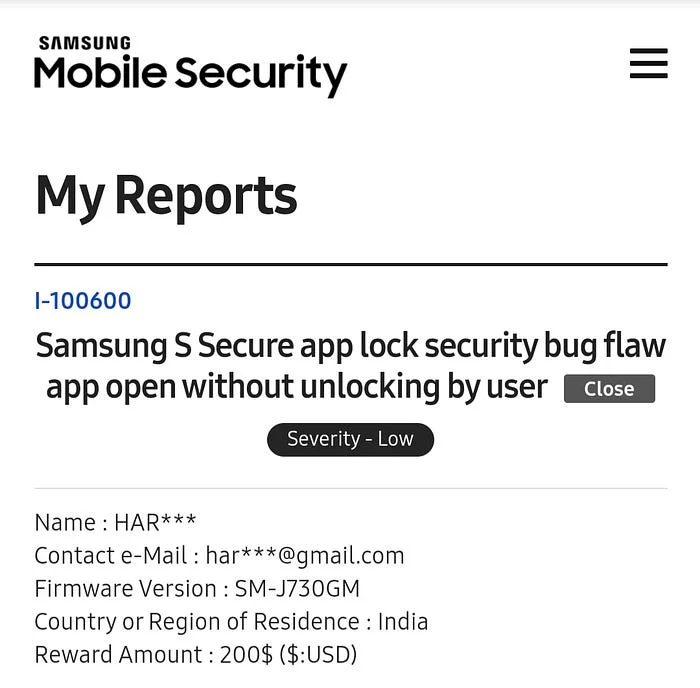
After waiting 90 days, Samsung rewarded the researcher 200 USD through Bugcrowd.
Variants to test
- Lock an app with the vendor's app-lock feature, then create a second copy through a parallel space or dual apps feature and open it repeatedly. A positive result is the second copy opening without a PIN or fingerprint prompt.
- After opening the second copy, open the original locked app. A positive result is the original opening without authentication as well.
- Repeat the sequence several times, as the researcher did, to separate a consistent bypass from a one-off glitch.
The researcher's own tip is to abuse things manually first: sometimes reverse engineering or reading application source code is not needed.
What happened, in plain words
A student found a way to open apps that were supposed to be locked on a Samsung phone. The phone had a Samsung app called S Secure, whose job is to put a lock (a PIN or a fingerprint) in front of other apps, so that nobody else can open them. The phone also had a Samsung feature called dual apps, which lets you run a second copy of the same app, for example a second WhatsApp, side by side with the first one.
The student noticed that when he opened the second copy of WhatsApp, it sometimes opened without asking for the PIN or the fingerprint. Worse, once that happened, the first, locked WhatsApp could be opened without authentication too. In other words, the lock that S Secure was supposed to enforce simply was not there in this particular setup.
He reported it through Samsung's official security reporting website, and after 90 days Samsung paid him 200 USD through Bugcrowd, a platform that companies use to run bug bounty programmes. This was his first ever bug bounty.
Background: the pieces involved
Before walking through the story, here are the things you need to know about.
S Secure is a Samsung application whose purpose is to lock other apps. You choose an app, for example WhatsApp, and tell S Secure to protect it. From then on, every time somebody tries to open that app, S Secure should ask for a PIN or a fingerprint first. Think of it like a padlock you put on a cupboard door: the cupboard is still there, but you need the key to get in.
Dual apps is a Samsung feature that lets you run a second copy of an app on the same phone. People use it to keep two accounts separate, for example a work WhatsApp and a personal WhatsApp. The report compares it to a "parallel space application", which is a category of app that does the same thing: it creates a separate, parallel copy of an app so the two copies do not share their data.
Authentication means proving who you are. A PIN or a fingerprint is a way of proving that you are the owner of the phone. When we say an app is "locked", we mean it asks for authentication before it lets you in.
An authentication bypass is the name for the kind of bug where that proof is skipped. The app is supposed to ask "who are you?" and it does not. It is like a bouncer at a door who is supposed to check your invitation but waves you through because you came in through a side entrance he forgot about.
A bug bounty is a programme where a company pays people for finding and reporting security problems in its products, instead of punishing them. The company sets the rules, the researcher reports the bug privately, and if the report is valid the company pays a reward, called a bounty.
Bugcrowd is the platform through which Samsung ran this particular reward. It is a website where companies publish their bug bounty programmes and researchers submit their findings.
A PoC, short for proof of concept, is a demonstration that the bug is real. It can be a written description, a video, or a small piece of code that shows the problem happening. The point is to prove it, not just claim it.
A report is the written document you send to the company: what you found, how to reproduce it, and what happens when you do.
The setup
There was no special tooling at all. The researcher was a second year engineering student on summer holidays, and all he had was his own phone with the S Secure and dual apps features that were already on it. He had never written a security report before and, by his own admission, did not even know what a PoC was at the time.
The only precondition for the bug is a phone where two things are true at once:
- WhatsApp is locked with S Secure.
- A second WhatsApp has been added through the dual apps feature.
That is the whole setup. No computer, no software to install, no account on any hacking tool.
Finding it
One day during the holidays he was sitting in his room scrolling on his phone, as he did every day, and he noticed that something about his phone looked wrong, a misconfiguration. He did not trust the first observation, so he repeated the same procedure two or three times. Each time he saw the same behaviour. Repeating it is important: a single odd moment could be a glitch, but the same result several times in a row is a sign of a real, reproducible bug.
Having concluded it was a bug, he faced a problem familiar to every beginner: he did not know where to report it. He searched on Google and found Samsung's official Mobile Security vulnerability reporting website:
https://security.samsungmobile.com/main.smsb
This is the page Samsung provides for people to report security problems in its mobile products. He created an account there and read the instructions on how to submit a bug. Then he wrote a simple report and recorded a PoC video showing the problem, and sent both to Samsung.
The next morning he received an email in response.
The vulnerability
The attack scenario, step by step
The attack is entirely manual. There is no request, no payload and no command anywhere in this report: everything happens by tapping on the phone's screen. That is worth pausing on, because many beginners assume that security work always means typing strange strings into a terminal. Here it did not.
Step 1: lock WhatsApp with S Secure
The user locks WhatsApp using the S Secure application. This is the normal, intended use of S Secure: you pick an app and put it behind a PIN or fingerprint. After this step, opening WhatsApp should require authentication.
Step 2: add a second WhatsApp through dual apps
The user adds a second WhatsApp using Samsung's dual apps feature, which works in the same way as a parallel space application. Now the phone has two WhatsApp icons: the original one and a second copy. The second copy is a separate instance of the app, but it is still WhatsApp.
Step 3: open the second WhatsApp
When the second WhatsApp is opened, it sometimes opens without any authentication, meaning without a PIN or a fingerprint. The word "sometimes" matters: the behaviour was not perfectly reliable.
The same bug then also unlocks the first WhatsApp. So the failure is not limited to the copy: once the second instance has been opened, the original locked app can be opened too. The practical consequence, in the report's own words, is that anybody can enter the locked apps.
Why it happens
The report does not analyse any code, and it does not explain the mechanism. What it describes is an authentication bypass: the lock enforced by S Secure is not applied consistently to the second instance of an app created by dual apps, and once that instance is opened, the lock on the original instance is defeated as well.
Why the existing check fails for the dual apps copy is not stated. Any explanation of the underlying mechanism would be speculation, so it is left out here.
Impact
Anyone holding the phone can enter apps that the owner has locked, in the specific configuration where the app is locked with S Secure and a second copy exists through dual apps. The report does not describe remote exploitation, and it does not describe any case without physical access to the device.
The fix
The reward
After waiting 90 days, Samsung rewarded the researcher 200 USD through Bugcrowd.
Variants to test
If you want to look for the same kind of problem on your own device, here is the same sequence written as things to try. Each one is a manual test, done through the phone's interface.
- Lock an app with the vendor's app-lock feature, then create a second copy through a parallel space or dual apps feature and open it repeatedly. A positive result is the second copy opening without a PIN or fingerprint prompt.
- After opening the second copy, open the original locked app. A positive result is the original opening without authentication as well.
- Repeat the sequence several times, as the researcher did, to separate a consistent bypass from a one-off glitch.
The researcher's own tip is to abuse things manually first: sometimes reverse engineering or reading application source code is not needed. Reverse engineering means taking a finished app apart to understand how it works, and reading source code means looking at the human-written instructions that make up a program. Both are skills that take time to learn. Tapping around on your own phone and paying attention to what looks wrong costs nothing and, as this story shows, can be enough.
Glossary
- S Secure: a Samsung application that locks other apps behind a PIN or fingerprint.
- Dual apps: a Samsung feature that lets you run a second copy of an app on the same phone.
- Parallel space application: an app that creates a separate, parallel copy of another app so the two copies do not share their data.
- Authentication: the process of proving who you are, for example with a PIN or a fingerprint.
- Authentication bypass: a bug where a check that is supposed to require authentication is skipped, so someone gets in without proving who they are.
- Misconfiguration: a setting or setup that is not arranged the way it should be, leaving a gap.
- Reproducible: a behaviour that happens again and again when you repeat the same steps, rather than once by chance.
- Bug bounty: a programme where a company pays people for finding and reporting security problems in its products.
- Bounty: the reward a company pays for a valid bug report.
- Bugcrowd: the platform through which Samsung ran this reward programme.
- PoC (proof of concept): a demonstration that a bug is real, such as a video or a written description of the steps.
- Report: the written document sent to the company describing what was found and how to reproduce it.
- Payload: the specific input or data sent to a system to trigger a bug. This report contains none, because the attack was entirely manual.
- Request: a message a browser or app sends to a server asking for something. This report contains none.
- Reverse engineering: taking a finished app apart to understand how it works.
- Source code: the human-written instructions that make up a program.
- Physical access: being able to hold and use the device itself, as opposed to reaching it over a network.
- Remote exploitation: triggering a bug without having the device in your hands, for example over the internet.
- Instance: one running copy of an app. Dual apps creates a second instance alongside the first.
- Vendor: the company that makes the product, here Samsung.

