Account takeover of existing HackerOne accounts through SCIM provisioning
An attacker with a verified domain and SSO/SCIM setup could take over existing HackerOne accounts by importing a victim user into Okta, changing the email field to an attacker-controlled address matching the verified domain, and then resetting the password. The victim would not receive notifications of the email change or password reset.
 Originally disclosed on HackerOne
- Triaged in 11 days
- Fixed in 12 days
- Paid in 11 days
- Disclosed after 42 days
After numerous attempts and understanding, I was able to take over existing user accounts through SCIM provisioning.
When using SCIM provisioning, the following must be met:
- Verified domain.
- Working SSO configuration.
Initially, I thought this would automatically be a certain loophole. In my first attempt, this was the procedure used for testing:
- Import organisation users into Okta.
- Receive an error stating that existing users don't have matching email domains to the verified one on file.
- Change the email.
- Instead, a new user is created in the organisation's users page.
After many attempts, I figured out how to change the sequence to:
- In Okta, create a user whose email I control, say
[email protected] - Import organisation users into Okta.
- Assign the victim account to the created user in step 1.
- Change the email parameter field to
[email protected] - Change password.
- Bingo!
I then thought this looked too easy, so I assigned the user access to Okta and tried to log in via SSO, but it failed and did not work. Why?
Two fields in Okta are of importance: username and email.
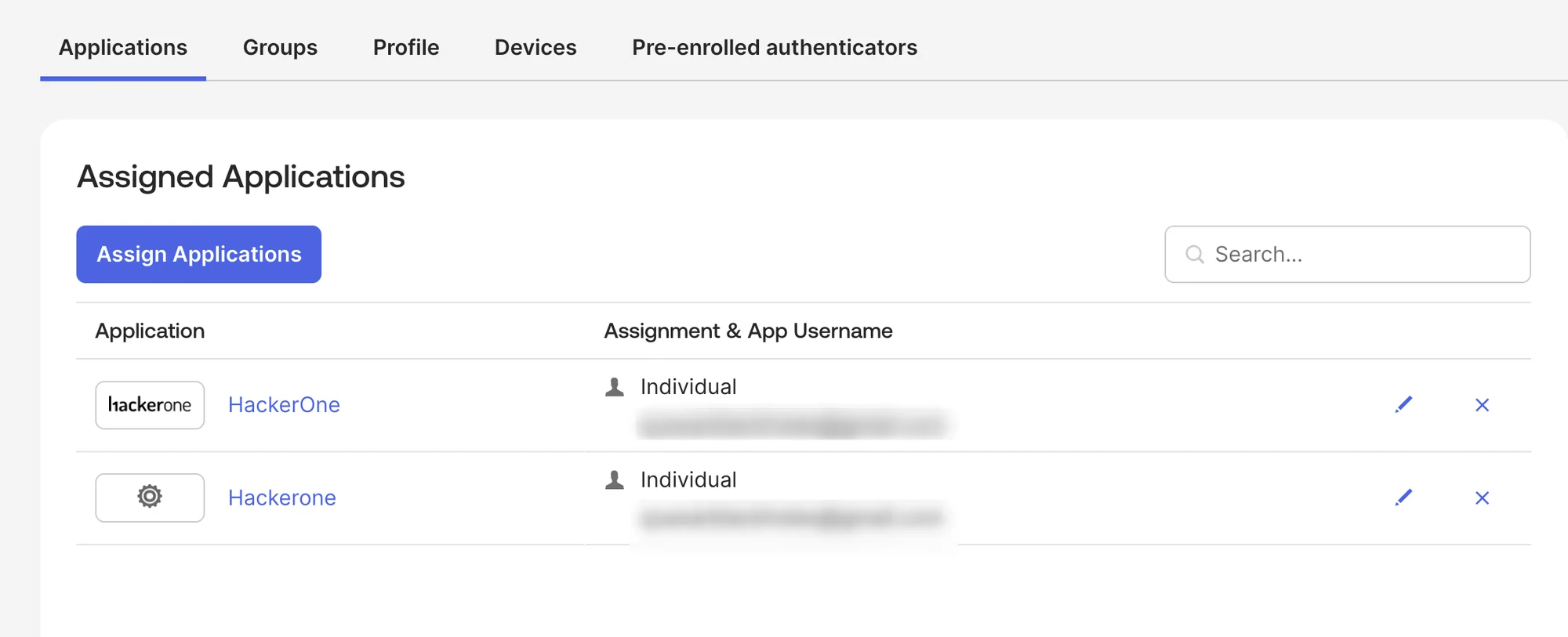
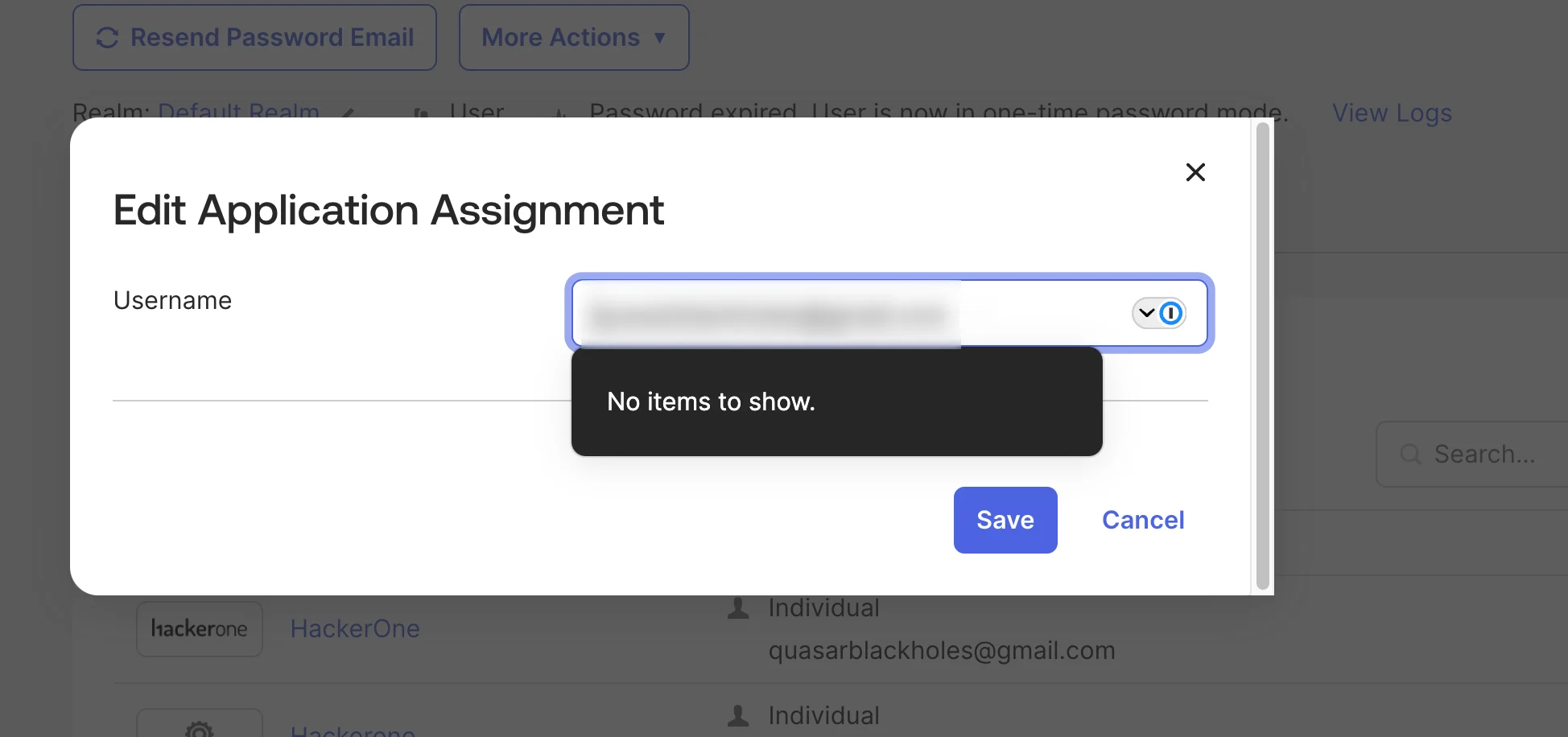
- If the attacker with verified domain as
verified.comadds a victim as[email protected]to Okta, you will get an error thatato.comdoes not match the H1 verified domain settings. - If the attacker with a verified domain as
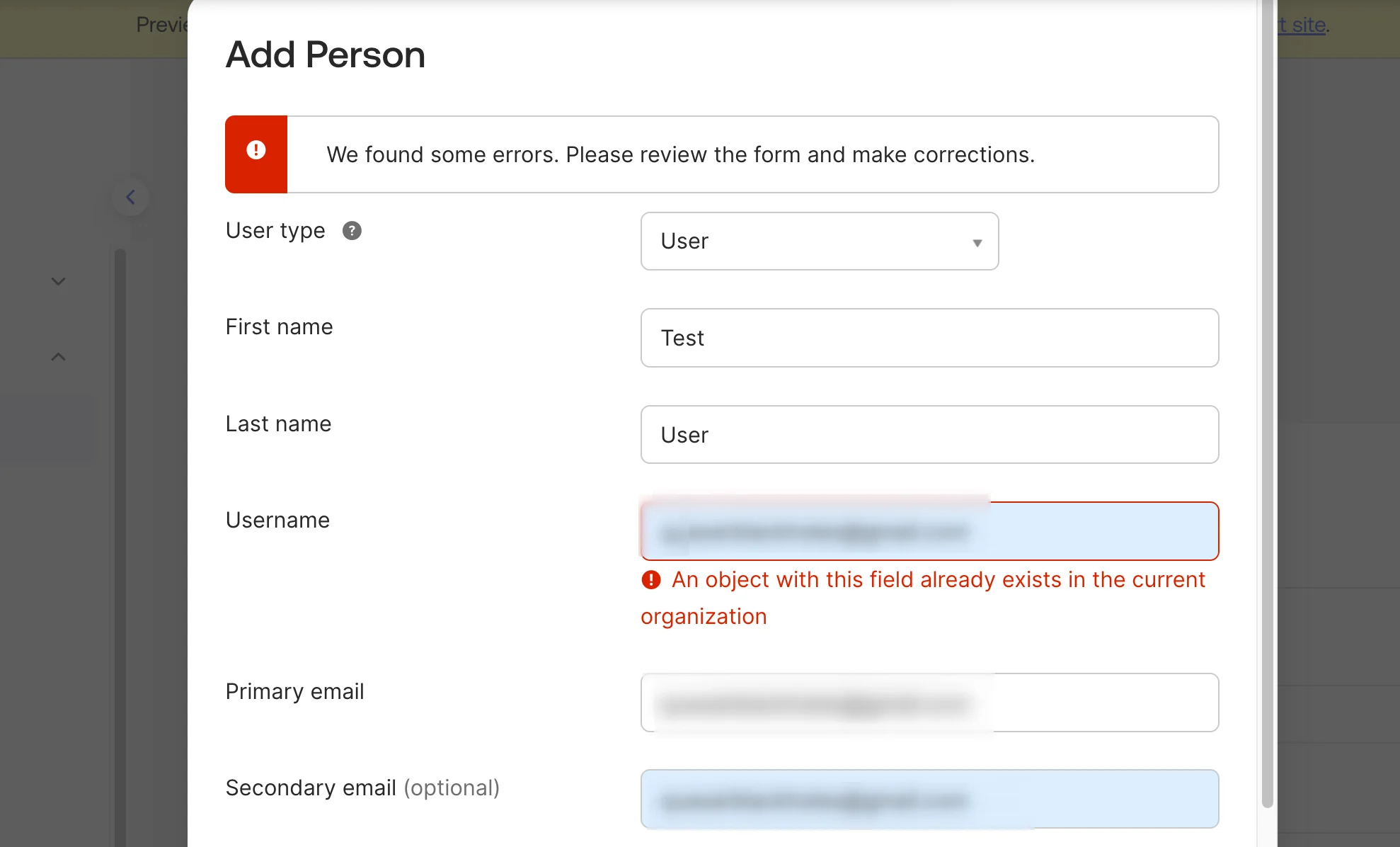
verified.comadds a victim as[email protected]to Okta and then changes the username and email to[email protected], it will instead create a new user in the H1 organisation. - If the attacker with verified domain as
verified.comadds a victim as[email protected]to Okta, with the username as[email protected]and email field as[email protected], the victim's email will be changed, AND no notification will be sent to the victim (issue 2) - Now the attacker wants to log in. If the attacker wants to do so via the SSO provider (Okta), they can't add the victim to the Okta directory since the username
[email protected]has already been imported and is in use.
- So the attacker sets a password reset, which also does not send a notification to the user! (issue 3) Rather, the new email is controlled by the attacker.
##Setup: Before you proceed, have the following setup:
- A sandbox program setup from here and don't delete the demo members.
- Contact HackerOne support to activate SSO and SCIM provisioning for your sandbox program.
- Set up SSO with Okta
- Set up SCIM in Okta
- Added users.
Steps To Reproduce
- Go to the Okta directory and add a user with an email you have access to.
- Go to the Okta application configured for Hackerone SCIM provisioning and import users.
- In your imported users, assign the user
[email protected]( or any other user if the demo member is deleted) - Under the Okta application configured for Hackerone SCIM provisioning, tap on the Assignments tab, then the pencil icon to edit.
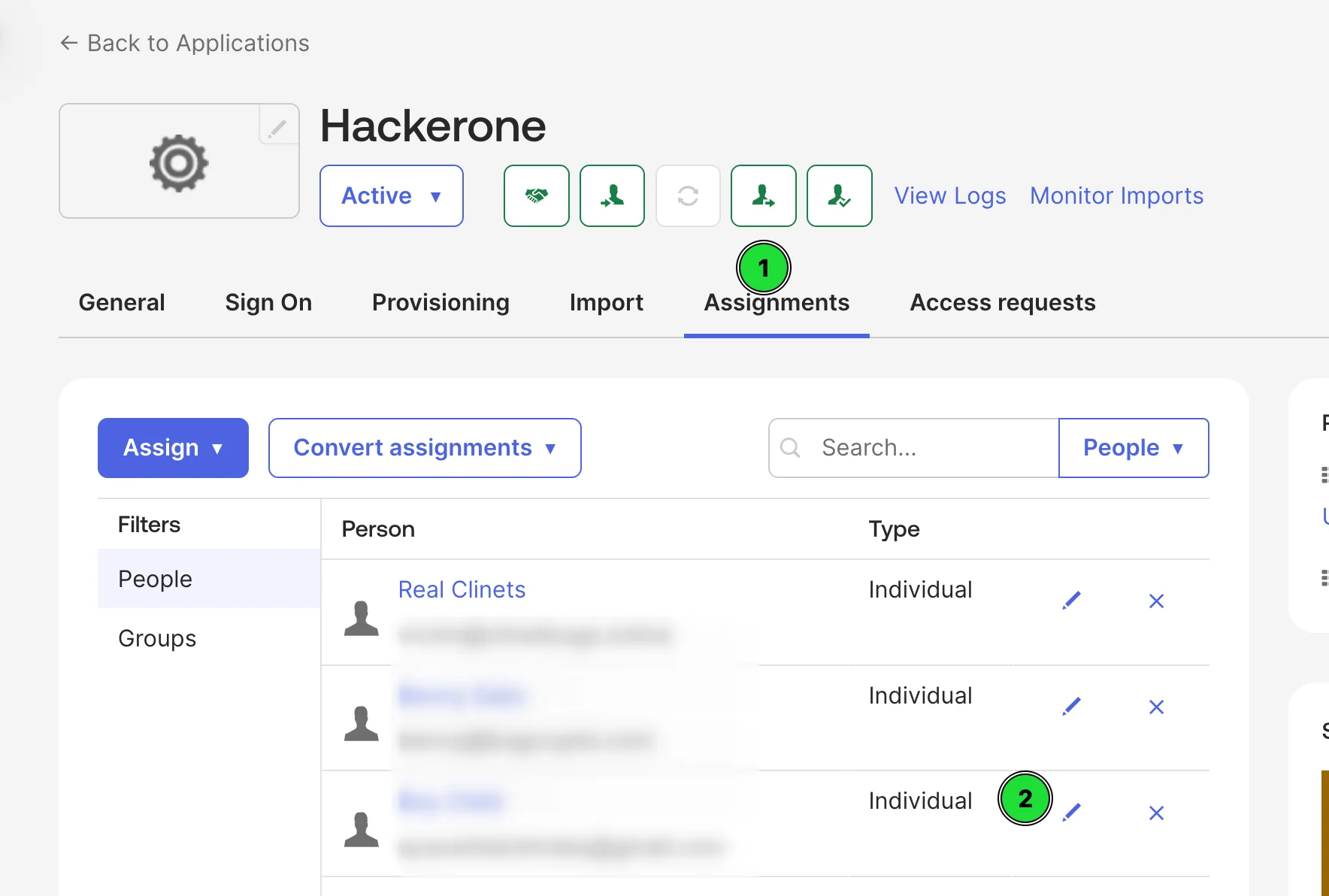
- Look for the email field and change it to what you control and in line with your verified domain.
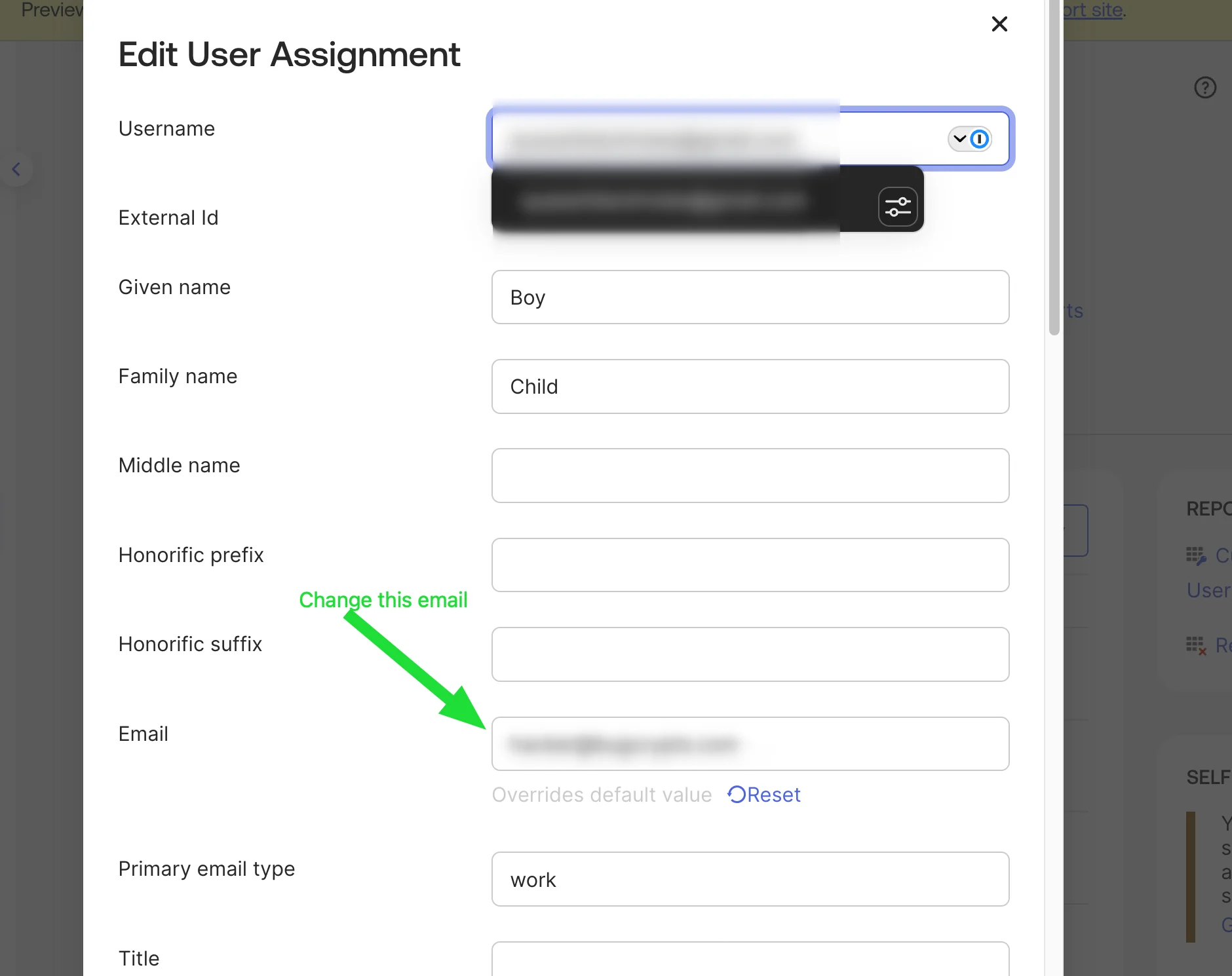
- Save.
- It will automatically sync.
- Reset the user password, and you should be in.
Proof of concept:
███
Impact
Why I think this is so critical is that apart from taking over user accounts, take note of EVERY new organisation, sandbox alike, there are two users present by default:
- Demo Triager
[email protected] - Demo Member
[email protected]
The above are always present and already members of the sandbox, private, and public organisations unless removed. (I tested on an old sandbox I own, wish I didn't delete them.)
All the attacker has to do is import these default members, leave the username unchanged, change the email, password reset, and they are in!.
Not written yet. The AI write-up for this report has not been written yet. The Original tab links to the source.
How it worked
Impact
An attacker could take over existing HackerOne accounts, including default demo accounts present in every organisation, without the victim being notified.
What the attacker needed
Verified domain; Working SSO configuration; SCIM provisioning enabled; Access to Okta admin
How it was found
- Go to the Okta directory and add a user with an email you have access to.
- Go to the Okta application configured for Hackerone SCIM provisioning and import users.
- In your imported users, assign the user `[redacted]` ( or any other user if the demo member is deleted)
- Under the Okta application configured for Hackerone SCIM provisioning, tap on the **Assignments** tab, then the pencil icon to edit.
- Look for the email field and change it to what you control and in line with your verified domain.
- Save.
Explained by bugbounty.wiki with AI from the original and checked against quotes from it; it can still be wrong. Read the original before relying on a detail.
Not written yet. The AI write-up for this report has not been written yet. The Original tab links to the source.
SCIM is a way for an identity provider like Okta to automatically create and update user accounts in another service. The report shows that by manipulating the email field during this sync, an attacker could change a victim's email to one they control and then reset the password, taking over the account without the victim being alerted.
What is Account takeover?
Getting into someone else's account through a flaw in sign-in, password reset, second factor, single sign-on or session handling.