Post Account Takeover? Account Takeover of Internal Tesla Accounts
Tesla's external identity provider allowed registration with any @tesla.com email address without email validation, and the Tesla Retail Tool (TRT) did not check which identity provider was used for login. An attacker could register an account using a former employee's internal email address and access TRT with that employee's still-assigned privileges.
 Published on medium.com
In testing various Tesla web applications as part of the Tesla Bug Bounty Program, I’ve created many Tesla user accounts. At some point, while creating a new account, I became curious if I could register an account using a Tesla email address.
The full write-up lives on its author's site
It belongs to its author, so we link to it rather than copy it. The other two tabs are our own rewrites, checked against it.
Context
Tesla runs a large number of web applications, and single sign-on for all of them is split across two main Identity Providers (IDPs): auth.tesla.com for external users and sso.tesla.com for employees. The research described here was carried out against the public auth.tesla.com as part of the Tesla Bug Bounty Program, and it concerns how one internal application, the Tesla Retail Tool (TRT), decided whether a logged-in identity was allowed in.
TRT stores confidential IT and business information: network circuit info, local device logins, web logins for ISP and utility accounts, financial information, and details about current, upcoming and previous Tesla locations such as lease terms, internal and external contact info, building plans and internal photos of restricted areas of Tesla properties.
The feature under examination is account registration on the external IDP. Normally an external IDP should only accept identities that belong to the external population it serves, and it should verify that the person registering actually controls the email address. TRT, for its part, accepted logins from both IDPs and authorised users against a list of email addresses maintained inside the application itself.
Setup
No special tooling was needed. The researcher had created many Tesla user accounts over time while testing various Tesla web applications, and the work started from the ordinary public registration flow on auth.tesla.com. The only other ingredient was open-source information: LinkedIn profiles of former Tesla employees, found with Google Dorks, to obtain names from which internal email addresses could be extrapolated.
The precondition that makes the whole chain interesting is the lifecycle mismatch between the two systems: an employee's internal IDP account is disabled or deleted when they leave, but the list of users manually defined within TRT is a separate thing that has to be maintained by hand.
Finding it
While creating a new account, the researcher wondered whether it was possible to register using a Tesla email address. It was: the external auth.tesla.com allowed users to register new accounts using @tesla.com and @teslamotors.com email addresses.
More importantly, there was no email validation, which meant it was possible to create an account with an email address that the registrant did not have access to.
On its own this was not very exciting. Attempts to register an external account with a valid internal Tesla email address reported that the email address is taken, so at best this looked like a possible pre-account takeover under the right conditions, a fairly low impact issue.
The interesting question was the reverse: instead of registering an address that might be used in the future, what about registering an address that was used in the past, is no longer active on Tesla's internal IDP, but may still have privileges assigned within various web apps? The researcher calls this post-account takeover.
TRT was the natural target, because a previous bug had made the researcher familiar with it. Two properties of TRT mattered:
- It allowed access from both internal and external accounts.
- For authentication it used a JWT which specifies an email address that was authenticated against a list of users manually defined within the application.
At Tesla's scale, manually updating that list every time an employee leaves is hard. In theory it should still be safe for past employees to remain defined in a web app, because their IDP account would be disabled or deleted and they would be unable to log in through the internal IDP. That reasoning only holds if the application checks which IDP the login came from.
Exploitation
Step 1: find former employees who would have had TRT access
Google Dorks were used against LinkedIn to find profiles of former Tesla employees who served in roles that should have had access to TRT, especially with access to sensitive information. For example:
site:linkedin.com inurl:/in “field systems” “tesla motors” -intitle:tesla -inurl:posts
The query restricts results to LinkedIn profile URLs (inurl:/in), matches the terms field systems and tesla motors, and excludes pages whose title contains tesla and URLs containing posts. This found former field IT staff that should have access to network information. From the names, internal Tesla email addresses could be extrapolated.
Step 2: register on the external IDP with a former employee's address
With a candidate address in hand, the next step was to register an account at auth.tesla.com (the external IDP) using the past employee's email. Because the external IDP accepted @tesla.com and @teslamotors.com addresses and performed no email validation, registration succeeded even though the researcher had no access to that mailbox.
Step 3: log in to TRT with the new identity
In testing, it was possible to register an account at auth.tesla.com with a past Tesla employee's email which still had privileges assigned in TRT. The researcher was then able to access the Tesla Retail Tool with the identity and privileges of a former employee whose internal IDP account had likely been purged, by creating an account with the same email on the public IDP.
This worked on multiple attempts with several email addresses of former employees.
The researcher's hypothesis was that TRT would issue a valid JWT carrying the victim's email address and treat it the same as a login through the internal IDP, because it authorised on the email address rather than the IDP that issued it.
Root cause
Two weaknesses combine.
First, the external IDP auth.tesla.com allowed registration with @tesla.com and @teslamotors.com addresses and did not validate that the registrant controlled the mailbox. That removed the need to own the address.
Second, TRT accepted logins from both IDPs and did not check which IDP the user logged in with (auth.tesla.com versus sso.tesla.com). Authorisation was based on an email address matched against a manually maintained list of users inside the application. The existing defence, disabling or deleting the internal IDP account of a departed employee, therefore did not apply: the attacker never used the internal IDP.
Impact
An attacker who can identify a former Tesla employee whose address still carries privileges in TRT can register that address on the public IDP and log into TRT with the former employee's identity and privileges. In the researcher's testing this succeeded on multiple attempts with several former employee addresses. The data reachable that way includes network circuit info, local device logins, web logins for ISP and utility accounts, financial information, and details about current, upcoming and previous Tesla locations such as lease terms, internal and external contact info, building plans and internal photos of restricted areas of Tesla properties.
The attack depends on two conditions: the target address must still be defined with privileges inside TRT, and the attacker must be able to derive the address, here by extrapolating from public LinkedIn profiles. The researcher describes the internal IDP account as likely purged, and frames the general registration issue without email validation as low impact on its own; the severity comes from the combination with TRT's IDP-agnostic login.
Fix
Tesla validated the bug on 20 Nov 2022 and began the remediation process. On 21 Nov 2022 the researcher confirmed that the accounts created during the report could no longer access TRT, and on 29 Nov 2022 Tesla marked the issue as resolved and awarded a bounty. The report does not describe the specific code or configuration changes made.
Variants to test
- Register on a public IDP with internal-looking domains of the target organisation and see whether the address is accepted and whether any verification email is required. A positive result is a successful registration for an address you do not control.
- For each application that accepts both external and internal identities, compare the token or session produced by each IDP. A positive result is an application that authorises purely on the email claim without recording or checking the issuer.
- Look for applications with manually maintained user lists and test whether a departed employee's address still resolves to a role. A positive result is a login that lands in an authenticated view with privileges attached.
- Use search engine dorks against professional profiles to enumerate former staff in roles that would have had access, then extrapolate the address pattern. A positive result is a set of candidate addresses that the public IDP accepts.
- Test the reverse direction as well: register an address that does not yet exist internally and watch for a later collision, the pre-account takeover case the researcher considered low impact.
Timeline
| Date | Event |
|---|---|
| 19 Nov 2022 | Reported |
| 20 Nov 2022 | Tesla validated the bug and began the remediation process |
| 21 Nov 2022 | Researcher confirmed the created accounts could no longer access TRT |
| 29 Nov 2022 | Tesla marked as resolved and awarded a bounty |
What happened, in plain words
Tesla has a lot of websites and internal tools that employees and outside partners use. Rather than making everyone remember a separate username and password for each one, Tesla uses a system called single sign-on, or SSO. With SSO you log in once at a central login page, and every other app trusts that login. The central login page is called an Identity Provider, or IDP. Think of it like the front desk of an office building: you show your ID once, the receptionist gives you a visitor badge, and every door in the building accepts that badge.
Tesla runs two of these front desks. One is auth.tesla.com, which is meant for people outside the company: partners, vendors, customers. The other is sso.tesla.com, which is meant for Tesla employees. In theory the two are separate worlds. In practice, one internal tool, the Tesla Retail Tool (TRT), accepted badges from both front desks and never checked which desk had issued the badge. It only looked at the name printed on the badge.
That is the whole bug in one sentence: an attacker could walk up to the public front desk, get a badge printed with a former employee's name, and use it to open an internal tool that trusted the name on the badge.
The researcher found this while poking around Tesla's public registration page. He noticed that the public front desk would happily print a badge for any name ending in @tesla.com or @teslamotors.com, and it never checked that the person asking actually owned that email address. Normally that is a mild problem. But combined with TRT's habit of trusting the name on the badge without asking which desk issued it, it became a way to log into an internal tool as a former Tesla employee, with all the access that employee used to have.
Background: what SSO and an IDP actually are
Before the details, a few ideas from zero.
A web application is just a website that does something useful, like a staff directory or an inventory system. Tesla has many of them.
Single sign-on (SSO) is a deal between apps. Instead of each app asking for your password, they all agree to trust one central login service. You log in there once, and the apps accept you. The benefit is convenience and safety: one place to disable an account when someone leaves.
An Identity Provider (IDP) is that central login service. It is the thing that checks your password and then tells the other apps "yes, this person is who they say they are." Tesla has two:
auth.tesla.com, the external IDP, for people outside the company.sso.tesla.com, the internal IDP, for employees.
A token is a small piece of data that an app hands you after you log in, so it can recognise you on the next page without asking for your password again. It is like the wristband you get at a festival: you show it at every stage and nobody re-checks your ticket. A JWT (JSON Web Token) is one common format for such a token. It is a bundle of facts about you, such as your email address, plus a signature so the app can tell it was not tampered with.
Authorisation is the question "what are you allowed to do?" as opposed to authentication, which is "who are you?" A bouncer checking your ID is authentication. The bouncer checking whether your name is on the VIP list is authorisation.
Account takeover means logging in as somebody else, using their identity and their permissions. A pre-account takeover is when you register an account with an email address that does not exist yet, hoping the real owner will one day sign up and collide with your account. A post-account takeover, the term the researcher uses here, is the reverse: you register an account with an email address that used to belong to someone, is no longer active on the internal system, but still has leftover permissions somewhere.
A Google Dork is just a search query with special operators that narrow results in a precise way. For example, site:linkedin.com means "only show me pages on linkedin.com." People use dorks to find publicly visible information, not to break into anything.
The target: the Tesla Retail Tool
The Tesla Retail Tool, or TRT, is an internal Tesla application. According to the report, it stores confidential IT and business information: network circuit info, local device logins, web logins for ISP and utility accounts, financial information, and details about current, upcoming and previous Tesla locations such as lease terms, internal and external contact info, building plans and internal photos of restricted areas of Tesla properties.
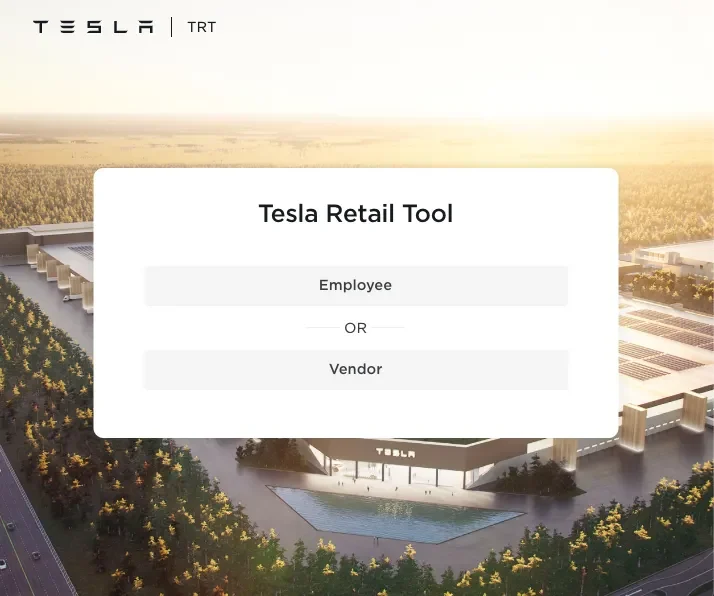
Tesla Retail Tool (TRT)
That is a lot of sensitive material in one place. The screenshot above shows what the tool looks like from the outside.
Two facts about TRT made it the right target:
- It accepted logins from both the internal IDP and the external IDP. So an outside account could, in principle, get in.
- It decided who was allowed in by checking the email address in the token against a list of users that someone at Tesla maintained by hand inside the application.
That second point is the weak spot. A hand-maintained list is easy to forget. When an employee leaves, their internal IDP account gets disabled or deleted, which is the normal safety net. But nobody necessarily remembers to remove their email from the list inside TRT. The assumption was that this did not matter, because the former employee could no longer log in through the internal IDP. That assumption only holds if TRT checks which IDP the login came from. It did not.
How the researcher found it
While testing various Tesla web applications as part of the Tesla Bug Bounty Program, the researcher had created many Tesla user accounts over time. At some point, while creating a new account, he became curious whether he could register an account using a Tesla email address.
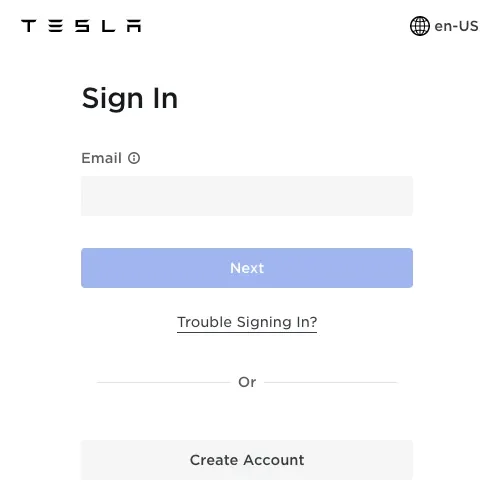
auth.tesla.com (Tesla's External IDP)
The screenshot above shows the public login page at auth.tesla.com. This is the front door anyone on the internet can walk up to.
He discovered that the external auth.tesla.com allowed users to register new accounts using @tesla.com and @teslamotors.com email addresses. Furthermore, there was no email validation, which meant it was possible to create an account with an email address that he did not have access to.
What "no email validation" means. Normally, when you sign up somewhere, the site sends a confirmation link to the email address you typed. You have to click it before the account works. That proves you control the mailbox. Here, no such check happened. You could type any address, including one belonging to someone else, and the account was created anyway.
At first this was not very exciting. When he tried to register an external account with a valid internal Tesla email address, the system reported that the email address is taken. So the obvious attack, pretending to be a current employee, was blocked. At best, he thought, this could be leveraged for a pre-account takeover under the right conditions, which is a fairly low impact issue.
So he asked a different question: how can we increase the impact of this, or leverage it in another way?
What about essentially the opposite of a pre-account takeover? Instead of creating an account with an email address he hoped would be used in the future, what if he could register an account that was used in the past, is no longer active on Tesla's internal IDP, but may still have privileges assigned within various web apps? Post-account takeover, if you will.
That is the key insight. The internal IDP blocks current employees' addresses because those accounts already exist. But former employees' addresses are gone from the internal IDP, so the "email address is taken" check no longer fires. And if any app still has that address on its internal list, the door is open.
Exploitation, step by step
Step 1: find former employees who would have had TRT access
The researcher used Google Dorks to search LinkedIn profiles of former Tesla employees who served in roles that should have had access to TRT, especially with access to sensitive information. For example:
site:linkedin.com inurl:/in “field systems” “tesla motors” -intitle:tesla -inurl:posts
Line by line, in plain words:
site:linkedin.comrestricts the search to pages on linkedin.com only. No other websites will appear.inurl:/inrestricts results to URLs that contain/in. On LinkedIn, personal profile pages have URLs likelinkedin.com/in/someone, so this filters out articles, job posts and other page types.“field systems” “tesla motors”requires both phrases to appear on the page. Quotation marks mean "this exact phrase," not the individual words. "Field systems" points to a job role, and "tesla motors" is the company's older name, which often appears on older profiles.-intitle:teslaexcludes pages whose title contains the word "tesla." This filters out Tesla's own company pages and job listings, leaving personal profiles.-inurl:postsexcludes URLs containingposts, which removes LinkedIn post pages.
Why this step? Because the attack needs a target: a former employee whose email address is likely still on TRT's internal list. Public professional profiles are a legitimate source of names and job titles. From a name, you can guess the email address pattern (for example, first name dot last name at the company domain). This found former field IT staff that should have access to network information.
Step 2: register on the external IDP with a former employee's address
With a candidate address in hand, the next step was to register an account at auth.tesla.com (the external IDP) using the past employee's email. Because the external IDP accepted @tesla.com and @teslamotors.com addresses and performed no email validation, registration succeeded even though the researcher had no access to that mailbox.
Why this step? Because the whole plan depends on getting a token that carries the former employee's email address. The external IDP is the only place that will issue such a token, since the internal IDP no longer has an account for that person.
Step 3: log in to TRT with the new identity
Moment of truth. In testing, it was possible to register an account at auth.tesla.com with a past Tesla employee's email which still had privileges assigned in TRT. The researcher was then able to access the Tesla Retail Tool with the identity and privileges of a former employee whose internal IDP account had likely been purged, by creating an account with the same email on the public IDP.
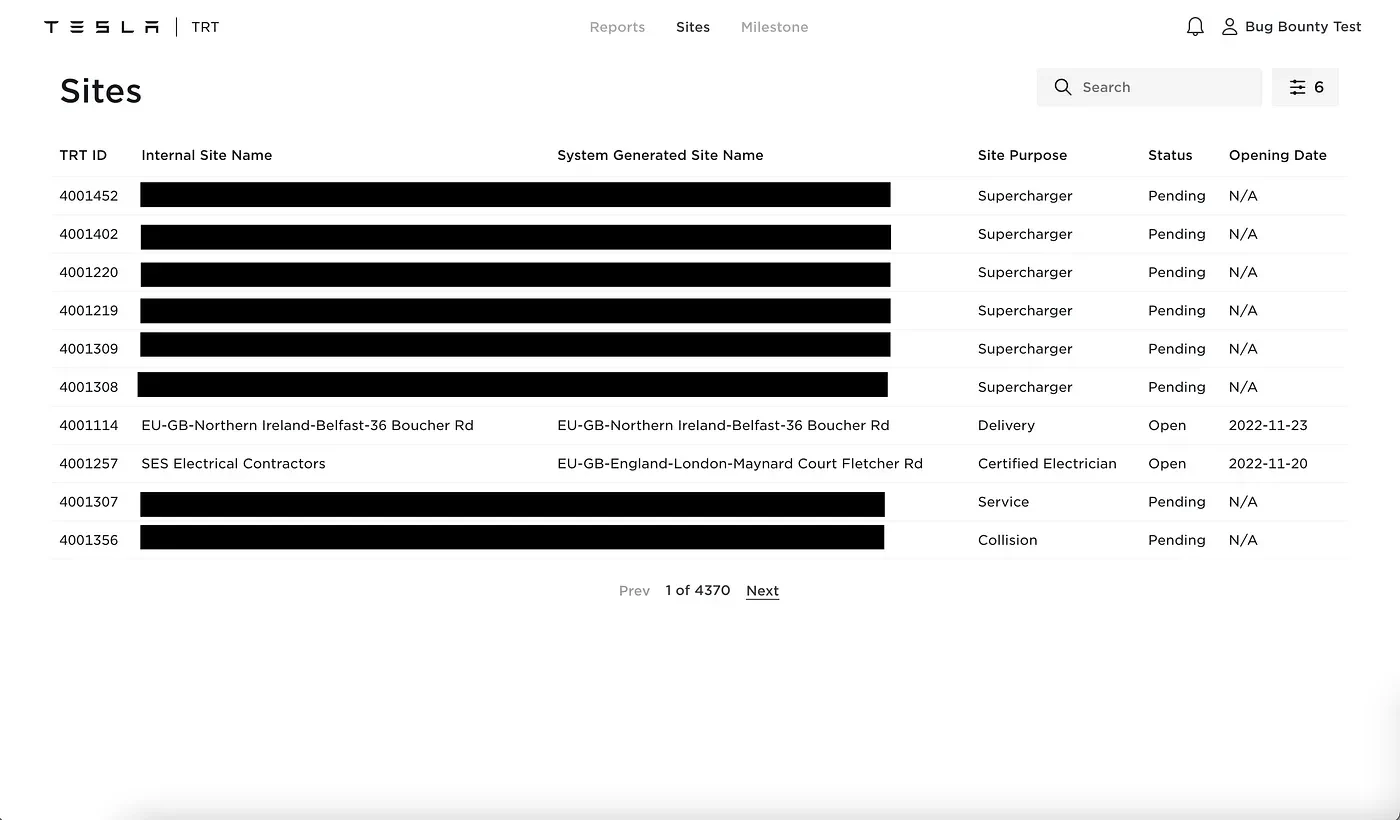
TRT, Logged in
The screenshot above shows the result: the researcher is inside TRT, logged in as the former employee.
This worked on multiple attempts with several email addresses of former employees.
The mechanism is what the researcher set out to test: whether TRT would issue a valid JWT carrying the victim's email address and treat it the same as a login through the internal IDP, because it authorised on the email address rather than the IDP that issued it.
In everyday terms: the door checked the name on the badge, not which reception desk had printed it. The public desk printed a badge with a former employee's name, and the door opened.
Why it worked: the root cause
Two weaknesses combine.
First, the external IDP auth.tesla.com allowed registration with @tesla.com and @teslamotors.com addresses and did not validate that the registrant controlled the mailbox. That removed the need to own the address. Anyone could type any internal-looking address and get an account.
Second, TRT accepted logins from both IDPs and did not check which IDP the user logged in with (auth.tesla.com versus sso.tesla.com). Authorisation was based on an email address matched against a manually maintained list of users inside the application. The existing defence, disabling or deleting the internal IDP account of a departed employee, therefore did not apply: the attacker never used the internal IDP.
Neither weakness is catastrophic alone. The first is a registration quirk. The second is a design shortcut. Together they let an outsider walk in as a former insider.
What an attacker could reach
An attacker who can identify a former Tesla employee whose address still carries privileges in TRT can register that address on the public IDP and log into TRT with the former employee's identity and privileges. In the researcher's testing this succeeded on multiple attempts with several former employee addresses. The data reachable that way includes network circuit info, local device logins, web logins for ISP and utility accounts, financial information, and details about current, upcoming and previous Tesla locations such as lease terms, internal and external contact info, building plans and internal photos of restricted areas of Tesla properties.
The attack depends on two conditions: the target address must still be defined with privileges inside TRT, and the attacker must be able to derive the address, here by extrapolating from public LinkedIn profiles. The researcher describes the internal IDP account as likely purged, and frames the general registration issue without email validation as low impact on its own; the severity comes from the combination with TRT's IDP-agnostic login.
How it was fixed
Tesla validated the bug on 20 Nov 2022 and began the remediation process. On 21 Nov 2022 the researcher confirmed that the accounts created during the report could no longer access TRT, and on 29 Nov 2022 Tesla marked the issue as resolved and awarded a bounty. The report does not describe the specific code or configuration changes made.
- Stop the external IDP from accepting internal
@tesla.comand@teslamotors.comaddresses, or require proof of mailbox control before such an account becomes usable. - Make TRT check which IDP issued the login, so that only
sso.tesla.comidentities can reach internal privileges.
Variants worth testing elsewhere
If you are testing a similar setup, these are the checks the finding suggests:
- Register on a public IDP with internal-looking domains of the target organisation and see whether the address is accepted and whether any verification email is required. A positive result is a successful registration for an address you do not control.
- For each application that accepts both external and internal identities, compare the token or session produced by each IDP. A positive result is an application that authorises purely on the email claim without recording or checking the issuer.
- Look for applications with manually maintained user lists and test whether a departed employee's address still resolves to a role. A positive result is a login that lands in an authenticated view with privileges attached.
- Use search engine dorks against professional profiles to enumerate former staff in roles that would have had access, then extrapolate the address pattern. A positive result is a set of candidate addresses that the public IDP accepts.
- Test the reverse direction as well: register an address that does not yet exist internally and watch for a later collision, the pre-account takeover case the researcher considered low impact.
Timeline
| Date | Event |
|---|---|
| 19 Nov 2022 | Reported |
| 20 Nov 2022 | Tesla validated the bug and began the remediation process |
| 21 Nov 2022 | Researcher confirmed the created accounts could no longer access TRT |
| 29 Nov 2022 | Tesla marked as resolved and awarded a bounty |
Glossary
- Account takeover: logging in as another person, using their identity and their permissions.
- Authentication: the process of proving who you are, usually with a password or a token.
- Authorisation: the process of deciding what an authenticated person is allowed to do.
- Bug bounty program: a scheme where a company pays researchers for reporting security bugs responsibly.
- Email validation: a check that the person registering an account actually controls the email address, usually by sending a confirmation link.
- External IDP: the login service for people outside the company, here
auth.tesla.com. - Google Dork: a search query using special operators (like
site:orinurl:) to narrow results precisely. - Identity Provider (IDP): a central login service that other apps trust to confirm who a user is.
- Internal IDP: the login service for employees, here
sso.tesla.com. - JWT (JSON Web Token): a common token format containing facts about the user, such as their email address, plus a signature.
- Post-account takeover: registering an account with an email address that used to belong to someone, is no longer active on the internal system, but still has leftover permissions.
- Pre-account takeover: registering an account with an email address that does not exist yet, hoping the real owner will later sign up and collide with it.
- Privileges: the specific permissions an account has, such as the ability to view certain data.
- Remediation: the process of fixing a security bug.
- Single sign-on (SSO): a setup where one central login is trusted by many separate apps.
- Token: a small piece of data handed to you after login so an app can recognise you on later requests without asking for your password again.
- TRT (Tesla Retail Tool): the internal Tesla application at the centre of this report, which stores confidential IT and business information.