Multiple Stored XSS
Input fields in the Edit Group Details form accepted malicious JavaScript and stored it without sanitisation, then reflected it on the View Rule Book page. An attacker could inject script that executes in the browser of anyone viewing the rule book, potentially stealing cookies or performing actions as the victim.

- Triaged in 3 hours
- Fixed in 14 days
- Disclosed after 3 months
Hello Team,
I have found multiple vulnerable fields which accepts malicious javascript inputs and reflects on another form which fails to sanitize the malicious javascript input.
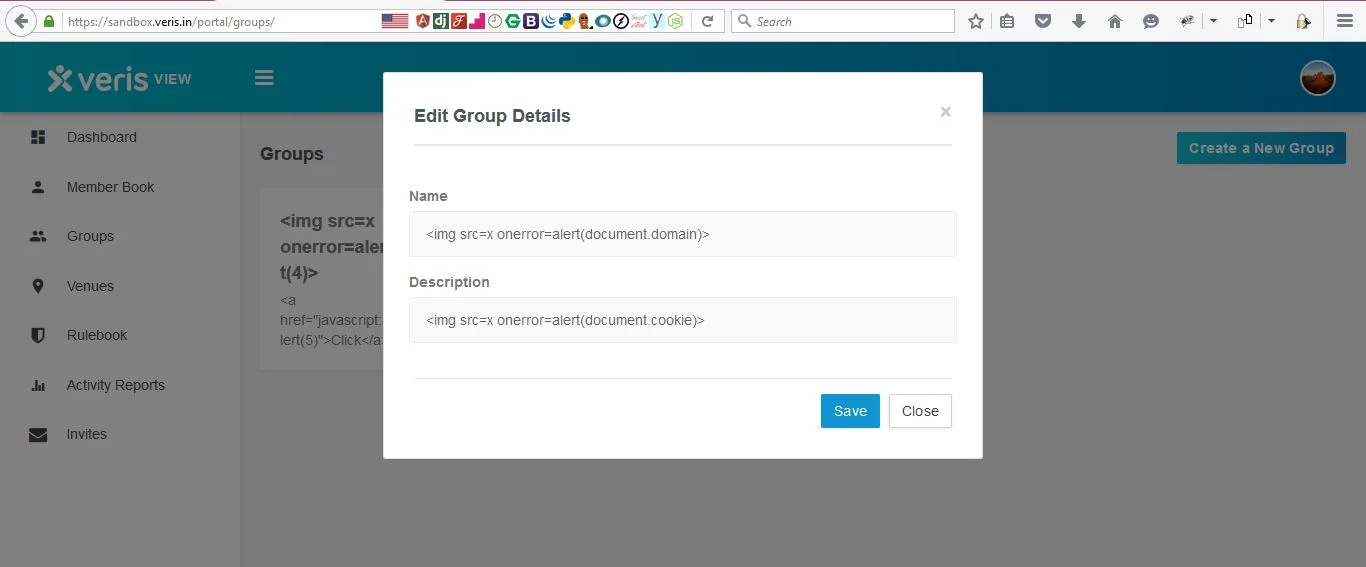
Vulnerable Input Form: Edit Group Details
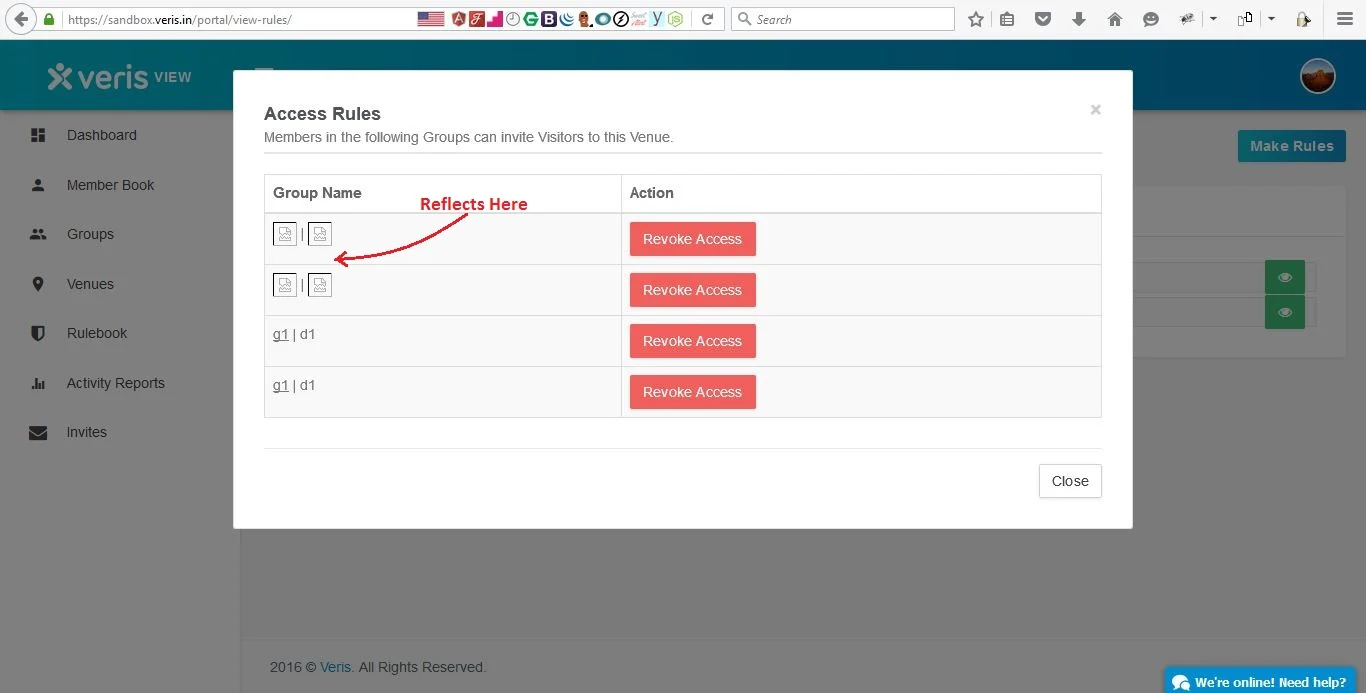
Reflects where: View Rule Book
Payload used: 1) <img src=x onerror=alert(document.domain)>
2) <img src=x onerror=alert(document.cookie)>
Browsers used: Mozilla Firefox and Google Chrome (Latest Version)
Steps to Reproduce:
- Go to Edit Group Details Form.
- Inject the above mentioned payload in both the input fields as shown in screenshot.
- Submit and Save it.
- Go to Rulebook and View it.
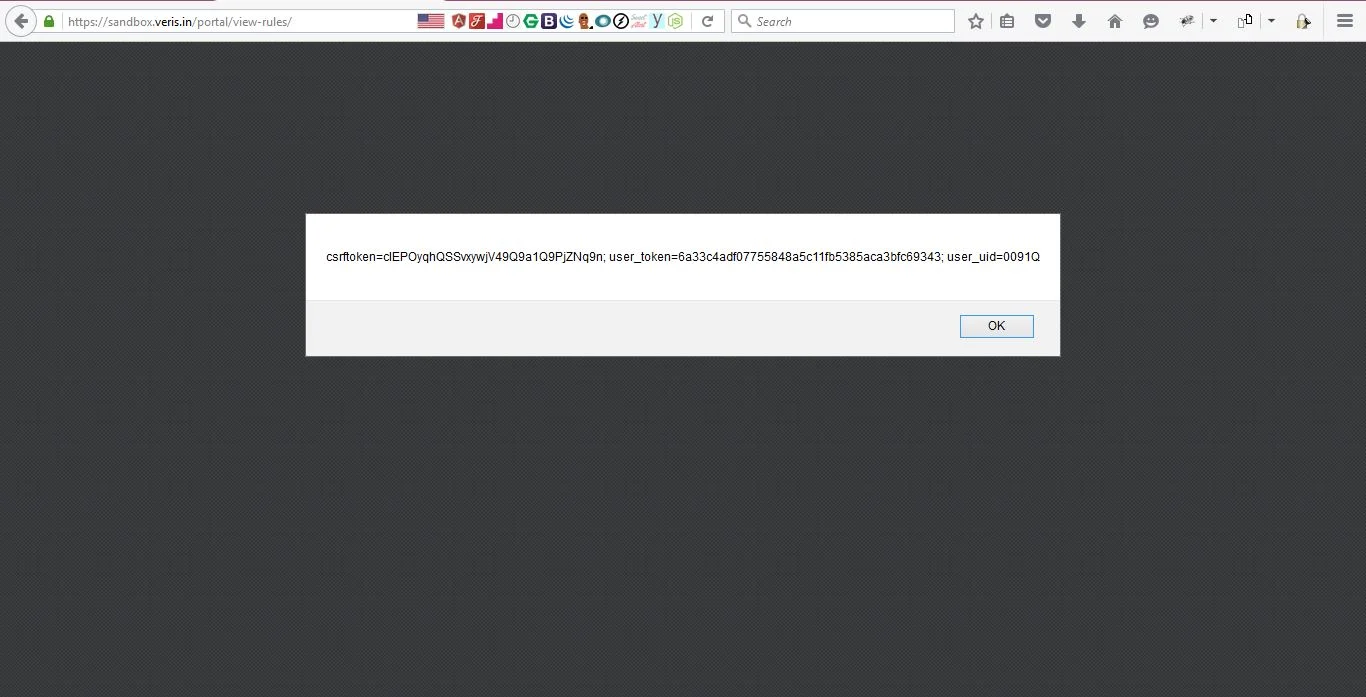
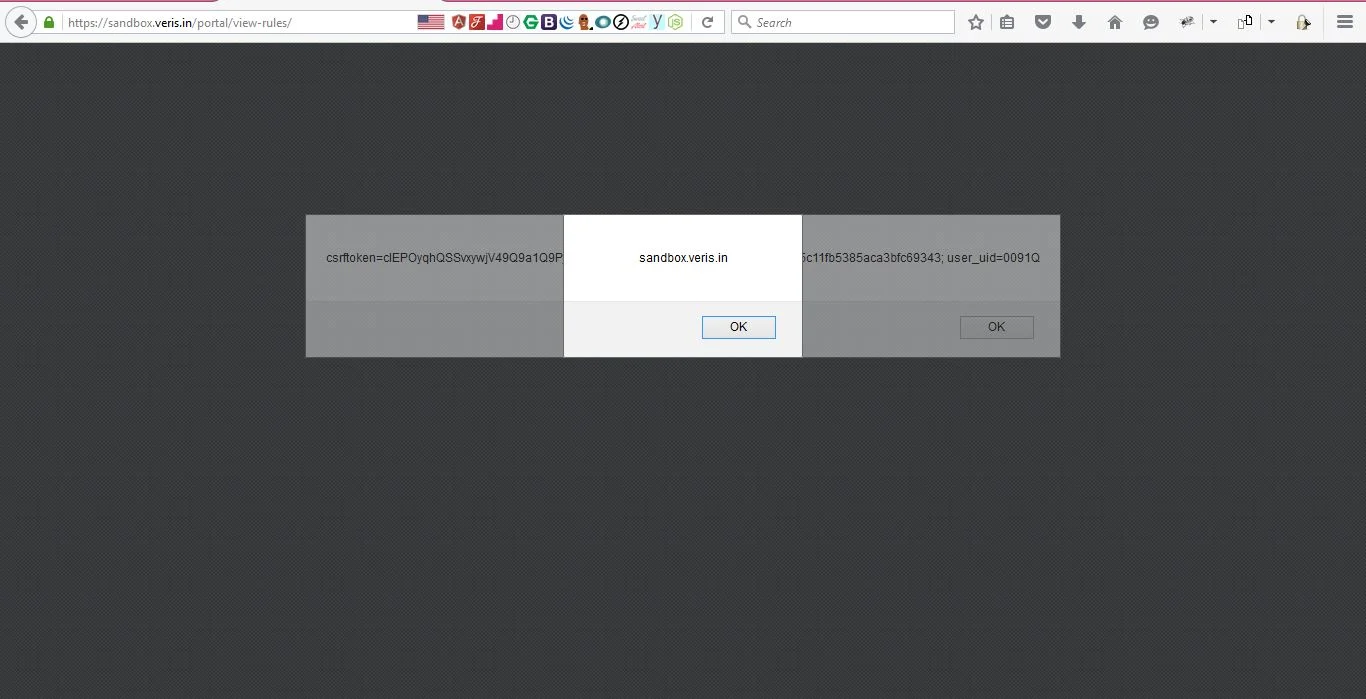
- Tadaa! XSS Triggers.
Proof of Concept: Please find the attached screenshots.
Do evaluate it and inform me accordingly.
Best Regards,
Hely H. Shah
Attachments
Not written yet. The AI write-up for this report has not been written yet. The Original tab links to the source.
How it worked
Root cause
Likely the application stored user-supplied input from the Edit Group Details form and rendered it on the View Rule Book page without output encoding or sanitisation.
Impact
An attacker could execute JavaScript in the browser of a user who views the rule book, which may allow cookie theft or actions as the victim.
What the attacker needed
Ability to edit group details; victim views the rule book
The fix
The application should encode or sanitise user input on output so that stored text is displayed as text and never executed as script.
How it was found
- Open the Edit Group Details form.
- Enter the malicious script in the input fields.
- Submit and save the form.
- Open the Rule Book page and view it.
- The script executes.
Explained by bugbounty.wiki with AI from the original and checked against quotes from it; it can still be wrong. Read the original before relying on a detail.
Not written yet. The AI write-up for this report has not been written yet. The Original tab links to the source.
Some web pages take what you type and show it to other people later. If the site does not clean that text, someone can type code instead of normal text, and the site will run that code in other people's browsers. This is called stored cross-site scripting, and it can let an attacker read cookies or act as the victim.
What is XSS?
Script an attacker supplies runs in another user's browser, on the target's origin, with that user's session.



