Access Any Owner Account without Authentication (Auth bypass + 2FA bypass)
A third-party reports login endpoint returned only orgid and userid in the response body instead of a session, and those values could be changed to another account's identifiers. The resulting session was an owner-level session that also worked on the main application, allowing full account takeover without credentials or a 2FA code.
Sharat Kaikolamthuruthil Follow
 Published on medium.com
This write-up is about accessing any owner account of an application without any kind of authentication. It was obtained by chaining multiple bugs to escalate into account takeover.
The full write-up lives on its author's site
It belongs to its author, so we link to it rather than copy it. The other two tabs are our own rewrites, checked against it.
Context
This write-up covers a chain of bugs on a private bug bounty program that allowed an attacker to access any owner account of an application without any kind of authentication. The researcher spent two months on the program and, after finding some bugs, turned to the JavaScript files to look for hidden URLs and sensitive information.
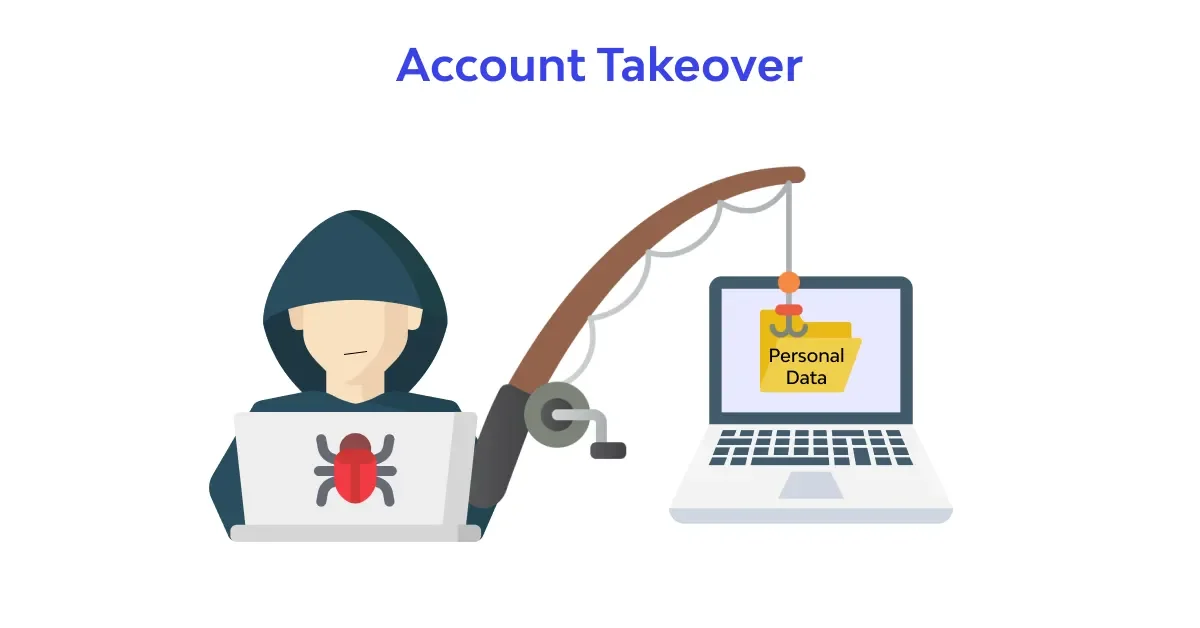
The application had a third-party reporting feature. A URL that was not exposed in the application UI, referred to here as https://target.com/reports/thirdparty, contained a function to create a third-party user. That user was meant to access only the reports section of the application, without access to the main dashboard contents. To reach the reports, the third-party user had to log in through a URL hosted on another domain, referred to here as https://myreport.com/login.php.
Setup
The work was done against a private program; the report refers to the hosts as target.com and myreport.com. The researcher's starting point was the JavaScript files served by the application, which he reviewed for hidden URLs and sensitive information. No specific tools or versions are named in the report. The precondition for the attack is that the third-party reporting feature exists and that its login endpoint returns the identity parameters described below.
Finding it
Reviewing the JavaScript files turned up a few URLs that were not shown in the application UI. One of them, https://target.com/reports/thirdparty, exposed the third-party user creation function. The third-party user could only reach the reports section, and only after logging in via the login page on the other domain.
After logging in, the researcher noticed that the response did not contain any session id. It contained only orgid and userid parameters in the body:
HTTP/1.1 200 OK

Date: Sun, 20 Nov 2022 08:52:07 GMT

Content-Type: application/json

Content-Length: 175

Connection: close

Server: Apache/2.2.22 (Ubuntu)

Vary: Accept-Encoding

{"success":true,"message":"Success!","data":{"logo":"","sub":"","orgid":"3848","userid":"78895"}}
The response confirms success and returns the organisation and user identifiers in the JSON body. There is no session identifier in it, which is what made the response worth manipulating.
Exploitation
Step 1: Manipulate the identity parameters in the login response
The researcher changed the orgid and userid values in the response to those of another account. Surprisingly, it worked, and he was able to gain access to another account's data. After the modified response was forwarded, the application set a SessionID value while redirecting to the reports section.
Step 2: Reuse the session against the main application
The main application and the third-party report URL used a similar session cookie, referred to here as SessionID. Using that cookie, the researcher accessed the main application. To his surprise it worked: he could access all the data and perform actions in the main application as an owner, effectively taking over the account without the actual credentials or the 2FA code.

Root cause
The root cause is that the third-party user was assigned an owner's session to access the reports in the third-party URL. That session could then be used to access anything in the main application as well. In addition, authentication in the third-party URL was based on the parameters in the body of the response and not on the actual credentials supplied. The third-party user was assigned an owner's session, and authentication in the third-party URL was based on the response body parameters rather than the credentials supplied.
Impact
An attacker could gain complete access to an owner account without any authentication, including without the 2FA code, and could access all data and perform actions in the main application as that owner. The report was triaged as a CRITICAL severity bug for this reason. The attack depends on the third-party reporting feature being reachable and on the login response carrying the identity parameters that the client can alter.
Fix
The report does not describe the fix that was applied. Based on the root cause, the server should derive the session identity from the authenticated credentials rather than from client-supplied orgid and userid values in the response body, and a session issued for the third-party reports scope should not be accepted by the main application as an owner session.
Variants to test
- Look through JavaScript files for URLs that are not linked in the UI, especially ones that create restricted or third-party users, and check what their login endpoints return.
- Log in to a restricted feature and inspect the response body for identity parameters such as organisation and user identifiers. Change them to another account's values and see whether the application issues a session for the other account.
- Take the session cookie issued after the manipulated response and replay it against the main application. A positive result is access to the main dashboard or the ability to perform owner actions with that cookie.
- Compare the session cookie names and values used by the main application and by the restricted or third-party feature. If they are the same or interchangeable, test whether a session from one scope is accepted by the other.
What happened, in plain words
A security researcher spent two months testing a private bug bounty program, which is a company that pays people to try to break its software in a controlled way. After finding some bugs, he decided to look at the JavaScript files the website sends to every visitor's browser. JavaScript files are the code that makes a web page interactive, and they often contain addresses of pages and features that are not linked anywhere in the visible interface. He found a few of those hidden addresses, and one of them led to a serious chain of mistakes.
The application had a feature for third-party users: people from outside the company who should only be able to see reports, not the main dashboard. To use it, they logged in through a separate login page on another domain. When the researcher logged in there, the server's reply did not contain a normal session identifier. It contained only two values, orgid and userid, which identify an organisation and a user. He changed those values to another account's numbers, and the application accepted it. It then handed him a session cookie, and that same cookie turned out to work on the main application, giving him full owner access without a password or a 2FA code. 2FA, or two-factor authentication, is the second proof of identity, such as a code from a phone app, that a site asks for after the password.
The report was triaged as CRITICAL, the highest severity level. This article walks through the same steps for someone who has never done security testing before, explaining each concept as it appears.
Background concepts you need first
Before the steps make sense, a few everyday ideas are worth spelling out.
- A web application is a program that runs on a server and is used through a browser. Your browser sends requests, the server sends responses, and the page you see is built from those responses.
- An API is the part of a web application that answers requests with data rather than with a full web page. Think of a restaurant: the dining room is the visible website, and the kitchen door where orders go in and plates come out is the API. You can talk to the kitchen directly if you know the door.
- A cookie is a small piece of text that a server asks your browser to store and send back with every later request. It is like a cloakroom ticket: the staff give you a number, and when you come back with that number they hand you your coat without asking who you are again.
- A session is the server-side record that a cookie points to. The cookie is the ticket; the session is the coat. A session ID is the value inside the cookie that identifies which session belongs to you.
- Authentication means proving who you are, usually with a username and password. Authorisation means deciding what a proven identity is allowed to do. A bug where the server trusts the wrong identity is an authentication bypass, and if it lets someone else's account be taken over, it is called account takeover.
- A 2FA bypass means getting past the second factor without possessing it, for example because the application never asks for it on the path you used.
- JSON is a plain text format for structured data, made of names and values in curly braces. It is what most APIs use to send data back.
- A response body is the content of the server's reply, as opposed to its headers, which are the labels at the top describing the reply.
The setup
The work was done against a private program; the report refers to the hosts as target.com and myreport.com. The researcher's starting point was the JavaScript files served by the application, which he reviewed for hidden URLs and sensitive information. The report does not name any specific tools or versions. The precondition for the attack is that the third-party reporting feature exists and that its login endpoint returns the identity parameters described below.
Finding the hidden feature
Reviewing the JavaScript files turned up a few URLs that were not shown in the application UI. One of them, https://target.com/reports/thirdparty, exposed the third-party user creation function. The third-party user could only reach the reports section, and only after logging in via the login page on the other domain, https://myreport.com/login.php.
Why look at JavaScript at all? Because a browser can only run code it has been given, so every feature the site can use, including ones with no button in the menu, has to be described somewhere in those files. Reading them is like reading the architect's plans of a building instead of only walking through the front door: you find the service corridors.
After logging in, the researcher noticed that the response did not contain any session id. It contained only orgid and userid parameters in the body:
HTTP/1.1 200 OK

Date: Sun, 20 Nov 2022 08:52:07 GMT

Content-Type: application/json

Content-Length: 175

Connection: close

Server: Apache/2.2.22 (Ubuntu)

Vary: Accept-Encoding

{"success":true,"message":"Success!","data":{"logo":"","sub":"","orgid":"3848","userid":"78895"}}
Line by line, in plain words:
HTTP/1.1 200 OKis the status line.200means the request succeeded.Date: Sun, 20 Nov 2022 08:52:07 GMTis when the server produced the reply.Content-Type: application/jsonsays the body is JSON, so it is data, not a web page.Content-Length: 175says the body is 175 bytes long.Connection: closetells the browser the connection will be closed after this reply.Server: Apache/2.2.22 (Ubuntu)is the web server software that answered.Vary: Accept-Encodingis a caching hint about compressed versus uncompressed replies.- The last line is the body:
successis true,messagesaysSuccess!, and insidedatathere are four values.logoandsubare empty.orgidis3848anduseridis78895, which identify the organisation and the user.
The important observation is what is missing: there is no session identifier in this reply. The reply contains no session identifier, only numbers in the body, which is what made the response worth manipulating. That is what made the response worth manipulating.
Exploitation
Step 1: Manipulate the identity parameters in the login response
The researcher changed the orgid and userid values in the response to those of another account. Surprisingly, it worked, and he was able to gain access to another account's data. After the modified response was forwarded, the application set a SessionID value while redirecting to the reports section.
To picture this, imagine a cloakroom that writes your name on the ticket itself instead of keeping its own list. If you can change the name on the ticket before handing it back, you get someone else's coat. Here the ticket was the JSON body, and the application trusted the numbers in it to decide whose session to create.
Step 2: Reuse the session against the main application
The main application and the third-party report URL used a similar session cookie, referred to here as SessionID. Using that cookie, the researcher accessed the main application. To his surprise it worked: he could access all the data and perform actions in the main application as an owner, effectively taking over the account without the actual credentials or the 2FA code.
This is the second mistake. A session created for a limited, reports-only role should only open the reports door. Because the main application accepted the same cookie as an owner session, the limited ticket opened every door in the building, including the owner's office. The account was taken over without the actual credentials or the 2FA code.
Root cause
The root cause is that the third-party user was assigned an owner's session to access the reports in the third-party URL. That session could then be used to access anything in the main application as well. In addition, authentication in the third-party URL was based on the parameters in the body of the response and not on the actual credentials supplied. The third-party user was assigned an owner's session, and authentication in the third-party URL was based on the response body parameters rather than the credentials supplied.
In everyday terms: the server asked the customer to write their own name on the receipt, then used that name to fetch the account, and then issued a master key that worked everywhere.
Impact
An attacker could gain complete access to an owner account without any authentication, including without the 2FA code, and could access all data and perform actions in the main application as that owner. The report was triaged as a CRITICAL severity bug for this reason. The attack depends on the third-party reporting feature being reachable and on the login response carrying the identity parameters that the client can alter.
Fix
The report does not describe the fix that was applied. Based on the root cause, the server should derive the session identity from the authenticated credentials rather than from client-supplied orgid and userid values in the response body, and a session issued for the third-party reports scope should not be accepted by the main application as an owner session.
Variants to test
If you want to look for similar problems on software you are authorised to test, these are the same checks in a beginner-friendly order:
- Look through JavaScript files for URLs that are not linked in the UI, especially ones that create restricted or third-party users, and check what their login endpoints return.
- Log in to a restricted feature and inspect the response body for identity parameters such as organisation and user identifiers. Change them to another account's values and see whether the application issues a session for the other account.
- Take the session cookie issued after the manipulated response and replay it against the main application. A positive result is access to the main dashboard or the ability to perform owner actions with that cookie.
- Compare the session cookie names and values used by the main application and by the restricted or third-party feature. If they are the same or interchangeable, test whether a session from one scope is accepted by the other.
Glossary
- API: the part of a web application that answers requests with data instead of a full web page.
- Account takeover: a bug that lets an attacker control another person's account.
- Authentication: proving who you are, usually with a username and password.
- Authentication bypass: getting past authentication without supplying valid credentials.
- Authorisation: deciding what a proven identity is allowed to do.
- Bug bounty program: a scheme in which a company pays researchers for reporting security bugs.
- Cookie: a small piece of text a server asks the browser to store and send back on later requests.
- CRITICAL: the highest severity rating used for a bug in this report.
- 2FA (two-factor authentication): a second proof of identity, such as a code from a phone app, asked for after the password.
- 2FA bypass: getting past the second factor without possessing it.
- HTTP: the language browsers and servers use to exchange requests and responses.
- JavaScript: code that runs in the browser and makes web pages interactive; it can also reveal hidden URLs.
- JSON: a plain text format for structured data made of names and values in curly braces.
- Response body: the content of a server's reply, as opposed to its headers.
- Session: the server-side record that a cookie points to.
- Session ID: the value inside a cookie that identifies which session belongs to you.
- Severity: a rating of how serious a bug is.
- Triaged: reviewed and accepted as a valid bug by the program.
- URL: the address of a page or resource on the web.
- Web application: a program that runs on a server and is used through a browser.


