Bypassing Cloudflare’s WAF!
A reflected cross-site scripting vulnerability existed in a URL parameter that was reflected on the page. The attacker bypassed Cloudflare's WAF by using HTML entity encoding to smuggle a parenthesis into a javascript: URI, achieving script execution.

Before skipping through this write up and look for the final payload — be sure you understand what you read. Lots of you just copy and paste payloads and “spray, pray and hope” for an XSS.
The full write-up lives on its author's site
It belongs to its author, so we link to it rather than copy it. The other two tabs are our own rewrites, checked against it.
Context
This write-up is about a reflected cross-site scripting (XSS) finding on a site that sat behind Cloudflare's web application firewall (WAF). The feature in question is a page that takes a country parameter from the URL and reflects it back into the HTML of the page. The report does not name the site, the program or the endpoint beyond the parameter itself.
The interesting part is not the reflection. It is that the WAF blocked the obvious payloads, and the researcher had to find an encoding that survived both the WAF and the site's own URL and HTML decoding before the browser parsed it.
Setup
No accounts, roles, tools or versions are described. The work was done by hand against the live site, starting from a normal visit and a few clicks. The only precondition that matters is that the site reflects the country parameter and is protected by Cloudflare.
Finding it
When looking at a URL, the researcher always looks for parameters or hidden parameters. In this case it was simpler than that: after visiting the site and doing a few clicks, the parameter
?country=NYC
was visibly reflected on the page.
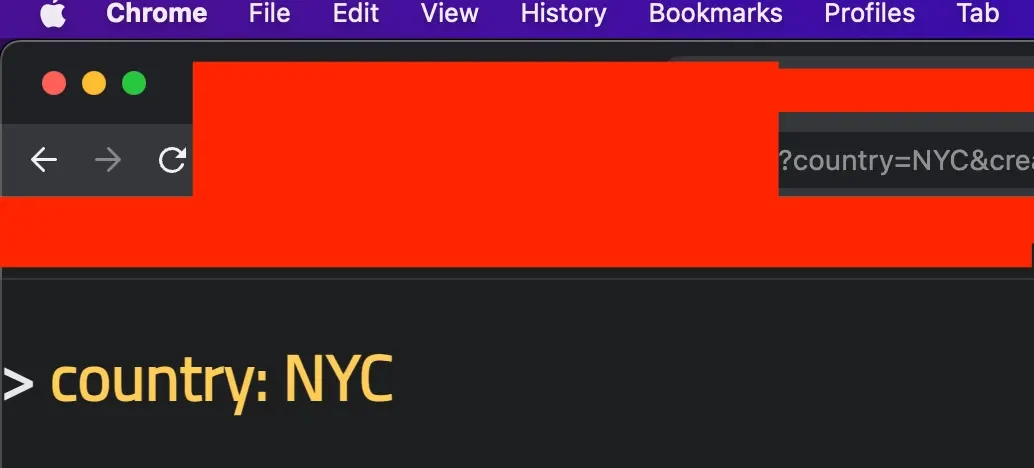
The screenshot shows the value NYC sitting next to the label Country on the left, which is how the reflection was spotted.
The first instinct was to test for reflected XSS like everyone else, but the researcher already knew a Cloudflare WAF was in place. So instead of firing a full payload, the approach was to start with simple tags and build up a payload that would survive the filter.
Exploitation
Step 1: confirm HTML injection with a simple tag
The starting point was a simple tag, because a simple tag will not trigger the site's WAF and will not produce a false positive. It also shows whether HTML input is sanitised or not. The report's general advice for this stage is the payload
\"><h1>Hi</h1>
Using <svg> would be great, but <iframe> would be easier, and the tag <iframe> worked. That gave an HTML injection, which is the point where the work moves from reflection to escalation.
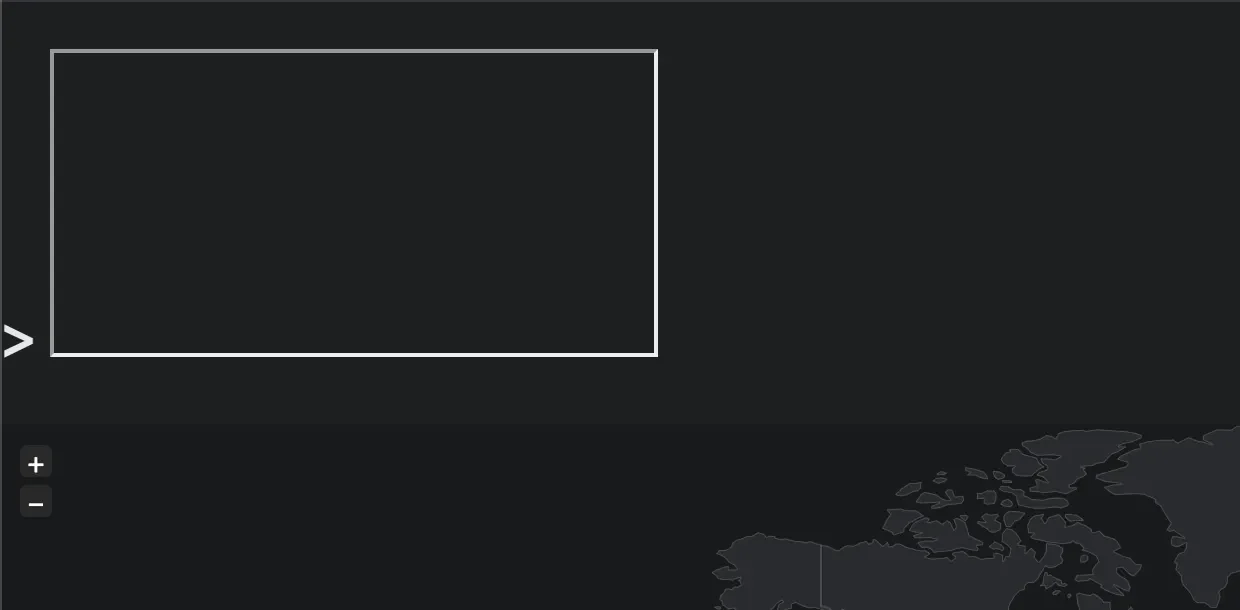
The screenshot shows the injected iframe tag rendering on the page.
Step 2: a first javascript: payload
While crafting the payload, the researcher knew the following form could be used:
<iframe/src=javascript:alert)>

This rendered in properly. The problem is visible in the payload itself: the alert call has a closing ) but no opening (. The payload had a closing ) but no opening (, so the next task was to get a ( in while keeping the ) that was already there.
Step 3: encodings that did not work
Several encodings were tried to smuggle the opening parenthesis through:
(
None of these worked and rendered in properly. The report does not say which of them were blocked by the WAF and which were mangled by the application, only that the result was the same for all three.
Step 4: the encoding that did work
Looking for other methods, the researcher realised that the site renders URL encoding and HTML encoding properly. That led to the HTML entity (, which translates to (. URL encoding that entity gives:
%26%23x0000000%3b
The final payload became:
\"><iframe/src=javascript:alert%26%23x000000028%3b)>
The reason this works is that the site decodes the URL properly and then renders the HTML encoding of ( as (, which completes the alert() call and produces the reflected XSS.
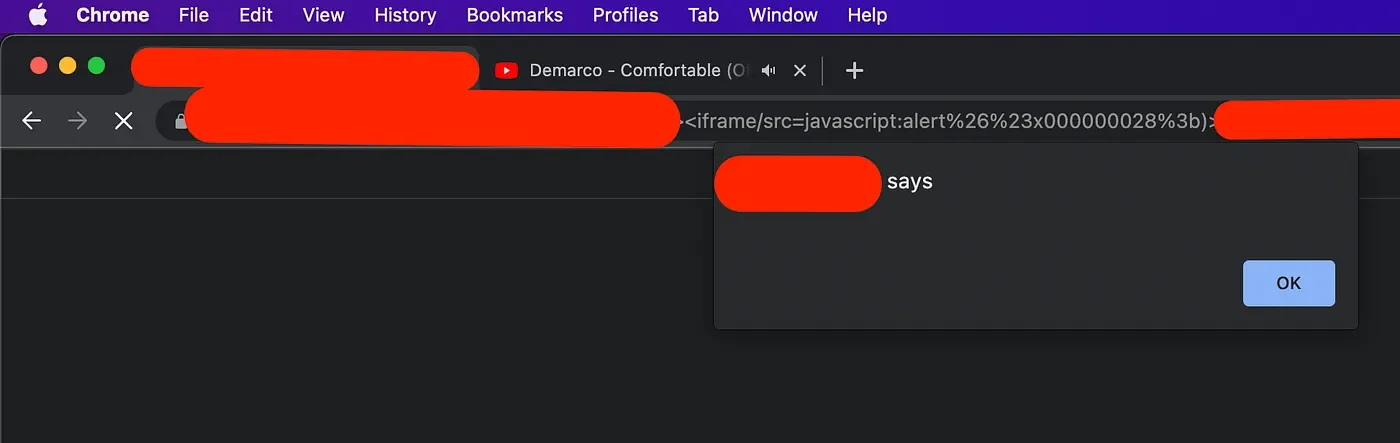
The screenshot shows the resulting XSS firing.
Root cause
The site decodes URL encoding and renders HTML encoding properly, so the URL-encoded entity became ( in the page. Because the value is decoded and then rendered as HTML, an entity that arrives URL-encoded is turned back into a character the browser will interpret as part of the markup and script context.
Impact
This is a reflected XSS: an attacker who can get a victim to open a crafted URL on the affected site can run script in the victim's browser in the origin of that site. The attack requires the victim to follow the crafted link, and it depends on the site continuing to reflect the parameter as it did.
Fix
The fix implied by the root cause is context-aware output encoding of the country value at the point where it is written into the HTML, so that entities and markup in user input are rendered as text rather than parsed. A WAF rule tuned to encoded entities would help, but it is a mitigation, not the fix.
Variants to test
- Numeric and padded HTML entities. Try decimal and hex forms of the characters a payload needs, including leading zeros, as in
(. A positive result is the character appearing in the rendered page where the application should have shown text. - Double encoding. URL-encode an already URL-encoded entity and see whether the application decodes twice. A positive result is the entity resolving to its character after the second decode.
- Named entities. Test
(,:,/and similar named forms in place of literal characters. A positive result is the browser interpreting the decoded character as syntax rather than text. - Other blocked characters. Apply the same trick to characters the WAF strips from other payloads, such as
=,/or:. A positive result is a payload that previously failed now rendering and executing. - Different injection contexts. Repeat the reflection test in attribute values, inside
<script>blocks and in URL-bearing attributes. A positive result is a context where the decoded entity breaks out of the surrounding syntax.
Side notes
- The payload took 30 to 45 minutes to create and a lot of researching.
- Payment: awarded the maximum bounty.
- The researcher will not disclose the amount or the pentest.
- Now every February, you'll be my Valentine.

What happened, in plain words
A security researcher found a way to make a website run code of their choosing in other people's browsers. The website had a page that takes a value from the address bar (the part of a URL after the ? sign) and shows it back on the page. That kind of page is a classic place to look for a bug called cross-site scripting, or XSS for short.
The twist is that the site was protected by Cloudflare, a company that sits in front of many websites and filters out suspicious requests. Cloudflare's filter is called a web application firewall, or WAF. Think of it as a bouncer at a door who checks everyone's bag for known-bad items. The researcher knew a WAF was in place, so they started with simple tags rather than a full payload. So the researcher spent time working out how to carry the same thing in a form the bouncer did not recognise, while the website itself would still unpack it once it got inside.
The final trick was to hide one single character, an opening bracket (, inside layers of encoding. Encoding is just a way of writing a character using ordinary letters and numbers, the way you might write "smiley face" instead of drawing one. The website decoded those layers and ended up with the bracket it needed, which completed a small piece of JavaScript (the language browsers run) and made the page pop up an alert box. That is the visible proof that script is running.
This write-up walks through the whole thing from the beginning: how the researcher spotted the reflection, how they confirmed they could inject HTML (the language web pages are written in), how the first payload failed, which encodings did not work, and which one did.
Background you need first
Before the steps make sense, here are the ideas involved, explained from zero.
A URL and its parameters. A URL is the address of a page, like https://example.com/page. Sometimes an address carries extra information after a ?, in the form name=value. That is called a query string, and each name=value pair is a parameter. A shopping site might use ?item=shoes to know which product to show. The page reads the value and uses it to build what you see.
Reflection. When a page takes a value from the URL and writes it straight into the page it sends back, people say the value is "reflected". If you type ?country=NYC and the page shows NYC somewhere, the value made a round trip from your address bar, to the server, and back into the page.
HTML injection. HTML is the language of web pages: tags like <h1> for a heading or <iframe> for an embedded frame tell the browser what to draw. If a site reflects your input without cleaning it, you can type HTML tags and the browser will treat them as real page structure rather than as text. That is HTML injection. It is the doorway to XSS.
XSS (cross-site scripting). If you can inject not just HTML but also JavaScript, the browser will run your script as if the website itself had written it. That script can then do things in the visitor's browser, in the context of that website. "Reflected" XSS means the script arrives through the URL the victim opens, rather than being stored on the server.
A WAF. A web application firewall inspects requests on their way to the site and blocks ones that look like attacks. It works on patterns: if a request contains something that looks like a script tag or a suspicious function call, it is stopped. Cloudflare is a well-known provider of this kind of protection.
Encoding. Characters can be written in more than one way. URL encoding writes special characters as % followed by two hex digits, so a space becomes %20. HTML encoding (also called HTML entities) writes characters as & followed by a name or a number and a semicolon, so < means <. Browsers and servers decode these back to the original character at the right moment. The whole bug in this report lives in the gap between what the WAF inspects and what the browser finally decodes.
JavaScript and alert(). JavaScript is the programming language browsers execute. alert() is a built-in function that shows a pop-up box with a message. Researchers use it as a harmless, visible signal: if the box appears, script ran.
Finding it
When the researcher looks at a URL, they always look for parameters, including hidden ones. Here it was simpler than that. After visiting the site and doing a few clicks, the parameter
?country=NYC
was visibly reflected on the page.
The screenshot shows the value NYC sitting next to the label Country on the left. That is how the reflection was spotted: the page was echoing back whatever the URL said the country was.
The first instinct was to test for reflected XSS like everyone else, but the researcher already knew a Cloudflare WAF was in place. So instead of firing a full attack payload straight away, the plan was to start with simple tags and build up something that would survive the filter. Firing a big obvious payload at a WAF mostly teaches you that the WAF works; starting small tells you what the site itself does with your input.
Exploitation
Step 1: confirm HTML injection with a simple tag
The starting point was a simple tag, for two reasons. A simple tag will not trigger the site's WAF, so you avoid a false positive where the WAF blocks you and you wrongly conclude the site is safe. And it shows whether HTML input is sanitised (cleaned) or not. The report's general advice for this stage is the payload
\"><h1>Hi</h1>
Line by line: \" is a backslash and a double quote. The backslash is often used to escape a quote, and the quote is there to try to close whatever attribute or string the site has put your input inside. > closes the surrounding tag. <h1>Hi</h1> is a level-one heading containing the word Hi. If the page shows a large bold "Hi", your input was treated as HTML. If it shows the literal text, it was treated as text and cleaned.
Using <svg> would be great, but <iframe> would be easier, and the tag <iframe> worked. An iframe is a frame embedded inside a page, normally used to show another page inside the current one. That gave an HTML injection, which is the point where the work moves from reflection to escalation: you have proved the browser will accept your markup, so now you try to get script to run.
The screenshot shows the injected iframe tag rendering on the page.
Step 2: a first javascript: payload
While crafting the payload, the researcher knew the following form could be used:
<iframe/src=javascript:alert)>
Line by line: <iframe opens an iframe tag. /src= sets the src attribute, which is where an iframe normally gets the address of the page to show. javascript: is a special prefix that tells the browser the rest is JavaScript to run rather than a web address to load. alert is the pop-up function. Then there is a closing ) and the tag is closed with >.
This rendered in properly. The problem is visible in the payload itself: the alert call has a closing ) but no opening (. In JavaScript, a function call needs both brackets around its arguments, so alert) on its own is not valid. The payload had a closing ) but no opening (, so the next task was to get a ( in while keeping the ) that was already there. In other words, the bouncer was confiscating the opening bracket, and the researcher needed a way to sneak it in.
Step 3: encodings that did not work
Several encodings were tried to smuggle the opening parenthesis through:
(
Line by line: %28 is the URL encoding of (. ( is the decimal HTML entity for (. ( is the named HTML entity for (. All three are legitimate ways of writing an opening bracket, and all three were attempts to get the character past the filter in a form the filter might not recognise.
None of these worked and rendered in properly. The report does not say which of them were blocked by the WAF and which were mangled by the application, only that the result was the same for all three. That is a useful lesson in itself: when an encoding fails, you do not always know which layer rejected it, so you keep trying forms until one survives every layer.
Step 4: the encoding that did work
Looking for other methods, the researcher realised that the site renders URL encoding and HTML encoding properly. That means the site decodes the URL first, then treats the result as HTML, and the browser decodes the HTML entities. That led to the HTML entity (, which translates to (. The x means the number is in hexadecimal (base 16), and the leading zeros are padding: the browser reads the number and does not care how many zeros precede it. URL encoding that entity gives:
%26%23x0000000%3b
Line by line: %26 is the URL encoding of &. %23 is the URL encoding of #. Then x0000000 follows literally. %3b is the URL encoding of ;. So the whole string is the entity written in URL-encoded form, ready to travel through the URL.
The final payload became:
\"><iframe/src=javascript:alert%26%23x000000028%3b)>
Line by line: \" and > break out of the surrounding context as before. <iframe/src= opens the iframe and sets its source. javascript: says the source is script. alert is the function. %26%23x000000028%3b is the URL-encoded HTML entity that the site will turn back into (. The closing ) and > finish the call and the tag.
The reason this works is that the site decodes the URL properly and then renders the HTML encoding of ( as (, which completes the alert() call and produces the reflected XSS. The report does not explain why the WAF allowed this payload through.
The screenshot shows the resulting XSS firing.
Root cause
The site decodes URL encoding and renders HTML encoding properly, so the URL-encoded entity became ( in the page. "Context-aware output encoding" means cleaning the value according to where it will land: text, an attribute, a script block or a URL each need different treatment. Because the value is decoded and then rendered as HTML, an entity that arrives URL-encoded is turned back into a character the browser will interpret as part of the markup and script context.
The WAF did not stop this because the payload never contained a literal ( in the request. The parenthesis existed only as an HTML entity, and the entity itself was URL-encoded, so the filter saw neither the character it was looking for nor a recognisable script pattern.
Impact
This is a reflected XSS: an attacker who can get a victim to open a crafted URL on the affected site can run script in the victim's browser in the origin of that site. "Origin" here means the combination of scheme, host and port that the browser uses to decide which site a page belongs to; script running in that origin is treated as belonging to the site. The attack requires the victim to follow the crafted link, and it depends on the site continuing to reflect the parameter as it did.
Fix
The fix implied by the root cause is context-aware output encoding of the country value at the point where it is written into the HTML, so that entities and markup in user input are rendered as text rather than parsed. A WAF rule tuned to encoded entities would help, but it is a mitigation, not the fix. A WAF is a filter in front of the door; output encoding is making sure the door itself cannot be forced.
Variants to test
- Numeric and padded HTML entities. Try decimal and hex forms of the characters a payload needs, including leading zeros, as in
(. A positive result is the character appearing in the rendered page where the application should have shown text. - Double encoding. URL-encode an already URL-encoded entity and see whether the application decodes twice. A positive result is the entity resolving to its character after the second decode.
- Named entities. Test
(,:,/and similar named forms in place of literal characters. A positive result is the browser interpreting the decoded character as syntax rather than text. - Other blocked characters. Apply the same trick to characters the WAF strips from other payloads, such as
=,/or:. A positive result is a payload that previously failed now rendering and executing. - Different injection contexts. Repeat the reflection test in attribute values, inside
<script>blocks and in URL-bearing attributes. A positive result is a context where the decoded entity breaks out of the surrounding syntax.
Side notes
- The payload took 30 to 45 minutes to create and a lot of researching.
- Payment: awarded the maximum bounty.
- The researcher will not disclose the amount or the pentest.
- Now every February, you'll be my Valentine.
Glossary
- WAF (web application firewall): a filter in front of a website that inspects incoming requests and blocks ones that match known attack patterns.
- Cloudflare: a company that provides a WAF and other protection in front of websites.
- XSS (cross-site scripting): a bug where an attacker gets their own JavaScript to run in another person's browser in the context of a website.
- Reflected XSS: XSS where the malicious script arrives through the URL the victim opens, rather than being stored on the server.
- HTML: the language web pages are written in, made of tags such as
<h1>and<iframe>. - HTML injection: getting your own HTML tags into a page because the site did not clean your input.
- JavaScript: the programming language that browsers run to make pages interactive.
alert(): a JavaScript function that shows a pop-up box, used by researchers as visible proof that script ran.- URL: the address of a page, optionally with a query string after a
?. - Parameter: a
name=valuepair in a URL's query string, used by the page to decide what to show. - Reflection: when a page writes a value from the URL straight back into the page it sends.
- Encoding: writing a character in an alternative form, such as
%28or(for(. - URL encoding: writing special characters as
%followed by two hex digits. - HTML entity: writing a character as
&plus a name or number plus;, such as<for<. - Hexadecimal: base-16 numbering, used in entities like
(. - Sanitisation: cleaning user input so that markup and script in it cannot take effect.
- Context-aware output encoding: cleaning a value according to where it will appear (text, attribute, script, URL) so it is always treated as data, not code.
- Payload: the crafted input an attacker sends to trigger a bug.
- False positive: a result that looks like a finding but is not, for example when a WAF blocks you and you mistake that for the site being safe.
<iframe>: an HTML tag that embeds one page inside another.javascript:: a prefix in a URL or attribute that tells the browser the rest is JavaScript to run.- Origin: the combination of scheme, host and port that the browser uses to decide which site a page belongs to.
- Bounty: a reward paid by a company to a researcher who reports a valid security bug.