Self XSS leads to blind XSS and Reflected XSS
The author found a self-XSS in a live support chat that was filtered but bypassable with HTML entities, leading to blind XSS in the admin panel and account takeover. They also found a reflected XSS on an unlisted subdomain using a payload that bypassed filtering.

In regards to this tweet: https://twitter.com/Skeletorkeys/status/1026497897871884289
The full write-up lives on its author's site
It belongs to its author, so we link to it rather than copy it. The other two tabs are our own rewrites, checked against it.
Context
The target is a website whose operators asked the researcher not to name it until their bug bounty programme is in place. The researcher says the name will be disclosed later if the site allows it, or the site will do so itself. Everything below therefore refers to it as "the website".
The feature involved in the first finding is a live support chat: a text input where a visitor types a message, which was rendered back to them and also appeared in the support team's admin panel. The second finding is on a separate subdomain, search.websitename.com, which the researcher found through subdomain enumeration. It was not linked from the main site, was not secured, and consisted of a search box plus a set of outdated information.
Setup
The researcher used two tools:
- KNOXSS, an XSS scanning service, used to submit POST data and observe how payloads were transformed.
- Sublist3r, used to enumerate subdomains of the target.
No accounts, versions or special preconditions are described for the live chat: the researcher interacted with it as a visitor. For the subdomain, the only precondition was discovering the hostname, which Sublist3r provided.
Finding it
The researcher started by trying to inject into the live support chat. The characters and sequences tried were:
All of them were filtered: they were not rendered at all. After 20 to 30 minutes of trying, the researcher switched to HTML entities and found that the output was rendered inside regular tags. That is the self XSS: the input is reflected back to the person who typed it, with entity decoding happening at render time.
Exploitation
Step 1: self XSS in the live chat
The payload used was a set of HTML entities rather than raw angle brackets:
"><img src=x onerror=alert(1);>
After entity decoding, the output became:
"><img src=x onerror=alert(1);>
The decoded " closes an attribute and > closes the surrounding tag, so the img element is parsed as markup. Because src=x does not resolve to a valid image, the onerror handler fires and calls alert(1).
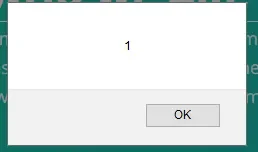
The screenshot shows the confirmation dialog with the value 1, captioned by the researcher as "OUR MAGICAL CONFIRMATION '1' :D".
Step 2: from self XSS to blind XSS
A support team member then messaged the researcher asking whether they had sent a popup box with the message "1". The researcher confirmed. This showed that the same input was being rendered in the support team's admin panel: the payload executed in the operator's browser, not only in the visitor's. That is the blind XSS.
The researcher then prepared another payload intended to grab cookies, described as "the big boys cookies", and concluded from this that administrator and developer accounts were reachable. The report does not show that payload or any captured cookie value.
The researcher contacted the administrators, who asked whether they could log in as them and provide a proof of concept. The researcher did so, and changed the account names to their own name as additional proof. The administrators were, in the researcher's words, shocked.
The award for this finding was $500, with the reason given as "Security Guy".
Step 3: subdomain discovery
Using Sublist3r, the researcher enumerated the target's subdomains and found http://search.websitename.com, which was not listed on the main website and was not secured. It had a search box and a lot of outdated information.
Step 4: reflected XSS on the search subdomain
The first attempt was:
"><svg/onload=alert(1)>
No alert fired. The researcher then tried every payload they could think of, with no result. They submitted the POST data to KNOXSS and noticed that the sequence %3E%3CScrip%3E was being rendered in the URL as ></Script>. The encoded sequence appeared in the URL as ></Script>, which suggested the input was being decoded before reflection.
A search led to a payload similar to what was already being tried:
1%3C!%27/*%22/*\%27/*\%22/* — %3E%3C/Script%3E%3CImage%20Srcset=K%20*/;%20Onerror=confirm1%20//%3E#
Placed in the URL together with the POST data, this produced the confirmation dialog. The comment markers and quote characters are there to absorb whatever the page wraps around the input.
The researcher reported this to the administrators and developers, explaining how dangerous it was, and they agreed and took the subdomain down.
The award for this finding was $200, with the reason "Try to reflect this back."
Total for the day: $700 USD.
Root cause
In the live chat, raw special characters were filtered, but HTML entities were rendered as regular tags. Filtering the encoded form and decoding later means the filter never sees the characters that matter. The payload also executed in the support team's admin panel, so what looked like a self XSS reached the operator's session. That shared rendering path is what turned a self XSS into a blind XSS.
On the search subdomain, the encoded sequence %3E%3CScrip%3E was rendered in the URL as ></Script>. The researcher describes the subdomain as not secured at all and not listed on the main site.
Impact
On the live chat, the payload executed in the browser of the support team member viewing the message, which the researcher describes as reflecting into the admin panel. From there the researcher states they had access to administrator and developer accounts, and they demonstrated this by logging in and changing account names. The report does not show the cookie-stealing payload or the captured values, so the exact mechanism of that access is not documented here.
On the search subdomain, the payload executed in the context of the page after a crafted URL and POST data were supplied, which is a reflected XSS against whoever opens that URL.
The researcher notes that the techniques are not guaranteed to work elsewhere, because each site's WAF behaves differently.
Fix
For the search subdomain, the administrators took it down after being told about the issue. That is the remediation described.
Variants to test
- Entity-encoded payloads against filters that block raw characters. Send
"><img src=x onerror=alert(1);>and look for a decoded"><img ...>in the response. A positive result is the handler firing, or the decoded markup appearing in the HTML source. - Double-encoded payloads where the application decodes once for filtering and again for rendering. Submit
%253Cscript%253Estyle input and check whether%3Cscript%3Eor<script>appears in the output. - Filters that match the encoded form. Submit
%3E%3CScrip%3Eand watch for></Script>in the reflected URL or body, as happened here. - Context-breaking payloads with comment and quote padding, such as the
1%3C!%27/*%22/*\%27/*\%22/* — %3E%3C/Script%3E%3CImage%20Srcset=K%20*/;%20Onerror=confirm1%20//%3E#string, when the reflection sits inside an existing script block. A positive result is theconfirmdialog appearing. - Stored and blind paths: submit the same payloads through any feature whose output is later viewed by staff, such as support chats, contact forms or ticketing, and ask a colleague or the support team whether a dialog appeared on their side. A positive result is a report of the popup from someone other than the sender.
- Subdomain enumeration with Sublist3r before testing, looking for hosts that are not linked from the main site and may have older or weaker filtering. A positive result is a host that reflects input without the main site's protections.
What happened, in plain words
A security researcher found two bugs on the same company's website on the same day. The first was in a live support chat: a box where a visitor types a message and a support person reads it. The researcher worked out how to make a small popup appear, first in their own browser and then in the browser of the support person reading the message. That second part is the dangerous one, because the support person is logged in as staff. The researcher reported it, was paid $500, and was even allowed to log in as an administrator to prove it.
The second bug was on a forgotten corner of the company's site, a search page on a subdomain that nobody had linked to and nobody had secured. The researcher found it by listing the company's subdomains, then crafted a URL with POST data that made a popup appear. The company took that page down and paid $200.
Total for the day: $700 USD.
The company asked the researcher not to name them until their bug bounty programme is set up, so the site is called "the website" throughout. The researcher also says the techniques will not work everywhere, because each site's defences differ.
The two features involved
A live support chat is the little window on many shopping and service sites where you type a question and a human replies. Your message is shown back to you in the chat window, and a copy is sent to the support team's own screen, usually a private admin panel. An admin panel is the internal web page staff use to manage the site; it is behind a login, so whoever is viewing it is signed in as staff.
A subdomain is a prefix on a domain name. If the main site is example.com, then shop.example.com and search.example.com are subdomains. They often run on different servers, are maintained by different teams, and are sometimes forgotten. That matters because an old, unmaintained subdomain can be far weaker than the main site, and an attacker who finds it gets a way in that the main site's defences do not cover.
The second feature was a search box on search.websitename.com, a subdomain that was not linked from the main site, was not secured, and held a lot of outdated information.
The tools used
Two tools did most of the work:
- KNOXSS, a service that tests input for cross-site scripting (XSS) and shows you how your input is transformed on the way in and out. The researcher used it to submit POST data and watch what came back.
- Sublist3r, a tool that lists the subdomains of a domain, so you can find hosts the main site never mentions.
POST data is the part of a web request that carries what you typed into a form, as opposed to the URL. When you submit a search box or a login form, your browser usually sends a POST request with the form contents in the body. A tool that lets you resend and edit that body is useful because you can change one character at a time and see what the server does.
No accounts or special setup are described for the chat: the researcher used it as an ordinary visitor. For the subdomain, the only requirement was finding the hostname, which Sublist3r supplied.
What XSS is, and the three flavours here
Cross-site scripting (XSS) is a bug where a site takes something a user supplied and puts it into a page as if it were part of the site's own code. If the site treats your text as instructions (HTML or JavaScript) rather than as plain text, your text can run code in the browser of whoever views the page. The everyday comparison: imagine a noticeboard where visitors pin notes, and the person who runs it copies each note onto official letterhead without checking it. A note that says "pay this person" now looks like an official instruction.
There are three related variants in this story:
- Self XSS: the payload only runs in your own browser, because only you see the page where it is reflected. On its own it is low impact, since you are attacking yourself. It becomes serious when the same input is shown to someone else.
- Blind XSS: you send a payload through a feature whose output you cannot see, such as a support chat or a contact form, and it later runs in the browser of a staff member who reads it. You are "blind" because you do not see the result directly; you find out when someone tells you a popup appeared.
- Reflected XSS: the payload is bounced straight back in the response to a request you send, for example in a search results page. Anyone who opens your crafted link gets the payload run in their browser.
Finding it: the live chat
The researcher started by trying to inject into the live support chat. The characters and sequences tried were:
These are the usual building blocks of an HTML injection: a double quote " or single quote ' can break out of an attribute, and >< can close one tag and open another. A tag is a piece of HTML markup such as <img> or <script>; an attribute is a setting inside a tag, such as src="picture.png". If you can close the attribute and the tag, you can add your own markup.
All of them were filtered: they were not rendered at all. Filtering means the site inspects your input and removes or blocks the parts it does not like. After 20 to 30 minutes of trying, the researcher switched to HTML entities and found that the output was rendered inside regular tags.
An HTML entity is a code that stands for a character. " means ", > means >, < means <, and & means &. They exist so that you can put a literal < on a page without the browser thinking it starts a tag. The catch: if a site filters raw characters but renders entity text as real markup, the filter saw harmless letters while the browser sees real markup. That is the self XSS: the input is reflected back to the person who typed it, with decoding happening at render time.
Step 1: self XSS in the live chat
The payload used was a set of HTML entities rather than raw angle brackets:
"><img src=x onerror=alert(1);>
Line by line, in plain words:
"is the entity for a double quote. It is meant to close an attribute value that the page has opened around your input.>is the entity for>. It closes the tag that the page wrapped around your input.<img src=x onerror=alert(1);>is an image tag written in entities.imgis the HTML element for an image,src=xtells the browser to load an image from the addressx, andonerror=alert(1);is a handler: code the browser runs if the image fails to load.alert(1)opens a popup box showing the number 1.
After entity decoding, the output became:
"><img src=x onerror=alert(1);>
Here the decoded " closes an attribute and > closes the surrounding tag, so the img element is parsed as real markup. Because src=x does not resolve to a valid image, the load fails, the onerror handler fires, and alert(1) runs. The popup is the proof: it means your text was treated as code.
The screenshot shows the confirmation dialog with the value 1, captioned by the researcher as "OUR MAGICAL CONFIRMATION '1' :D".
Step 2: from self XSS to blind XSS
A support team member then messaged the researcher asking whether they had sent a popup box with the message "1". The researcher confirmed. This is the key moment: the same input was being rendered in the support team's admin panel, so the payload executed in the operator's browser, not only in the visitor's. That is the blind XSS. The researcher could not see the admin panel, but the staff member's question proved the code ran there.
Why this matters: the staff member is signed in. A cookie is a small piece of data a site stores in your browser after you log in, and the browser sends it back with every request so the site knows who you are. A session cookie is the one that identifies your logged-in session. If an attacker can run code in a page on the site's domain, that code can read the cookies the browser is allowed to see and send them elsewhere. With a staff member's session cookie, an attacker can act as that staff member without knowing their password. That is why the researcher describes the next step as grabbing "the big boys cookies".
The researcher then prepared another payload intended to grab cookies and concluded from this that administrator and developer accounts were reachable. The report does not show that payload or any captured cookie value.
The researcher contacted the administrators, who asked whether they could log in as them and provide a proof of concept. The researcher did so, and changed the account names to their own name as additional proof. The administrators were, in the researcher's words, shocked. A proof of concept is a small, safe demonstration that a bug is real, done with the owner's permission, rather than a description of what could be done.
The award for this finding was $500, with the reason given as "Security Guy".
Step 3: subdomain discovery
Using Sublist3r, the researcher enumerated the target's subdomains and found http://search.websitename.com, which was not listed on the main website and was not secured. It had a search box and a lot of outdated information.
Subdomain enumeration means collecting names like mail., dev., search. and old. for a domain, often from public sources such as certificate records and search engines. The point is to find hosts that the main site does not link to, because those hosts may run older software or miss protections the main site has. A page that is not linked is still reachable if you know its address.
Step 4: reflected XSS on the search subdomain
The first attempt was:
"><svg/onload=alert(1)>
Line by line:
">closes an attribute and a tag, as before.<svgopens an SVG element. SVG is a format for drawing graphics in a web page./onload=alert(1)is an event handler that runs when the element loads.alert(1)opens the popup.
No alert fired. The researcher then tried every payload they could think of, with no result. They submitted the POST data to KNOXSS and noticed that the sequence %3E%3CScrip%3E was being rendered in the URL as ></Script>.
URL encoding (also called percent encoding) is how special characters are written safely inside a URL. %3C means < and %3E means >. So %3E%3CScrip%3E is the encoded form of ><Scrip>. Seeing it appear in the URL as ></Script> tells you the site decodes your input before reflecting it. The filter checked the letters %3C and let them through, and then the page turned them into real angle brackets.
A search led to a payload similar to what was already being tried:
1%3C!%27/*%22/*\%27/*\%22/* — %3E%3C/Script%3E%3CImage%20Srcset=K%20*/;%20Onerror=confirm1%20//%3E#
Line by line, in plain words:
1is just a character to sit in front of the payload.%3Cis an encoded<, and!%27/*%22/*\%27/*\%22/*is a run of punctuation (!,',/*,",\, and so on) whose job is to absorb whatever the page puts around your input. The/*and*/are comment markers in JavaScript: anything between them is ignored by the browser, which is useful for swallowing stray characters.%3Eis an encoded>, closing whatever tag the page had opened.%3C/Script%3Eis the encoded form of</Script>, which closes an existing script block. If your input lands inside a<script>element, you need to end that block before you can add your own markup.%3CImage%20Srcset=K%20*/;%20Onerror=confirm1%20//%3Eis the encoded form of<Image Srcset=K */; Onerror=confirm1 //>.Imageis another name for the image element,Srcset=Kpoints it at an image address that will not load, andOnerror=confirm1runsconfirm(1), which opens a confirmation dialog.confirmis likealertbut with OK and Cancel buttons. The//starts a comment that runs to the end of the line, again to swallow trailing characters.#is a fragment marker at the end of a URL; it is harmless here.
Placed in the URL together with the POST data, this produced the confirmation dialog. The encoded %3C and %3E become < and > after decoding, closing the existing script context with </Script> and opening an Image element whose Srcset attribute is set to K; since that does not load, Onerror=confirm1 runs. The comment markers and quote characters are there to absorb whatever the page wraps around the input.
The researcher reported this to the administrators and developers, explaining how dangerous it was, and they agreed and took the subdomain down.
The award for this finding was $200, with the reason "Try to reflect this back."
Total for the day: $700 USD.
Why it worked
In the live chat, raw special characters were filtered, but HTML entities were rendered as regular tags. Filtering the encoded form and decoding later means the filter never sees the characters that matter. The payload also executed in the support team's admin panel, so what looked like a self XSS reached the operator's session. That shared rendering path is what turned a self XSS into a blind XSS.
On the search subdomain, the encoded sequence %3E%3CScrip%3E was rendered in the URL as ></Script>. The researcher describes the subdomain as not secured at all and not listed on the main site.
What the impact was
On the live chat, the payload executed in the browser of the support team member viewing the message, which the researcher describes as reflecting into the admin panel. From there the researcher states they had access to administrator and developer accounts, and they demonstrated this by logging in and changing account names. The report does not show the cookie-stealing payload or the captured values, so the exact mechanism of that access is not documented here.
On the search subdomain, the payload executed in the context of the page after a crafted URL and POST data were supplied, which is a reflected XSS against whoever opens that URL.
The researcher notes that the techniques are not guaranteed to work elsewhere, because each site's WAF behaves differently. A WAF, or web application firewall, is a filter that sits in front of a site and inspects requests for attack patterns. Because each WAF has its own rules, a payload that slips past one may be blocked by another.
How to fix it
Output encoding means converting characters like < into their safe entity form at the moment they are written into the page, so the browser displays them as text instead of running them.
For the search subdomain, the administrators took it down after being told about the issue. That is the remediation described.
Things to try on your own
- Entity-encoded payloads against filters that block raw characters. Send
"><img src=x onerror=alert(1);>and look for a decoded"><img ...>in the response. A positive result is the handler firing, or the decoded markup appearing in the HTML source. - Double-encoded payloads where the application decodes once for filtering and again for rendering. Submit
%253Cscript%253Estyle input and check whether%3Cscript%3Eor<script>appears in the output. Double encoding means encoding an already encoded string, so%3Cbecomes%253C; if the site decodes twice, the filter sees the harmless first layer and the page gets the real character. - Filters that match the encoded form. Submit
%3E%3CScrip%3Eand watch for></Script>in the reflected URL or body, as happened here. - Context-breaking payloads with comment and quote padding, such as the
1%3C!%27/*%22/*\%27/*\%22/* — %3E%3C/Script%3E%3CImage%20Srcset=K%20*/;%20Onerror=confirm1%20//%3E#string, when the reflection sits inside an existing script block. A positive result is theconfirmdialog appearing. - Stored and blind paths: submit the same payloads through any feature whose output is later viewed by staff, such as support chats, contact forms or ticketing, and ask a colleague or the support team whether a dialog appeared on their side. A positive result is a report of the popup from someone other than the sender. Stored XSS is the variant where the payload is saved on the server and served to every later visitor of that page.
- Subdomain enumeration with Sublist3r before testing, looking for hosts that are not linked from the main site and may have older or weaker filtering. A positive result is a host that reflects input without the main site's protections.
Glossary
- Admin panel: the internal web page staff use to manage a site, behind a login.
- Attribute: a setting inside an HTML tag, such as
srcoronerror. - Blind XSS: XSS where the payload runs in someone else's browser through a feature whose output you cannot see, such as a support chat.
- Cookie: a small piece of data a site stores in your browser, sent back with each request so the site can recognise you.
- Cross-site scripting (XSS): a bug where user input is placed into a page as code rather than text, so it runs in the browser.
- Decoding: turning an encoded form such as
<or%3Cback into the real character. - Double encoding: encoding an already encoded string, so a filter and a renderer can each decode a different layer.
- Filtering: inspecting input and removing or blocking parts the site does not want.
- HTML entity: a code standing for a character, such as
"for"or<for<. - KNOXSS: an XSS scanning service used to submit input and observe how it is transformed.
- Output encoding: converting characters into safe entity form at the moment they are written into a page, so they display as text.
- POST data: the part of a web request that carries form contents in the body rather than the URL.
- Proof of concept: a small, safe demonstration that a bug is real, done with the owner's permission.
- Reflected XSS: XSS where the payload is bounced straight back in the response to a request, so anyone opening the crafted link runs it.
- Self XSS: XSS that only runs in your own browser because only you see the reflected page.
- Session cookie: the cookie that identifies your logged-in session; stealing it lets an attacker act as you.
- Stored XSS: XSS where the payload is saved on the server and served to later visitors.
- Subdomain: a prefix on a domain name, such as
search.example.com, often run separately from the main site. - Subdomain enumeration: collecting subdomain names for a domain, often from public sources, to find unlinked hosts.
- Sublist3r: a tool that enumerates subdomains of a domain.
- SVG: a format for drawing graphics in a web page, usable as an HTML element.
- Tag: a piece of HTML markup such as
<img>or<script>. - URL encoding (percent encoding): writing special characters in a URL as
%plus two hex digits, such as%3Cfor<. - WAF (web application firewall): a filter in front of a site that inspects requests for attack patterns.