CVE-2026–133968: Understanding Path Traversal Risks in Project MONAI Label
A path traversal vulnerability in Project MONAI Label allows an attacker to request files outside the intended directory. CISA added it to the Known Exploited Vulnerabilities catalog based on evidence of active exploitation.
 Published on medium.com
AI applications are increasingly used in healthcare, medical imaging and research. Their security is just as important as the accuracy of their models.
The full write-up lives on its author's site
It belongs to its author, so we link to it rather than copy it. The other two tabs are our own rewrites, checked against it.
Context
CVE-2026-133968 is a path traversal vulnerability in Project MONAI MONAI Label, an AI application. The report notes that AI applications are increasingly used in healthcare, medical imaging and research. The report frames the issue around the fact that AI applications handling medical data need security that is as sound as their models.
On 23 November 2026, CISA added CVE-2026-133968 to its Known Exploited Vulnerabilities catalogue on the basis of evidence of active exploitation. That KEV listing is the reason the report treats the bug as worth studying for security assessment teams.
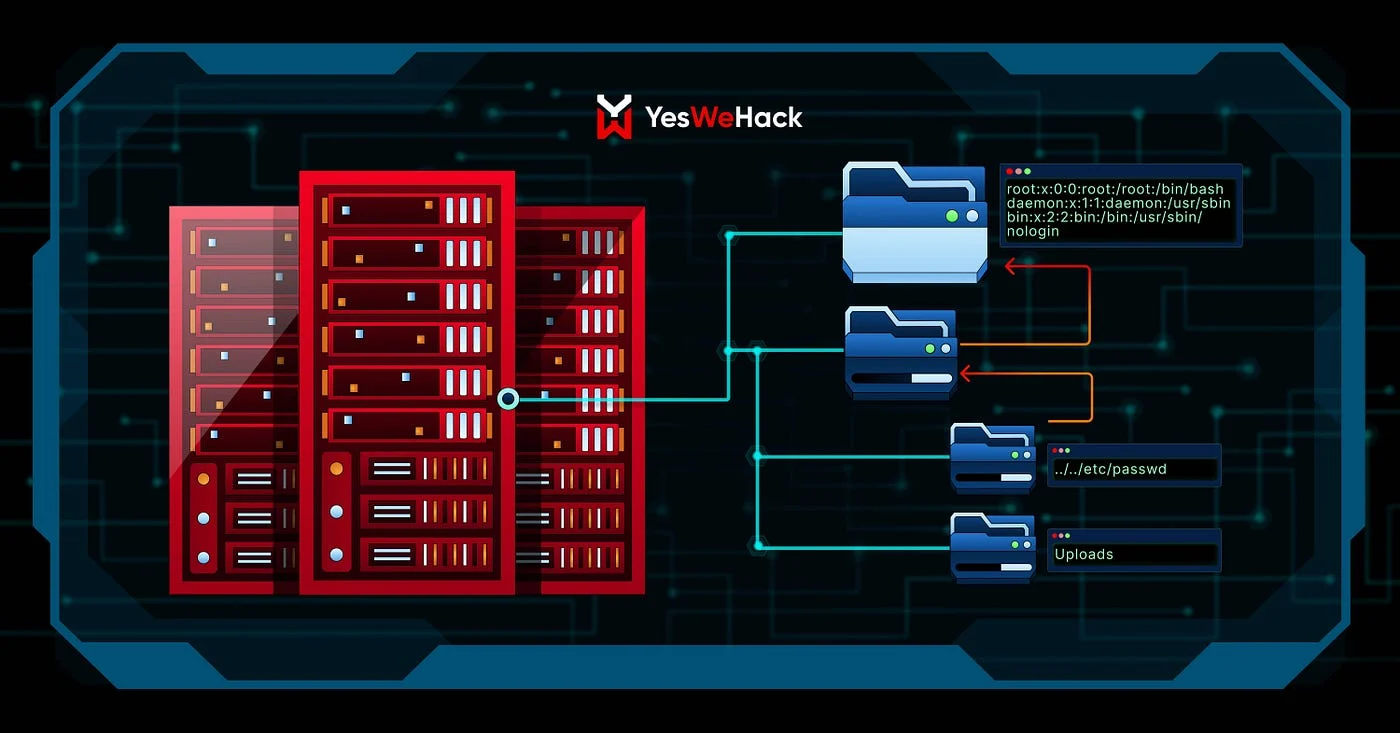
The image is the article's title card for CVE-2026-133968 and Project MONAI Label.
Setup
The report does not describe a MONAI Label deployment, an account, a role or a specific version. It states plainly that the exact affected versions require verification from the vendor advisory, and warns against assuming a version range without checking the official vendor documentation.
The practical work is done in a local Python lab. The tools named for inspecting requests are Burp Suite and OWASP ZAP, with the caveat that manual testing remains important.
Finding it
The confirmed information is taken from the CISA advisory and laid out as follows:
| Attribute | Verified information |
|---|---|
| CVE | CVE-2026-133968 |
| Product | Project MONAI MONAI Label |
| Vulnerability | Path traversal |
| KEV status | Added 23 November 2026 |
| Exploitation | CISA reports evidence of active exploitation |
| CVSS | Not asserted here |
| Exact affected versions | Require verification from the vendor advisory |
Path traversal, as the report defines it, occurs when an application improperly handles user-controlled file paths, so that a user can request a file outside the intended directory. The example given is a legitimate-looking path:
/application/files/report.txt
The application should restrict access to its approved file directory. A poorly implemented file handler may fail to normalise and validate the supplied path, which is the condition the lab reproduces.
Exploitation
Step 1: create the lab environment
mkdir path-lab
cd path-lab
python3 -m venv venv
source venv/bin/activate
This creates a working directory and an isolated Python virtual environment so the demonstration does not touch anything else.
Step 2: create the intended file directory
mkdir public
echo "LAB DOCUMENT" > public/report.tx
The public directory stands in for the directory the application is supposed to serve from. The file written into it is the legitimate document the lab reads first.
Step 3: run the vulnerable handler
The example vulnerable Python logic is:
from pathlib import Pathbase = Path("public")filename = input("Filename: ")target = base / filenameif target.exists(): print(target.read_text())
The handler joins a user-supplied filename onto the base directory and, if the resulting path exists, prints the file contents. Nothing checks whether the resolved path stays inside public, so a traversal-style filename resolves outside it and is read anyway.
Step 4: run the safer handler
The safer implementation is:
from pathlib import Pathbase = Path("public").resolve()filename = input("Filename: ")target = (base / filename).resolve()if target.is_relative_to(base) and target.is_file():    print(target.read_text())else:
    print("Access denied")
Here both the base and the joined path are resolved to their canonical form, and the code only reads the file if the resolved target is relative to the resolved base and is a regular file. Anything else prints Access denied.
Step 5: compare the two
The expected result is that normal files can be read, but resolved paths outside the public directory are rejected.
The report does not print the traversal payload used or the output of either run.
Root cause
The mistake is that the application does not verify whether the resolved path stays inside the intended directory. Validating the input string is not sufficient: the check has to be made against the final resolved filesystem path, after normalisation. The vulnerable handler trusts the joined path and only tests whether it exists, so any path that resolves outside the base directory is served.
Impact
Path traversal is described as a simple-looking weakness that can create serious information-disclosure risks. CISA reports evidence of active exploitation, which is why the CVE sits in the KEV catalogue.
The report does not state which files an attacker could reach, what privileges are needed, or any CVSS score.
Fix
The remediation guidance is:
- Canonicalise file paths.
- Enforce directory boundaries.
- Use allowlisted filenames.
- Avoid exposing arbitrary filesystem paths.
- Apply vendor security updates.
- Review logs for potential historical exploitation.
For affected MONAI Label deployments, the report says to follow the official vendor remediation instructions. The safer Python handler above is the lab-level illustration of canonicalisation plus a boundary check.
Variants to test
- Encoded traversal sequences. The report lists checking whether encoded traversal sequences are handled as a penetration-testing step. The report lists checking whether encoded traversal sequences are handled as a penetration-testing step.
- Path normalisation gaps. Test how the handler normalises paths before the boundary check. The report lists testing path normalisation as a penetration-testing step.
- File download endpoints. Identify endpoints that serve files and review their path parameters. The report lists identifying file download endpoints and reviewing file path parameters as steps.
- Access restrictions. Verify whether access restrictions are enforced on the resolved file. The report lists verifying access restrictions as a penetration-testing step.
Hunting notes
This kind of bug tends to hide in file download endpoints and in any parameter that carries a file path. The report's identification checklist is: identify file download endpoints, review file path parameters, test path normalisation, check whether encoded traversal sequences are handled, verify access restrictions, and review application source code when available. Burp Suite and OWASP ZAP help inspect the requests, but manual testing remains important.
On the detection side, the signals to watch for are unusual file download requests, repeated invalid path requests, encoded traversal patterns, unexpected file access, and application errors involving filesystem paths. The same list is useful during recon and when reviewing logs after a suspected hit.
What happened, in plain words
A security flaw was found in a piece of software called Project MONAI Label. MONAI Label is a piece of software in the Project MONAI project. The flaw is called a path traversal. In everyday terms, imagine a library where you ask the librarian for a book by name, and the librarian is supposed to only fetch books from the public shelf. A path traversal is like tricking the librarian into walking into the back office and handing you private files instead, simply by writing the request in a clever way.
On 23 November 2026, a US government agency called CISA added this flaw, tracked as CVE-2026-133968, to a list called the Known Exploited Vulnerabilities catalogue. That list, often shortened to KEV, is a public register of security bugs that attackers are known to be using in the real world, not just in theory. CISA said there was evidence of active exploitation, which means real attackers have been seen taking advantage of it. Because of that, the report treats the bug as worth studying for anyone who assesses the security of systems.
The image is the title card of the article, naming CVE-2026-133968 and Project MONAI Label.
A few words before we go further. A CVE is a unique identifier given to a publicly known security flaw, a bit like a case number for a crime. CISA is the US Cybersecurity and Infrastructure Security Agency. Exploitation means someone actually using the flaw to do something they should not be able to do. AI here means software that has been trained on data to make predictions or recognise patterns, in this case on medical images.
Setup
The report does not describe a real MONAI Label installation, an account, a user role or a specific version. It says plainly that the exact affected versions need to be checked against the vendor's own advisory, and it warns against assuming a version range without checking the official vendor documentation. A vendor advisory is the official notice published by the company that makes the software, telling customers which versions are affected and what to do.
The hands-on work is done in a local Python lab. Python is a popular programming language, and a lab here means a small practice program on your own computer, completely separate from any real system. The tools named for inspecting web requests are Burp Suite and OWASP ZAP. Both are programs that sit between your browser and a website so you can see and change the requests being sent. The report adds that manual testing, meaning a person looking at things by hand rather than relying only on automated tools, remains important.
Finding it
The confirmed information comes from the CISA advisory and is laid out like this:
| Attribute | Verified information |
|---|---|
| CVE | CVE-2026-133968 |
| Product | Project MONAI MONAI Label |
| Vulnerability | Path traversal |
| KEV status | Added 23 November 2026 |
| Exploitation | CISA reports evidence of active exploitation |
| CVSS | Not asserted here |
| Exact affected versions | Require verification from the vendor advisory |
CVSS is a scoring system that rates how severe a security flaw is, on a scale from low to critical. The table says no score is asserted here, so the report does not give one.
Path traversal, as the report defines it, happens when an application handles file paths supplied by a user badly, so that the user can ask for a file outside the folder the application is meant to serve. The example given is a path that looks perfectly normal:
/application/files/report.txt
This is a file path, the address of a file on a computer, much like a street address for a house. The slashes separate folders, and the last part is the file name. The application should only allow access to its approved file directory, the folder it is supposed to serve from. A poorly written file handler, meaning the part of the program that opens files on request, may fail to normalise and validate the supplied path. Normalising a path means tidying it into one standard form, resolving shortcuts like .. (which means "go up one folder") so that everyone agrees on where the path really points. Validating means checking that the result is acceptable. The lab reproduces exactly this condition.
Exploitation
Step 1: create the lab environment
mkdir path-lab
cd path-lab
python3 -m venv venv
source venv/bin/activate
Line by line:
mkdir path-labcreates a new folder calledpath-lab. This keeps all the practice files in one place, away from anything important.cd path-labmoves you into that folder, so the following commands run inside it.python3 -m venv venvcreates a virtual environment, a private, isolated copy of Python with its own installed packages. Think of it as a separate toolbox so that experiments cannot break the tools used by the rest of your computer.source venv/bin/activateswitches your terminal over to that private toolbox. After this, any Python you run uses the isolated copy.
These commands are run in a terminal, a text window where you type commands instead of clicking. The reason for the isolation is simple: the demonstration should not touch anything else on the machine.
Step 2: create the intended file directory
mkdir public
echo "LAB DOCUMENT" > public/report.tx
Line by line:
mkdir publiccreates a folder calledpublic. This folder stands in for the directory the application is supposed to serve files from, the "public shelf" in the library comparison.echo "LAB DOCUMENT" > public/report.txwrites the textLAB DOCUMENTinto a file calledreport.txinside that folder. The>symbol means "send the output into this file". This is the legitimate document the lab reads first, to show that normal use works.
Step 3: run the vulnerable handler
The example of vulnerable Python logic is:
from pathlib import Pathbase = Path("public")filename = input("Filename: ")target = base / filenameif target.exists(): print(target.read_text())
Line by line, in plain words:
from pathlib import Pathbrings in a ready-made tool calledPath, which knows how to work with file paths. It saves you from writing all the path-handling code yourself.base = Path("public")sets the starting folder topublic, the folder the program is supposed to serve from.filename = input("Filename: ")asks the person running the program to type a file name, and stores whatever they type.target = base / filenamesticks the typed name onto the base folder to build the full path. The/here is Python's way of joining path pieces, not division.if target.exists():checks whether a file exists at that combined path.print(target.read_text())opens that file and prints its contents to the screen.
The problem is that the program never checks whether the final path stays inside the intended folder. If someone types a name containing .., the combined path can point outside public, and because the only test is "does this file exist", the program happily reads it. It is like a receptionist who checks that a visitor's name is on some list somewhere, but never checks which building the visitor is walking into.
Step 4: run the safer handler
The safer implementation is:
from pathlib import Pathbase = Path("public").resolve()filename = input("Filename: ")target = (base / filename).resolve()if target.is_relative_to(base) and target.is_file():    print(target.read_text())else:
    print("Access denied")
Line by line:
from pathlib import Pathagain brings in the path tool.base = Path("public").resolve()sets the base folder and immediately resolves it, meaning it converts it into its one true, full form with no shortcuts left in it.filename = input("Filename: ")asks for the file name, same as before.target = (base / filename).resolve()joins the name onto the base and then resolves the result too. This is the crucial change: any..shortcuts are worked out before the check happens.if target.is_relative_to(base) and target.is_file():asks two questions. Is the final path still inside the base folder? And is it a normal file rather than, say, a folder? Both must be true.print(target.read_text())reads and prints the file only when both checks pass.else:andprint("Access denied")handle every other case by refusing and printing a short message.
The difference is that the check is made on the final, tidied path rather than on the text the user typed. That is the whole lesson of the lab.
Step 5: compare the two
The expected result is that normal files can be read, but resolved paths outside the public directory are rejected. The report does not print the traversal payload used or the output of either run, so there is nothing more specific to show here.
Root cause
The mistake is that the application does not verify whether the resolved path stays inside the intended directory. Checking the text the user typed is not enough, because the same destination can be written in many different ways. The check has to be made against the final resolved filesystem path, after normalisation. The vulnerable handler trusts the joined path and only tests whether it exists, so any path that resolves outside the base directory gets served.
Impact
Path traversal is described as a simple-looking weakness that can create serious information-disclosure risks. Information disclosure means private data being revealed to someone who should not see it. CISA reports evidence of active exploitation, which is why the CVE sits in the KEV catalogue.
Fix
The remediation guidance, meaning the steps to repair the problem, is:
- Canonicalise file paths.
- Enforce directory boundaries.
- Use allowlisted filenames.
- Avoid exposing arbitrary filesystem paths.
- Apply vendor security updates.
- Review logs for potential historical exploitation.
In plain words: canonicalise means convert every path into its one standard form before using it. Enforce directory boundaries means actively refuse anything that ends up outside the allowed folder. An allowlist is a list of things that are permitted, so only file names on the list are accepted and everything else is refused by default. Avoid exposing arbitrary filesystem paths means do not let users hand the program raw paths at all if you can avoid it. Apply vendor security updates means install the fixed version from the software maker. Review logs means look back through the records of past activity to see whether anyone already exploited the flaw. A log is an automatic diary that a program keeps of what happened.
For affected MONAI Label deployments, the report says to follow the official vendor remediation instructions. The safer Python handler above is the lab-level illustration of canonicalisation plus a boundary check.
Variants to test
These are the different shapes the same weakness can take, and what a positive result looks like for each:
- Encoded traversal sequences. The report lists checking whether encoded traversal sequences are handled as a penetration-testing step. Encoded means written in a disguised form, for example using special character codes instead of the literal characters, the way a parcel might be labelled in code rather than plain words. The report lists checking whether encoded traversal sequences are handled as a penetration-testing step.
- Path normalisation gaps. Test how the handler normalises paths before the boundary check. The report lists testing path normalisation as a penetration-testing step.
- File download endpoints. Identify endpoints that serve files and review their path parameters. An endpoint is a specific address on a server that does a particular job, like a counter in a shop that handles one kind of request. A parameter is a piece of information attached to a request, such as the file name being asked for. The report lists identifying file download endpoints and reviewing file path parameters as steps.
- Access restrictions. Verify whether access restrictions are enforced on the resolved file. The report lists verifying access restrictions as a penetration-testing step.
Hunting notes
This kind of bug tends to hide in file download endpoints and in any parameter that carries a file path. The report's identification checklist is: identify file download endpoints, review file path parameters, test path normalisation, check whether encoded traversal sequences are handled, verify access restrictions, and review application source code when available. Source code is the human-written instructions that make up a program. Burp Suite and OWASP ZAP help inspect the requests, but manual testing remains important.
On the detection side, the signals to watch for are unusual file download requests, repeated invalid path requests, encoded traversal patterns, unexpected file access, and application errors involving filesystem paths. The same list is useful during recon, meaning the early stage of gathering information about a target, and when reviewing logs after a suspected hit.
A bug bounty is a scheme where organisations pay people for reporting security flaws responsibly. Its evidence of real-world relevance is the CISA KEV listing based on observed exploitation.
Glossary
- AI (artificial intelligence): software trained on data to recognise patterns or make predictions, here applied to medical images.
- Allowlist: a list of items that are explicitly permitted, with everything else refused.
- Burp Suite: a tool that sits between a browser and a website so requests can be inspected and changed.
- Canonicalise: convert a file path into its one standard, fully resolved form.
- CISA: the US Cybersecurity and Infrastructure Security Agency.
- CVE: a unique public identifier for a known security flaw.
- CVSS: a scoring system that rates the severity of a security flaw.
- Endpoint: a specific address on a server that handles a particular kind of request.
- Exploitation: actually using a flaw to do something the attacker should not be able to do.
- File handler: the part of a program that opens files when asked.
- Information disclosure: private data being revealed to someone who should not see it.
- KEV (Known Exploited Vulnerabilities): a public CISA register of flaws known to be used by attackers in the real world.
- Lab: a small practice setup on your own computer, separate from any real system.
- Log: an automatic record a program keeps of what happened.
- Normalise: tidy a path into a standard form, resolving shortcuts such as
... - OWASP ZAP: a tool for inspecting and testing web requests.
- Parameter: a piece of information attached to a request, such as a file name.
- Path traversal: a flaw where a user can make an application open a file outside the folder it is meant to serve.
- Penetration testing: authorised hands-on testing of a system to find security weaknesses.
- Python: a popular programming language.
- Recon: the early information-gathering stage of a security assessment.
- Remediation: the steps taken to repair a security problem.
- Resolve: work out the final, true location a path points to.
- Source code: the human-written instructions that make up a program.
- Terminal: a text window where you type commands instead of clicking.
- Validate: check that something is acceptable.
- Vendor advisory: the official notice from a software maker about affected versions and fixes.
- Virtual environment: an isolated copy of Python with its own packages, so experiments cannot affect the rest of the computer.



