How Github recon help me to find NINE FULL SSRF Vulnerability with AWS metadata access
A server-side request forgery (SSRF) vulnerability was found in an endpoint that accepted a user-supplied host parameter, allowing an attacker to make the server fetch internal AWS metadata. The same endpoint existed on multiple subdomains, leading to nine instances of full SSRF with AWS metadata access.
 Published on notifybugme.medium.com
My name is Santosh Kumar Sha, I’m a security researcher from India(Assam). In this article, I will be describing how I was able to to find 9 full SSRF vulnerability with AWS metadata access by doing some GITHUB recon.
The full write-up lives on its author's site
It belongs to its author, so we link to it rather than copy it. The other two tabs are our own rewrites, checked against it.
Context
This is an account of a GitHub reconnaissance exercise that led to nine full server-side request forgery (SSRF) findings, each of which returned AWS instance metadata. The target is anonymised in the write-up as example.com, with the in-scope surface given as *.example.com. The vulnerable feature is an image-fetching endpoint: a path of the form /fetch/info that takes an inquiry parameter and an image_Host parameter. The name of the second parameter and the fact that pointing it at the metadata address caused a text file to be downloaded suggest the endpoint fetches a remote resource named by image_Host and returns it to the caller. The report does not describe the application further than that.
The researcher is Santosh Kumar Sha (@killmongar1996), writing from India (Assam). The report was published on 6 June 2021.
Setup
The only precondition described is scope: everything under *.example.com was in scope. No accounts, roles or credentials are mentioned.
The tools listed for the work were:
- Subfinder (https://github.com/projectdiscovery/subfinder)
- httpx (https://github.com/projectdiscovery/httpx)
- gau (Corben), https://github.com/lc/gau
- waybackurls (tomnomnom), https://github.com/tomnomnom/waybackurls
No versions are given. The commands also use unfurl, which is not in the tool list.
Finding it
The researcher's stated approach to GitHub recon is to target the users of the organisation, on the reasoning that an organisation's users are its weakest link and that users tend to leak secrets. The organisation in question had more than 200 users, so searching each user individually was too slow. Instead the searches were scoped with GitHub's user: and org: qualifiers.
The first attempts looked for secrets, using dorks of this shape:
"testdev.example.com" user:<username> <keytosearch>
"corps.example.com" user:<username> <keytosearch>
"test.example.com" user:<username> <keytosearch>
and then concrete secret keywords:
No leaks were found. The next attempt looked for admin and user dashboard paths:
"corps.example.com" org:<name of organization> "/admin/dashboard"
"testdev.example.com" org:<name of organization> "/users/dashboard"
"example.com" org:<name of organization> "/admin/setup"
That produced nothing useful either. The researcher then switched to searching for parameter names, starting with redirect and image parameters:
"example.com" org:<name of organization> "next_url"
"example.com" org:<name of organization> "img_url"
Still no success. Searching for the single keyword image did work:
"example.com" org:<name of organization> "image"
This surfaced a path in a commit by one of the organisation's users, containing this endpoint:
/fetch/info?inquiry=&image_Host=https://example.com/user/
A parameter that names a host and is passed straight into a server-side fetch is exactly the shape that produces SSRF.
Exploitation
Step 1: point the fetcher at the metadata service
The researcher visited the endpoint in a browser with image_Host set to the link-local metadata address, and the response was a downloaded text file containing AWS internal metadata:
https://example.com/fetch/info?inquiry=&image_Host=http://[redacted]/
[redacted] is the address AWS instances use for the instance metadata service. Because the request is made by the server, not the browser, the address is reachable from the application host even though it is not routable from the internet. The browser visit returned the metadata as a downloaded text file.
Step 2: confirm with curl
To see the metadata directly, the researcher used curl:
curl -sk "https://example.com/fetch/info?inquiry=&image_Host=http://[redacted]/"
-s silences the progress output and -k skips TLS certificate verification. The response was the AWS metadata, as shown in the screenshot below.
Step 3: replay the same path across every subdomain
The researcher had already collected subdomains into a file called unique_sub.txt. The same path and query were then sent to every host in that file with httpx, printing the status code and content length for each:
Eight more subdomains returned the same SSRF, for nine in total.

The report was submitted and triaged as critical the next day.
Root cause
The endpoint takes a user-supplied host from image_Host and performs a server-side request to it, returning the response body to the caller. There is no indication in the report of any validation of the destination: no allowlist of image hosts, no rejection of private, loopback or link-local addresses, and no restriction on scheme. Because the request originates from the application server inside AWS, the link-local metadata address is reachable and its contents are handed back to the requester. The same path returned metadata on nine subdomains, so the flaw was present across the estate rather than confined to one host.
Impact
An attacker who knows the endpoint can make the server issue requests to arbitrary hosts and read the responses. In the researcher's tests this exposed AWS instance metadata from nine subdomains. What an attacker can do with that metadata depends on the instance's configuration, which the report does not describe: the metadata service can carry instance identity and, where an IAM role is attached and the service is not restricted, temporary credentials.
Fix
The measures that address this class of flaw are to validate image_Host against an allowlist of expected image hosts, to resolve the hostname and reject private, loopback and link-local ranges (including [redacted]) before connecting, to restrict the scheme to http and https, and to disable or require IMDSv2 on the instances so that a simple GET to the metadata service does not return data. The same fix has to be applied to every subdomain running the endpoint, since the researcher found it on nine.
Variants to test
- Search GitHub for parameter names that imply a server-side fetch, for example
image,img_url,next_url,image_Host,url,callback,webhook, scoped withorg:oruser:. A positive result is a commit or code snippet showing a full URL with such a parameter. - Request the endpoint with
image_Hostset tohttp://[redacted]/. A positive result is a response containing AWS metadata rather than an image or an error. - Replay the same path and query against every subdomain with httpx
-path,-status-codeand-content-length. A positive result is several hosts returning the same status and body size as the known-vulnerable one. - Try other internal destinations through the same parameter, such as loopback addresses and internal hostnames, to map what the server can reach. A positive result is any response body that originates from inside the network.
- Try alternative schemes and redirects through the parameter to see whether validation, if any, can be bypassed. A positive result is a fetch to a destination that a naive string check would have blocked.

The researcher's takeaway is that GitHub, including commit pages, is a useful source of leaked endpoints and parameters, and that a single leaked endpoint can be worth testing across the whole subdomain estate.
What happened, in plain words
A security researcher found a way to make a company's website fetch a web address of his choosing, instead of only the images it was supposed to fetch. He then pointed that feature at a special address that only exists inside Amazon's cloud, and the website handed back a file full of internal information about the server. He found the same weakness on nine different parts of the company's website, and the company treated the report as critical the next day.
The interesting part is how he found it: not by guessing, but by searching GitHub, the code-sharing site, for a snippet that one of the company's own developers had left in a public place. This article walks through that whole story from the beginning, assuming you have never done security testing before.
The cast of characters
The researcher is Santosh Kumar Sha, who writes under the handle @killmongar1996 and is from India (Assam). He published this account on 6 June 2021.
The target company is not named. Throughout the write-up it is called example.com, which is a standard placeholder name used in examples, a bit like writing "John Doe" for a person. The part of the company he was allowed to test is written as *.example.com. The asterisk is a wildcard: it means every subdomain of example.com. A subdomain is a name that sits in front of the main domain, so shop.example.com and mail.example.com are both subdomains of example.com. In practice, a large company has dozens or hundreds of them, each running a different piece of software.
The feature that turned out to be the problem
The vulnerable feature is described as an image-fetching endpoint. Let us unpack those words.
An endpoint is simply a specific address on a website that does one job. When you open a normal page you get a page back; when you open an endpoint, you get data back, often not meant for a human to read directly. Think of a restaurant: the dining room is the website you see, and the kitchen door where orders go in is the endpoint.
An API is the general name for this arrangement: one piece of software asking another piece of software to do something, over the web, using addresses like the one above. When a website shows you a picture that lives on another site, it often does not download the picture itself. It asks its own server: "go and get this picture for me and pass it back". That is what an image-fetching endpoint does. It is a helpful feature, because it lets the site resize pictures, cache them, or hide the original location.
The endpoint in this story has a path of the form /fetch/info, and it takes two parameters: inquiry and image_Host. A parameter is a named value you attach to an address, after a question mark. In ?colour=red, the parameter is colour and its value is red. Parameters are how you tell an endpoint what you want.
The name image_Host strongly suggests "the host that the image lives on". A host here means another computer on the internet, identified by a name or a number. The researcher's test with the metadata address as the value caused the site to download a text file to him. That tells us the endpoint goes out, fetches whatever image_Host points at, and returns the result to whoever asked. The report does not describe the application any further than that.
The weakness: SSRF
The flaw class here is SSRF, short for server-side request forgery. The name sounds intimidating but the idea is simple.
Normally, when you type an address into your browser, your computer makes the request. Your computer sits on the public internet, so it can reach public websites and nothing else. It cannot reach the company's private internal network, because that network is not connected to the outside world.
With SSRF, you trick the server into making the request instead. The server sits inside the company's private network, so it can reach things you cannot: internal machines, internal admin pages, and cloud infrastructure addresses. It is like asking a receptionist to fetch a document from a locked back office. You cannot walk in yourself, but the receptionist has a key, and if the receptionist will fetch anything you name, you get the document anyway.
Any feature that takes a web address from the user and fetches it on the server is a candidate for SSRF. Image fetchers, link previews, PDF generators, webhook testers and URL shorteners are all classic examples. The question is always the same: does the server check where it is being sent, or does it just go?
What he had to work with
The only precondition described is scope: everything under *.example.com was in scope, meaning it was fair game to test. No accounts, roles or credentials are mentioned.
The tools he lists are:
- Subfinder (https://github.com/projectdiscovery/subfinder)
- httpx (https://github.com/projectdiscovery/httpx)
- gau (Corben), https://github.com/lc/gau
- waybackurls (tomnomnom), https://github.com/tomnomnom/waybackurls
No versions are given. The commands also use unfurl, which is not in the tool list.
These are all free command-line programs. A command line is a text window where you type instructions instead of clicking. Here is what each tool does in plain terms:
- Subfinder asks public sources which subdomains exist for a given domain. It is a way of discovering the company's many front doors without guessing names.
- httpx takes a list of addresses and visits each one, reporting what came back. It is a fast, scriptable browser for checking many hosts at once.
- gau stands for "get all URLs". It queries public web archives, which are services that have been storing copies of web pages for years, and returns every address ever seen for a domain. Old addresses are gold, because they often still work and are often forgotten.
- waybackurls does the same job against the Internet Archive's Wayback Machine, another public archive.
- unfurl is a small helper that pulls just the domain part out of a long address, so you can turn a list of full URLs into a clean list of hostnames.
Step 1: collect every subdomain
Before he could test anything, he needed a list of every place the company runs software. He used three tools for this, run separately:
subfinder -d example.com silent
gau -subs example.com
waybackurls example.com
Line by line:
subfinder -d example.com silentasks Subfinder to look up subdomains for the domainexample.com. The-dflag means "domain". The wordsilentis meant to keep the output clean, though as written it is missing its leading dash, so it would not be read as a flag.gau -subs example.comasks gau to return known URLs forexample.comand all of its subdomains. The-subsflag means "include subdomains".waybackurls example.comasks the Wayback Machine tool for archived URLs for the same domain.
Why three tools? Because each one draws from different sources, and no single source knows everything. Using several increases the chance of catching a subdomain that the others missed. The researcher says explicitly that the chance of missing a subdomain still exists, and he did not want to miss any, because an untested subdomain is an untested door.
Step 2: turn the results into a clean list
Raw output from those tools is messy: full URLs, duplicates, and lots of noise. He piped the results through unfurl to keep only the domain names, and saved them into files:
gau -subs example.com | unfurl domains>> vul1.txt
waybackurls example.com | unfurl domains >> vul2.txt
subfinder -d example.com -silent >> vul3.txt
Line by line:
gau -subs example.com | unfurl domains>> vul1.txtruns gau, then the vertical bar|sends its output intounfurl domains, which keeps only the domain part of each address. The>>appends the result to a file calledvul1.txtinstead of overwriting it. (There is no space before>>here; the shell still reads it as an append.)waybackurls example.com | unfurl domains >> vul2.txtdoes the same with the Wayback tool, saving intovul2.txt.subfinder -d example.com -silent >> vul3.txtruns Subfinder with its-silentflag properly set this time, and appends the subdomains it finds tovul3.txt.
The vertical bar is called a pipe. It takes whatever the program on the left printed and hands it to the program on the right as input, like passing a bowl of ingredients from one cook to the next. The >> is called redirection: it sends output into a file.
Step 3: merge and de-duplicate
Three files now hold overlapping lists. He combined them and removed duplicates:
cat vul1.txt vul2.txt vul3.txt | sort -u >> unique_sub.txt
Line by line:
cat vul1.txt vul2.txt vul3.txtprints the contents of all three files, one after another.| sort -usorts the combined list alphabetically and keeps only unique lines. The-umeans "unique".>> unique_sub.txtappends the clean list to a file calledunique_sub.txt.
Why bother? Because testing the same host twice wastes time, and a clean list is what the later automation step needs. This file becomes the input for the final step of the story.
Step 4: search GitHub for secrets
Now the actual GitHub reconnaissance begins. GitHub is a website where developers store and share code. It is enormously useful for security testing because developers sometimes paste things into it that they should not: internal addresses, test credentials, configuration snippets.
His stated reasoning is worth repeating because it is the heart of the technique: the users of an organisation are its weakest link, and users tend to leak secrets. In other words, the company's own staff, working in public repositories, may accidentally reveal how the internal systems are built.
The organisation had more than 200 users, so searching each person one by one was too slow. Instead he used GitHub's search qualifiers. A qualifier is a special word in a search that narrows the results. user: limits results to things posted by one particular account, and org: limits results to repositories owned by an organisation.
His first searches looked for secrets, using this shape:
"testdev.example.com" user:<username> <keytosearch>
"corps.example.com" user:<username> <keytosearch>
"test.example.com" user:<username> <keytosearch>
Line by line:
- The quoted part,
"testdev.example.com", is a literal string GitHub must find in the code. Quotation marks tell the search engine to match that exact text. user:<username>restricts the search to one person's account. The angle brackets are a placeholder: you would type a real username there.<keytosearch>is a placeholder for whatever secret keyword you are hunting for.
He then tried concrete secret keywords:
Line by line:
auth_tokenis a common name for a value that proves who you are, like a temporary password.apikeyis a common name for a key that lets software talk to another service.secretis the generic word developers use for anything that must stay private.
No leaks were found. This is normal: most searches come back empty, and that is fine. The point of reconnaissance is to try many angles cheaply.
Step 5: search for admin pages
Next he looked for admin and user dashboard paths. A path is the part of a web address after the domain, like /admin/dashboard. Admin dashboards are interesting because they often have weaker protections or reveal how the system is wired.
"corps.example.com" org:<name of organization> "/admin/dashboard"
"testdev.example.com" org:<name of organization> "/users/dashboard"
"example.com" org:<name of organization> "/admin/setup"
Line by line:
- Each line searches for a literal domain string plus a literal path string.
org:<name of organization>restricts results to repositories owned by the company's GitHub organisation, rather than one person.
That produced nothing useful either. Again, this is the ordinary rhythm of reconnaissance: many misses before a hit.
Step 6: search for parameter names
He then switched tactics. Instead of looking for secrets or pages, he searched for parameter names, starting with redirect and image parameters:
"example.com" org:<name of organization> "next_url"
"example.com" org:<name of organization> "img_url"
Line by line:
next_urlis a common parameter name for "where to send the user after this action". It is a classic SSRF and open-redirect candidate.img_urlis a common parameter name for "the address of an image to load". It is a classic SSRF candidate for the same reason asimage_Host.
Still no success. Then he tried the single keyword image:
"example.com" org:<name of organization> "image"
Line by line:
- This searches the organisation's repositories for the plain word
imagealongside the domain name. It is a broad search, deliberately, because a broad word catches more code.
This one worked. It surfaced a path in a commit by one of the organisation's users. A commit is a saved change in a code repository: a record of what a developer added or edited, with a message describing it. Commits are public on public repositories, and they often contain code that was later removed from the main version, which makes them a rich source of forgotten details.
The endpoint in that commit was:
/fetch/info?inquiry=&image_Host=https://example.com/user/
Line by line:
/fetch/infois the path of the endpoint.?starts the list of parameters.inquiry=is the first parameter, with an empty value here.&separates parameters from each other.image_Host=https://example.com/user/is the second parameter, set to an ordinary web address in this example.
Why did this matter? Because a parameter that names a host and is passed straight into a server-side fetch is exactly the shape that produces SSRF. The server reads image_Host, goes and fetches it, and returns the result. If it does not check where it is being sent, it will fetch anything. That is why the researcher went on to test it.
Step 7: point the fetcher at the cloud's internal address
He visited the endpoint in a browser with image_Host set to a special address, and the response was a downloaded text file containing AWS internal metadata:
https://example.com/fetch/info?inquiry=&image_Host=http://[redacted]/
Line by line:
https://example.com/fetch/infois the endpoint on the company's site.?inquiry=is the first parameter, empty.&image_Host=http://[redacted]/sets the second parameter to the special address.
Now, what is [redacted]? It is a link-local address, a number that only means something from inside a particular network. In Amazon Web Services (AWS), the biggest cloud provider, every virtual server can reach this address to ask questions about itself: what is my machine ID, what network am I on, and so on. The service that answers is called the instance metadata service. It exists so that a server can configure itself without a human typing details in.
Crucially, this address is not reachable from the public internet. If you typed it into your own browser at home, nothing would happen. But the company's server sits inside AWS, so from its point of view the address is right next door. Because the request is made by the server, not by the browser, the address is reachable from the application host even though it is not routable from the internet. The browser visit returned the metadata as a downloaded text file.
This is the moment the SSRF becomes real. The researcher did not break into anything. He asked the company's own server, politely, to fetch a page, and the server did, and then handed him the page.
Step 8: confirm with curl
To see the metadata directly, without a browser in the way, he used curl:
curl -sk "https://example.com/fetch/info?inquiry=&image_Host=http://[redacted]/"
Line by line:
curlis a command-line tool for making web requests. It is the Swiss Army knife of this kind of testing: it shows you exactly what the server sends back, with no browser interpretation.-smeans silent: it hides the progress bar and other chatter, so only the response body is printed.-kmeans insecure: it skips checking the site's TLS certificate. TLS is the encryption behind the padlock in your browser; the certificate is the proof of identity that comes with it. Skipping the check is useful when a test server has a self-signed or expired certificate, which would otherwise make curl refuse to connect.- The quoted address is the same endpoint and payload as before.
The response was the AWS metadata, as shown in the screenshot below.
The screenshot accompanies the curl command used to view the AWS metadata.
Step 9: try the same path on every subdomain
Here is the clever bit. The researcher had already collected subdomains into unique_sub.txt back in step 3. He then sent the same path and query to every host in that file with httpx, printing the status code and content length for each:
Line by line:
cat unique_sub.txtprints the list of subdomains.| sort -usorts and removes duplicates, a safety net in case the file had any.| httpxfeeds the list into httpx, which will visit each host.-silentsuppresses the tool's banner and progress output, so only results are printed.-path "/fetch/info?inquiry=&image_Host=http://[redacted]/"appends that exact path and query to each host. So if the list containsa.example.com, httpx will requesthttps://a.example.com/fetch/info?inquiry=&image_Host=http://[redacted]/.-status-codeprints the HTTP status code for each response. A status code is the three-digit number a server sends to say how it went: 200 means OK, 404 means not found, 500 means the server broke.-content-lengthprints how big the response body was, in bytes.
Why those two extra flags? Because they make the output easy to compare across hosts. If nine hosts all return the same status code and the same content length, and that length matches the metadata you already saw, you have very strong evidence that all nine are vulnerable, without reading nine full responses by hand. It is like weighing parcels instead of opening each one.
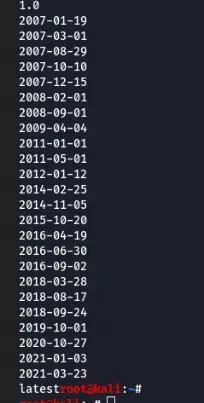
Eight more subdomains returned the same SSRF, for nine in total.
The screenshot accompanies the note that eight more SSRF were found on different subdomains.
The report was submitted and triaged as critical the next day. Triaged means the company's security team looked at the report, confirmed it was real, and assigned it a severity. Critical is the highest severity level in most bug bounty programmes.
Why it worked
The endpoint takes a user-supplied host from image_Host and performs a server-side request to it, returning the response body to the caller. There is no indication in the report of any validation of the destination: no allowlist of image hosts, no rejection of private, loopback or link-local addresses, and no restriction on scheme. An allowlist is a list of things that are permitted, with everything else refused; the opposite of a blocklist, which names things that are forbidden. A scheme is the first part of a web address, like http or https or file.
Because the request originates from the application server inside AWS, the link-local metadata address is reachable and its contents are handed back to the requester. The same path returned metadata on nine subdomains, so the flaw was present across the estate rather than confined to one host.
What an attacker could do with it
An attacker who knows the endpoint can make the server issue requests to arbitrary hosts and read the responses. In the researcher's tests this exposed AWS instance metadata from nine subdomains.
What an attacker can do with that metadata depends on the instance's configuration, which the report does not describe. The metadata service can carry instance identity and, where an IAM role is attached and the service is not restricted, temporary credentials. IAM is AWS's system for permissions: it decides which pieces of software are allowed to do what. A role is a set of permissions attached to a server rather than a person. Temporary credentials are short-lived keys that software uses to prove its identity to other AWS services. If those leak, an attacker may be able to act as the server.
How to fix it
The measures that address this class of flaw are:
- Validate
image_Hostagainst an allowlist of expected image hosts, so only known-good destinations are fetched. - Resolve the hostname and reject private, loopback and link-local ranges (including
[redacted]) before connecting. Resolving means turning a name likeexample.cominto a numeric address; the check has to happen after that, or a name can be used to sneak past a string check. - Restrict the scheme to
httpandhttps, so the server cannot be asked to read local files or use other protocols. - Disable the metadata service, or require IMDSv2 on the instances. IMDSv2 is the newer version of the metadata service that requires a special token and a specific request method, so a simple GET to the address does not return data.
The same fix has to be applied to every subdomain running the endpoint, since the researcher found it on nine.
Other things worth trying
If you want to look for this kind of bug yourself, here is the same approach laid out as a checklist:
- Search GitHub for parameter names that imply a server-side fetch, for example
image,img_url,next_url,image_Host,url,callback,webhook, scoped withorg:oruser:. A positive result is a commit or code snippet showing a full URL with such a parameter. - Request the endpoint with
image_Hostset tohttp://[redacted]/. A positive result is a response containing AWS metadata rather than an image or an error. - Replay the same path and query against every subdomain with httpx
-path,-status-codeand-content-length. A positive result is several hosts returning the same status and body size as the known-vulnerable one. - Try other internal destinations through the same parameter, such as loopback addresses and internal hostnames, to map what the server can reach. A positive result is any response body that originates from inside the network.
- Try alternative schemes and redirects through the parameter to see whether validation, if any, can be bypassed. A positive result is a fetch to a destination that a naive string check would have blocked.
The researcher's takeaway is that GitHub, including commit pages, is a useful source of leaked endpoints and parameters, and that a single leaked endpoint can be worth testing across the whole subdomain estate. In plain terms: developers leave footprints, footprints point to doors, and one door often has copies of itself all over the building.
Glossary
- Allowlist: a list of things that are explicitly permitted, with everything else refused.
- API: a way for one piece of software to ask another to do something over the web, using addresses.
- AWS: Amazon Web Services, a cloud provider that rents out virtual servers.
- Commit: a saved change in a code repository, with a record of what was added or edited.
- Content length: the size of a response body in bytes.
- Critical: the highest severity level in most bug bounty programmes.
- curl: a command-line tool for making web requests and showing the raw response.
- Endpoint: a specific address on a website that performs one job and returns data.
- gau: a tool that fetches known URLs for a domain from public web archives.
- GitHub: a website where developers store and share code, often publicly.
- Host: another computer on the internet, identified by a name or a number.
- httpx: a command-line tool that visits many hosts quickly and reports what came back.
- IAM: AWS's system for deciding which software is allowed to do what.
- IMDSv2: the newer version of the AWS metadata service, which requires a token and a specific request method.
- Instance metadata service: the AWS service at
[redacted]that tells a server about itself. - Link-local address: a numeric address that only means something from inside a particular network.
- Org qualifier: a GitHub search word,
org:, that limits results to one organisation's repositories. - Parameter: a named value attached to an address after a question mark, like
?colour=red. - Path: the part of a web address after the domain, like
/admin/dashboard. - Pipe: the vertical bar
|, which passes one program's output into another program as input. - Redirection: sending a program's output into a file, using
>or>>. - Resolve: turn a hostname into a numeric address.
- Role: a set of permissions attached to a server rather than a person.
- Scheme: the first part of a web address, like
http,httpsorfile. - Scope: the set of systems a researcher is permitted to test.
- SSRF: server-side request forgery, a flaw where the server can be tricked into fetching an address of the attacker's choosing.
- Status code: the three-digit number a server sends to say how a request went, such as 200 for OK.
- Subdomain: a name in front of a main domain, like
shop.example.com. - Subfinder: a tool that discovers subdomains from public sources.
- Temporary credentials: short-lived keys that software uses to prove its identity to a cloud service.
- TLS: the encryption behind the padlock in your browser.
- Triaged: reviewed and confirmed by the company's security team, usually with a severity assigned.
- Unauthenticated: without logging in.
- unfurl: a helper tool that extracts just the domain part from a full address.
- User qualifier: a GitHub search word,
user:, that limits results to one person's account. - waybackurls: a tool that fetches archived URLs for a domain from the Wayback Machine.
- Wildcard: the asterisk
*, meaning "anything in this position", as in*.example.comfor all subdomains.



