Playing With iframes: Bypassing Content-Security-Policy
The template editor allowed users to embed iframes, and the site's Content-Security-Policy permitted frames from any subdomain of firebaseapp.com. Because anyone can host a free page there, an attacker could embed their own page and use it to redirect the whole parent page to an attacker-controlled site and open popups.
 Published on jmrcsnchz.medium.com
Hi fellow hackers and bug bounty hunters! I’m JM Sanchez, and today I’ll be sharing how I found my first bug in a bug bounty program.
The full write-up lives on its author's site
It belongs to its author, so we link to it rather than copy it. The other two tabs are our own rewrites, checked against it.
Context
This is the story of my first bug in a bug bounty program. The program is still under disclosure restrictions, so I refer to the target as company.com throughout. The report itself is now public on HackerOne (report 1166766).
The feature in scope lets users customise a template using drop-down widgets, an HTML editor, or a mix of both. From a hunter's point of view that is an obvious candidate for HTML injection, or even XSS, because there is already an HTML editor built for the purpose: you do not have to worry about escaping out of attributes when the product hands you a markup editor.
Setup
The site runs a bug bounty program and is aware of common vulnerabilities, so it implements a Content-Security-Policy that limits which resources a user can include in the template. The CSP prohibits executing inline or remote javascript. Had it not, the article would have been about XSS instead.
No special accounts or roles are described beyond the ability to edit a template. The tools I used along the way were ngrok, Node.js (needed to deploy to Firebase), and the browser's view-source. The whole exercise starts from the assumption that script execution is off the table.
Finding it
Since no working JavaScript can go into the template, I made a list of other things that might be inserted and still cause impact after failing to execute JavaScript:
<iframe><object><embed>
I first tried to host a malicious page on my localhost and forward it with ngrok, then inserted an iframe tag into the template:
<iframe src="https://d2ffae02f9f9.ngrok.io"></iframe>
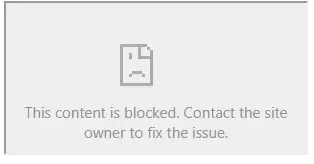
The result was blocked.
I then changed the src of the iframe to company.com:
<iframe src="https://company.com"></iframe>
That returned the homepage as expected. At this point I assumed iframes could only be sourced from the company.com domain, but I was wrong. It took two key presses to find the solution: ctrl+u, or view-source.
Exploitation
Step 1: read the CSP from the page source
In the page source I found the culprit of the filter, inside a meta tag:
<meta http-equiv="Content-Security-Policy" content="...">
and the relevant directive was:
frame-src data: *.firebaseapp.com *.█████.com *.google.com *.facebook.com 'self';
Iframes in the page are only allowed from *.firebaseapp.com, *.█████.com, *.google.com, *.facebook.com and from the company.com domain. Seeing this, I knew it was going to be exploitable.
Step 2: get a host inside an allowed wildcard
*.firebaseapp.com is free: anyone can host static HTML pages there. I looked up how to host a page on firebaseapp. It requires Node.js, so I installed one and followed the steps to deploy my page.
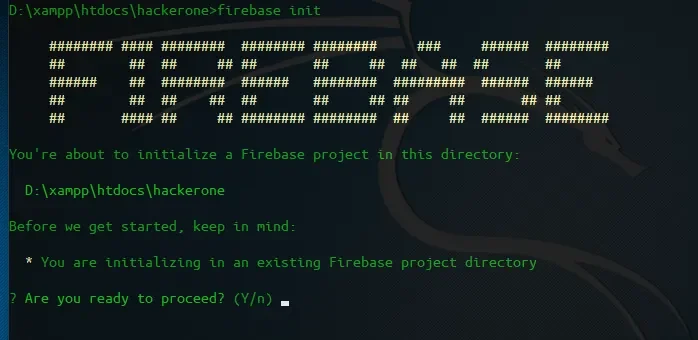
I now owned hackerone-jm.firebaseapp.com, a subdomain covered by the *.firebaseapp.com wildcard.
Step 3: inject the iframe pointing at my host
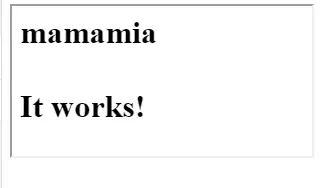
<iframe src="https://hackerone-jm.firebaseapp.com"></iframe>
It worked. The CSP was bypassed and my own page could be included in the iframe.
Step 4: turn the iframe into a redirect and a popup
At first glance an iframe looks harmless: it cannot access the parent's cookies. That statement is only half true. My page on firebaseapp.com and company.com do not share a domain, so they do not share cookies either. Cookies can be sent from a domain to its subdomain, but not to other domains:
company.com -> parent window
hackerone-jm.firebaseapp.com -> child (iframe)
But iframes are naughty children: they can mess with their parents most of the time if no counter-measures are in place. I watch anime on pirated streaming sites, and the thing everyone remembers from those are the annoying pop-ups and redirects. That is what inspired the next step.
From a simple iframe injection I upgraded to an open redirect. I placed the following code in https://hackerone-jm.firebaseapp.com/index.html:
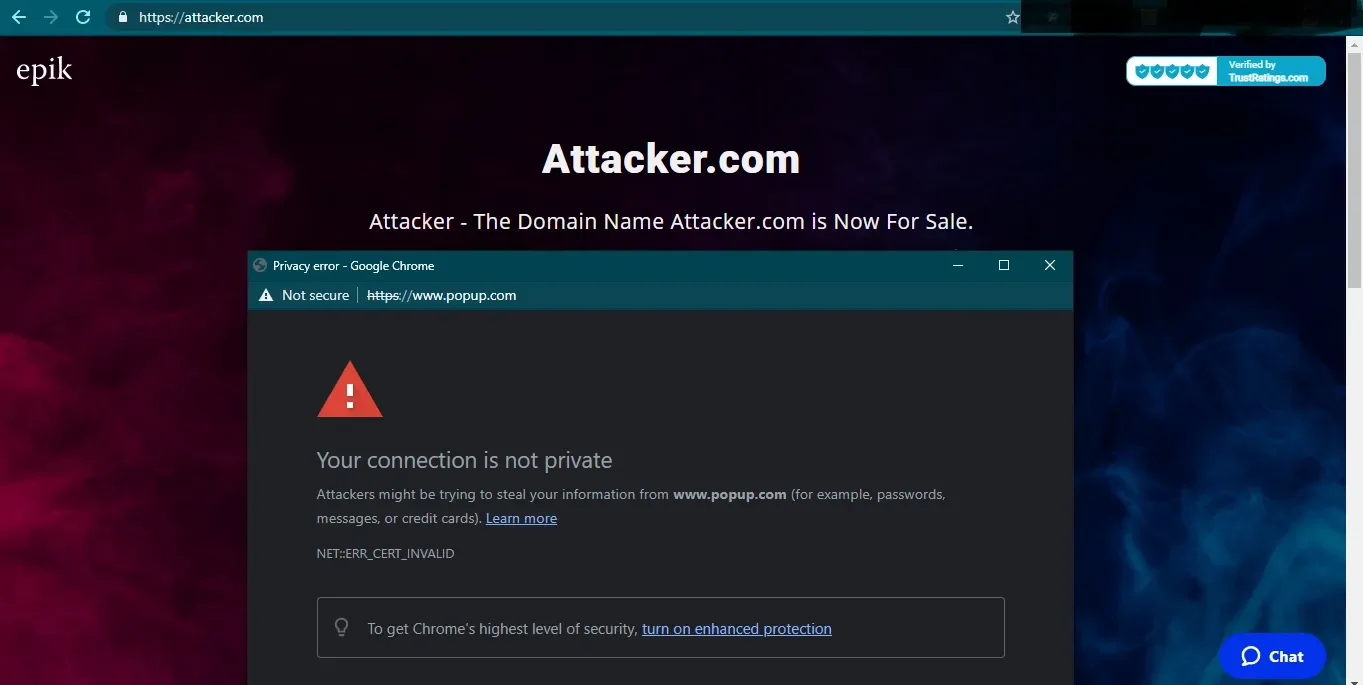
<script> top.location = 'https://www.attacker.com';window.open('https://www.popup.com',"popup","width=825,height=500,resizable=Yes,status=yes,toolbar=no,scrollbars=yes,,left=0,top=0");</script>
I successfully escaped from the iframe. Every time the iframe is loaded, the whole page including company.com redirects, and there can even be a popup window. document.location redirects the current page it is hosted in, but top.location redirects even the outermost parent.
Root cause
The CSP's frame-src allowlist trusts entire wildcard domains that anyone can register a subdomain on. *.firebaseapp.com is free hosting for static pages, so an attacker can obtain a host that satisfies the directive without touching the target at all. The template editor accepts iframe markup, and the CSP's frame-src allowlist decides which frames may load. Because the allowlist includes a domain open to public registration, anyone can obtain a host that satisfies it.
The second half of the problem is that a child frame loaded from an allowed origin can still navigate its top-level parent through top.location and open windows through window.open. A child frame loaded from an allowed origin can still navigate its top-level parent through top.location and open windows through window.open, so the injection escalates from embedded content to a full-page redirect and a popup.
Impact
- Phishing against other users: the whole page, including company.com, can be redirected to an attacker-controlled site, and a popup can be shown.
- The template cannot be edited any more without reasonable effort. The page is highly dependent on JavaScript: disabling JavaScript makes the webpage useless, but not disabling it does not get rid of the pesky iframe.
The report was triaged after 3 days.
Fix
The report does not describe a fix.
Variants to test
- Read the CSP with view-source on any page that accepts user HTML, and look for
frame-src,child-srcorframe-ancestorsentries with wildcards over free or shared hosting (*.firebaseapp.com,*.web.app,*.github.io,*.herokuapp.com,*.s3.amazonaws.comand similar). A positive result is a directive that permits a host you can register for free. - Deploy a static page to a host covered by the wildcard and inject an iframe pointing at it. A positive result is the frame rendering instead of being blocked.
- Put
top.locationandwindow.openin the hosted page. A positive result is the parent page navigating away or a popup appearing when the iframe loads. A positive result is the data URI rendering as a frame. A positive result is any interaction with the parent document from the injected frame.
What happened, in plain words
This is the story of my first bug in a bug bounty program. A bug bounty program is a scheme where a company invites outside people to look for security problems in its website and pays or thanks them for reporting what they find. The program I was working on is still under disclosure restrictions, so I call the target company.com throughout. The report itself is now public on HackerOne, report 1166766. HackerOne is a website where these reports are filed and, once everyone agrees, published.
The feature in scope lets users customise a template using drop-down widgets, an HTML editor, or a mix of both. A template here is a ready-made page design that a user fills in with their own content. HTML is the language browsers use to describe a page: tags like <p> for a paragraph or <img> for a picture. An HTML editor is a box where you type that markup directly instead of using buttons. From a hunter's point of view, a feature that lets you type your own HTML is an obvious candidate for HTML injection, or even XSS. HTML injection means the site puts your markup into the page without cleaning it, so you can add elements the designers never intended. XSS, short for Cross-Site Scripting, is the stronger version: you get your own JavaScript to run inside the victim's page. JavaScript is the programming language browsers execute, and it is what makes a page interactive. Because the product already hands you a markup editor, you do not have to worry about escaping out of attributes: escaping means turning special characters into harmless text so they cannot break out of the place they were put.
Setup
The site runs a bug bounty program and is aware of common vulnerabilities, so it implements a Content-Security-Policy that limits which resources a user can include in the template. A Content-Security-Policy, usually shortened to CSP, is a set of rules the site sends to the browser saying which sources of content are allowed. Think of it as a guest list at a door: the browser checks every script, image or frame against the list and refuses anything not on it. The CSP here prohibits executing inline or remote javascript. Inline means script written directly inside the page; remote means script loaded from another address. Had the CSP not done that, the article would have been about XSS instead.
No special accounts or roles are described beyond the ability to edit a template. The tools I used along the way were ngrok, Node.js (needed to deploy to Firebase), and the browser's view-source. ngrok is a small program that gives your own computer a public web address, so a page running on your machine can be reached from the internet. Node.js is a runtime that lets you run JavaScript programs outside a browser; some developer tools require it. View-source is the browser feature that shows the raw HTML the server sent, rather than the rendered page. The whole exercise starts from the assumption that script execution is off the table.
Finding it
Since no working JavaScript can go into the template, I made a list of other things that might be inserted and still cause impact after failing to execute JavaScript:
<iframe><object><embed>
Line by line, this is just three tags written next to each other. <iframe> embeds another web page inside the current one, like a small window cut into the page. <object> and <embed> are older tags for pulling in external content such as a document or a media file. The point of the list was to think about what else a page can load besides script.
I first tried to host a malicious page on my localhost and forward it with ngrok, then inserted an iframe tag into the template. Localhost means your own computer, reached at an address that only works on that machine. Forwarding it with ngrok makes that local page reachable from the outside.
<iframe src="https://d2ffae02f9f9.ngrok.io"></iframe>
Here src is the address of the page to embed, and the value is the public address ngrok gave my local page. The result was blocked.
The result was blocked.
I then changed the src of the iframe to company.com:
<iframe src="https://company.com"></iframe>
This embeds the site's own homepage. That returned the homepage as expected. At this point I assumed iframes could only be sourced from the company.com domain, but I was wrong. It took two key presses to find the solution: ctrl+u, or view-source. The lesson is that the browser will happily show you the rules the site is enforcing, because they are sent to the browser as part of the page.
Exploitation
Step 1: read the CSP from the page source
In the page source I found the culprit of the filter, inside a meta tag:
<meta http-equiv="Content-Security-Policy" content="...">
A <meta> tag carries information about the page rather than visible content. http-equiv makes the browser treat the tag as if the server had sent a real HTTP header, and content holds the actual policy text. The ... stands for the rest of the policy, which is not reproduced here. The relevant directive was:
frame-src data: *.firebaseapp.com *.█████.com *.google.com *.facebook.com 'self';
A directive is one line of the policy, and frame-src is the one that governs which addresses may be loaded into a frame. Each entry after it is an allowed source. data: means content embedded directly in the page as a data URI, which is a way of writing a whole file inside a URL. A wildcard like *.firebaseapp.com means any subdomain of firebaseapp.com. 'self' means the site's own origin, that is, the same scheme, host and port as the page itself. So iframes in the page are only allowed from *.firebaseapp.com, *.█████.com, *.google.com, *.facebook.com and from the company.com domain. Seeing this, I knew it was going to be exploitable.
Step 2: get a host inside an allowed wildcard
*.firebaseapp.com is free: anyone can host static HTML pages there. Static means plain files served as they are, with no server-side logic. I looked up how to host a page on firebaseapp. It requires Node.js, so I installed one and followed the steps to deploy my page.
I now owned hackerone-jm.firebaseapp.com, a subdomain covered by the *.firebaseapp.com wildcard. A subdomain is a name placed in front of a domain, like a room inside a building; the wildcard covers every room.
Step 3: inject the iframe pointing at my host
<iframe src="https://hackerone-jm.firebaseapp.com"></iframe>
This is the same tag as before, with src now pointing at the page I control. It worked. The CSP was bypassed and my own page could be included in the iframe. Bypassed means the rule was satisfied without the site intending it: my address was on the guest list because the list trusted a whole free-hosting domain.
Step 4: turn the iframe into a redirect and a popup
At first glance an iframe looks harmless: it cannot access the parent's cookies. A cookie is a small piece of data a site stores in your browser so it can recognise you on the next request, and it is often what keeps you logged in. The parent is the page that contains the frame; the frame is the child. That statement is only half true. My page on firebaseapp.com and company.com do not share a domain, so they do not share cookies either. Cookies can be sent from a domain to its subdomain, but not to other domains:
company.com -> parent window
hackerone-jm.firebaseapp.com -> child (iframe)
These two lines simply label which address plays which role: company.com is the page doing the embedding, and my Firebase page is the one embedded.
But iframes are naughty children: they can mess with their parents most of the time if no counter-measures are in place. I watch anime on pirated streaming sites, and the thing everyone remembers from those are the annoying pop-ups and redirects. That is what inspired the next step.
From a simple iframe injection I upgraded to an open redirect. An open redirect is a link or mechanism that sends the visitor to any address someone else chooses. I placed the following code in https://hackerone-jm.firebaseapp.com/index.html:
<script> top.location = 'https://www.attacker.com';window.open('https://www.popup.com',"popup","width=825,height=500,resizable=Yes,status=yes,toolbar=no,scrollbars=yes,,left=0,top=0");</script>
Line by line: <script> starts a block of JavaScript. top.location = 'https://www.attacker.com'; tells the outermost window, the one at the very top of the tab, to navigate to that address. window.open('https://www.popup.com',"popup","width=825,height=500,resizable=Yes,status=yes,toolbar=no,scrollbars=yes,,left=0,top=0"); asks the browser to open a new window at the second address, named popup, with the listed size and chrome options. The </script> closes the block. Because this code sits on a page the policy allows to be framed, it runs whenever the frame loads.
I successfully escaped from the iframe. Every time the iframe is loaded, the whole page including company.com redirects, and there can even be a popup window. document.location redirects the current page it is hosted in, but top.location redirects even the outermost parent. document is the page the script itself lives in, which here is the frame; top is the whole browser tab.
Root cause
The CSP's frame-src allowlist trusts entire wildcard domains that anyone can register a subdomain on. *.firebaseapp.com is free hosting for static pages, so an attacker can obtain a host that satisfies the directive without touching the target at all. The template editor accepts iframe markup, and the CSP's frame-src allowlist decides which frames may load. Because the allowlist includes a domain open to public registration, anyone can obtain a host that satisfies it.
The second half of the problem is that a child frame loaded from an allowed origin can still navigate its top-level parent through top.location and open windows through window.open. Sandboxing means running a frame with reduced powers, so it cannot navigate the top window or open popups. A child frame loaded from an allowed origin can still navigate its top-level parent through top.location and open windows through window.open, so the injection escalates from embedded content to a full-page redirect and a popup.
Impact
- Phishing against other users: the whole page, including company.com, can be redirected to an attacker-controlled site, and a popup can be shown. Phishing is a fake page or message designed to trick someone into handing over information or credentials.
- The template cannot be edited any more without reasonable effort. The page is highly dependent on JavaScript: disabling JavaScript makes the webpage useless, but not disabling it does not get rid of the pesky iframe.
The report was triaged after 3 days. Triaged means the program accepted the report as valid and put it in the queue for a fix.
Fix
The report does not describe a fix.
Variants to test
- Read the CSP with view-source on any page that accepts user HTML, and look for
frame-src,child-srcorframe-ancestorsentries with wildcards over free or shared hosting (*.firebaseapp.com,*.web.app,*.github.io,*.herokuapp.com,*.s3.amazonaws.comand similar). A positive result is a directive that permits a host you can register for free. - Deploy a static page to a host covered by the wildcard and inject an iframe pointing at it. A positive result is the frame rendering instead of being blocked.
- Put
top.locationandwindow.openin the hosted page. A positive result is the parent page navigating away or a popup appearing when the iframe loads. A positive result is the data URI rendering as a frame. A positive result is any interaction with the parent document from the injected frame.
Glossary
- Bug bounty program: a scheme where a company invites outsiders to find and report security problems, usually with a reward or recognition.
- HackerOne: a platform where security reports are filed and, once agreed, published.
- Template: a ready-made page design that a user fills in with their own content.
- HTML: the markup language browsers use to describe a page.
- HTML editor: a box where you type HTML directly instead of using buttons.
- HTML injection: putting your own markup into a page because the site does not clean it.
- XSS (Cross-Site Scripting): getting your own JavaScript to run inside someone else's page.
- JavaScript: the programming language browsers execute to make pages interactive.
- Escaping: turning special characters into harmless text so they cannot break out of their context.
- Content-Security-Policy (CSP): rules the site sends to the browser listing which sources of content are allowed.
- Inline script: script written directly inside the page.
- Remote script: script loaded from another address.
- ngrok: a program that gives your own computer a public web address.
- Node.js: a runtime that runs JavaScript programs outside a browser.
- View-source: the browser feature that shows the raw HTML the server sent.
- iframe: a tag that embeds another web page inside the current one.
- object / embed: older tags for pulling external content into a page.
- Localhost: your own computer, reached at an address that only works on that machine.
- src: the attribute that holds the address of the content to load.
- meta tag: a tag that carries information about the page rather than visible content.
- http-equiv: an attribute that makes a meta tag act like a real HTTP header.
- Directive: one line of a CSP policy.
- frame-src: the CSP directive that governs which addresses may be loaded into a frame.
- data: URI: a way of writing a whole file inside a URL.
- Wildcard: a pattern like
*.example.comthat matches every subdomain. - Subdomain: a name placed in front of a domain, like a room inside a building.
- 'self': the site's own origin, meaning the same scheme, host and port as the page.
- Origin: the combination of scheme, host and port that identifies where a page came from.
- Static page: plain files served as they are, with no server-side logic.
- Bypass: satisfying a rule without the site intending it.
- Cookie: a small piece of data a site stores in your browser to recognise you later.
- Parent / child window: the page that contains a frame, and the frame itself.
- Open redirect: a mechanism that sends the visitor to any address someone else chooses.
- document.location: the address of the page the script itself lives in.
- top.location: the address of the outermost window, the whole browser tab.
- window.open: the JavaScript call that asks the browser to open a new window.
- Sandboxing: running a frame with reduced powers so it cannot navigate the top window or open popups.
- Phishing: a fake page or message designed to trick someone into handing over information or credentials.
- Triaged: accepted by the program as valid and queued for a fix.
- window.parent: the JavaScript reference a frame uses to reach the page that contains it.
- postMessage: the browser mechanism for sending messages between windows of different origins.