Unauthorized Sign-up on Subdomain of Subdomain leading to Organization takeover worth $2000
A login portal on a subdomain of a subdomain exposed a sign-up page that was not meant to be public, and any newly registered user was given access to all of the organisation's private GitHub repositories. This exposed secret tokens and admin credentials, allowing a complete organisation takeover and access to client data.
 Published on infosecwriteups.com
Hello people, Here I am sharing another four digit write-up which is one of my very old finding. If you haven’t read my previous writeup about how I was able to bypass a strong rate limit mechanism on all the endpoints then here is the link to it:
The full write-up lives on its author's site
It belongs to its author, so we link to it rather than copy it. The other two tabs are our own rewrites, checked against it.
Context
This is an account of an organisation takeover that started from a subdomain of a subdomain. The program's policy scoped only the explicitly listed domains and subdomains; everything else, including *.target.com, was out of scope. The company offered services to clients and let them create custom subdomains such as client1.target.com and client2.target.com, which is why testing on arbitrary subdomains was restricted.
The asset that mattered was sserver.services.target.com, a portal used by the company to manage its GitHub source code. The report describes it as a normal login page, and the researcher inferred from the UI that it gave direct access to the organisation's GitHub account. The portal was presumably intended for employees, with credentials issued only to them.
Setup
No special tooling is described beyond subdomain enumeration with a wordlist and Google dorking. The researcher had just started in bug bounty at the time. The only precondition was the scope policy itself: listed domains and subdomains in scope, all other subdomains out of scope, and *.target.com explicitly excluded.
Finding it
The starting point was a random target. Because the policy excluded subdomains, the researcher reasoned that fewer researchers would have looked there, and that a critical bug on a subdomain might still be worth reporting.
- Subdomain enumeration was run with a wordlist containing words such as
app,development,dev,serviceandapp-dev, rather than a generic list. Very few subdomains came back. One wasservices.target.com, which returned a DNS error on visit; the researcher notes not knowing how it was detected during enumeration. - A Google dork was used to look beneath that name:
site:*.services.target.com
This returned results from domains such as public.services.target.com.
3. The word services suggested more services running under that subdomain, so enumeration was repeated for services.target.com. That produced sserver.services.target.com.
On that host was a login page. The UI suggested a portal for managing source code with direct access to the GitHub account.
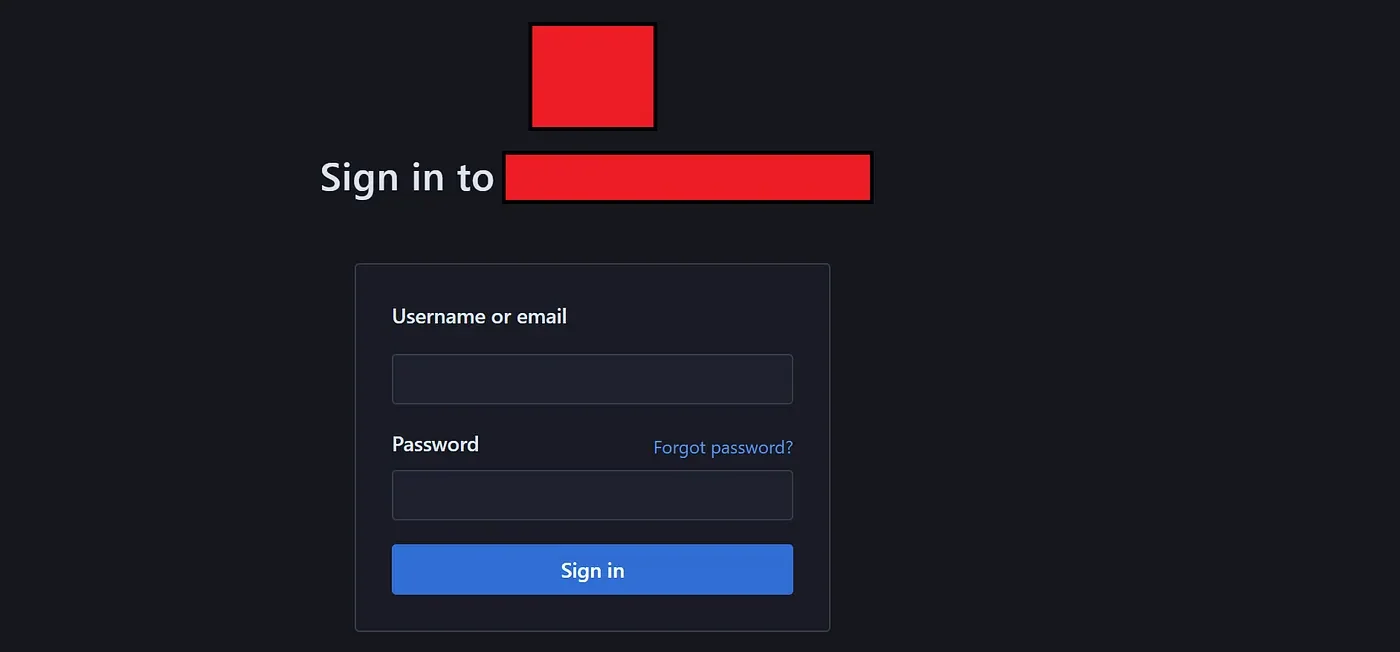
The researcher considered the usual next steps, searching JS files and using GitHub dorks for credential leaks, but found nothing interesting because the domain was not mentioned anywhere.
Exploitation
Step 1: Inspect the sign-in URL
The login page URL was:
/sign-in?returnTo=%2F
The URL contains a returnTo parameter set to %2F.
Step 2: Guess alternative auth routes
The researcher replaced sign-in in the path with other common names: register, get-started and sign-up. The last one, sign-up, returned a signup page asking for email, username and password.
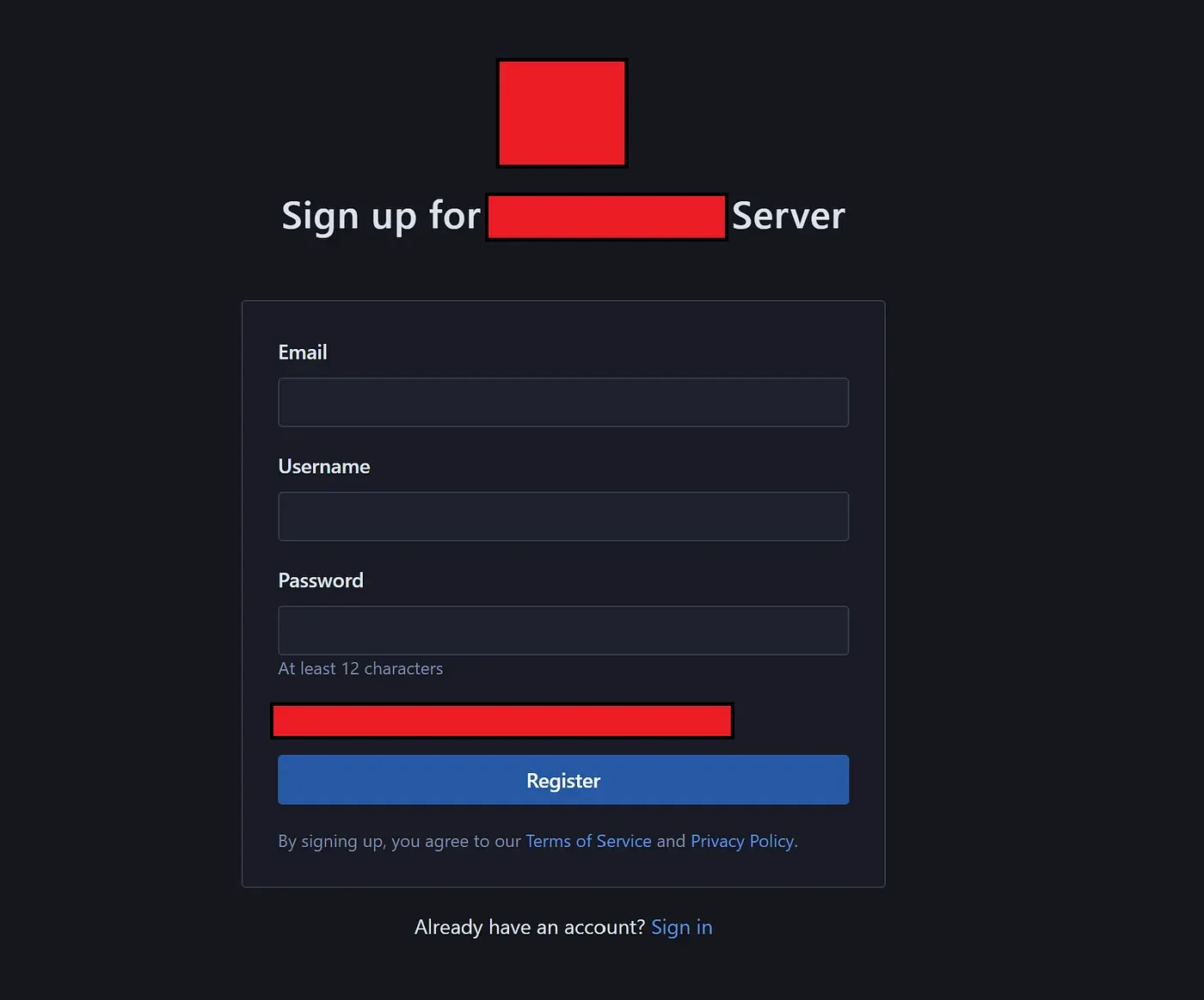
The researcher expected the registration to fail after submission, as JIRA does when self sign-up is disabled. It did not: the signup succeeded with the researcher's own email, and the new account could sign in.
Step 3: Enumerate what the new account can reach
After signing in, the account had access to the portal's GitHub code management. This included private repositories. Every new user was given direct access to all code shared on the portal.
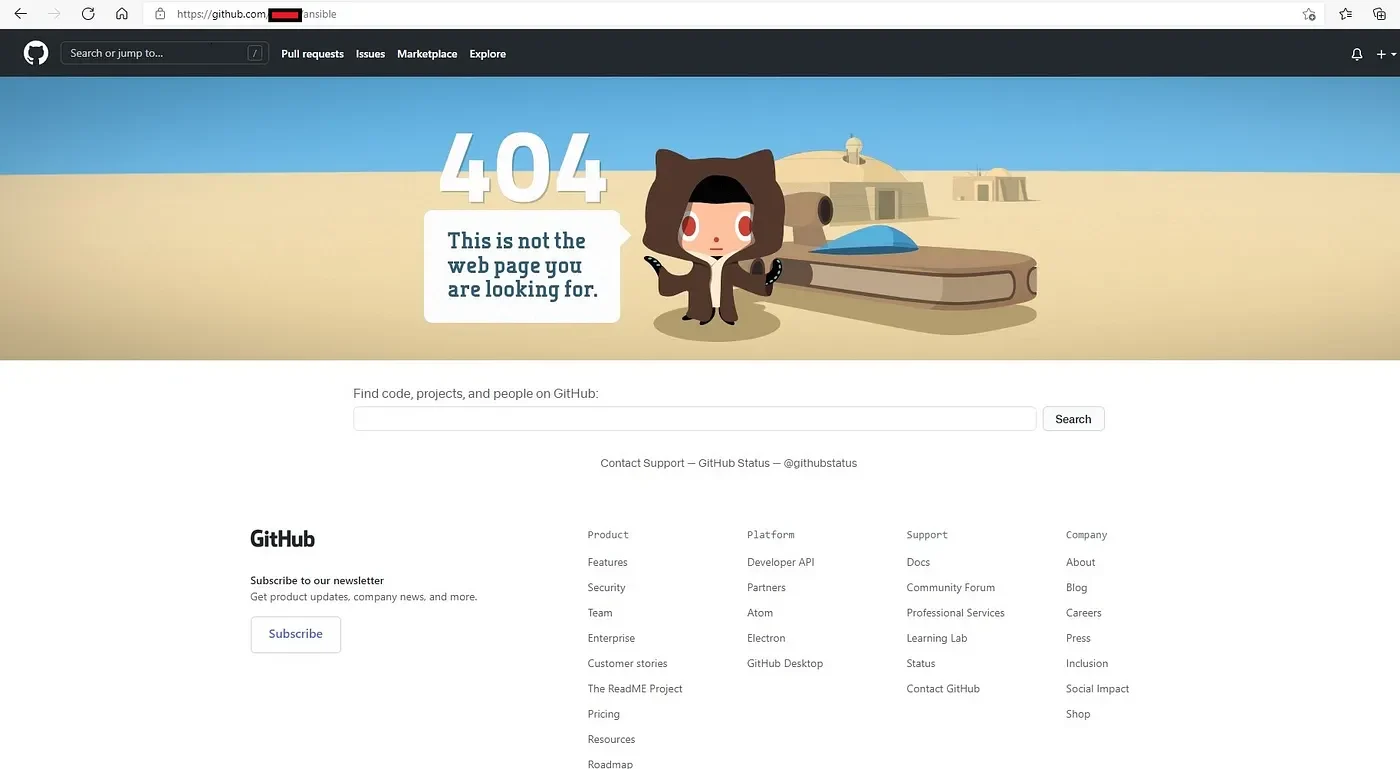
The screenshot shows a repository that, when accessed directly through GitHub, is private.
Step 4: Read the private repositories and secrets
Opening the same repository through the portal made it accessible. Credentials and secret files were visible.
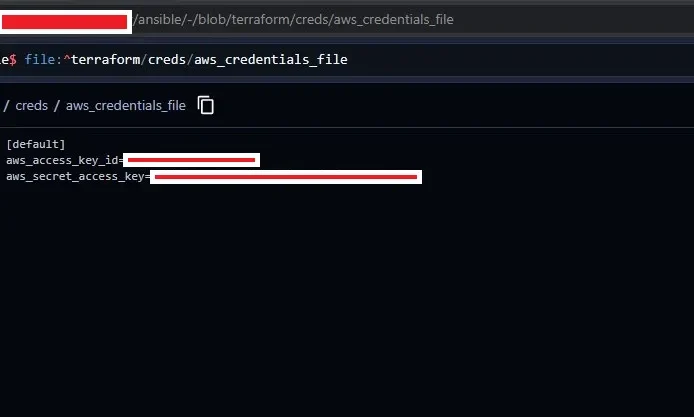
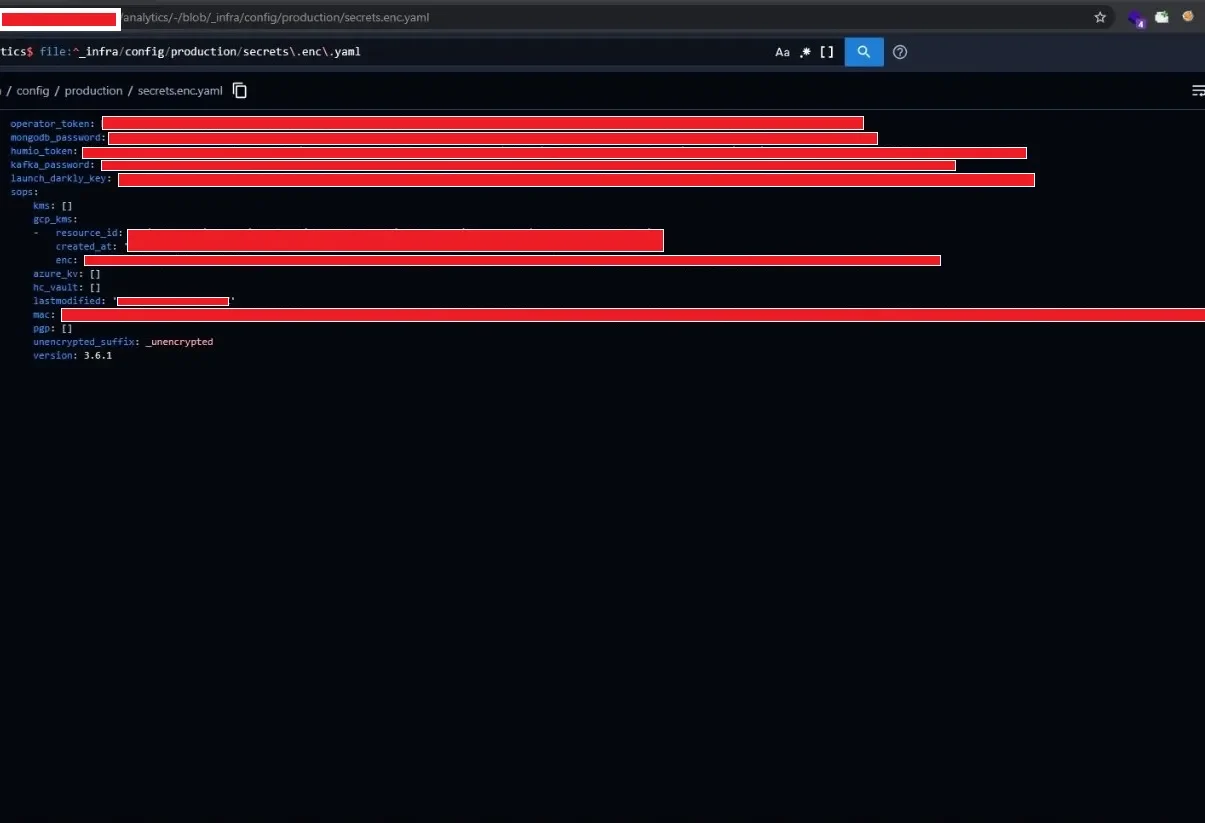
The second screenshot shows a secrets file containing secret tokens.
All private repositories were reachable this way, and secret API keys and admin account credentials were visible. The researcher describes the result as a complete organisation takeover. Because the company served many clients, client data was also reachable through the exposed credentials.
Root cause
The portal exposed a working self-registration page at /sign-up. Accounts created through it were not restricted to any role or repository set: any new user received access to all code shared on the portal, including private repositories and their secret files. Any new user received access to all code shared on the portal, including private repositories and their secret files. The report does not describe the server-side code, so the exact implementation is not known.
Impact
An unauthenticated attacker who found the signup route could create an account and read every private repository managed through the portal, including secret API keys and admin account credentials. With those, the researcher states the whole organisation was effectively taken over, and client data of the company's customers was accessible too. The report does not enumerate which clients or how many.
The team triaged and fixed the report within 40 minutes, making the portal inaccessible from public view, and rotated the exposed credentials. The payout was the program's highest for critical, 2000 USD.
Fix
What was actually done: the portal was made inaccessible from public view and exposed credentials were rotated. What should be done, based on the design flaw: remove or disable public self-registration on the portal, and enforce authorisation per repository so that a portal account only sees the repositories it is entitled to. Rotating secrets is necessary but does not fix the underlying access model.
Variants to test
- Route guessing on auth paths: take a known login path such as
/sign-in?returnTo=%2Fand substituteregister,get-startedandsign-up. A positive result is a signup form that accepts a new account and lets you sign in. - Subdomain wordlists built around service names: enumerate with words such as
app,development,dev,serviceandapp-dev, then repeat enumeration on any host whose name suggests a service hub. A positive result is a new host that resolves and serves an application. - Google dorks beneath a discovered subdomain: query
site:*.services.target.comstyle patterns for the target's naming scheme. A positive result is indexed hosts under a name that was not in the original scope list. - Post-registration access checks: after creating an account on any portal, list repositories, projects or files and try to open private items directly. A positive result is a private repository or secret file rendered through the portal.
- Credential exposure in managed repositories: look for secrets files and CI configuration in repositories reachable through the portal. A positive result is tokens or admin credentials visible in a repository.
A general note from the report: try assets even when they are out of scope, without aggressive testing, and look at subdomains of subdomains and endpoints containing words like services or internal.
What happened, in plain words
A security researcher found a website that a company used to manage its own private source code. The site had a login page, and a sign-up page reachable by guessing the route. The researcher created an ordinary account with his own email address, logged in, and could then read every private code repository the company kept there, including files full of secret keys and administrator passwords. Because the company ran services for many clients, those secrets also opened the door to client data. The company fixed it within 40 minutes and paid 2000 USD.
The interesting part is where the site was found: on a subdomain of a subdomain, in a part of the company's estate that the bug bounty programme had explicitly declared out of scope.
Before going further, a few words on the vocabulary, because the rest of the article leans on it.
- A domain is the name you type to reach a site, like
target.com. A subdomain is a name placed in front of it, likeservices.target.com, and a subdomain of that issserver.services.target.com. Think of a domain as a building, subdomains as floors, and subdomains of subdomains as rooms on a floor. - A bug bounty programme is a deal a company offers: if you find a security problem in our systems and report it privately, we pay you a reward (the bounty) instead of calling lawyers. The programme publishes a policy that says which systems you are allowed to test. Those are in scope. Everything else is out of scope.
- A portal here is just a website with a login, used by staff to do their work.
- GitHub is a website where programmers store and share code. A repository (repo) is one project's folder of code. A private repository is one only invited people can see.
- A credential is anything that proves who you are: a username and password, an API key, a token. An API key or token is a long random string that a program uses instead of a password, so two systems can talk to each other.
- An organisation takeover means an outsider gains control over, or full read access to, everything the company keeps in a service. Not one account: the whole organisation.
The rules of the game
The programme's policy allowed only the domains and subdomains it listed explicitly. Everything else was out of scope, and *.target.com was named as out of scope while target.com itself was in scope. The * is a wildcard meaning "any name in front of".
The company sold services to clients and let each client have a custom subdomain such as client1.target.com or client2.target.com. That is why the programme restricted testing on arbitrary subdomains: those names belong to customers, not to the company.
So the researcher faced a choice. Most people would stay strictly inside the listed scope. He reasoned the other way: because subdomains were excluded, few researchers would bother looking there, so a serious bug on a subdomain might still be worth reporting. That reasoning is the seed of the whole story.
How the site was found
No exotic tools were involved. The researcher had just started doing bug bounty work at the time. Two techniques did the job: subdomain enumeration with a wordlist, and Google dorking.
Subdomain enumeration means trying a long list of common names in front of a domain and seeing which ones exist. If dev.target.com answers, there is a machine there. A wordlist is simply a text file of candidate names.
- Instead of a generic wordlist, he used one built from words like
app,development,dev,serviceandapp-dev. The idea: company portals often live at names that describe what they do. Very few subdomains came back. One wasservices.target.com, which gave a DNS error when visited. A DNS error means the name could not be translated into a server address, so nothing loaded. He notes he does not know how it turned up during enumeration at all. - He then used a Google dork. A dork is a search query with special operators that narrow results to a particular site. The query was:
site:*.services.target.com
Line by line: site: tells Google to return only pages from the site that follows. *.services.target.com means any name ending in services.target.com. So the query asks Google: show me every indexed page that lives somewhere under services.target.com. It returned results from names such as public.services.target.com.
3. The word services in the name suggested that more services were running underneath, so he repeated enumeration, this time for services.target.com itself. That produced sserver.services.target.com.
On that host sat a login page. From the look of the interface, he guessed it was used to manage source code and gave direct access to the company's GitHub account.
The screenshot shows that ordinary login page. The natural assumption is that it was meant for employees, and that only employees were given credentials. He considered the usual next moves, such as reading the site's JavaScript files (the code a browser downloads to run the page) or searching GitHub for leaked credentials, but nothing interesting came up, because this domain was not mentioned anywhere.
The interesting part: a sign-up page nobody meant to expose
Step 1: look at the address bar
The login page's address was:
/sign-in?returnTo=%2F
Line by line: /sign-in is the path, the part after the domain name that says which page you want. The ? starts the query string, a list of extra values the page receives. returnTo=%2F is one such value: the parameter is called returnTo and its value is %2F. %2F is how a slash / is written when it has to travel inside a URL, so returnTo=%2F means "after login, send me to the site root". In plain terms, the page was telling the browser where to go once you sign in.
Step 2: guess other page names
Seeing sign-in in the path, he tried swapping that word for other names that login systems commonly use: register, get-started, and simply sign-up. The last one, sign-up, returned a signup page asking for email, username and password.
This is route guessing, sometimes called forced browsing: you take a known page address and try sibling names, because developers often build several pages from the same template and forget to protect one of them. It is the web equivalent of trying the doors along a corridor after finding one open.
He still expected the registration to fail when submitted, the way JIRA behaves when self sign-up is switched off: the form exists, but the server refuses. It did not fail. The signup went through with his own email address, and the new account could sign in.
Step 3: see what the new account can reach
After signing in, the account had access to the portal's GitHub code management, private repositories included. Every new user was given direct access to all code shared on the portal.
The screenshot shows a repository that, when opened directly on GitHub, is private. The repository was private when accessed directly through GitHub, but readable through the portal.
Step 4: read the private repositories and their secrets
Opening the same repository through the portal made it readable. Credentials and secret files were visible.
The second screenshot shows a secrets file containing secret tokens. A secrets file is a small file developers keep next to code to hold passwords, API keys and tokens, so the program can log in to other services without a human typing anything.
Every private repository was reachable this way, and secret API keys and administrator account credentials were visible. The researcher calls the result a complete organisation takeover. Because the company served many clients, client data was reachable through those exposed credentials too.
Why it worked
The portal offered a working self-registration page at /sign-up. Worse, accounts created there were not limited to any role or set of repositories: any new user received access to all code shared on the portal, private repositories and secret files included.
Any new user received access to all code shared on the portal, private repositories and secret files included. Nobody checked, per user or per repository, whether this particular person should see this particular code. In security language, authentication (proving who you are) was enforced, but authorisation (deciding what you are allowed to do) was not. The report does not describe the server-side code, so the exact implementation is unknown.
What it meant
An attacker with no account at all could find the signup route, create an account, and read every private repository managed through the portal, including secret API keys and administrator credentials. With those, the researcher states the whole organisation was effectively taken over, and the data of the company's clients was accessible as well. The report does not say which clients or how many.
The team triaged the report and fixed it within 40 minutes, making the portal unreachable from the public internet, and rotated the exposed credentials. Rotating a credential means replacing it with a new one and cancelling the old, so that anything leaked stops working. The payout was the programme's highest for a critical issue: 2000 USD.
The fix
What was actually done: the portal was taken off public view and the exposed credentials were rotated.
What the design flaw calls for: remove or disable public self-registration on the portal, and check authorisation per repository, so a portal account only sees the repositories it is entitled to. Rotating secrets is necessary, but on its own it leaves the open door in place.
Things worth trying yourself
- Guess auth page names. Take a known login path such as
/sign-in?returnTo=%2Fand substituteregister,get-startedandsign-up. You have a hit when a signup form accepts a new account and lets you sign in. - Build wordlists around service names. Enumerate with words such as
app,development,dev,serviceandapp-dev, then repeat enumeration on any host whose name suggests a hub of services. You have a hit when a new host resolves and serves an application. - Use Google dorks under a discovered subdomain. Query patterns like
site:*.services.target.comfor the target's naming scheme. You have a hit when indexed hosts appear under a name that was not on the original scope list. - Check access after registering. After creating an account on any portal, list repositories, projects or files and try to open private items directly. You have a hit when a private repository or secret file is rendered through the portal.
- Look for secrets in managed repositories. Search repositories reachable through the portal for secrets files and CI configuration (the files that automate builds and deployments). You have a hit when tokens or admin credentials are visible in a repository.
The report's own advice: try assets even when they are out of scope, without aggressive testing, and look at subdomains of subdomains and at endpoints containing words like services or internal.
Glossary
- API key: a long random string a program uses instead of a password to talk to another service.
- Authentication: proving who you are, usually with a username and password.
- Authorisation: deciding what an identified user is allowed to see or do.
- Bug bounty programme: a company's offer to pay researchers who report security problems privately.
- Bounty: the money paid for a valid report.
- CI configuration: files that tell an automated system how to build and deploy code.
- Credential: anything that proves identity, such as a password, key or token.
- Critical: the highest severity label a programme uses for a bug.
- DNS error: the browser could not translate a domain name into a server address, so nothing loaded.
- Domain: the main name of a site, such as
target.com. - Dork: a search query using special operators to narrow results, for example to one site.
- Forced browsing / route guessing: trying page names along a known path to find pages that were not linked publicly.
- GitHub: a website for storing and sharing source code.
- In scope / out of scope: allowed or not allowed to be tested under a programme's policy.
- JavaScript file: code a browser downloads and runs to make a page interactive.
- Organisation takeover: an outsider gaining control of, or full access to, everything a company keeps in a service.
- Parameter: a named value passed in a URL, such as
returnTo. - Policy: the document stating what a programme allows researchers to test and how.
- Portal: a website with a login used by staff to do their work.
- Private repository: a code project only invited people can see.
- Query string: the part of a URL after
?, carrying extra values. - Repository (repo): one project's folder of code.
- Rotating a credential: replacing a leaked secret with a new one and cancelling the old.
- Secrets file: a file holding passwords, keys and tokens so programs can log in automatically.
- Subdomain: a name placed in front of a domain, such as
services.target.com. - Subdomain enumeration: trying many candidate names in front of a domain to find which exist.
- Token: a string that stands in for a password, often used between systems.
- Triaged: reviewed by the programme and confirmed as a real issue.
- Wildcard (
*): a symbol meaning "any name here". - Wordlist: a text file of candidate names used during enumeration.

