Weakness of Integration
A member-level account could read the integrations endpoint that should only be available to admins, and could also trigger the Slack integration connect flow normally reserved for admins. This let a low-privileged user view and initiate third-party integration actions meant for administrators.
 Published on medium.com
First I have a private BBP with a small scope : “app.example.com” This website is used for Data Analysis and pipeline, I spend the first hour trying to understand the logic of the web app ,The site contains some roles beside Admin role : read only ,member , member + pipeline and Admin , I started testing by creating…
The full write-up lives on its author's site
It belongs to its author, so we link to it rather than copy it. The other two tabs are our own rewrites, checked against it.
Context
The target was a private bug bounty programme with a small scope: app.example.com. The application is used for data analysis and pipelines. It defines several roles besides the Admin role: read only, member, member + pipeline, and Admin.
The feature at the centre of both findings is integrations. In the researcher's words, it is "a feature or area within the application that allows users to connect and interact with external services, tools, or platforms. It provides a way to combine the functionality of the web app with other applications or services, enabling data exchange, automation, and enhanced functionality". The integrations section contains three third party apps, and in the normal UI it was only available in the Admin account.
Two high impact logic vulnerabilities were found. The first gave a member account unauthorised access to the integrations endpoint. The second, found by a friend the researcher hunts with, let a low privileged account drive the integration connect flow. Both were reported as High and both paid.
Setup
The researcher held an Admin account on the application and created additional accounts to test downwards from it. Testing was done through Burp, using the proxy history and the repeater to replay requests between sessions. No versions, plugins or special configuration are described.
The researcher added a Slack channel as Admin before replaying the endpoint as a member. For the second, the precondition is that the attacker holds any low privileged account, here the member role, and can obtain a valid CSRF token from their own session.
Finding it
The first hour went into understanding the application's logic. The researcher then created a read only account beside the Admin account and tested every function for broken access control and privilege escalation. Nothing special turned up.

The read only account was upgraded to the member role, which exposes more functions to test.
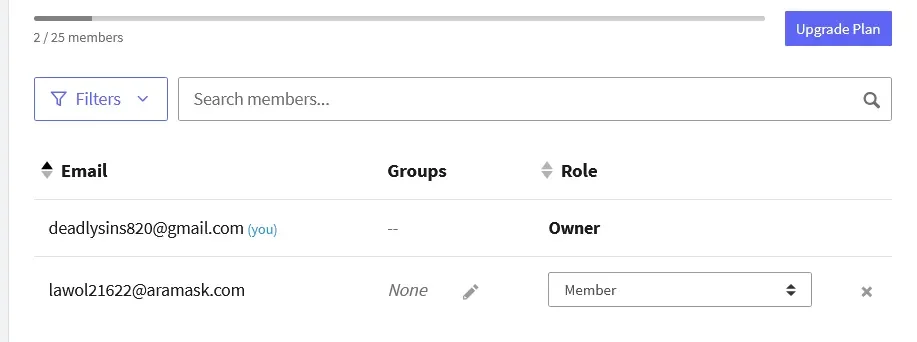
Repeating the same steps with the member role, attempts to call Admin functions returned 403 unauthorized. While working through that, the researcher came across an interesting endpoint: /manage/get-integrations.
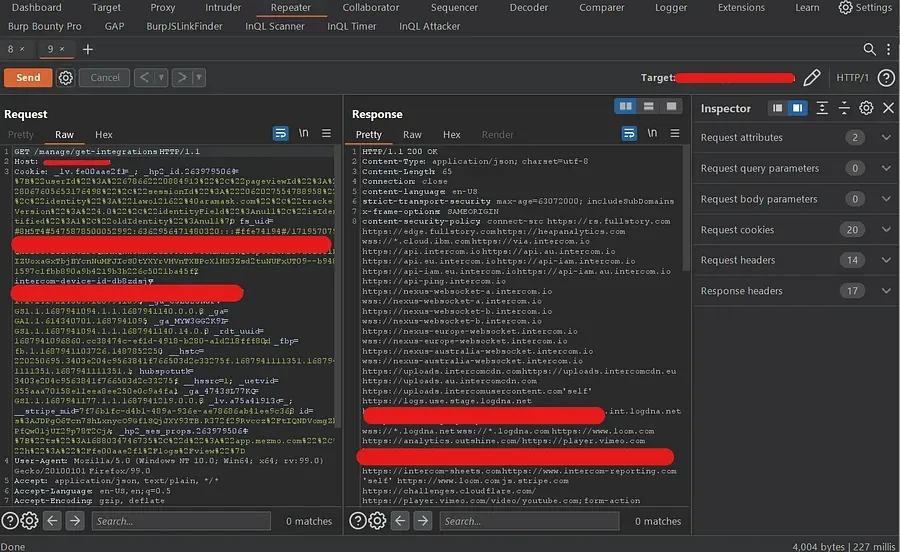
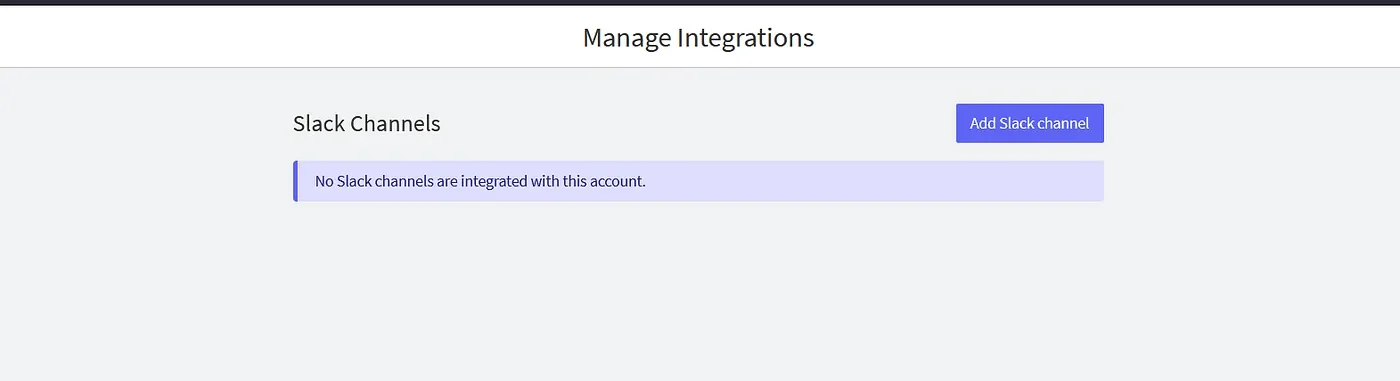
The response body contained no data, so the first assumption was that it was a normal endpoint used for some kind of notification and nothing special. Digging through the app revealed the integrations section with its three third party apps, which was only available in the Admin account. That is what made the endpoint worth revisiting.
Exploitation
Step 1: give the endpoint something to return
The researcher went to the Admin account and added a Slack channel, to see whether the integrations feature is connected to the /manage/get-integrations endpoint.
Step 2: replay the endpoint as a member
After adding the Slack channel, the researcher went through Burp and tested /manage/get-integrations again with the member account. The result was unauthorised access to the integrations endpoint with the member account.
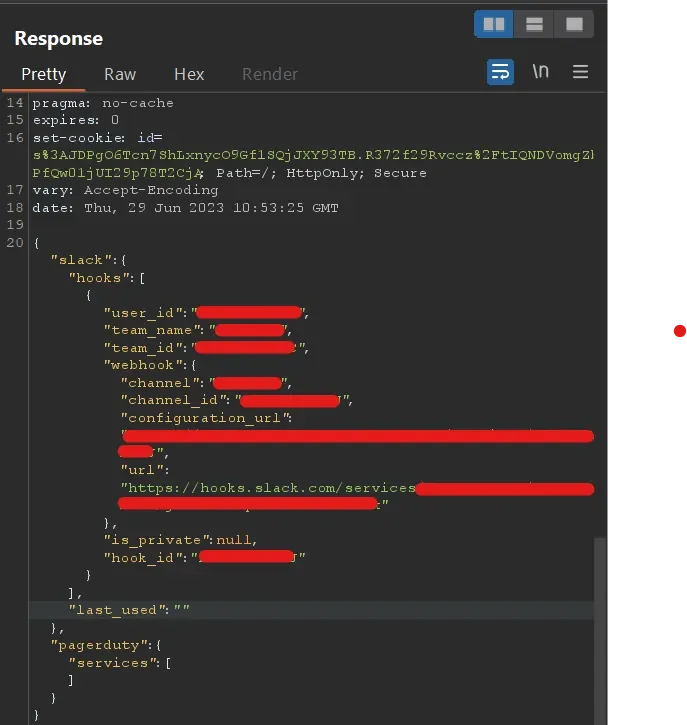
That was reported and paid as a high vulnerability.
Step 3: enumerate Admin functions and read the HTTP history
For the second bug, the researcher clicked every button in the web app with the Admin account to collect all available functions for testing against low privileged users, then moved to Burp's HTTP History tab.
A strange endpoint stood out:
/<OrgID>/modules/connect-service/slack?cb=<id>
Its request body contained a CSRF parameter:
_csrf=<token>
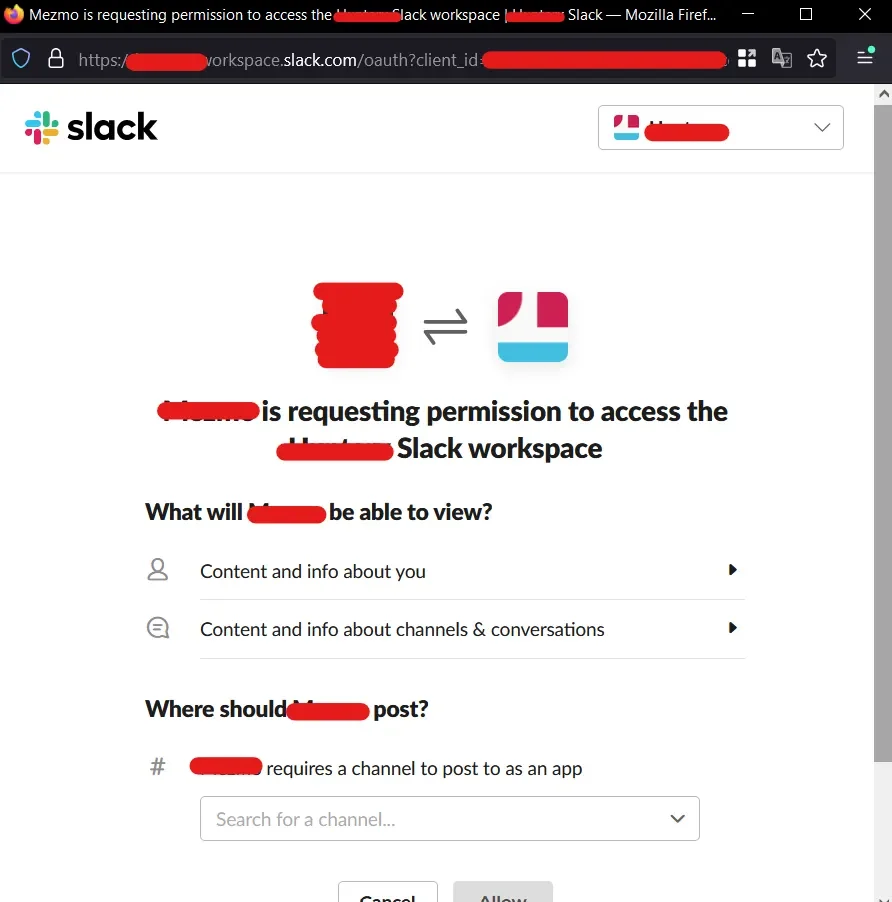
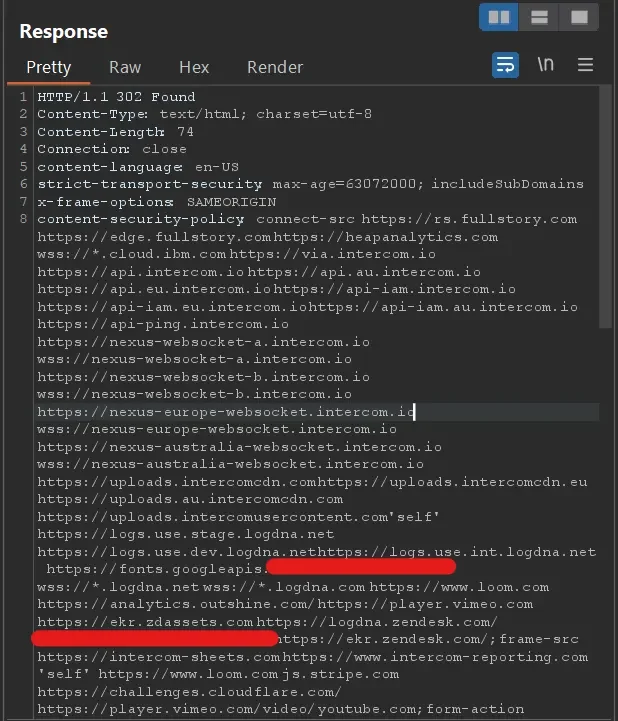
It was a POST request, and it was strange because it was the only request that returned 302 Found, which caught the researcher's attention. The request is responsible for the integration process in the app: it redirects you to a different tab so you can add the third party information.
Step 4: replay the connect request as a member
The plan was to send the same request with a low privileged role such as the member account. If it succeeds, a member can add third party integration information, which is a broken access control issue.
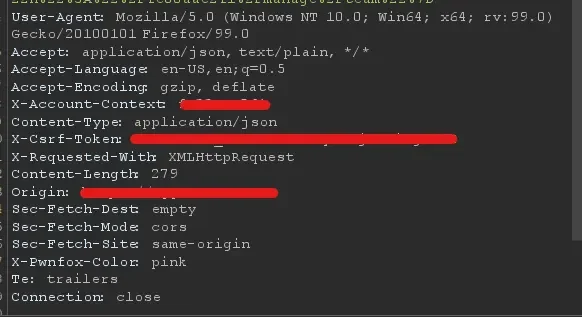
The obstacle was the CSRF parameter in the body. Sending the request from the member account with the original CSRF value from the Admin request returned 404 Not found, because the CSRF token in the body belongs to the Admin account.
The fix was to obtain a CSRF token belonging to the member user and replace the Admin's token with it. The application always sends a CSRF token with every POST request, so a token is easy to come by in the member session.
Step 5: swap in a member CSRF token
The researcher took a CSRF token from a random POST request made with the member account and used it in the connect request. It worked.
Step 6: complete the flow in the original session
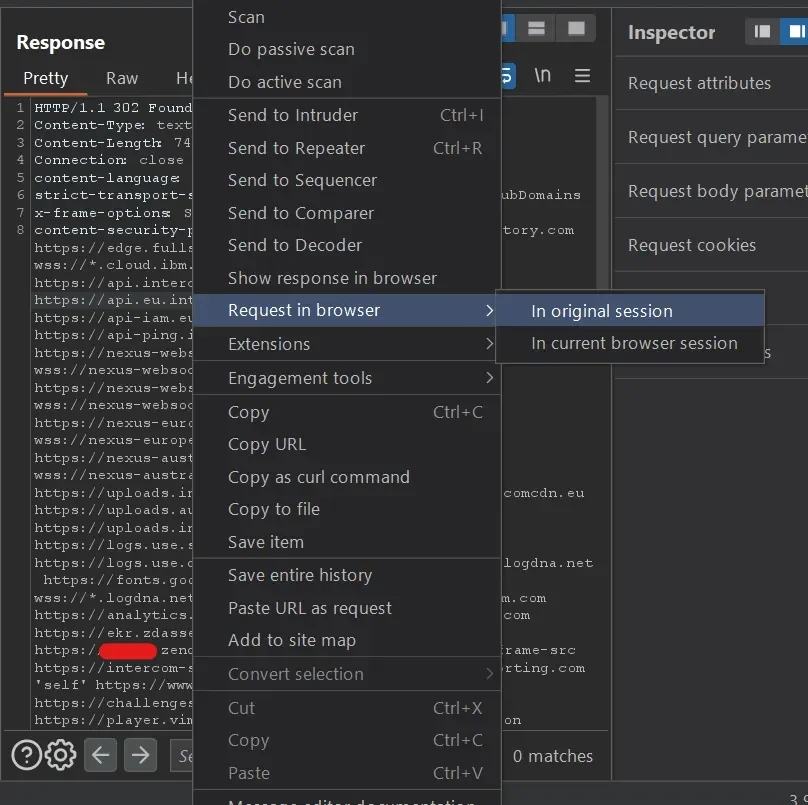
To open the third party authorisation page, the request has to be issued in the original session in Burp.
You are then redirected to the third party page where the integration information can be added. This was reported as High and paid.
Root cause
The first issue is that /manage/get-integrations was reachable by a member account even though the integrations feature was presented as Admin only in the UI. Hiding the feature in the interface is not an access control, and the 403s seen on other Admin functions show that checks exist elsewhere but were not applied here.
For the second issue, the connect endpoint /<OrgID>/modules/connect-service/slack?cb=<id> accepted a member session once a member-owned CSRF token was supplied. The CSRF token is bound to the session that owns it, so an Admin token replayed from a member session fails with 404, while a token minted in the member's own session passes. CSRF protection therefore stops cross-site forgery but does nothing about a member deliberately calling an Admin-only action with their own valid token.
Impact
With the first bug, a member account could reach the integrations endpoint, which the application otherwise exposes only to Admins. The report does not describe what data the endpoint returns beyond noting that the body was empty before an integration was configured.
With the second bug, a low privileged member could drive the integration connect flow and add third party integration information, an action reserved for Admins. In both cases the attacker needs a valid low privileged account on the target, and for the first, an Admin must have configured an integration for the endpoint to have content.
Fix
Neither fix is described in the report. Based on the findings, the server should enforce the role check on /manage/get-integrations and on /<OrgID>/modules/connect-service/slack?cb=<id> rather than relying on the UI hiding the feature, and should keep the existing per-session CSRF validation alongside it.
Variants to test
- Admin-only GET endpoints replayed as a low privileged user. Take every endpoint the Admin UI calls, replay it with a member session, and look for 200 responses with data where a 403 is expected. A positive result is any Admin feature data returned to the lower role.
- State-changing endpoints with a session-bound CSRF token. For each POST that returns 302, replay it with a low privileged session and a token minted in that same session. A positive result is a redirect into the privileged flow instead of a 403 or 404.
- Token ownership checks. Replay a privileged user's CSRF token from a lower privileged session and note the error. A 404 or token-mismatch error confirms the token is bound to its session, which tells you a same-session token is the value to try next.
- Feature visibility versus enforcement. For every section hidden from a role in the UI, find the underlying API calls in the Admin's HTTP history and call them directly. A positive result is any response that differs from the expected authorisation error.
- Third party connect flows. On other targets, exercise OAuth-style connect endpoints (
connect-service,cbcallback parameters) with a low privileged account and a fresh CSRF token. A positive result is being redirected to the third party authorisation page and completing the link.
What happened, in plain words
A security researcher was testing a private bug bounty programme. A bug bounty programme is an arrangement where a company invites independent testers to look for security problems in its systems and pays them for the ones they report. The programme here had a small scope: a single website, app.example.com, used for data analysis and pipelines. A pipeline, in this context, is a chain of automated steps that processes data.
The researcher found two problems, both of the same broad kind: the application let a low privileged user do things that only an Admin should be able to do. The first problem let a member account read an integrations endpoint that the interface only shows to Admins. The second problem let a member account start the flow that connects the application to a third party service such as Slack. Both were reported as High severity and both were paid.
To follow this you only need to know a few ideas, and each one is explained where it first appears. The most important is the difference between what a website shows you and what it allows you to do. Hiding a button in a web page is like putting a door behind a curtain: the door is still there, and anyone who knows the address can walk through it. Real protection has to be on the server, the computer that answers the requests, not in the page you see.
The application and its roles
The application defines several roles besides the Admin role: read only, member, member + pipeline, and Admin. A role is a label attached to an account that decides what that account is allowed to do. Think of a shared office: a visitor can look around, a staff member can use the printer, and the manager can open the safe. The label is the role; the permissions are what the label unlocks.
The feature at the centre of both findings is integrations. In the researcher's words, it is "a feature or area within the application that allows users to connect and interact with external services, tools, or platforms. It provides a way to combine the functionality of the web app with other applications or services, enabling data exchange, automation, and enhanced functionality". In everyday terms, it is the part of the site where you tell it "when something happens here, send a message to my Slack channel". The integrations section contains three third party apps, and in the normal interface it was only available in the Admin account.
Setting up
The researcher held an Admin account on the application and created additional accounts to test downwards from it. Testing downwards means: log in as the powerful user, note everything that user can do, then log in as a weaker user and try to do the same things. If the weaker user succeeds, that is a finding.
Testing was done through Burp. Burp is a tool that sits between your browser and the website and records every request and response, so you can look at them, change them and send them again. Two parts of it matter here: the proxy history, which is the list of everything that passed through, and the repeater, which lets you take one recorded request and send it again as many times as you like, with edits. No versions, plugins or special configuration are described.
The researcher added a Slack channel as Admin before replaying the endpoint as a member. For the second, the precondition is that the attacker holds any low privileged account, here the member role, and can obtain a valid CSRF token from their own session. A CSRF token is a short random value the site puts into forms and requests to prove the request came from a page the site itself served, not from some other site. A session is the site's memory of "this is the person currently logged in"; it is usually kept in a cookie, a small piece of data your browser stores and sends back with every request.
Finding it
The first hour went into understanding the application's logic. This is deliberate: before you can tell what is wrong, you have to know what is normal. The researcher then created a read only account beside the Admin account and tested every function for broken access control and privilege escalation. Broken access control means the server does not check whether you are allowed to do something. Privilege escalation means moving from a weaker role to the powers of a stronger one. Nothing special turned up.
The read only account was upgraded to the member role, which exposes more functions to test. Upgrading your own test account is a normal part of this work: you want a ladder of accounts, each one step more powerful, so you can check every rung.
Repeating the same steps with the member role, attempts to call Admin functions returned 403 unauthorized. The number 403 is the standard HTTP status code for "I know who you are, and you are not allowed to do this". Seeing it is good news for the application: it means a check exists. While working through that, the researcher came across an interesting endpoint: /manage/get-integrations. An endpoint is a specific address on a server that does one job, like a counter in a large building: you go to the counter for passports, a different counter for driving licences. The path in the URL is the counter's address.
The response body contained no data, so the first assumption was that it was a normal endpoint used for some kind of notification and nothing special. Digging through the app revealed the integrations section with its three third party apps, which was only available in the Admin account. That is what made the endpoint worth revisiting: the interface said "Admins only", so the question became whether the server agreed.
Exploitation
Step 1: give the endpoint something to return
The researcher went to the Admin account and added a Slack channel, to see whether the integrations feature is connected to the /manage/get-integrations endpoint. This step matters because an endpoint that returns nothing tells you nothing. By configuring an integration as the Admin, the researcher made sure that if the endpoint did return data, there would be data to see.
Step 2: replay the endpoint as a member
After adding the Slack channel, the researcher went through Burp and tested /manage/get-integrations again with the member account. Replaying means taking the recorded request and sending it again, here with the cookie of a different, weaker account. The result was unauthorised access to the integrations endpoint with the member account.
That was reported and paid as a high vulnerability.
Step 3: enumerate Admin functions and read the HTTP history
For the second bug, the researcher clicked every button in the web app with the Admin account to collect all available functions for testing against low privileged users. This is called enumeration: making a complete list of what exists, so nothing is missed. Then the researcher moved to Burp's HTTP History tab, the running log of every request the browser made.
A strange endpoint stood out:
/<OrgID>/modules/connect-service/slack?cb=<id>
Reading this address piece by piece: <OrgID> is a placeholder for the organisation's identifier, the number or code that names your company inside the app. modules/connect-service/slack is the path, the counter you are walking to. The ? starts the query string, extra information passed along with the address, and cb=<id> is a parameter named cb whose value is some identifier. A parameter is simply a named value in a URL, like a label on a form field.
Its request body contained a CSRF parameter:
_csrf=<token>
The body is the part of the request that carries data, as opposed to the address itself. Here the body has one field, _csrf, whose value is a token. The token is the random value described earlier, and the site expects it back to prove the request is genuine.
It was a POST request, and it was strange because it was the only request that returned 302 Found, which caught the researcher's attention. A POST request is the kind used to submit data and change something on the server, as opposed to a GET request, which just asks for a page. The status code 302 means "the thing you asked for is somewhere else, go there instead"; browsers follow it automatically, which is why you often do not notice it. The request is responsible for the integration process in the app: it redirects you to a different tab so you can add the third party information.
Step 4: replay the connect request as a member
The plan was to send the same request with a low privileged role such as the member account. If it succeeds, a member can add third party integration information, which is a broken access control issue. The reasoning is the same as in step 2: the interface reserves this for Admins, so the server should refuse it for a member.
The obstacle was the CSRF parameter in the body. Sending the request from the member account with the original CSRF value from the Admin request returned 404 Not found, because the CSRF token in the body belongs to the Admin account. The 404 is the server saying "I have no record of that value". This is a useful signal: it tells you the token is tied to the session that received it, like a cloakroom ticket that only works at the counter that issued it.
The fix was to obtain a CSRF token belonging to the member user and replace the Admin's token with it. The application always sends a CSRF token with every POST request, so a token is easy to come by in the member session: make any harmless POST as the member, look at the request in Burp, and copy the token out of it.
Step 5: swap in a member CSRF token
The researcher took a CSRF token from a random POST request made with the member account and used it in the connect request. It worked.
Step 6: complete the flow in the original session
To open the third party authorisation page, the request has to be issued in the original session in Burp. In plain terms: the redirect has to happen while the member's own login is the one being used, so the browser follows the 302 with the member's cookie and lands on the third party page as that user.
You are then redirected to the third party page where the integration information can be added. This was reported as High and paid.
Why it worked
The first issue is that /manage/get-integrations was reachable by a member account even though the integrations feature was presented as Admin only in the interface. Hiding the feature in the interface is not an access control, and the 403s seen on other Admin functions show that checks exist elsewhere but were not applied here. Authorisation is the server's decision about whether this user may do this thing; authentication, by contrast, is only about who you are. The application knew perfectly well who the member was; it just never asked whether a member should be allowed.
For the second issue, the connect endpoint /<OrgID>/modules/connect-service/slack?cb=<id> accepted a member session once a member-owned CSRF token was supplied. The CSRF token is bound to the session that owns it, so an Admin token replayed from a member session fails with 404, while a token minted in the member's own session passes. CSRF protection therefore stops cross-site forgery but does nothing about a member deliberately calling an Admin-only action with their own valid token. The lesson generalises: a CSRF token answers "did this request come from our own pages?", not "is this person allowed to do it?". Those are two different questions and both need an answer.
What an attacker could do
With the first bug, a member account could reach the integrations endpoint, which the application otherwise exposes only to Admins. The report does not describe what data the endpoint returns beyond noting that the body was empty before an integration was configured.
With the second bug, a low privileged member could drive the integration connect flow and add third party integration information, an action reserved for Admins. In both cases the attacker needs a valid low privileged account on the target, and for the first, an Admin must have configured an integration for the endpoint to have content.
How to fix it
Neither fix is described in the report. Based on the findings, the server should enforce the role check on /manage/get-integrations and on /<OrgID>/modules/connect-service/slack?cb=<id> rather than relying on the interface hiding the feature, and should keep the existing per-session CSRF validation alongside it. In everyday terms: check the badge at the door, not just the sign on the door.
Things to try on other targets
- Admin-only GET endpoints replayed as a low privileged user. Take every endpoint the Admin interface calls, replay it with a member session, and look for 200 responses with data where a 403 is expected. A positive result is any Admin feature data returned to the lower role.
- State-changing endpoints with a session-bound CSRF token. For each POST that returns 302, replay it with a low privileged session and a token minted in that same session. A positive result is a redirect into the privileged flow instead of a 403 or 404.
- Token ownership checks. Replay a privileged user's CSRF token from a lower privileged session and note the error. A 404 or token-mismatch error confirms the token is bound to its session, which tells you a same-session token is the value to try next.
- Feature visibility versus enforcement. For every section hidden from a role in the interface, find the underlying API calls in the Admin's HTTP history and call them directly. An API is the set of addresses a web page talks to behind the scenes; the page is just a front desk, and the API is the back office. A positive result is any response that differs from the expected authorisation error.
- Third party connect flows. On other targets, exercise OAuth-style connect endpoints (
connect-service,cbcallback parameters) with a low privileged account and a fresh CSRF token. OAuth is the standard way one website asks another for permission on your behalf, which is why these flows redirect you to the third party's page. A positive result is being redirected to the third party authorisation page and completing the link.
Glossary
- API: the set of addresses a web application talks to behind the scenes, separate from the pages you see.
- Authentication: proving who you are, usually by logging in.
- Authorisation: the server's decision about whether the logged-in user is allowed to perform a particular action.
- Body: the part of a request that carries data, as opposed to the address and headers.
- Broken access control: a flaw where the server does not check whether a user is allowed to do something.
- Bug bounty programme: an arrangement where a company invites independent testers to find security problems and pays for reports.
- Burp: a tool that sits between browser and website, records requests and responses, and lets you edit and resend them.
- Cookie: a small piece of data stored by the browser and sent back with requests, often used to identify a session.
- CSRF token: a short random value placed in forms and requests to prove the request came from the site's own pages.
- Endpoint: a specific address on a server that performs one job.
- Enumeration: making a complete list of what exists, so nothing is missed.
- GET: an HTTP request that asks for a resource without changing anything.
- HTTP history: Burp's running log of every request and response that passed through it.
- Integration: a feature that connects the application to an external service such as Slack.
- OAuth: a standard way for one website to obtain permission to act on another service on your behalf.
- Parameter: a named value passed in a URL or request body.
- POST: an HTTP request that submits data and may change something on the server.
- Privilege escalation: moving from a weaker role to the powers of a stronger one.
- Proxy: an intermediary that forwards traffic between your browser and the server, so it can be inspected.
- Query string: the part of a URL after the
?, carrying extra named values. - Repeater: the Burp tool that resends a single request as many times as you like, with edits.
- Role: a label on an account that determines what it is allowed to do.
- Session: the server's memory of which user is currently logged in.
- Status code 200: the standard HTTP code for success.
- Status code 302: the standard HTTP code meaning the resource is elsewhere; the browser is redirected.
- Status code 403: the standard HTTP code meaning you are identified but not allowed.
- Status code 404: the standard HTTP code meaning the requested thing was not found.
- Third party app: an external service, outside the application, that the application can connect to.

