Arbitrary file download due to bad handling of Redirects in WebTorrent
The Brave WebTorrent extension treated any URL ending in .torrent or starting with magnet: as a torrent, and an attacker could use a redirect to make it download an arbitrary file. An attacker could trick a user into downloading a malicious file or redirect them to a malicious site.

- Triaged in 5 days
- Fixed in 11 days
- Paid in 11 days
- Disclosed after 22 months
Summary:
Previously I reported #963155 how an attacker can trick user into downloading malicious files using ".save torrent" feature, In this report I am going to reproduce the same behavior but by abusing a different feature.
Description
While I was testing webtorrent on brave I noticed that whenever webtorrent detects a torrent file a request is made to the following extension scheme
chrome-extension://lgjmpdmojkpocjcopdikifhejkkjglho/extension/brave_webtorrent.html?{torrent_url/magnet_link}
WebTorrent also consider a URL a valid torrent file if a URI starts with a magnet: scheme or if it ends with a .torrent extension for example:-
chrome-extension://lgjmpdmojkpocjcopdikifhejkkjglho/extension/brave_webtorrent.html?http://xyz.com?x=.torrent
chrome-extension://lgjmpdmojkpocjcopdikifhejkkjglho/extension/brave_webtorrent.html?magnet%3Ablahblah
Both the above URIs will be considered as a valid torrent file by WebTorrent (Refer below SS).
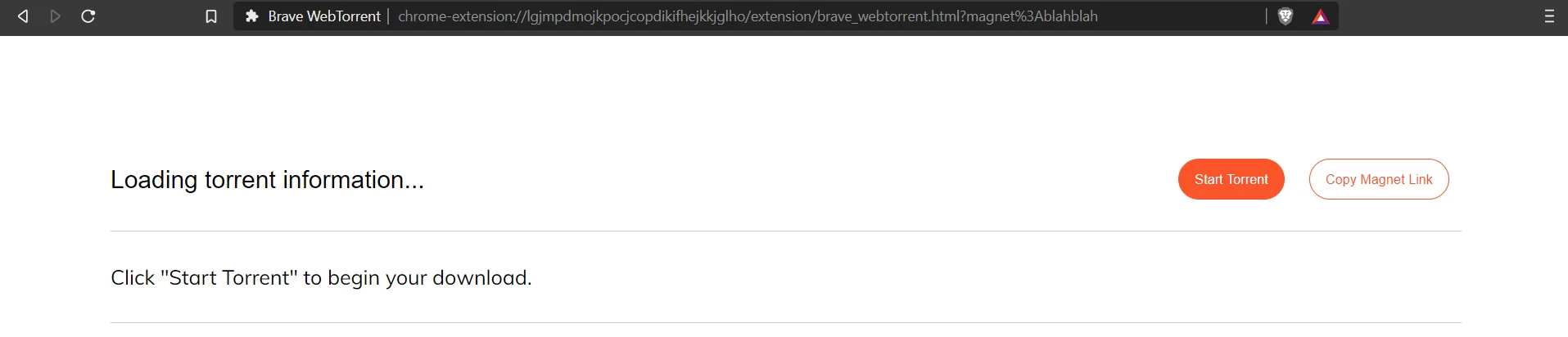
Another behavior that I observed was, when opening a URL http://xyz.com?x=.torrent will serve a normal response but one can force it to be opened with WebTorrent using the extensions scheme chrome-extension://lgjmpdmojkpocjcopdikifhejkkjglho/extension/brave_webtorrent.html?http://xyz.com?x=.torrent
Also, if a website for example, http://xyz.com redirects to http://abc.com then one can interrupt the redirection and can force it to open the source site via webtorrent before the redirection takes place. This behavior can be leveraged by an attacker to redirect a user to a malicious website or can force user to download a malicious file onto their system (for more better understanding please refer the Steps-to-Reproduce section) .
Tested on
- Brave Version 1.12.114 Chromium: 84.0.4147.135 (Windows)
Steps To Reproduce:
- Visit https://php-demo-app-shibli.cfapps.io/brave/brave-poc.html
- Click on "Save .torrent file" option
- "Poison.bat" file will be downloaded onto your machine
An attacker can also use this to redirect the user to a malicious webpage. See below POC video
Impact
Remote Code Execution Remote JavaScript execution Installing malware on client's machine Phishing
Not written yet. The AI write-up for this report has not been written yet. The Original tab links to the source.
How it worked
Root cause
Likely the extension validated torrent URLs only by their scheme or file extension and did not verify the final destination after redirects, allowing an attacker to supply an arbitrary file.
Impact
An attacker could force the download of a malicious file or redirect the user to a malicious webpage; the report lists RCE and malware as impacts.
What the attacker needed
Victim uses Brave with WebTorrent; victim clicks a crafted link
How it was found
- Visit the proof-of-concept page.
- Click the 'Save .torrent file' option.
- A file named Poison.bat is downloaded.
Explained by bugbounty.wiki with AI from the original and checked against quotes from it; it can still be wrong. Read the original before relying on a detail.
Not written yet. The AI write-up for this report has not been written yet. The Original tab links to the source.
A browser extension called WebTorrent opens torrent files. It treated a link as a torrent if it ended in '.torrent' or started with 'magnet:'. An attacker could interrupt a redirect so the extension opened the source site as a torrent.
What is File upload?
An upload feature accepts a file that the server or other users' browsers then treat as code or as something trusted.