How I Mass hunt for Admin Panel Access…🤩
A GeoServer administrative interface was reachable on a subdomain and still used the vendor's default administrator credentials. An attacker who found the panel could log in as admin and take full control of the GeoServer instance.
 Published on medium.com
I’m back again with a new write-up… Again this article is about Admin Panel Access…( This is my 6th write-up on Admin Access more on the way…)😄
The full write-up lives on its author's site
It belongs to its author, so we link to it rather than copy it. The other two tabs are our own rewrites, checked against it.
Context
The target is the City of Delft (Gemeente Delft), starting from the public site https://www.delft.nl/. The researcher's interest is login panels, and the panel that stood out in this hunt belongs to a host called ibor.delft.nl, whose page title was "Obsurv, Log In". The login page has no registration option; it is a plain authentication form.
The interesting part of the target is not the login form itself but what sits behind it: a GeoServer installation reachable at https://ibor.delft.nl/geoserver/, with its web administration interface at https://ibor.delft.nl/geoserver/web/. GeoServer is a server for publishing and serving geospatial data, and its /web/ interface is the administrative console used to manage workspaces, layers, stores and services. Access to that console is meant to be restricted to administrators.
Setup
The researcher worked from subdomain enumeration through to a manual login, using a small set of common tools:
- Subdomain collection with private tooling, with subfinder, Amass and chaos named as alternatives.
- Liveness filtering with
httpxandhttprobe. - Title and status-code collection with
httpx. - Content discovery with
ffuf. - JavaScript inspection with a tool called Nemesis, used to look for secret and hidden URLs and parameters.
No accounts, credentials or special roles were held before the finding. The only precondition was network access to the host.
Finding it
Subdomains were gathered first, then filtered down to live hosts:
cat subdomains | httpx -o urls.txt
cat subdomains | httproble | sort -u >> list.txt
The second command is reproduced as written in the report, including the httproble spelling. The first writes live hosts to urls.txt; the second is intended to produce a sorted, de-duplicated list in list.txt.
Rather than screenshotting or opening every URL by hand, the researcher pulled titles and status codes in bulk:
cat list.txt | httpx -title -status-code -fr -o result.txt
This produces a list of URLs with their working status code and page title, which is enough to spot a login panel by name. One title stood out: "Obsurv, Log In", on https://ibor.delft.nl/.
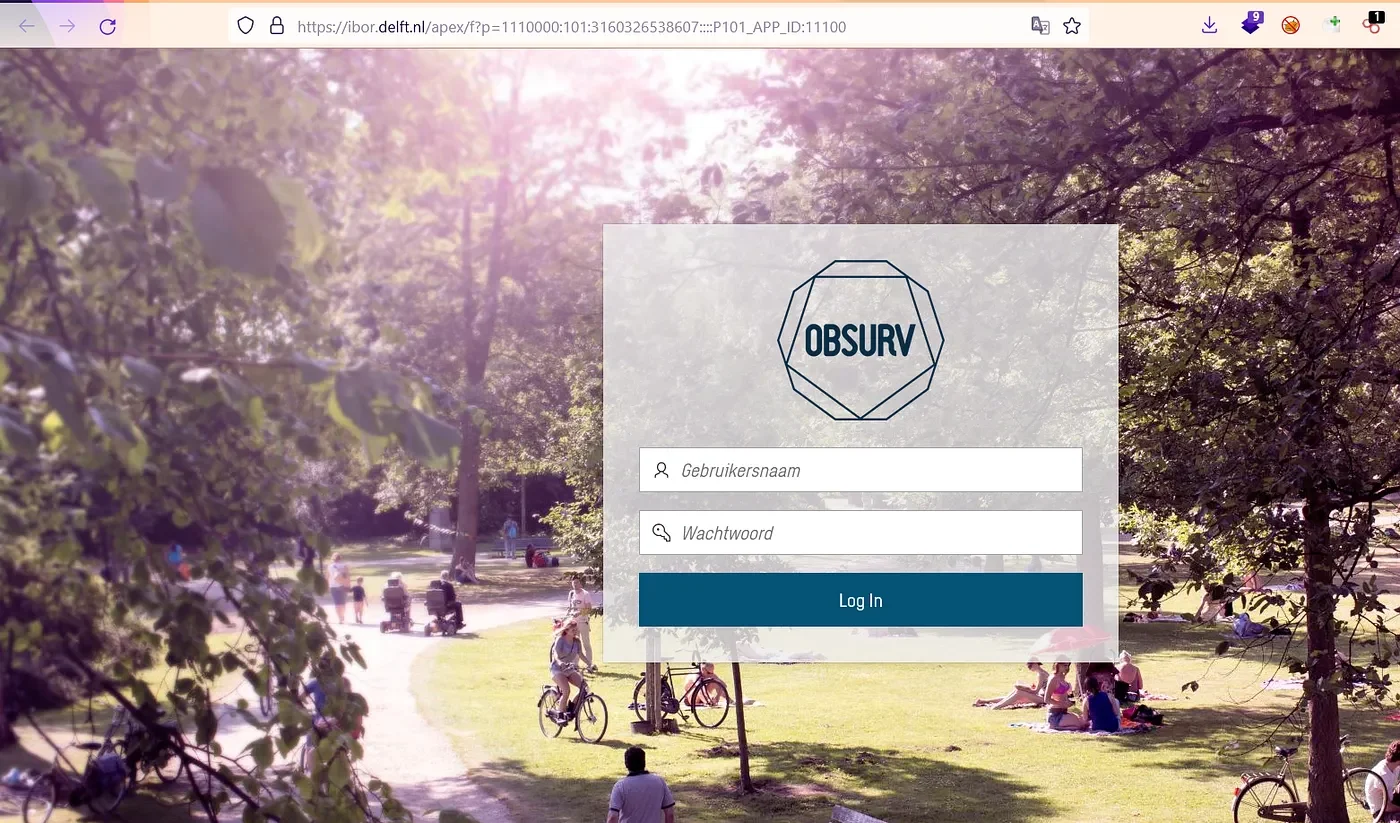
The screenshot shows the plain login page with no registration option. Attempts to bypass the login form itself did not succeed. The researcher notes that other people contacted him with the same URL and challenged him to bypass the panel, and makes the point that not every panel is vulnerable.
Exploitation
Step 1: Content discovery on the login host
Fuzzing with ffuf against the host did not produce a working directory. The researcher then turned to the JavaScript files, using Nemesis to look for secret and hidden URLs and parameters. The report notes that many people message him about Nemesis not working and that he is not its developer. A sample of the tool's output is shown:
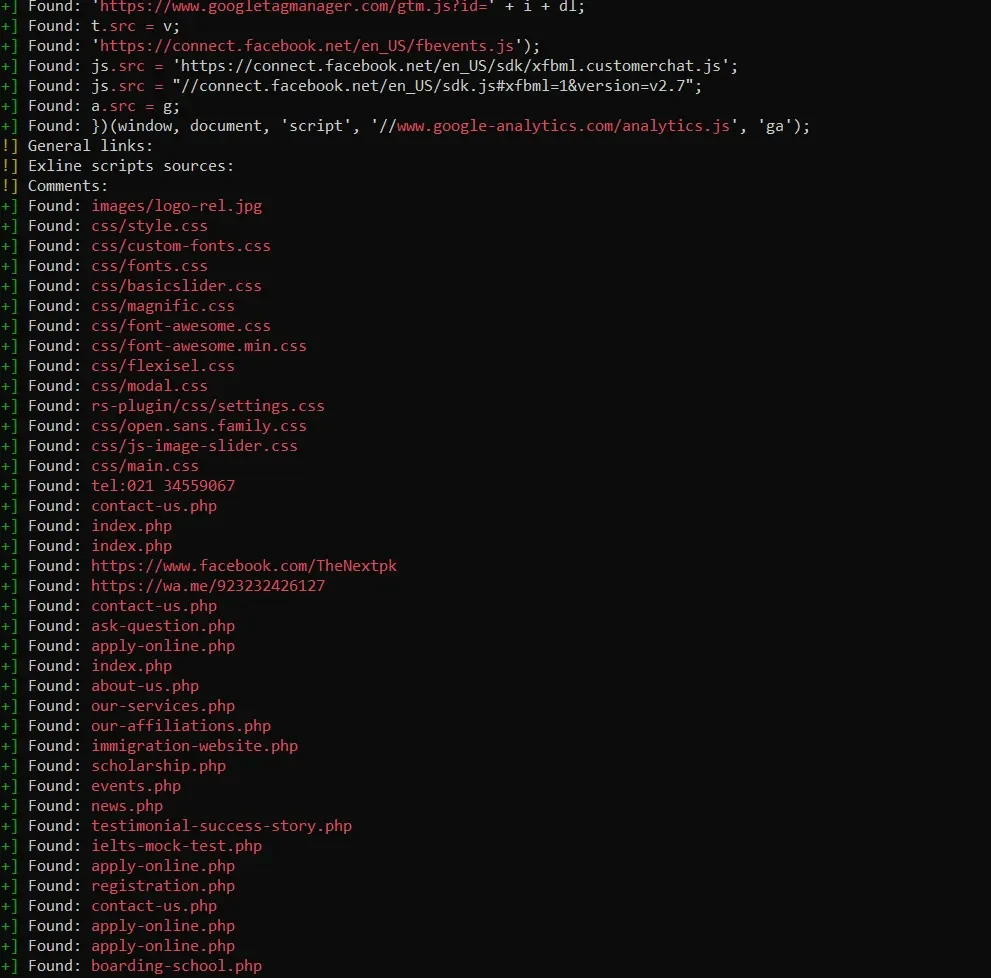
That output revealed a hidden directory named geoserver.
Step 2: The geoserver path returns 403
Opening https://ibor.delft.nl/geoserver/ returned an error: HTTP Status 403, Access Denied. The directory existed but was not directly browsable.
Step 3: Fuzzing under the geoserver path
With the parent path known, the researcher fuzzed one level deeper:
The -c flag adds colour to the output, -u sets the URL with the FUZZ keyword as the injection point, -w supplies the wordlist, and -ac enables automatic calibration so that responses matching the baseline are filtered out. This found a /web directory returning 200 OK.
Step 4: The GeoServer web console
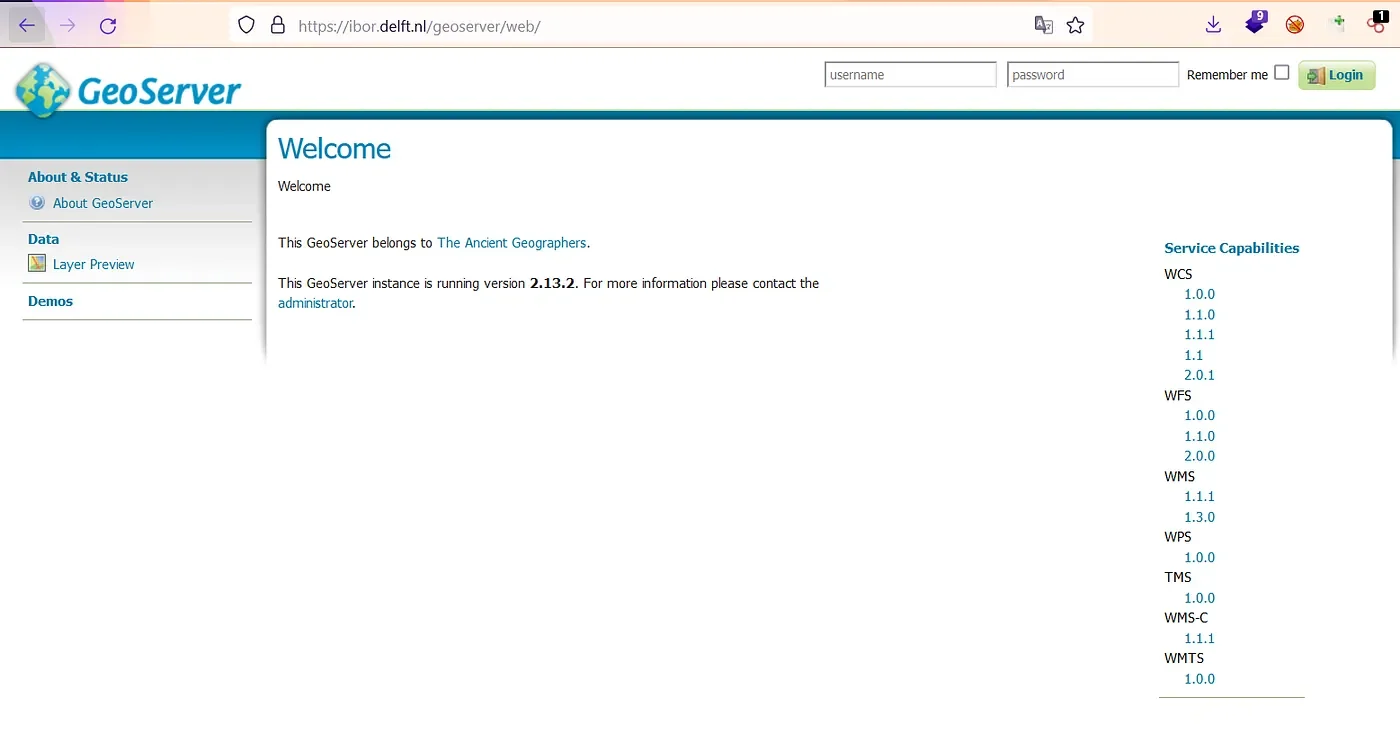
Opening https://ibor.delft.nl/geoserver/web/ returned a GeoServer welcome page with a login panel.
Step 5: Default credentials
A search for GeoServer vulnerabilities turned up the product's default credentials. The researcher entered:
Username = admin
password = geoserver

The researcher found these default credentials by searching for GeoServer vulnerabilities. The login succeeded and gave access to the admin panel.
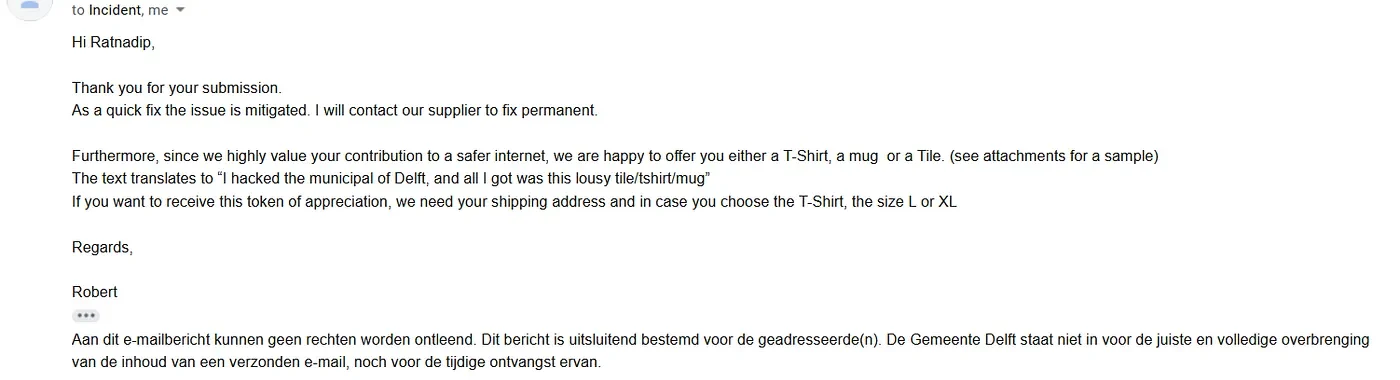
A video proof of concept was recorded and submitted to the security team, who offered swag in return. The researcher adds that he reported the same bug to many other sites, 20+ by his rough and uncertain count, and that those have since been fixed.
Root cause
The weakness is default credentials: the GeoServer administrative account was left with its factory username and password, admin / geoserver. The report records a 403 on /geoserver/ and a 200 on /geoserver/web/. The default is public knowledge, so the console was open to anyone who found the path and tried it.
Impact
Anyone who discovered /geoserver/web/ could log in as the GeoServer administrator with the published default credentials. The report does not enumerate what was configured in that instance or what data it served, so the concrete reach of the admin session is not described. The researcher's broader observation is that the same default was found on many other sites, more than 20 by his count, and that many websites were still vulnerable at the time of writing.
Fix
The report does not describe the fix applied by the City of Delft. The measure implied by the finding is to change the GeoServer administrator password away from the default, and to keep the administrative interface from being reachable by the public where it is not needed.
Variants to test
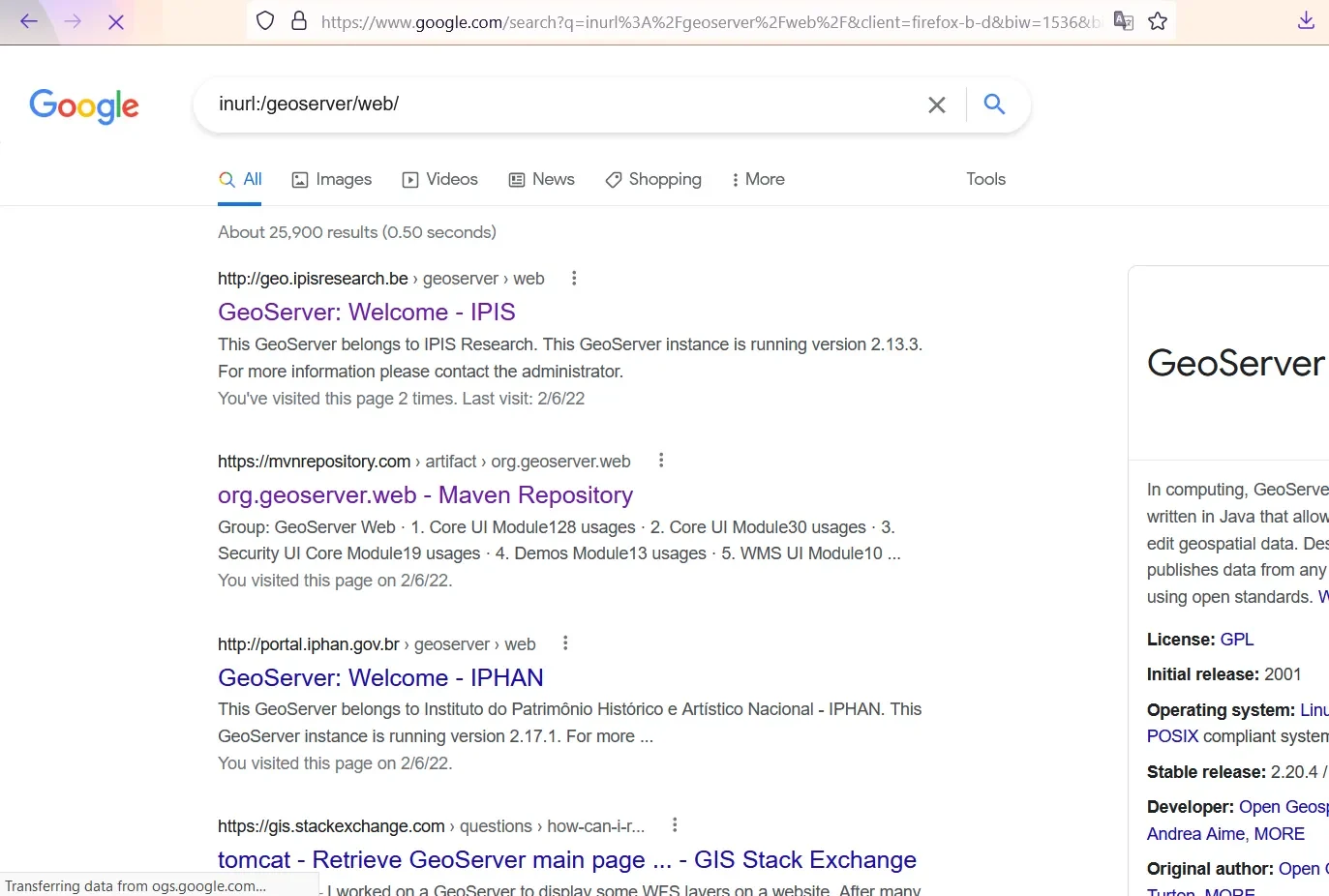
- GeoServer consoles exposed to the internet. The researcher suggests Google dorks for finding them, for example
inurl:/geoserver/web/. A positive result is a reachable GeoServer welcome page with a login form. - Default credentials on the GeoServer admin account. Try
admin/geoserver. A positive result is a successful login into the administrative console. - Hidden paths in JavaScript. Run the JS files of a target through a URL and parameter extractor such as Nemesis. A positive result is a path that is not linked from the visible application, as
geoserverwas here. - Fuzzing below a forbidden directory. When a path returns 403, fuzz one level deeper with
ffufand automatic calibration. A positive result is a child path returning 200, as/webdid. - Bulk title triage. Collect titles and status codes across live subdomains with
httpx -title -status-code. A positive result is a title naming a login panel, which is where manual testing starts.
What happened, in plain words
A security researcher was looking at websites belonging to the City of Delft (Gemeente Delft in Dutch). He was not trying to break anything complicated. He was looking for login panels, a common starting point in his hunts.
Think of it like a new safe that comes from the factory with the combination 0-0-0-0 printed in the manual. If the owner never changes it, anyone who reads the manual can open the safe. Software is the same. Many programs come with a default administrator account, and the default password is written in the public documentation. If nobody changes it, the door is effectively unlocked for the whole internet.
On this hunt the researcher found a login page for a program called GeoServer. GeoServer is a piece of software that publishes map data (geographic information) on the web, and it has a private management area where an administrator configures everything. That management area was reachable from the internet, and the administrator account still used default credentials. The researcher logged in, recorded a short video to prove it, and reported it to the security team. They sent him some swag (company merchandise) as a thank you.
This article walks through exactly how he got there, step by step, in the order he did it. Every command and every value is copied exactly as he wrote it. If you have never done anything like this before, that is fine: each new idea is explained as it appears.
The starting point
The target was the public website of the city:
https://www.delft.nl/
A quick word on what a URL is, since everything here revolves around them. A URL is the address of something on the internet, like a street address for a web page. https:// is the protocol (the language your browser speaks to fetch the page), www.delft.nl is the domain (the name of the building), and anything after the first single slash is the path (which room inside the building).
A subdomain is a name that sits in front of the main domain, for example ibor.delft.nl. Big organisations rarely have just one website. They have dozens or hundreds: one for the intranet, one for a map service, one for a test environment, and so on. Each of these is a separate address, and each one is a separate door that might be left open. That is why the first job in this kind of hunt is to find out which subdomains exist.
Step 1: Collecting subdomains
The researcher gathered all the subdomains of delft.nl using his own private tools. He mentions three public alternatives that anyone can use instead: subfinder, Amass and chaos. These are programs that query public sources (certificate records, search engines, public datasets) to guess and collect subdomain names. You do not need to know how they work internally; think of them as a phone book search that returns every branch office of a company.
The output of that step is a plain text file called subdomains, with one name per line.
Step 2: Keeping only the live ones
Most subdomains in a list are dead: the server was retired, the name was a typo, or it never existed. The next job is to check which ones actually respond. For that the researcher used two tools, httpx and httprobe. Both do the same basic thing: they take a list of names, try to connect to each one, and tell you which ones answered.
cat subdomains | httpx -o urls.txt
cat subdomains | httproble | sort -u >> list.txt
Line by line:
cat subdomainsprints the contents of the file calledsubdomainsto the screen.catis a standard command on Linux and macOS that simply reads a file out loud.- The vertical bar
|is called a pipe. It takes whatever the left side printed and hands it to the program on the right as input. Imagine a conveyor belt between two workers. httpx -o urls.txtruns httpx, which checks each name it receives, and-o urls.txtmeans "write the results into a file calledurls.txt".- The second line does the same thing but with
httproble, and then pipes the result intosort -u.sortputs lines in alphabetical order, and-umeans unique: duplicates are removed. The>>at the end means "append to the filelist.txt" rather than overwrite it.
The second command is reproduced exactly as it appears in the report, including the spelling httproble. The tool's real name is httprobe; the report writes it this way, so it is kept as written.
After these two commands the researcher has two files: urls.txt with live hosts, and list.txt with a sorted, de-duplicated list.
Step 3: Reading titles in bulk
Opening every URL by hand, or taking a screenshot of each one, is slow and boring. Instead the researcher asked httpx to fetch each page and report two things: the title and the status code.
- The title is the text that appears in the browser tab, the part inside the
<title>tag of the page. It is a quick label for what the page is. - The status code is a three-digit number the server sends back to say how the request went.
200means "here is the page, all good".403means "I understood you but you are not allowed".404means "no such page". You have probably seen404in a browser without realising it is a number the server chose.
cat list.txt | httpx -title -status-code -fr -o result.txt
Line by line:
cat list.txtprints the list of live URLs.- The pipe
|hands them to httpx. -titletells httpx to fetch and print the page title.-status-codetells it to print the status code.-frmeans "follow redirects": if a page says "the thing you want is over there", httpx goes there too instead of stopping.-o result.txtwrites everything intoresult.txt.
The result is a table of URLs, each with a status code and a title. That is enough to spot a login page by name without opening anything.
Step 4: Spotting the login page
One title stood out: "Obsurv, Log In", on the address https://ibor.delft.nl/.
The screenshot shows a plain login page. There is a username field, a password field, and a button. There is no "register" or "create account" link, which tells you this is a private system for staff or partners, not a public service. The researcher tried to get past the login form itself and could not. He also mentions that other people contacted him with the same URL and challenged him to bypass the panel. His answer is worth remembering: not every login panel is vulnerable. A login form that behaves correctly is not a bug. The bug, if there is one, is usually somewhere else: a forgotten path, a hidden file, a default password.
Step 5: Looking for hidden paths
The next technique is called fuzzing or content discovery. The idea is simple: you have a list of common names (a wordlist), and you ask the server for each one in turn to see which exist. It is like trying every key on a big keyring on a door, one at a time, to see which one turns.
The researcher first tried ffuf, a popular fuzzing tool, against the login host, but did not find a working directory. So he changed approach and looked at the JavaScript files instead.
A short explanation of what that means. Modern web pages are built with JavaScript, the programming language that runs inside your browser. When you open a page, the browser downloads one or more .js files and runs them. Those files often contain the addresses the page talks to: the places it sends your data, the paths it loads images from, and sometimes paths that are not linked anywhere visible on the page. Reading them is like reading the architect's plans of a building instead of walking the corridors: you see doors that are not on the public map.
For this the researcher used a tool called Nemesis, which scans JavaScript files and extracts secret and hidden URLs and parameters. He notes that many people message him saying Nemesis does not work, and that he is not its developer. A sample of the tool's output is shown:
That output contained a hidden directory name: geoserver.
Step 6: The geoserver path says no
He opened the address https://ibor.delft.nl/geoserver/ and got an error: HTTP Status 403, Access Denied.
Remember the status codes from earlier. 403 does not mean "this does not exist". It means "this exists, but you are not allowed to see it". That is a useful signal. A 404 would have meant the path was a dead end. A 403 means there is something behind that door, and it is worth looking at what is next to it.
Step 7: Fuzzing one level deeper
With the parent path known, the researcher fuzzed one level below it:
Line by line:
ffufis the fuzzing program.-cadds colour to the output, so results are easier to read on screen. It changes nothing about the test itself.-u https://ibor.delft.nl/geoserver/FUZZsets the URL to test. The wordFUZZis a placeholder: ffuf replaces it with each word from the wordlist, one at a time. So if the wordlist containsweb, ffuf requestshttps://ibor.delft.nl/geoserver/web.-w wordlist.txtsays which wordlist to use. A wordlist is just a text file with one candidate name per line.-acturns on automatic calibration. This is a clever trick. Many servers answer every unknown path with the same page (for example, a custom "not found" page that still returns200). Without calibration, ffuf would report hundreds of false hits. With-ac, ffuf first sends a few random names, learns what a "nothing here" response looks like, and then hides any result that matches that baseline. It is like learning the sound of an empty room so you can tell when someone is actually inside.
The result was a directory called /web that returned 200 OK. That is a real page, not an error.
Step 8: The GeoServer console
He opened https://ibor.delft.nl/geoserver/web/ and found a GeoServer welcome page with a login panel.
A word on what GeoServer is, since it is the heart of the story. GeoServer is free, open-source software for publishing and serving geospatial data: maps, satellite imagery, layers of roads, water, buildings, and so on. Cities, mapping agencies and research groups use it to make their map data available to other systems and to the public. The /web/ part of the address is its administrative console: the private control room where an administrator creates workspaces, uploads layers, connects data sources and decides what is published and to whom. It is not meant for the public. It is meant for the person who runs the server.
Step 9: The default password
The researcher searched online for known issues with GeoServer and found that the software ships with default credentials. These are the username and password that the software comes with out of the box, before anyone changes them. They are published in the official documentation, which is exactly why they are dangerous: anyone in the world can read them.
He entered:
Username = admin
password = geoserver
The username is admin and the password is the word geoserver. The login succeeded.
He now had access to the admin panel, the control room described above. He recorded a short video as proof of concept (often shortened to PoC): a recording that shows the problem actually happening, so the security team can see it is real and not a guess. He submitted it to the security team, and they offered him swag in return.
He adds that he reported the same bug to many other sites, 20+ by his rough and uncertain count, and that those have since been fixed.
Why this worked
The weakness is called default credentials. The GeoServer administrative account was still using its factory username and password, admin / geoserver. Nobody had changed them.
The report records a 403 on /geoserver/ and a 200 on /geoserver/web/. The console itself, at /geoserver/web/, was reachable and answered 200. The default is public knowledge, so anyone who found the path could try it. So the console was effectively open to anyone who found the path.
This is a good lesson for beginners: a 403 is not the end of the story. It often just means "look one level down".
What the impact was
Anyone who discovered /geoserver/web/ could log in as the GeoServer administrator with the published default credentials. The report does not say what was configured in that particular instance or what data it served, so the exact reach of that admin session is not described here. The researcher's broader observation is that the same default was found on many other sites, more than 20 by his count, and that many websites were still vulnerable at the time of writing.
How to fix it
The report does not describe the fix applied by the City of Delft. The measure the finding points to is straightforward: change the GeoServer administrator password away from the default, and keep the administrative interface off the public internet where it is not needed.
Things to try yourself
These are the same techniques, written as things you can test on systems you are allowed to test. Never test a system you do not own or have permission to test.
- GeoServer consoles exposed to the internet. The researcher suggests Google dorks for finding them, for example
inurl:/geoserver/web/. A Google dork is a search query that uses special operators to find pages with a particular pattern in their address.inurl:means "the URL contains this text". A positive result is a reachable GeoServer welcome page with a login form. - Default credentials on the GeoServer admin account. Try
admin/geoserver. A positive result is a successful login into the administrative console. - Hidden paths in JavaScript. Run the JavaScript files of a target through a URL and parameter extractor such as Nemesis. A positive result is a path that is not linked from the visible application, as
geoserverwas here. - Fuzzing below a forbidden directory. When a path returns
403, fuzz one level deeper with ffuf and automatic calibration. A positive result is a child path returning200, as/webdid. - Bulk title triage. Collect titles and status codes across live subdomains with
httpx -title -status-code. A positive result is a title naming a login panel, which is where manual testing starts.
The researcher's closing advice is to dig more, not lose hope, and keep trying to get past a login panel. The point is not to force a login form that is working correctly. The point is to look around it: the hidden paths, the forgotten consoles, the passwords nobody changed.
Glossary
- Subdomain: a name that sits in front of a main domain, such as
ibor.delft.nlin front ofdelft.nl. Each one is a separate address and a separate possible door. - URL: the address of something on the internet, made of a protocol (
https://), a domain, and a path. - Protocol: the agreed language two computers use to talk, such as
httpsfor web pages. - Domain: the name of a site on the internet, such as
delft.nl. - Path: the part of a URL after the domain that points to a specific page or folder, such as
/geoserver/web/. - Status code: a three-digit number a server sends back to say how a request went.
200means success,403means forbidden,404means not found. - Title: the text shown in the browser tab, taken from the page's
<title>tag. Useful as a quick label for what a page is. - Subdomain enumeration: the process of finding which subdomains exist for a domain, usually with tools like subfinder, Amass or chaos.
- httpx: a command-line tool that checks a list of hosts and reports which are live, along with details such as title and status code.
- httprobe: a similar command-line tool that checks which hosts respond. The report spells it
httproble. - Pipe (
|): a shell symbol that passes the output of one command as input to the next. - Redirect: when a server tells the browser "the thing you want is at a different address".
-frin httpx means "follow redirects". - Fuzzing: trying many candidate names from a list against a server to discover paths or parameters that exist.
- Wordlist: a text file with one candidate name per line, used as input for fuzzing.
- ffuf: a popular command-line fuzzing tool.
FUZZin the URL is the placeholder it replaces with each word. - Automatic calibration (
-ac): a feature of ffuf that first learns what a "nothing here" response looks like, then hides results that match it, to avoid false positives. - JavaScript: the programming language that runs inside your browser. JavaScript files often contain addresses the page talks to, including hidden ones.
- Nemesis: a tool that scans JavaScript files and extracts secret and hidden URLs and parameters.
- GeoServer: free, open-source software for publishing and serving geospatial (map) data on the web.
- Geospatial data: information tied to a location on Earth, such as maps, satellite imagery, roads and buildings.
- Administrative console: the private control area of a piece of software where an administrator configures it. For GeoServer this is the
/web/path. - Default credentials: the username and password a piece of software ships with before anyone changes them. They are published in the documentation, so anyone can read them.
- Proof of concept (PoC): a demonstration, often a video or a short set of steps, that shows a problem actually happening so it can be verified.
- Google dork: a search query that uses special operators, such as
inurl:, to find pages with a particular pattern in their address. - Swag: company merchandise given as a thank-you, such as a T-shirt or a mug.