Access the cache of protected branches from non-protected branches on Windows Gitlab Runner
GitLab blocks non-protected pipelines from reading protected-branch caches by rejecting fallback keys ending in '-protected', but a trailing dot bypasses this on Windows runners because Windows silently strips the dot from file and directory names. A developer on an unprotected branch could therefore read cached files belonging to a protected branch.

GitLab
Originally disclosed on GitLab
- Fixed in 2 months
- Disclosed after 2 months
⚠️ Please read the process on how to fix security issues before starting to work on the issue. Vulnerabilities must be fixed in a security mirror.
HackerOne report #3407875 by shells3c on 2025-11-01, assigned to @fvpotvin:
Report | How To Reproduce
HackerOne Analyst Summary
Summary of the issue
The researcher found when the project runner is hosted on a Windows machine, unauthorized Developer can modify .gitlab-ci.yml using cache key with trailing . in CACHE_FALLBACK_KEY variable in an unprotected branch, to disclose cached file content from a protected branch.
The researcher mentioned this finding is a bypass of previous fix in #2855623.
Steps to reproduce
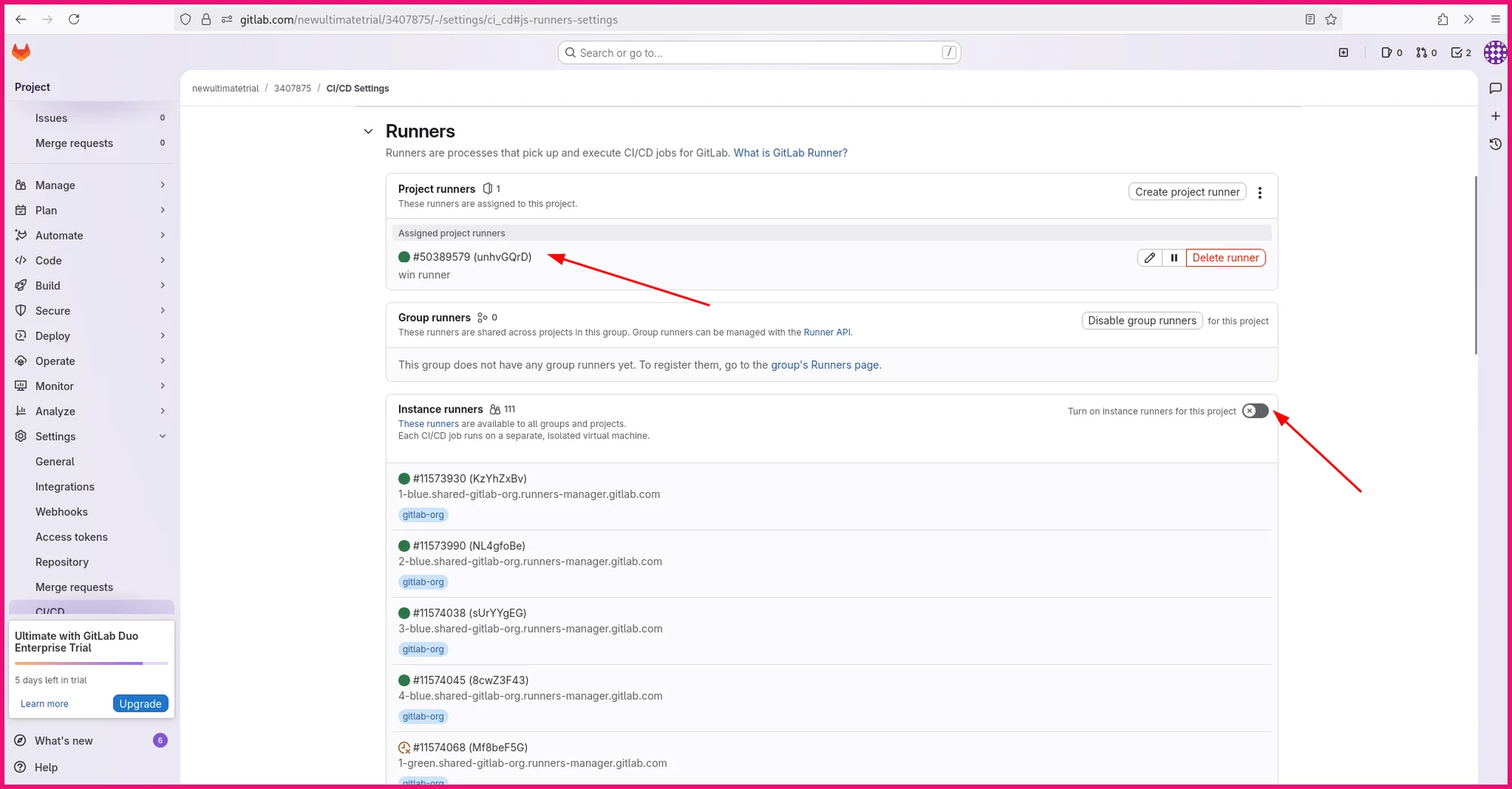
- As the victim, sign in victim's GitLab account -> Create a private project -> Go to CI/CD Settings -> Expand Runners -> Disable Instance runners -> Click Create project runner -> Add a new project runner hosted on ==Windows== machine:
- As the victim, in project, add
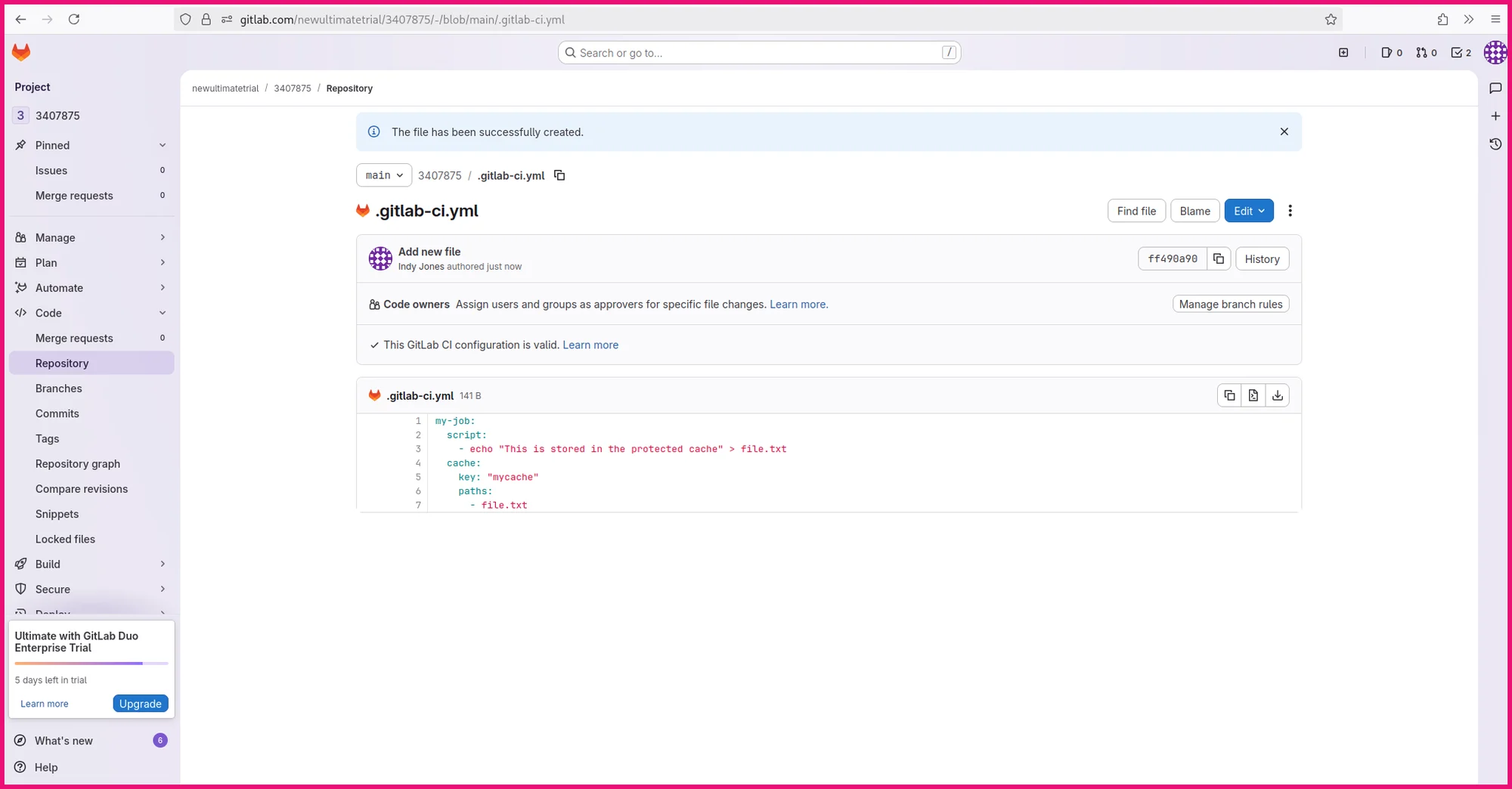
.gitlab-ci.ymlfile with following content inmainbranch:
my-job:
  script:
    - echo "This is stored in the protected cache" > file.txt
  cache:
    key: "mycache"
    paths:
      - file.txt
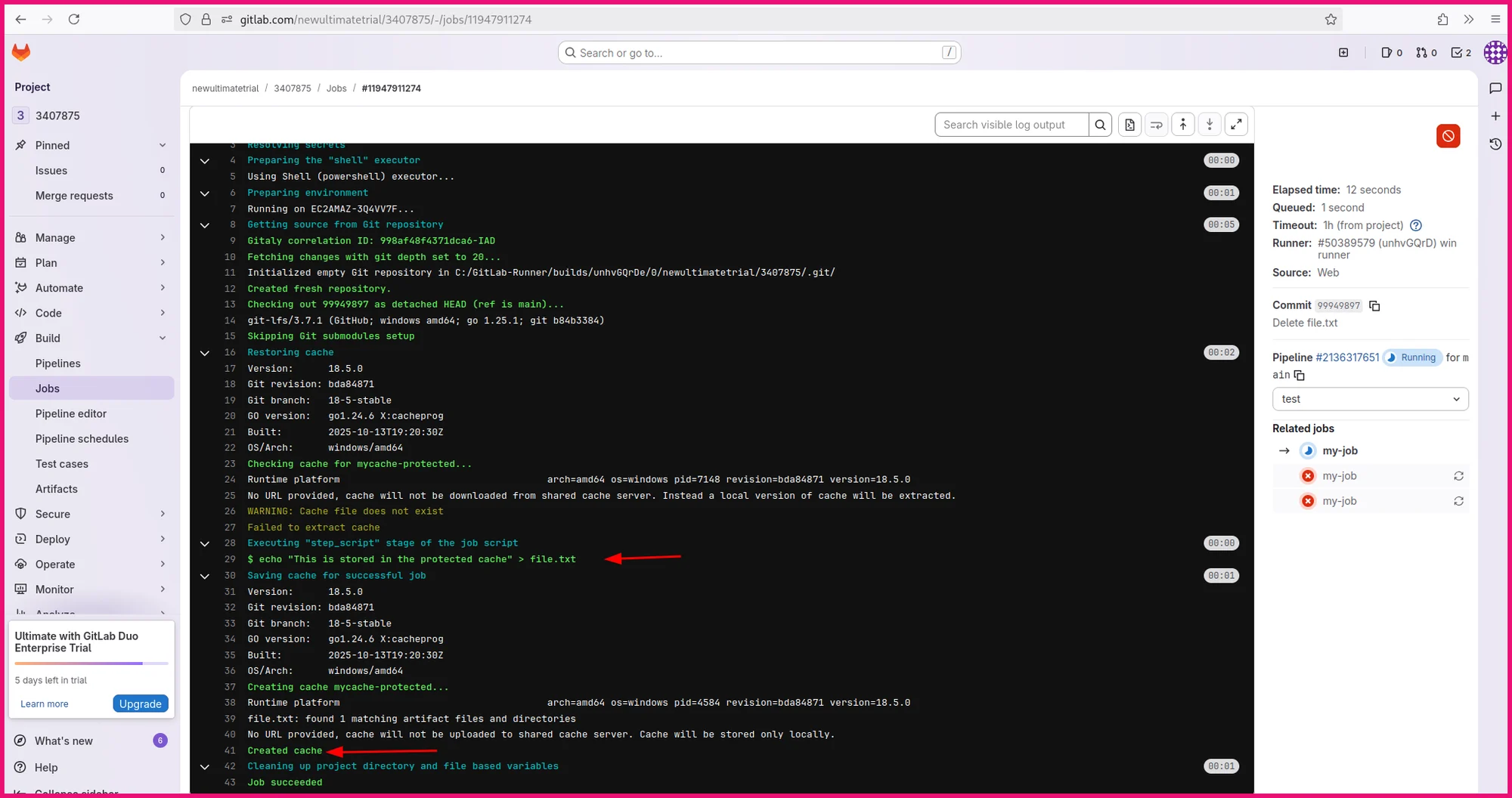
- As the victim, wait for pipeline job finished, check job log. You can see cache created, as expected:
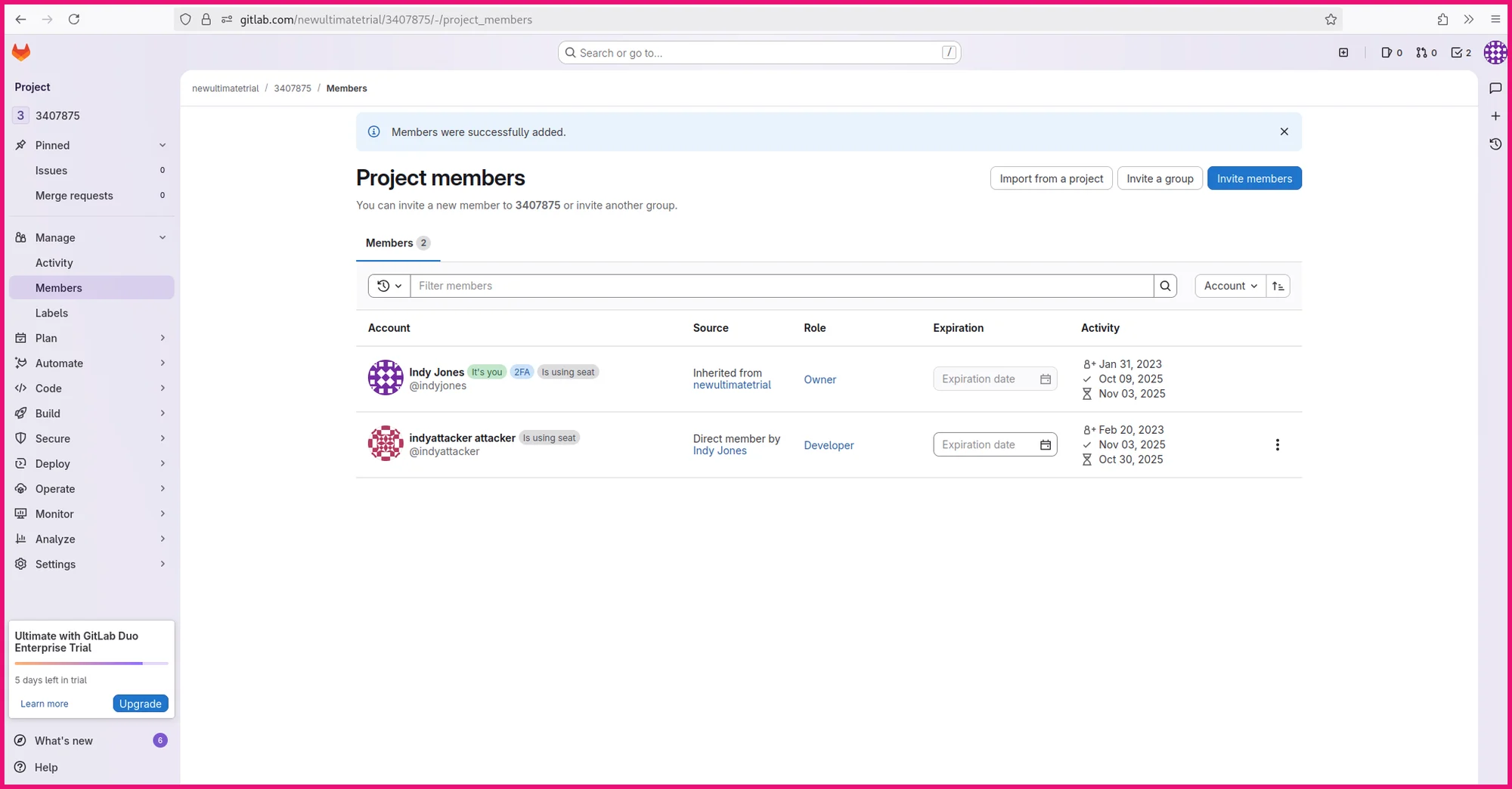
- As the victim, in Project members setting, add attacker as
Developer:
- As the attacker, sign in attacker's GitLab account -> Go to victim's project -> Create a new branch -> Edit
.gitlab-ci.ymlwith following content:
variables:
  CACHE_FALLBACK_KEY: mycache-protected.

my-job:
  script:
    - cat file.txt
  cache:
    key: "random-string-to-trigger-fallback-key"
    paths:
      - file.txt
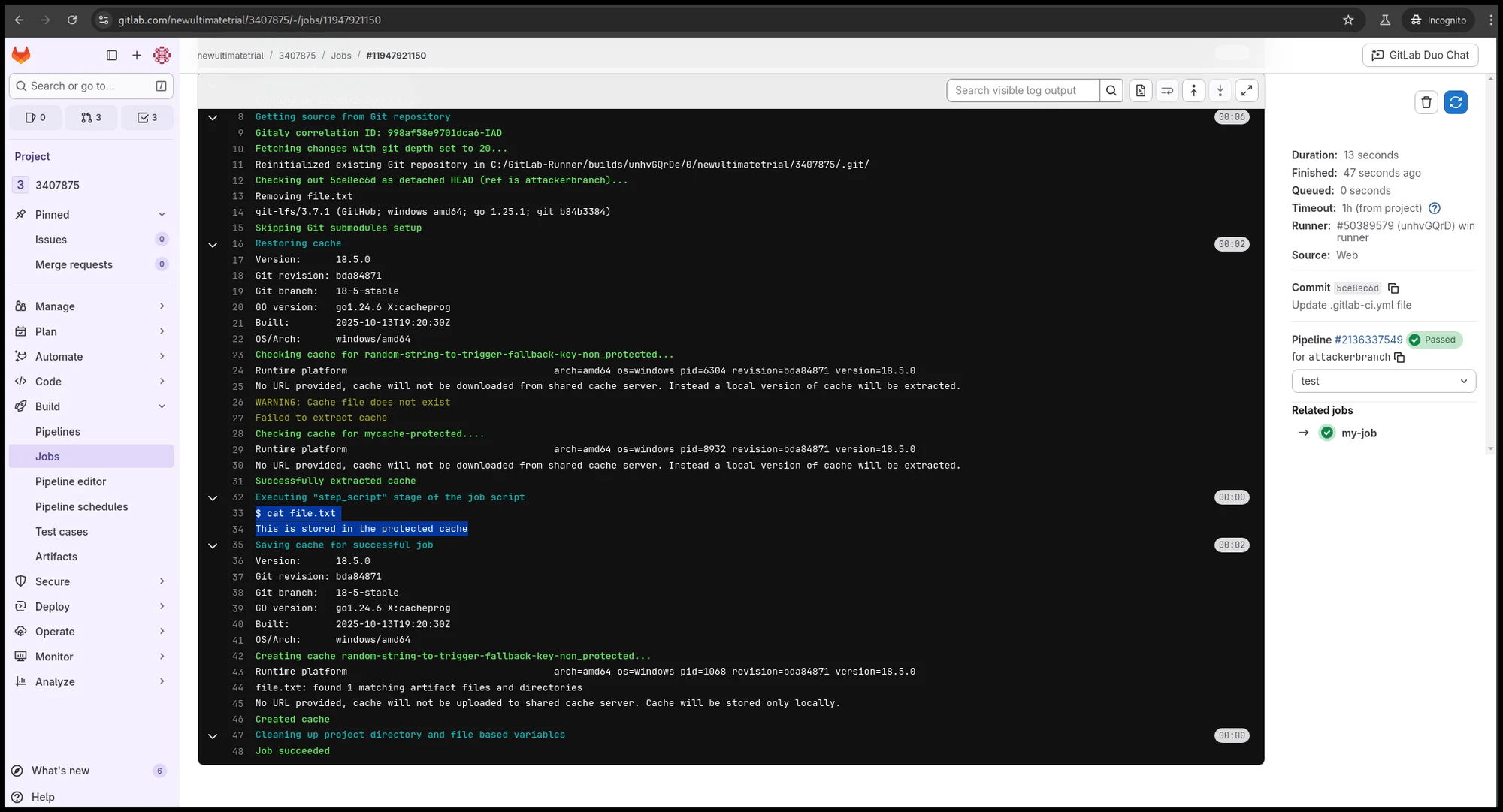
- As the attacker, check pipeline job. You can see the content of cached
file.txt:
Impact statement
If the project runner is hosted on Windows machine, unauthorized "Developer" can disclose cached file from a projected branch.
If you have any questions or concerns about this report, feel free to assign it to H1 Triage via the action picker with a comment indicating your request.
Original Report
Summary
GitLab sanitizes the cache fallback key to disallow it ending with -protected, doing this to prevent non-protected pipelines from abusing the fallback key to access the cache of protected branches. However, it can be bypassed with -protected.. This works with Gitlab Runners that run on Windows OS because on Windows, files and directories aren't allowed to end with ., but an error isn't returned when you perform read/write operations on such files/directories, instead the . is stripped.
A simple test to check this behavior on Windows:
C:\Users\Me> echo hello > file.txt
C:\Users\Me> type file.txt
hello
C:\Users\Me> type file.txt.
hello
Steps to reproduce
Setup
- Create a GitLab project.
- Install, register and run GitLab Runner on your Windows machine, by following the documentation. You can register the runner for the project you just created or for your entire instance. I registered it for my entire instance.
- If you registered for your project, make sure you have disabled instance runners for your project by visiting Settings > CI/CD > Runners and disable Turn on instance runners for this project. If you registered for your instance then make sure you don't have any other runner registered on your instance running, to make sure that the project will pick up this runner.
PoC
- Add this CI configuration to your project main branch:
.gitlab-ci.yml
my-job:
  script:
    - echo "This is stored in the protected cache" > file.txt
  cache:
    key: "mycache"
    paths:
      - file.txt
- After the pipeline is finished,
file.txtwill be saved in a cache with the cache keymycache-protected. The-protectedsuffix was added to your cache key by Gitlab as a protection for the cache of protected branches. - This step is not necessary, it just shows a real-life scenario: Invite the attacker as a developer to the project, note that he has no permission to merge or push to the main branch because it's a protected branch
- Create a new branch (non-protected), with the following CI configuration:
.gitlab-ci.yml
variables:
  CACHE_FALLBACK_KEY: mycache-protected.

my-job:
  script:
    - cat file.txt
  cache:
    key: "random-string-to-trigger-fallback-key"
    paths:
      - file.txt
- Wait until the job for that new branch finish, go to the job log and you will see
This is stored in the protected cachein the log. This is the output ofcat file.txt, which means the pipeline of this branch was able to fetch the cache of the main branch (protected)
Proposal fix
A simple fix might be improving sanitizeCacheKey in shells/abstract.go to sanitize ., however GitLab needs to consider the case where normal users want their CACHE_FALLBACK_KEY to ends with . as well.
Impact
Bypass https://gitlab.com/gitlab-org/gitlab/-/issues/409111 and https://gitlab.com/gitlab-org/gitlab/-/issues/506381: Malicious developers can read cache of protected branches which they don't have access to.
How To Reproduce
Please add reproducibility information to this section:
Not written yet. The AI write-up for this report has not been written yet. The Original tab links to the source.
How it worked
Root cause
Likely the cache key sanitiser only rejects keys ending in '-protected' and does not account for Windows stripping a trailing dot, so '-protected.' resolves to the same cache directory.
Impact
A developer without access to a protected branch could read cached files from that branch, but only when the project's runner runs on Windows.
What the attacker needed
Runner hosted on Windows; attacker is a project Developer; protected branch cache already populated
How it was found
- Set up a project with a Windows-hosted runner and a protected main branch whose job writes a file into the cache.
- Run the pipeline so the file is stored under the protected cache key.
- Add an attacker as a Developer who cannot push to the protected branch.
- On a new unprotected branch, set the fallback cache key to the protected key with a trailing dot and run a job that reads the file.
- Read the job log to see the contents of the protected branch's cached file.
Explained by bugbounty.wiki with AI from the original and checked against quotes from it; it can still be wrong. Read the original before relying on a detail.
Not written yet. The AI write-up for this report has not been written yet. The Original tab links to the source.
GitLab lets projects save files between pipeline runs in a cache, and caches for protected branches are meant to be off-limits to people who cannot push to those branches. The check that enforces this only looks at the exact ending of a name, and Windows quietly ignores a trailing dot in file names, so a name that looks different is treated as the protected one. The result is that a lower-privileged developer can read files they should not see.
What is Info disclosure?
Data the application should keep private (personal data, internal details, other users' records) reaches someone it should not.




