Ambiguous branch name exploitation in GitLab
GitLab's web interface displayed the content of a genuine 'main' branch while the default branch was actually a malicious branch named 'refs/heads/main', so a victim cloning the repository would execute the malicious script instead of the safe one. An attacker could thus lure users into running malicious code, leading to system takeover.

GitLab
Originally disclosed on GitLab
- Fixed in 2 months
- Disclosed after 2 months
HackerOne report #1831547 by inspector-ambitious on 2023-01-11, assigned to @fvpotvin:
Report | Attachments | How To Reproduce
Report
Summary
Introduction
I was curious to know what would happen on a GitLab repository if I was creating branches with ambiguous symbolic ref names. After a few experiments, I believe I found one vulnerability that would allow an attacker to lure users into thinking a repository content is safe. Please note that I already reported a quite similar attack in #1831543, but this one do not use tag it uses ambiguous branch names confusion.
A quick recap about symbolic ref names
The following is extracted from this documentation.
A symbolic ref name. E.g.
mastertypically means the commit object referenced byrefs/heads/master. If you happen to have bothheads/masterandtags/master, you can explicitly say heads/master to tell Git which one you mean. When ambiguous, a<refname>is disambiguated by taking the first match in the following rules:If $GIT_DIR/
<refname>exists, that is what you mean (this is usually useful only for HEAD, FETCH_HEAD, ORIG_HEAD, MERGE_HEAD and CHERRY_PICK_HEAD);
otherwise, refs/
<refname>if it exists;otherwise, refs/tags/
<refname>if it exists;otherwise, refs/heads/
<refname>if it exists;otherwise, refs/remotes/
<refname>if it exists;otherwise, refs/remotes/
<refname>/HEAD if it exists.
In the following exploitation scenario, we're going to abuse the fact that the following symbolic reference name
refs/heads/foo, can resolve to two distinct branches either refs/heads/foo or refs/heads/refs/heads/foo.
Steps to reproduce
This scenario was tested on a local instance of GitLab 15.6.2-ee at the URL http://gitlab.ubuntu/.
Step 1: The malicious refs/heads/main default branch
A user named inspector-ambitious creates an empty new repo named repo0 (without a README).
inspector-ambitious will then create a branch named refs/heads/main containing a malicious script named ./script.sh. That branch will become the default branch since the repo was empty.
From the command line, it would look like this
git clone [email protected]:inspector-ambitious/repo0.git
cd repo0
echo "echo 'execute malicious code'" >> script.sh
chmod +x script.sh
git add script.sh
git commit -m "malicious script"
git branch -M hack
git push origin hack:refs/heads/refs/heads/main
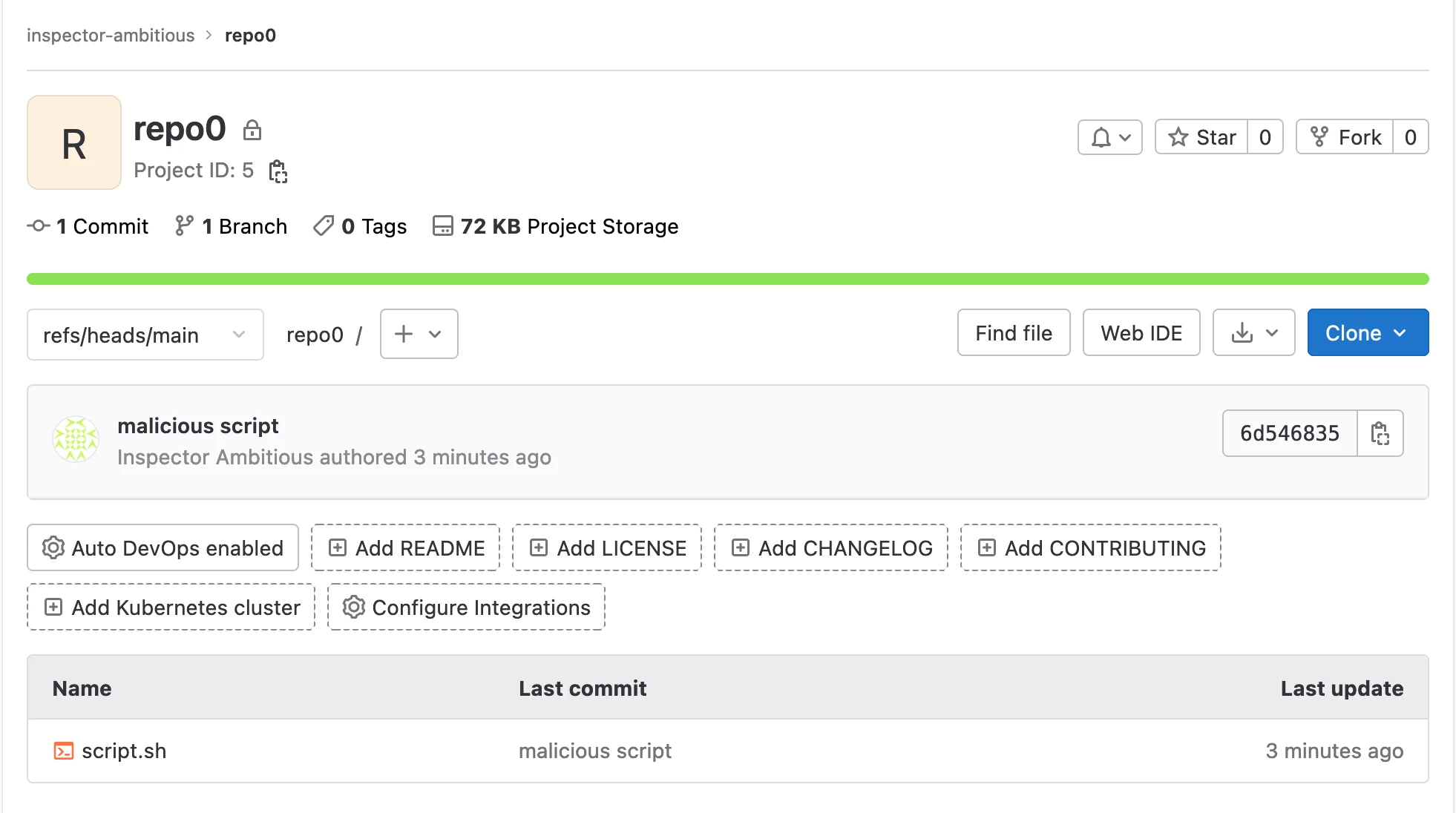
Note in the screenshot above that the default branch is refs/heads/main and the commit name is malicious script.
Step 2: The genuine main branch
Then inspector-ambitious creates a main branch in the repository containing as well a ./script.sh but this time the content of ./script.sh is genuine and safe to execute.
From the command line, it would look like this
mkdir repo0_genuine
cd repo0_genuine
echo "echo 'this is genuine'" >> script.sh
chmod +x script.sh
git init
git add script.sh
git commit -m "genuine script"
git branch -M genuine
git remote add origin [email protected]:inspector-ambitious/repo0.git
git push origin genuine
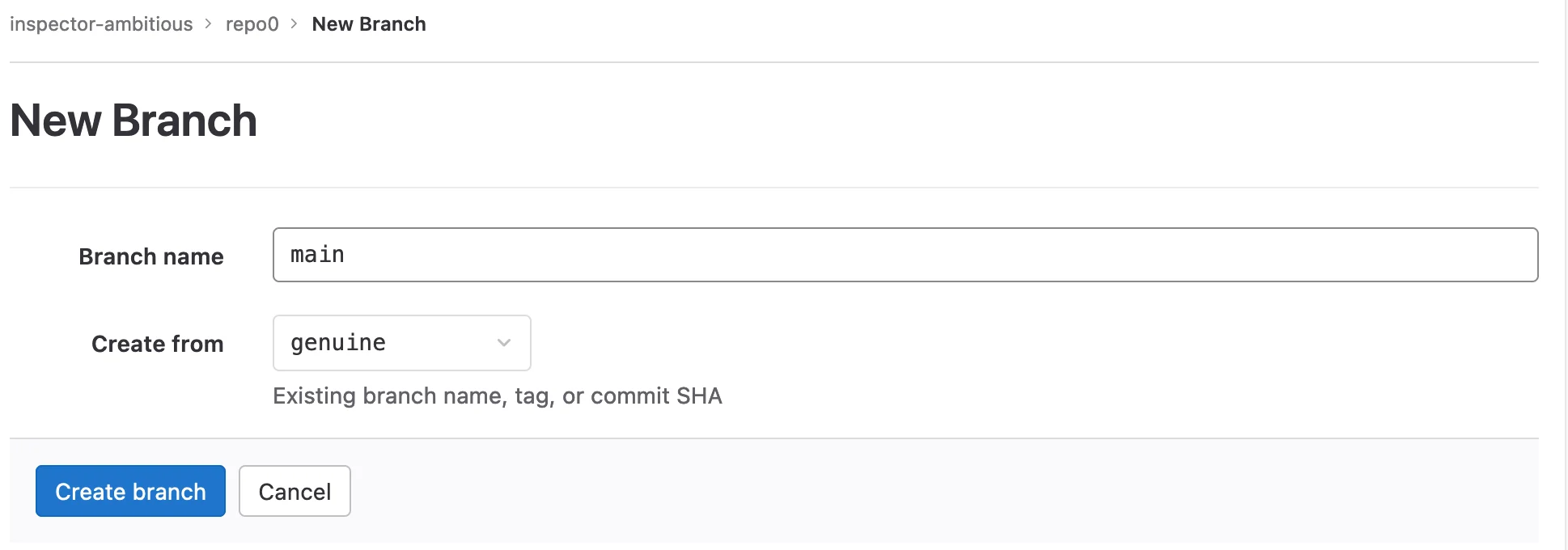
The next step is to create a main branch from the genuine branch in GitLab UI, since trying push directly a branch called main with the command line will result in an error.
Step 3: The victim clone the repo and execute the script
Now let's say the user victim goes to the repository http://gitlab.ubuntu/inspector-ambitious/repo0/, victim will see the following.
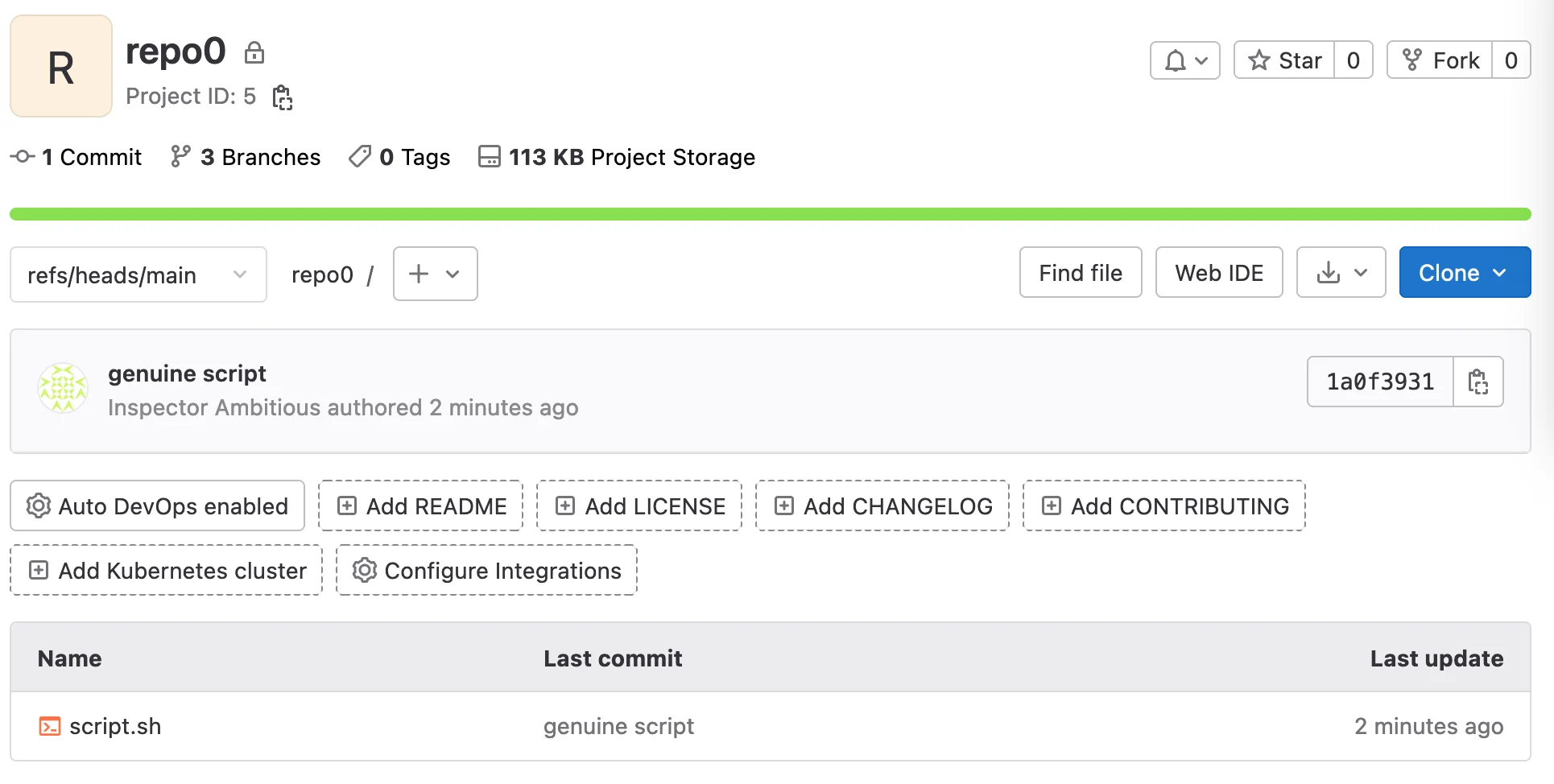
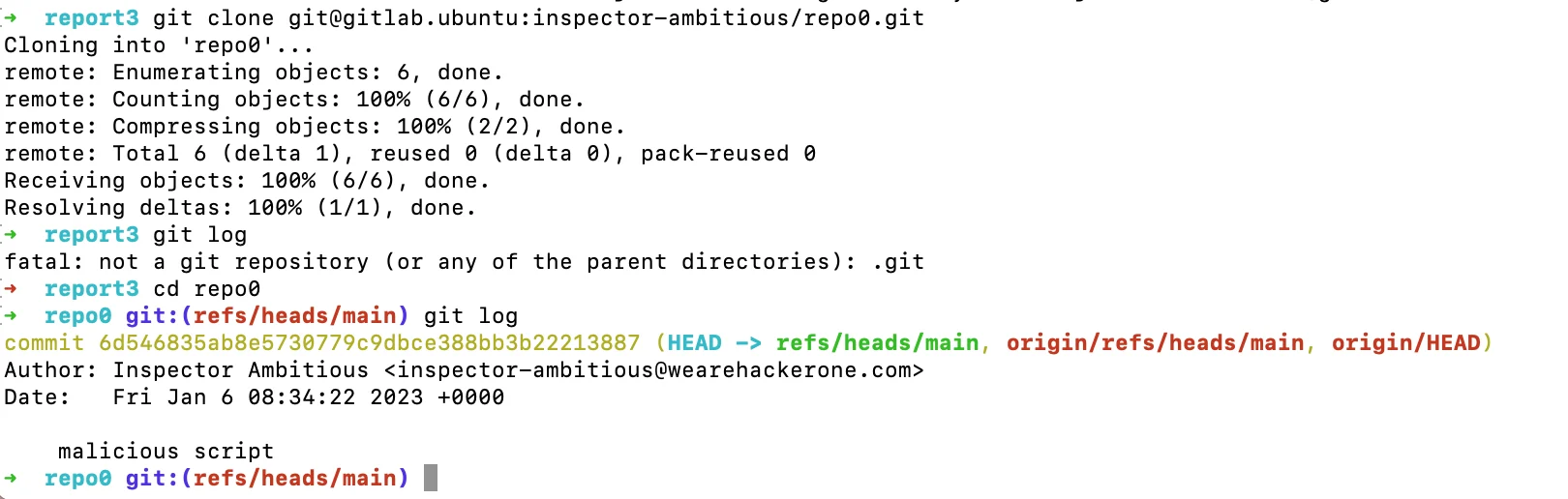
While the default branch is refs/heads/main, victim will see the content of main branch instead, note the commit name genuine script. And if victim was cloning the repository and executing script.sh, it will be the malicious code that would be executed instead.
I also tested the download of the zip file and it is not vulnerable, the victim would download the main branch instead of the refs/heads/main branch.
Impact
Malicious repositories could be created to lure users into executing what they think is safe code, resulting in the takeover of the victim system.
Output of checks
This bug happens on GitLab.com and but i did most of my testing on a local instance of GitLab 15.6.2-ee.
Impact
Malicious repositories could be created to lure users into executing what they think is safe code, resulting in the takeover of the victim system.
Attachments
Warning: Attachments received through HackerOne, please exercise caution!
How To Reproduce
Please add reproducibility information to this section:
Not written yet. The AI write-up for this report has not been written yet. The Original tab links to the source.
How it worked
Root cause
Likely GitLab's web interface resolved the ambiguous branch name 'refs/heads/main' to the genuine 'main' branch, while Git's command-line resolution picked the malicious branch 'refs/heads/refs/heads/main', causing a mismatch between what was displayed and what was cloned.
Impact
Malicious repositories could be created to lure users into executing what they think is safe code, resulting in the takeover of the victim system.
What the attacker needed
Attacker can create a repository; victim clones the repository; victim executes a script from the repository
How it was found
- Create an empty repository without a README.
- Push a branch named 'refs/heads/main' containing a malicious script; it becomes the default branch.
- Create a genuine 'main' branch with a safe script via the GitLab UI.
- The victim visits the repository page and sees the genuine 'main' branch content.
- The victim clones the repository and executes the script, which runs the malicious code.
Explained by bugbounty.wiki with AI from the original and checked against quotes from it; it can still be wrong. Read the original before relying on a detail.
Not written yet. The AI write-up for this report has not been written yet. The Original tab links to the source.
Git allows branch names that look like paths, such as 'refs/heads/main'. GitLab's website showed the files from the normal 'main' branch, but when someone cloned the repository, Git used the malicious branch with the confusing name. So the victim saw safe code on the website but actually downloaded and ran harmful code.
What is Business logic?
The application works as coded but not as intended: a negative price, a skipped payment step, a limit that can be crossed.




