Bypass CODEOWNERS approval removal
A merge request's CODEOWNERS approval was not reset when new code was added to the source branch via a second merge request. An attacker could bypass required code owner approval and merge malicious changes.

GitLab
Originally disclosed on GitLab
- Fixed in 4 months
- Disclosed after 4 months
⚠️ Please read the process on how to fix security issues before starting to work on the issue. Vulnerabilities must be fixed in a security mirror.
HackerOne report #2115574 by ali_shehab on 2023-08-18, assigned to @greg:
Report | Attachments | How To Reproduce
Report
Summary
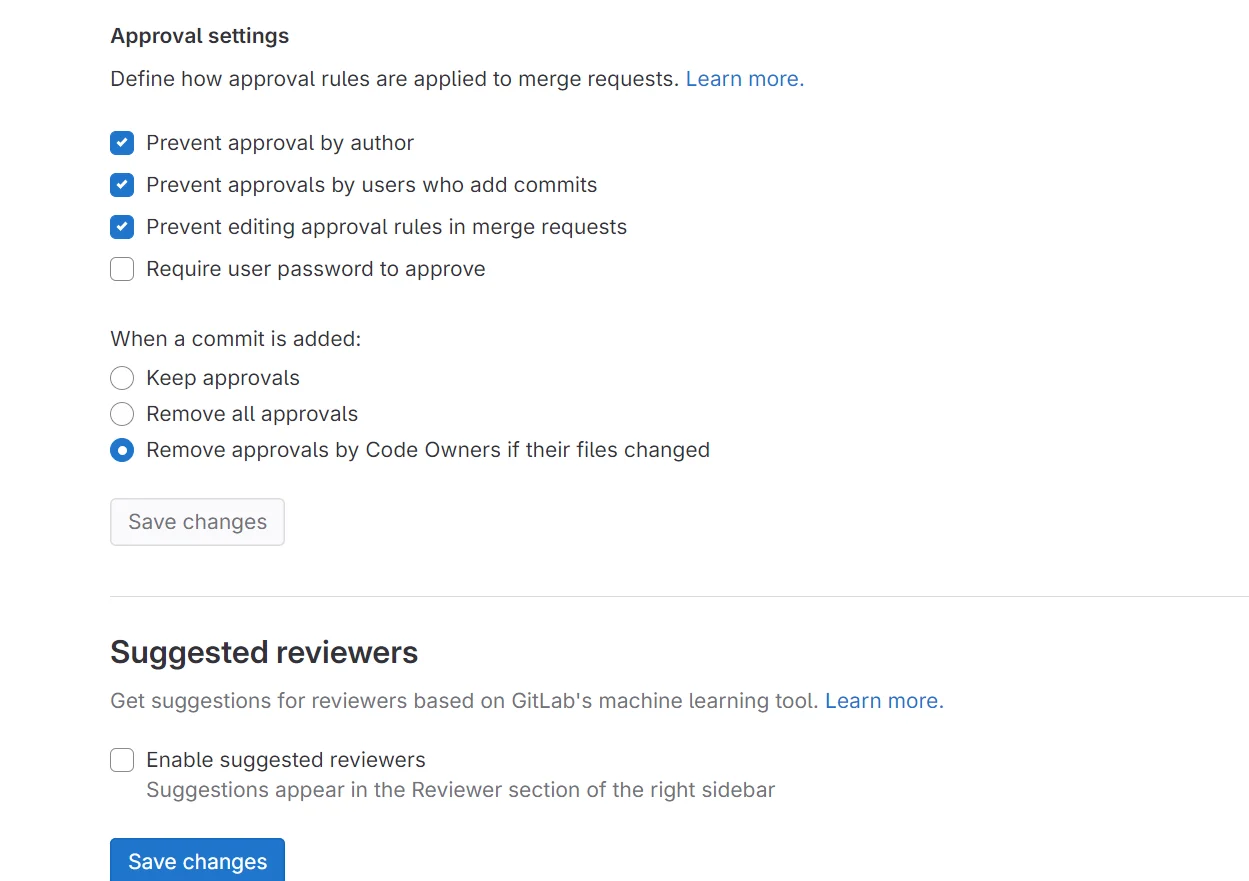
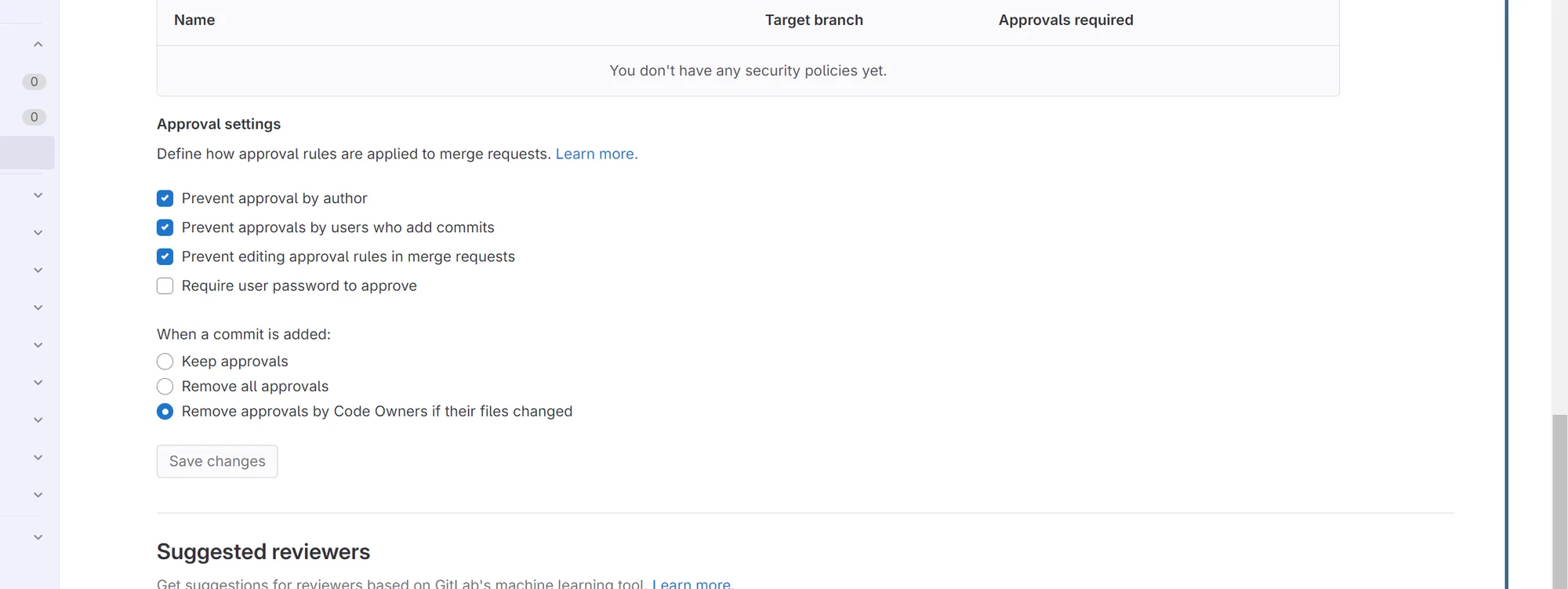
Hi team hope you are well. There is something weird happening, that allows me to bypass CODEOWNERS approval of a file. This is done by creating a mr from branch: test to main, the owner approves. Now you add another mr from test2 to test and merge it. So new code is added to the test however the approval is not removed. Although in the merge request rule, I said to reset approves if new code is added.
Steps to reproduce
- Create a group named: CodeOwners and a project named: test with README.md file.
- Start the free trail for CodeOwners group
- Invite a developer to the CodeOwners group, for example his username is: userA.
- Now go to project test and add this file with name:
CODEOWNERSand content:README.md [@]userA - Now the owner of the README.md is userA.
- Go to project settings => protected branch => main add turn on codeowners approval and turn off push and merge.
- Go to project settings => merge request and add those settings:
- Now from your account not userA try to edit the README.md and open a Mr with branch name: test.
- userA now approves the code.
- Now from your account go to branch test and edit the README.md and open mr with branch name: test2 and base test.
- Merge test2 with the test, so new code is added to the first Mr.
- Now go to the first MR it is still approved however new code was added and you can merge it.
The video sorry it will be long but i will cover everything:
Impact
Bypass code owners approval for example, you can pass a safe file in the .gitlab-ci.yaml and when the owner approves it you can add a malicious code that allows you to read all protected variables and allows him to push without requiring to be approved by the codeowner.
Attachments
Warning: Attachments received through HackerOne, please exercise caution!
How To Reproduce
Please add reproducibility information to this section:
Not written yet. The AI write-up for this report has not been written yet. The Original tab links to the source.
How it worked
Root cause
Likely the system does not invalidate existing approvals when the source branch is updated by merging another branch into it.
Impact
An attacker could bypass code owner approval and merge malicious changes, such as adding code to read protected variables or push without approval.
What the attacker needed
A GitLab project with CODEOWNERS approval enabled; a protected branch with code owner approval required; a developer account to create merge requests; a code owner to approve the first merge request
How it was found
- Create a group and project with a README.md file, start a free trial, and invite a developer (userA).
- Add a CODEOWNERS file that makes userA the owner of README.md.
- In project settings, protect the main branch, enable code owner approval, and disable push and merge.
- In merge request settings, enable resetting approvals when new code is added.
- From a different account, edit README.md and open a merge request from branch 'test' to main; userA approves it.
- From the same account, edit README.md on branch 'test', open a merge request from 'test2' to 'test', and merge it; the first merge request remains approved and can be merged.
Explained by bugbounty.wiki with AI from the original and checked against quotes from it; it can still be wrong. Read the original before relying on a detail.
Not written yet. The AI write-up for this report has not been written yet. The Original tab links to the source.
In GitLab, a CODEOWNERS file can require that a specific person approves changes to certain files before they are merged. This report shows that if you later add more code to the same branch through another merge request, the original approval is not removed, so you can sneak in changes that the owner never reviewed.
What is Business logic?
The application works as coded but not as intended: a negative price, a skipped payment step, a limit that can be crossed.




