Confidential notes are visible to non-project members/unauthenticated users via project's RSS feed
Confidential notes on merge requests were included in a project's public RSS feed, so anyone, even unauthenticated users, could read them despite the UI hiding them from non-members.

GitLab
Originally disclosed on GitLab
- Fixed in 3 months
- Disclosed after 3 months
HackerOne report #1130704 by jimeno on 2021-03-19, assigned to GitLab Team:
Report | Attachments | How To Reproduce
Report
Steps to reproduce
Victim needs to create a project and post a confidential note to it.
-
As your victim, create a public project.
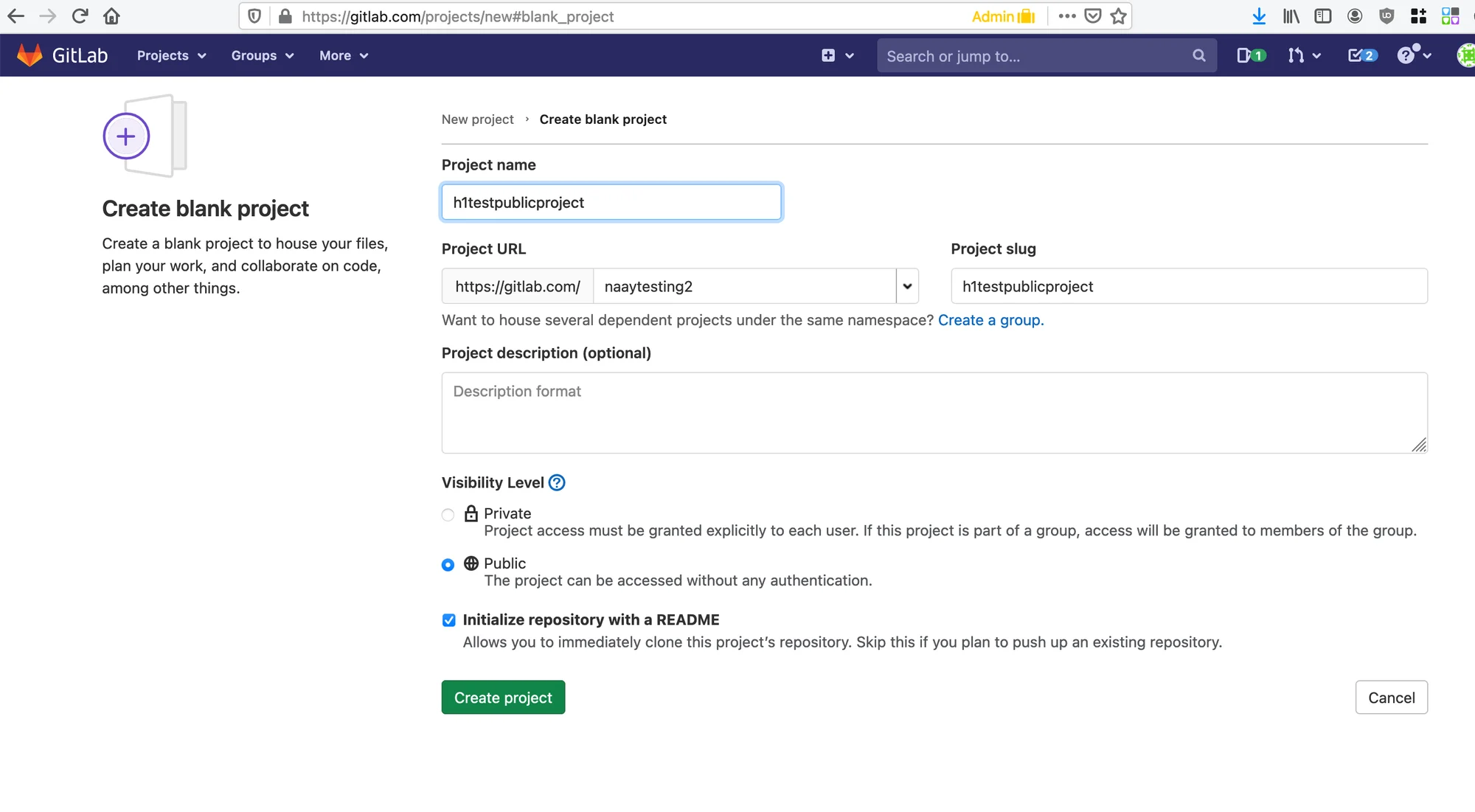
create_public_project.png From the original on GitLab -
Create a MR on your project.
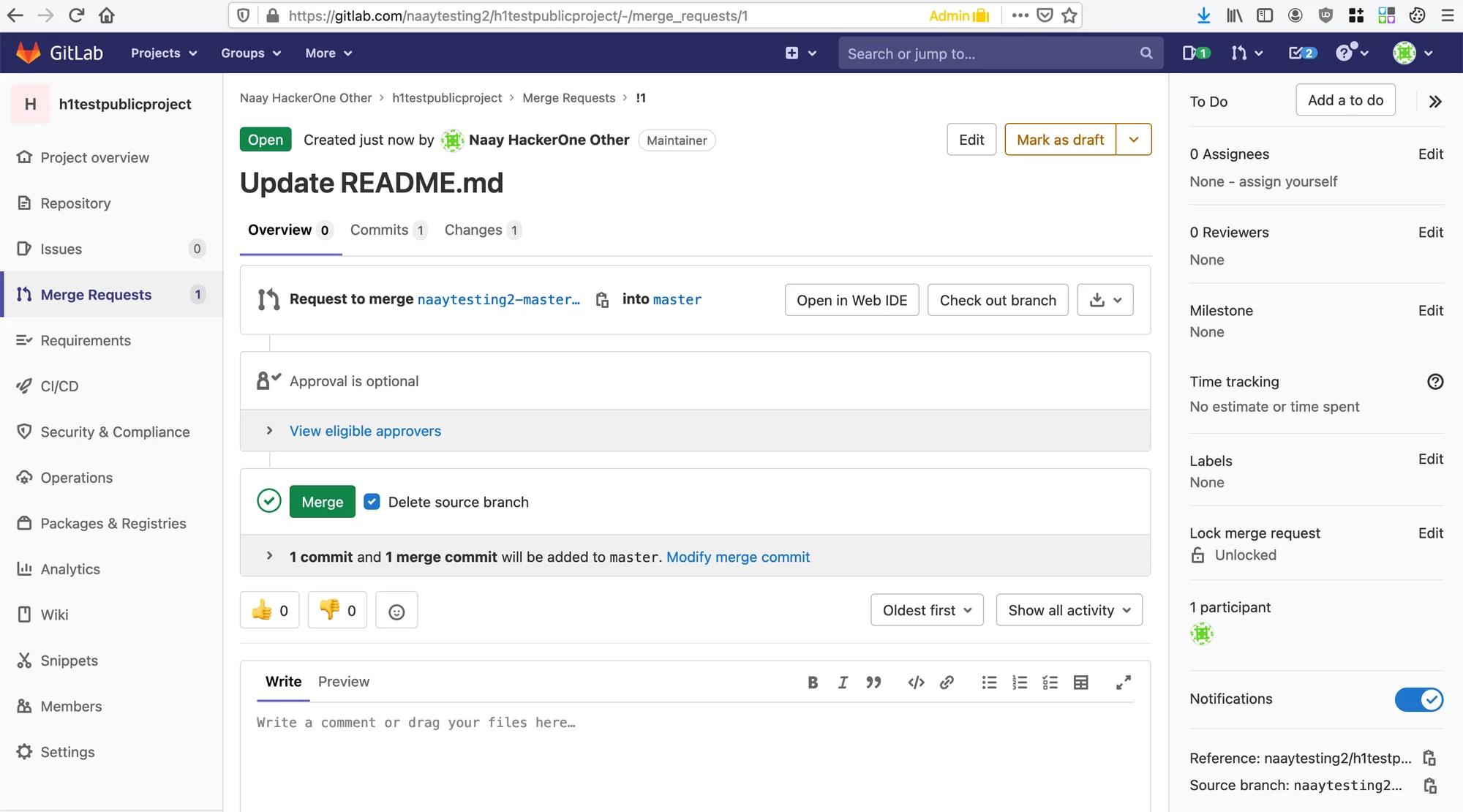
create_test_mr.png From the original on GitLab -
Find the MR object ID via the GraphQL API explorer. Replace my
fullPathwith yours.GraphQL { project(fullPath: "naaytesting2/h1testpublicproject") { mergeRequest(iid: "1") { id } } }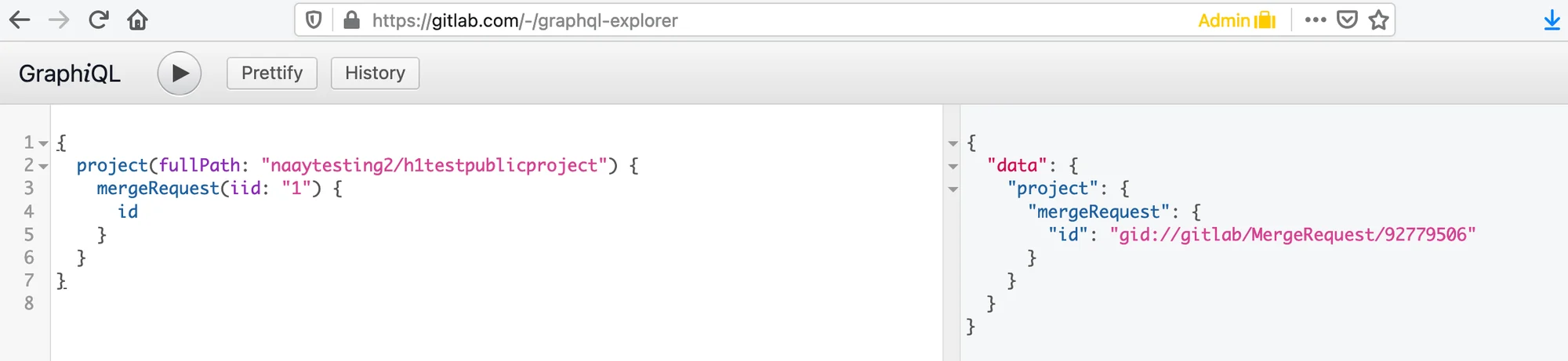
find_mr_id.png From the original on GitLab -
Add a confidential note the MR as your victim user. We use the GraphQL API explorer again for this. Replace the
noteableIdwith the one you obtained in previous step.GraphQL mutation xyz { createNote(input: {noteableId: "gid://gitlab/MergeRequest/92779506", body: "confidential note", confidential: true}) { errors clientMutationId } }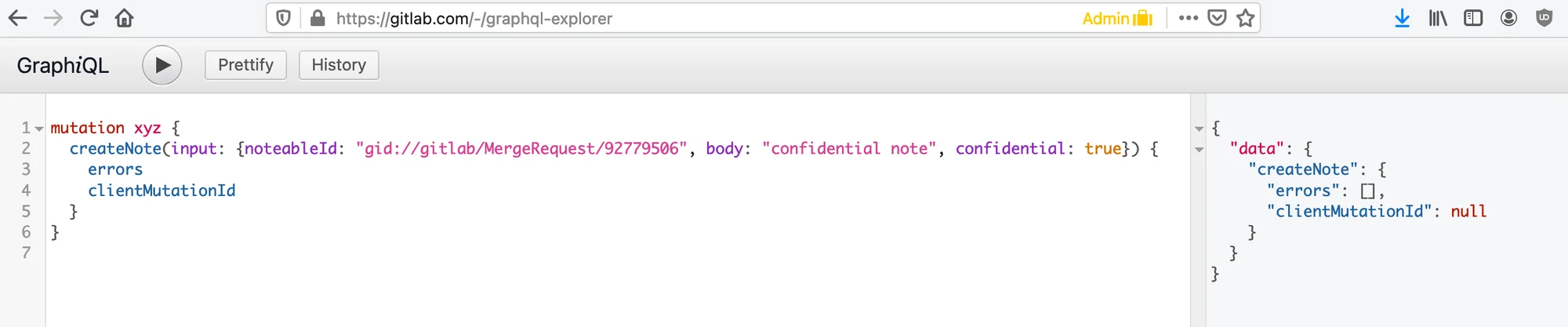
create_confidential_note.png From the original on GitLab -
Confirm the confidential note was added to the MR by browsing to your MR and refreshing the page.
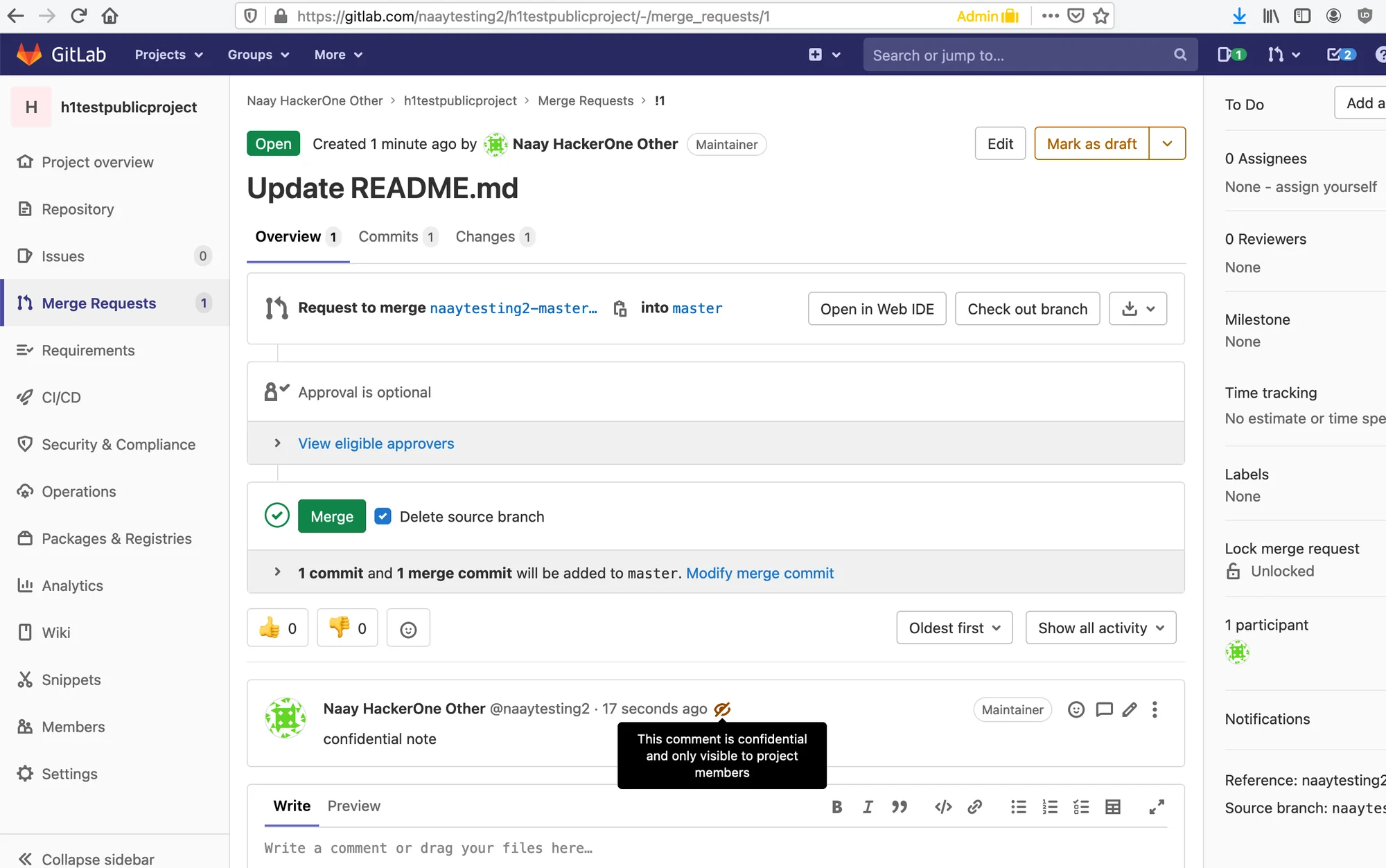
verify_confidential_note_was_created.png From the original on GitLab -
As your attacker, who is not a member of the project, visit the MR and confirm you can't view the confidential note.
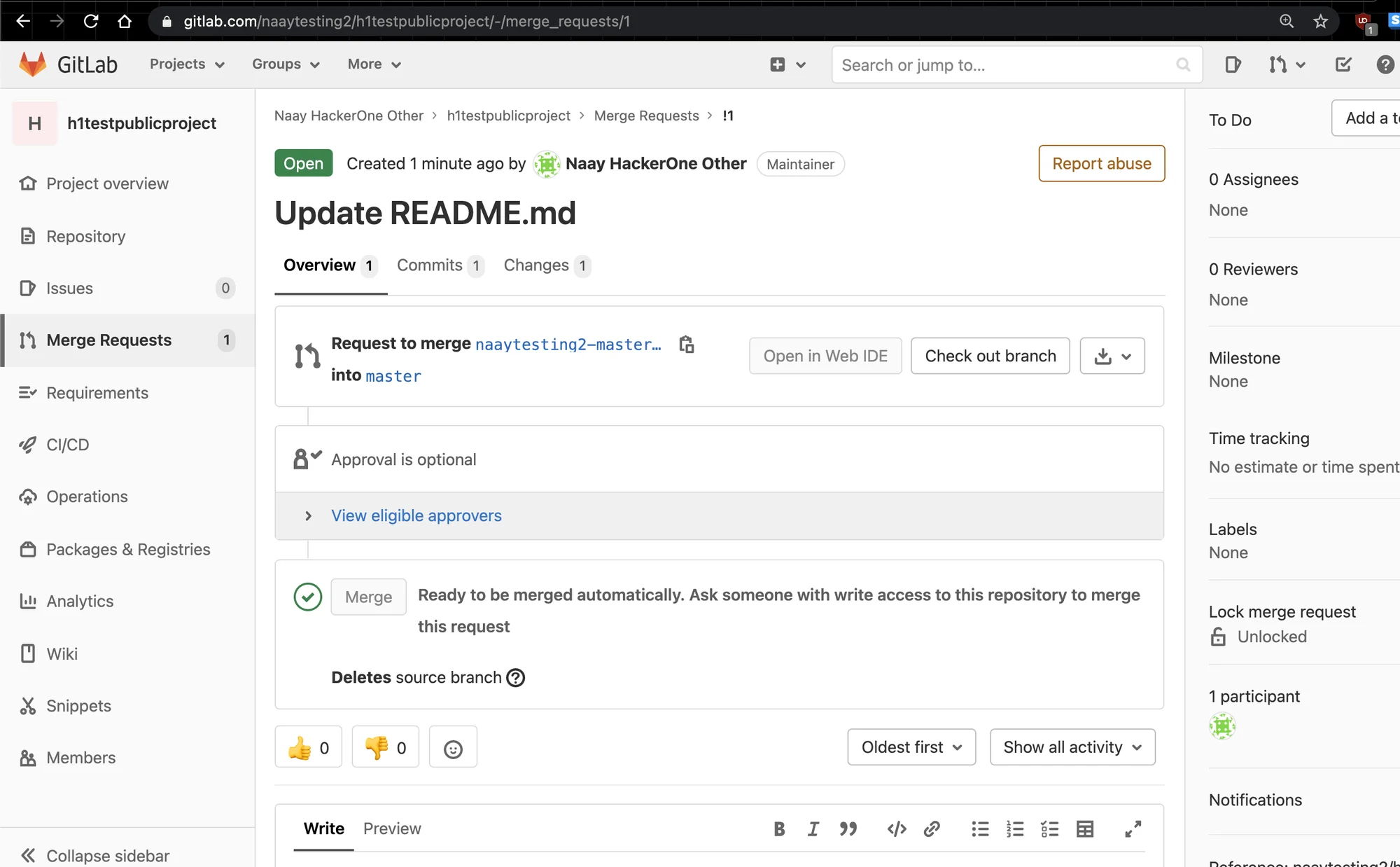
attacker_does_not_see_confidential_note_via_ui.png From the original on GitLab -
As your attacker, browse to the RSS feed of the affected project
https://gitlab.com/victimuser/projectname.atomand confirm you can read the confidential note created by victim.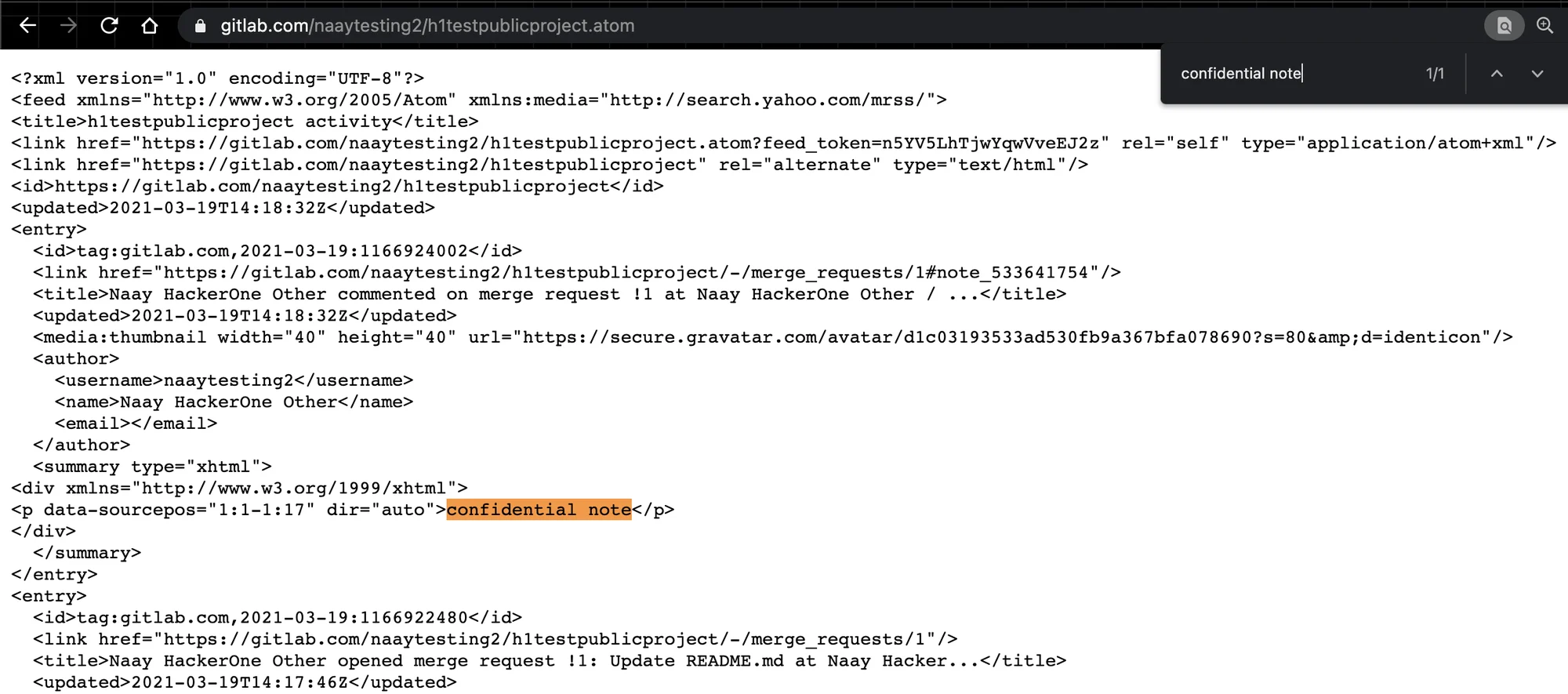
rss_feed_discloses_confidential_note.png From the original on GitLab -
Confirm you can view the confidential note as an unauthenticated user via a simple
curlcall to the RSS feed of the affected project.CONSOLE $ curl -s https://gitlab.com/naaytesting2/h1testpublicproject.atom | grep confi <p data-sourcepos="1:1-1:17" dir="auto">confidential note</p>
Impact
Confidential notes are visible to non-project members via project's RSS feed while the UI restricts the access to them.
Examples
Example project: https://gitlab.com/naaytesting2/h1testpublicproject.
Visit the MR at https://gitlab.com/naaytesting2/h1testpublicproject/-/merge_requests/1 and confirm you can't see the confidential note.
Visit https://gitlab.com/naaytesting2/h1testpublicproject.atom and confirm you can read the confidential note (<p data-sourcepos="1:1-1:17" dir="auto">confidential note</p>).
Please, find the example project exported and attached as a ZIP file. 2021-03-19_14-32-420_naaytesting2_h1testpublicproje_export.tar.gz
What is the current bug behavior?
Confidential notes are available to non-project members via RSS feed of the project.
What is the expected correct behavior?
Confidential notes aren't visible to non-project members via RSS feed of the project.
Relevant logs and/or screenshots
N/A
Output of checks
This bug happens on GitLab.com
Results of GitLab environment info
N/A
Impact
Confidential notes are visible to non-project members or unauthenticated users via project's RSS feed while the UI restricts the access to them.
Attachments
Warning: Attachments received through HackerOne, please exercise caution!
- attacker_does_not_see_confidential_note_via_ui.png
- rss_feed_discloses_confidential_note.png
- create_confidential_note.png
- find_mr_id.png
- verify_confidential_note_was_created.png
- create_test_mr.png
- create_public_project.png
- 2021-03-19_14-32-420_naaytesting2_h1testpublicproje_export.tar.gz
How To Reproduce
Please add reproducibility information to this section:
Not written yet. The AI write-up for this report has not been written yet. The Original tab links to the source.
How it worked
Root cause
Likely the RSS feed generation did not apply the same confidentiality filtering as the web interface.
Impact
Confidential notes could be read by non-project members and unauthenticated users through the project's RSS feed.
What the attacker needed
Victim creates a public project; victim adds a confidential note to a merge request; attacker knows the project's RSS feed URL
How it was found
- Create a public project and a merge request in it.
- Find the merge request's GraphQL ID using the API explorer.
- Add a confidential note to the merge request via the GraphQL API.
- Confirm the note is hidden from a non-member in the web UI.
- Visit the project's RSS feed and see the confidential note.
- Fetch the RSS feed with curl as an unauthenticated user and see the note.
Explained by bugbounty.wiki with AI from the original and checked against quotes from it; it can still be wrong. Read the original before relying on a detail.
Not written yet. The AI write-up for this report has not been written yet. The Original tab links to the source.
A confidential note is a comment meant to be seen only by project members. The website hid these notes from outsiders, but the project's RSS feed (a simple XML list of recent activity) still included them. So anyone who knew the feed address could read the secret comments without logging in.
What is Info disclosure?
Data the application should keep private (personal data, internal details, other users' records) reaches someone it should not.




