Content injection via `Status checks` widget in Merge requests
The Service name field in the Status checks widget allowed HTML injection because a data-disable-with attribute was not sanitised. An attacker could inject a link that, when clicked by a victim, sent a POST request to change the victim's password, leading to account takeover.

GitLab
Originally disclosed on GitLab
- Fixed in 3 months
- Disclosed after 3 months
HackerOne report #1628009 by yvvdwf on 2022-07-06, assigned to H1 Triage:
Report | Attachments | How To Reproduce
Triager's Note
- In this update, the reporter indicates that he was able to accomplish the same exploitation against Browser performance, Load performance, Metrics reports, etc. Be sure to review this part of the report as well.
- Additionally, there appears to be an inconsistency in successfully exploiting this vulnerability across the environments. For example, this was able to be confirmed in a current version of self-hosted EE and on
.com, but not on staging. If there is a non-context-specific explanation for this behavior, please ping @galfaro2 so we can pass on this note to the H1 triage team.
Report
Content injection via Status checks widget in Merge requests
External Status Checks is a feature available only in Gitlab Utimate. Consequently the attacker need to hold an Gitlab utimate account to perform this attack (this can be achieved via free trials).
Service name in Status check allows attackers to inject any HTML content that is although sanitized latter by v-safe-html directive. There exists data-disable-with attribute that is not sanitized and allows attackers to inject any HTML content. Consequently attackers may get full XSS in the Gitlab self-managed instances that are not protected by a restricted CSP as I reported
Furthermore, the Status check is in merge requests, thus attackers may send arbitrary POST requests on behalf of victims. This leads to the possibility of admin user escalation or account takeover (when the account was created via a third party provider.
The following steps shows a demo of account takeover attack on Gitlab.com
Step to reproduce
-
These steps will be done on Gitlab.com. They require two things:
- access to an utimate subscription (this can be achieved on Gitlab.com via a free trial)
- a third party account that is not registered on Gitlab.com (such as, a Google, Github, Twitter, Bitbucket, or Saleforce user)
-
On an existing project or create a new project with
Initialize repository with a READMEis checked -
Goto
Settings/General, thenMerge requestsection, then click onAdd status checkbutton. Then fill the form as the following, then clickAdd status check:- Service name:
<a class=js-issuable-todo data-create-path=/-/profile/password?_method=put&user%5Bnew_password%5D=12345678&user%5Bpassword_confirmation%5D=12345678>Service check - API to check:
http://gitlab.com(or can be any url as you want)
- Service name:
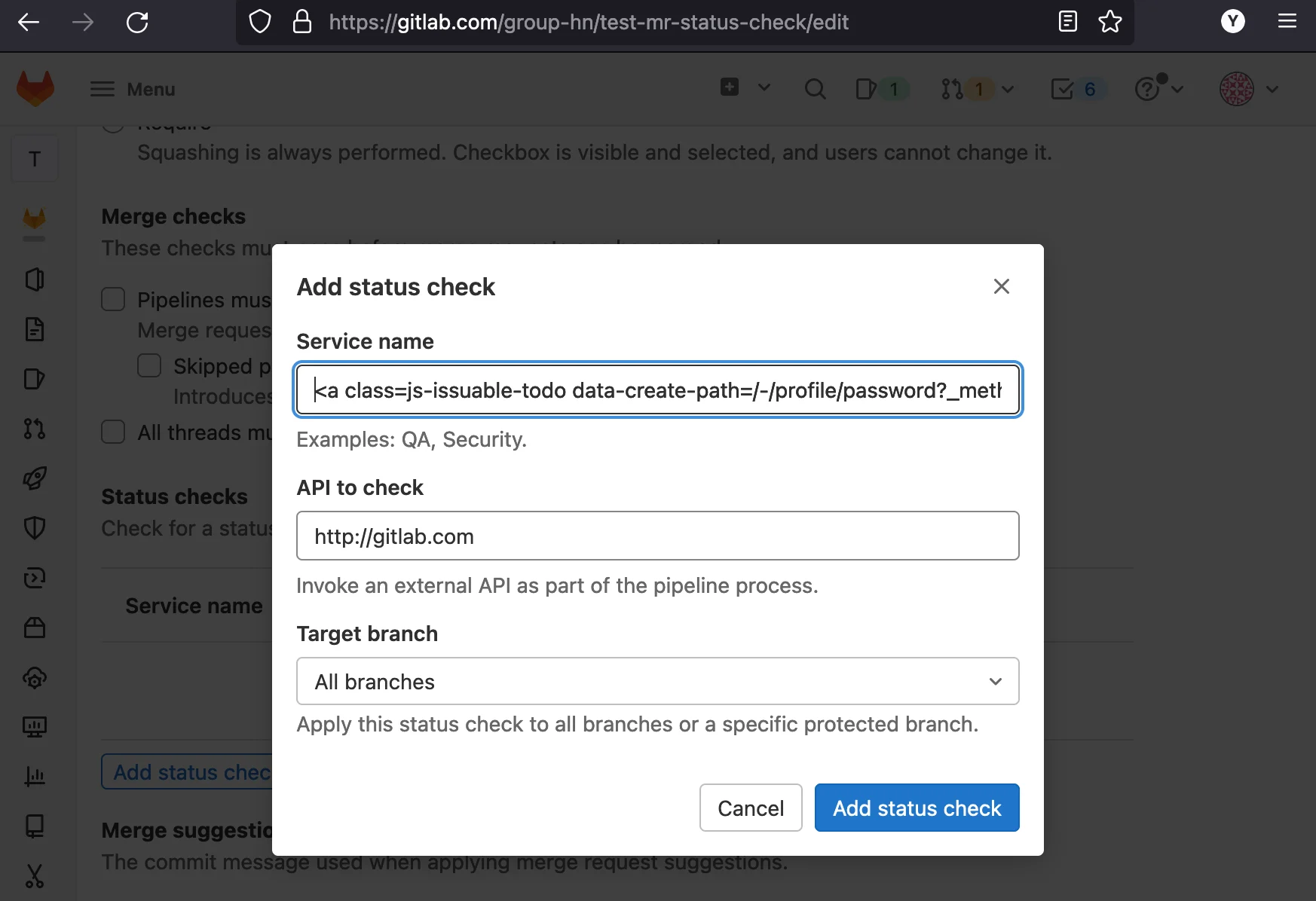
- Now go back to the repository file list, then do some modification in
README.mdfile as you want, then commit the modification in a new branch, such asdevwithStart a new merge request with these changesis checked (please see the image)
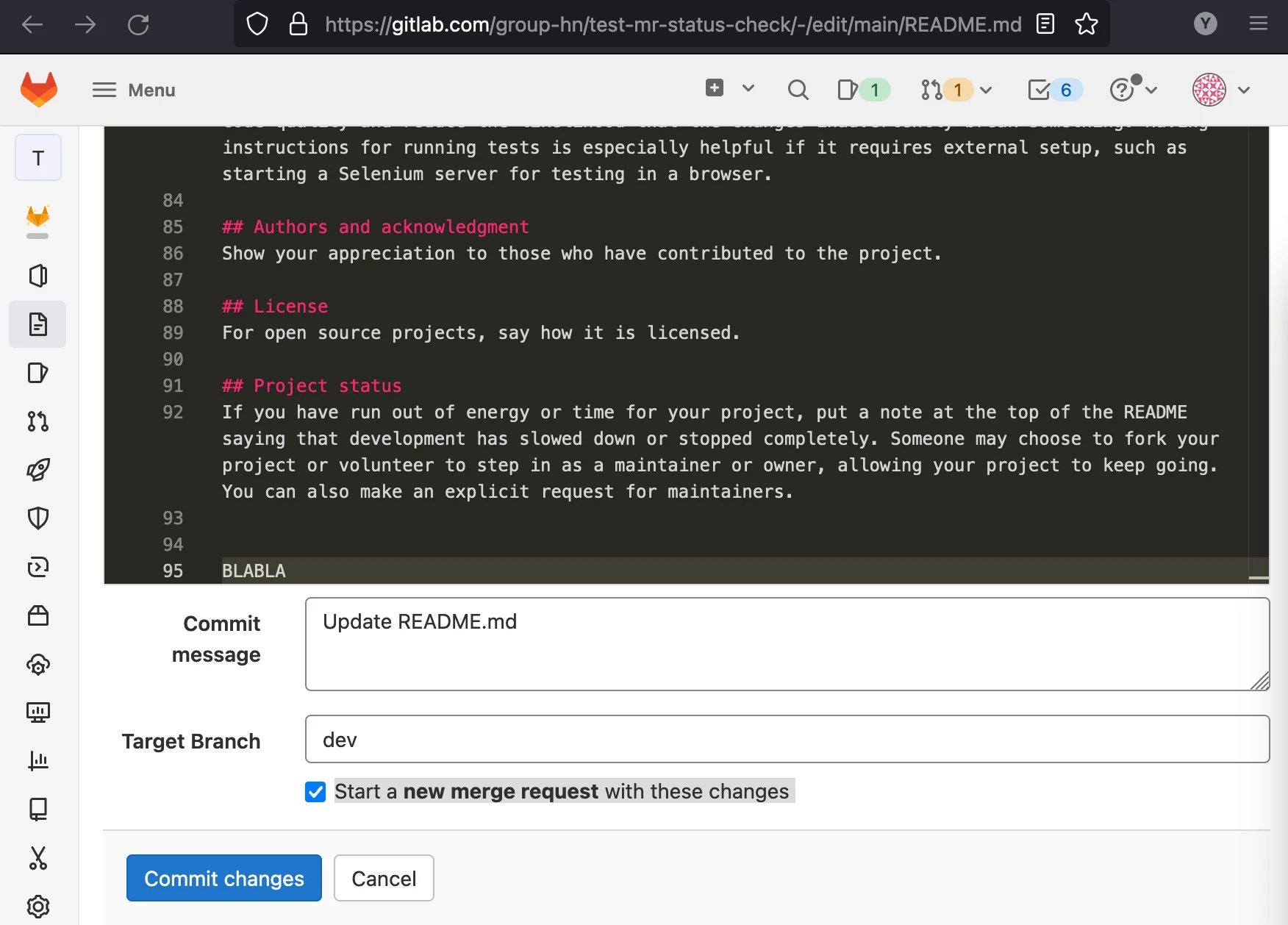
- After clicking on
Commit changesbutton, You will be redirected in aNew merge requestpage. Click onCreate merge requestbutton. - You can expand
Status checkstab, then click onService check: http://gitlab.comlink, you will see aPOSTrequest is sent to gitlab.com. ThisPOSTrequest will modify password of victim if the victim account is created via third party provider.
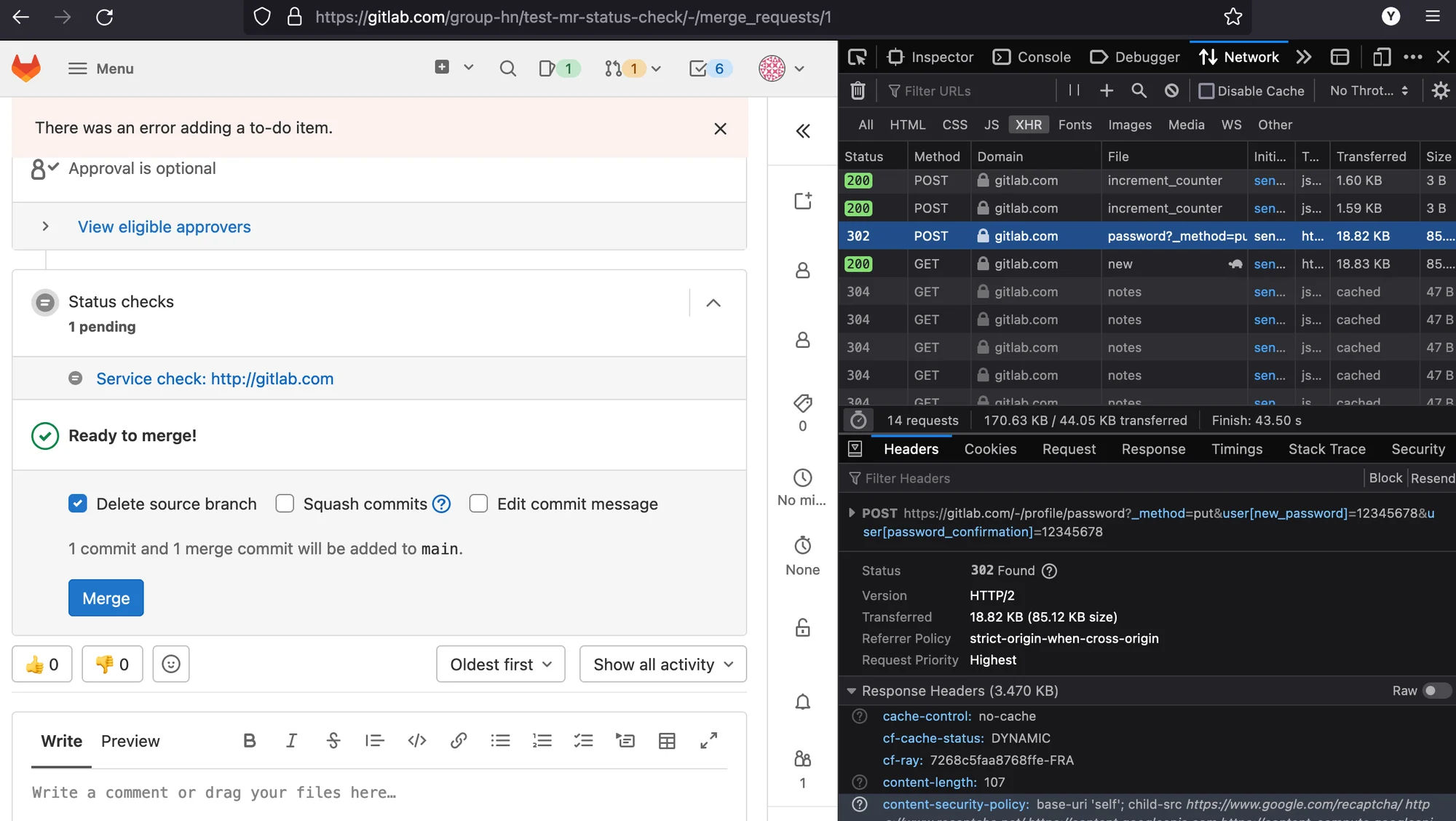
- Now logout Gitlab.com, then login with a third party provider to generate a new account on Gitlab.com
- (If the attack project is not public, then we need to invite the victim to be a member of the project so that the victim can access to the merge request page)
- As the victim, visit the merge request page and click on the
Service check: http://gitlab.comlink as in Step - Refresh the page, you should now be logged out from Gitlab.com as your password was changed
Impact
HTML injection allows attackers to (1) get full XSS in the Gitlab self-managed instances that are not protected by a restricted CSP, or (2) to send arbitrary POST request on behalf of victims that can lead to permission escalation or even account takeover, etc.
Impact
HTML injection allows attackers to (1) get full XSS in the Gitlab self-managed instances that are not protected by a restricted CSP, or (2) to send arbitrary POST request on behalf of victims that can lead to permission escalation or even account takeover, etc.
Attachments
Warning: Attachments received through HackerOne, please exercise caution! %% REDACTED %%
Not written yet. The AI write-up for this report has not been written yet. The Original tab links to the source.
How it worked
Impact
HTML injection allows attackers to get full XSS in self-managed instances not protected by a restricted CSP, or to send arbitrary POST requests on behalf of victims that can lead to permission escalation or account takeover.
What the attacker needed
GitLab Ultimate subscription (free trial possible); Victim clicks a crafted link; Victim account created via third-party provider
How it was found
- Create or use a project with a README.
- Go to Settings/General, Merge request section, and add a status check with a malicious Service name and any API URL.
- Edit README.md, commit to a new branch, and create a merge request.
- Expand Status checks tab and click the Service check link to trigger a POST request.
- Log out and log in with a third-party provider to create a new account.
- As the victim, visit the merge request page and click the Service check link, then refresh to see the password changed.
Explained by bugbounty.wiki with AI from the original and checked against quotes from it; it can still be wrong. Read the original before relying on a detail.
Not written yet. The AI write-up for this report has not been written yet. The Original tab links to the source.
A website feature that lets you name a status check did not properly clean up the text you enter. An attacker could put special HTML code in that name so that when a victim clicks a link, their password gets changed without them knowing. This is called HTML injection and can lead to account takeover.
What is XSS?
Script an attacker supplies runs in another user's browser, on the target's origin, with that user's session.




