Group audit events leak IP address of the instance administrator to the group owner
Group audit event streams sent to an external destination included the IP address of the GitLab instance administrator when the administrator changed a user's group permissions. A group owner could configure a stream and receive the administrator's IP address, which is sensitive information.

GitLab
Originally disclosed on GitLab
- Fixed in 29 hours
- Disclosed after 29 hours
HackerOne report #1662631 by jimeno on 2022-08-08, assigned to @galfaro2:
Report | Attachments | How To Reproduce
Report
Summary
Group Audit Events supports logging an event on a remote host via Audit Streams whenever someone's access to the group is changed. In the case where a GitLab instance administrator interacts with the group (changing the group name, visibility, someone's permissions, limiting the max repository size due to suspicious activity, or simple user impersonation), their IP address can be leaked to the group owners/maintainers.
Full list of Group Audit Events can be seen here.
Steps to reproduce
Please, note you will need a GitLab EE deployment. I'm using a gdk deployment with a hardcoded license for my tests since I don't have my H1 reporter award license at hand at the moment.
-
Create a Group. I set Public access level, but it doesn't matter.
-
From a different browser, sign up for an account. Invite this new user to the group with whatever role you prefer.
-
Browse to
Security & Compliance->Audit events->Streams. -
Configure a new stream pointing to an HTTP server under your control (burp collaborator, requestbin, interact.sh, whatever works for you).
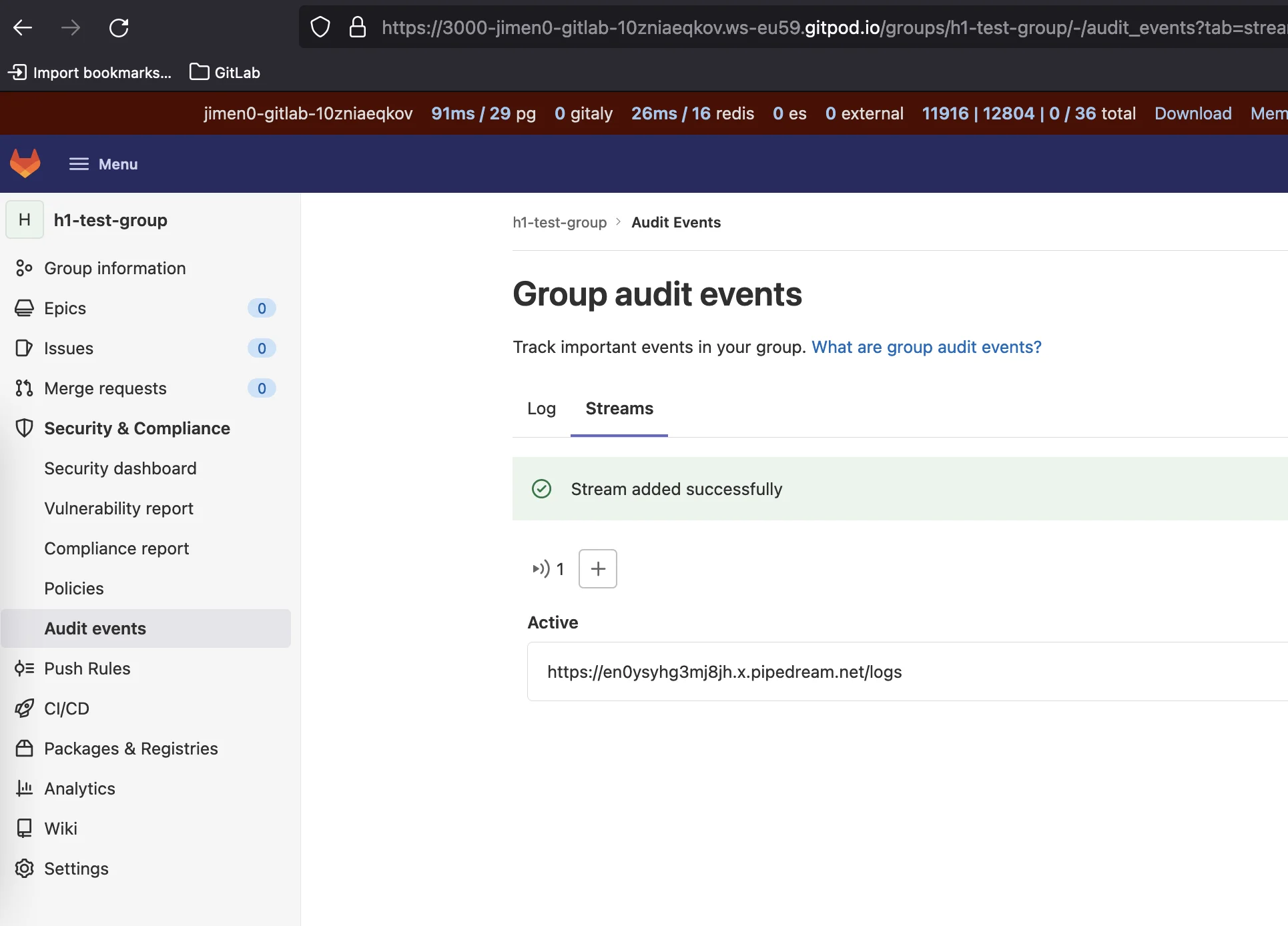
configured-audit-logger.png From the original on GitLab -
From a different connection/browser/platform, sign in as the GitLab instance Administrator and browse to the Group you created above on the Admin UI panel. URL should look like
https://gdk.local/admin/groups/h1-test-groupwhereh1-test-groupis the group you created on step number one. Note: the different connection isn't really needed, but I'm adding it here so it's easier for you to verify the leaked IP address is the admin's one and not the group owner's IP. -
Edit the role of the user created on step number two. For example downgrade them to Reporter.
-
Browse to your audit destination HTTP server's logs and notice a new event arrived.
-
Notice how this even leaks the instance administrator's IP address to you.
Impact
Sensitive information of the GitLab instance administrator is disclosed to other users without any kind of redaction via Group Audit stream messages.
Examples
N/A.
What is the current bug behavior?
GitLab's instance administrator IP address is sent within the access_level audit message when the instane Administrator changes someone's permissions on a group.
What is the expected correct behavior?
Sensitive administrator's information should be redacted or erased from the event log before it is sent.
Relevant logs and/or screenshots
{
    "id": 23,
    "author_id": 1,
    "entity_id": 67,
    "entity_type": "Group",
    "details": {
        "change": "access_level",
        "from": "Developer",
        "to": "Reporter",
        "expiry_from": null,
        "expiry_to": null,
        "author_name": "Administrator", <-- instance administrator caused this event to be triggered via the Admin UI
        "target_id": 3,
        "member_id": 64,
        "target_type": "User",
        "target_details": "Candy Stroman",
        "ip_address": "x.x.x.x", <-- notice the IP address being leaked to the Group owner/maintainer on the event.
        "entity_path": "h1-test-group"
    },
    "ip_address": "80.29.197.115",
    "author_name": "Administrator",
    "entity_path": "h1-test-group",
    "target_details": "Candy Stroman",
    "created_at": "2022-08-08T11:40:48.089Z",
    "target_type": "User",
    "target_id": 3,
    "event_type": "audit_operation"
}
Output of checks
Didn't check this against the SaaS deployment since I don't have access to the Admin UI there.
Results of GitLab environment info
$ bin/rake gitlab:env:info RAILS_ENV=development

System information
System:         Ubuntu 20.04
Proxy:          no
Current User:   gitpod
Using RVM:      no
Ruby Version:   2.7.5p203
Gem Version:    3.3.19
Bundler Version:2.3.15
Rake Version:   13.0.6
Redis Version:  6.2.7
Sidekiq Version:6.4.0
Go Version:     go1.18.3 linux/amd64

GitLab information
Version:        15.3.0-pre
Revision:       d34789fafa5
Directory:      /workspace/gitlab
DB Adapter:     PostgreSQL
DB Version:     12.10
URL:            https://3000-jimen0-gitlab-10zniaeqkov.ws-eu59.gitpod.io
HTTP Clone URL: https://3000-jimen0-gitlab-10zniaeqkov.ws-eu59.gitpod.io/some-group/some-project.git
SSH Clone URL:  ssh://[email protected]:2222/some-group/some-project.git
Elasticsearch:  no
Geo:            no
Using LDAP:     no
Using Omniauth: yes
Omniauth Providers: google_oauth2

GitLab Shell
Version:        14.10.0
Repository storage paths:
- default:      /workspace/gitlab-development-kit/repositories
GitLab Shell path:              /workspace/gitlab-development-kit/gitlab-shell
Impact
Sensitive information of the GitLab instance administrator is disclosed to other users without any kind of redaction via Group Audit stream messages.
Attachments
Warning: Attachments received through HackerOne, please exercise caution!
Not written yet. The AI write-up for this report has not been written yet. The Original tab links to the source.
How it worked
Root cause
Likely the audit event serialisation included the actor's IP address without redacting it for group-level streams.
Impact
The instance administrator's IP address could be disclosed to group owners or maintainers through audit stream messages.
What the attacker needed
GitLab EE deployment; group owner or maintainer access; ability to configure an audit stream
The fix
Sensitive administrator information should be redacted or removed from the event log before it is sent.
How it was found
- Create a group.
- Sign up a new user and invite them to the group.
- Go to Security & Compliance -> Audit events -> Streams.
- Configure a new stream pointing to an HTTP server you control.
- Sign in as the instance administrator and browse to the group in the Admin UI.
- Edit the role of the invited user, then check the stream logs for the administrator's IP address.
Explained by bugbounty.wiki with AI from the original and checked against quotes from it; it can still be wrong. Read the original before relying on a detail.
Not written yet. The AI write-up for this report has not been written yet. The Original tab links to the source.
When someone changes a user's permissions in a group, GitLab records an audit event. If the group owner has set up a stream, that event is sent to an external server. The event included the IP address of the person who made the change, even when that person was the instance administrator, so the group owner could see the administrator's IP address.
What is Info disclosure?
Data the application should keep private (personal data, internal details, other users' records) reaches someone it should not.




