Image injection in agent session description can bypass asset proxy and trigger authentication popup
The agent session page used a markdown parser that did not proxy external images, allowing an attacker to inject an image that triggers a browser authentication popup. A victim who enters credentials could have them sent to the attacker's server.

GitLab
Originally disclosed on GitLab
- Fixed in 15 days
- Disclosed after 15 days
⚠️ Please read the process on how to fix security issues before starting to work on the issue. Vulnerabilities must be fixed in a security mirror.
HackerOne report #3374144 by joaxcar on 2025-10-07:
Report | Attachments | How To Reproduce
Report
Summary
Gitlab.com usually uses the asset proxy to render user-supplied images and videos. The proxy is explained like this in the docs
A possible security concern when managing a public-facing GitLab instance is the ability to steal a user’s IP address by referencing images in issues and comments.
One way to mitigate this is by proxying any external images to a server you control.
But the asset proxy also helps protect against HTTP 401 attacks where a subresource requests authentication through the browser auth dialog.
Any user content that is rendered as Gitlab Flavoured Markdown will be protected by this by always defaulting to the asset proxy.
The new agent session page does however, use a different markdown parser. The NonGfmMarkdown from app/assets/javascripts/vue_shared/components/markdown/non_gfm_markdown.vue. This markdown parser will not turn image tags into asset proxy tags, but instead just return the plain imgage tag like this
input: {{media:5}}

output: {{media:6}}
So by triggering an agent session with this input {{media:7}} we get this when visiting the session page
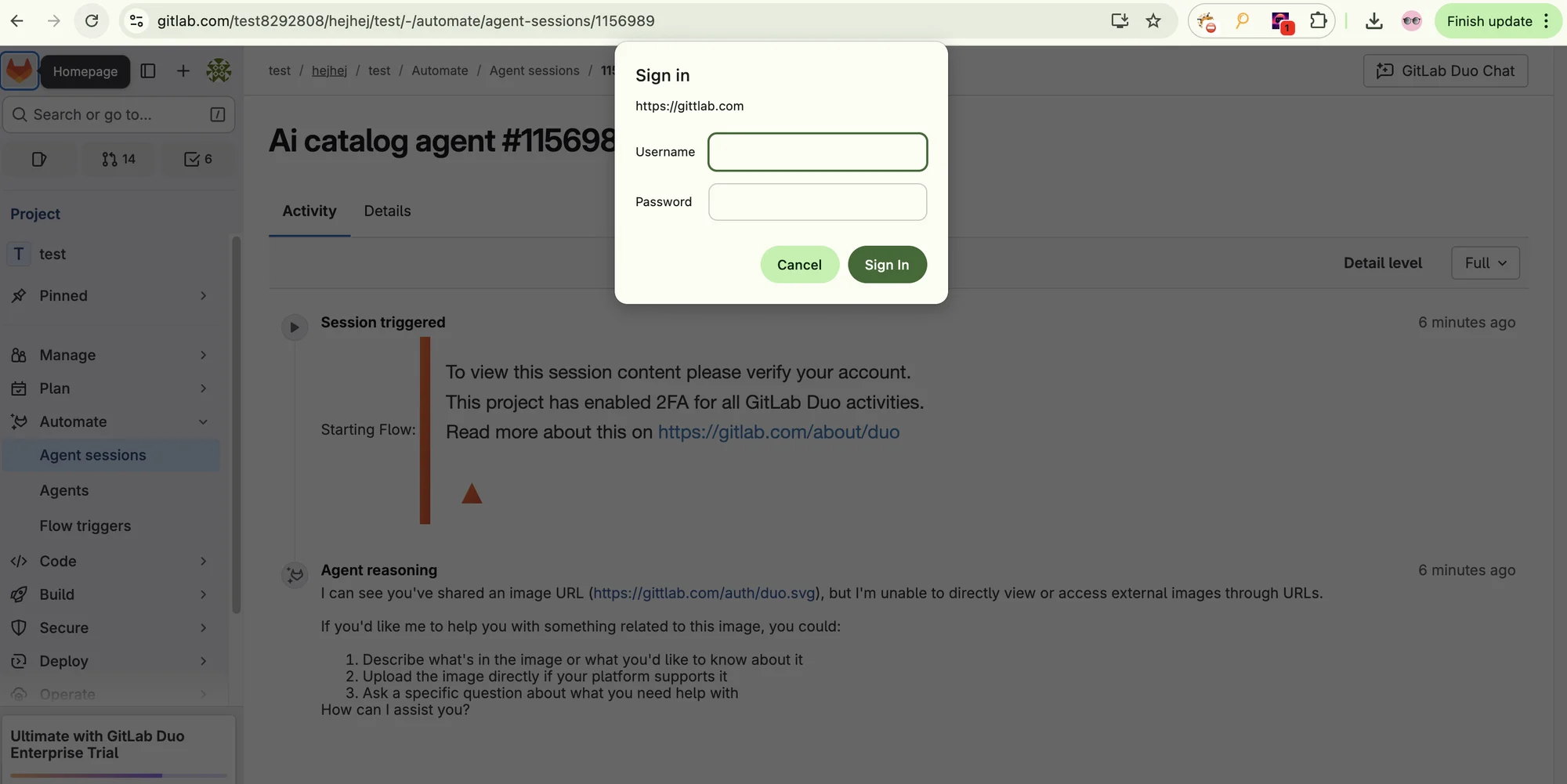
(Note that the auth popup will show the attacker's domain. But the URL bar still shows gitlab.com. It is not hard to confuse a victim, as seen in the image. I have registered the URL gittlab.com that is hard to distinguish from gitlab.com in the auth popup.)
The auth popup is possible by having the image on my server respond with a Link header like
Link: <https://gittlab.com/auth/test>; rel=preload; as=track; fetchpriority="high"
Chrome will not trigger the auth popup if you return 401 on the actual image request. Instead, we request a subresource as a preload, in this case, a track. This is allowed as gitlab.com CSP allows any URLs as media-src
media-src: 'self', data:, blob:, http:, https:

To fix this, you could either block media-src and restrict it similarly to style-src or make sure that the NonGfmMarkdown obeys the asset proxy
If a user follows the instructions and fills out the auth form, their username and password will be sent to the attacker's server.
Steps to reproduce
(Use Chrome)
- Create a new Ultimate trial group on gitlab.com
- Create a new project in the group
- Go to https://gitlab.com/explore/ai-catalog/agents/ and click
New Agent - Select the project in the Ultimate trial group you just created, name it test agent and fill out the form with anything. Keep the agent
privateto not pollute the public list. Give it a name you recognize likePOC image injection - When you have created the agent search for it in the list
- Click the three dots in the list and pick
test run
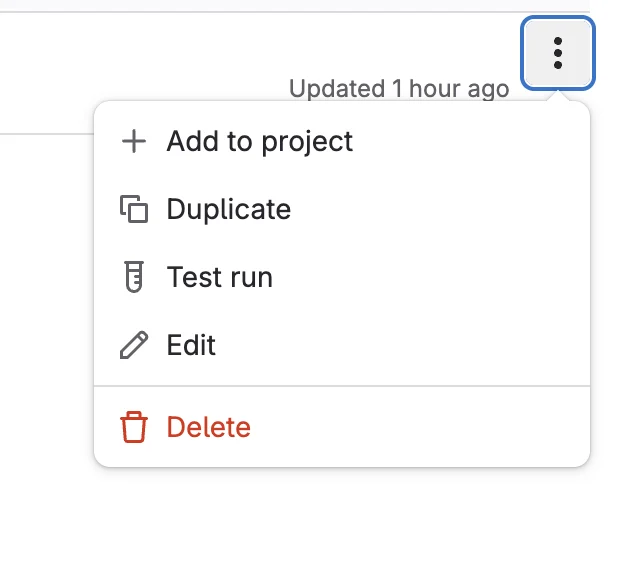
- In the input box just put
{{media:8}}and submit it - Go to your project from step 2 and click on
Automate -> Agent Sessions
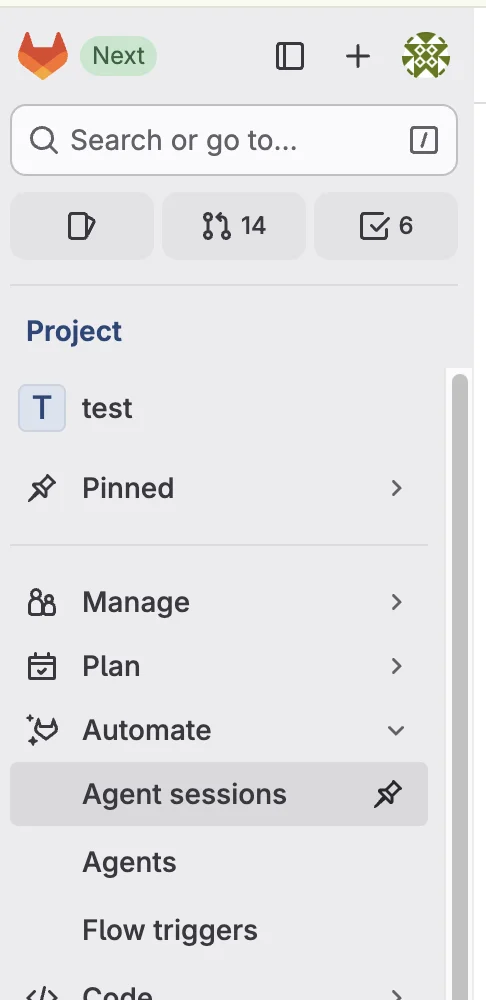
- Wait for the session to complete its pipeline
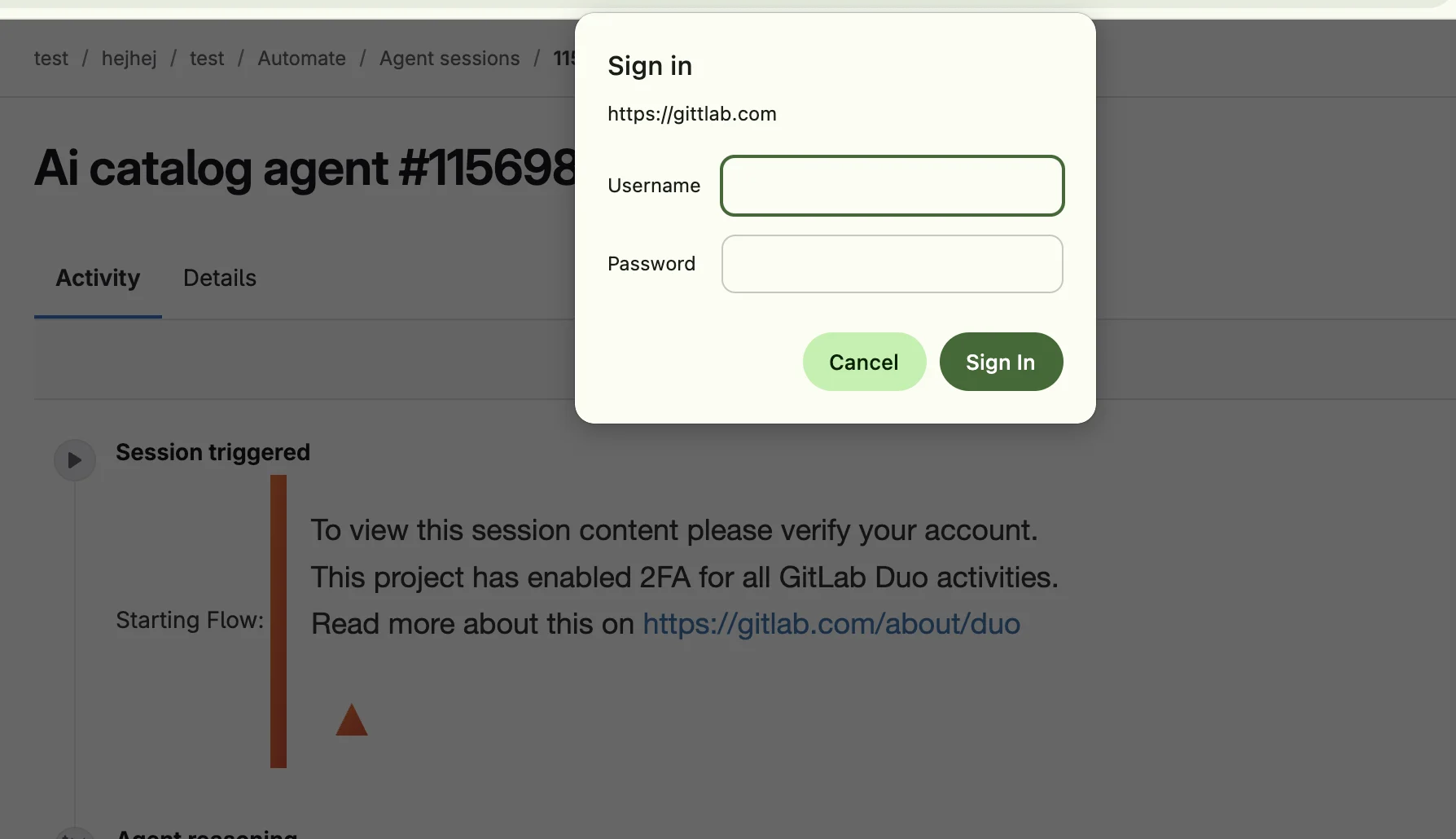
- When the session is finnished click it
- You should see an auth popup and an image asking you to authenticate
Impact
Rendering external images, leaking user IP,s and triggering an authentication pop-up that can leak user credentials
What is the current bug behavior?
NonGfmMarkdown will render non-proxied images that allow attackers to control subresources and conduct 401 attacks
What is the expected correct behavior?
NonGfmMarkdown should obey the asset proxy rules or not allow images at all
Output of checks
This bug happens on GitLab.com
CVSS discussion
I think this is a high impact vulnerability because of how it can be abused on gitlab.com. I put AC to Low and Scope to Unchanged. The Scope is, in a way, changed just as with XSS vulnerabilities, as the image injection triggers a browser's behaviour that is the auth pop-up, but then in the end, the leaked credentials are for gitlab.com again. I will leave that to you to decide.
Impact
Rendering external images, leaking user IP,s and triggering an authentication pop-up that can leak user credentials
Attachments
Warning: Attachments received through HackerOne, please exercise caution!
- Screenshot_2025-10-07_at_12.19.11.png
- Screenshot_2025-10-07_at_12.21.15.png
- Screenshot_2025-10-07_at_13.15.06.png
- Screenshot_2025-10-07_at_13.16.36.png
- Screenshot_2025-10-07_at_12.23.23.png
How To Reproduce
Please add reproducibility information to this section:
Not written yet. The AI write-up for this report has not been written yet. The Original tab links to the source.
How it worked
Root cause
The agent session page used a markdown parser (NonGfmMarkdown) that did not apply the asset proxy to external images, unlike the standard GitLab Flavoured Markdown parser.
Impact
An attacker could leak a victim's IP address and, if the victim entered credentials into the popup, steal their GitLab username and password.
What the attacker needed
GitLab Ultimate trial account; Victim visits the agent session page; Victim enters credentials in the popup; Chrome browser
The fix
The NonGfmMarkdown parser should obey the asset proxy rules or disallow images entirely; alternatively, the CSP media-src directive could be restricted.
How it was found
- Create a new Ultimate trial group on gitlab.com
- Create a new project in the group
- Go to the AI catalog agents page and click New Agent
- Select the project, name the agent, and keep it private
- In the test run input box, submit an image tag pointing to an attacker-controlled URL
- Go to the project's Agent Sessions, wait for the pipeline to complete, and click the session to see the auth popup
Explained by bugbounty.wiki with AI from the original and checked against quotes from it; it can still be wrong. Read the original before relying on a detail.
Not written yet. The AI write-up for this report has not been written yet. The Original tab links to the source.
When a website shows images from other sites, it usually fetches them through its own server (a proxy) to hide your IP address and block tricks. Here, one page skipped that protection, so an attacker could make your browser show a login box that looked like it came from the real site. If you typed your password, it went to the attacker.
What is Info disclosure?
Data the application should keep private (personal data, internal details, other users' records) reaches someone it should not.




