Leaked Gitlab [Project, comments and merge request] on Jira issue by unauthorized users.
When a private GitLab project is linked to Jira using the basic integration, referencing a Jira issue in GitLab adds a comment to the Jira issue that includes a link back to the private GitLab project. Any Jira user who can view the issue can see this comment and thus learn about the private project's existence and possibly access it.

GitLab
Originally disclosed on GitLab
- Fixed in 27 days
- Disclosed after 27 days
HackerOne report #1160440 by updatelap on 2021-04-10, assigned to GitLab Team:
Report | Attachments | How To Reproduce
Report
Summary
Gitlab provides three ways to integrate Gitlab Projects with Jira Projects and Cases. When I compared the "Jira Integration app" method and the "Basic Jira Integration" method, I noticed that using the "Jira Integration app" is better and safer.
- GitLab for Jira Integration app: Ref
When linking the Gitlab account with Jira account by Jira Integration app you can reference Jira issues in GitLab, displaying activity in the Development panel in the issue.
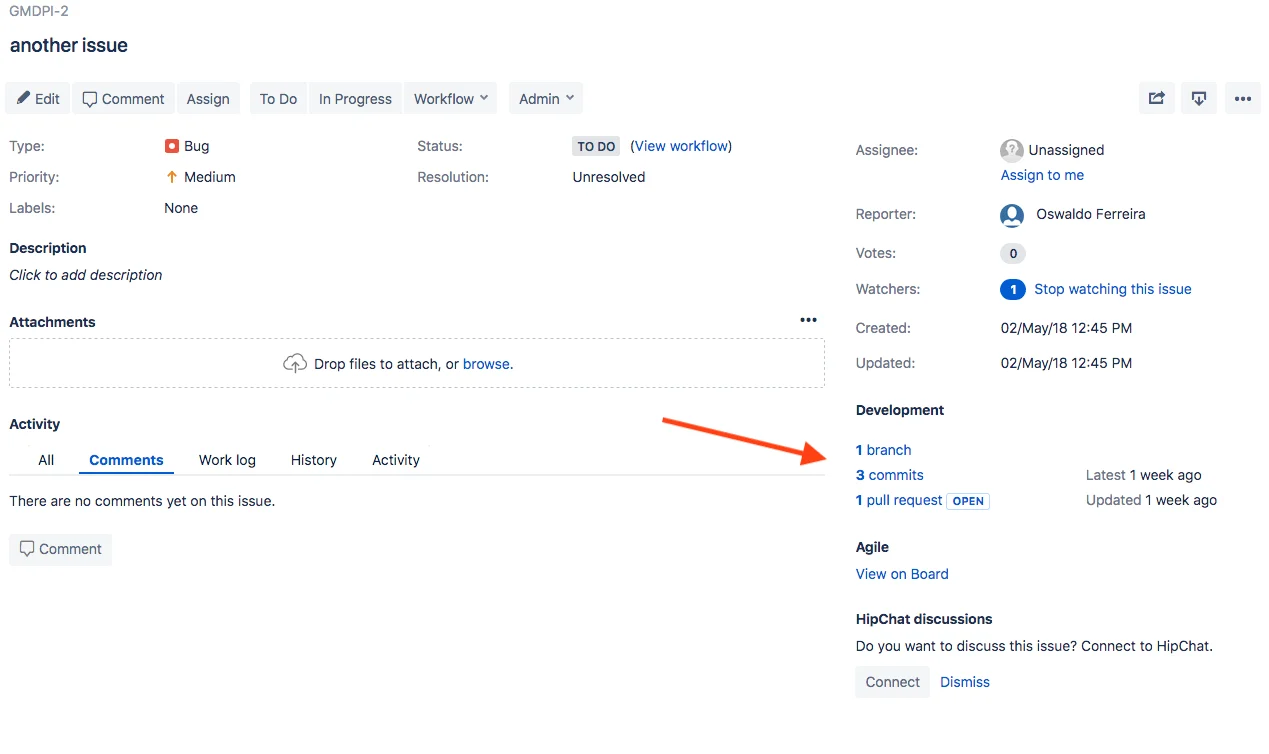
When GitLab project has Jira issue tracker configured and enabled, mentioning Jira issues in GitLab automatically adds a comment in Jira issue with the link back to GitLab. This means that in comments in merge requests and commits referencing an issue, PROJECT-7.
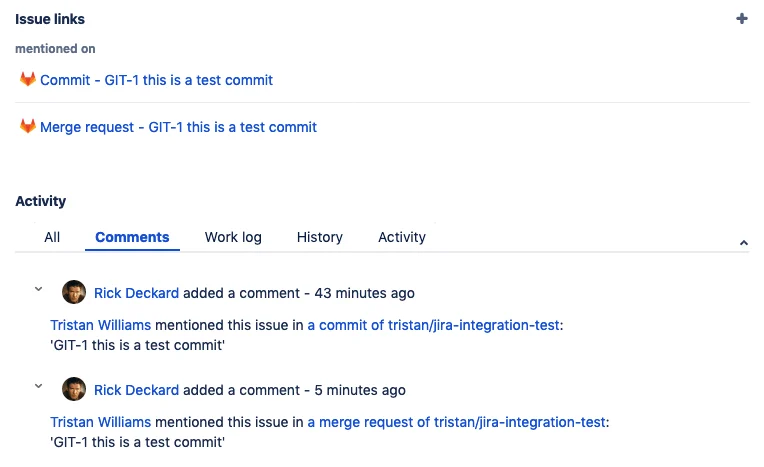
Based on the previous description of two methods, I mentioned at the beginning of the report that adopting the GitLab for Jira Integration app is safer because in the case of a private GitLab project, the confidentiality of this data can be preserved when working with Integration with jira.
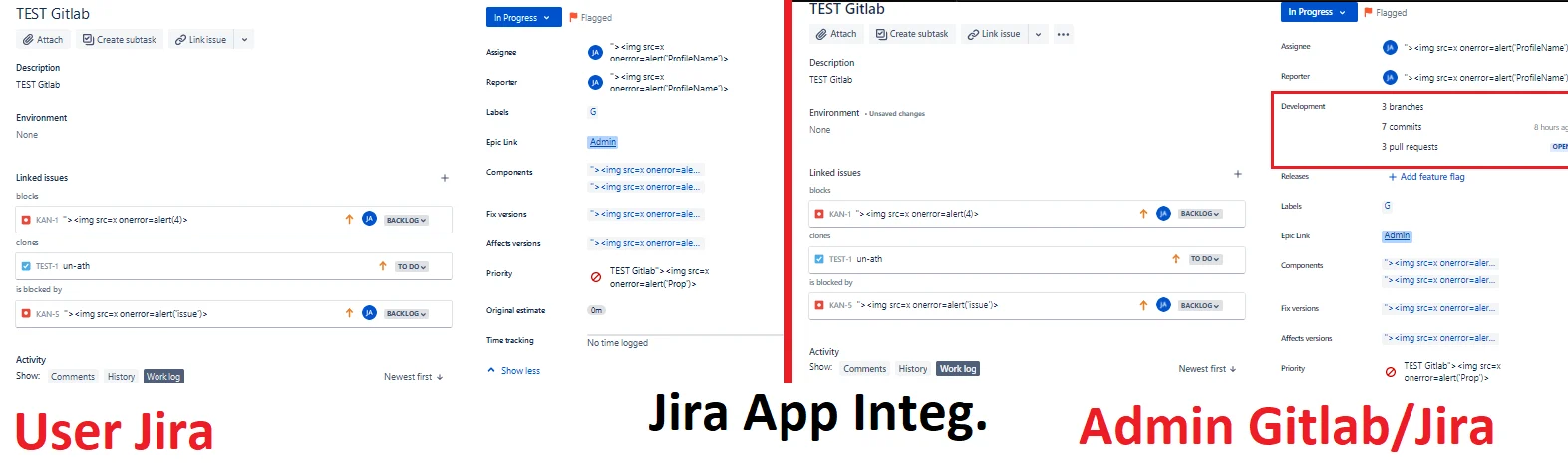
As you can see in the pictures, the user was not able to know any information about the Gitlab project because the administrator is only accessing the development panel for the administrator.
While the second method is not safe because it will lead to the leak of private commits, merge requests, and requests in Gitlab through comments or a web link.
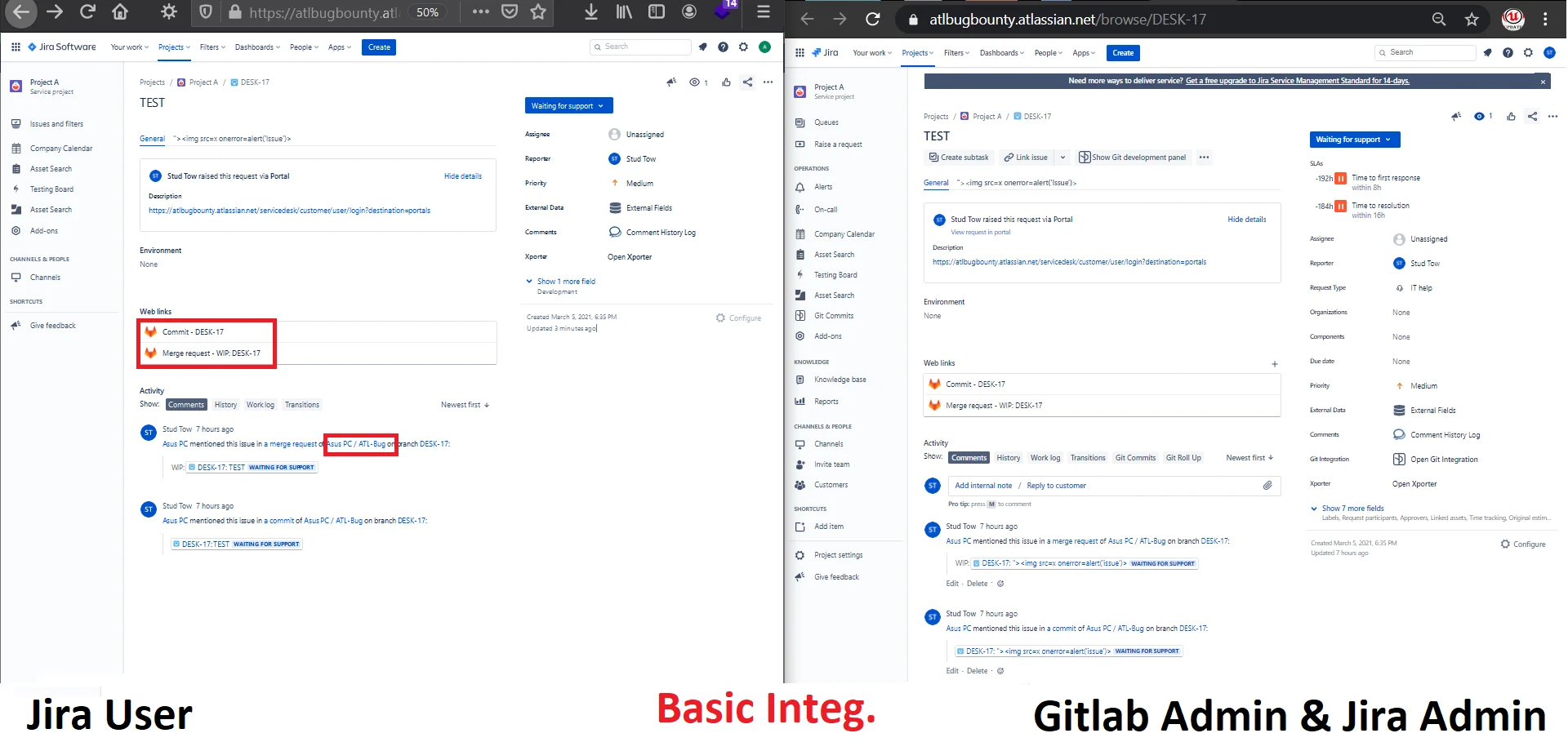
As it is not possible in the Jira server to restrict access to the comments or links added in the issues and it can be viewed by any employee who has the powers to view the issues in Jira.
Steps to reproduce
(1. Install Gitlab Server Or use Gitlab cloud )
(2. Create Project and set project as private)
(3. Go to project setting > integrations > Jira )
(4. Link your Jira Account with gitlab server/Cloud) Ref
(5. install Gitlab Jira Integration app and link Jira With Gitlab by Gitlab Jira Integration app]
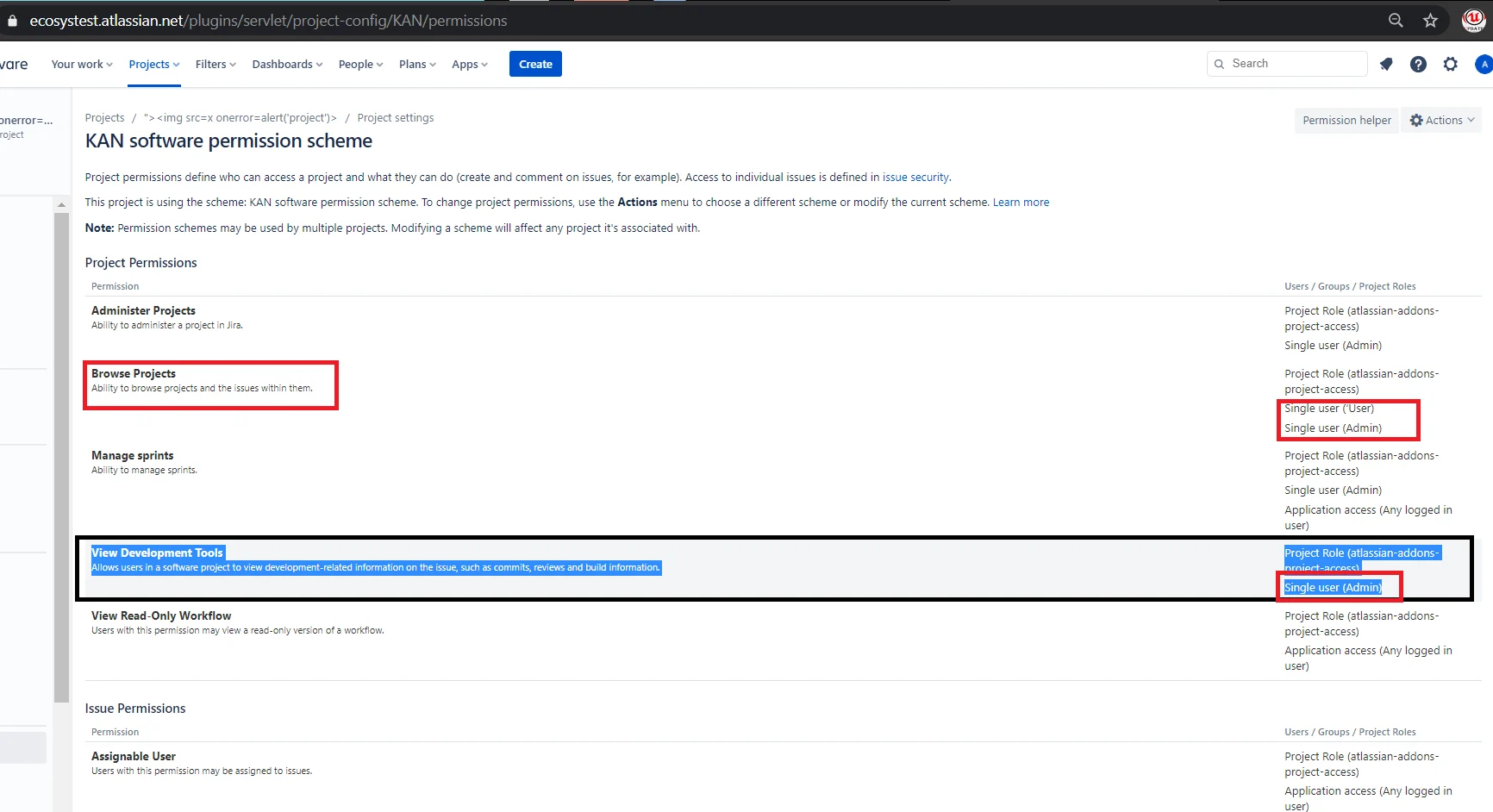
(6. Go to Jira project > setting > permissions {BaseUrl}/plugins/servlet/project-config/<Project-Key>/permissions and set permissions as image)
Now
(6. Refer to an issue in the Jira project and go to the issue from the administrator's account and the user. You will notice from the administrator’s account that there is a comment and a Development panel containing the reference information, while from the user’s account you will see the comment only )
Impact
Therefore, I think that relying on the integration method through the GitLab for Jira Integration app is better and safer and prevents the leakage of private project information in Gitlab to unauthorized users.
Attachments
Warning: Attachments received through HackerOne, please exercise caution!
- jira_dev_panel_jira_setup_3.png
- jira_issue_reference.png
- PrivProjecInGitlab.png
- JiraAppIntef.png
- JiraPerm.png
How To Reproduce
Please add reproducibility information to this section:
Not written yet. The AI write-up for this report has not been written yet. The Original tab links to the source.
How it worked
Root cause
Likely the basic Jira integration does not check whether the GitLab project is private before adding a comment with a link to the project in the Jira issue.
Impact
Any Jira user who can view the issue can see a comment linking to the private GitLab project, potentially exposing private commits and merge requests.
What the attacker needed
Private GitLab project; basic Jira integration configured; Jira user with access to the issue
The fix
The report recommends using the GitLab for Jira Integration app instead of the basic integration to avoid leaking private project information.
How it was found
- Create a private project in GitLab.
- Configure the basic Jira integration in the project settings.
- Link the GitLab project to a Jira project.
- Mention a Jira issue in the GitLab project (e.g., in a commit or merge request).
- View the Jira issue as a user; a comment with a link to the private GitLab project is visible.
Explained by bugbounty.wiki with AI from the original and checked against quotes from it; it can still be wrong. Read the original before relying on a detail.
Not written yet. The AI write-up for this report has not been written yet. The Original tab links to the source.
GitLab and Jira can be connected so that when you mention a Jira issue in GitLab, a comment is automatically added to that Jira issue. If the GitLab project is private, that comment still includes a link to the private project. Anyone who can see the Jira issue can then see that link and know the private project exists, which may lead to unauthorised access.
What is Info disclosure?
Data the application should keep private (personal data, internal details, other users' records) reaches someone it should not.




