User is allowed to set an email as Notification email even without verifying the new email
GitLab allowed users to set an unconfirmed email address as their notification email, bypassing the verification step. An attacker could use this to send bulk emails to many users without confirming the email address.

GitLab
Originally disclosed on GitLab
- Fixed in 17 months
- Disclosed after 17 months
HackerOne report #471907 by rgupt on 2018-12-25:
Summary: When a user signs up with a new email address, before allowing the user to login with that email address on Gitlab, the user is asked to Confirm the email address. However, when a user tries to add a new email address from the User Settings page, user is allowed to select that email for all the Notifications even when the user has not confirmed their new email address.
Steps To Reproduce:
- Go to Gitlab.com & signup with a new email account.
- User will be asked to confirm their email address before allowing the user to login.
- Now confirm the email address and login to your account.
- Navigate to User Settings -> Emails Page.
https://gitlab.com/profile/emails 5. Add a new email address. Do not confirm that email address yet.
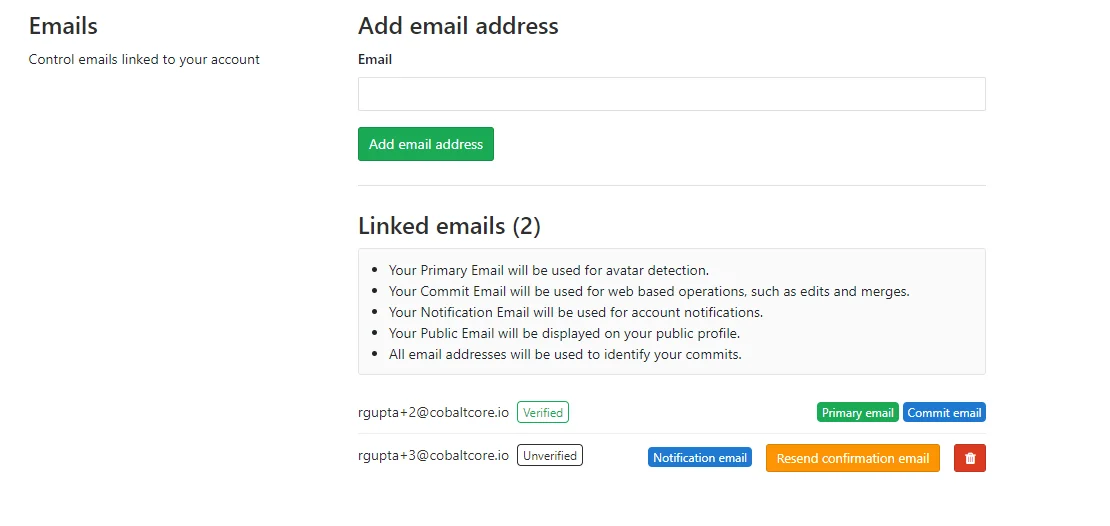
- Now navigate to User Settings -> Notifications page.
https://gitlab.com/profile/notifications 7. Select the newly added unconfirmed email as the Notification email. 8. User is allowed to select the unconfirmed email as the Notification email without any restriction.
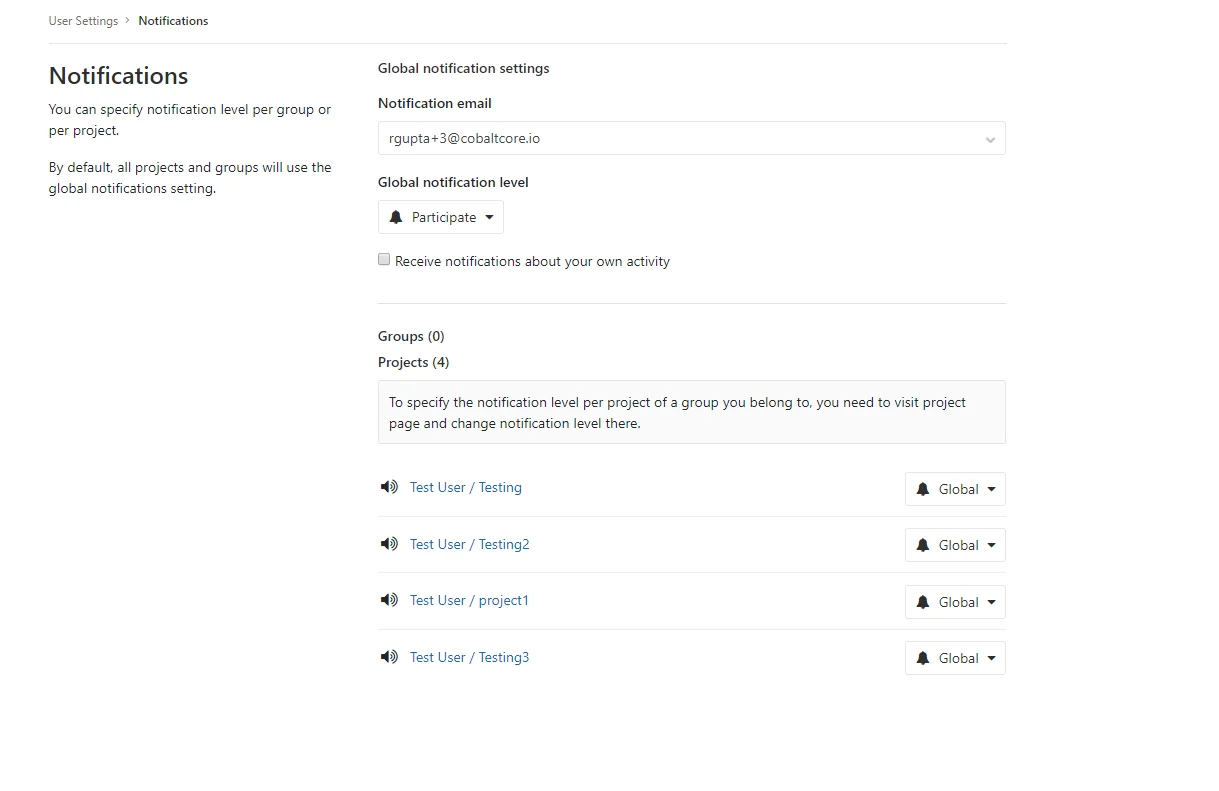
Impact
Hacker can use this vulnerability to promote their own project or other projects and send 1000s of emails to 1000s of users, without requiring the user to confirm the newly added email account.
Proposal
Users should only be able to set confirmed email addresses as their notification email address in /profile/notifications.
Attachments
Warning: Attachments received through HackerOne, please exercise caution!
Not written yet. The AI write-up for this report has not been written yet. The Original tab links to the source.
How it worked
Impact
An attacker could use this to send thousands of emails to many users without confirming the email address, potentially for spam or promotion.
What the attacker needed
A GitLab account; ability to add an email address
The fix
The application should only allow confirmed email addresses to be set as the notification email.
How it was found
- Sign up for GitLab with a new email and confirm it.
- Go to the Emails page in user settings.
- Add a new email address but do not confirm it.
- Go to the Notifications page in user settings.
- Select the newly added unconfirmed email as the notification email.
Explained by bugbounty.wiki with AI from the original and checked against quotes from it; it can still be wrong. Read the original before relying on a detail.
Not written yet. The AI write-up for this report has not been written yet. The Original tab links to the source.
When you add a new email to your account, GitLab normally asks you to confirm it before you can use it. This report found that you could still choose that unconfirmed email to receive notifications. That means someone could use a fake email to send lots of notifications without proving they own it.
What is Business logic?
The application works as coded but not as intended: a negative price, a skipped payment step, a limit that can be crossed.




