Gitlab XSS through PlantUML proxy
GitLab's PlantUML proxy served user-supplied SVG files from the GitLab domain without sanitising them, so an attacker could embed a script in an SVG and have it execute in the context of gitlab.example.com. This could let an attacker steal cookies or redirect users to a malicious site.

GitLab
Originally disclosed on GitLab
- Fixed in 6 months
- Disclosed after 6 months
HackerOne report #1466686 by solov9ev on 2022-02-01, assigned to @mhenriksen:
Report | Attachments | How To Reproduce
Report
Hi, Security Team!
I discovered a Gitlab XSS vulnerability through PlantUML proxy
Steps to reproduce
- First, install PlantUML (
sudo docker run -d --name plantuml -p 8080:8080 plantuml/plantuml-server:tomcat)
PlantUML Server Version 1202200
- Next step install Gitlab (
sudo docker run --detach --hostname gitlab.example.com --publish 443:443 --publish 80:80 --publish 22:22 --name gitlab gitlab/gitlab-ee:latest)
--------------------------------------------------------------------------------
 Ruby:         ruby 2.7.5p203 (2021-11-24 revision f69aeb8314) [x86_64-linux]
 GitLab:       14.7.0-ee (621e5984888) EE
 GitLab Shell: 13.22.2
 PostgreSQL:   12.7
--------------------------------------------------------------------------------
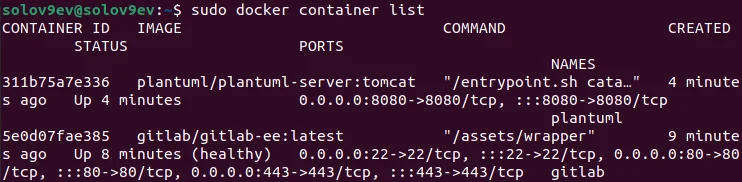
The result is two running containers: Gitlab, PlantUML
- Add values to the file
/etc/passwdon your local machine:

- Let's check that everything works at the assigned addresses
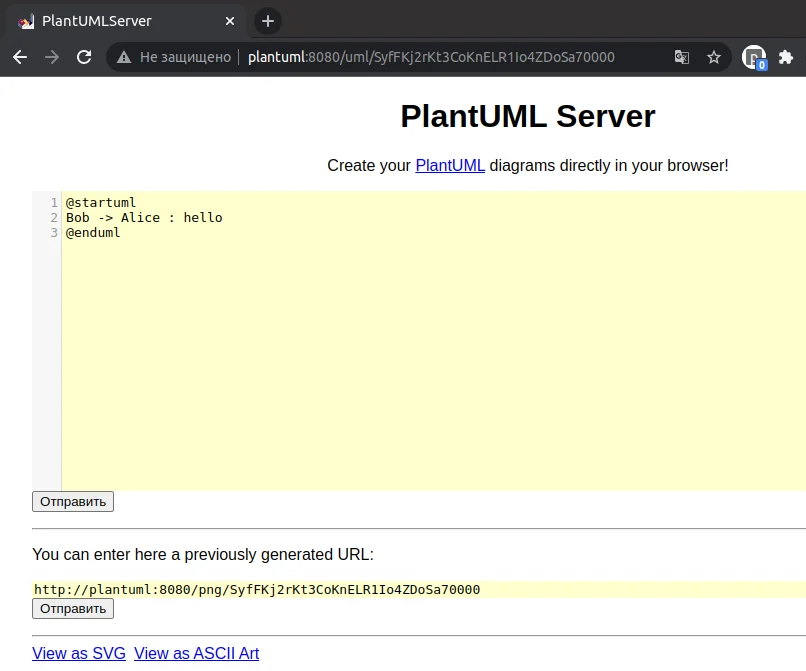
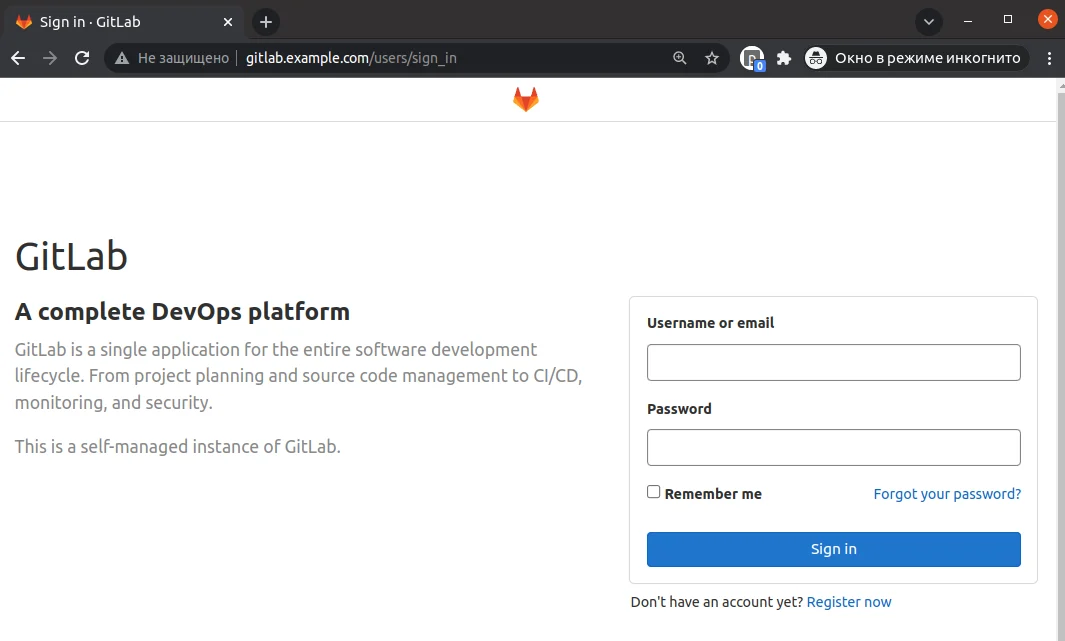
- Now you need to go into the Gitlab docker container and configure proxying in nginx according to the Gitlab documentation (https://docs.gitlab.com/ee/administration/integration/plantuml.html). In our case, the Gitlab container has id 5e0d07fae385
Install a program for editing files in the docker container: apt update && apt install nano

Now you need to edit the Nginx configuration in Gitlab docker container: nano /etc/gitlab/gitlab.rb
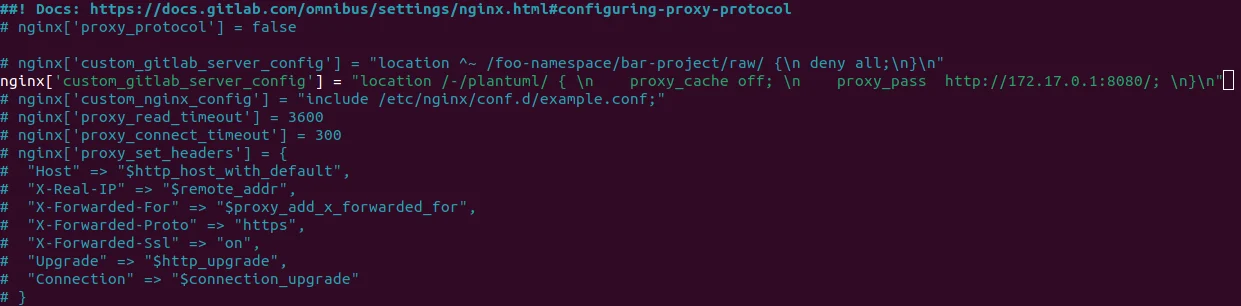
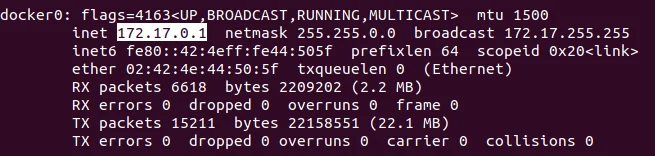
I specified the ip address 172.17.0.1 because it is the docker address that I found out by running the ifconfig command on my local machine
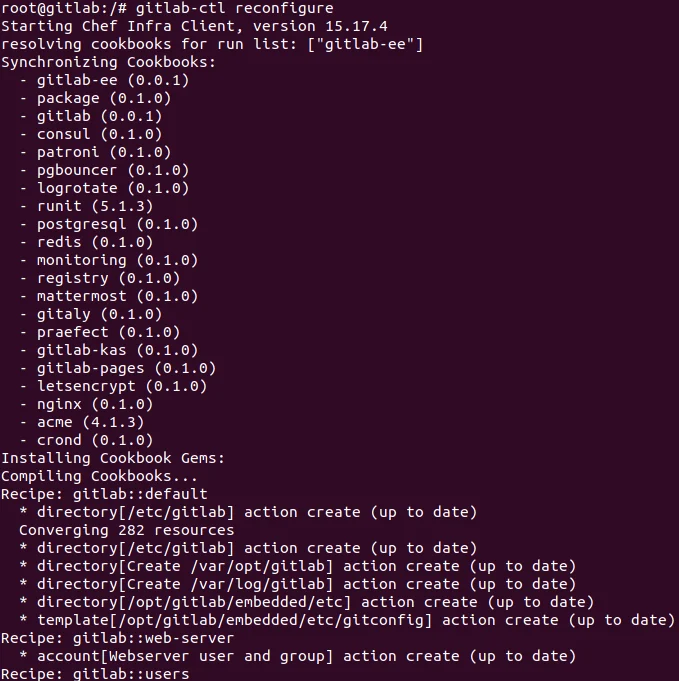
After making changes to the file /etc/gitlab/gitlab.rb, reconfigure the gitlab container: gitlab-ctl reconfigure
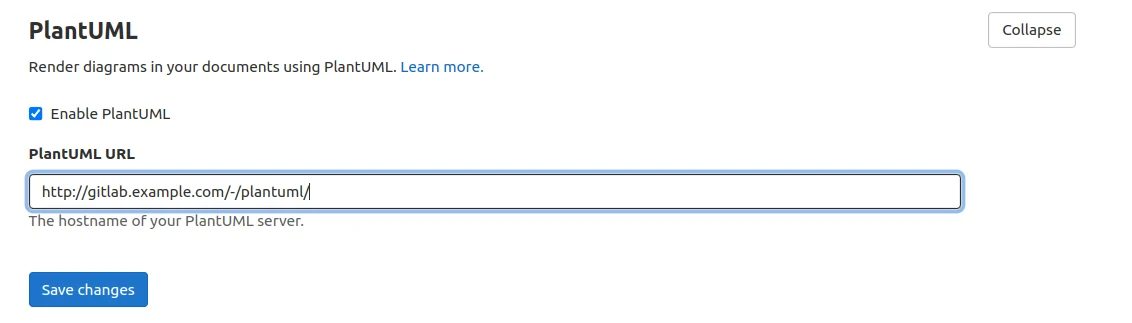
- Now you need to configure proxying to the PlantUML in the settings of the Gitlab web system
- On the local machine (http://192.168.0.10:1337/xss_svg.svg), I placed the following SVG exploit. It must contain the height and width. Although this exploit can be placed anywhere
<?xml version="1.0" standalone="no"?>
<!DOCTYPE svg PUBLIC "-//W3C//DTD SVG 1.1//EN" "http://www.w3.org/Graphics/SVG/1.1/DTD/svg11.dtd">

<svg version="1.1" width="200" height="200" baseProfile="full" xmlns="http://www.w3.org/2000/svg">
   <polygon id="triangle" points="0,0 0,50 50,0" fill="#009900" stroke="#004400"/>
   <script type="text/javascript">
      alert(document.domain);
   </script>
</svg>
- The user can then create a wiki page with the
AsciiDoctype
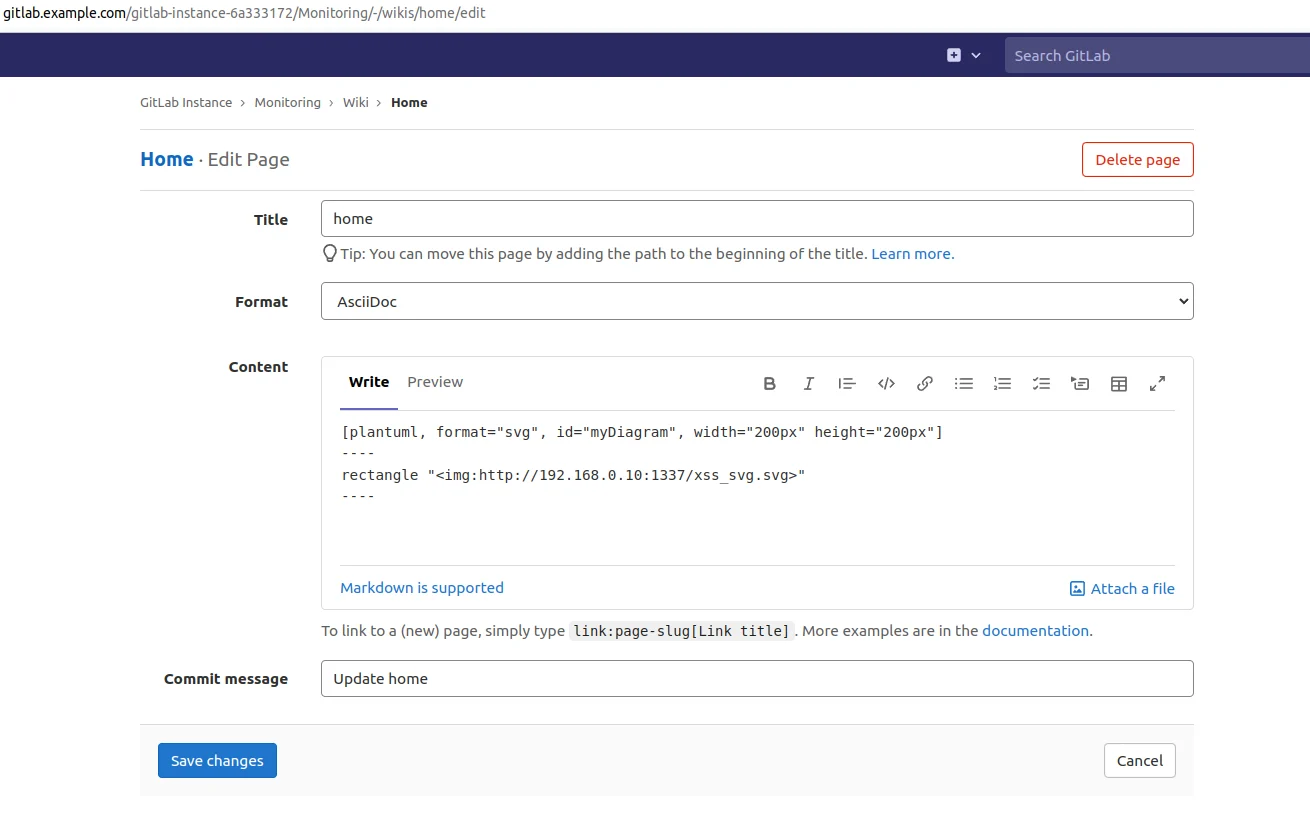
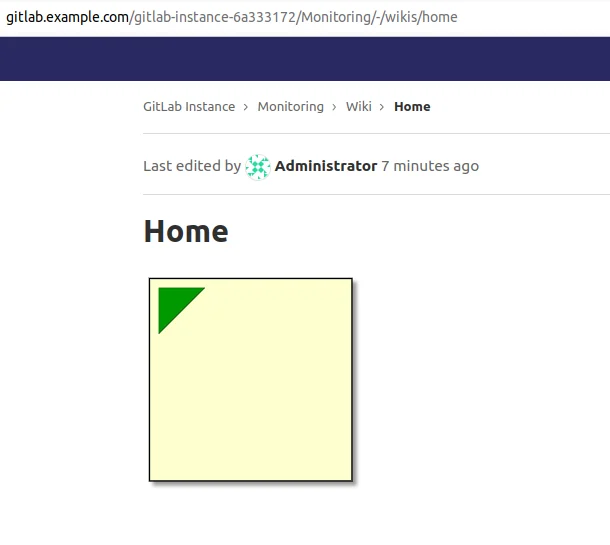
- After clicking on the SVG, due to proxying, gitlab displays svg in the gitlab.example.com domain
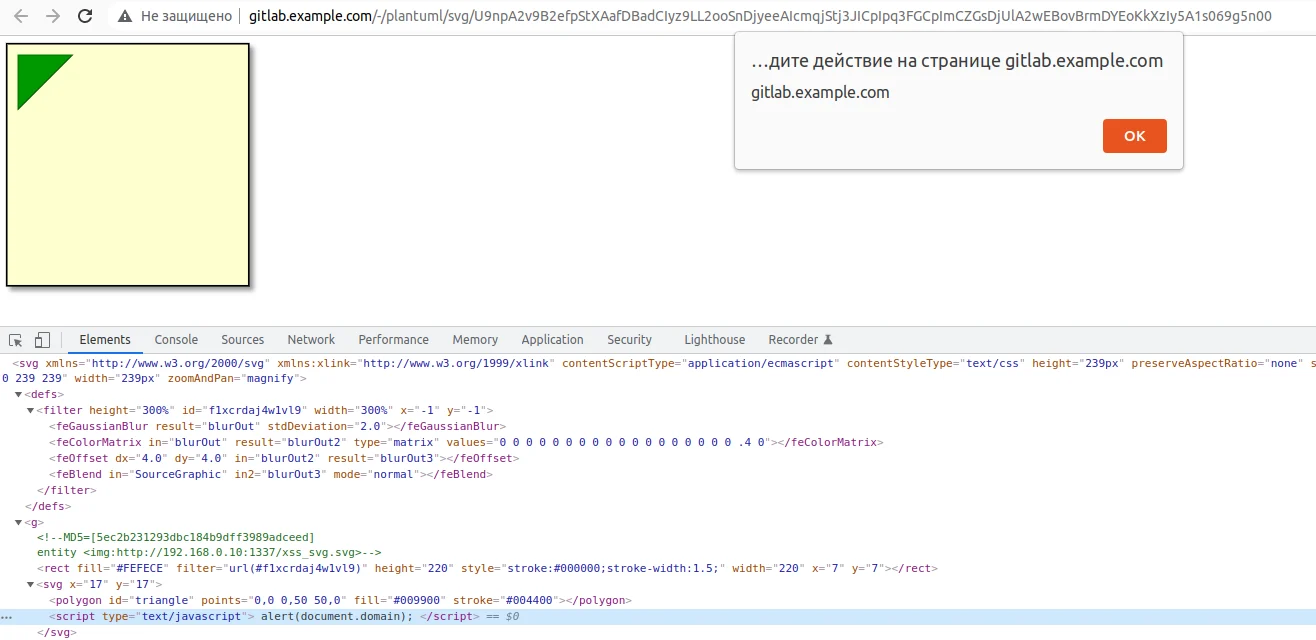
- I proved that this SVG works in the github domain and provided the POC in this report #1457495
Impact
With this vulnerability, an attacker can for example steal users cookies or redirect users on malicious website.
Attachments
Warning: Attachments received through HackerOne, please exercise caution!
How To Reproduce
Please add reproducibility information to this section:
Not written yet. The AI write-up for this report has not been written yet. The Original tab links to the source.
How it worked
Root cause
Likely the PlantUML proxy in GitLab served SVG content inline without sanitising or forcing a safe content type, allowing embedded scripts to execute in the GitLab origin.
Impact
An attacker could steal users' cookies or redirect them to a malicious website.
What the attacker needed
GitLab with PlantUML integration enabled; Attacker can host an SVG file; Victim clicks a link to the SVG
How it was found
- Install PlantUML server and GitLab in Docker containers.
- Configure GitLab's nginx to proxy to the PlantUML server.
- Configure PlantUML integration in GitLab settings.
- Host an SVG file containing a script on a local machine.
- Create a wiki page of type AsciiDoc that references the SVG.
- Click the SVG link; the script executes in the GitLab domain.
Explained by bugbounty.wiki with AI from the original and checked against quotes from it; it can still be wrong. Read the original before relying on a detail.
Not written yet. The AI write-up for this report has not been written yet. The Original tab links to the source.
When GitLab proxies PlantUML, an SVG from another source is shown on the GitLab domain. If the SVG contains a script, it runs as part of GitLab, letting an attacker run code in the victim's browser.
What is XSS?
Script an attacker supplies runs in another user's browser, on the target's origin, with that user's session.




