How I escalate my Self-Stored XSS to Account Takeover with the help of IDOR
 Published on gonzx.medium.com
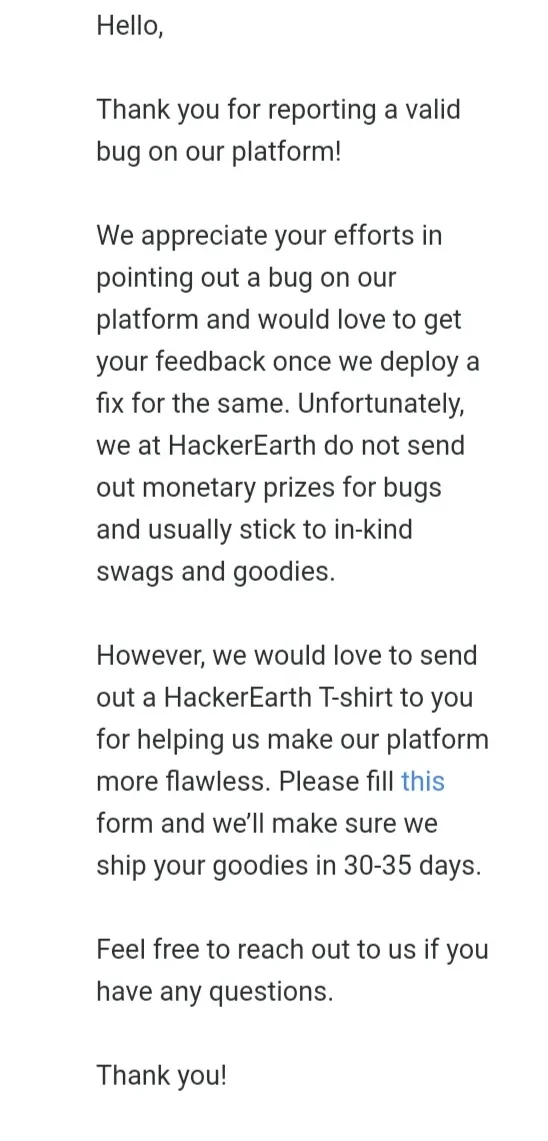
Good day to all Security Researchers and Bug Hunters again Im Jefferson Gonzalesand today I will share my writeup about my findings on HackerEarthand how I got a SWAG from them, so without wasting your time lets begin
The full write-up lives on its author's site
It belongs to its author, so we link to it rather than copy it. The other two tabs are our own rewrites, checked against it.
Context
HackerEarth runs a bug bounty programme, and this write-up covers a finding on one of its subdomains. The researcher does not name the subdomain and refers to it throughout as test.hackerearth.com. The application on that host offers sign-in and sign-up, and after signing up a user is redirected to a dashboard area. Part of the onboarding flow is a profile setup screen where the user supplies a first name, a last name and an email address.
The feature that matters here is the profile setup endpoint, POST /api/sprint/v1/setup-profile/, which stores those three values. The application renders the stored first name back to the user, and that rendering is where the injection lands.
Setup
- Target: a HackerEarth subdomain, referred to as
test.hackerearth.com. - Accounts: the researcher's own account, plus a second, newly created account used to demonstrate the escalation.
- Tooling: manual browsing for recon, and Burp Suite, whose history the researcher reviewed to recover the profile setup request.
- Precondition for the attack: knowledge of the victim's email address.
Finding it
The researcher collected the subdomains of HackerEarth and checked them by hand. One subdomain stood out and is referred to as test.hackerearth.com.
After signing up and landing on the dashboard, the researcher hunted for CSRF without success, then tried putting an XSS payload into the name field. The payload fired. On its own, however, this was a Self-XSS: the application has no function for viewing another user's profile, so a user can only ever see their own profile, and a payload stored in your own name only executes in your own session.
Exploitation
To turn the Self-XSS into something with real impact, the researcher went back through the Burp Suite history and pulled out the request that is sent when the name is changed.
Step 1: capture the profile setup request
POST /api/sprint/v1/setup-profile/ HTTP/2
Host: test.hackerearth.com
Origin: https://test.hackerearth.com
Referer: https://test.hackerearth.com/auth/setup-profile
Te: trailers
Connection: close

first_name=</script><svg/onload=alert(1)>&last_name=Tanga&email=[redacted]
The body carries three parameters: first_name, which holds the XSS payload </script><svg/onload=alert(1)>; last_name; and email, which in this captured request is the researcher's own address. The important observation is that the email address is a client-supplied body parameter, not something derived from the authenticated session.

Step 2: swap the email for the victim's
The researcher created a new account and replayed the same request, changing only the email parameter to the victim's address.
POST /api/sprint/v1/setup-profile/ HTTP/2
Host: test.hackerearth.com
Origin: https://test.hackerearth.com
Referer: https://test.hackerearth.com/auth/setup-profile
Te: trailers
Connection: close

first_name=</script><svg/onload=alert(1)>&last_name=Tanga&email=[redacted]
Step 3: the payload fires on the new account
The XSS triggered on the new account. The XSS triggered on the new account after the email in the request was changed to the victim's address.
As the researcher puts it, all you need is the email of your victim to take over any account on test.hackerearth.com.
Root cause
The email address was a client-supplied body parameter, and changing it to the victim's address made the XSS trigger on the new account. That is an insecure direct object reference: the object being modified (the profile belonging to an email address) is selected by user-controlled input, with no check that the caller owns it.
The payload in the first name field fired. The Self-XSS limitation was never a real defence: it only held because there was no way to make another user view a profile, and the IDOR removes that limitation by letting an attacker write into someone else's profile.
Impact
The researcher states that all you need is the email of your victim to take over any account on test.hackerearth.com. In the researcher's framing this is enough to take over any account on the host. The attack requires the victim's email address, and it is limited to this subdomain.
Fix
The issue was fixed. The report gives the timeline: reported on 4 July 2021, initial reply on 5 July 2021, and fixed on 23 July 2021. The researcher does not describe the change that was made.
Variants to test
- Look for profile or settings endpoints that take an identifier such as an email, user ID or username in the body, and try substituting another account's value. A positive result is the response succeeding and the change appearing on the other account.
- Combine any such write primitive with a stored field that is rendered elsewhere, such as a name, display name or bio. A positive result is your payload executing in the other account's session.
- Check whether the same endpoint accepts the identifier as a query parameter or header as well as in the body, since filters are often applied to only one location.
- Test whether the application derives the target from the session when the identifier is omitted, and whether supplying it overrides that behaviour. A positive result is the write landing on the account you named rather than your own.
What happened, in plain words
HackerEarth is a website where people practise programming and take part in coding challenges. Like many companies, it runs a bug bounty programme: a scheme where independent security researchers are invited to look for weaknesses in the company's systems and report them, often for a reward. This write-up is about one such finding on a part of HackerEarth's site.
The researcher does not name the exact subdomain, so throughout the article it is called test.hackerearth.com. A subdomain is a smaller site that sits under a main domain: if hackerearth.com is the main building, subdomains are the different rooms inside it, each with its own address and often its own application.
The application on that host lets people sign in and sign up. After signing up, a new user is sent to a dashboard, a personal home area. As part of getting started, the user fills in a profile setup screen with a first name, a last name and an email address.
The piece of the application that matters here is the profile setup endpoint, POST /api/sprint/v1/setup-profile/, which saves those three values. An endpoint is simply a specific address on a server that accepts a particular kind of request and does something with it, like a service counter in a building: you go to the right counter, hand over your form, and the clerk files it. The application then shows the saved first name back to the user, and that display is where the problem appears.
The setup
- Target: a HackerEarth subdomain, referred to as
test.hackerearth.com. - Accounts: the researcher's own account, plus a second, newly created account used to demonstrate the escalation.
- Tools: manual browsing for reconnaissance, and Burp Suite, a program that sits between your browser and a website and records every request and response. The researcher went back through Burp Suite's history to recover the profile setup request.
- Precondition for the attack: knowing the victim's email address.
Reconnaissance (often shortened to recon) means the early, exploratory phase of a security test: finding out what exists before trying to break anything. Here it meant gathering the list of HackerEarth subdomains and looking at each one by hand.
Finding it
The researcher collected the subdomains of HackerEarth and checked them manually. One subdomain stood out and is referred to as test.hackerearth.com.
After signing up and landing on the dashboard, the researcher looked for CSRF. CSRF, or cross-site request forgery, is a class of attack where a malicious page tricks a logged-in user's browser into sending a request to another site without the user meaning to, for example changing their settings or making a transfer. Nothing came of that search.
Next the researcher tried putting an XSS payload into the name field, and the payload fired. XSS, or cross-site scripting, is a class of weakness where an application takes something a user supplied and puts it into a page in a way that makes the browser treat it as code rather than as text. A payload is the small piece of input an attacker supplies to trigger the weakness. When a payload "fires", the browser has executed it, which in this case means a pop-up box appeared.
On its own, however, this was a Self-XSS. A Self-XSS is a weakness that only affects the person who typed the payload: the code runs in your own browser session, against your own account, and nobody else is harmed. It is like writing a rude note on your own desk: only you will ever read it. The reason it was only a Self-XSS here is that the application has no function for viewing another user's profile, so a user can only ever see their own profile, and a payload stored in your own name only executes in your own session.
Turning it into a real attack
To turn the Self-XSS into something with real impact, the researcher went back through the Burp Suite history and pulled out the request that is sent when the name is changed. The goal was to find a way to make the payload land in somebody else's profile, because then it would run in that person's session instead of the researcher's own.
Step 1: capture the profile setup request
POST /api/sprint/v1/setup-profile/ HTTP/2
Host: test.hackerearth.com
Origin: https://test.hackerearth.com
Referer: https://test.hackerearth.com/auth/setup-profile
Te: trailers
Connection: close

first_name=</script><svg/onload=alert(1)>&last_name=Tanga&email=[redacted]
Line by line, in plain words:
POST /api/sprint/v1/setup-profile/ HTTP/2is the request line.POSTis the method, the verb that tells the server "I am sending data for you to save"./api/sprint/v1/setup-profile/is the path, the address of the endpoint on the server.HTTP/2is the version of the language the browser and server use to talk to each other. An API (application programming interface) is a set of endpoints like this one that a program, rather than a human clicking pages, is meant to call.Host: test.hackerearth.comsays which site on the server the request is for. One server can host many sites, so the server needs to be told which one you mean.Origin: https://test.hackerearth.comtells the server which site the request came from. Browsers add this automatically, and servers can use it as a security check.Referer: https://test.hackerearth.com/auth/setup-profilesays which page the request was sent from, here the profile setup page.Te: trailersandConnection: closeare housekeeping headers. A header is a labelled line of extra information attached to a request or response.Connection: closeasks the server to close the network connection after answering.- The blank line separates the headers from the body. The body is the actual data being sent.
first_name=</script><svg/onload=alert(1)>&last_name=Tanga&email=[redacted]is the body, written in the samename=value&name=valueformat that a web form uses.first_nameholds the XSS payload</script><svg/onload=alert(1)>.last_nameisTanga.emailis the researcher's own address,[redacted].
The important observation is that the email address is a value supplied by the client, the browser, in the body of the request. It is not something the server works out for itself from the logged-in session. A session is the server's memory of who you are after you sign in; normally the server keeps that memory itself, tied to a cookie or token, which is a small piece of data your browser stores and sends back with each request so the server can recognise you. If the server trusts a value from the body instead of its own session memory, the client can put anything it likes there.
Step 2: swap the email for the victim's
The researcher created a new account and replayed the same request, changing only the email parameter to the victim's address.
POST /api/sprint/v1/setup-profile/ HTTP/2
Host: test.hackerearth.com
Origin: https://test.hackerearth.com
Referer: https://test.hackerearth.com/auth/setup-profile
Te: trailers
Connection: close

first_name=</script><svg/onload=alert(1)>&last_name=Tanga&email=[redacted]
This request is identical to the first except for one value: email is now [redacted] instead of the researcher's own address. Everything else, including the payload in first_name, is unchanged. The idea being tested is simple: if the server decides whose profile to write based on the email in the body, then naming somebody else's email should make the server write into that person's profile.
Step 3: the payload fires on the new account
The XSS triggered on the new account. The XSS triggered on the new account after the email in the request was changed to the victim's address. Rendering is the moment the server or browser turns stored data into the page you actually see.
As the researcher puts it, all you need is the email of your victim to take over any account on test.hackerearth.com. Account takeover means gaining control of somebody else's account, for example by running code in their logged-in session.
Why it worked
The email address was a value supplied by the client in the body of the request, and changing it to the victim's address made the XSS trigger on the new account. In everyday terms: the clerk at the counter files your form under whatever name you wrote on it, without checking that the name is yours.
That is an insecure direct object reference, usually shortened to IDOR. An object here means a specific record in the application, such as one user's profile. A direct object reference means the application lets the client name that record directly, for example by sending its identifier. The reference is insecure when the application does not check that the caller is allowed to touch the record they named. The identifier in this case is the email address.
The payload in the first name field fired. Output encoding means converting characters that have special meaning in a page, such as < and >, into harmless equivalents before displaying them, so the browser shows them as text instead of running them as code. Because that conversion was missing, the </script><svg/onload=alert(1)> payload executes.
The Self-XSS limitation was never a real defence. It only held because there was no way to make another user view a profile, and the IDOR removes that limitation by letting an attacker write into someone else's profile.
What an attacker could do
The researcher states that all you need is the email of your victim to take over any account on test.hackerearth.com. In the researcher's framing this is enough to take over any account on the host. The attack requires the victim's email address, and it is limited to this subdomain.
The fix
The issue was fixed. The report gives the timeline: reported on 4 July 2021, initial reply on 5 July 2021, and fixed on 23 July 2021. The researcher does not describe the change that was made.
Things worth trying on other sites
- Look for profile or settings endpoints that take an identifier such as an email, user ID or username in the body, and try substituting another account's value. A positive result is the response succeeding and the change appearing on the other account.
- Combine any such write primitive with a stored field that is rendered elsewhere, such as a name, display name or bio. A positive result is your payload executing in the other account's session.
- Check whether the same endpoint accepts the identifier as a query parameter or header as well as in the body, since filters are often applied to only one location. A query parameter is the part of a URL after the
?, and a header is one of the labelled lines described above. - Test whether the application derives the target from the session when the identifier is omitted, and whether supplying it overrides that behaviour. A positive result is the write landing on the account you named rather than your own.
Glossary
- Account takeover: gaining control of another person's account, for example by running code in their logged-in session.
- API: a set of endpoints that programs call to send and receive data, as opposed to pages a person clicks through.
- Body: the part of a request that carries the actual data being sent, after the headers and a blank line.
- Bug bounty programme: a scheme where a company invites independent researchers to look for weaknesses and report them, often for a reward.
- Burp Suite: a tool that sits between a browser and a website and records every request and response.
- Cookie: a small piece of data a browser stores and sends back with requests so the server can recognise the user.
- CSRF (cross-site request forgery): an attack where a malicious page tricks a logged-in user's browser into sending an unwanted request to another site.
- Dashboard: a personal home area shown after signing in.
- Endpoint: a specific address on a server that accepts a particular kind of request and performs an action.
- Header: a labelled line of extra information attached to a request or response.
- HTTP/2: a version of the language browsers and servers use to communicate.
- IDOR (insecure direct object reference): a weakness where the application lets the client name a record directly and does not check that the caller is allowed to access it.
- Output encoding: converting characters with special meaning in a page into harmless equivalents before display, so they appear as text rather than running as code.
- Payload: the small piece of input an attacker supplies to trigger a weakness.
- POST: the request method that tells a server data is being sent for it to save.
- Query parameter: the part of a URL after the
?that carries extra values. - Reconnaissance: the early, exploratory phase of a security test, finding out what exists before trying to break anything.
- Rendering: the moment stored data is turned into the page the user sees.
- Self-XSS: a weakness that only affects the person who typed the payload, running in their own session against their own account.
- Session: the server's memory of who a user is after signing in.
- Subdomain: a smaller site under a main domain, with its own address and often its own application.
- Token: a small piece of data, similar in role to a cookie, that the browser sends so the server can recognise the user.
- XSS (cross-site scripting): a weakness where user-supplied input ends up in a page in a way that makes the browser run it as code.