Local file inclusion at IKEA.com
The IKEA bathroom planner allowed users to manipulate the PDF template used for shopping lists, and the outdated mPDF library permitted local file inclusion via an annotation tag. An attacker could embed server files such as /etc/passwd into the generated PDF.
 Published on medium.com
Most of the LFI attacks are caused by code that dynamically loads images or other files. If the requested filename or path is not properly validated it will serve you the private files you requested.
The full write-up lives on its author's site
It belongs to its author, so we link to it rather than copy it. The other two tabs are our own rewrites, checked against it.
Context
IKEA runs a bug bounty program that permits testing and later publication, provided the rules of responsible disclosure are followed. Among the many properly designed websites and apps in the estate, one subdomain stood out: Bathroomplanner.IKEA.com, a tool that lets you look up products and add them to your own bathroom product list.
The list can be emailed or downloaded locally as a PDF. The generated PDF consists of some text and product images, nothing special at first sight.
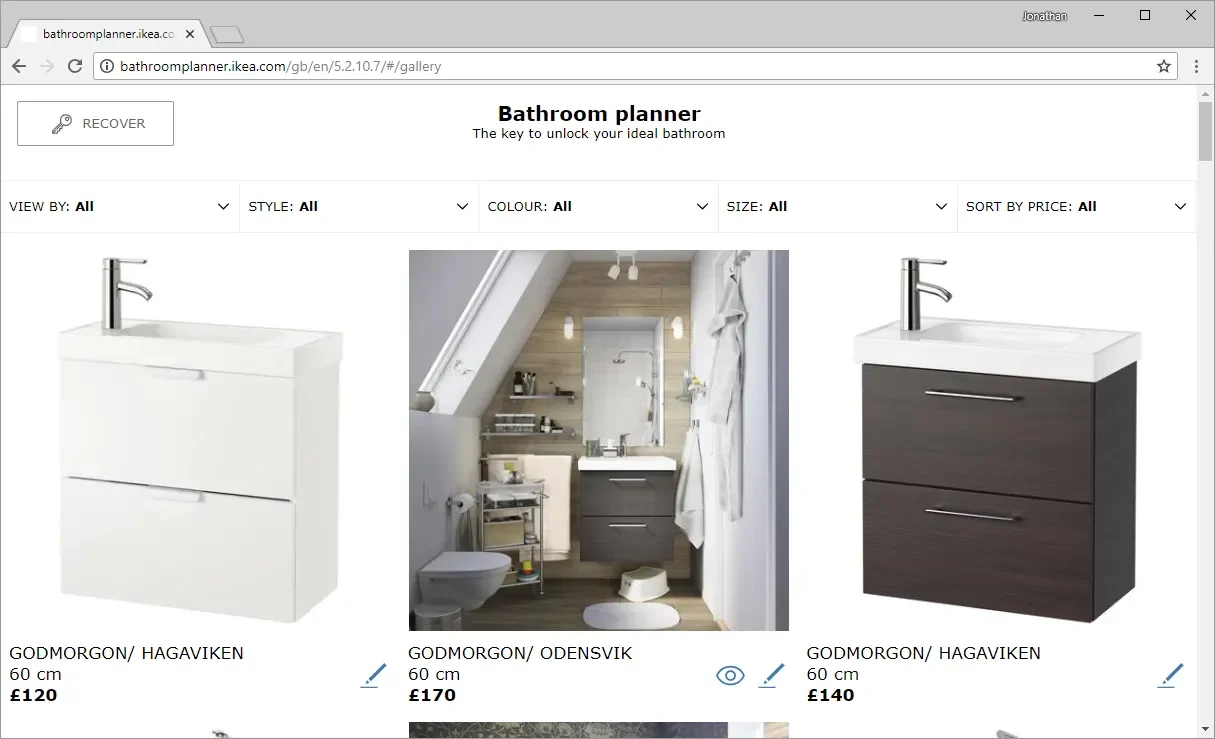
The Bathroom Planner
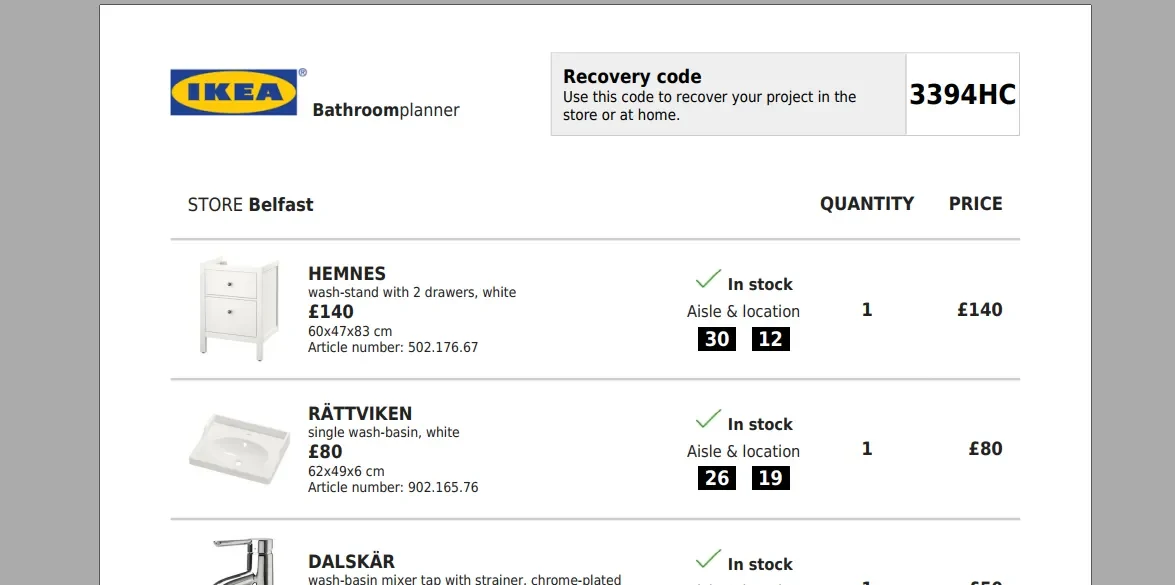
Example of the PDF shopping list
The question that drives the whole report is simple: how is that PDF generated, and what does the browser send to the server to make it happen?
Setup
The work needs no account on the target. The tools used are:
- Aquatone, to enumerate subdomains from public domain databases and collect screenshots.
- Burp Suite, to intercept and replay the traffic between browser and the IKEA web server.
- A Base64 decoder (the report points at
http://decodebase64.com/). - A URL encoder/decoder (the report points at
https://meyerweb.com/eric/tools/dencoder/). - A local copy of the mPDF library, plus its CHANGELOG and GitHub history.
- Foxit Reader, to open the resulting PDF and inspect the annotation marker.
Finding it
I start by enumerating all the (sub)domains of the target. Aquatone looks the domain up in different public domain databases and returns a list of active subdomains, including screenshots.
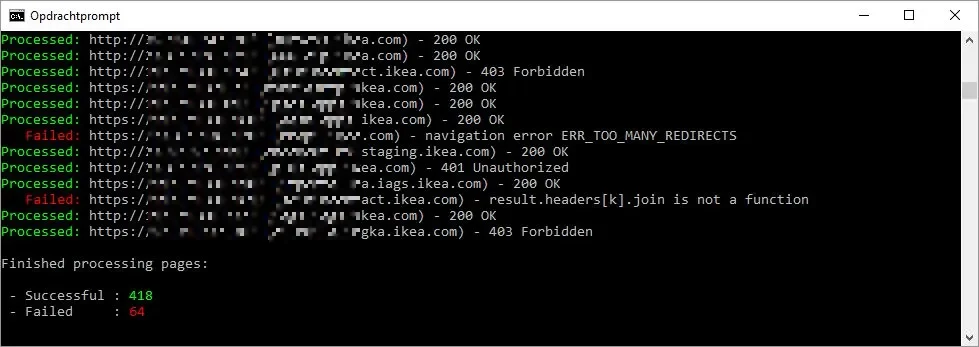
Aquatone found 418 active subdomains
One of the subdomains is the bathroom planner. I open the front page, add a product to the list, and intercept the request the browser sends to IKEA.
The request our browser sents to IKEA if we add a product to our list
Several fields in that request are interesting:
data: a JSON blob containing product and image codes, no file paths.shopping: a JSON blob containing our product list, no file paths.pdf: a long string of characters, contents unclear.images: some base64 encoded images.
The pdf field is the one worth pulling apart.
Recognising the encoding
A long string of alphanumeric characters is worth checking as Base64. Base64 is used for data transport of files, and a decoder is easy to reach.
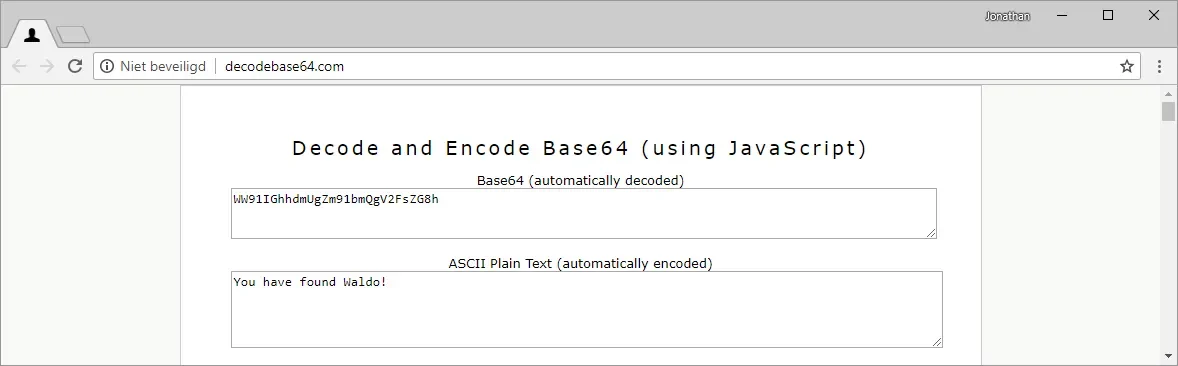
Decode Base64 strings
Pasting the string into the decoder gives an error: it contains invalid characters such as %. That suggests the string is also URL encoded, so it has to be URL decoded first and Base64 decoded afterwards.
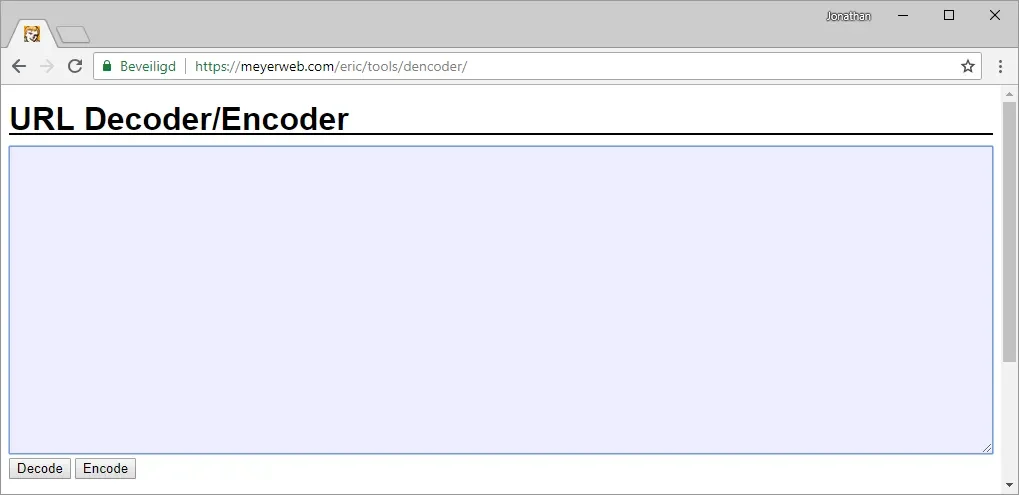
URL decoder and encoder
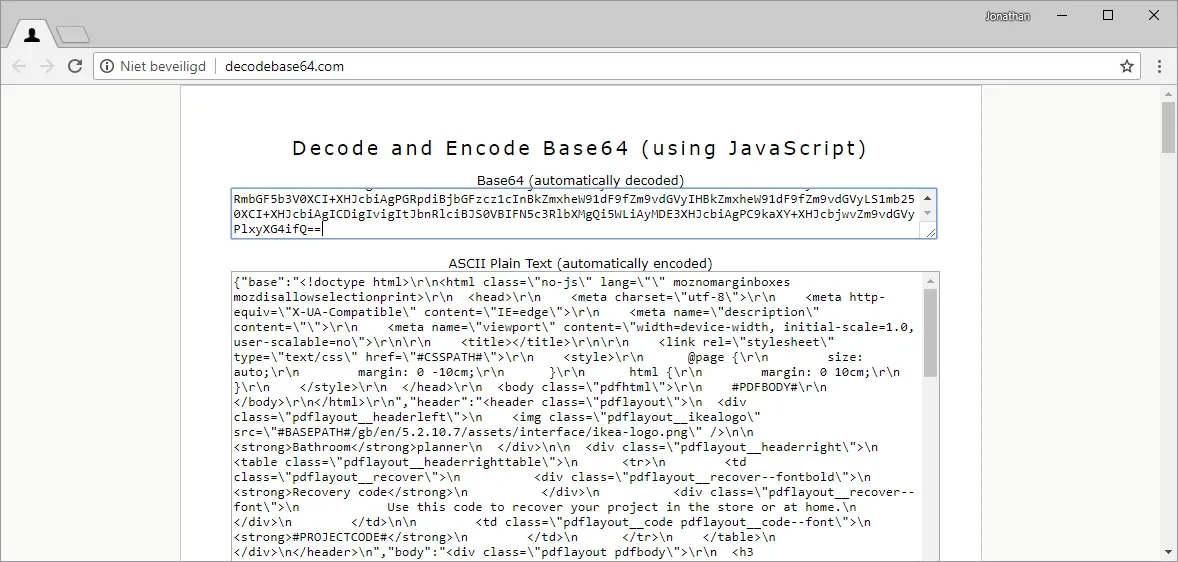
Output after URL en Base64
The decoded output is a template. When a product is added to the list, the browser also supplies the IKEA web server with the template used for generating the PDF shopping list. That is the attack surface: user-controlled input that ends up inside the PDF generator.
Exploitation
Step 1: try an image include
The first idea is to make the generator pull a local server file into the PDF as an image. I add the following to the template, then Base64 encode and URL encode it again, replace the pdf parameter in Burp Suite and press Forward.
<img src="/etc/passwd">
This does not work. The PDF generator does not recognise the file as an image and will not parse it into the output.
Step 2: identify the PDF library
Plan B is to find another way to include files, which means identifying the tool used for PDF generation. Searching for unique strings found in the template narrows it to two candidates: the node-html-pdf library or the mPDF library.
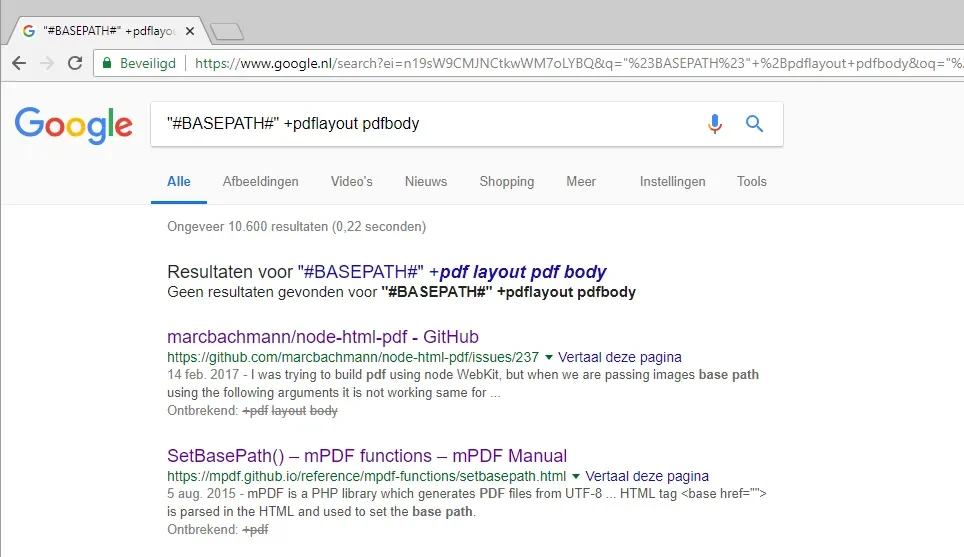
Node-html-pdf or mPDF
After quickly reading the documentation of both, it is clear that mPDF is the library in use.
Step 3: look for known flaws in mPDF
I make a local copy of mPDF to examine it for security bugs. The best place to start is the CHANGELOG, where developers keep track of changes between versions.
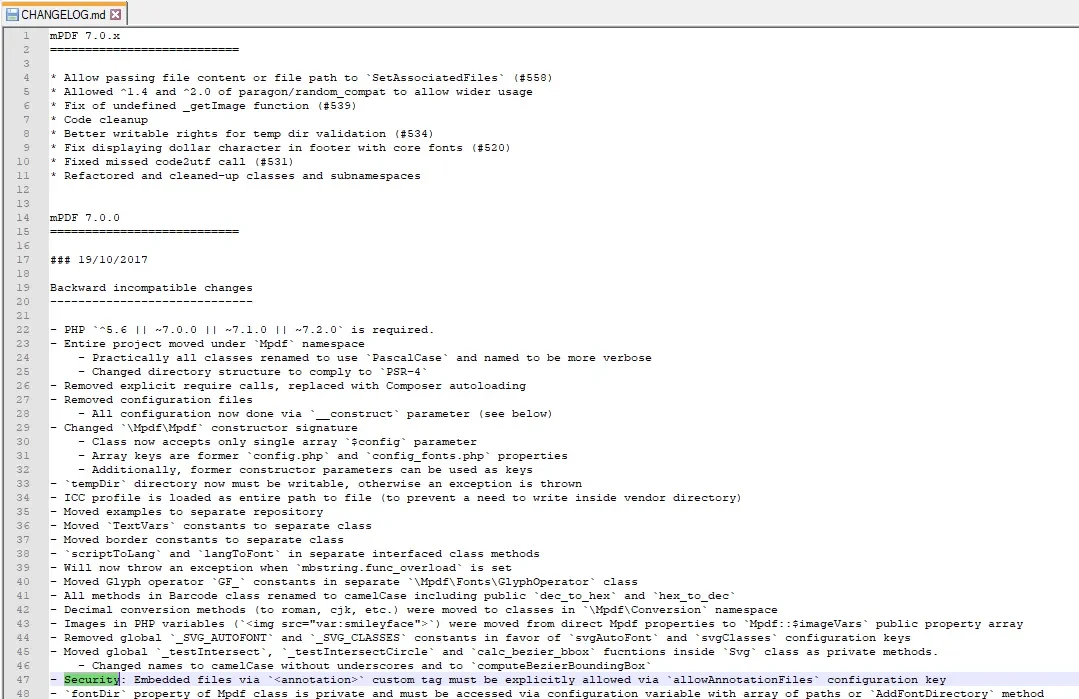
Search for the word Security in the CHANGELOG, it will save you plenty of time
The CHANGELOG shows that mPDF changed the way it handled annotation tags, with the change made on 19/10/2017. The documentation for that tag does not mention file inclusion.
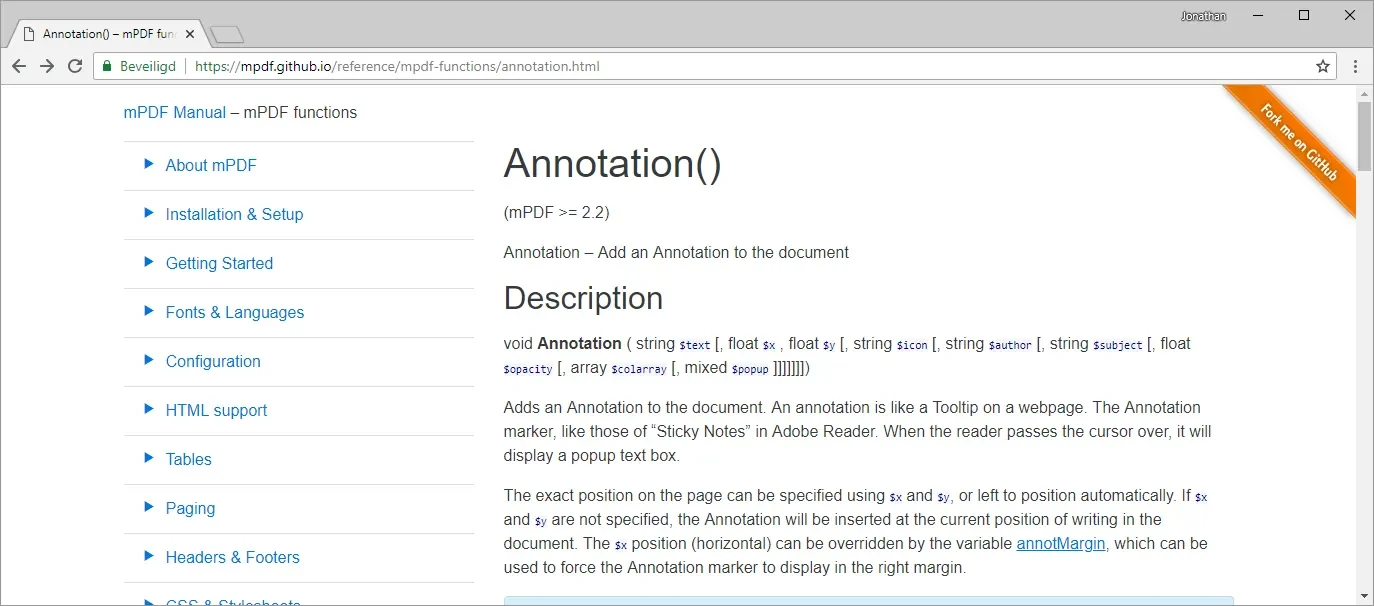
The possibility to include files is not mentioned in the documentation, strange.
A search for other write-ups turns up a reported issue: older versions of mPDF have a serious security problem, and files can be included through the annotation tag. The GitHub commits of the project show the vulnerable mPDF code. So the template is under my control, and there is a tag that includes files. The remaining question is whether IKEA updated the library.
Step 4: the annotation tag
I add the following tag to the template:
<annotation file="/etc/passwd" content="/etc/passwd" icon="Graph" title="Attached File: /etc/passwd" pos-x="195" />
The tag is added to the template and the new template is sent with Burp Suite Repeater. The new template is sent with Burp Suite Repeater and the PDF is downloaded. Opening it in Foxit Reader and looking for the yellow annotation marker shows the file has been embedded.
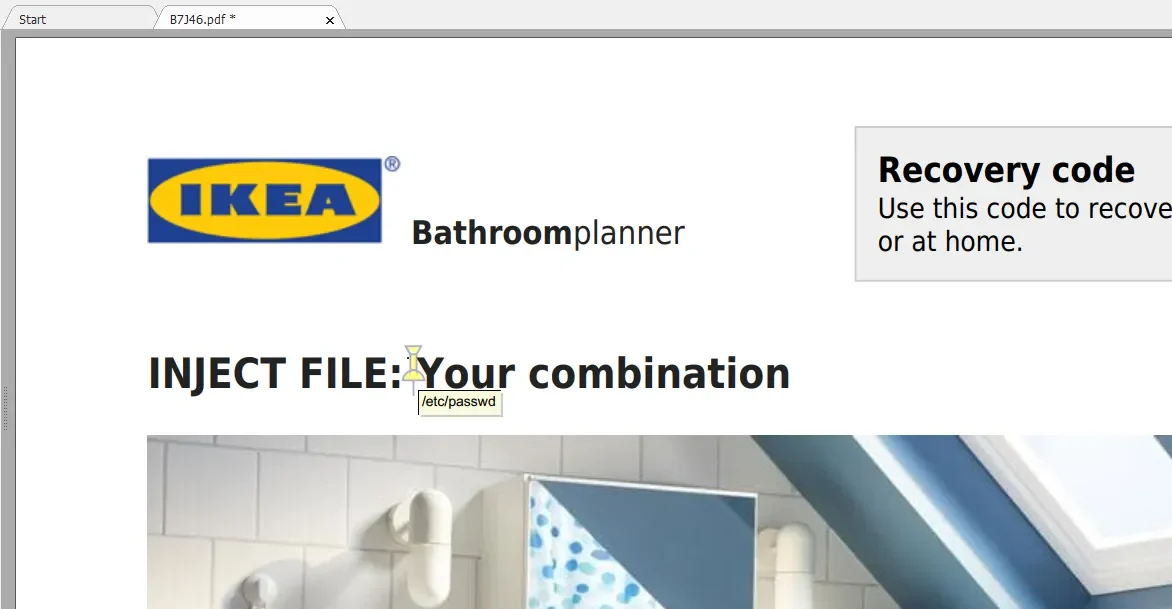
We've got the /etc/passwd file included in our PDF file
A double click on the marker opens the stolen server file.
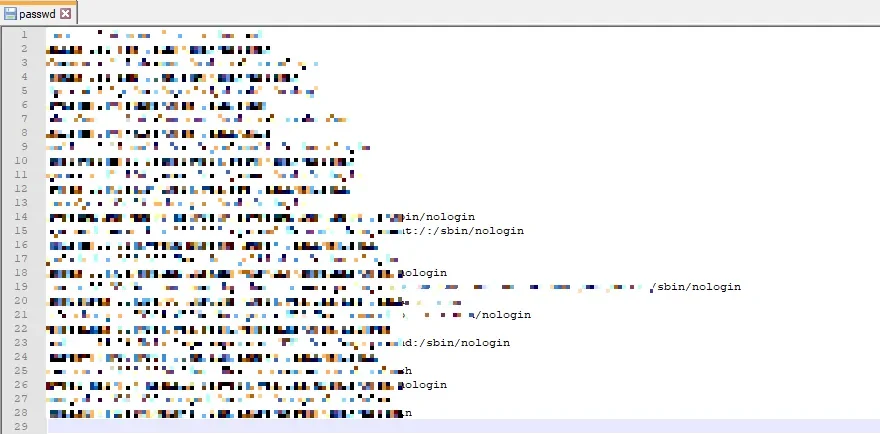
/etc/passwd file contents
The attack is successful: the PDF contains the /etc/passwd file of one of the IKEA production servers.
Root cause
The bathroom planner lets the user manipulate the template used to generate the PDF shopping list. The PDF library in use, mPDF, contains functionality that embeds files into the PDF when a specific annotation tag is present in the template. That functionality was disabled in the latest version of the library, but IKEA had not updated, so the production server was still vulnerable.
Impact
An attacker who can submit a crafted template can cause the server to embed local files into the PDF that is returned to them. In this case the file was /etc/passwd from a production server. The report frames LFI generally as high impact, since configuration, log and source code files can be exposed and it can sometimes lead to remote code execution. The demonstrated result here is disclosure of a server file through the generated PDF.
Fix
The report's recommendations are:
- Never allow users to manipulate the template of a PDF.
- Render the PDF containing the shopping list on the client side, for example with jsPDF.
- Update to the latest version of the mPDF library and disable the annotation code.
Variants to test
- Look for any feature that accepts a document template as a request parameter, then decode it (URL, then Base64) and inspect it. A positive result is a readable template with placeholders or tags you did not author.
- Try an image include such as
<img src="/etc/passwd">in the template. A positive result is the file content appearing in the rendered output; a negative result, as here, means the generator rejects it as an image. - Search the template's unique strings to identify the rendering library, then check its CHANGELOG for security-relevant changes. A positive result is a change that removed or restricted a feature still present in the deployed version.
- Try the annotation tag with a local file path. A positive result is an annotation marker in the PDF that opens the file when double clicked.
- Check whether the library version in use predates the fix for the annotation file inclusion. A positive result is a version older than the change that disabled the functionality.
What happened, in plain words
IKEA, the furniture company, runs a bug bounty programme. A bug bounty programme is a public invitation: a company says "if you find a security problem in our systems, tell us, and we will not be angry with you; we may even pay you". The rules usually also say whether the researcher is allowed to write about the bug afterwards. This report is about one such bug, found on a part of IKEA's website, and it was published after IKEA gave permission.
The bug was on Bathroomplanner.IKEA.com, a small website where you can plan a bathroom. You look up products, add them to a list, and then you can either email that list or download it as a PDF file. A PDF is the common document format that opens in programs like Adobe Reader or Foxit Reader; it looks the same on every computer.
The interesting part is how that PDF gets made. When you click download, your browser does not build the PDF itself. It sends information to an IKEA server, and the server builds the PDF and sends it back. Among the things the browser sends is a long string of characters. When you decode that string, it turns out to be a template: a piece of text with placeholders that the server fills in to produce the PDF.
Because the template comes from the browser, the user controls it. That is the seed of the whole problem. The server takes a document template from an untrusted visitor and feeds it to a PDF library, which is a piece of software that turns text and images into a PDF. The library in use, called mPDF, had a feature that lets a template attach a file from the server's own disk into the PDF. The feature had been disabled in the latest version of mPDF, but IKEA was running an older one. By putting a special tag into the template, the researcher made the server attach /etc/passwd, a file on the server, into the PDF that came back. That is a local file inclusion: the server is tricked into handing over one of its own private files.
This walkthrough explains every step from zero: what a subdomain is, what intercepting traffic means, what Base64 and URL encoding are, what a template is, what a library is, and why a file like /etc/passwd matters. No prior security knowledge is assumed, only the ability to use a browser.
Background: what a local file inclusion is
A local file inclusion, usually shortened to LFI, is a class of bug where a website is tricked into reading a file from its own disk and showing it to the visitor. The word "local" means the file lives on the same machine as the website, as opposed to a file fetched from somewhere else on the internet.
An everyday comparison: imagine a library where you fill in a slip saying which shelf to fetch a book from. Normally the librarian only accepts shelf numbers from the reading room. If the slip is not checked, you can write a shelf number from the staff room, and the librarian will fetch a private document for you without asking why. The website is the librarian, the file path you supply is the slip, and the missing check is the bug.
LFI is considered high impact. The files that can leak include configuration files (which often hold database passwords), log files, and the source code of the website itself. Sometimes an LFI can be pushed further, all the way to remote code execution, which means the attacker gets to run their own programs on the server. That is the worst outcome, so LFI is taken seriously even when only a harmless-looking file is demonstrated.
Most LFI bugs come from code that dynamically loads images or other files. If the requested filename or path is not properly validated, the server serves whatever private file you asked for. The report's example is exactly this pattern, just with a twist: the file is not loaded as an image on a web page, it is loaded into a PDF.
The target: IKEA.com and its bathroom planner
IKEA is one of the strongest brands in the world and appears in the Forbes Top 50 of powerful brands. It also has plenty of properly designed websites and apps: they look good, are consistent, and serve a big audience. That makes it a good place to practise, because there is a lot to look at.
Crucially, IKEA has a bug bounty programme that allows researchers to test their security safely and to publish about it afterwards, as long as the rules of responsible disclosure are followed. Responsible disclosure is the etiquette of security research: you tell the company privately first, you give them time to fix the problem, and only then do you write about it in public. The rules matter because they define what you are and are not allowed to do.
One of the subdomains found during the work is Bathroomplanner.IKEA.com. A subdomain is a prefix on a domain name: if ikea.com is the main building, bathroomplanner.ikea.com is a named office inside it. Companies often run dozens or hundreds of these, each for a different service, and each is a separate application that can have its own bugs.
The bathroom planner lets you look up products and add them to your own bathroom product list. You can email this product list, or download it locally as a PDF. The generated PDF consists of some text and product images, nothing special at first sight.
The Bathroom Planner
Example of the PDF shopping list
The question that drives the whole report is simple: how is that PDF generated, and what does the browser send to the server to make it happen? A PDF that looks boring is still produced by some code somewhere, and that code has to receive instructions from somewhere. Finding those instructions is the first move.
Setup: the tools and why each one is needed
The work needs no account on the target. Everything is done from the outside, the way any visitor could. The tools used are:
- Aquatone, to enumerate subdomains from public domain databases and collect screenshots. Enumerating means making a list. Public domain databases are services that record which subdomains exist for a domain, often because someone registered a certificate for them. Aquatone queries several of these and produces a tidy list, with a screenshot of each site so you can see at a glance what it is.
- Burp Suite, to intercept and replay the traffic between browser and the IKEA web server. Intercepting means putting a pause button between your browser and the website: the request your browser was about to send is held up so you can read it, change it, and then let it go. Replaying means sending the same request again, possibly with edits, without clicking through the site each time.
- A Base64 decoder, the report points at
http://decodebase64.com/. Base64 is a way of writing arbitrary data using only ordinary letters, digits and a couple of symbols, so it can travel safely through systems that expect text. - A URL encoder/decoder, the report points at
https://meyerweb.com/eric/tools/dencoder/. URL encoding is the convention that turns characters which are not allowed in a web address into a%followed by two characters, so they survive the trip. - A local copy of the mPDF library, plus its CHANGELOG and GitHub history. A library is a bundle of ready-made code that many projects reuse instead of writing everything themselves. If the library has a flaw, every project using it inherits the flaw. The CHANGELOG is the file where developers list what changed in each version, and GitHub is the website where the library's source code and its history live.
- Foxit Reader, to open the resulting PDF and inspect the annotation marker. An annotation in a PDF is a little note or marker attached to the page, like a sticky note; some annotations can carry a file with them.
Finding it: from a list of subdomains to one interesting request
I start by enumerating all the (sub)domains of the target. Aquatone looks the domain up in different public domain databases and returns a list of active subdomains, including screenshots.
Aquatone found 418 active subdomains
Why start here? Because the main website is usually the most carefully watched, while a small tool on a forgotten subdomain is often built quickly and updated rarely. A list with screenshots lets you spot the small, purpose-built applications among the marketing pages. One of the subdomains is the bathroom planner.
I open the front page, add a product to the list, and intercept the request the browser sends to IKEA.
The request our browser sents to IKEA if we add a product to our list
Several fields in that request are interesting:
data: a JSON blob containing product and image codes, no file paths. JSON is a plain-text format for structured data, a bit like a very tidy shopping list with labels; a blob is just a lump of data.shopping: a JSON blob containing our product list, no file paths.pdf: a long string of characters, contents unclear.images: some base64 encoded images.
The pdf field is the one worth pulling apart. The other fields are readable and obviously contain only product identifiers, which is what you would expect. The pdf field is opaque: you cannot tell by looking what it is, and opaque fields are exactly where surprises hide. If the server is willing to accept a chunk of data called pdf from the browser, the natural question is what that chunk contains and how much of it the server trusts.
Recognising the encoding
A long string of alphanumeric characters is worth checking as Base64. Base64 is used for data transport of files, and a decoder is easy to reach.
Decode Base64 strings
Why check for Base64? Because Base64 has a very recognisable look: a long run of letters and digits, often ending in one or two = signs, with no spaces. It is the standard way to carry binary data, such as an image or a file, through a channel that only expects text. If a field looks like that, decoding it costs nothing and often reveals something readable.
Pasting the string into the decoder gives an error: it contains invalid characters such as %. That is a useful clue rather than a dead end. The % sign is the signature of URL encoding, the convention that protects characters which would otherwise be misinterpreted in a web address or a form submission. So the string has been encoded twice: first as Base64, then as URL encoding. It has to be undone in the reverse order, URL decode first and Base64 decode afterwards.
URL decoder and encoder
Output after URL en Base64
The decoded output is a template. A template is a piece of text with blanks that get filled in later: think of a printed form letter where the name and address are inserted before it is sent. When a product is added to the list, the browser also supplies the IKEA web server with the template used for generating the PDF shopping list. That is the attack surface: user-controlled input that ends up inside the PDF generator. Attack surface simply means all the places where an outsider can send something in; the bigger it is, the more there is to test.
Exploitation
Step 1: try an image include
The first idea is to make the generator pull a local server file into the PDF as an image. The reasoning is simple: the template already contains images of products, so the generator must know how to fetch an image and place it. If it fetches images by path, perhaps it will fetch any path it is given, including a file that is not an image at all. I add the following to the template, then Base64 encode and URL encode it again, replace the pdf parameter in Burp Suite and press Forward.
<img src="/etc/passwd">
Line by line: <img starts an image element, the way a web page marks a picture. src= is the attribute that says where the picture lives. "/etc/passwd" is the location being requested: /etc/passwd is a well-known file on Unix-like systems that lists user accounts, and it is the traditional harmless target for proving that a file read works, because it exists on almost every such system and contains no secrets worth stealing. The closing > ends the tag.
This does not work. The PDF generator does not recognise the file as an image and will not parse it into the output. That is a sensible defence on the generator's part: it checks what it fetched and refuses to embed something that is not a picture. The lesson is that a failed attempt still teaches you something, namely where the checks are.
Step 2: identify the PDF library
Plan B is to find another way to include files, which means identifying the tool used for PDF generation. If you know the exact library and version, you can read its documentation and its history and look for features you were not meant to use. Searching for unique strings found in the template narrows it to two candidates: the node-html-pdf library or the mPDF library.
Node-html-pdf or mPDF
Why search the strings? Because templates often contain small traces of the software that produced them, such as particular tag names or error messages. Searching those exact phrases on the web is a quick way to match a fingerprint to a product. After quickly reading the documentation of both, it is clear that mPDF is the library in use.
Step 3: look for known flaws in mPDF
I make a local copy of mPDF to examine it for security bugs. Having the code on your own machine means you can read it, search it, and run it without touching the target. The best place to start is the CHANGELOG, where developers keep track of changes between versions.
Search for the word Security in the CHANGELOG, it will save you plenty of time
Why the CHANGELOG? Because a security fix is a signpost. When developers remove or restrict a feature, the entry often says so, and that tells you exactly which feature to look at. Searching for the word "Security" in the file skips straight to those entries.
The CHANGELOG shows that mPDF changed the way it handled annotation tags, with the change made on 19/10/2017. The documentation for that tag does not mention file inclusion.
The possibility to include files is not mentioned in the documentation, strange.
That silence is itself informative. Documentation describes what a feature is for; if a feature can also do something else, the documentation will not mention it, and that gap is where hidden behaviour lives. A search for other write-ups turns up a reported issue: older versions of mPDF have a serious security problem, and files can be included through the annotation tag. The GitHub commits of the project show the vulnerable mPDF code. A commit is a saved change in the project's history, with a note explaining it, so you can see exactly what was altered and when.
So the template is under my control, and there is a tag that includes files. The remaining question is whether IKEA updated the library. Many organisations install a library once and then forget it, which is why checking the version is often the decisive step.
Step 4: the annotation tag
I add the following tag to the template:
<annotation file="/etc/passwd" content="/etc/passwd" icon="Graph" title="Attached File: /etc/passwd" pos-x="195" />
Line by line: <annotation starts an annotation element, the kind of marker that appears as a small note on a PDF page. file="/etc/passwd" tells the library which file to attach. icon="Graph" chooses which little picture is drawn for the marker. title="Attached File: /etc/passwd" sets the text shown when you hover over or open the marker. The trailing /> closes the tag.
The tag tells mPDF to attach a file to the PDF as an annotation, with the given icon, title and horizontal position. The new template is sent with Burp Suite Repeater and the PDF is downloaded. Repeater is the part of Burp Suite that lets you take one captured request, edit it, and send it again as many times as you like, which is ideal when you are adjusting a single parameter. Opening the PDF in Foxit Reader and looking for the yellow annotation marker shows the file has been embedded.
We've got the /etc/passwd file included in our PDF file
A double click on the marker opens the stolen server file.
/etc/passwd file contents
The attack is successful: the PDF contains the /etc/passwd file of one of the IKEA production servers. A production server is the machine that serves real customers, as opposed to a test machine, which makes the result more serious.
Root cause
The bathroom planner lets the user manipulate the template used to generate the PDF shopping list. The PDF library in use, mPDF, contains functionality that embeds files into the PDF when a specific annotation tag is present in the template. That functionality was disabled in the latest version of the library, but IKEA had not updated, so the production server was still vulnerable.
In plain terms, three things had to line up: a feature that accepts a template from the visitor, a library with a hidden file-attaching feature, and an old version of that library. Remove any one of the three and the attack fails. This is a common pattern in real bugs: no single mistake is dramatic on its own, but together they open a door.
Impact
An attacker who can submit a crafted template can cause the server to embed local files into the PDF that is returned to them. In this case the file was /etc/passwd from a production server. The report frames LFI generally as high impact, since configuration, log and source code files can be exposed and it can sometimes lead to remote code execution. The demonstrated result here is disclosure of a server file through the generated PDF.
It is worth being precise about what was and was not shown. The proof is that a server file came back inside a document the researcher downloaded. That alone is a confidentiality problem: files on a server are private for a reason. Whether more could be reached is a separate question, and the report does not claim more than it demonstrated.
Fix
The report's recommendations are:
- Never allow users to manipulate the template of a PDF. If the template must vary, keep the variations on the server and let the user choose between fixed options.
- Render the PDF containing the shopping list on the client side, for example with jsPDF. Client side means the work happens in the visitor's own browser rather than on the server, so there is no server file for the template to reach.
- Update to the latest version of the mPDF library and disable the annotation code. Updating removes the feature; disabling it explicitly means it stays off even if the update is missed later.
Variants to test
If you want to look for similar bugs yourself, these are the checks the report suggests, each with what a positive result looks like:
- Look for any feature that accepts a document template as a request parameter, then decode it (URL, then Base64) and inspect it. A positive result is a readable template with placeholders or tags you did not author.
- Try an image include such as
<img src="/etc/passwd">in the template. A positive result is the file content appearing in the rendered output; a negative result, as here, means the generator rejects it as an image. - Search the template's unique strings to identify the rendering library, then check its CHANGELOG for security-relevant changes. A positive result is a change that removed or restricted a feature still present in the deployed version.
- Try the annotation tag with a local file path. A positive result is an annotation marker in the PDF that opens the file when double clicked.
- Check whether the library version in use predates the fix for the annotation file inclusion. A positive result is a version older than the change that disabled the functionality.
Rewards and the disclosure discussion
The reward for this report was 250.
The timeline of the report is long this time. Most reports go without any hassle, but sometimes it takes more time. This time the researcher ran into an interesting situation: IKEA required bugs to be reported through a bug bounty platform called Zerocopter, but Zerocopter did not allow the researcher to have an account at the time of submission. So updates had to go by email to Zerocopter, and there was no direct communication channel with IKEA. The initial fix took a few weeks, and the coordination of the disclosure took three full months and around 30 emails.

Policy for Responsible Disclosure (UPDATE 04-10-2018: New guideline published) by Ministry of Security and Justice, The Netherlands
The Dutch government created a policy that explains in a few pages how to set up a proper responsible disclosure. Direct communication between a security researcher and the organisation that has a security vulnerability is key. Furthermore it is important to have a clear procedure of how the disclosure works. Only in rare situations may a researcher and an organisation decide to do a non-disclosure:
If a vulnerability is difficult or impossible to resolve, or if resolving it will involve high costs, the disclosure and the organisation may agree to not disclose the vulnerability.
These days plenty of bug bounty programmes are private and non-disclosure is part of their rules. The report asks whether this is in the public interest. What if a company does not fix the bug in time? What if customers are affected by the bug, for example through a data leak, but they are not informed? What if a researcher is threatened afterwards by lawyers because the researcher revealed its name?
This non-disclosure rule is not part of any ISO recommendations. The European Task Force also does not advise any non-disclosure rules in their June 2018 report on Software Vulnerability Disclosure in Europe. The opposite: they advise forbidding governments to sign non-disclosure agreements.
If bug bounty platforms do not change, security researchers may start avoiding these platforms and companies, and they may start publishing full disclosures again. Full disclosure means publishing the details of a bug publicly without waiting for a fix. That is exactly what responsible disclosure tries to avoid.
Bug bounty platforms have a big responsibility these days: they advise organisations on how to set up a proper responsible disclosure programme. But they should also defend the public interest and their security researchers at the same time, and pushing for public disclosure should be part of that.
HackerOne is given as a good example: their public disclosures are a great resource to learn more about specific bugs and at the same time they inform the public about potential leaks in the past. Other platforms such as Bugcrowd and Zerocopter lack a public disclosure feed like the one HackerOne has. It would be good if that changed and platforms started pushing more for public disclosure instead of non-disclosure.
In a perfect world, private programmes would not exist; everything would be public at a certain moment. There need to be clear procedures for what to do if a report is not fixed in time, and researchers should be protected from civil prosecution if they follow the rules. Reporting bugs should be without any hassle.
The report ends with thanks: happy that IKEA fixed the bug and supports coordinated responsible disclosure.
Timeline
- 16-06-18: Discovered the bug, used the Zerocopter submission form as a guest (no signup allowed).
- 17-06-18: Discovered that PDF generation is now disabled, by IKEA, possibly after tripping their IDS. An IDS, intrusion detection system, is monitoring software that watches for suspicious traffic and can block it automatically.
- 18-06-18: Zerocopter could not confirm the bug because PDF generation was disabled, but accepted the report based on the provided evidence and informed IKEA.
- 25-06-18: Requested updates from Zerocopter.
- 27-06-18: Answer from Zerocopter: IKEA busy with the fix since 19-06-18.
- 08-07-18: Requested an update by email, asked whether IKEA would mind if the bug were disclosed as part of a print magazine article planned for October 2018, and asked whether the bug was eligible for any reward.
- 09-07-18: Zerocopter informed the researcher that the bug was fixed and that there was no permission for publication, quoting that IKEA does not allow their name to be used by other companies or people for commercial or other purposes.
- 09-07-18: Informed Zerocopter that the name or logo of IKEA would not be used in that specific print article, but that it would not be censored from regular online reports. Noted that the bug bounty rules on the IKEA website do not mention any non-disclosure rules after a bug fix.
- 09-07-18: Zerocopter confirmed that non-disclosure is not part of the current rules as published on the IKEA website, and said they would remind IKEA to add it.
- 13-07-18: Zerocopter informed the researcher that they would ask IKEA about the reward when all other reported bugs were resolved.
- 30-07-18: Requested an update from Zerocopter by email.
- 02-08-18: Answer from Zerocopter: the file inclusion bug should be resolved now, although the status of the report was not changed to resolved; the researcher had to wait for a reply from IKEA themselves.
- 02-08-18: Informed Zerocopter that there was no Zerocopter account, so it was impossible for IKEA to reach the researcher. Informed Zerocopter of the plan to do a responsible disclosure on 15-08-18, since 60 days after submission is considered enough time, and asked for direct contact with IKEA to coordinate disclosure. Explained the dislike of this way of follow-up by email and asked whether IKEA was aware of this suboptimal situation.
- 03-08-18: Zerocopter acknowledged the frustration, with no update from IKEA, saying IKEA is a big company with plenty of other bugs to fix. Zerocopter promised that new bug reports would be part of a personal account so follow-up would be easier in future. Signups were open again for everyone, though research accounts giving access to other private programmes were still on hold.
- 09-08-18: Confirmed to Zerocopter that the bug was resolved.
- 09-08-18: Requested Zerocopter to share the draft post with IKEA for review and asked for direct contact for further coordination of disclosure; email or the Zerocopter platform was fine.
- 13-08-18: Answer from Zerocopter: IKEA was informed about the blog and the confirmation of the fix was shared. Zerocopter advised removing IKEA from the report to avoid any problems with IKEA.
- 13-08-18: Informed Zerocopter that non-disclosure after a fix was not part of the rules at the time of submission and that IKEA had not updated the submission rules after Zerocopter's reminder on 09-07-18. Suggested meeting in person over a cup of coffee, as the researcher lives 2000 metres from the Zerocopter office, and requested that Zerocopter ask IKEA to make contact to discuss any problems with disclosure.
- 14-08-18: Zerocopter shared IKEA contact details and mentioned the confidentiality clause in their terms, which the researcher agreed to when submitting the bug.
- 17-08-18: Emailed IKEA, requested bug report updates and coordination of the disclosure, and shared the frustration that proper responsible disclosure is quite difficult with them.
- 20-08-18: IKEA confirmed the frustration and explained that they are new to responsible disclosure programmes and need to coordinate plenty of teams worldwide. IKEA would request updates from the different teams involved.
- 21-08-18: Emailed IKEA that a new bug had just been submitted through the Zerocopter platform using the new account, and that it works well.
- 30-08-18: Zerocopter asked whether contact had been set up between the researcher and IKEA.
- 30-08-18: Emailed Zerocopter to thank them for the introduction and the properly working account.
- 06-09-18: Requested an update from IKEA and coordination of the disclosure.
- 11-09-18: IKEA informed the researcher that the status of this bug was changed to Resolved on Zerocopter.
- 11-09-18: Zerocopter sent a €250 reward.
- 11-09-18: Emailed IKEA to thank them for the reward and requested coordination of the disclosure.
- 17-09-18: IKEA informed the researcher that disclosure of this report was allowed.
- 19-09-18: Published this report.
- 04-10-18: Added links to the new Coordinated Vulnerability Disclosure Guideline from the Dutch government.
Glossary
- Annotation: a note or marker attached to a page in a PDF; some annotations can carry a file with them.
- Aquatone: a tool that looks up a domain in public databases and lists its active subdomains, with screenshots.
- Attack surface: all the places where an outsider can send input into a system.
- Base64: an encoding that writes arbitrary data using only letters, digits and a couple of symbols, so it can travel through text-only channels.
- Blob: a lump of data, usually unstructured or opaque to the reader.
- Bug bounty programme: a scheme where a company invites researchers to report security problems, often with a reward and rules about publication.
- Burp Suite: a tool that sits between your browser and a website so you can read, pause, edit and resend requests.
- CHANGELOG: a file where developers list what changed in each version of their software.
- Client side: work done in the visitor's own browser rather than on the server.
- Commit: a saved change in a code project's history, with a note explaining it.
- Confidentiality clause: a term in an agreement that forbids sharing certain information.
- Coordinated vulnerability disclosure: the practice of reporting a bug privately, giving the organisation time to fix it, and publishing afterwards in agreement.
- CVSS: a scoring system for the severity of security vulnerabilities.
- Full disclosure: publishing the details of a bug publicly without waiting for a fix.
- GitHub: a website that hosts source code and its change history.
- IDS (intrusion detection system): monitoring software that watches for suspicious traffic and can block it.
- JSON: a plain-text format for structured data, made of labelled values.
- Library: a bundle of ready-made code that many projects reuse instead of writing everything themselves.
- Local file inclusion (LFI): a bug where a website is tricked into reading a file from its own disk and showing it to the visitor.
- mPDF: a PHP library that generates PDF files from templates.
- Node-html-pdf: a library that generates PDF files from HTML.
- Non-disclosure: an agreement or rule that a bug will not be made public.
- PDF: a document format that looks the same on every computer.
- Production server: the machine that serves real customers, as opposed to a test machine.
- Remote code execution (RCE): a bug that lets an attacker run their own programs on a server.
- Responsible disclosure: the etiquette of reporting a bug privately first, allowing time to fix it, and publishing afterwards.
- Subdomain: a prefix on a domain name, such as
bathroomplanner.ikea.comunderikea.com. - Template: a piece of text with blanks that get filled in later, like a form letter.
- URL encoding: the convention that turns characters not allowed in a web address into a
%followed by two characters. - Zerocopter: the bug bounty platform through which IKEA required reports to be submitted.