Public collectives allow to create pages
A collective configured to restrict editing to admins only and default page mode to view still allowed a non-member with a public share link to create pages via the backend API. The attacker could bypass the intended authorization model and create unauthorised content.

- Triaged in 9 hours
- Fixed in 5 months
- Paid in 7 months
- Disclosed after 7 months
Summary by the program
Security advisory in https://github.com/nextcloud/security-advisories/security/advisories/GHSA-qwm4-h3xh-gmvc
The report
Summary:
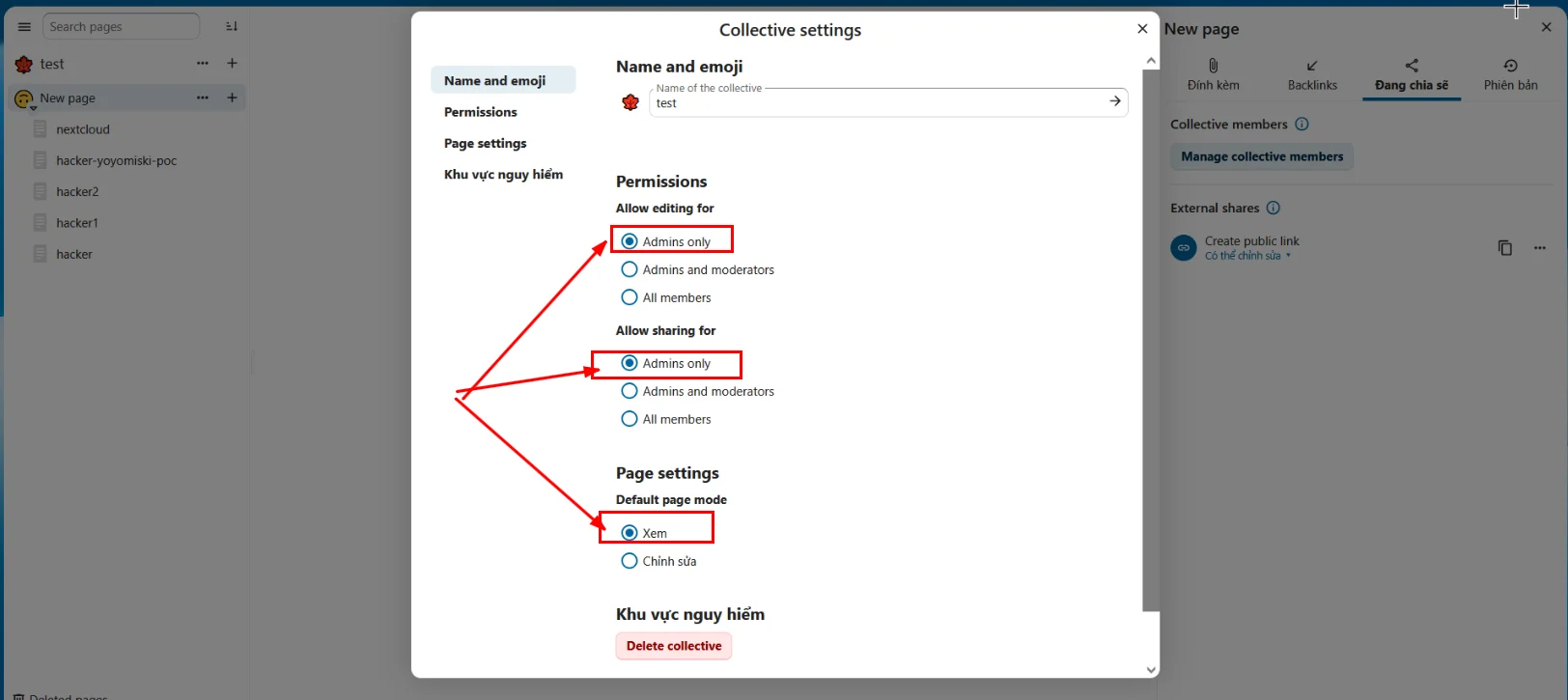
A collective can be explicitly configured to restrict all editing actions to administrators only by applying the following settings:
- Permissions → Allow editing for = Admins only
- Page settings → Default page mode = View
With this configuration, users accessing the collective via a public share link (can edit) are correctly restricted to view-only access in the UI and cannot perform any editing actions. However, despite these restrictive settings, the backend API responsible for page creation does not enforce the collective-level editing policy. As a result, a non-member accessing the collective through a public share link can successfully create new pages by directly calling the page creation API. This behavior bypasses the intended authorization model and demonstrates inconsistent permission enforcement between the UI, collective settings, and backend API.
##API:
POST /ocs/v2.php/apps/collectives/api/v1.0/p/collectives/<shareToken>/pages/<parentPageId> (This endpoint is different from report #3530164)
Steps To Reproduce:
- User A creates a new collective.
- User A configures the collective with the following settings:
- Permissions → Allow editing for =
Admins only - Page settings → Default page mode =
View
- User A creates a public share link for the collective with edit permission enabled.
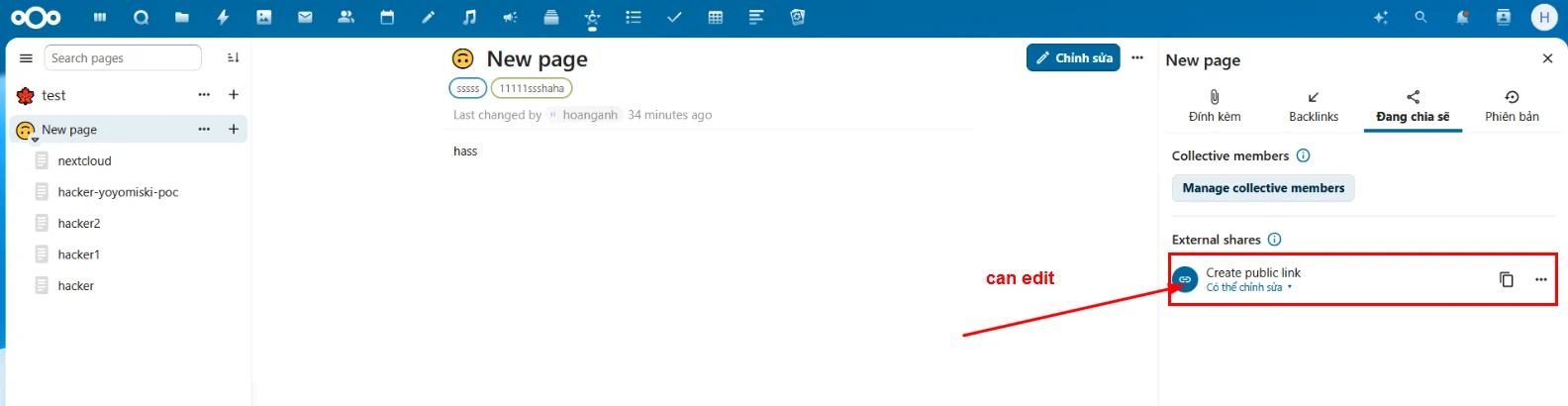
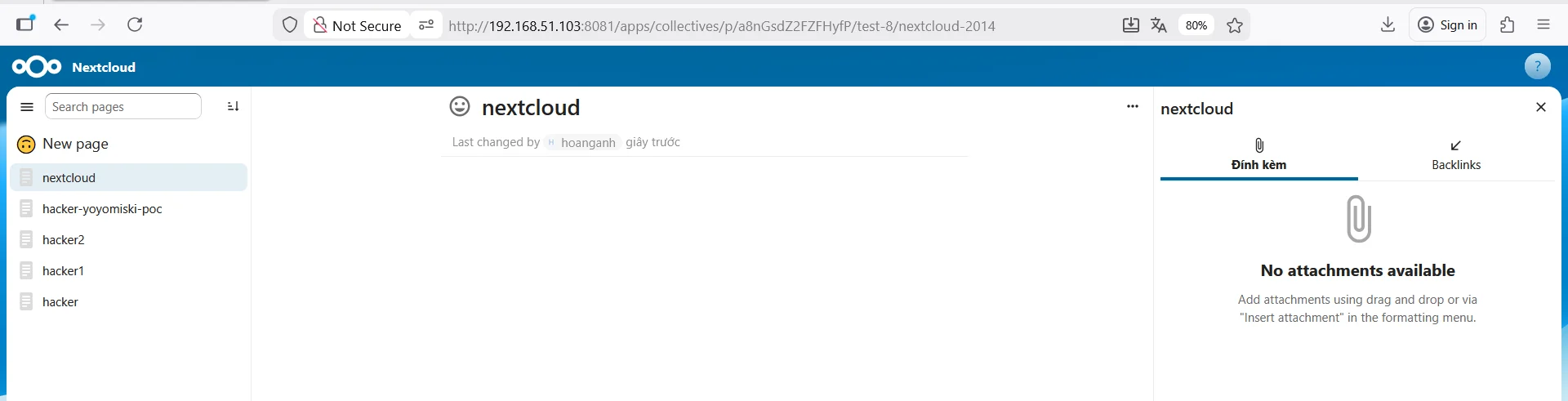
- A non-member accesses the collective using the public share link.
- The UI correctly enforces view-only access and does not allow the user to create or edit pages.
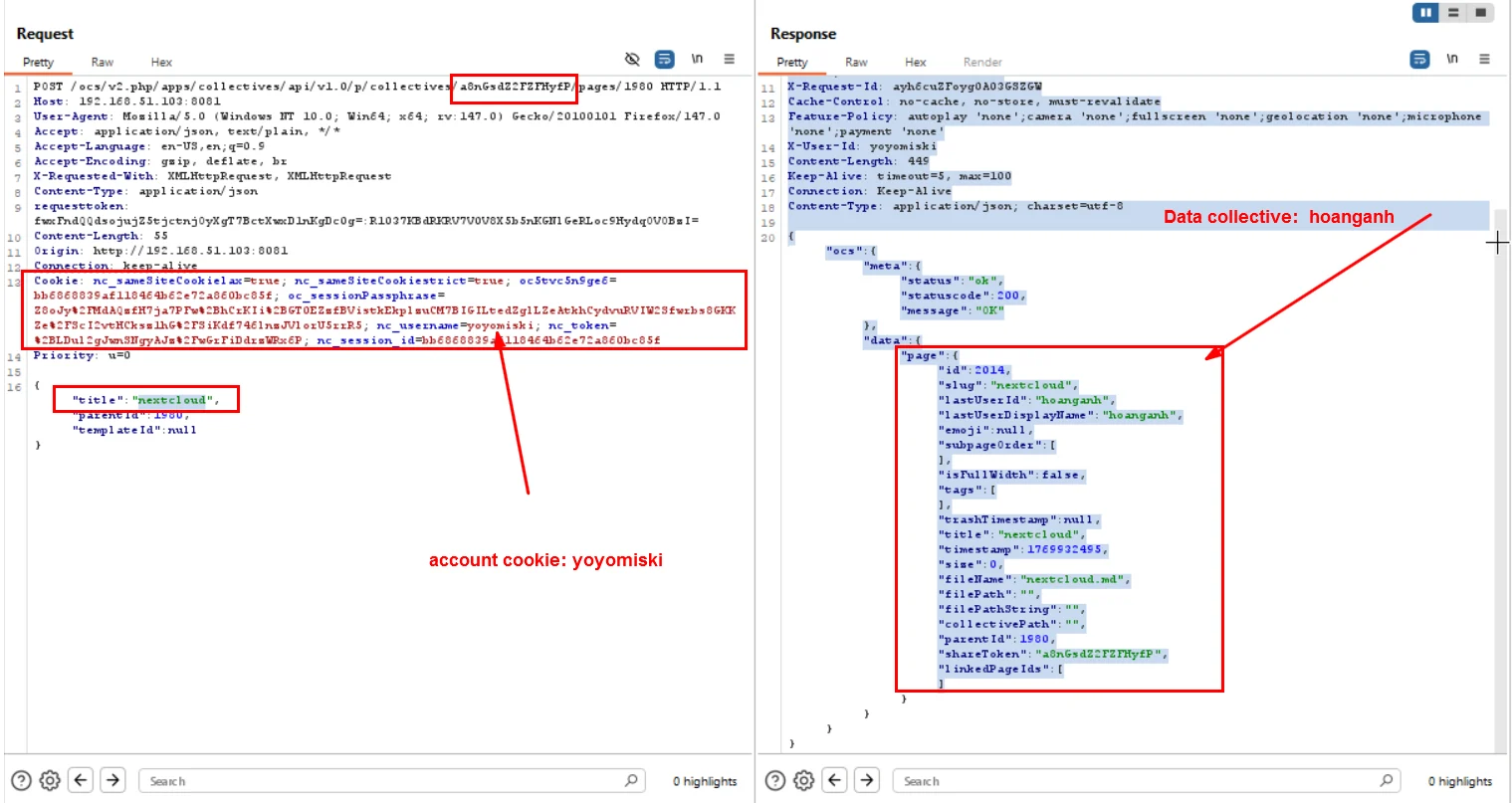
- The non-member sends the following API request to create a new page:
POST /ocs/v2.php/apps/collectives/api/v1.0/p/collectives/<shareToken>/pages/<parentPageId>
Content-Type: application/json

{
  "title": "hacker",
  "parentId": <parentPageId>,
  "templateId": null
}
- The server responds with HTTP 200 OK, and the page is successfully created inside the collective.
Impact
Although the collective is accessed via a public share link, this behavior violates the intended permission model. The collective is explicitly configured with “Allow editing for: Admins only” and “Default page mode: View”, which are global restrictions intended to limit all write operations to administrators. Allowing a non-member accessing the collective via a public share link to create pages through the backend API grants write privileges beyond what is permitted by the collective-level configuration. This undermines administrative control over the collective’s structure and content, enables unauthorized content creation, and demonstrates an authorization bypass due to missing or inconsistent permission checks in the backend.
##VideoPoC: ==== If you have difficulty reproducing the issue, please make sure to use the session cookies of a different logged-in user (i.e., a user who is not the collective owner), rather than making the request without authentication or using a non-logged-in session.
Not written yet. The AI write-up for this report has not been written yet. The Original tab links to the source.
How it worked
Root cause
Likely the backend page creation API does not enforce the collective-level editing policy, only the UI does.
Impact
A non-member with a public share link could create pages despite the collective being configured to restrict editing to admins only, undermining administrative control.
What the attacker needed
A public share link with edit permission; a logged-in user who is not the collective owner; collective set to admins-only editing
How it was found
- User A creates a new collective.
- User A sets 'Allow editing for' to 'Admins only' and 'Default page mode' to 'View'.
- User A creates a public share link with edit permission enabled.
- A non-member opens the public share link and sees view-only access in the UI.
- The non-member sends a POST request to the page creation API endpoint with the share token and parent page ID.
- The server responds with HTTP 200 OK and the page is created.
Explained by bugbounty.wiki with AI from the original and checked against quotes from it; it can still be wrong. Read the original before relying on a detail.
Not written yet. The AI write-up for this report has not been written yet. The Original tab links to the source.
A collective is a shared workspace. The owner set it so only admins can edit, but the server's page-creation endpoint did not check that rule. So someone with the public link could still add pages by talking to the API directly, even though the normal web interface hid the buttons.
What is Access control?
A user can do something their role should not allow: reach an admin function, act on a feature they have not paid for, or skip a permission check. IDOR is the special case where the object belongs to someone else.