Cross-site scripting on api.collabs.shopify.com

- Triaged in 23 hours
- Fixed in 34 days
- Paid in 34 hours
- Disclosed after 57 days
Summary:
Shopify collabs (collabs.shopify.com) is a new platform for content creators / influencers to discover and advertise the millions of brands of Shopify. The content creators can apply for different brands on this platform and get paid (affiliate marketing). I discovered a cross-site scripting vulnerability on this quite new domain.
Steps To Reproduce:
- Visit https://www.shopify.com/collabs/find-brands and click on "Apply for early access"
- Create a new Shopify ID / account
- You get redirected to https://collabs.shopify.com/onboarding:
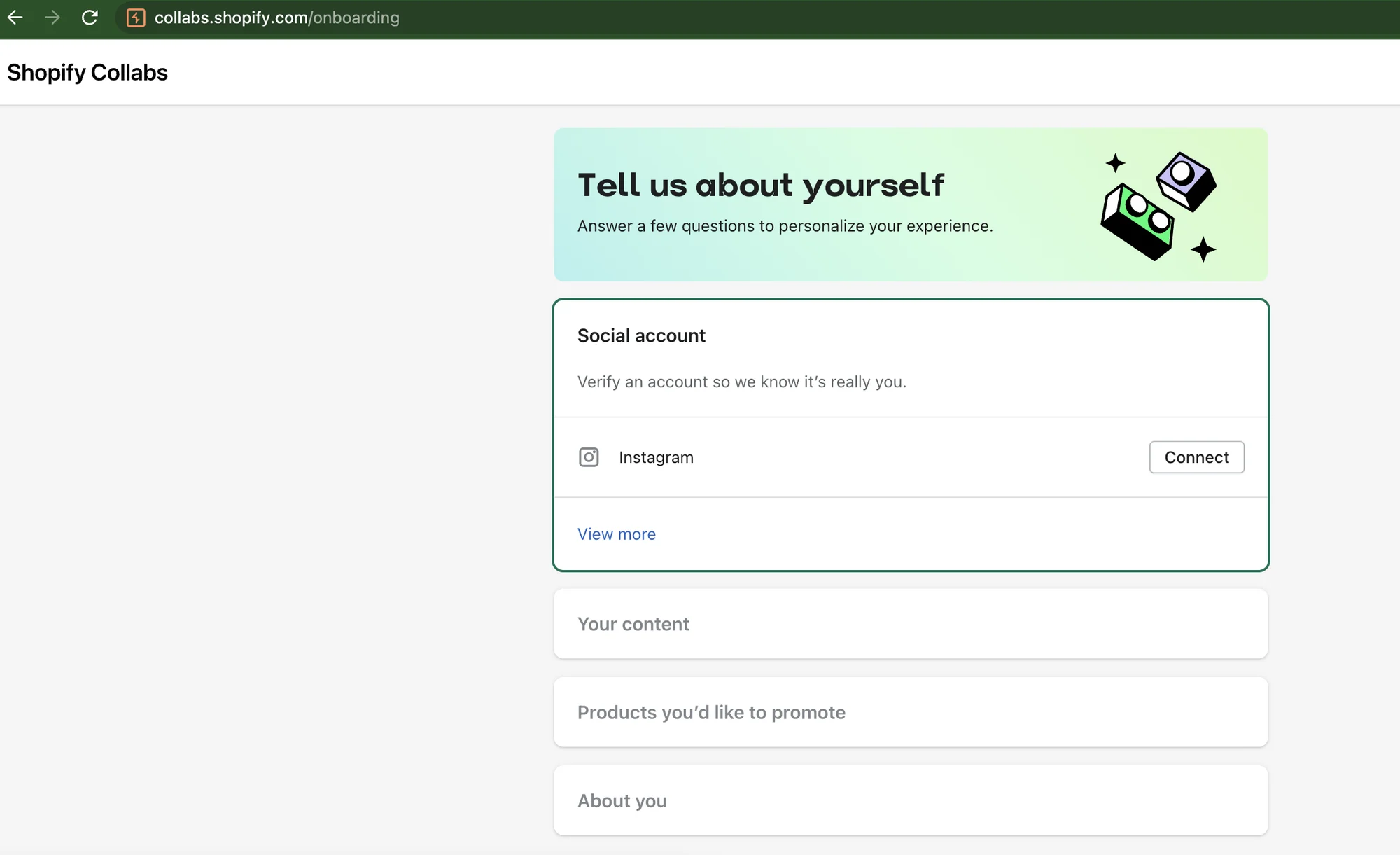
- Connect your social media account to your profile (e.g. Instagram), edit your content, etc.
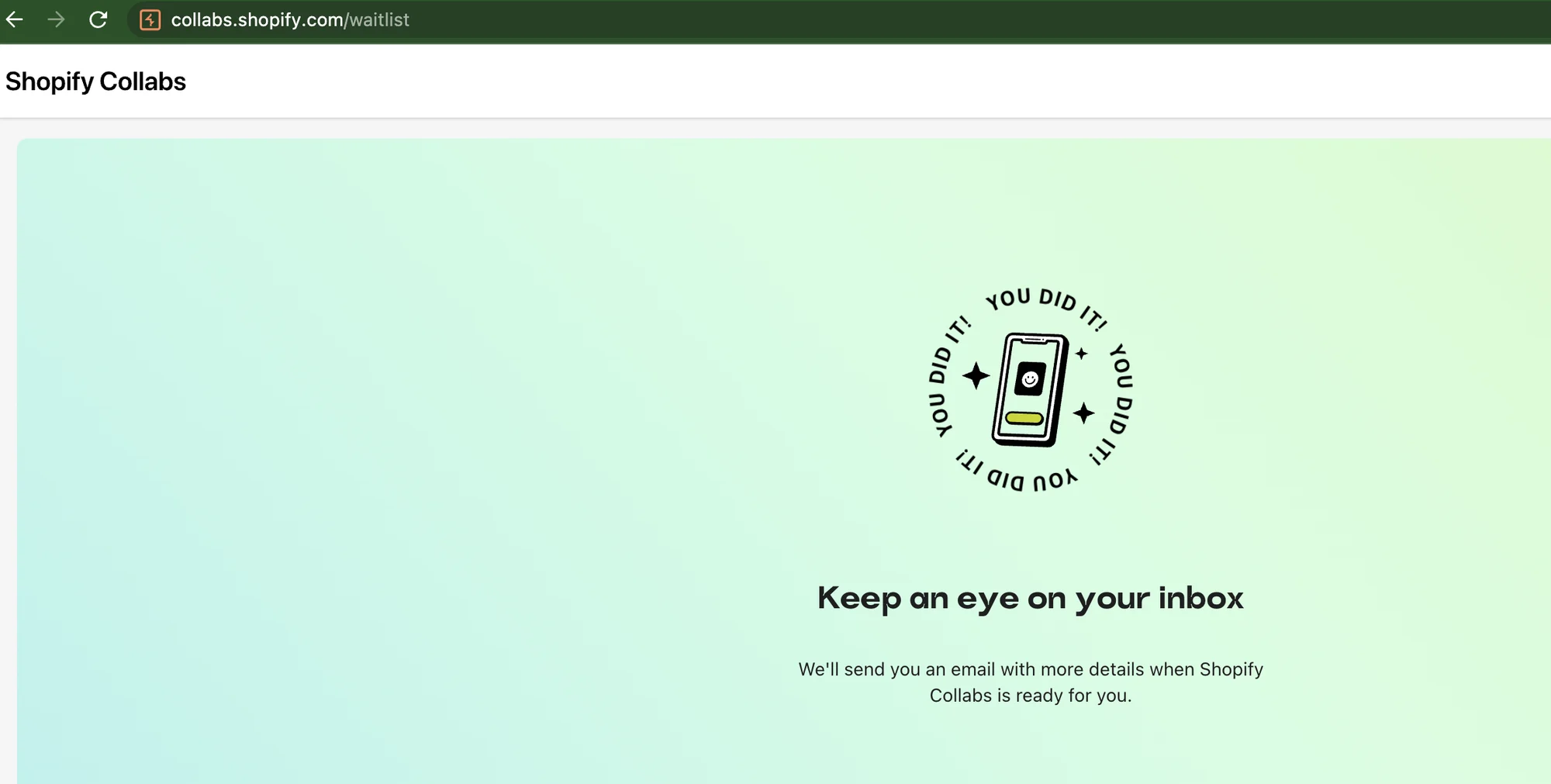
- You should now be successfully registered (early bird access - waiting list):
- As you are logged in, open the URL
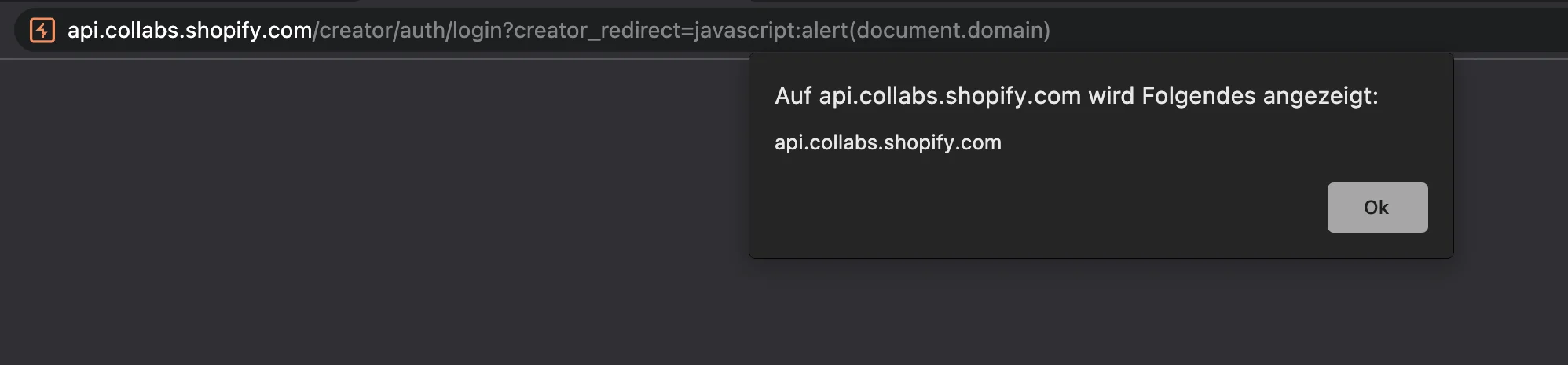
https://api.collabs.shopify.com/creator/auth/login?creator_redirect=javascript:alert(document.domain)and you will see that the JavaScript has triggered:
Supporting Material:
[list any additional material (e.g. screenshots, video, etc)]
- [attachment / reference]
Impact
- Execution of JavaScript code in the victim's browser => Execution of any future API functions of api.collabs.shopify.com in the name of the victim
- Exfiltration of confidential data
- etc.
Context
Shopify Collabs, at collabs.shopify.com, is a platform where content creators and influencers can discover brands on Shopify, apply to them and take part in affiliate marketing. The report describes it as a new domain at the time of testing, with an early access sign-up flow.
The vulnerable host in the report is api.collabs.shopify.com, the API side of the same product. The bug is a reflected cross-site scripting issue in the creator authentication endpoint, which takes a creator_redirect parameter.
Setup
No special tooling is described. The researcher used a normal browser session and a freshly created account:
- A Shopify ID / account created through the Collabs early access flow.
- A logged-in session on
collabs.shopify.com. - Optionally, a connected social media account (the report uses Instagram as the example) and edited profile content.
The researcher was logged in when the payload fired, so the script ran in the context of the creator's authenticated session.
Finding it
The researcher was looking at a new domain and its onboarding and login flow. The interesting part is the creator_redirect parameter on the creator login endpoint: a parameter whose name suggests it controls where the user is sent after authentication. A redirect target that is not validated is a classic place for open redirects and, when the browser treats the value as code, JavaScript injection.
Supplying a javascript: URI as the redirect value showed that the JavaScript executed in the browser.
Exploitation
Step 1: enter the early access flow
Visit the public Collabs page and click the early access button:
https://www.shopify.com/collabs/find-brands
Step 2: create an account
Create a new Shopify ID / account through the sign-up flow.
Step 3: land on onboarding
After sign-up you are redirected to the onboarding page:
https://collabs.shopify.com/onboarding
The screenshot shows the onboarding screen the new creator lands on.
Step 4: complete the profile
Connect a social media account to the profile (for example Instagram) and edit the content as prompted. This is the normal creator setup, not part of the attack.
Step 5: confirm registration
Once the profile is complete you are registered and placed on the early bird access waiting list.
The screenshot shows the logged-in state after registration.
Step 6: deliver the payload
While logged in, open the following URL:
https://api.collabs.shopify.com/creator/auth/login?creator_redirect=javascript:alert(document.domain)
The creator_redirect parameter carries a javascript: URI instead of a normal URL. The alert(document.domain) runs in the origin of api.collabs.shopify.com.
The screenshot shows the alert firing, confirming script execution on the API host.
Root cause
The creator_redirect parameter on /creator/auth/login accepts a javascript: value, which the browser executes. A javascript: scheme is accepted and ends up being executed by the browser. In other words, the redirect target is not constrained to a scheme and destination the application controls.
The report does not describe the server-side code, so the exact place where the value is reflected (for example a redirect response, a meta refresh or inline script) is not stated. What is clear is that the parameter is attacker-controlled and that the JavaScript executes.
Impact
The report lists the following consequences:
- Execution of JavaScript code in the victim's browser, which means execution of any future API functions of
api.collabs.shopify.comin the name of the victim. - Exfiltration of confidential data.
- Other actions in the victim's session, as implied by the above.
The attack requires the victim to be logged in and to open the crafted URL. The researcher frames the impact in terms of the API functions of api.collabs.shopify.com running in the victim's name.
Fix
The report does not describe the fix that was applied. The measure that addresses this class of bug is to validate creator_redirect on the server: accept only relative paths or absolute URLs whose scheme is http or https and whose host is on an allowlist, and reject anything else, including javascript:, data: and similar schemes. If the value is written into a page rather than used as a redirect, it must also be output-encoded for the context it lands in.
Variants to test
- Other parameters with redirect-like names on authentication and OAuth endpoints (
redirect,redirect_uri,return_to,next,continue). A positive result is ajavascript:value that executes, or an off-site http(s) destination that the application accepts. - The same
creator_redirectparameter with alternative schemes and encodings, such as mixed case or URL-encoded forms ofjavascript:. A positive result is script execution where the plain value was blocked. - Redirect parameters on other subdomains of the same product. A positive result is the same reflection into an executable context on a different host.
Hunting notes
New product domains and their API hosts are worth attention because authentication and onboarding flows are built quickly and redirect handling is often an afterthought. During recon, look for login and OAuth endpoints that take a redirect parameter, then test whether the value is restricted to relative paths or allowlisted hosts. A javascript: value that executes is the clearest signal.
The report demonstrates impact with alert(document.domain), which proves execution in the API origin, and explains what that origin exposes (API functions acting as the victim). The report pairs a reproducible payload with a statement of what the API origin exposes.
What happened, in plain words
Shopify Collabs is a website where content creators and influencers can find brands that sell on Shopify, apply to work with them, and earn money through affiliate marketing. Affiliate marketing means you recommend a product to your audience and get paid when people buy through your recommendation. At the time of this report the platform was new and was letting people sign up for early access.
The researcher found a cross-site scripting bug on the API part of that platform, at api.collabs.shopify.com. Cross-site scripting, usually shortened to XSS, is a bug where a website takes something a visitor typed or put in a link and lets the browser treat it as a program instead of as harmless text. The result is that someone else's JavaScript code runs inside the website's own pages, with the same trust the website has.
Here the problem was a parameter called creator_redirect. A parameter is a named value attached to the end of a web address, after a question mark. The name suggests it tells the site where to send the user after they log in. The site accepted a value starting with javascript:, and the browser ran that code. The researcher proved it with a pop-up box showing the site's domain name.
The researcher was logged in when opening the crafted link, so the script ran in an authenticated session. The report rates this as medium severity and the platform paid a bounty of 1,600 USD for it.
Background you need first
A few ideas come up again and again below, so here they are from zero.
Website and API. A normal website sends you pages to look at. An API (application programming interface) is the part of a service that other software talks to, usually to fetch or change data rather than to show a page. Think of a restaurant: the dining room is the website you see, and the kitchen door where orders are handed in is the API. collabs.shopify.com is the dining room, and api.collabs.shopify.com is the kitchen door. The api. at the front is a subdomain, a smaller address that belongs to the same organisation.
Account and session. When you log in, the server needs a way to remember you on the next request, because the web protocol itself does not remember anything between requests. It gives your browser a small piece of data, often called a cookie or a session token, and your browser sends it back with every request. That piece of data is like a cloakroom ticket: whoever holds it is treated as you. This is why an attack that runs inside your logged-in browser is serious: the code can borrow your ticket.
JavaScript. The programming language that browsers run. Every website uses it to make pages interactive. If an attacker can get their own JavaScript to run on a site's page, that code can do anything the site's own code could do.
Reflected XSS. There are a few kinds of XSS. Reflected means the malicious value is not stored on the server; it arrives in the request (usually in the address) and is immediately echoed back into the response. It is like a shop assistant who reads out whatever a customer hands them, including a rude note, to the next person in the queue. The payload only affects whoever opens the crafted link.
Redirect parameter. Many login pages take a value saying where to go once you are signed in, so you can be returned to the page you came from. If the site does not check that value, an attacker can point it somewhere else. When the value is placed where the browser expects code, a javascript: address turns a redirect into code execution.
javascript: scheme. A web address normally starts with http:// or https://, which says how to fetch a page. The javascript: prefix instead says "run the text after this as JavaScript". Browsers support it in places where a link or a navigation target is expected.
document.domain. A property in JavaScript that holds the domain name of the current page. Showing it in an alert box is a common, harmless way to prove which site the code is running on.
Setting up
The report does not mention any special tools. The researcher used an ordinary browser and a newly created account. The setup was:
- A Shopify ID, created through the Collabs early access sign-up.
- A logged-in session on
collabs.shopify.com. - Optionally, a connected social media account (the report uses Instagram as the example) and some edited profile content.
The researcher was logged in when the payload fired, so the code ran with the creator's session behind it.
Finding it
The researcher was exploring a new domain and its onboarding and login flow. The interesting part was the creator_redirect parameter on the creator login endpoint. Its name suggests it controls where the user is sent after logging in. A redirect target that is not checked against a list of allowed destinations is a classic weak spot: it can allow an open redirect and, when the browser treats the value as code, JavaScript injection.
Supplying a javascript: address as the redirect value showed that the JavaScript ran in the browser.
Walking through the steps
Step 1: enter the early access flow
The starting point is the public Collabs page. Visiting it and clicking the early access button begins the sign-up:
https://www.shopify.com/collabs/find-brands
This is just the normal front door. The researcher went through it to get a real account, because the bug only matters for a logged-in user.
Step 2: create an account
A new Shopify ID was created through the sign-up flow. Nothing unusual here; it is the same thing any new creator would do.
Step 3: land on onboarding
After sign-up the browser is sent to the onboarding page:
https://collabs.shopify.com/onboarding
The screenshot shows the onboarding screen a new creator sees. Onboarding is the guided setup a site walks you through after registering, collecting the details it needs before you can use the product.
Step 4: complete the profile
A social media account was connected to the profile (Instagram in the example) and the content was edited as prompted. This is ordinary creator setup, not part of the attack. It was done so the account would be in the same state as a real user's.
Step 5: confirm registration
With the profile complete, the account was registered and placed on the early bird access waiting list.
The screenshot shows the logged-in state after registration. This is the state the attack depends on: a real session, exactly like any other creator's.
Step 6: deliver the payload
While logged in, the researcher opened this address:
https://api.collabs.shopify.com/creator/auth/login?creator_redirect=javascript:alert(document.domain)
Line by line, in plain words:
https://api.collabs.shopify.comis the API host, the kitchen door of the product./creator/auth/loginis the login endpoint for creators. An endpoint is a specific address on a server that does one job.?starts the list of parameters.creator_redirect=is the parameter name and the start of its value.javascript:alert(document.domain)is the value.javascript:tells the browser to treat the rest as code.alert(...)opens a pop-up box with the text inside the brackets.document.domainis the current page's domain name.
So the whole address asks the login endpoint to send the user to a javascript: address. The alert(document.domain) ran in the origin of api.collabs.shopify.com. Origin means the combination of scheme, host and port that a browser uses to decide which site a page belongs to; code running in one origin can act on that origin's data.
The screenshot shows the alert box appearing, which confirms the script ran on the API host.
Why it worked
The creator_redirect parameter on /creator/auth/login accepted a javascript: value, which the browser executed. A javascript: value was accepted and the browser executed it. In other words, the redirect target was not limited to a scheme and destination the application controls.
The report does not describe the server-side code, so it does not say exactly where the value is echoed back (a redirect response, a meta refresh tag, inline script, and so on). What is clear is that the parameter is controlled by whoever writes the link, and the JavaScript executes.
What an attacker could do
The report lists these consequences:
- JavaScript runs in the victim's browser, which means any future API functions of
api.collabs.shopify.comcan be called in the victim's name. - Confidential data can be taken out (exfiltrated) from the victim's session.
- Other actions in the victim's session follow from the same access.
The attack needs the victim to be logged in and to open the crafted link. The researcher describes the impact in terms of the API functions of api.collabs.shopify.com running in the victim's name.
How to fix it
The measure that addresses this kind of bug is to check creator_redirect on the server: accept only relative paths, or full addresses whose scheme is http or https and whose host is on an allowlist, and reject everything else, including javascript:, data: and similar schemes. If the value is written into a page rather than used as a redirect, it must also be encoded for the place it lands in, so the browser shows it as text instead of running it.
Related things worth testing
- Other parameters with redirect-like names on login and OAuth endpoints (
redirect,redirect_uri,return_to,next,continue). A positive result is ajavascript:value that runs, or an off-sitehttp/httpsdestination the application accepts. - The same
creator_redirectparameter with other schemes and encodings, such as mixed case or URL-encoded forms ofjavascript:. A positive result is code running where the plain value was blocked. - Redirect parameters on other subdomains of the same product. A positive result is the same echo into a place where code runs, on a different host.
Notes for anyone hunting similar bugs
New product domains and their API hosts deserve attention, because login and onboarding flows are built quickly and redirect handling is often an afterthought. While exploring, look for login and OAuth endpoints that take a redirect parameter, then test whether the value is limited to relative paths or allowed hosts. A javascript: value that runs is the clearest signal.
The report proves impact with alert(document.domain), which shows the code runs in the API origin, and explains what that origin exposes: API functions acting as the victim. The report pairs a reproducible payload with a statement of what the API origin exposes.
Glossary
- Affiliate marketing: recommending a product to an audience and earning a commission when people buy through the recommendation.
- API: the part of a service that other software talks to, to fetch or change data rather than to show pages.
- API host: the subdomain that serves the API, here
api.collabs.shopify.com. - Allowlist: a list of values that are explicitly permitted; anything not on the list is refused.
- Bounty: money a company pays a researcher for reporting a valid security bug.
- Cookie: a small piece of data a site stores in your browser and your browser sends back with each request, often used to recognise your session.
- Cross-site scripting (XSS): a bug where a site lets input from a visitor be treated as code by the browser, so someone else's JavaScript runs on the site's pages.
data:scheme: an address prefix that carries the content inline instead of pointing to a server; likejavascript:, it can be abused if a redirect target is not restricted.document.domain: a JavaScript property holding the domain name of the current page.- Endpoint: a specific address on a server that performs one job, such as logging a user in.
- Exfiltration: taking data out of a system without permission.
http/https: the normal schemes for web addresses;httpsis the encrypted version.- JavaScript: the programming language browsers run to make pages interactive.
javascript:scheme: an address prefix that tells the browser to run the text after it as JavaScript.- Medium severity: a middle rating on a scale of how damaging a bug is.
- Meta refresh: an HTML instruction that tells the browser to navigate to another address after a delay.
- Onboarding: the guided setup a site walks a new user through after registering.
- Open redirect: a bug where a site will send users to any destination an attacker chooses.
- Origin: the combination of scheme, host and port that a browser uses to decide which site a page belongs to and what it may access.
- OAuth: a standard way for one site to let you sign in or grant access using another account, often with a redirect parameter.
- Parameter: a named value attached to a web address after a question mark.
- Payload: the piece of input an attacker supplies to trigger a bug.
- Redirect: sending the browser from one address to another.
- Reflected XSS: XSS where the malicious value arrives in the request and is echoed straight back in the response, affecting only whoever opens the crafted link.
- Relative path: an address that stays on the same site, such as
/onboarding, rather than pointing to another host. - Session: the period during which a site remembers that you are logged in, usually via a cookie or token.
- Session token: the value that stands in for your logged-in identity; whoever holds it is treated as you.
- Subdomain: a smaller address belonging to the same organisation, such as
api.in front of a main domain. - URL encoding: writing special characters in an address as
%codes so they survive transport. - Waiting list: a queue of people who signed up for early access before general availability.





