Account Takeover Vulnerability in Shopify Collabs Platform Due to Missing Email Verification
The Shopify Collabs platform did not require email verification when creating a new Shopify ID, allowing an attacker to sign up with a victim creator's email address. If the victim had a pending application, the attacker could take over the account or block the victim from accessing it.
On Collabs, Shopify's influencer platform, creator accounts could be hijacked if the following conditions were met:
The creator account was in a "pending acceptance" state
No ShopifyID had been previously created with the same email address used for the creator account.
If these two conditions were met, the creator account was vulnerable to being hijacked.
Shopify triaged and evaluated this report to have a CVSS score of 3.6.
The report
Summary:
Shopify collabs (collabs.shopify.com) is a new platform for content creators / influencers to discover and advertise the millions of brands of Shopify. The content creators can apply for different brands on this platform and get paid (affiliate marketing).
In the past, the features of this new platform were provided by Dovetale (https://dovetale.com), but Dovetale was now
replaced by the new platform collabs.shopify.com for the creators
I found a way to take over the account of arbitrary creators by using the new platform collabs.shopify.com. If a creator applies to be an ambassador of a brand with his email address, an attacker is also able to create a new Shopify ID and sign up at collabs.shopify.com with the victim's email address. Due to the fact that there is no email verification needed for using collabs.shopify.com, the attacker is thus able to take over the victim's account.
Shops Used to Test:
██████
Steps To Reproduce:
Setup
(Brand) Install the new Shopify collabs app (https://apps.shopify.com/collabs) to your store and create an application page for the creators
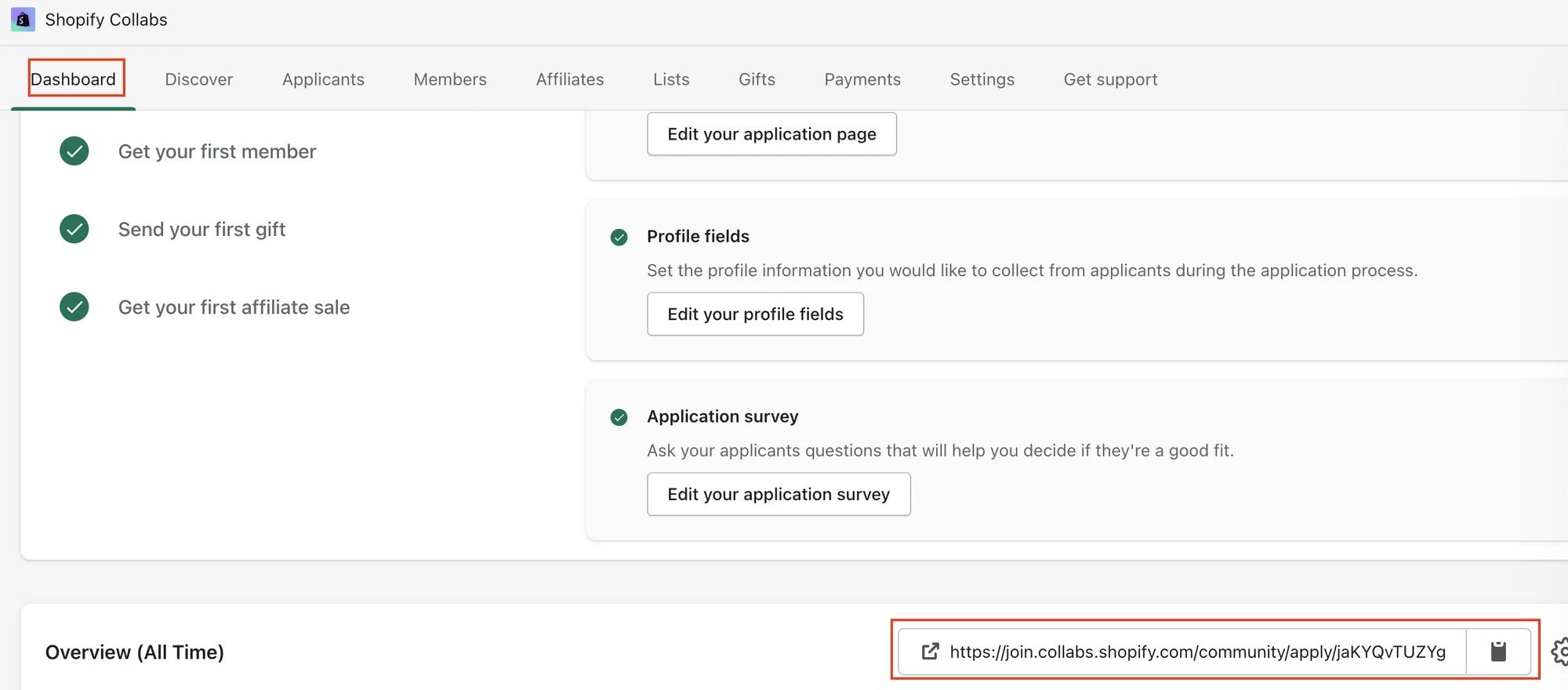
(Victim/Creator) Use the public link to apply for being an ambassador for the brand. You can find the link in the Dashboard of the app:
application_page_link.pngFrom the original on HackerOne
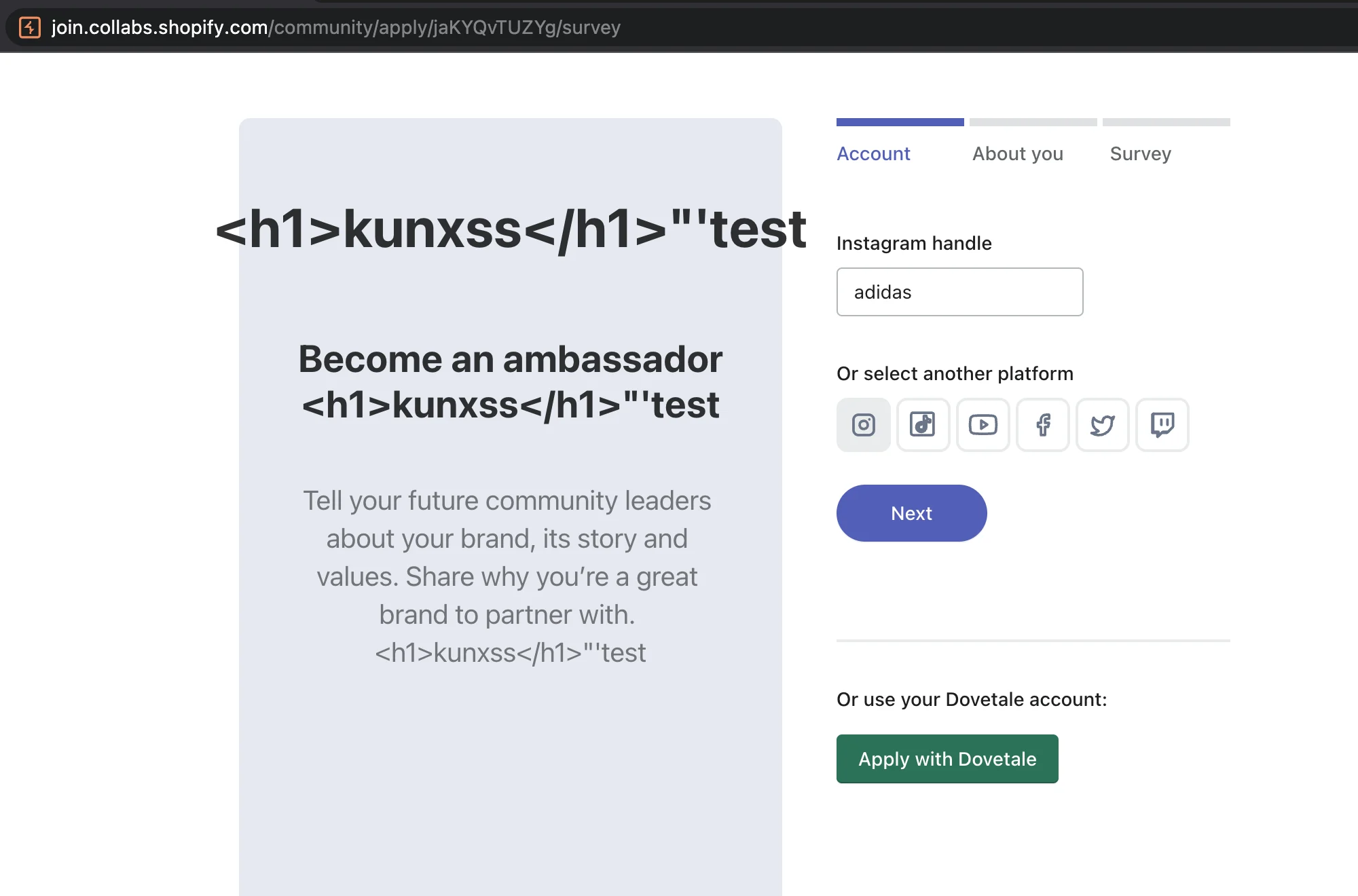
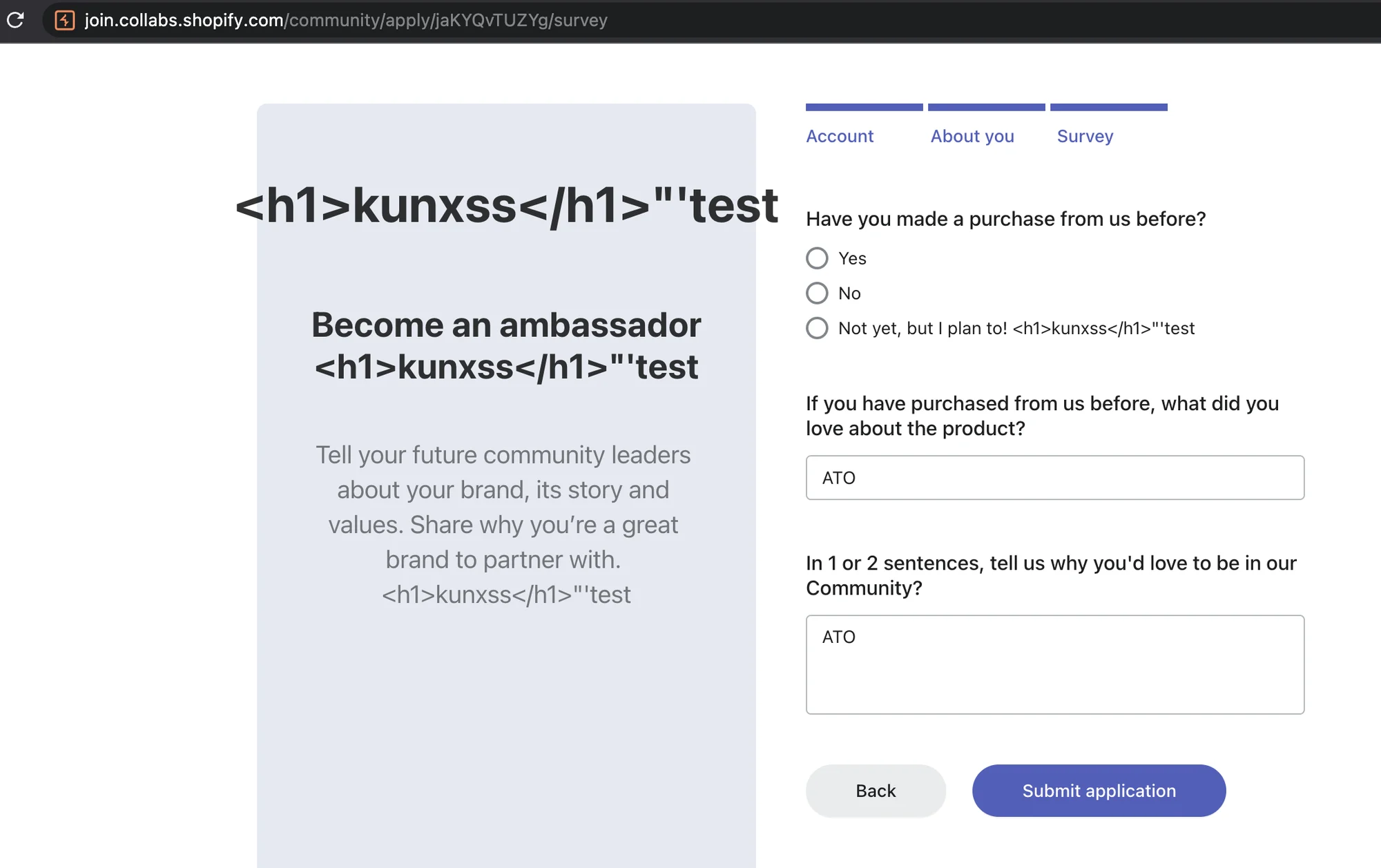
(Victim/Creator) Follow the application process. Choose an email address ([email protected] in my case), specify a social media account of you (e.g. Instagram adidas handle) and submit the application choose_social_account.pngFrom the original on HackerOne ██████ submit_application.pngFrom the original on HackerOne
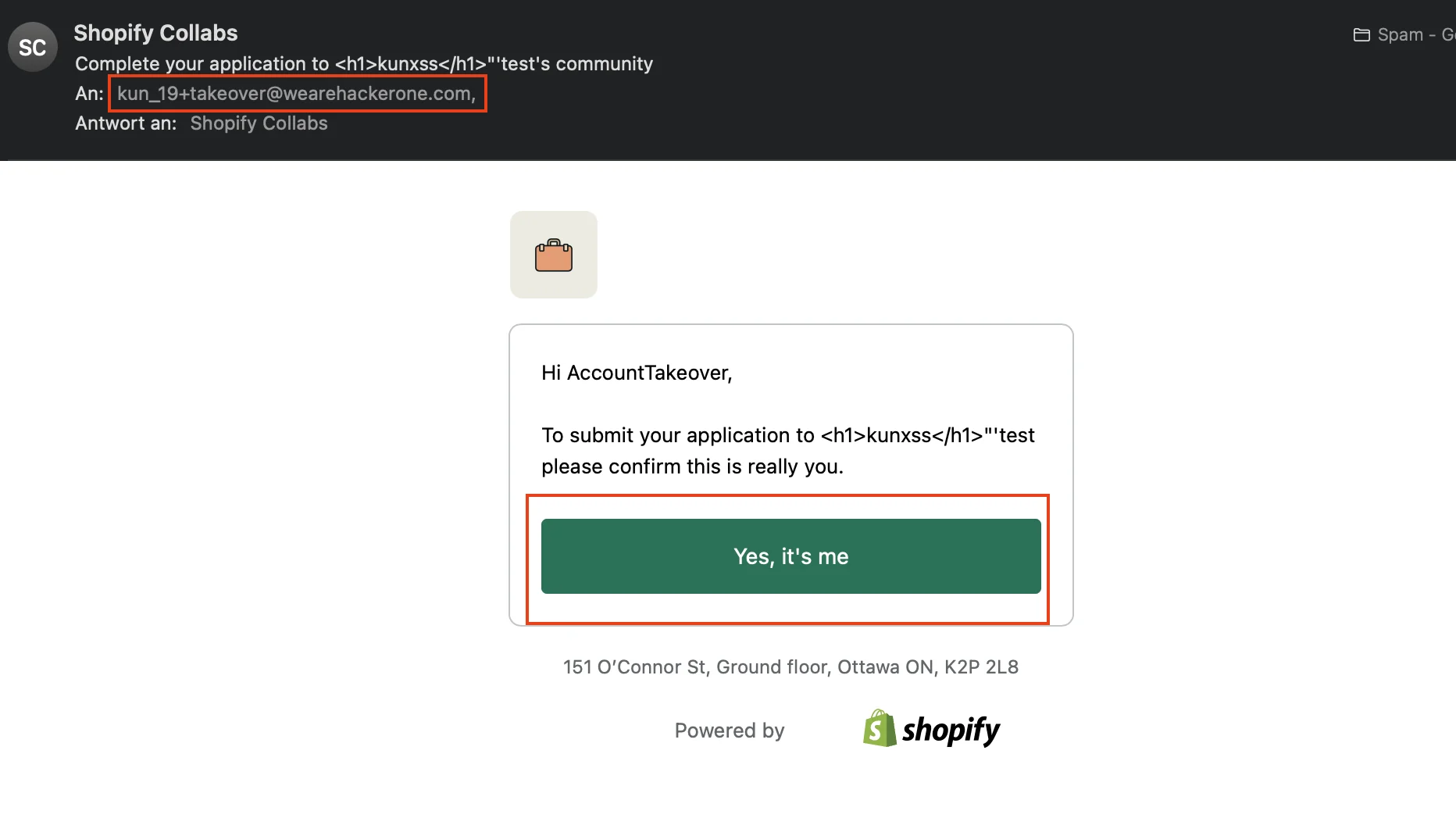
(Victim/Creator) You should now receive an email to verify your account:
verify_email_address.pngFrom the original on HackerOneverify_email_link.png
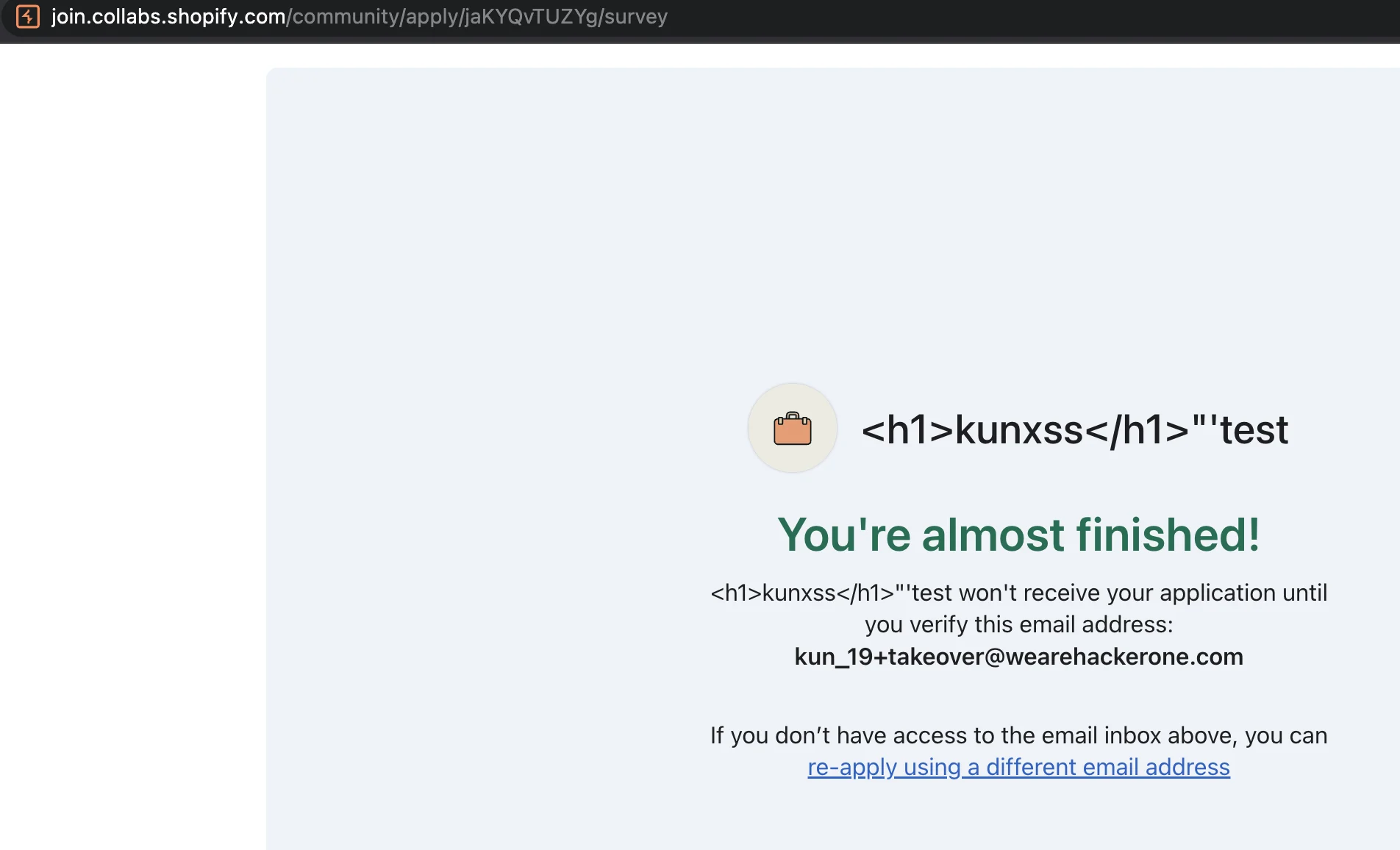
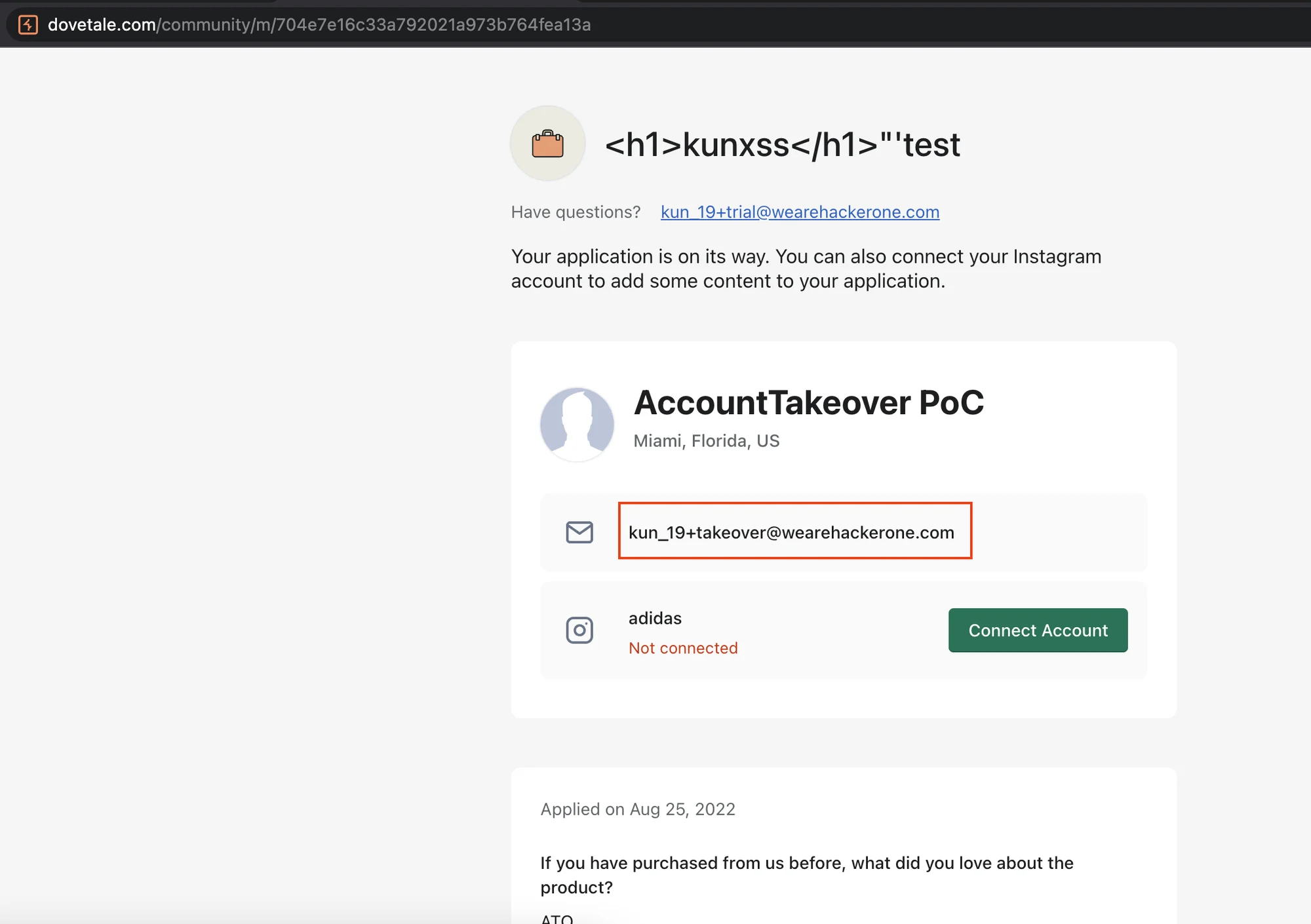
(Victim/Creator) Click on the button within the email to verify your email address. You should automatically logged in to your Dovetale account and the brand should have received your application:
account_verified.pngFrom the original on HackerOne
(Brand) You should have received a new application:
██████
In this state, an attacker is able to take over the victim's account...
Exploitation
A malicious staff member of the brand or an arbitrary attacker is now able to take over the victim's account by doing following steps:
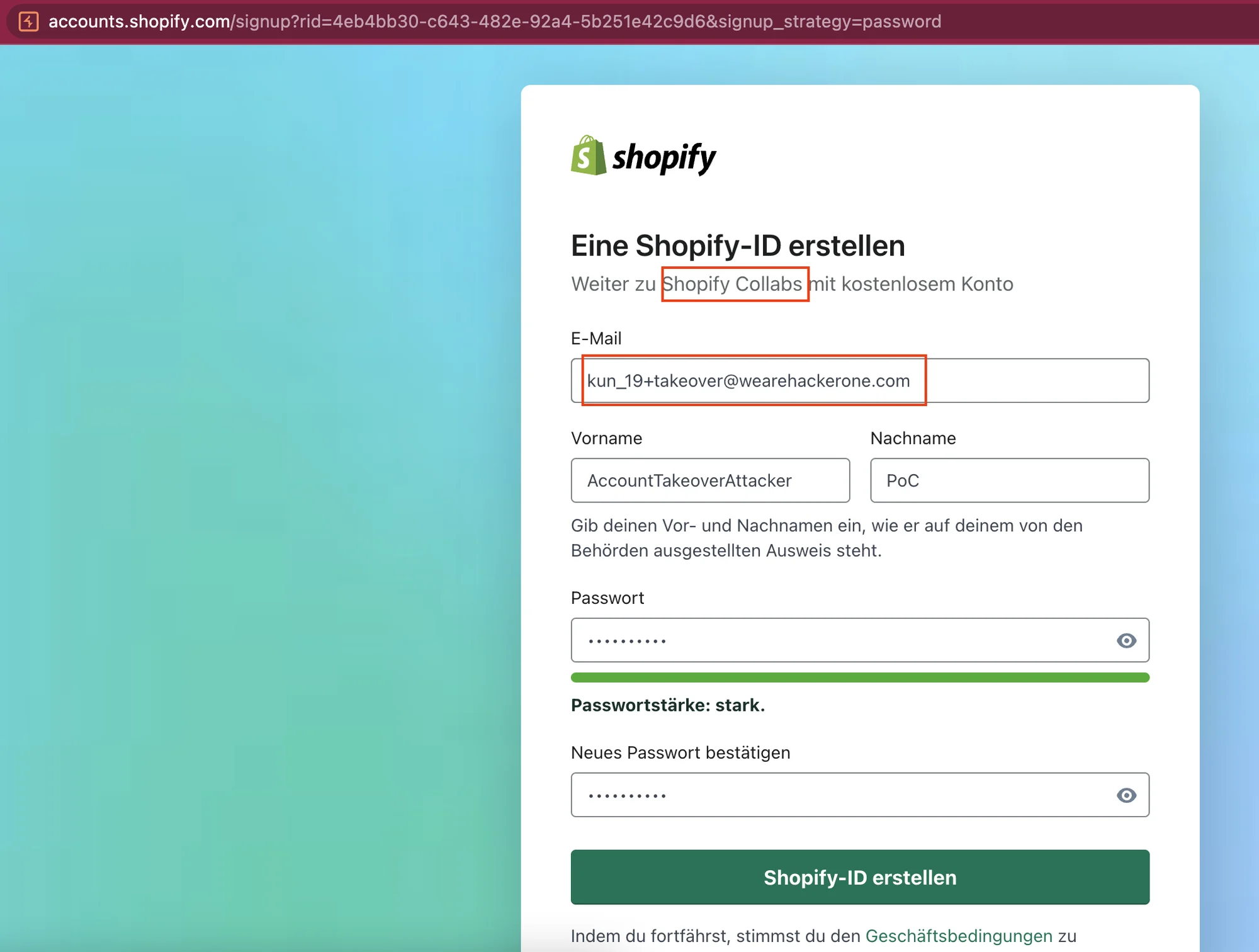
(Attacker) You now have to create a new Shopify ID. Use the email address of the creator/victim ([email protected] in my case) for the new Shopify ID:
create_shopify_id.pngFrom the original on HackerOne
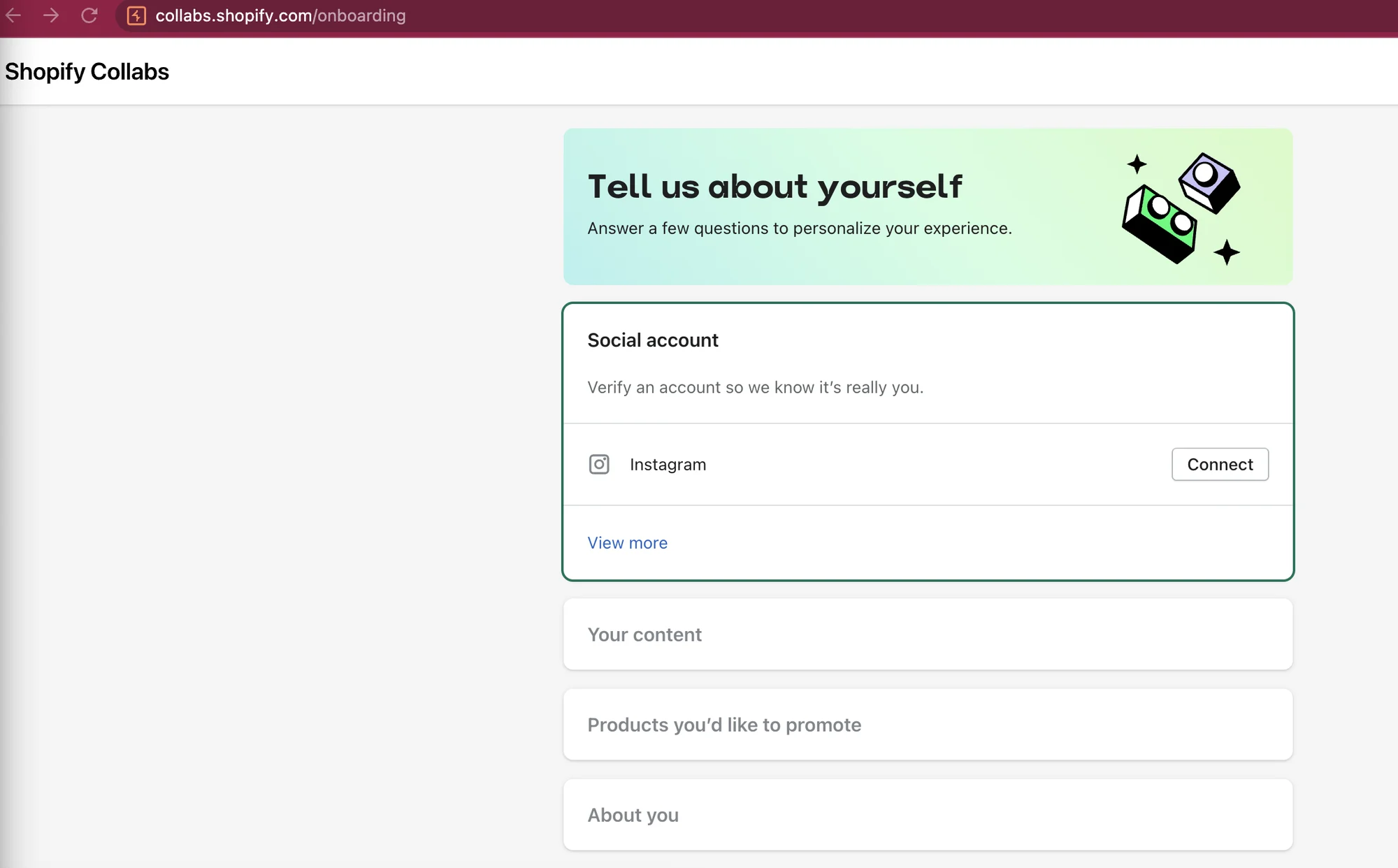
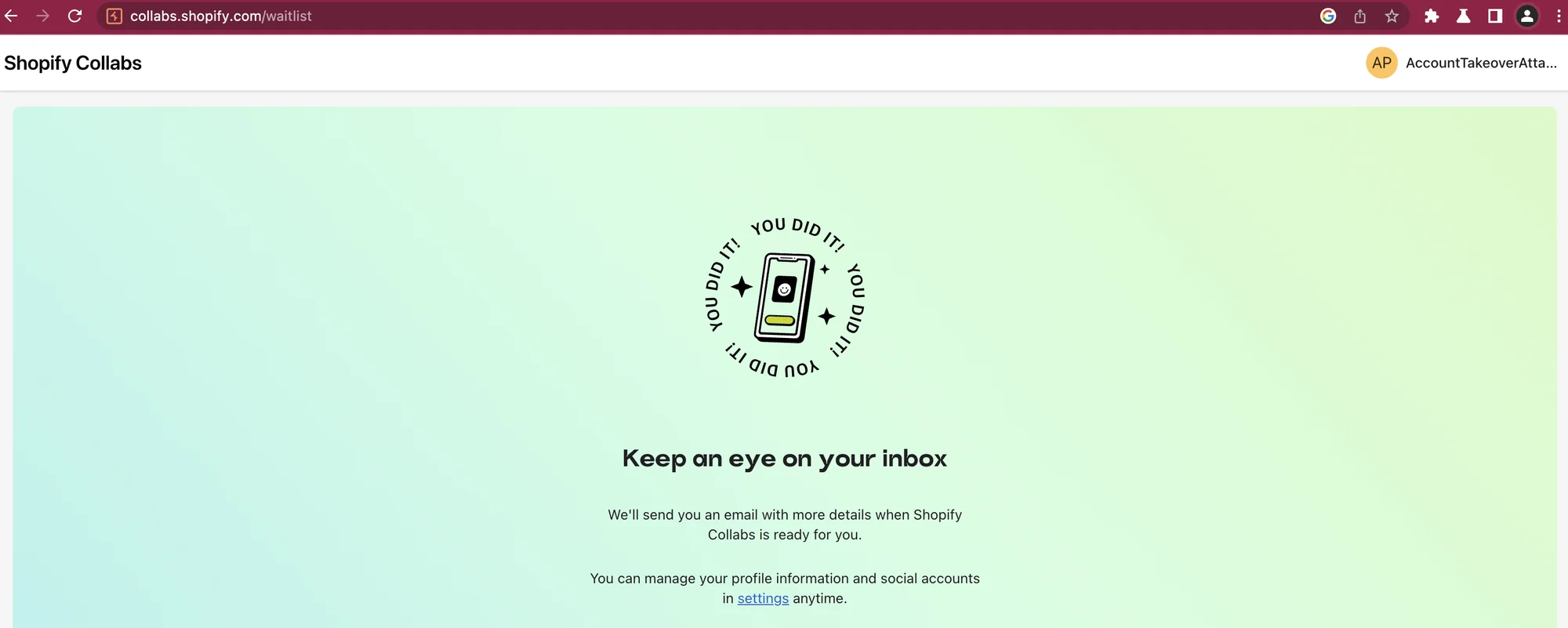
(Attacker) You should now be redirected to the https://collabs.shopify.com/onboardingwithout needing to verify the email address!!! Just follow the onboarding procedure and you should finally be able to use the platform / be on the waiting list.
onboarding_steps.pngFrom the original on HackerOnewaiting_list.png
(Attacker) Now the attacker just have to wait until the pending application was approved by the brand.
(Brand) Approve the application from the creator:
██████████
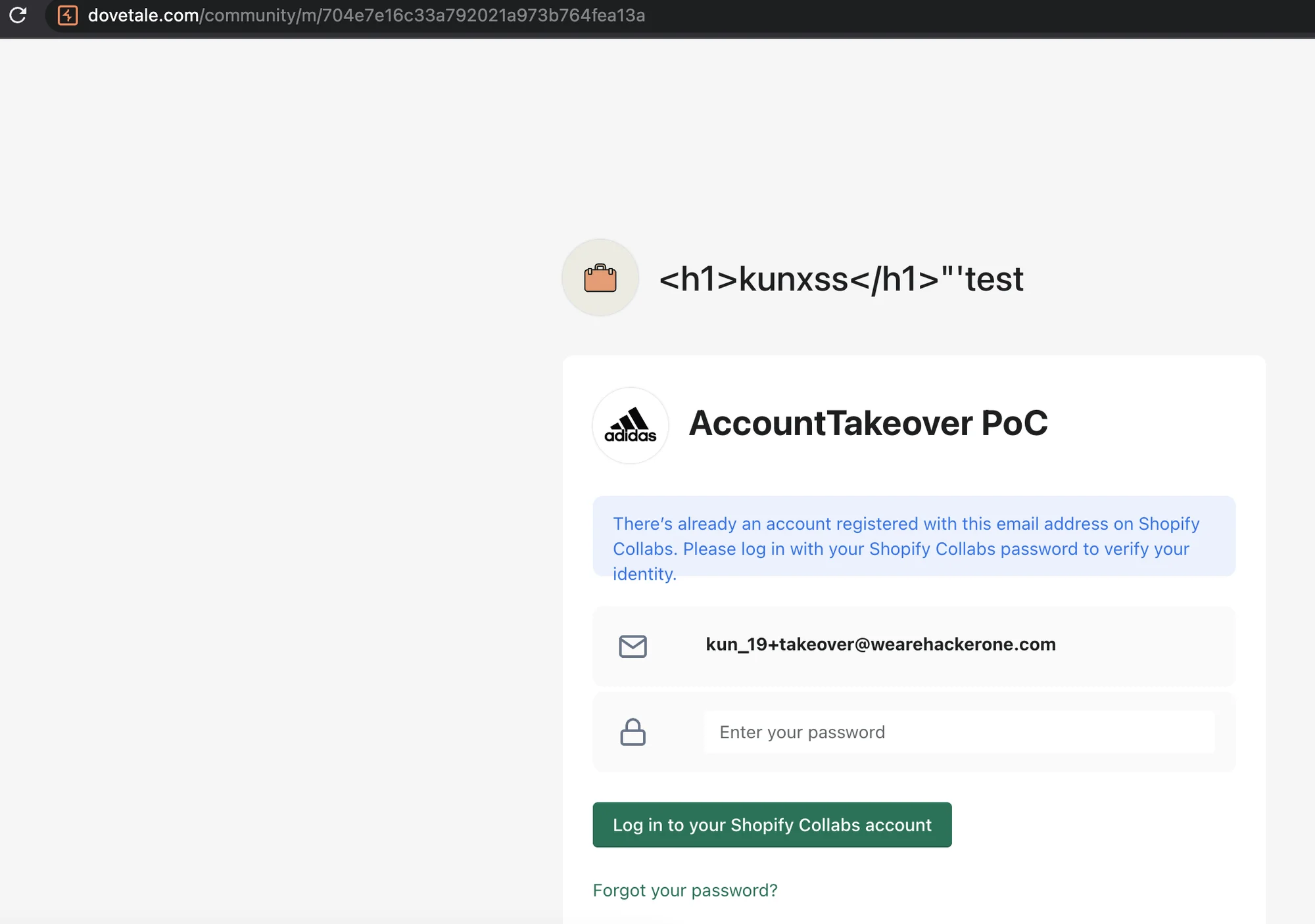
6. (Victim) The victim gets a notification email that he was approved => Click on the button to accept the collaboration. If the session of the victim is still alive, the collaboration gets accepted and the attacker was already able to take over the victim's account (in this case you can go ahead with step 10.). Otherwise, the victim should now be notified that an account with this email address already exists:
account_already_exits.pngFrom the original on HackerOne
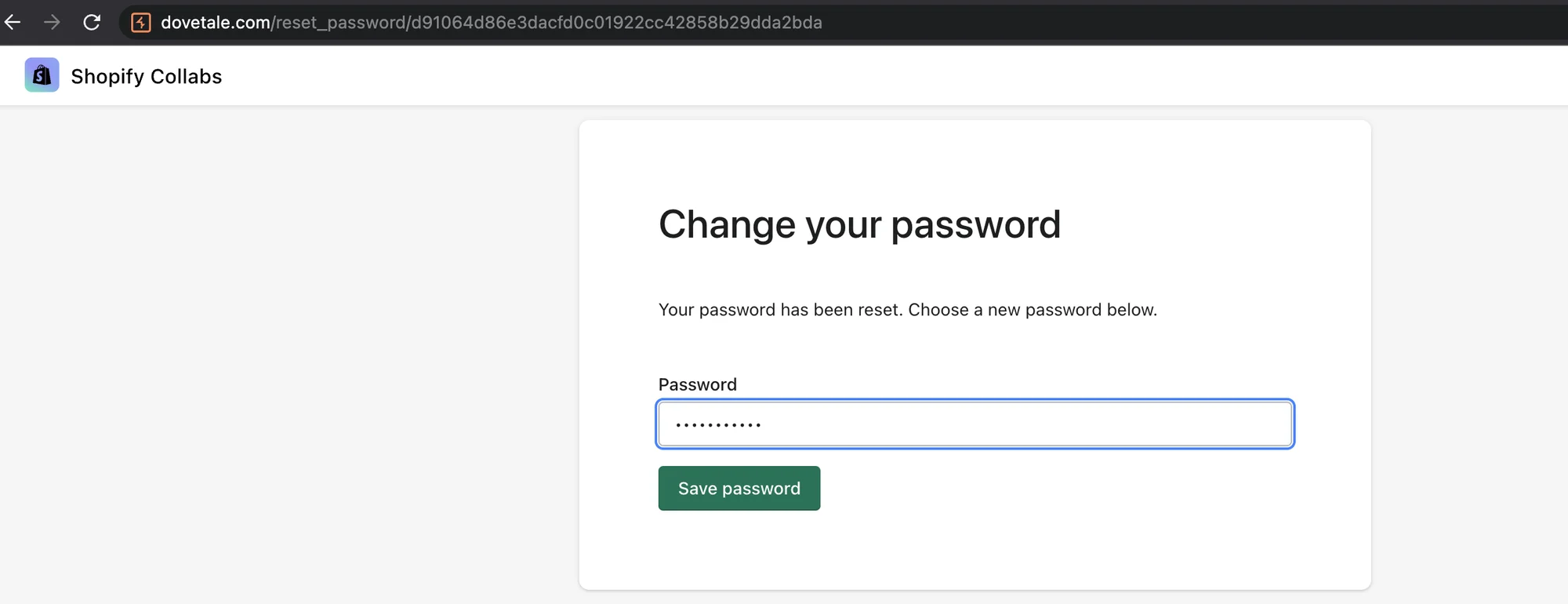
(Victim) The victim is not able to enter his password because he has not yet specified a password. Thus, the victim is now blocked or...is resetting his password via the "Forgot your password" functionality
(Victim) Follow the password reset flow and specify a password:
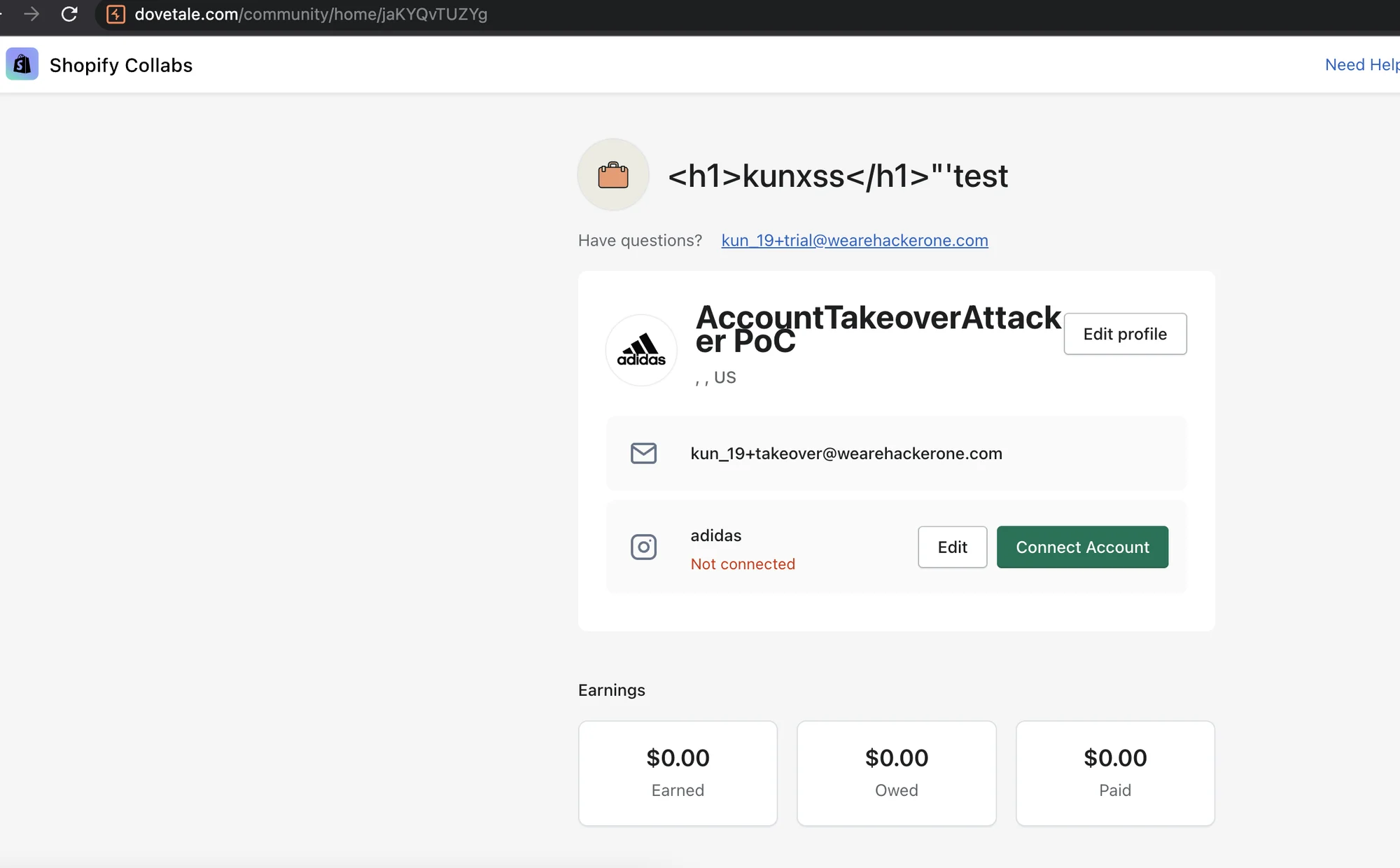
(Victim) Click again on the button in the email to accept the application. The collaboration should now be accepted and the victim should be logged in: logged_in_victim.pngFrom the original on HackerOne ███
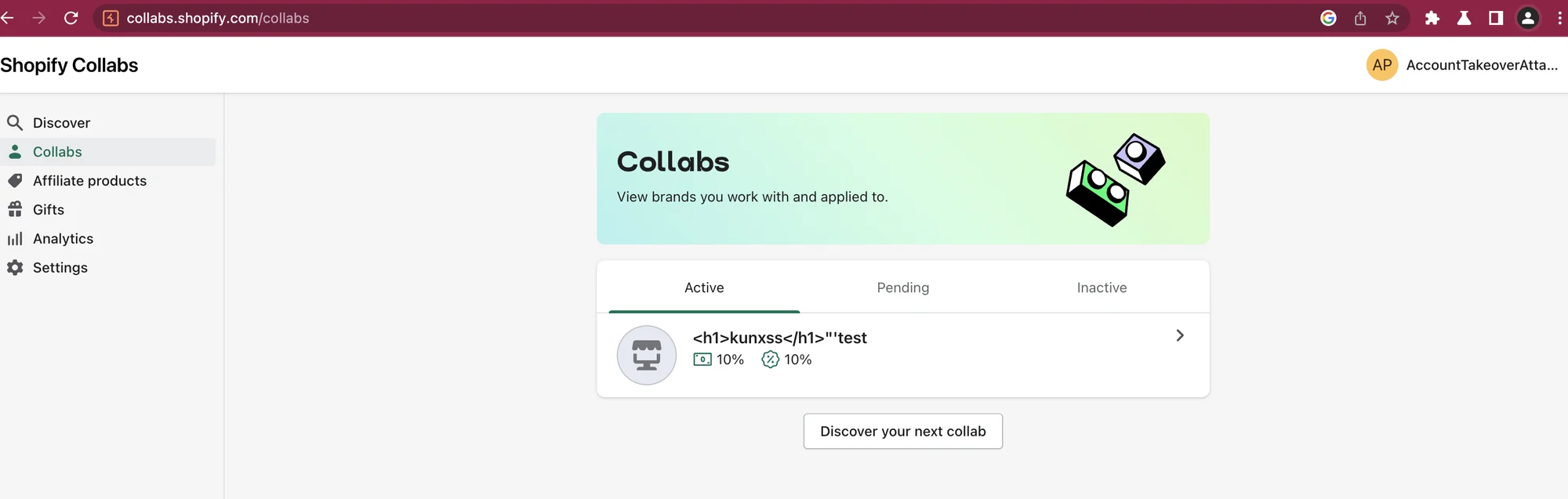
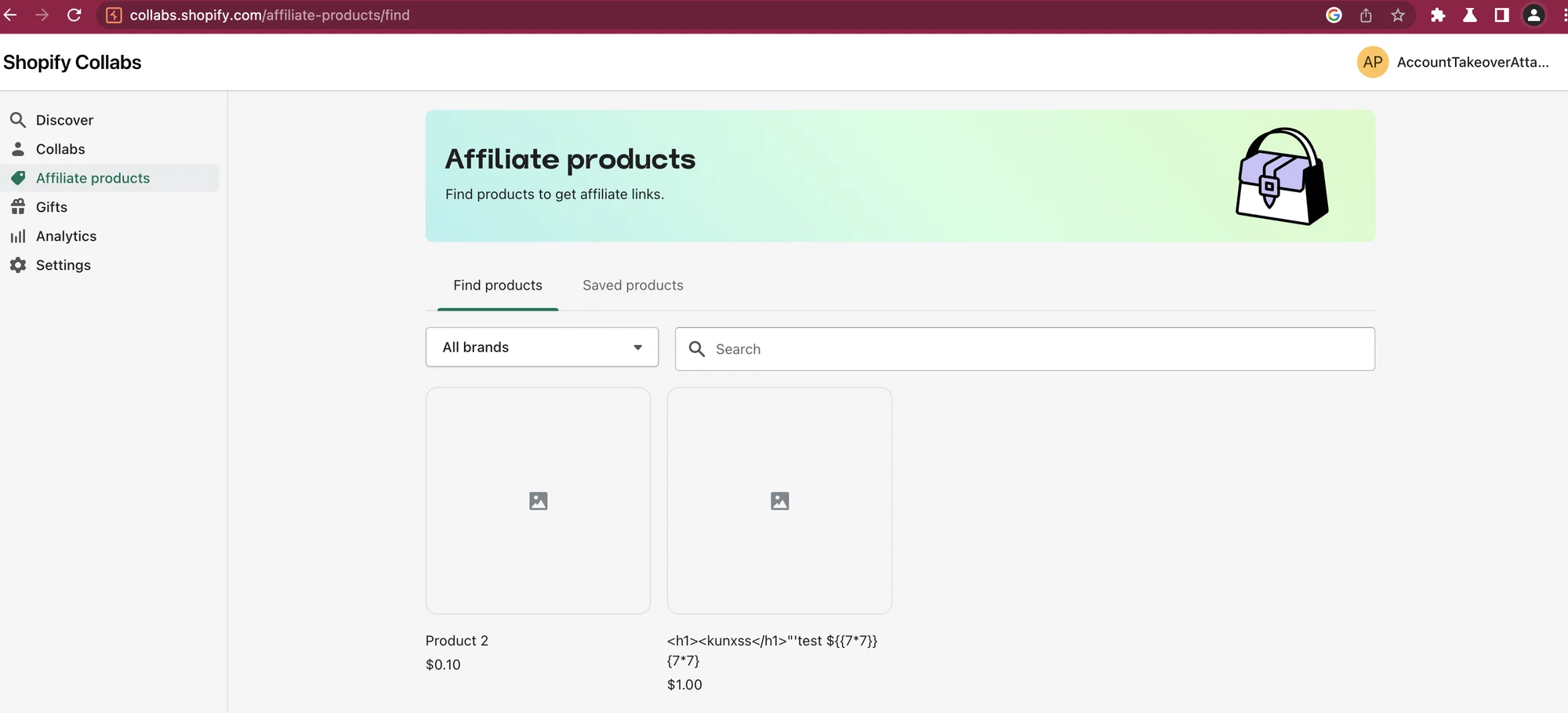
(Attacker) The account was now successfully taken over. The attacker is now also able to log in via collabs.shopify.com and use the account and perform any actions (I used ████████ to bypass the waiting list status of collabs.shopify.com) :
attacker_collaboration.pngFrom the original on HackerOneattacker_affiliate_products.png
Impact
An attacker is able to take over the account of a creator by creating a new Shopify ID with the victim's email address and by using the new platform collabs.shopify.com.
Or an attacker is able to block any user by creating a Shopify ID with the victim's email address => The victim is not able to apply to be an ambassador of a brand
The original report as published on HackerOne, by kun_19. Images and videos are our own copies; raw HTML is shown as text. View it on HackerOne.
Written with AI from the full original report and checked against it passage by passage; anything it could not back up was removed or toned down. The original is the record. 6 min read.
Context
Shopify Collabs (collabs.shopify.com) is Shopify's platform for content creators and influencers. Creators use it to discover brands, apply to become ambassadors, and get paid through affiliate marketing. Brands reach the same feature through a separate Shopify app, https://apps.shopify.com/collabs.
The report notes a migration: the platform's features had previously been provided by Dovetale (https://dovetale.com). Dovetale was migrated to Shopify through the Collabs app for brands, and replaced by collabs.shopify.com for creators.
The normal flow is that a creator opens a brand's public application page, picks an email address, links a social media account, submits the application, and verifies the email address. The brand then reviews and approves the application.
Setup
The researcher used two roles:
A brand store with the Shopify Collabs app installed and an application page created for creators.
A creator (the victim) who applies through the public link found in the app's Dashboard.
The test email address used throughout was [redacted]. The social media account specified during the application was an Instagram handle, adidas, as an example.
Finding it
The report states that no email verification was needed for using collabs.shopify.com. A creator applies with an email address and verifies it, yet a new Shopify ID created with the same address is not tied to that verification.
That gap matters because a creator account can exist in a pending acceptance state, before any Shopify ID has been created with the same email address. In that window, an attacker can create a Shopify ID with the victim's email address and later take over the account.
Exploitation
Step 1: Create the brand application page
The brand installs the Shopify Collabs app (https://apps.shopify.com/collabs) on its store and creates an application page for creators. The public link to that page is shown in the app's Dashboard.
application_page_link.pngFrom the original on HackerOne
Step 2: The victim applies
The victim opens the public link and follows the application process: choosing an email address ([redacted] in this case), specifying a social media account (for example the Instagram handle adidas), and submitting the application.
choose_social_account.pngFrom the original on HackerOnesubmit_application.png
Step 3: The victim verifies the email
The victim receives an email to verify the account.
verify_email_address.pngFrom the original on HackerOneverify_email_link.png
The victim clicks the button in the email. This logs them in to their Dovetale account automatically, and the brand receives the application.
account_verified.pngFrom the original on HackerOne
At this point the creator account is in a pending acceptance state, and no Shopify ID exists yet for that email address. This is the vulnerable window.
Step 4: The attacker creates a Shopify ID with the victim's email
A malicious staff member of the brand, or any arbitrary attacker, visits https://www.shopify.com/collabs/find-brands and chooses "Apply for early Access". They are then asked to create a new Shopify ID, and they use the victim's email address for it.
create_shopify_id.pngFrom the original on HackerOne
Step 5: Onboarding without verification
The attacker is redirected to https://collabs.shopify.com/onboarding without needing to verify the email address. Following the onboarding procedure is enough to use the platform and be placed on the waiting list.
onboarding_steps.pngFrom the original on HackerOnewaiting_list.png
Step 6: The brand approves the application
The attacker waits until the pending application is approved by the brand. When the brand approves the creator's application, the victim receives a notification email and clicks the button to accept the collaboration.
If the victim's session is still alive, the collaboration is accepted and the attacker has already taken over the account. In that case the flow continues at step 10.
Otherwise, the victim is told that an account with this email address already exists.
account_already_exits.pngFrom the original on HackerOne
Step 7: The victim resets the password
The victim cannot enter a password because none has been set yet. They are blocked unless they use the "Forgot your password" functionality, follow the reset flow, and set a password.
The victim clicks the button in the email again. The collaboration is accepted and the victim is logged in.
logged_in_victim.pngFrom the original on HackerOne
Step 9: The attacker logs in
The account has now been taken over. The attacker can log in through collabs.shopify.com and use the account and perform any actions. The researcher used a method (redacted in the report) to bypass the waiting list status of collabs.shopify.com.
attacker_collaboration.pngFrom the original on HackerOneattacker_affiliate_products.png
Root cause
A creator account can be in a pending acceptance state while no Shopify ID exists for the same email address, and creating a Shopify ID with that address is enough to attach to the creator's context. The creator verifies the email for the application, but creating a Shopify ID with the same address needs no verification.
Impact
An attacker can take over the account of a creator by creating a new Shopify ID with the victim's email address and using collabs.shopify.com. The conditions are that the creator account is in a pending acceptance state and that no Shopify ID has previously been created with the same email address.
Alternatively, an attacker can block any user by creating a Shopify ID with the victim's email address, which prevents the victim from applying to be an ambassador of a brand.
Shopify triaged and evaluated the report at a CVSS score of 3.6.
Fix
The report does not describe a fix. The report does not describe a fix.
Variants to test
On other creator or influencer platforms, apply as a creator with an email address, then create a separate account with the same address and see whether the second account reaches the pending creator context. A positive result is being able to see or act on the creator application without receiving a verification email for the second account.
Test the reverse order: create the platform account first, then apply as a creator with the same address. A positive result is the application attaching to the existing account without a fresh verification step.
Test the blocking case: create an account with an address that has a pending creator application and check whether the legitimate creator can still apply. A positive result is the creator being refused because an account already exists.
Check whether the waiting list or onboarding flow can be bypassed, as the researcher did here. A positive result is reaching platform features without completing the waiting list.
Hunting notes
This kind of bug tends to hide where two identity systems meet: a creator or applicant record on one side, and a general account system (here a Shopify ID) on the other. The signal during recon is a signup flow that lets you reach an authenticated area without an email verification step, combined with a separate application flow that uses the same email address.
The researcher showed impact by walking the full chain end to end: a brand application, a verification email, a second account created with the victim's address, brand approval, and finally logging in as the victim. The report also documents the blocking variant, which broadens the impact beyond account takeover.
A note on the report: the shop used for testing and several screenshots are redacted in the original, and the method used to bypass the waiting list is not disclosed.
Written with AI from the full original report and checked against it passage by passage; anything it could not back up was removed or toned down. The original is the record. 10 min read.
What happened, in plain words
Shopify Collabs is a website where content creators and influencers find brands to work with. A creator applies to become an ambassador for a brand, and if the brand accepts, the creator can promote the brand's products and earn money from sales they bring in (this is called affiliate marketing). Brands use the same feature through a separate Shopify app.
The platform used to be run by a different company called Dovetale. The report explains that Dovetale was migrated to Shopify through the Collabs app for brands, and replaced by collabs.shopify.com for creators.
The normal flow looks like this: a creator opens a brand's public application page, types an email address, links a social media account, submits the application, and clicks a link in an email to prove the address belongs to them. The brand then reviews the application and approves it.
The problem the researcher found is that no email verification was needed for using collabs.shopify.com. A Shopify ID is the general Shopify account that a person uses across Shopify services. So if a creator had applied to a brand and was still waiting for approval, and no Shopify ID had ever been created with that email address, an attacker could create a Shopify ID using the creator's email address and end up inside the creator's account.
Two conditions had to be true for this to work:
The creator account was in a "pending acceptance" state, meaning the application had been submitted but the brand had not yet approved it.
No Shopify ID had previously been created with the same email address used for the creator account.
Shopify reviewed the report and gave it a CVSS score of 3.6. CVSS is a standard way of scoring how serious a security flaw is, from 0 to 10, and 3.6 is on the low end.
The two roles in the test
The researcher set up two sides, because the bug needs both a brand and a creator:
A brand store with the Shopify Collabs app installed and an application page created for creators.
A creator (playing the victim) who applies through the public link found in the app's Dashboard.
The email address used throughout the test was [redacted]. The social media account given during the application was an Instagram handle, adidas, used as an example.
Setting up the brand side
The brand installs the Shopify Collabs app (https://apps.shopify.com/collabs) on its store and creates an application page for creators. The public link to that page appears in the app's Dashboard.
application_page_link.pngFrom the original on HackerOne
The screenshot shows where the public application link is found in the app's Dashboard. This link is what a creator would open to apply, so the researcher needed it to play the victim's part.
The victim applies
The victim opens the public link and goes through the application process: choosing an email address ([redacted] in this case), specifying a social media account (for example the Instagram handle adidas), and submitting the application.
choose_social_account.pngFrom the original on HackerOnesubmit_application.png
The first screenshot shows the step where a social media account is chosen, and the second shows the application being submitted. The application flow asks the creator to specify a social media account.
The victim verifies the email
The victim receives an email asking them to verify the account.
verify_email_address.pngFrom the original on HackerOneverify_email_link.png
The screenshots show the verification email and the link inside it. Clicking that link is the normal proof that the person controls the email address.
The victim clicks the button in the email. This logs them in to their Dovetale account automatically, and the brand receives the application.
account_verified.pngFrom the original on HackerOne
At this point the creator account is in a pending acceptance state, and no Shopify ID exists yet for that email address. This is the vulnerable window: the application exists, but the general Shopify account system has never seen this address.
The attacker creates a Shopify ID with the victim's email
A malicious staff member of the brand, or any arbitrary attacker, visits https://www.shopify.com/collabs/find-brands and chooses "Apply for early Access". They are then asked to create a new Shopify ID, and they use the victim's email address for it.
create_shopify_id.pngFrom the original on HackerOne
The screenshot shows the Shopify ID creation form filled in with the victim's address. The attacker is not asked to verify the email address at this step.
Onboarding without verification
The attacker is redirected to https://collabs.shopify.com/onboarding without needing to verify the email address. Following the onboarding procedure is enough to use the platform and be placed on the waiting list.
onboarding_steps.pngFrom the original on HackerOnewaiting_list.png
The screenshots show the onboarding steps and the waiting list. A waiting list is a queue of people who are allowed in but not yet given full access. The important detail is that the attacker reached this point without ever clicking a verification link for the victim's address.
The brand approves the application
The attacker waits until the pending application is approved by the brand. When the brand approves the creator's application, the victim receives a notification email and clicks the button to accept the collaboration.
If the victim's session is still alive, the collaboration is accepted and the attacker has already taken over the account. In that case the flow continues at step 10.
A session is the period during which a website remembers that you are logged in, usually by storing a small piece of data in your browser. If that session is still alive, the victim's click goes through without asking for a password again.
Otherwise, the victim is told that an account with this email address already exists.
account_already_exits.pngFrom the original on HackerOne
The screenshot shows that message. It appears because the attacker's Shopify ID now occupies the victim's email address, so the victim's own attempt to continue runs into an account that is not theirs.
The victim resets the password
The victim cannot enter a password because none has been set yet. They are blocked unless they use the "Forgot your password" functionality, follow the reset flow, and set a password.
The screenshot shows the password reset screen. The victim is stuck at this point because no password has been set yet, so they reset it.
The victim accepts the collaboration
The victim clicks the button in the email again. The collaboration is accepted and the victim is logged in.
logged_in_victim.pngFrom the original on HackerOne
The screenshot shows the victim logged in after the reset.
The attacker logs in
The account has now been taken over. The attacker can log in through collabs.shopify.com and use the account and perform any actions. The researcher used a method (redacted in the report) to bypass the waiting list status of collabs.shopify.com.
attacker_collaboration.pngFrom the original on HackerOneattacker_affiliate_products.png
The screenshots show the attacker using the account. The waiting list bypass method is not described in the report.
Why this works
The report states that no email verification was needed for using collabs.shopify.com. A creator account can be in a pending acceptance state while no Shopify ID exists for the same email address, and creating a Shopify ID with that address is enough to attach to the creator's context. The creator verifies the email for the application, but creating a Shopify ID with the same address needs no verification.
A simple comparison: imagine a building with two reception desks. Desk one checks your ID and gives you a visitor badge for a meeting. Desk two hands out keys to anyone who writes a name in a book, without checking any ID. If both desks use the same name to decide which room you get, writing the right name at desk two gets you into the room that desk one carefully guarded.
Impact
An attacker can take over the account of a creator by creating a new Shopify ID with the victim's email address and using collabs.shopify.com. The conditions are that the creator account is in a pending acceptance state and that no Shopify ID has previously been created with the same email address.
Alternatively, an attacker can block any user by creating a Shopify ID with the victim's email address, which prevents the victim from applying to be an ambassador of a brand. In this variant the attacker creates a Shopify ID with the victim's email address, which prevents the victim from applying.
Shopify triaged and evaluated the report at a CVSS score of 3.6.
Fix
The report does not describe a fix. The report does not describe a fix.
Variants to test
On other creator or influencer platforms, apply as a creator with an email address, then create a separate account with the same address and see whether the second account reaches the pending creator context. A positive result is being able to see or act on the creator application without receiving a verification email for the second account.
Test the reverse order: create the platform account first, then apply as a creator with the same address. A positive result is the application attaching to the existing account without a fresh verification step.
Test the blocking case: create an account with an address that has a pending creator application and check whether the legitimate creator can still apply. A positive result is the creator being refused because an account already exists.
Check whether the waiting list or onboarding flow can be bypassed, as the researcher did here. A positive result is reaching platform features without completing the waiting list.
Hunting notes
This kind of bug tends to hide where two identity systems meet: a creator or applicant record on one side, and a general account system (here a Shopify ID) on the other. The signal during recon is a signup flow that lets you reach an authenticated area without an email verification step, combined with a separate application flow that uses the same email address.
Recon means the early exploration phase, where you look at how a site is built and how its features connect before trying anything. The researcher showed impact by walking the full chain end to end: a brand application, a verification email, a second account created with the victim's address, brand approval, and finally logging in as the victim. The report also documents the blocking variant, which broadens the impact beyond account takeover.
A note on the report: the shop used for testing and several screenshots are redacted in the original, and the method used to bypass the waiting list is not disclosed.
Glossary
Account takeover: when someone else gains control of your account and can act as you.
Affiliate marketing: promoting a brand's products and earning a share of the sales you bring in.
Ambassador: a creator who officially represents a brand and promotes it.
API: a way for two pieces of software to talk to each other, like a waiter taking your order to the kitchen and bringing back the food.
Authenticated area: a part of a website you can only reach after logging in.
Brand: the company whose products a creator promotes.
Cookie: a small piece of data a website stores in your browser so it can remember you between page loads.
Creator: a content creator or influencer who applies to work with brands.
CVSS: a standard 0 to 10 score for how serious a security flaw is.
Dovetale: the company whose platform previously provided these features, later migrated to Shopify.
Email verification: the step where a site sends a link to your address and you click it to prove the address is yours.
Onboarding: the set of screens a new user goes through to set up their account.
Pending acceptance: the state of an application that has been submitted but not yet approved by the brand.
Recon: the early exploration of a site's features and structure before testing.
Session: the period during which a website remembers that you are logged in.
Shopify ID: the general Shopify account a person uses across Shopify services.
Social media account: a profile on a platform such as Instagram, used here to show who the creator is.
Waiting list: a queue of people allowed in but not yet given full access to a platform.
Vulnerable window: the period during which the conditions for an attack are all true at once.