Email Confirmation Bypass in myshop.myshopify.com that Leads to Full Privilege Escalation to Any Shop Owner by Taking Advantage of the Shopify SSO
Shopify's email confirmation system sent the verification link for a newly entered email address to the original signup email instead, allowing an attacker to confirm any email address. By confirming an email address belonging to another store owner, the attacker could then use Shopify's SSO integration to set a master password and take over all stores under that email.

- Triaged in 2 hours
- Fixed in 43 hours
- Paid in 5 days
- Disclosed after 52 days
Summary by the program
On February 9th, @ngalog reported that it was possible to bypass Shopify's email verification for a small subset of Shopify user accounts. Doing so would have allowed a user to access accounts they did not own. Our team immediately disabled the impacted functionality and deployed a permanent fix three hours later.
After resolving the report, @ngalog demonstrated being able to bypass the email verification again. We investigated and discovered another bug with a separate root cause. We asked him to submit a separate report to be awarded separately.
The report
I told Pete I would take a look at Spotify, hi Pete.
Summary
It's possible to take over any store account through bypassing the email confirmation step in *.myshopify.com. I found a way to confirm arbitrary emails, and after confirming arbitrary email in *.myshopify.com, user is able to integrate with other Shopify store that shares the same email address by setting a master password for all of the stores(if the owner hasn't integrated before), effectively taking over every Shopify stores by knowing just the owner's email address.
After signing up a new Shopify instance in https://www.shopify.com/pricing and start the free trial, user can change their email address to a new email address before confirming the one they used to sign up.
The bug is that Shopify email system mistakenly send the confirmation link of the new email address, to the one that is used to signed up.
And the result is user can confirm arbitrary email address. And the next step is taking over other user's Shopify instance by taking advantage of the SSO.
Quick check
If you check https://h31ngalog.myshopify.com/ and see the email address of the owner, it is [email protected], which I obviously would never be able to validate otherwise
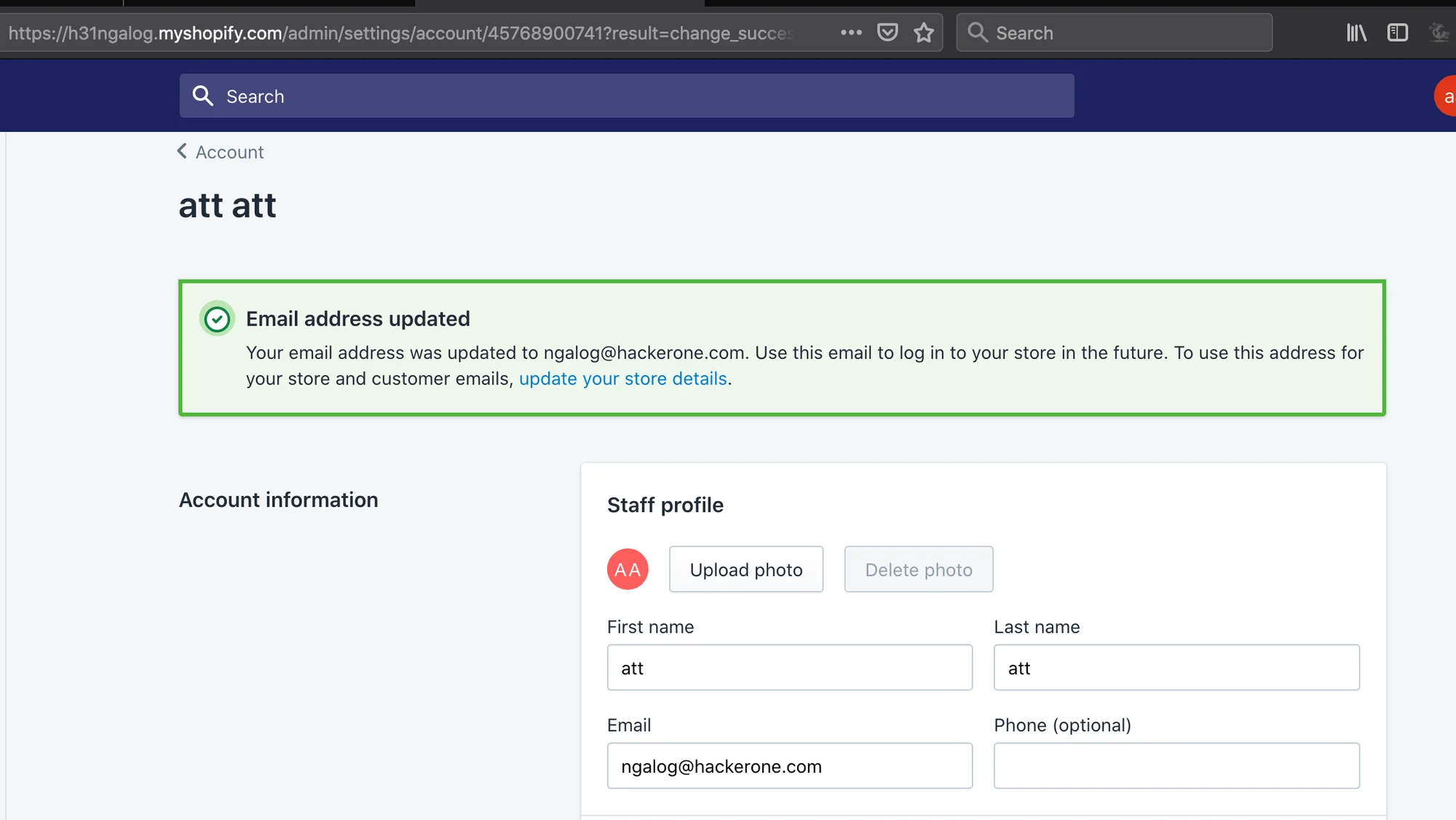
steps to reproduce
- Visit https://www.shopify.com/pricing and signup a free trial with an email address, say [email protected] that you can receive emails
- after entering the fields to enter the store, on top right corner, click your name and go to Your Profile
- change your email to someone that you want to takeover, for example [email protected] and click save
- All done now, grab a coffee, sit back and relax, watch some YouTube videos and wait for an email to go to your email [email protected]
- The email that you are waiting for is from [email protected], and the format should look like this
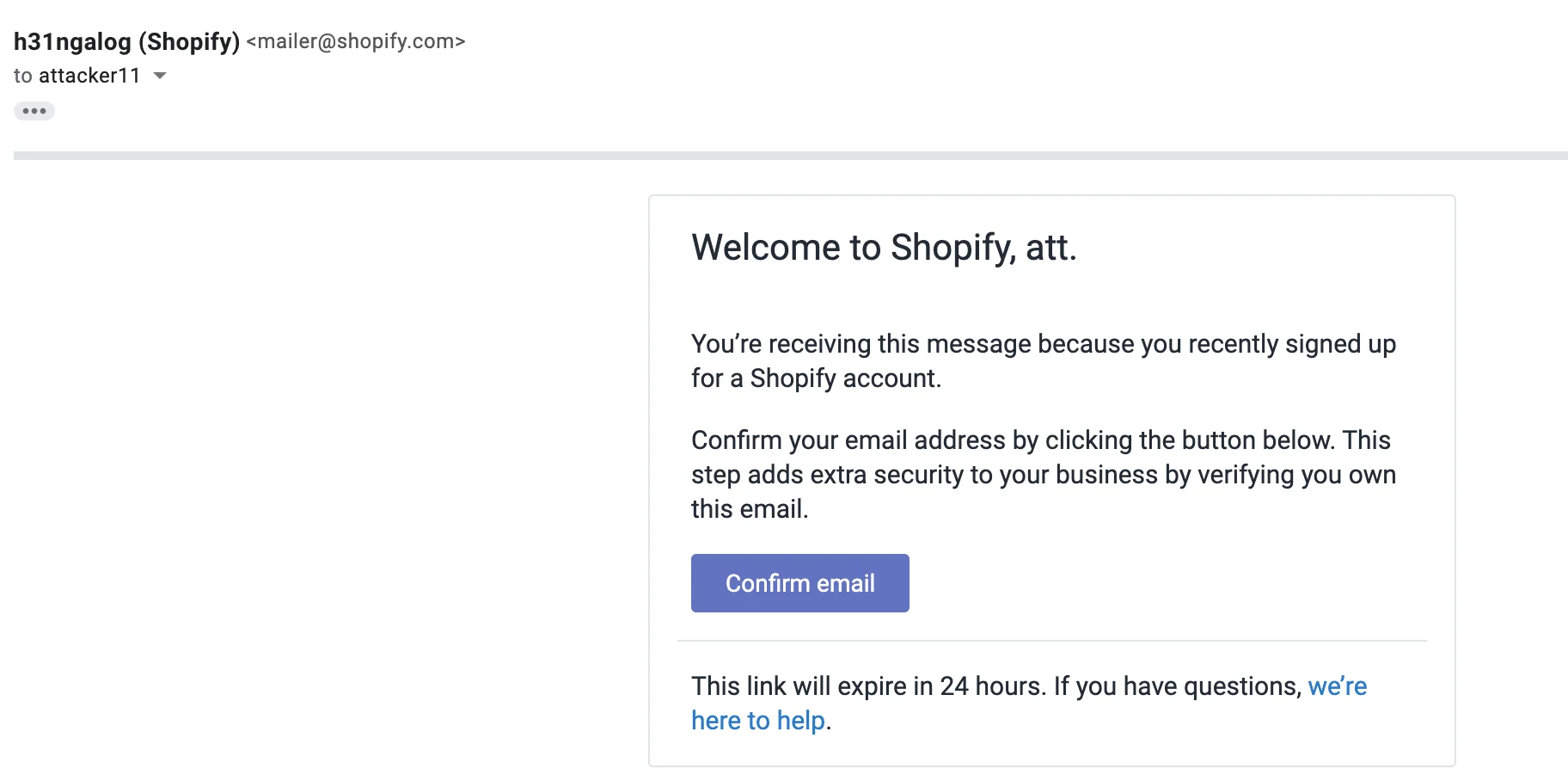
Screenshot_2020-02-10_at_12.18.01_PM.png From the original on HackerOne - Click the link and you should see your email has been updated to [email protected]
Reason?
Email system mistakenly send the confirmation link of [email protected] to [email protected] because [email protected] is the one that is saved on system, and the email system didn't notice the confirmation link has been updated to [email protected], and should not be sent to [email protected]
SSO account takeover
- now we have the ability to confirm arbitrary email, then we can takeover other stores
- On top right corner of you-shop.myshopify.com click your name then click profile, you should see a box that says, you have other two accounts in Shopify, want to integrate them together
- click yes, then just follow the instructions then you will be able to takeover all other stores by changing the master password for all of the stores under that email address.
Impact
Ability to confirm arbitrary email on *.myshopify.com and leverage SSO to set master password for all other stores under the same password
Not written yet. The AI write-up for this report has not been written yet. The Original tab links to the source.
How it worked
Root cause
Likely the email system used the originally stored email address to send the confirmation link instead of the newly entered one, and did not update the destination when the email was changed.
Impact
An attacker could confirm arbitrary email addresses on *.myshopify.com and use SSO to set a master password for all stores under that email, taking over those stores.
What the attacker needed
A free Shopify trial account; victim's email address; victim has not yet integrated SSO
How it was found
- Sign up for a free trial at Shopify's pricing page using an email address you control.
- After entering store details, go to your profile via the top-right corner.
- Change your email to the victim's email address and save.
- Wait for a confirmation email, which arrives at your original email address.
- Click the link in that email to confirm the victim's email address.
- Use the SSO integration feature to set a master password for all stores under that email.
Explained by bugbounty.wiki with AI from the original and checked against quotes from it; it can still be wrong. Read the original before relying on a detail.
Not written yet. The AI write-up for this report has not been written yet. The Original tab links to the source.
When you sign up for a service, it usually sends a link to your email to prove you own it. Here, the system sent the link for a new email address to the old email address instead, so an attacker could 'prove' they owned an email they did not. Then, because Shopify lets stores with the same email be linked together, the attacker could take over other people's stores.
What is Account takeover?
Getting into someone else's account through a flaw in sign-in, password reset, second factor, single sign-on or session handling.







