Bypass of GitLab CI runner slash fix in YAML validation
The fix for a GitLab CI cache path traversal vulnerability could be bypassed by setting a CI/CD variable that is used as the cache key, allowing an attacker to write cache entries outside the intended directory. This could enable arbitrary code execution on a victim's Docker instance during a CI run.

- Triaged in 5 days
- Fixed in 5 months
- Paid in 5 months
- Disclosed after 7 months
Hi Gitlab Security,
I notice the bug #301432 that Jobert reported earlier is could be bypassed by setting variable in environment.
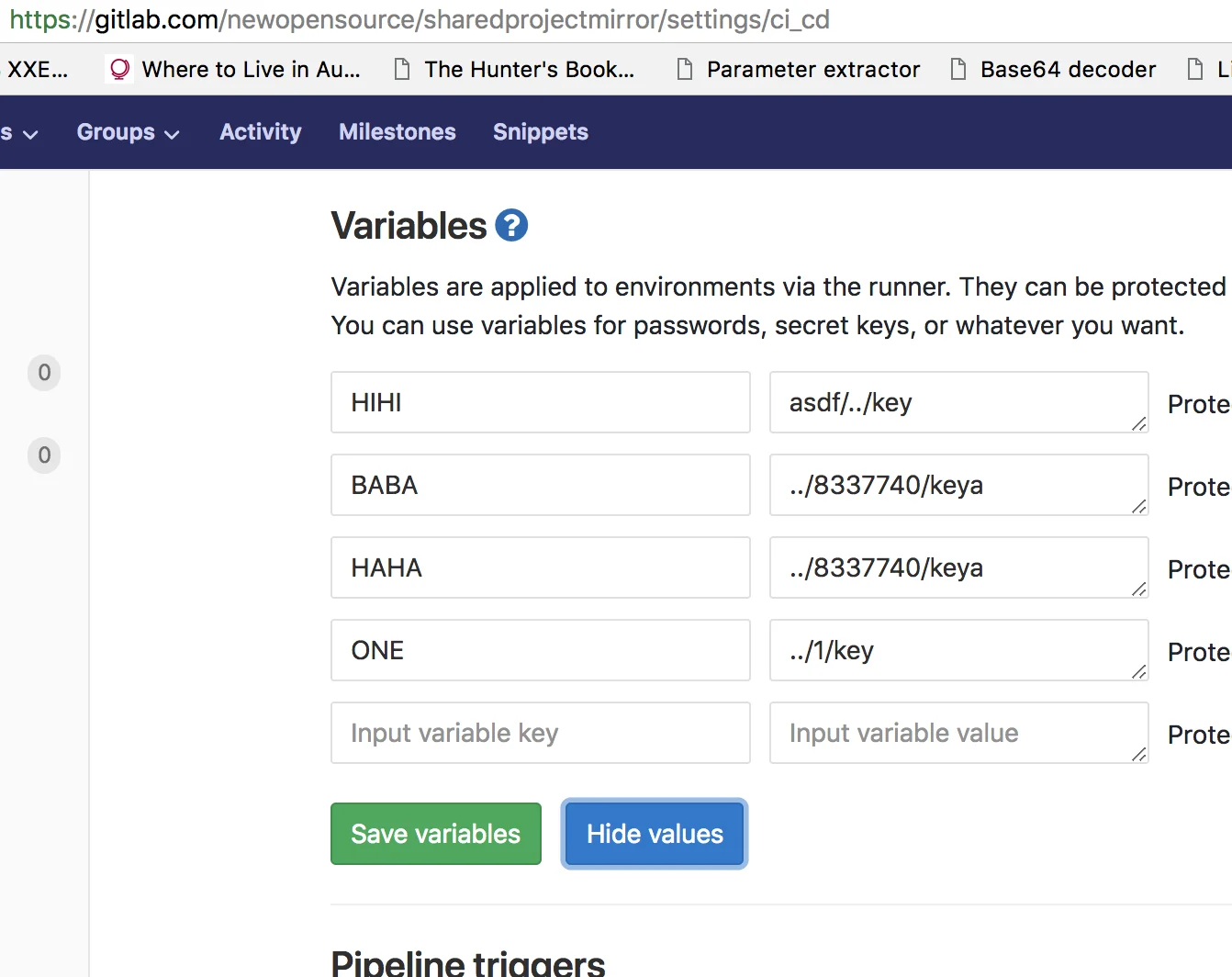
The reason is that the fix in place preventing url normalization is performed by doing the YAML validation, however this could be bypassed by setting the environment variable in https://gitlab.com/{project_id}/settings/ci_cd
By setting the key ONE and variable value to ../1/key, it is possible to replicate what jobert did in #301432.
And in .gitlab-ci.yml
a:
  script:
  - echo "script"
  - echo "a"
  cache:
    key: "$ONE"
    policy: pull #or push if you like to poison
    paths:
      - .
Then make any change to .gitlab-ci.yml will trigger the bug once again.
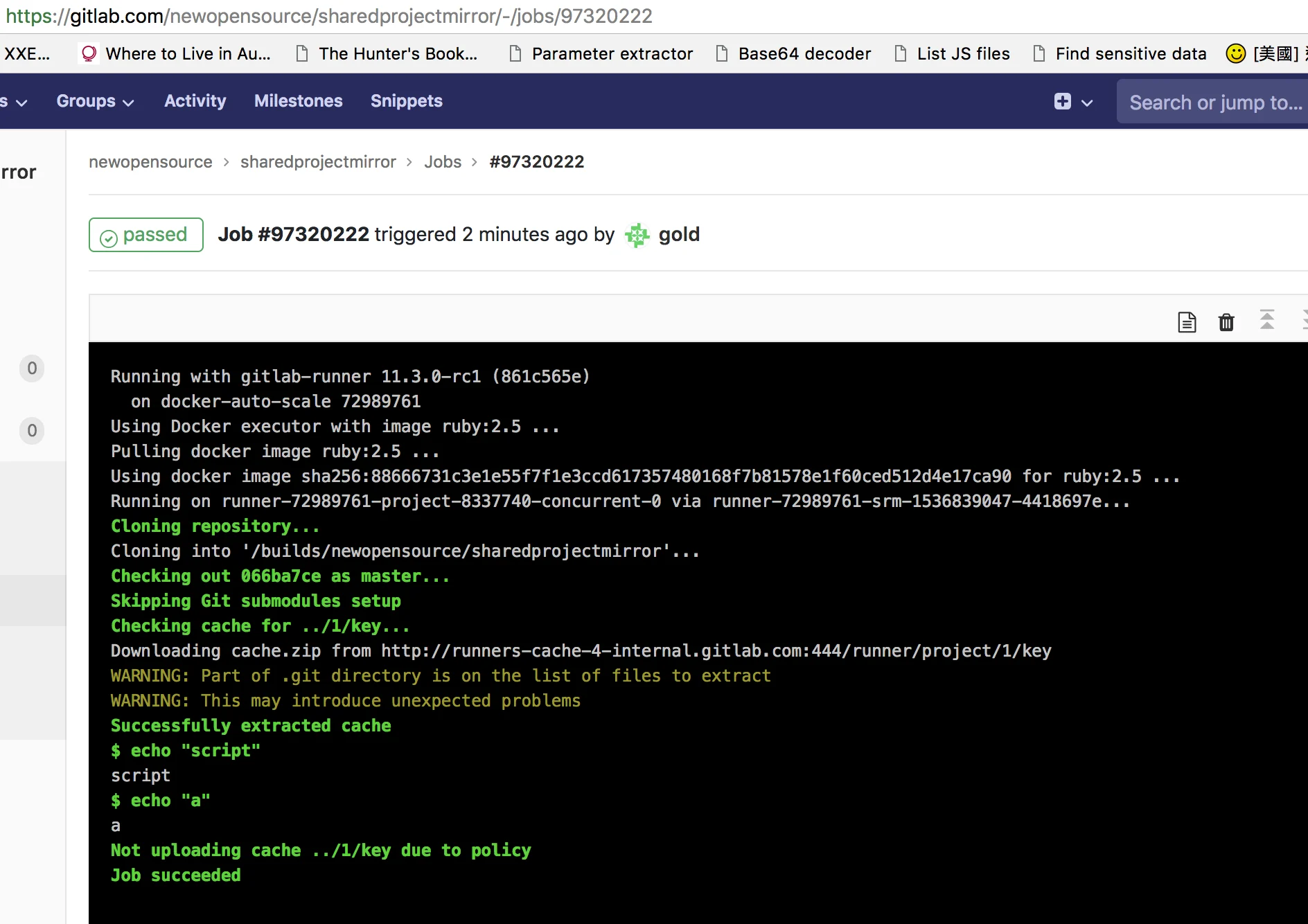
Download from cache
Setting environment variable
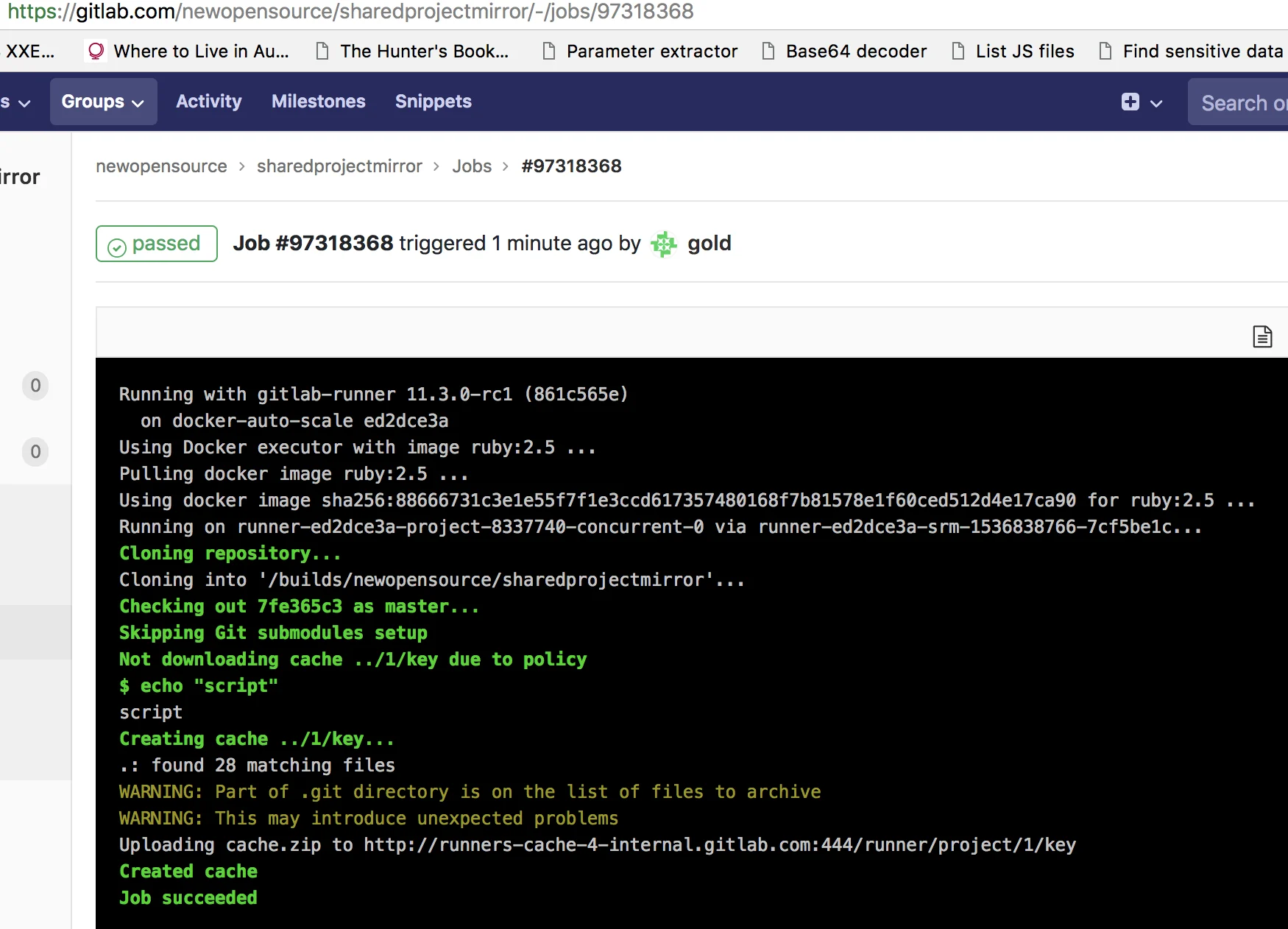
Upload to cache
Impact
Quoting from #301432
Depending on the files that are cached, this may allow an attacker to run arbitrary code on a victim's Docker instance running a CI run. This may expose confidential data, inject artifacts in a build pipeline to ship additional code, among other things.
Not written yet. The AI write-up for this report has not been written yet. The Original tab links to the source.
How it worked
Root cause
Likely the YAML validation only checked the cache key written directly in the pipeline file, not values supplied through CI/CD environment variables, so the path traversal protection was incomplete.
Impact
Depending on the cached files, an attacker could run arbitrary code on a victim's Docker instance during a CI run, potentially exposing confidential data or injecting artifacts into the build pipeline.
What the attacker needed
Access to project CI/CD settings; ability to modify .gitlab-ci.yml
How it was found
- Set a CI/CD variable named ONE with the value ../1/key in the project settings.
- In the pipeline file, use $ONE as the cache key and set the cache policy to pull or push.
- Trigger a pipeline by making any change to the pipeline file.
- Observe the cache being downloaded from or uploaded to the unintended path.
Explained by bugbounty.wiki with AI from the original and checked against quotes from it; it can still be wrong. Read the original before relying on a detail.
Not written yet. The AI write-up for this report has not been written yet. The Original tab links to the source.
GitLab CI caches files between jobs to speed up builds. The cache key is normally a simple name, but if it contains path characters like '../', the cache can be stored outside the safe folder. This report shows that a security fix for that problem could be avoided by putting the malicious key in a project setting instead of directly in the pipeline file.
What is Path traversal?
Input that builds a file path escapes the intended folder, reading or writing files the application should never touch.






