Stored XSS in Slack (weird, trial and error)
A stored cross-site scripting flaw existed in Slack where a crafted SVG payload with an onload handler could be injected into messages, posts, snippets and comments. An attacker could execute script in another user's browser, though the reporter notes it sometimes required repeated attempts.

- Triaged in 3 days
- Fixed in 6 days
- Paid in 6 days
- Disclosed after 13 days
Hi slack. I found a weird, trial and error Stored XSS in Slack... I hope you can get clear of this and get it too.. and I hope you can find the XSS too. Anyway here it is (according to what I did):
- Go to your Slack or create a new Slack team.
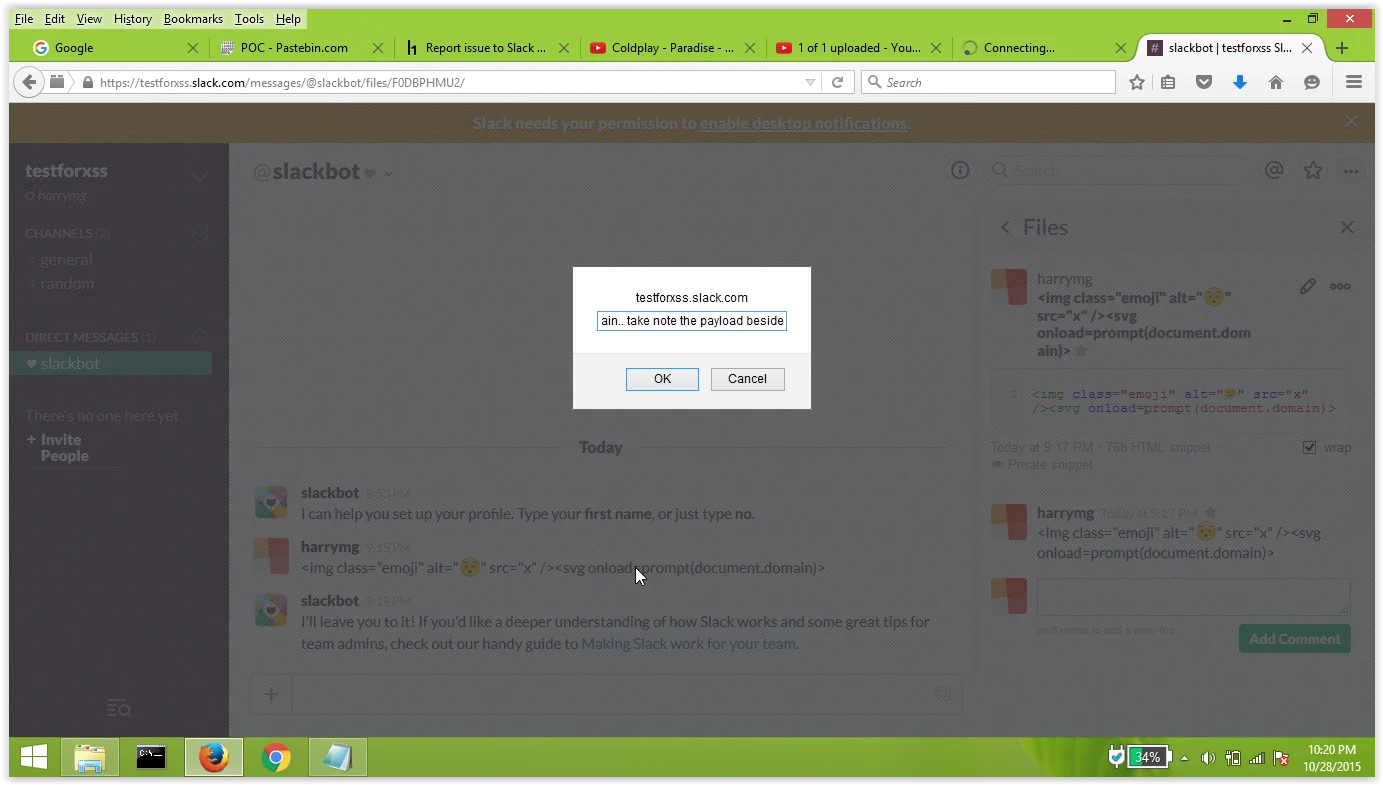
- In slackbot.. enter this payload: <svg onload=prompt(document.domain)>
- Then, Create a new post and enter the same payload too (as title, and in one paragraph, one code)
- Share it to slackbot,, and comment using the XSS payload given
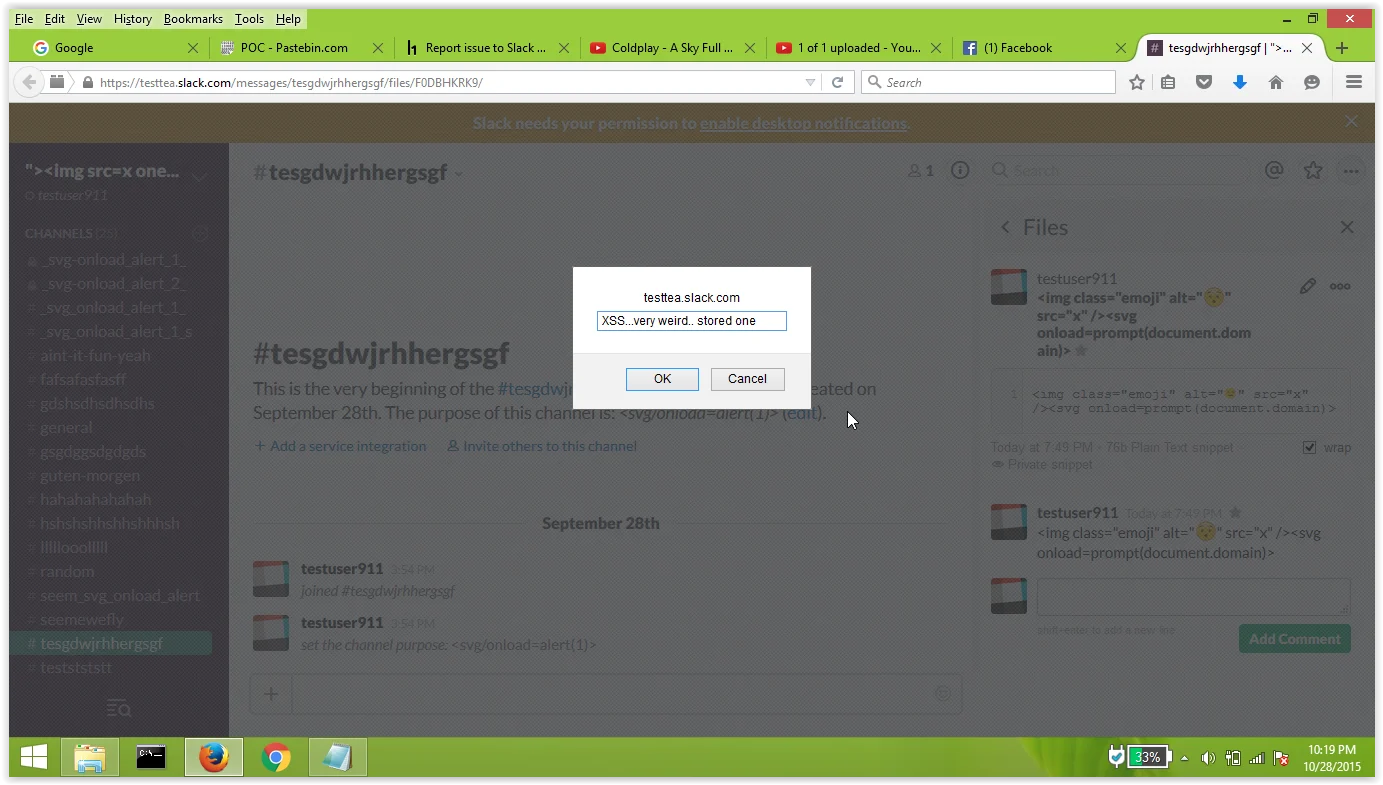
- Then create a snippet.. enter the payload as well... and it is HTML or any format..
- Add comment using the XSS payload.
- Click Create snippet
then I refreshed my slack.. I suddenly got an XSS payload.. In some cases, this will work immediately.. but sometimes... you will have to repeat the process. trial and error..
I hope you understand my report... I have provided videos and pictures for clearer details.
Thanks!
Video link: https://youtu.be/UtYrymMgMb8
Attachments
Not written yet. The AI write-up for this report has not been written yet. The Original tab links to the source.
How it worked
Impact
An attacker could run script in a victim's Slack session, though the exploit was unreliable and sometimes needed repeated attempts.
What the attacker needed
A Slack account or ability to create a team; victim views the crafted content
How it was found
- Go to Slack or create a new team.
- Enter the payload in a Slackbot message.
- Create a new post and enter the payload as title, paragraph and code.
- Share the post to Slackbot and add a comment with the payload.
- Create a snippet with the payload and add a comment with the payload.
- Refresh Slack to trigger the XSS.
Explained by bugbounty.wiki with AI from the original and checked against quotes from it; it can still be wrong. Read the original before relying on a detail.
Not written yet. The AI write-up for this report has not been written yet. The Original tab links to the source.
Cross-site scripting (XSS) is when a website lets an attacker sneak in code that runs in other people's browsers. Here, a specially crafted image tag with a script was saved in Slack messages and posts, so when someone viewed it, the script could run. The reporter found it worked only sometimes, needing several tries.
What is XSS?
Script an attacker supplies runs in another user's browser, on the target's origin, with that user's session.






