Bypassing SSO Authentication from the Login Without Password Feature Lead to Account Takeover
The login-without-password flow accepted a username parameter in the final SSO request, and the server trusted it without checking that the username belonged to the email that received the OTP. An attacker with two accounts sharing one email could request an OTP, then swap the username to a victim's and be logged in as that victim.
 Published on aidilarf.medium.com
When I did Bug Hunting, I found the Login without Password feature. The Login without Password feature is a feature that is used for valid account users to log in without a password or valid account users can only log in using the OTP ( One-Time Password ) sent to the linked account email.
The full write-up lives on its author's site
It belongs to its author, so we link to it rather than copy it. The other two tabs are our own rewrites, checked against it.
Context
The target is a website whose login is handled through an SSO service on a separate host. The feature under examination is Login without Password: a valid account holder can authenticate without a password, using only an OTP (One-Time Password) sent to the email address linked to the account.
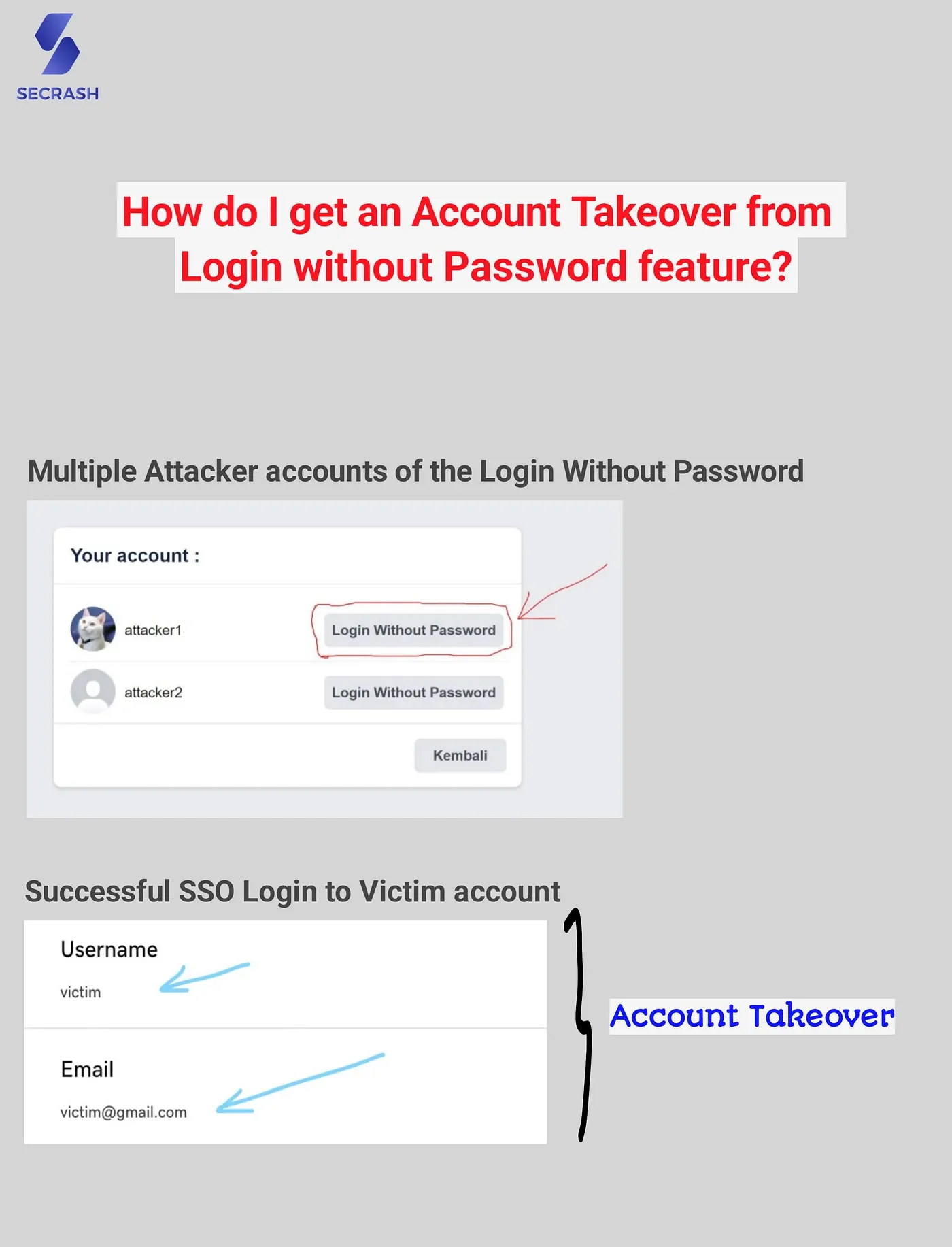
The researcher gives one piece of background that matters for everything that follows: the website supports the use of the same email address on multiple accounts, because the SSO login uses only the username and not the linked email.
Setup
The researcher acts as an attacker and prepares two accounts with different usernames, both linked to the same email address:
- Username: attacker1
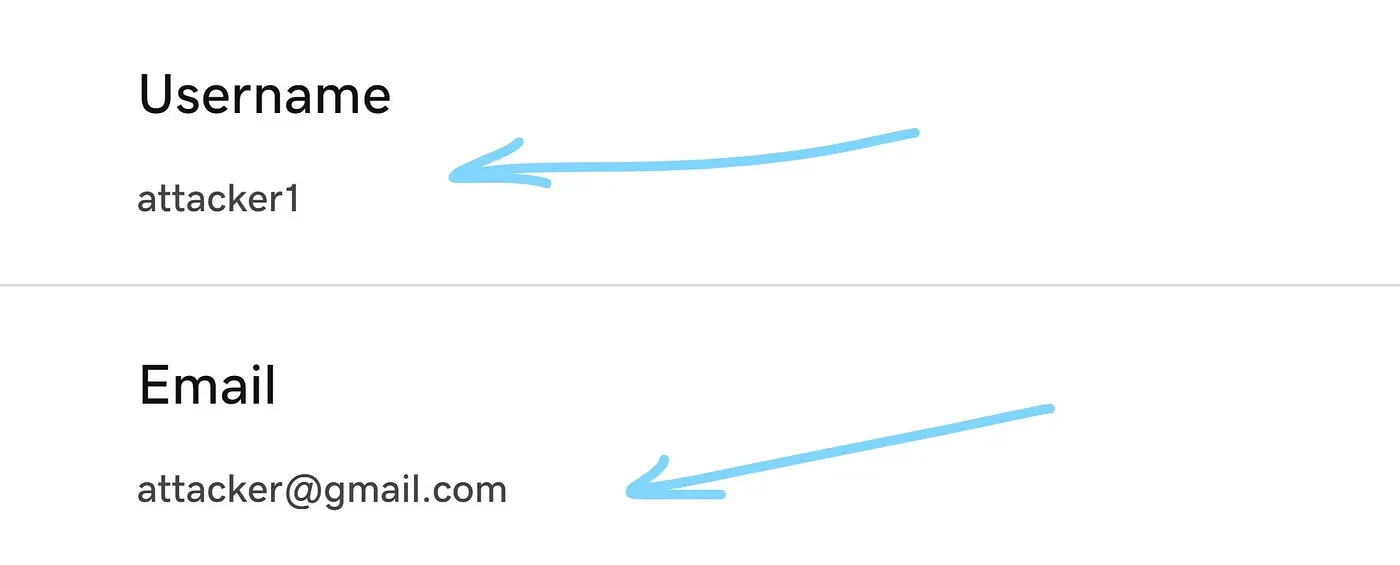
- Username: attacker2
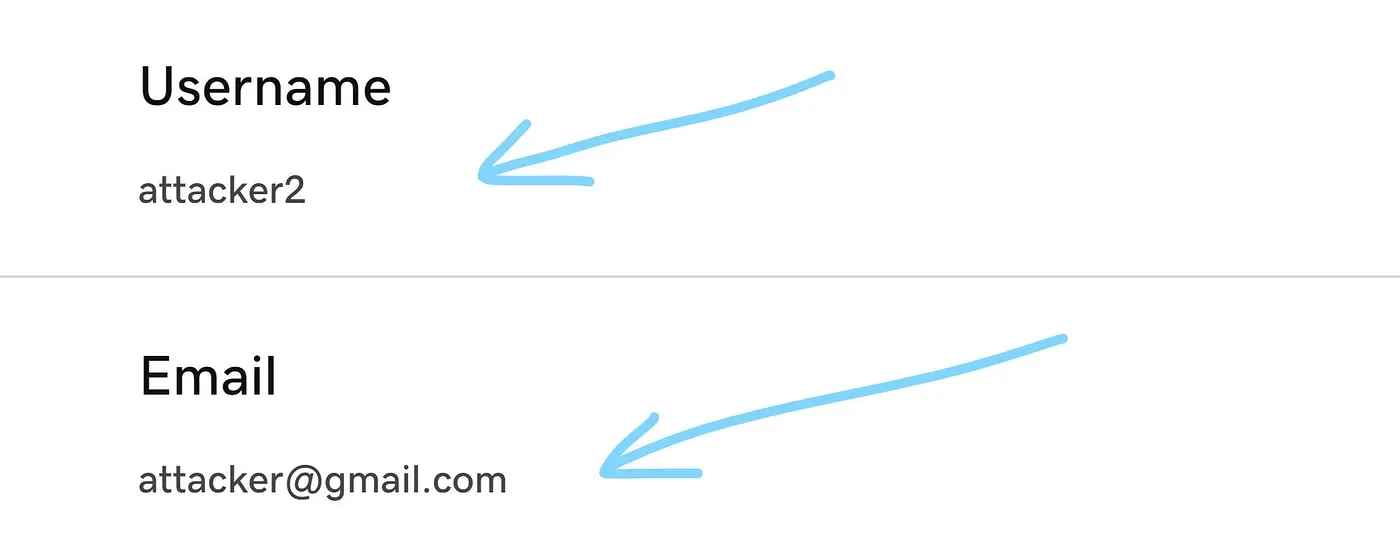
No tools or versions are named in the report. The precondition that the whole attack depends on is the shared email address across two usernames.
Finding it
The researcher goes to the Login without Password feature and enters the account email.
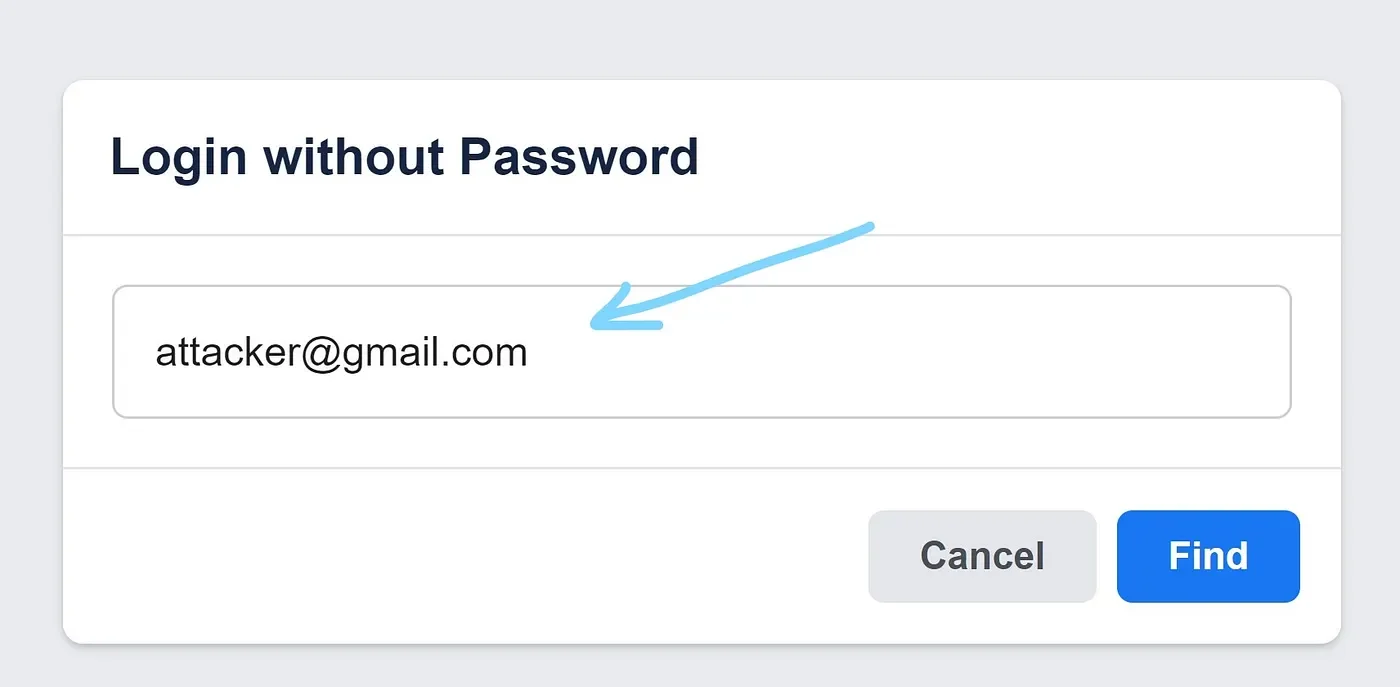
The OTP is sent to that email, which the attacker controls.
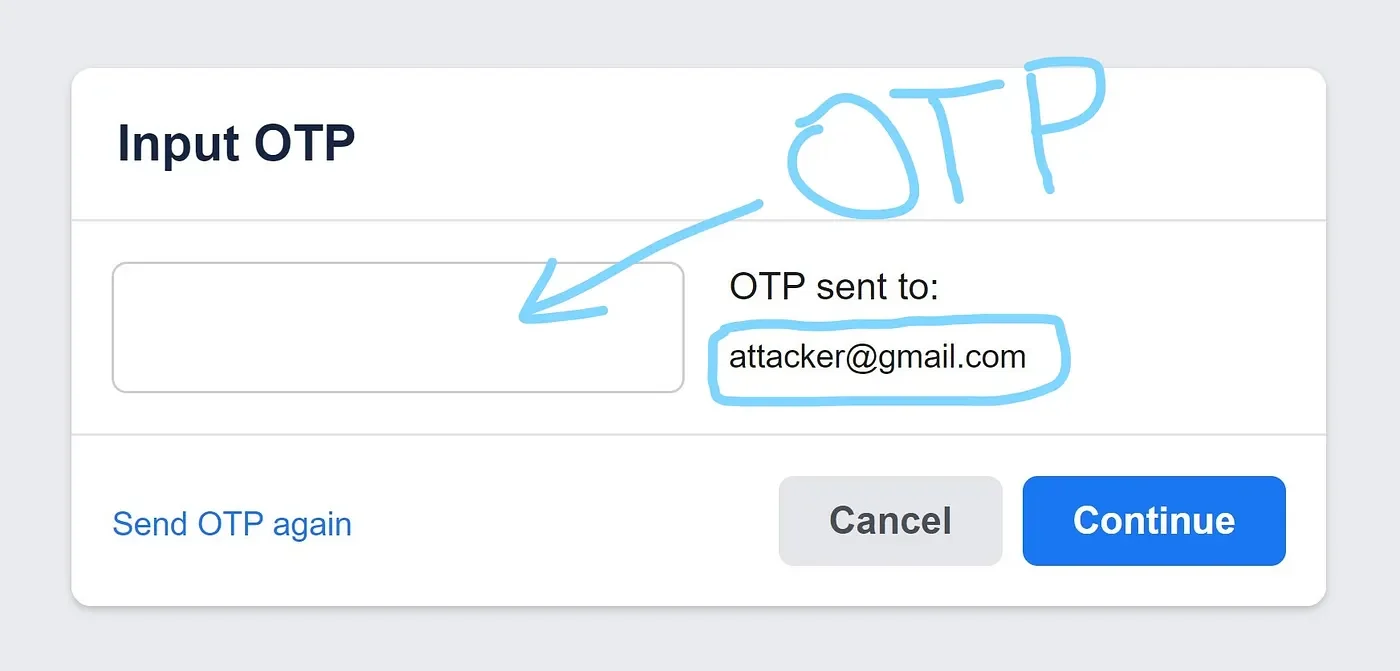
After entering the OTP, the flow does not log the user straight in. Instead it presents an account selection page for SSO login without a password.
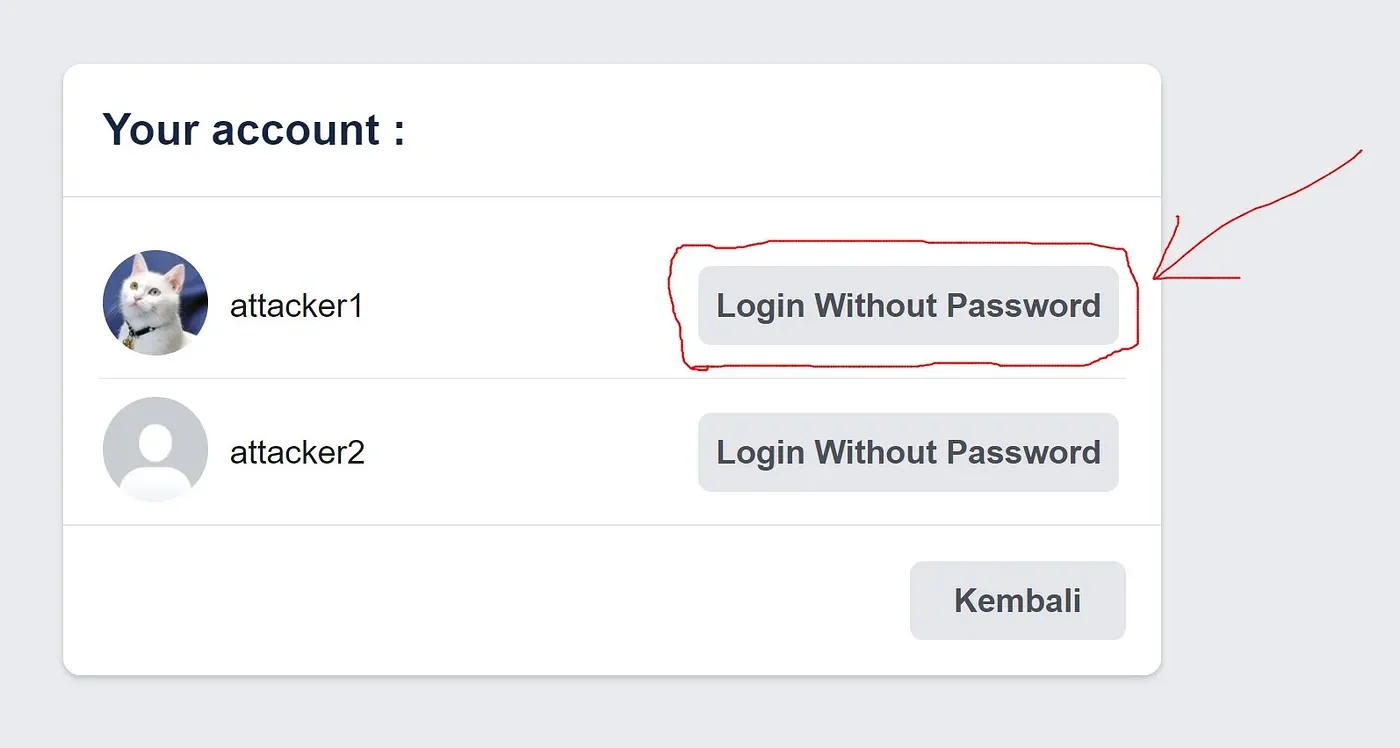
The researcher adds a note about this page: it requires two accounts with different usernames linked to the same email. With only one account on that email, entering the correct OTP in the SSO login-without-password request does not produce the account selection page at all; the SSO login redirects immediately to that single account.
With the selection page in front of them, the researcher captures the request made when selecting one of the accounts.
Exploitation
Step 1: capture the account selection request
The request sent when picking an account on the selection page looks like this:
POST /api/sso/login-without-password/auth HTTP/2
Host: sso.redacted.com
Cookie: [COOKIE]
User-Agent:
Accept-Language: en-US,en;q=0.5
Accept-Encoding: gzip, deflate
Origin: https://www.redacted.com/
Sec-Fetch-Dest: empty
Sec-Fetch-Mode: cors
Sec-Fetch-Site: same-origin
Te: trailers
Content-Length: 226

{"track":006,"action":"login-without-password","code":"[OTP]","token":"22123w2DS4543jg23324e35SD==","username":"attacker1"}
The following is a screenshot of the request:
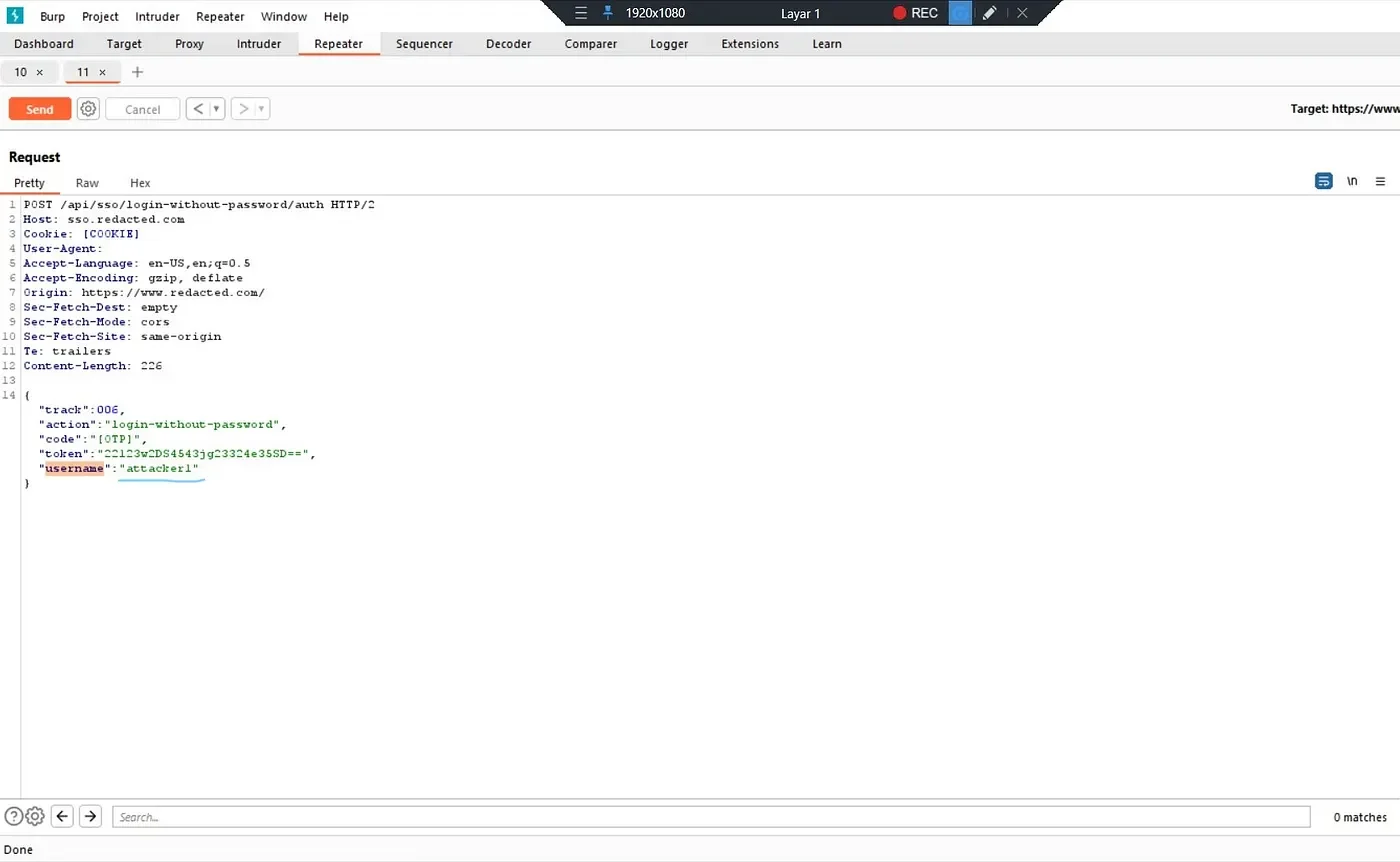
The body carries the OTP in code, a token, and a username set to attacker1. The username parameter is what caught the researcher's attention: the account had been chosen by username, not by any identifier tied to the email address that received the OTP.
Step 2: swap the username for the victim's
Out of curiosity, the researcher replaced the value of the username parameter with the victim's username, leaving the rest of the request as it was.
It worked: the SSO redirected to the final endpoint of the victim account.
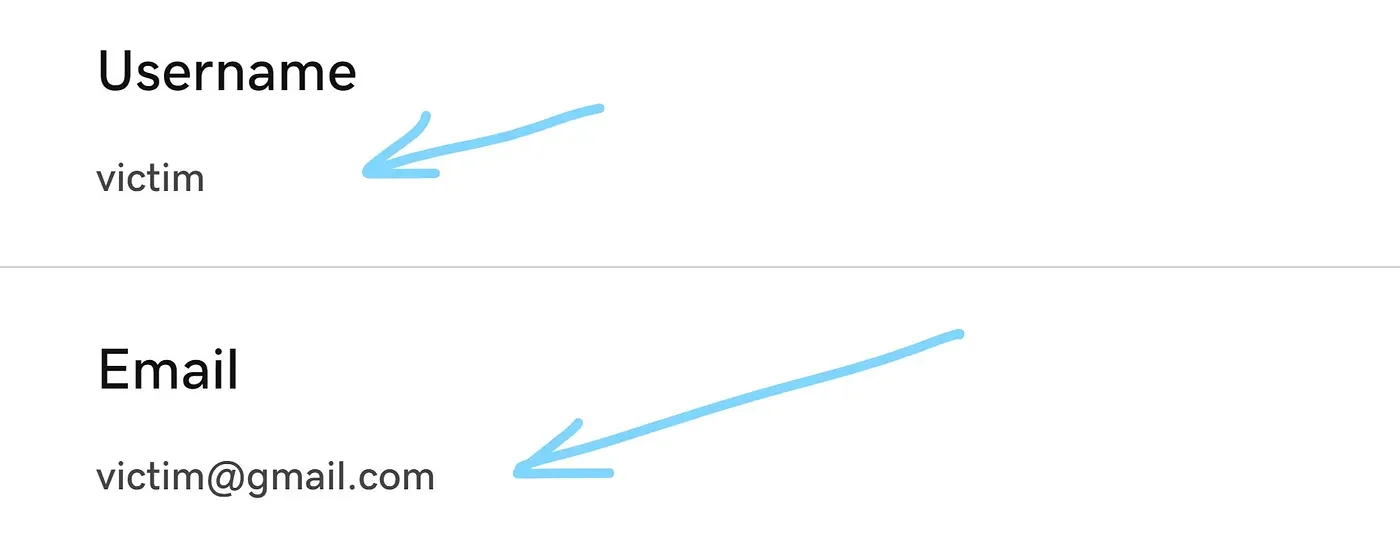
Step 3: result
The researcher ends up with an account takeover.

Root cause
The login-without-password flow proves possession of the email address by sending an OTP there, but the final authentication request lets the client state which account it wants. The server accepts the username from the request body and issues the SSO session for that account; the report does not describe any check binding the username to the email address the OTP was issued for.
This is only reachable when the email address is linked to more than one username, because that is the condition that produces the account selection page and the request carrying username. The report does not describe any server-side check that would have prevented the swap.
Impact
An attacker who controls an email address linked to at least two usernames on the target can complete the OTP step legitimately and then change the username in the selection request to the victim's username, receiving an SSO session for that account. The report states the outcome as account takeover.
Fix
A fix that follows from the described behaviour is to bind the OTP and token to the specific account: the server should derive the account from the verified email and the OTP, or accept only a username from the set of accounts linked to that email, and reject any other value in username.
Variants to test
What happened, in plain words
A website let people log in without a password. Instead of typing a password, you typed your email address, and the site sent a short numeric code to that email. You typed the code back into the site, and you were logged in. This is a common and convenient design, and on its own it is not a bug.
The problem was in the last step of that flow. After the code was checked, the site asked the browser which account to log in to, and the browser answered with a username. The server believed that answer. So an attacker could complete the email step honestly with their own email address, then change the username in that final request to the victim's username, and the server would hand back a logged-in session for that other person's account. That is an account takeover: logging in as someone else without ever knowing their password or reading their email.
This write-up walks through how the researcher found it, the exact request involved, and why the server should not have trusted the username it was given.
Background you need first
A few ideas come up repeatedly, so here they are from zero.
SSO (Single Sign-On). SSO is a way of having one login service handle sign-in for one or more websites. Think of a large office building with one reception desk: you show your ID once at reception, and reception gives you a visitor badge that opens the doors you are allowed through. The website you are using does not check your password itself; it asks the SSO service, and the SSO service tells it who you are. In this report the SSO service lives on its own host, separate from the main website.
OTP (One-Time Password). A short code that is valid for one login attempt and then expires. It is usually sent by email or text message. The point of an OTP is to prove that you can read messages sent to a particular address or phone number. If you can type the code, you probably own that mailbox or phone.
Username versus email address. A username is the short name you pick for an account, like attacker1. An email address is the mailbox. Many sites treat the email address as the unique thing and allow only one account per email. This site did not: it allowed several usernames to be linked to the same email address, because the SSO login identified people by username only.
API and API request. An API is the set of addresses a website's own pages use to talk to its server behind the scenes. When you click a button, your browser usually sends a small message to one of these addresses and the server sends data back. That message is the request. It has a method and a path (what you want to do and where), headers (extra information about the message), and often a body (the actual data). You normally never see these messages, but a browser's developer tools, or a tool that records traffic, can show them to you.
Cookie. A small piece of text that a website stores in your browser and that your browser sends back on every request to that site. It is how a site remembers that you are logged in between page loads. Think of it as the wristband you get at an event: you show it at the door and you are let in without explaining who you are again. Cookies are sensitive, because anyone who copies yours can often act as you.
Token. A value, usually a long random-looking string, that stands in for proof of something. Here it appears in the request body next to the OTP. It is a separate piece of evidence from the OTP, and the server checks it as part of the login.
Account takeover. Exactly what it sounds like: an attacker gains control of another person's account. They can read the victim's data, change settings, and in many cases lock the real owner out. It is one of the most serious outcomes a login bug can have.
The feature under examination
The target is a website whose login is handled by an SSO service on a separate host. The feature being tested is called Login without Password. A valid account holder can log in without a password, using only an OTP sent to the email address linked to the account.
One piece of background matters for everything that follows: the website supports using the same email address on multiple accounts, because the SSO login uses only the username and not the linked email. In other words, the email address is not treated as unique. Two different usernames can point at the same mailbox.
Setting up the test
The researcher acts as an attacker and prepares two accounts with different usernames, both linked to the same email address:
- Username: attacker1
- Username: attacker2
No tools or versions are named in the report. The precondition the whole attack depends on is that shared email address across two usernames: without it, the interesting part of the flow never appears.
Finding it
The researcher goes to the Login without Password feature and enters the account email.
The OTP is then sent to that email, which the attacker controls.
After entering the OTP, the flow does not log the user straight in. Instead it presents an account selection page for SSO login without a password.
This is the key moment. Because two usernames share the email address, the SSO service cannot tell which account the person wants, so it asks.
The researcher adds a note about this page: it requires two accounts with different usernames linked to the same email. With only one account on that email, entering the correct OTP in the SSO login-without-password request does not produce the account selection page at all; the SSO login redirects immediately to that single account. That is why the two-account setup was necessary: the selection page, and the request behind it, only exist when there is a choice to make.
With the selection page in front of them, the researcher captures the request made when selecting one of the accounts. Capturing means recording the message the browser sends, so it can be read and later changed by hand.
Exploitation
Step 1: capture the account selection request
The request sent when picking an account on the selection page looks like this:
POST /api/sso/login-without-password/auth HTTP/2
Host: sso.redacted.com
Cookie: [COOKIE]
User-Agent:
Accept-Language: en-US,en;q=0.5
Accept-Encoding: gzip, deflate
Origin: https://www.redacted.com/
Sec-Fetch-Dest: empty
Sec-Fetch-Mode: cors
Sec-Fetch-Site: same-origin
Te: trailers
Content-Length: 226

{"track":006,"action":"login-without-password","code":"[OTP]","token":"22123w2DS4543jg23324e35SD==","username":"attacker1"}
Line by line, in plain words:
POST /api/sso/login-without-password/auth HTTP/2is the first line of the request.POSTmeans "I am sending data to the server". The path/api/sso/login-without-password/authis the address of the login-without-password step on the SSO service.HTTP/2is the version of the language the browser and server use to talk.Host: sso.redacted.comsays which server the request is for. The host name has been redacted here.Cookie: [COOKIE]is the browser's stored login information for this site, sent along automatically. It is redacted because a real cookie would let anyone reading it act as that user.User-Agent:is normally where the browser identifies itself. Here it is empty.Accept-Language: en-US,en;q=0.5tells the server which languages the browser prefers, with English first.Accept-Encoding: gzip, deflatesays the browser can accept compressed responses, which saves bandwidth.Origin: https://www.redacted.com/tells the server which website the request came from. Browsers add this automatically for cross-site requests, and servers can use it as a security check.Sec-Fetch-Dest: empty,Sec-Fetch-Mode: cors,Sec-Fetch-Site: same-originare hints the browser adds about the kind of request this is.same-originmeans the request is going to the same site that made it.Te: trailerssays the browser can handle trailers, which are extra headers sent after the body.Content-Length: 226says the body is 226 bytes long, so the server knows how much to read.- The blank line separates the headers from the body.
- The body is the JSON data:
{"track":006,"action":"login-without-password","code":"[OTP]","token":"22123w2DS4543jg23324e35SD==","username":"attacker1"}. JSON is a simple text format for structured data, made of names and values in curly braces.trackandactiondescribe what kind of action this is.codeholds the OTP, redacted here.tokenis the separate proof value mentioned earlier.usernameis the account being selected, and here it isattacker1.
The following is a screenshot of the request:
The screenshot shows the captured request as the researcher saw it, with the body containing the OTP, the token and the username.
The body carries the OTP in code, a token, and a username set to attacker1. The username parameter is what caught the researcher's attention: the account had been chosen by username, not by any identifier tied to the email address that received the OTP. That is the design flaw in one sentence. The email step proved control of a mailbox, but the final step let the browser name any account it liked.
Step 2: swap the username for the victim's
Out of curiosity, the researcher replaced the value of the username parameter with the victim's username, leaving the rest of the request as it was. The OTP and token stayed the same, because they had already been obtained legitimately through the attacker's own email.
It worked: the SSO redirected to the final endpoint of the victim account.
Step 3: result
The researcher ends up with an account takeover.
Why it worked
The login-without-password flow proves possession of the email address by sending an OTP there, but the final authentication request lets the client state which account it wants. The server accepts the username from the request body and issues the SSO session for that account; the report does not describe any check binding the username to the email address the OTP was issued for.
A useful comparison: imagine a hotel reception that checks your ID, then asks you which room key you would like, and hands you the key you name. The ID check was real, but it was never connected to the key. Here the OTP check was real, but it was never connected to the username.
This is only reachable when the email address is linked to more than one username, because that is the condition that produces the account selection page and the request carrying username. The report does not describe any server-side check that would have prevented the swap.
Impact
An attacker who controls an email address linked to at least two usernames on the target can complete the OTP step legitimately and then change the username in the selection request to the victim's username, receiving an SSO session for that account. The report states the outcome as account takeover.
They only need an account of their own on the same site, set up so that two usernames share one mailbox.
Fix
A fix that follows from the described behaviour is to bind the OTP and token to the specific account: the server should derive the account from the verified email and the OTP, or accept only a username from the set of accounts linked to that email, and reject any other value in username. In the hotel comparison, reception should look up which rooms are registered to the ID you showed, and only offer keys to those.
Variants to test
If you want to look for similar bugs yourself, these are directions worth testing. Each one starts from the same idea: find a place where the server trusts a value the browser supplies after a check has already passed.
Glossary
- SSO (Single Sign-On): a central login service that signs users in for one or more websites, so each site does not handle passwords itself.
- OTP (One-Time Password): a short code valid for a single login attempt, sent to an email address or phone to prove the user can read messages there.
- Username: the short name chosen for an account, such as
attacker1. - Email address: the mailbox an account is linked to; on this site several usernames could share one.
- API: the set of addresses a website's pages use to exchange data with its server behind the scenes.
- Request: the message a browser sends to a server, made of a method, a path, headers and often a body.
- Method (POST): the part of a request that says what kind of action is wanted;
POSTmeans data is being sent to the server. - Header: extra information attached to a request, such as the host, the cookie or the accepted languages.
- Body: the actual data carried by a request, here a JSON object.
- JSON: a text format for structured data, made of names and values inside curly braces.
- Cookie: a small piece of text stored by the browser and sent back to a site on each request, used to remember that you are logged in.
- Token: a value, usually a long random string, used as proof of something during a login or other action.
- Origin: a header telling the server which website a request came from.
- Content-Length: a header stating how many bytes long the body is.
- Parameter: a named value inside a request, such as
usernameorcode. - Endpoint: a specific address on a server that performs a specific action, such as the login-without-password step.
- Account takeover: an attacker gaining control of another person's account.
- Authentication: the process of proving who you are, usually by password, code or token.
- Session: the state of being logged in, usually represented by a cookie or token the server recognises.
- Magic link: a login method where a clickable link sent by email replaces a password or code.
- UUID: a long, effectively unique identifier used to refer to an object without it being guessable.
- Replay: sending a message or value that was already used once, to see whether the server accepts it again.
- Root cause: the underlying mistake in the code or design that makes a vulnerability possible.
- Redacted: removed or replaced, usually to hide sensitive values such as cookies, host names or personal data.




