LFI - An Interesting Tweak
A download feature took a user-supplied filename and used it to fetch files from the server, so the author could retrieve the web.xml configuration file from the WEB-INF directory. That file contained admin credentials, but no login portal was found and the target was out of scope, so the impact stayed limited.
 Published on shahjerry33.medium.com
Local File Inclusion (LFI) is a type of web application vulnerability that allows an attacker to include and execute arbitrary files on the web server. An attacker can take advantage of this vulnerability by passing a malicious file path as a parameter, which could be a local file on the server.
The full write-up lives on its author's site
It belongs to its author, so we link to it rather than copy it. The other two tabs are our own rewrites, checked against it.
Context
This write-up describes a local file inclusion (LFI) issue found on a program's website that offered a Download Course Details feature. The feature fetched course details from the server through a filename= parameter, and the request was a POST. The site was running on an IIS server.
The author describes LFI in general terms: it lets an attacker include and execute arbitrary files on the web server by passing a crafted file path as a parameter, which can expose configuration files or user credentials, allow code execution, or lead to full control of the server. In this case the outcome was narrower: a single configuration file was downloaded.
The bug was not reported, because the target was out of scope (OOS).
Setup
No accounts, roles, tools or versions are described. The only precondition that matters is that the site exposed the Download Course Details button and built the file it served from a user-controlled filename= parameter in a POST request. The author also knew the site was running on IIS, which guided the choice of file to request.
Finding it
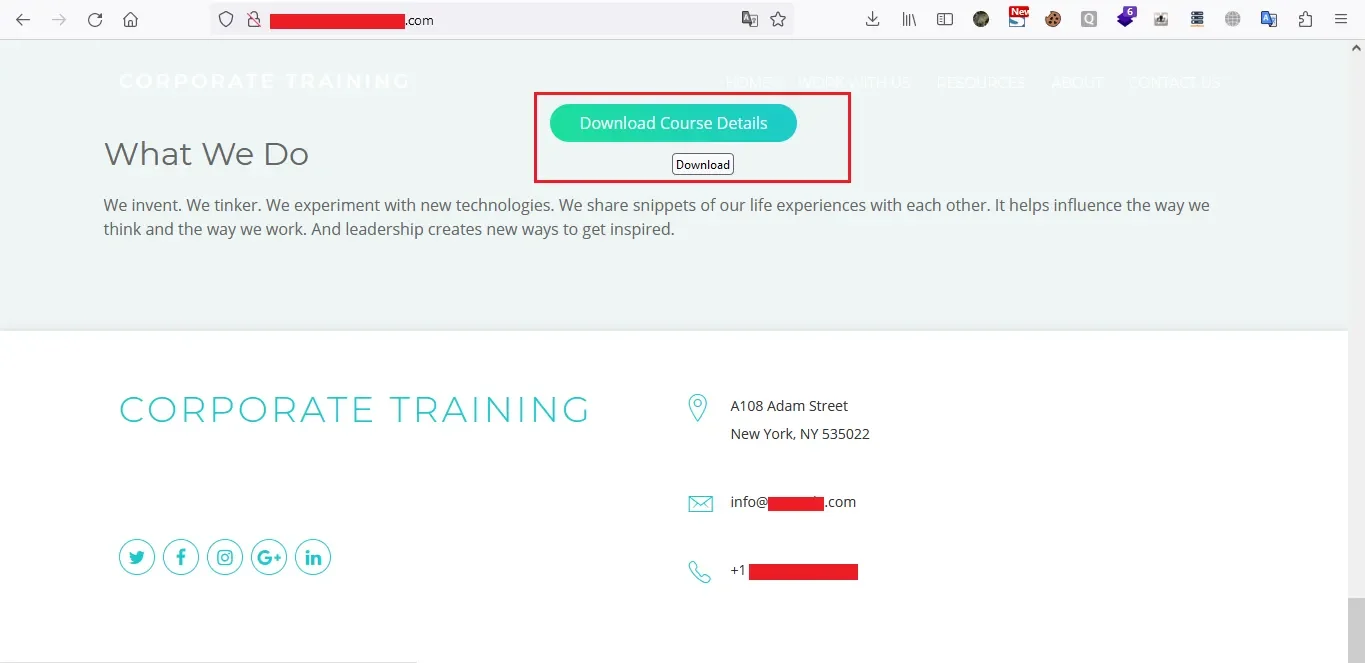
The author went to the website and found the Download Course Details option.
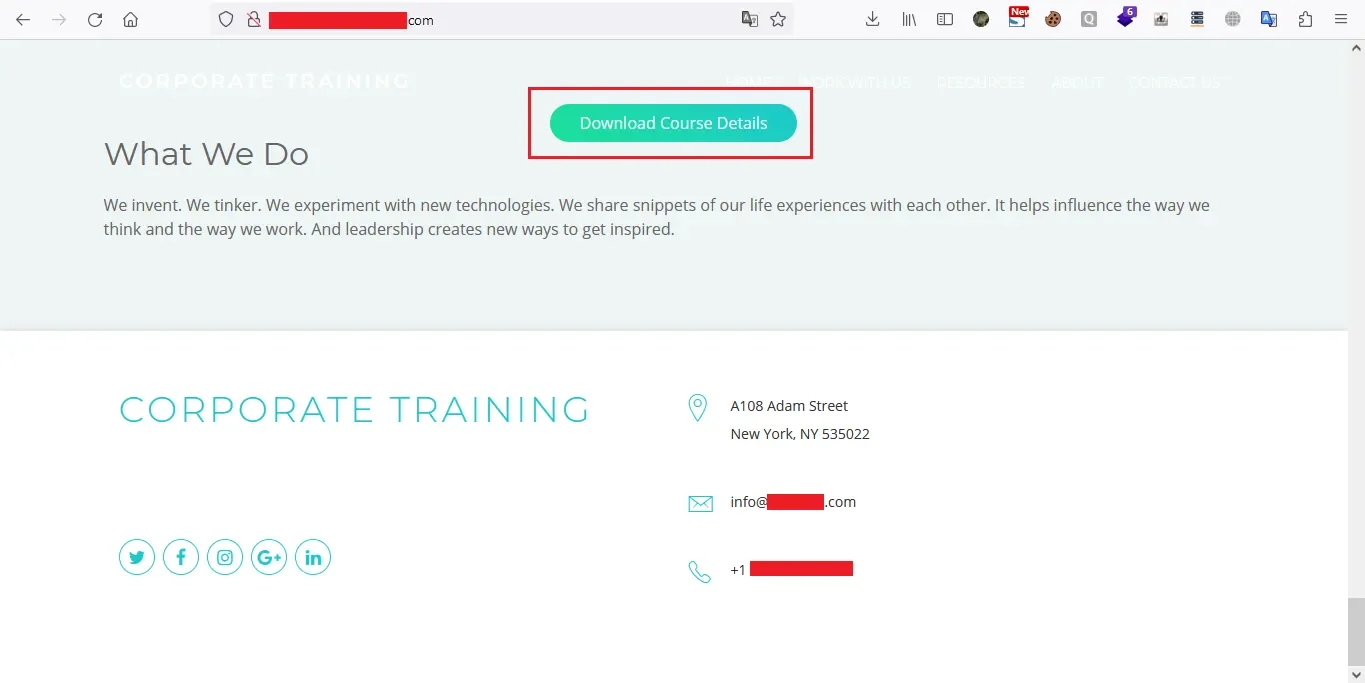
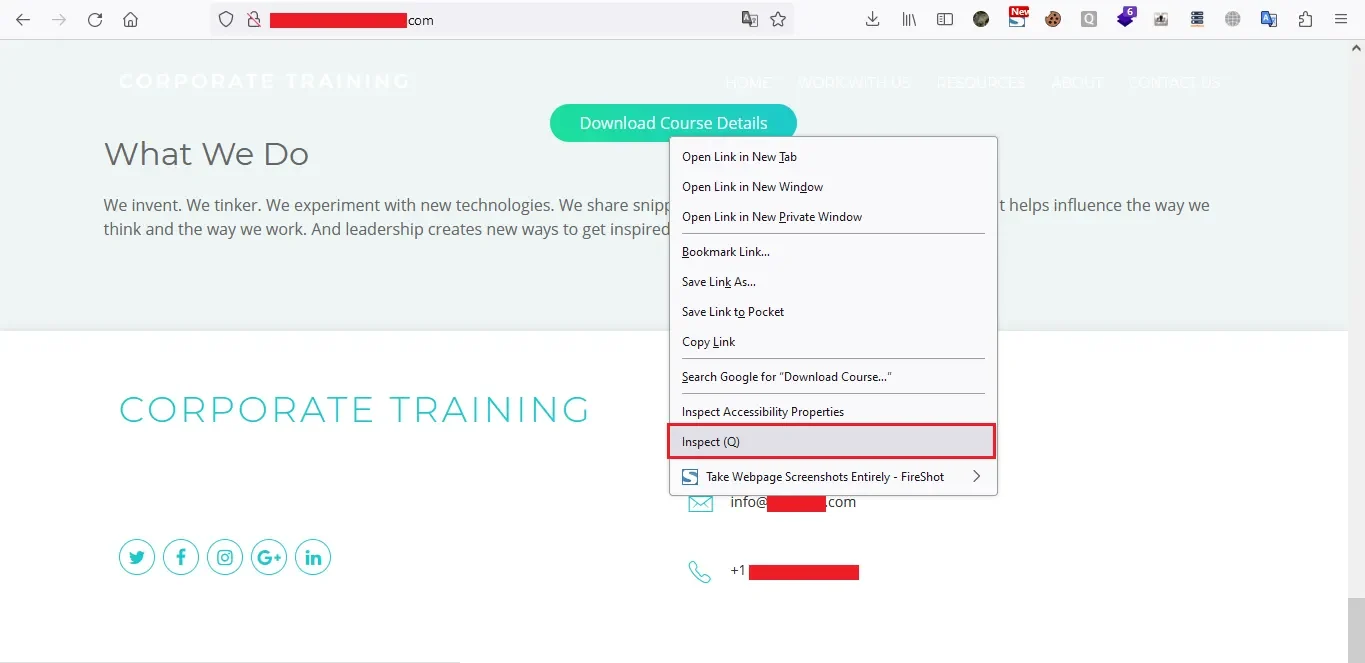
Right-clicking the button and choosing Inspect showed the hyperlink and where the file was being fetched from.
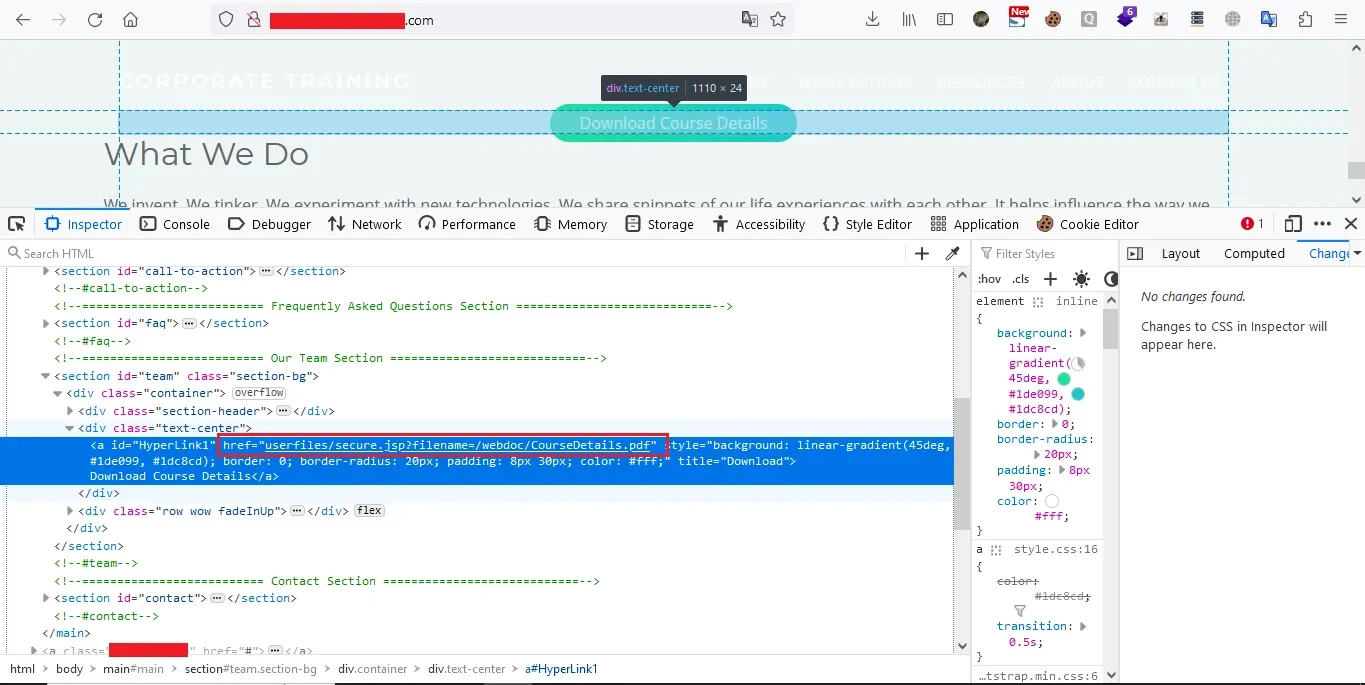
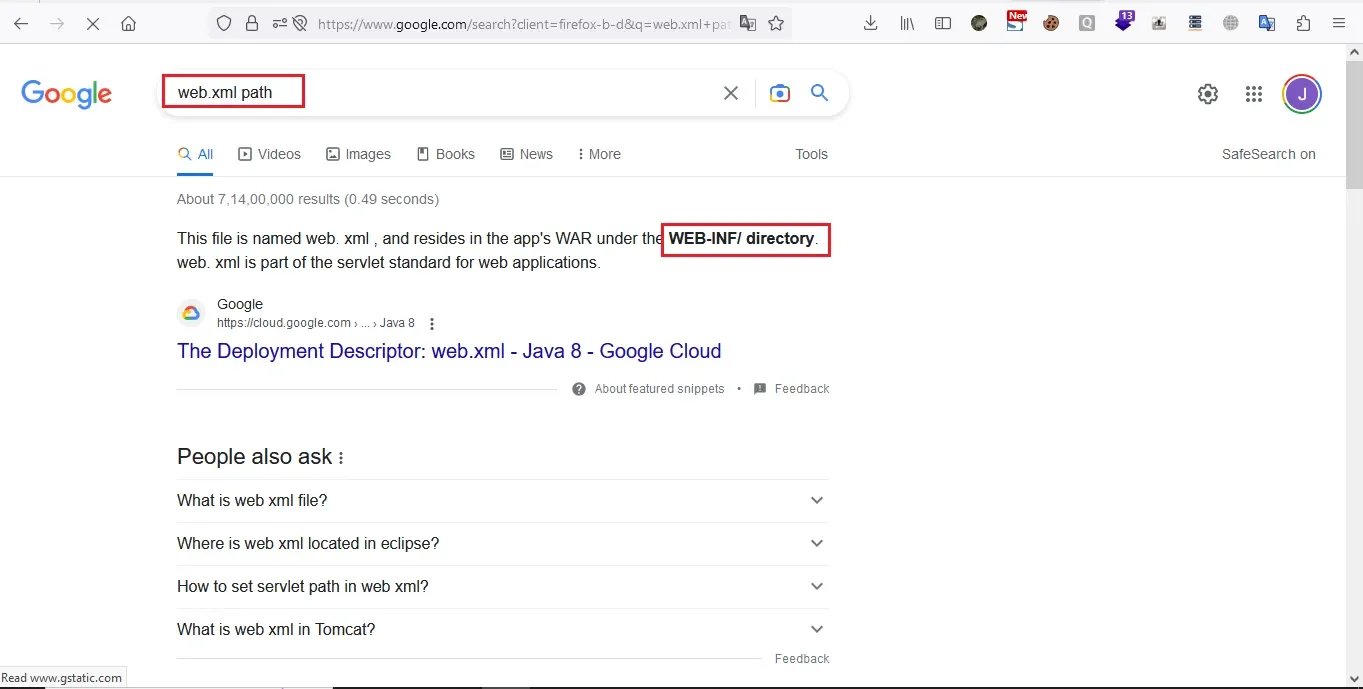
The interesting part was the filename= parameter in the request. Because the server was IIS, the author looked up the path of web.xml and the WEB-INF/ directory.
Exploitation
Step 1: Identify the parameter
Inspecting the download button revealed that the file served to the user was selected through the filename= parameter. That parameter is the input the author then manipulated.
Step 2: Try sensitive files
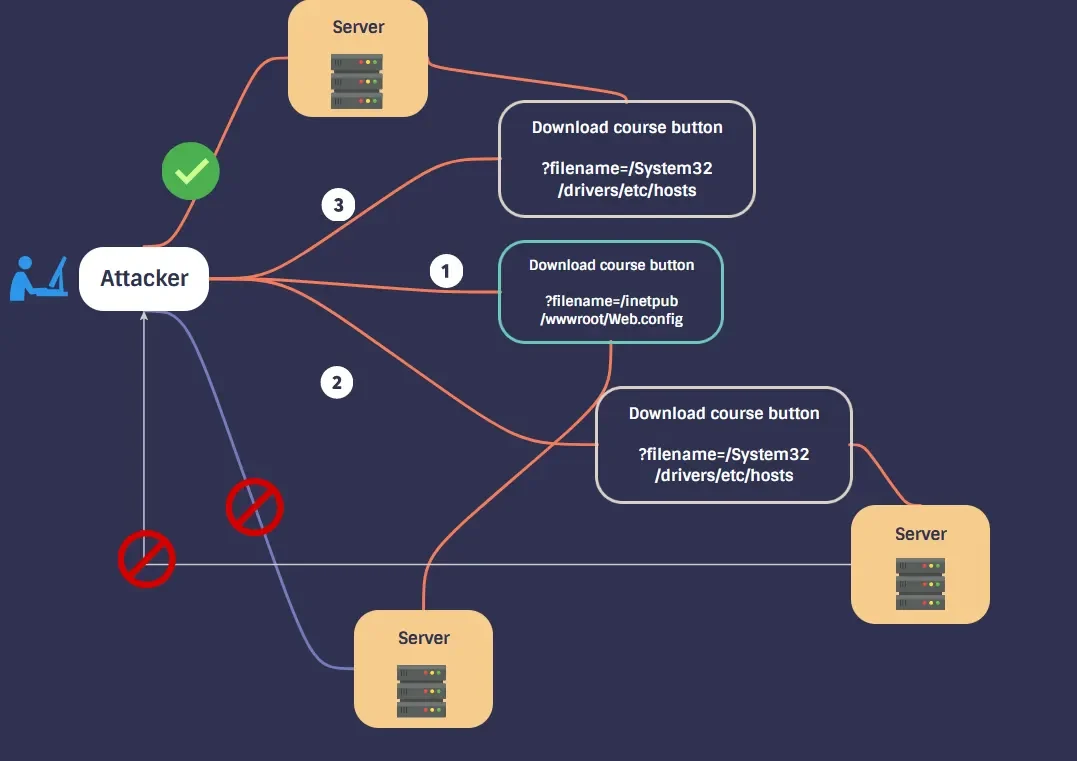
The author first tried downloading sensitive files. All of them were restricted, so the direct approach did not work.
Step 3: Request web.xml
The author edited the path to:
?filename=/WEB-INF/web.xml
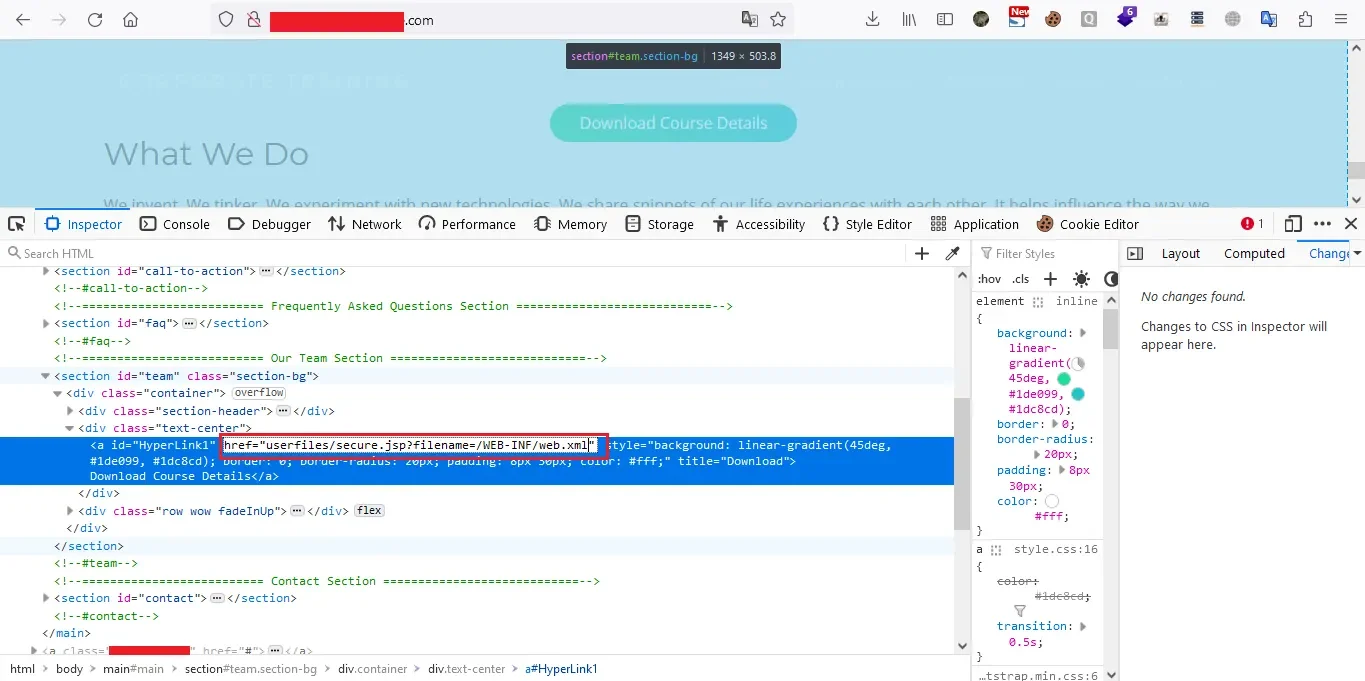
This points the filename parameter at the web.xml file inside the WEB-INF/ directory.
Step 4: Download and read the file
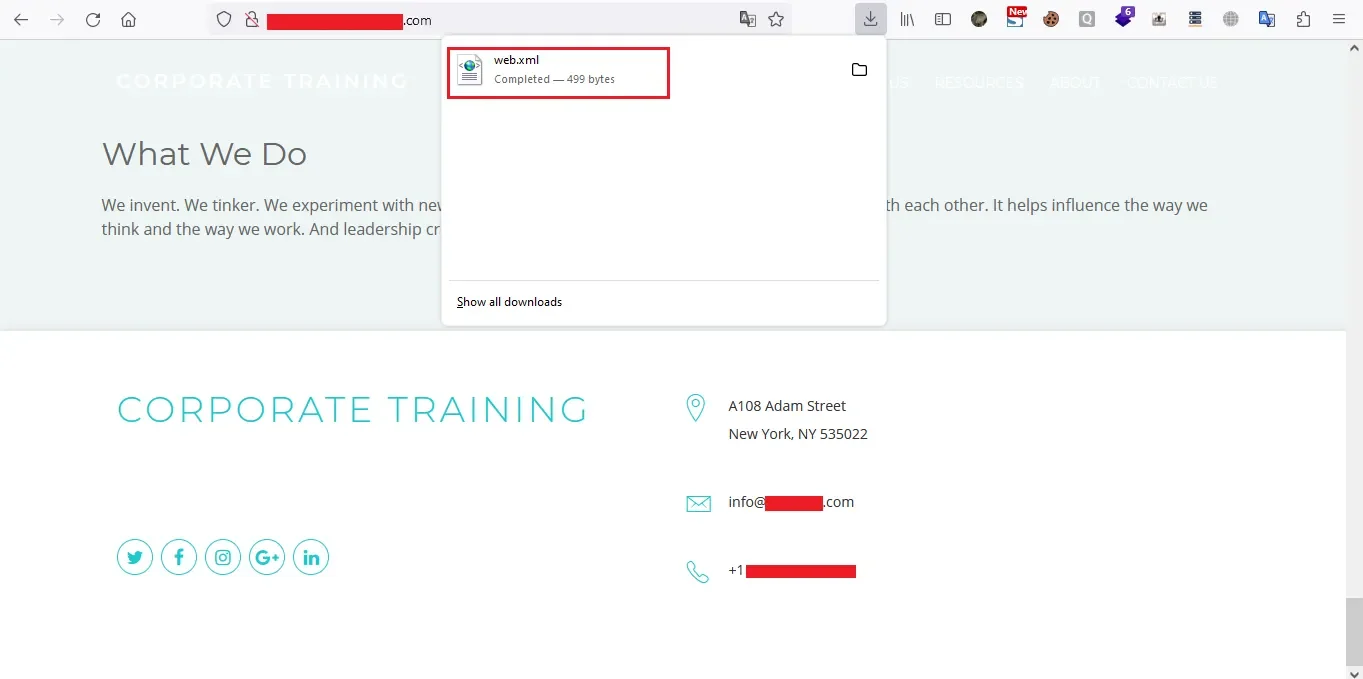
Clicking the button downloaded the file.
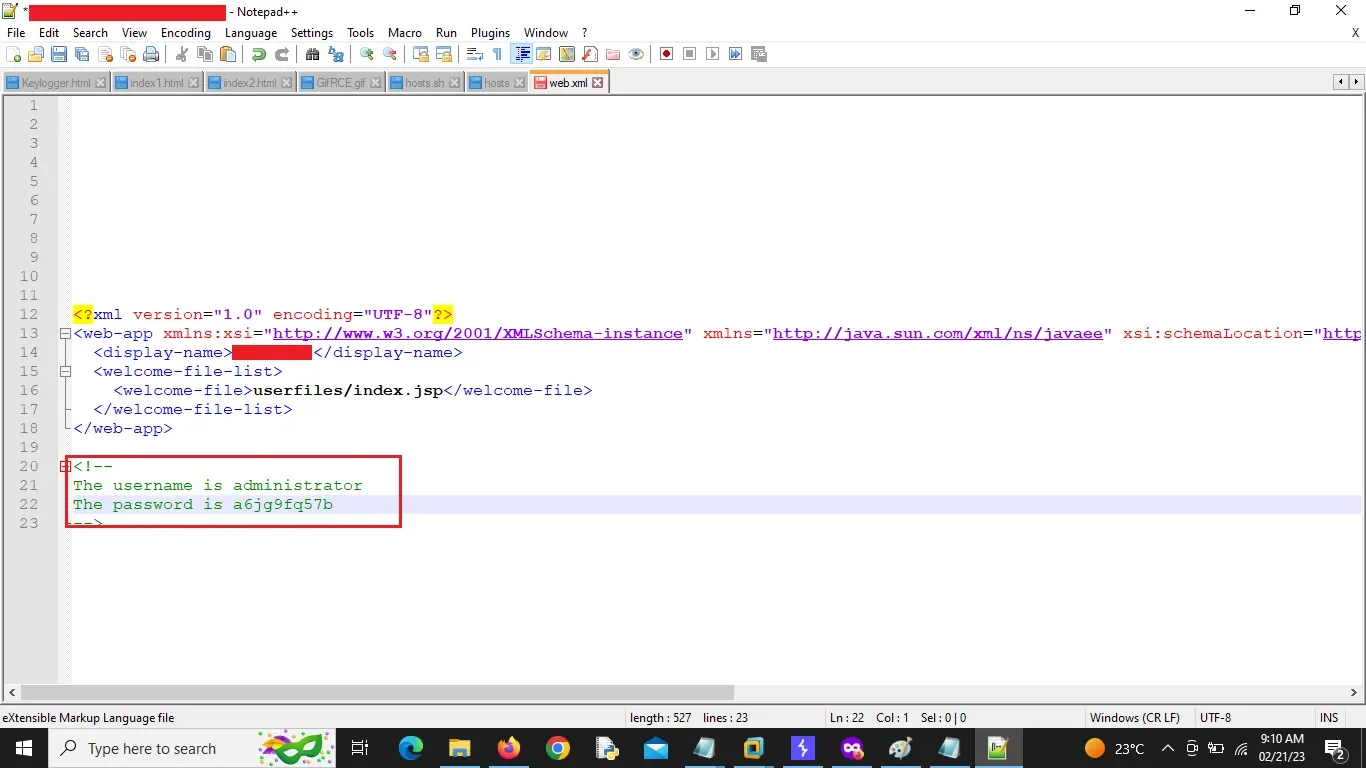
Opening the downloaded file revealed the username and password of the admin.
Step 5: Look for a login panel
The author could not find a login portal where the recovered credentials could be used, so the severity was downgraded. The author notes that if the login panel had been found, the severity would have been high.
Root cause
In the author's opinion, the website was not validating and sanitising user input before processing it. Many sensitive files were blocked, but blocking particular files is not, from the author's perspective, the ideal solution: the input itself should be validated and sanitised before it is processed. Other sensitive files were blocked, but web.xml was still downloadable.
Impact
The author notes that LFI can in general be severe, potentially leading to complete compromise of the web server and its data. In this case the impact was limited to downloading the web.xml file, because all the major sensitive files were restricted for download, so the author rates the impact as medium. The credentials obtained from web.xml did not translate into access because no login panel was found; had one been found, the severity would have been high.
The author calculated the following CVSS vector:
CVSS:3.0/AV:N/AC:L/PR:N/UI:N/S:U/C:L/I:N/A:N
Score: 5.3 (Medium).
Fix
Input validation and sanitisation should be performed on any user input, and the server should not process user input without validation. The author states that validation and sanitisation should be done on both the client side and the server side. The application should also avoid using user input to construct file paths and instead use a whitelist approach to specify allowed file paths. Web application firewalls can be used to detect and block attempts to exploit LFI vulnerabilities.

Variants to test
- Other deployment descriptors and configuration files. A positive result is a downloaded XML file containing configuration data rather than an error or a redirect.
- Blocklist bypass by path variation. A positive result is a file that the blocklist was meant to deny.
- Credential reuse. A positive result is a successful login with the recovered credentials, which raises the severity considerably.
- Whitelist gaps. A positive result is any file outside the intended list being served.
What happened, in plain words
A security researcher was browsing a website that had a button labelled Download Course Details. When you click that button, the website sends a request to its server asking for a file, and the server sends the file back so your browser can save it. The researcher noticed a filename= parameter in the request that selected the file to fetch.
The researcher was able to ask for a file that was not among the blocked ones: a configuration file called web.xml, which sits in a folder called WEB-INF/. That file turned out to contain an admin username and password. The researcher could not find anywhere to log in with those credentials, so the seriousness of the finding dropped. The researcher also did not submit the bug to the programme, because the website was out of scope (OOS), meaning it was not part of the programme's rules for what could be tested and reported.
This class of bug is called Local File Inclusion, or LFI. The rest of this article walks through it slowly, assuming you have never looked at a web request before.
Background: the ideas you need first
Before the steps make sense, here are the handful of concepts involved, each explained from scratch.
What a web server and a request are
When you type an address into your browser and press Enter, your browser sends a request to a computer somewhere else, called a web server. The server reads the request, decides what to send back, and sends a response, which is usually a web page, an image, or a file. Every time you click a button on a website, something similar happens: your browser sends a request and the server answers.
A useful everyday comparison: a web server is like a librarian at a desk. You hand over a slip of paper saying what you want, and the librarian fetches it from the shelves and gives it to you. Normally the librarian only fetches books that are on the public shelves.
What a URL and a parameter are
A URL is the address of a page, like https://example.com/courses. Sometimes a URL carries extra information after a question mark, for example ?filename=report.pdf. Everything after the ? is a set of parameters: little labelled values that tell the server what exactly you want. The label before the = is the parameter name, and the value after it is what you are asking for. In ?filename=report.pdf, the parameter is named filename and its value is report.pdf.
Going back to the librarian: the parameter is the note you write on the slip of paper. If the librarian blindly trusts whatever you write, you can write down the name of a book kept in the back office.
What a POST request is
Requests come in a few flavours, called methods. The two you will hear about most are GET and POST. A GET request is what happens when you simply open a page: the details travel in the URL. A POST request is what happens when you submit a form or click a button that sends data: the details travel in the body of the request rather than in the address bar. In this story the download button used a POST request, and the filename= value was part of what it sent.
What a file path is
A file path is the address of a file on the server's own disk, for example /WEB-INF/web.xml. The slashes separate folders, just like folders on your own computer. The server has many files that visitors should never see: configuration files, password files, internal notes. A file path is how the server knows which one to open.
What LFI means
Local File Inclusion is a bug where a website lets a visitor influence which file on the server gets included or served, and does not restrict that choice to files the visitor is supposed to have. The word local means the file lives on the same server, as opposed to a remote file fetched from somewhere else. The word inclusion comes from programming: the application pulls a file in and uses it.
Why is that dangerous? Because the server's own files often contain things the public should not see: settings, database passwords, admin credentials. In the worst case an attacker can make the server run code of their choosing, which can lead to taking over the machine entirely. In this particular case the outcome was much narrower: one configuration file was downloaded.
What IIS is
IIS (Internet Information Services) is Microsoft's web server software. It is one of several popular web servers; another you may have heard of is Apache. Knowing which server software a site runs helps because different servers and different application setups keep their files in different places. The researcher recognised IIS and used that knowledge to guess where a useful file might live.
What web.xml and WEB-INF are
Many web applications built with the Java language follow a standard folder layout. One folder, called WEB-INF, holds internal files that the application needs but that visitors are not supposed to download directly. Inside it sits web.xml, a configuration file that describes how the application is set up. Because it is configuration, it can contain sensitive values, including credentials. A correctly configured server refuses to hand out anything inside WEB-INF/.
What credentials are
Credentials are the pair of things you use to prove who you are when logging in: a username and a password. If someone else obtains your credentials, they can pretend to be you.
What out of scope means
Bug bounty and security programmes publish rules describing which websites and systems may be tested. Anything not covered by those rules is out of scope (OOS). Testing out-of-scope systems, or reporting bugs found there, is outside the programme's agreement. In this case the researcher found the issue but did not report it, because the target was out of scope.
Finding it
The researcher went to the website and found the Download Course Details option.
The screenshot shows the button as a normal visitor would see it. Nothing about it looks unusual: it is just a download link. The reason to start here is that any feature which fetches a file for you is a natural place to ask: how does the server decide which file to send?
To answer that, the researcher right-clicked the button and chose Inspect. Every modern browser has this: it opens a panel showing the underlying code of the page, including the links and the requests the page makes. It is the browser's equivalent of lifting the bonnet of a car to see the engine.
Looking at the underlying code revealed the hyperlink and, more importantly, where the file was being fetched from. The interesting part was the filename= parameter in the request. That parameter is the input the researcher then manipulated: it is the note handed to the librarian.
Because the server was IIS, the researcher looked up the path of web.xml and the WEB-INF/ directory. This is a deliberate choice: rather than guessing randomly, the researcher used knowledge of how this kind of server and application is normally laid out to pick a file that is likely to exist and likely to be sensitive.
Exploitation
Step 1: Identify the parameter
Inspecting the download button showed that the file served to the user was selected through the filename= parameter. In plain terms: the page was saying to the server, "send me the file named in this box", and the box was filled in by whoever clicked the button. That is the input the researcher then changed.
Step 2: Try sensitive files
The researcher first tried downloading sensitive files. All of them were restricted, so the direct approach did not work. This tells us something useful about the server: it was not completely open. Some sensitive files were restricted from download. The researcher had to find something the block did not cover.
Step 3: Request web.xml
The researcher edited the path to:
?filename=/WEB-INF/web.xml
Line by line, in plain words:
?marks the start of the parameters in the URL, the part after the address of the page.filename=is the name of the parameter the download feature uses to decide which file to fetch./WEB-INF/web.xmlis the value being supplied: a path that starts at the top of the server's file system, goes into theWEB-INFfolder, and asks for the fileweb.xmlinside it.
So the whole line means: "use the download feature, but instead of a normal course file, give me the application's configuration file." This points the filename parameter at the web.xml deployment descriptor inside the WEB-INF/ directory, a file that is normally not served to clients at all.
Step 4: Download and read the file
Clicking the button downloaded the file.
Opening the downloaded file revealed the username and password of the admin.
This is the payoff of the whole exercise. Some sensitive files were restricted, but web.xml was not, so it was downloaded. The configuration file contained credentials that were never meant to leave the server.
Step 5: Look for a login panel
The researcher could not find a login portal where the recovered credentials could be used, so the severity was downgraded. The researcher notes that if the login panel had been found, the severity would have been high.
Why does this matter so much? Credentials are only as useful as the door they open. A username and password with no login page to type them into are like a key to a building you cannot locate. The bug is real either way, but its practical impact depends on whether the stolen credentials can actually be used to get in somewhere.
Root cause
In the researcher's opinion, the website was not validating and sanitising user input before processing it. Validating means checking that what the user supplied is of the expected shape and value; sanitising means cleaning it so that anything dangerous is removed or neutralised. In the researcher's opinion, the value of filename= was not validated or sanitised before processing.
Many sensitive files were blocked, but blocking particular files is not, from the researcher's perspective, the ideal solution: the input itself should be validated and sanitised before it is processed. Other sensitive files were blocked, but web.xml was still downloadable. A blocklist is like a bouncer with a list of known troublemakers: anyone not on the list walks straight in. A whitelist, by contrast, is a guest list: only named people get in, and everyone else is turned away.
Impact
The researcher notes that LFI can in general be severe, potentially leading to complete compromise of the web server and its data. In this case the impact was limited to downloading the web.xml file, because all the major sensitive files were restricted for download, so the researcher rates the impact as medium. The credentials obtained from web.xml did not translate into access because no login panel was found; had one been found, the severity would have been high.
The researcher calculated the following CVSS vector:
CVSS:3.0/AV:N/AC:L/PR:N/UI:N/S:U/C:L/I:N/A:N
CVSS stands for Common Vulnerability Scoring System: a standard way of describing how serious a security bug is, using a short code plus a number. The code is a list of answers to standard questions, separated by slashes. Reading this one left to right:
CVSS:3.0says which version of the scoring system is being used.AV:Nmeans the attack vector is network: the attacker can reach the bug over the internet, not only by sitting at the machine.AC:Lmeans attack complexity is low: no special conditions or lucky timing are needed.PR:Nmeans no privileges are required: the attacker does not need an account.UI:Nmeans no user interaction: nobody has to be tricked into clicking something.S:Umeans the scope is unchanged: the impact stays within the vulnerable component.C:Lmeans confidentiality impact is low: some information leaks, but not a lot.I:Nmeans integrity impact is none: nothing can be modified.A:Nmeans availability impact is none: the service cannot be knocked offline.
Score: 5.3 (Medium). The number is the overall severity that the scoring system derives from those answers; medium sits in the middle of the usual range.
Fix
Input validation and sanitisation should be performed on any user input, and the server should not process user input without validation. The researcher states that validation and sanitisation should be done on both the client side and the server side. Client side means in the browser, before the request is even sent; server side means on the server, after the request arrives. Client-side checks are a convenience for honest users, but anyone can bypass them, so the server-side check is the one that actually protects the system.
The application should also avoid using user input to construct file paths and instead use a whitelist approach to specify allowed file paths. In everyday terms: instead of taking the visitor's word for which file to open, keep a fixed list of files that may be downloaded and only ever serve from that list. If the requested name is not on the list, refuse.
Web application firewalls can be used to detect and block attempts to exploit LFI vulnerabilities. A web application firewall (WAF) is a filter that sits in front of a website and inspects incoming requests, blocking ones that look like known attacks. It is a safety net, not a substitute for fixing the code.
Variants to test
If you want to look for similar issues yourself, here are directions the same idea can be taken. Each one describes what to try and what a positive result looks like.
- Other deployment descriptors and configuration files. A positive result is a downloaded XML file containing configuration data rather than an error or a redirect.
- Blocklist bypass by path variation. A positive result is a file that the blocklist was meant to deny.
- Credential reuse. A positive result is a successful login with the recovered credentials, which raises the severity considerably.
- Whitelist gaps. A positive result is any file outside the intended list being served.
Glossary
- Blocklist: a list of things that are forbidden; anything not on the list is allowed.
- Client side: work done in the user's browser, on the user's own machine.
- Credentials: a username and password (or similar pair) used to prove identity when logging in.
- CVSS: Common Vulnerability Scoring System, a standard way to express how serious a vulnerability is as a code plus a number.
- GET: a request method where details travel in the URL, typically used when simply opening a page.
- IIS: Internet Information Services, Microsoft's web server software.
- Impact: the practical harm a vulnerability can cause.
- LFI (Local File Inclusion): a bug where a visitor can influence which file on the server is included or served, beyond the files they should be allowed to have.
- Out of scope (OOS): not covered by a security programme's rules, and therefore not to be tested or reported.
- Parameter: a labelled value attached to a request, such as
filename=report.pdf. - POST: a request method where details travel in the body of the request, typically used when submitting a form or clicking a button that sends data.
- Request: the message a browser sends to a server asking for something.
- Response: the message a server sends back.
- Root cause: the underlying reason a bug exists in the code or configuration.
- Sanitising: cleaning user input so that anything dangerous is removed or neutralised.
- Server side: work done on the server, after the request arrives.
- Severity: how serious a vulnerability is judged to be.
- URL: the address of a page or resource on the web.
- Validating: checking that user input is of the expected shape and value.
- WAF (web application firewall): a filter in front of a website that inspects requests and blocks ones that look like attacks.
- web.xml: a configuration file used by Java web applications, describing how the application is set up.
- WEB-INF: a standard folder in Java web applications holding internal files that visitors should not download.
- Whitelist: a list of things that are allowed; anything not on the list is refused.




