Understanding CVE-2026–86426: The Critical Type Confusion Flaw in LibreNMS
LibreNMS's API token middleware accepted a JSON integer instead of a string, and MySQL's implicit type coercion then compared that integer against stored token hashes, letting an unauthenticated attacker bypass token validation by trying single-digit numbers. Matching an administrator's token could then be abused through custom alert templates containing PHP execution blocks to achieve remote code execution.

Cve 2026 86426
The full write-up lives on its author's site
It belongs to its author, so we link to it rather than copy it. The other two tabs are our own rewrites, checked against it.
Context
LibreNMS is a network monitoring system built on Laravel. Its API is protected by a middleware called ApiTokenGuard, which is meant to authenticate requests by comparing a token supplied by the client against a token hash stored in the database. The token is expected to arrive as a string inside a JSON payload.
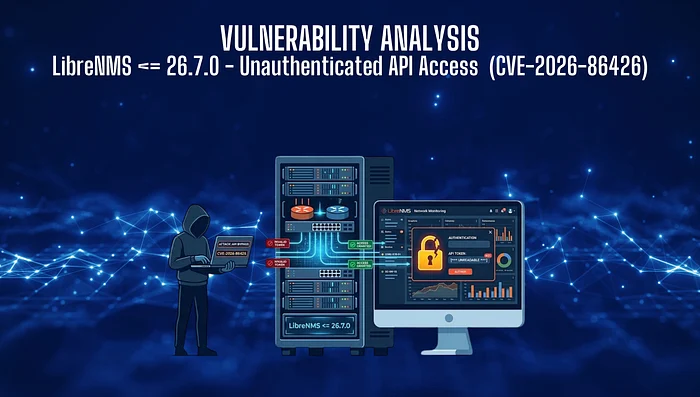
CVE-2026-86426 is an authentication bypass in that middleware, rated CVSS 9.2 and affecting LibreNMS versions <= 26.7.0. The flaw lets an unauthenticated attacker get past token validation, and, if the token they land on belongs to an administrator, escalate to remote code execution.
Setup
The write-up does not describe a lab, accounts, roles or tooling. The only precondition it states is the affected version range, <= 26.7.0, and the fact that the API accepts JSON payloads carrying an api_token field.
Finding it
The starting observation is a type mismatch between what the application expects and what the framework preserves. ApiTokenGuard expects string tokens. Laravel, however, keeps native JSON data types when it decodes a request body, so a JSON number stays a number rather than becoming a string. That number is then forwarded directly into database queries.
The researcher frames this as a general pattern: relational databases and web frameworks communicate seamlessly, but subtle type mismatches can quietly break core security boundaries. Here the boundary is token validation itself.
Exploitation
Step 1: Send a numeric token
Instead of a string, the attacker supplies an integer in the api_token field:
{"api_token": 0}
Because Laravel preserves the JSON type, the integer reaches the database query as an integer rather than a string.
Step 2: Rely on MySQL implicit type coercion
When MySQL compares an integer against a string-based token hash column, it converts the stored hashes into numeric values based on their leading characters. Hashes that start with a letter evaluate to 0. Hashes that start with digits match their leading integer.
Step 3: Iterate single-digit values
Since only the leading numeric value of each hash matters, an unauthenticated attacker can iterate through the single-digit numbers 0 to 9 and bypass token validation within seconds. A hash beginning with a letter is matched by 0; a hash beginning with, say, 7 is matched by 7.
Step 4: Escalate to code execution
If the matched token belongs to an administrator, the attacker can abuse built-in features such as custom alert templates containing @php execution blocks. That grants full, unauthenticated remote code execution over the underlying operating system.
Root cause
The mistake is the absence of strict string-type validation on the api_token field in ApiTokenGuard. The middleware trusts the JSON type supplied by the client, and the database then applies implicit type coercion when comparing the integer against the string hash column. The comparison itself succeeds: MySQL does not reject the mixed-type comparison, it silently converts the stored hash to a number.
Impact
The bypass is unauthenticated and can be completed in seconds by trying ten values. Its severity depends on which token is matched: matching an administrator token allows abuse of custom alert templates with @php blocks and therefore full remote code execution on the underlying operating system. Matching a lower-privileged token still means hijacking that API token.
Fix
The fix is to update LibreNMS to version 26.8.0 or later, which the report says enforces strict string-type validation. Secondary mitigations are to restrict API access to trusted networks and to audit HTTP logs for non-string token inputs.
- Send other JSON types in authentication fields: booleans, arrays, objects and
nullin place of the expected string. A positive result is the request passing validation or producing a database error that reveals the comparison behaviour. - Try numeric values beyond single digits, including negative numbers and floats, against hash columns. A positive result is a match on a token whose hash begins with the corresponding digits.
- Look for the same pattern in other Laravel applications that compare a client-supplied JSON value against a string column. A positive result is authentication succeeding with a value whose type differs from the stored column.
- Check whether administrator-only features that evaluate code, such as template blocks, are reachable once any token is matched. A positive result is code execution from a token obtained through the bypass.
What happened, in plain words
LibreNMS is a piece of software that network administrators install to keep an eye on their network equipment: switches, routers, servers and so on. It collects information from those devices and shows it in a web dashboard. Like many web applications, it also offers an API, which is a way for other programs to talk to it directly, without a human clicking around in a browser. Think of the dashboard as the front door with a receptionist, and the API as a service hatch where other software can hand in requests and get answers back.
To use that service hatch, a program has to prove who it is. It does this with a token: a long, secret string of characters, a bit like a password that is written on a ticket. The program sends its token with every request, and LibreNMS checks it against a stored copy before doing anything.
CVE-2026-86426 is a bug in that checking step. CVE stands for Common Vulnerabilities and Exposures: it is a public catalogue number given to a known security flaw so people can talk about it unambiguously. This particular flaw is rated CVSS 9.2. CVSS is a scoring system from 0 to 10 that tries to express how serious a vulnerability is; 9.2 is in the "critical" band. The bug affects LibreNMS versions <= 26.7.0, meaning version 26.7.0 and everything older.
The flaw lets someone who has not logged in at all get past the token check. And if the token they happen to land on belongs to an administrator, they can go further and run their own commands on the server itself, which is called remote code execution (RCE).
The pieces involved
Before the bug makes sense, three pieces need introducing.
Laravel is a framework: a large collection of ready-made building blocks that programmers use to build web applications in the PHP language. LibreNMS is built on Laravel. One of the blocks Laravel provides is the ability to read a request body that arrives in JSON, a common text format for structured data. A JSON body looks like this:
{"api_token": 0}
That is a pair: the name api_token and a value, here the number 0. JSON distinguishes between values written in quotes, which are strings (text), and values written without quotes, which are numbers, booleans (true/false), arrays, objects or null. Laravel keeps that distinction when it reads the body: a number stays a number, it does not quietly become text.
Middleware is code that sits between an incoming request and the part of the application that handles it, like a security guard at the entrance of a building who checks badges before letting anyone through. LibreNMS has a middleware called ApiTokenGuard whose whole job is to check the token on API requests.
MySQL is the database: the program where LibreNMS stores its data, including the token hashes. A hash is the result of scrambling a value with a one-way mathematical function, so the original cannot be recovered from it. Applications store hashes rather than the tokens themselves so that a stolen database does not hand over working tokens. When a request arrives, the application hashes the presented token and compares it with the stored hash.
The root cause: a number where text was expected
ApiTokenGuard expects the token to arrive as a string. But because Laravel preserves the JSON type, if a client sends a number, the number travels onward unchanged, straight into the database query. Nothing in between insists that the value must be text.
That is the type confusion: the application assumes one kind of value (text) and receives another (a number), and the code does not notice. The author of the write-up puts it as a general lesson: relational databases and web frameworks usually talk to each other smoothly, but small type mismatches can quietly break security boundaries. Here the boundary being broken is token validation itself.
How the bypass works, step by step
Step 1: Send a number instead of a token
Instead of a string token, the attacker puts an integer in the api_token field:
{"api_token": 0}
Line by line: the outer braces { and } mark the start and end of a JSON object, which is just a collection of named values. "api_token" is the name of the field the application is looking for, written in double quotes because field names in JSON are always strings. The colon separates the name from its value. The value 0 has no quotes, so it is the number zero, not the text character "0". That difference is the whole trick: a string token would be a long random-looking sequence of letters and digits, while this is a single number.
Why do this? Because the guard expects text and the framework passes the number through as a number. The attacker is testing whether anything checks the type before the value reaches the database.
Step 2: Let MySQL do the conversion
When MySQL is asked to compare a number against a column that holds text (the token hashes), it does not refuse. It applies implicit type coercion: it converts the stored text into a number so the comparison can go ahead. The conversion looks only at the leading characters of the text. A hash that begins with a letter has no numeric value at the start, so it becomes 0. A hash that begins with digits takes the value of those leading digits.
An everyday comparison: imagine a librarian asked to compare the number 7 with the book title "7 Habits of Highly Effective People". Instead of saying "you cannot compare a number with a title", the librarian reads the title from the left, sees a 7, and says "yes, these match". That is roughly what MySQL does here, and it is why the comparison succeeds when it should have failed.
Step 3: Try the ten single digits
Because only the leading numeric value of each hash matters, the attacker does not need to guess a long secret. They can simply try the single-digit numbers 0 through 9. A hash beginning with a letter is matched by 0; a hash beginning with, say, 7 is matched by 7. Ten requests, and token validation is bypassed within seconds, with no login required.
Why does this matter so much? Normally the security of a token rests on it being long and random, so guessing is hopeless. Here the effective secret has been reduced to one digit, and there are only ten of those.
Step 4: From a token to running code
Getting past the token check is already serious, but the write-up stresses that the impact goes well beyond reading data out. If the token that gets matched belongs to an administrator, the attacker can use features that administrators are allowed to use. One example given is custom alert templates containing @php execution blocks: LibreNMS lets administrators define templates for alerts, and those templates can contain @php blocks, which are sections of PHP code that the application will execute. An attacker who can edit such a template can therefore make the server run code of their choosing. That is full, unauthenticated remote code execution over the underlying operating system: control of the machine LibreNMS runs on, without ever having logged in.
Why the existing defences did not stop it
The mistake is the absence of strict string-type validation on the api_token field in ApiTokenGuard. The middleware trusts whatever JSON type the client sends, and the database then silently coerces the number when comparing it with the text hash column. The comparison itself succeeds: MySQL does not reject a comparison between a number and text, it converts and carries on.
What the impact amounts to
The bypass needs no account and takes seconds: ten values to try. How bad it gets depends on which token is matched. Match an administrator token and the attacker can abuse custom alert templates with @php blocks, which means full remote code execution on the operating system. Match a lower-privileged token and the attacker has still hijacked that API token.
The fix
Update LibreNMS to version 26.8.0 or later, which the report says enforces strict string-type validation. Two secondary measures are suggested: restrict API access to trusted networks, so that only known machines can reach the API at all, and audit HTTP logs for non-string token inputs, so that attempts of this kind leave a visible trace.
The write-up lists four directions to explore if you want to look for similar problems elsewhere.
- Send other JSON types in authentication fields: booleans, arrays, objects and
nullin place of the expected string. A positive result is the request passing validation, or a database error that reveals how the comparison behaves. - Try numeric values beyond single digits, including negative numbers and floats (numbers with a decimal point), against hash columns. A positive result is a match on a token whose hash begins with the corresponding digits.
- Look for the same pattern in other Laravel applications that compare a client-supplied JSON value against a text column. A positive result is authentication succeeding with a value whose type differs from the stored column.
- Check whether administrator-only features that evaluate code, such as template blocks, are reachable once any token is matched. A positive result is code execution from a token obtained through the bypass.
Glossary
- API: a way for one program to talk to another over the network, without a human using a browser interface.
- Authentication bypass: getting past a login or identity check without having valid credentials.
- Boolean: a value that is either
trueorfalse. - Coercion (implicit type coercion): a database or language automatically converting one kind of value into another so an operation can proceed, instead of refusing.
- CVE: Common Vulnerabilities and Exposures, a public catalogue number for a known security flaw.
- CVSS: a scoring system from 0 to 10 expressing the severity of a vulnerability.
- Database: the program where an application stores its data, here MySQL.
- Float: a number with a decimal point, such as 1.5.
- Framework: a collection of ready-made building blocks for building applications, here Laravel for PHP.
- Hash: the scrambled, one-way result of running a value through a mathematical function, used to store secrets without keeping the originals.
- Integer: a whole number, positive, negative or zero, with no decimal part.
- JSON: a text format for structured data made of named values, where quoted values are strings and unquoted ones are numbers, booleans, arrays, objects or
null. - Laravel: the PHP web framework LibreNMS is built on.
- LibreNMS: a network monitoring system that watches network equipment and shows it in a dashboard.
- Middleware: code that sits between an incoming request and the application logic, checking it before it is handled.
- MySQL: the relational database LibreNMS uses to store data.
null: a JSON value meaning "nothing" or "no value".- Remote code execution (RCE): making a remote server run code of the attacker's choosing.
- String: a piece of text, written in quotes in JSON.
- Token: a secret string used by a program to prove its identity to an API, similar to a password.
- Type confusion: a flaw where code expects one kind of value and receives another, and does not notice.
@phpblock: a section inside a LibreNMS alert template that contains PHP code the application will execute.

