XSS via Exif Data - The P2 Elevator
The target site stored uploaded images without stripping EXIF metadata, and the Comment/UserComment tag was later rendered without sanitisation. An attacker could embed script in that tag so the payload executed as stored cross-site scripting when the image was viewed.
 Published on shahjerry33.medium.com
Everyone knows what is an “Exif Data”, so I found this exif data vulnerability on my target website where the server was not stripping the exif data from the uploaded images. Reporting exif data vulnerability is considered as P4 and in some cases P3 as per Bugcrowd’s VRT.So I thought of updating the severity of the…
The full write-up lives on its author's site
It belongs to its author, so we link to it rather than copy it. The other two tabs are our own rewrites, checked against it.
Context
The target was a website with a photo upload feature. Users could upload images, the images were made public, and there was an option to download them again. The report does not name the program or the site; the only asset recorded for it is the researcher's own Medium page where the write-up was published.
The feature itself is ordinary: accept an image, store it, serve it back. What interested the researcher was not the image pixels but the metadata travelling with them, EXIF data, which the server was keeping intact and exposing to anyone who downloaded the file.
EXIF, as the report explains, stands for Exchangeable Image File Format. The information is formatted according to the TIFF specification and may be found in JPG, TIFF, PNG, JP2, PGF, MIFF, HDP, PSP and XCF images, as well as many TIFF-based RAW images and even some AVI and MOV videos. The metadata is organised into Image File Directories (IFDs); the Exif IFD is a set of tags recording Exif-specific attributes. Of the many tags available, the write-up focuses on one: the Comment tag, also known as the UserComment tag or ImageDescription tag. For Exif users the Comment tag carries keywords or comments on the image beyond those in ImageDescription, without the character code limitations of ImageDescription, and it is processed by an Exif/DCF reader that reads the UserComment tag.
Setup
The only tool the report names is Exiftool, used to write the payload into the image metadata. For reading metadata back out of a downloaded file the researcher used an online Exif viewer at http://exif.regex.info/exif.cgi. No account details, roles, versions or other preconditions are described; the workflow assumes only that the tester can upload an image and download it again.
Finding it
The starting observation is a metadata exposure problem. The server did not strip EXIF data from uploaded images, so whatever the camera or the uploader wrote into the tags came back out on download. On Bugcrowd's Vulnerability Rating Taxonomy, as the report notes, an Exif data exposure is rated P4, and in some cases P3. The researcher's idea was to raise that by turning the exposure into something executable: if the metadata is rendered rather than merely stored, a payload placed in a tag becomes Cross Site Scripting.
The report splits the Exif exposure ratings the same way it splits XSS. Exif data is P3 when the data is publicly available (a comment section, for example) and P4 where few users are invited to work on a specific project. XSS has its own categories, of which the write-up mentions two, Reflected and Stored, with Stored rated higher than Reflected. In this case the Exif data sat at P3 and the XSS achieved was the stored kind, so the combined severity moved up to P2.
Exploitation
Step 1: confirm the upload feature
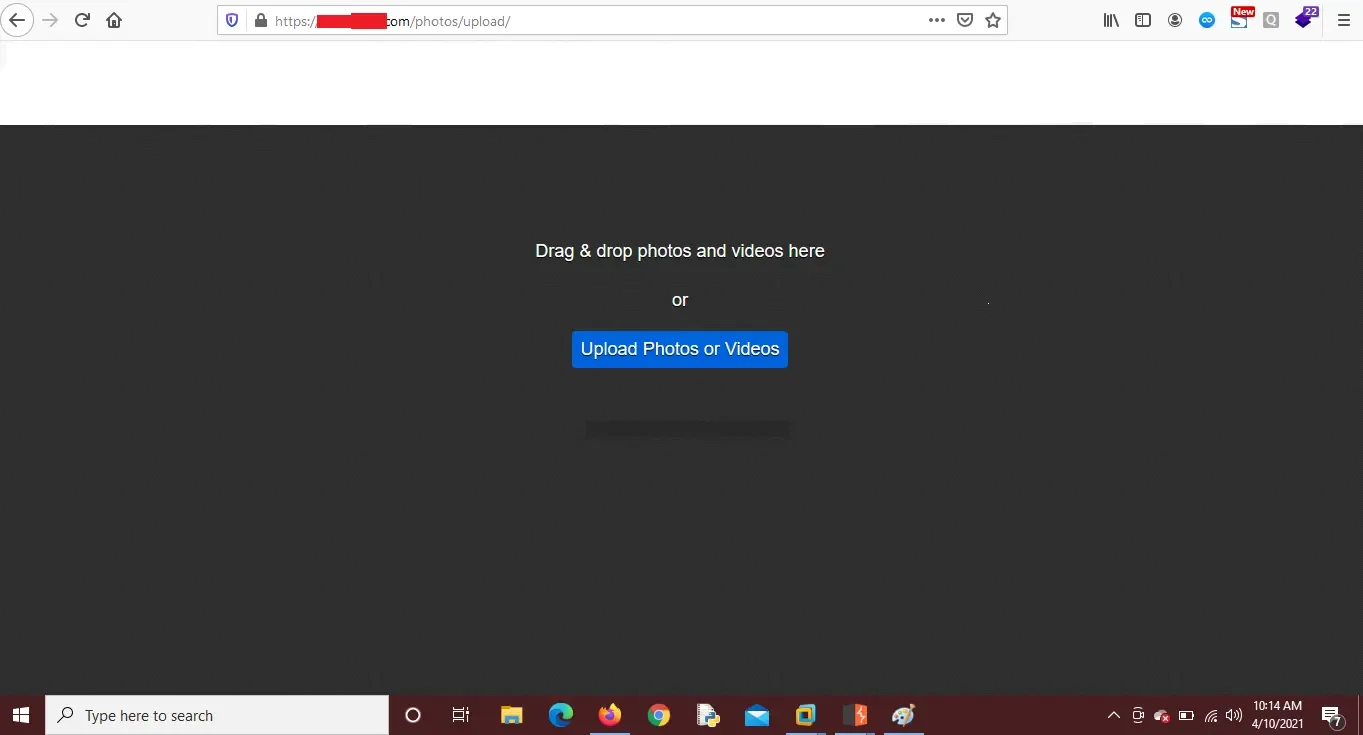
The target website had an option to upload photos.
Step 2: upload a normal Exif image
The first upload was a normal image carrying Exif data, done to check for an Exif data exposure vulnerability.
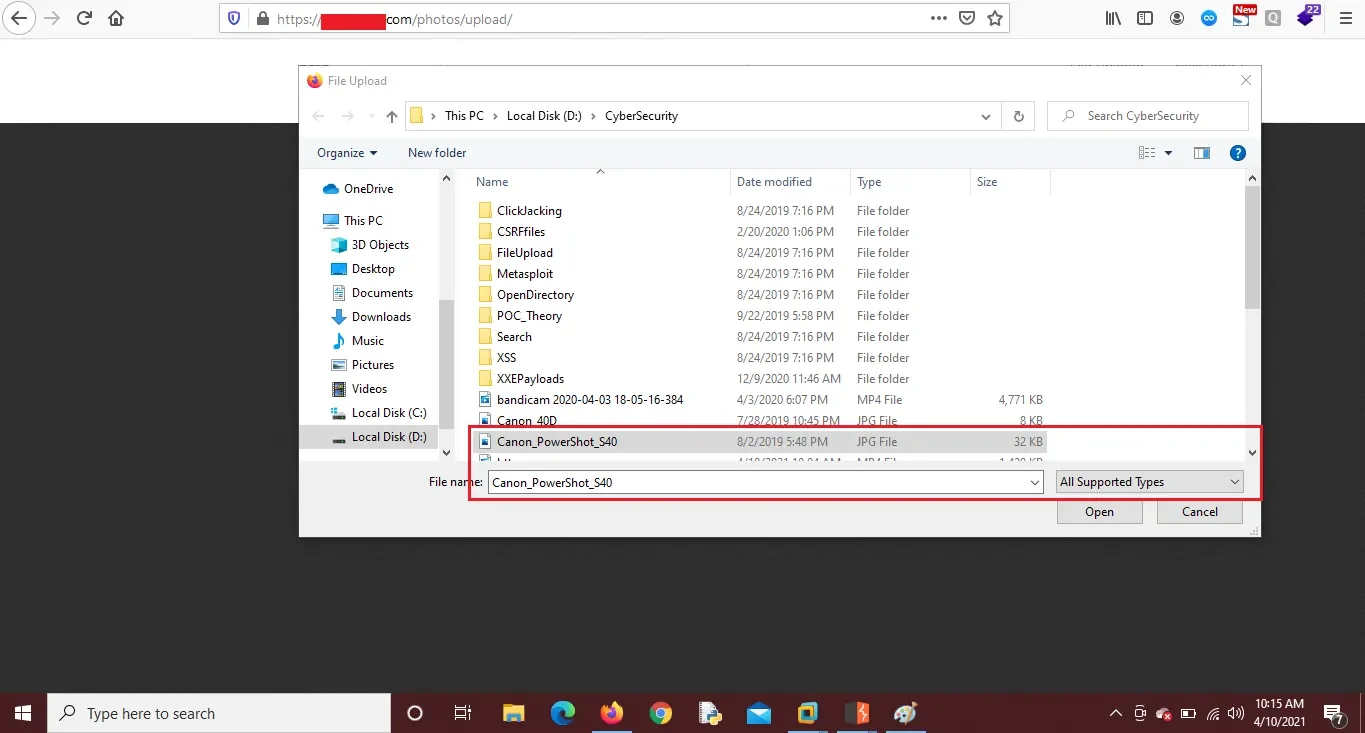

The image was accepted and made public.
Step 3: download it and inspect the metadata
The site offered a download option, so the researcher downloaded the image and checked its Exif data with the online viewer.
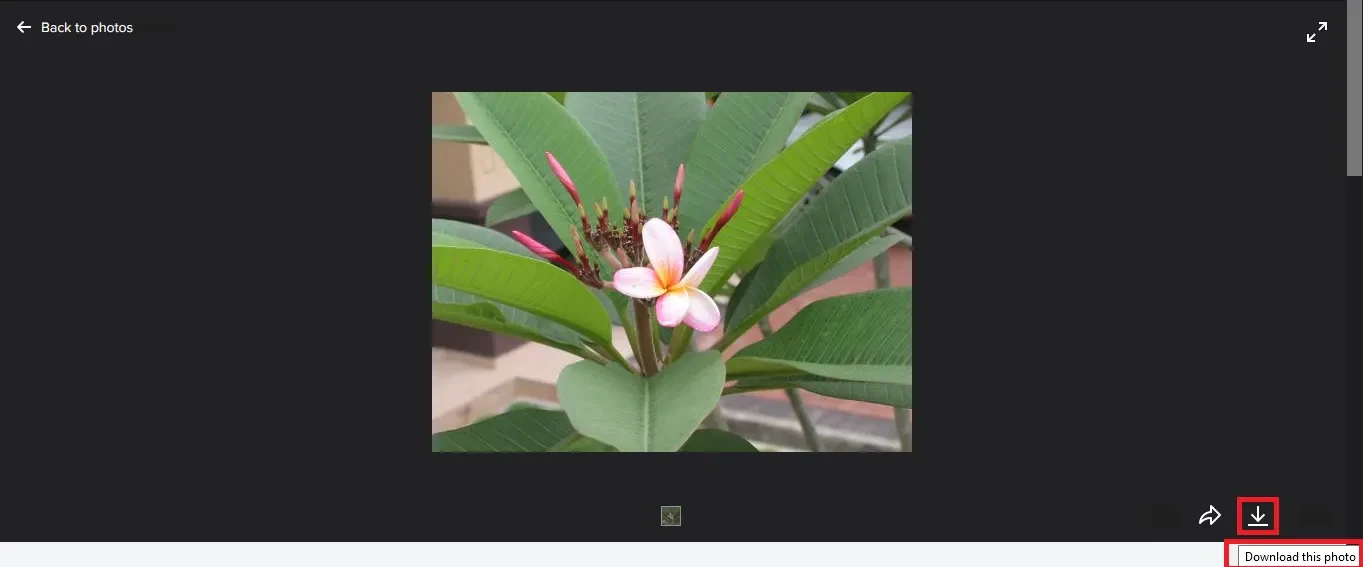
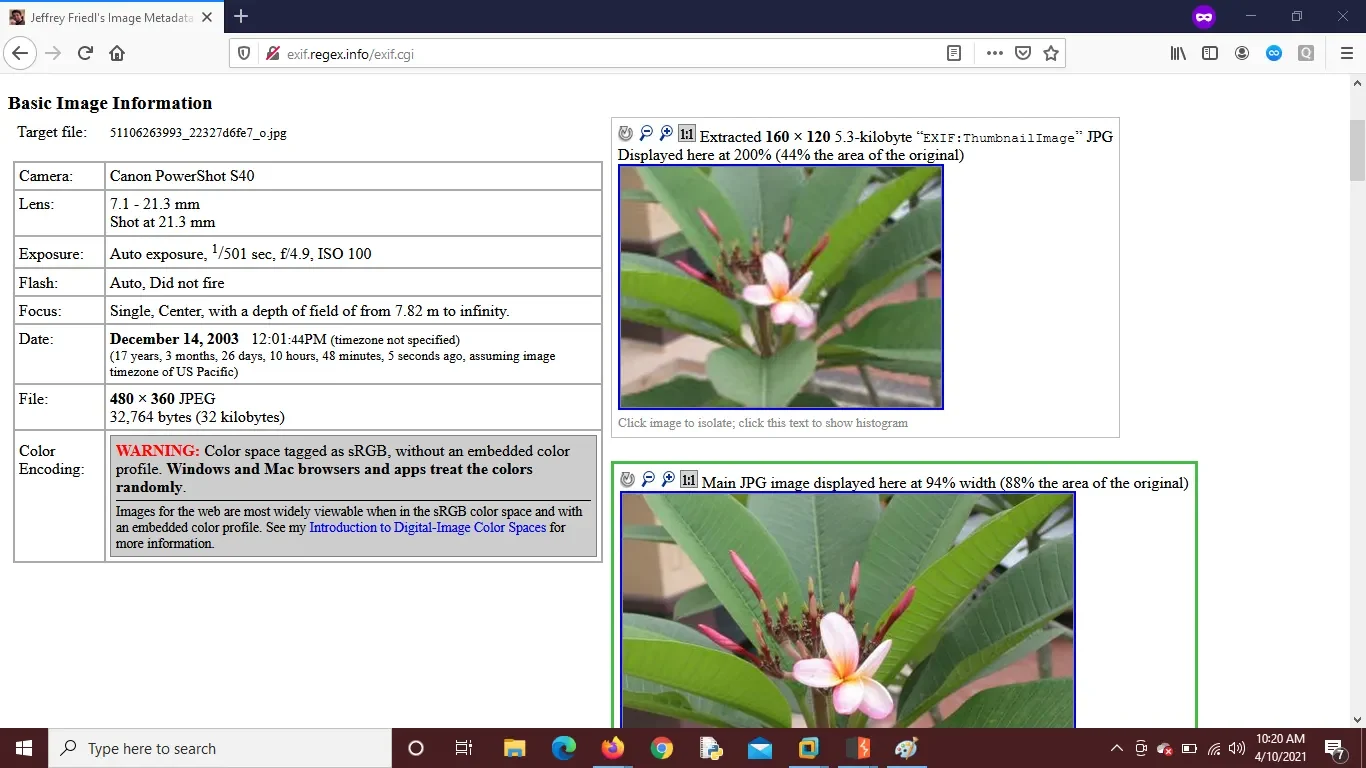
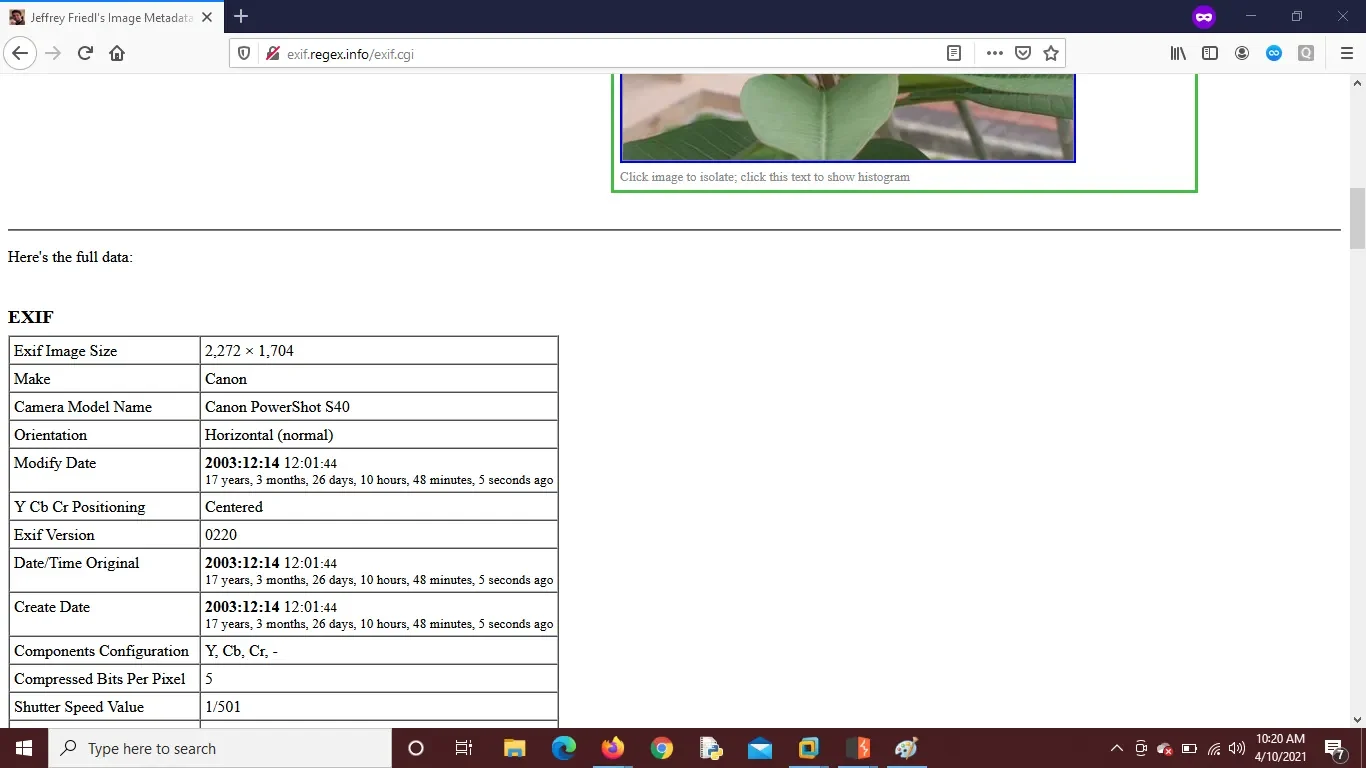
The tags came back intact.
Step 4: check a second image
Another image was downloaded from Google and its Exif data checked.
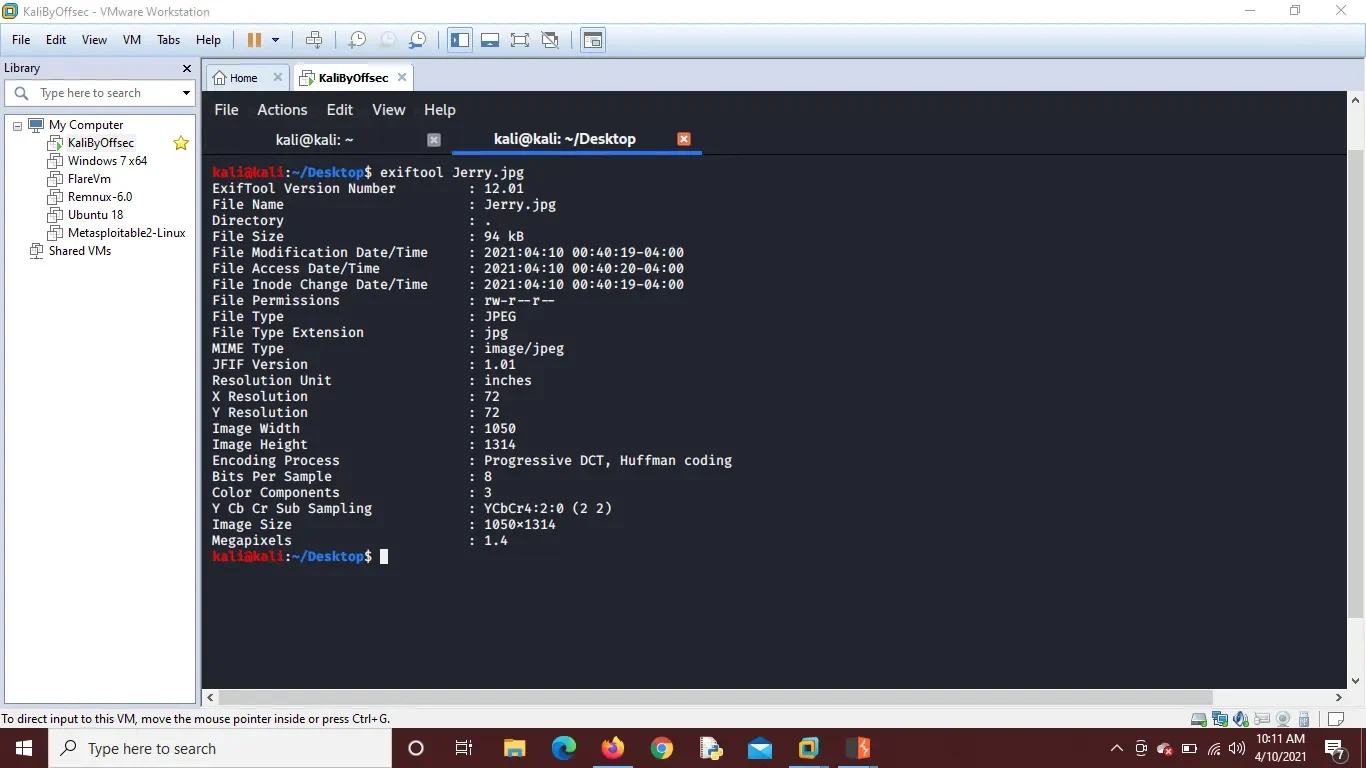
Step 5: write the payload into the Comment tag
Using Exiftool, the XSS payload was inserted as Exif data into the image.
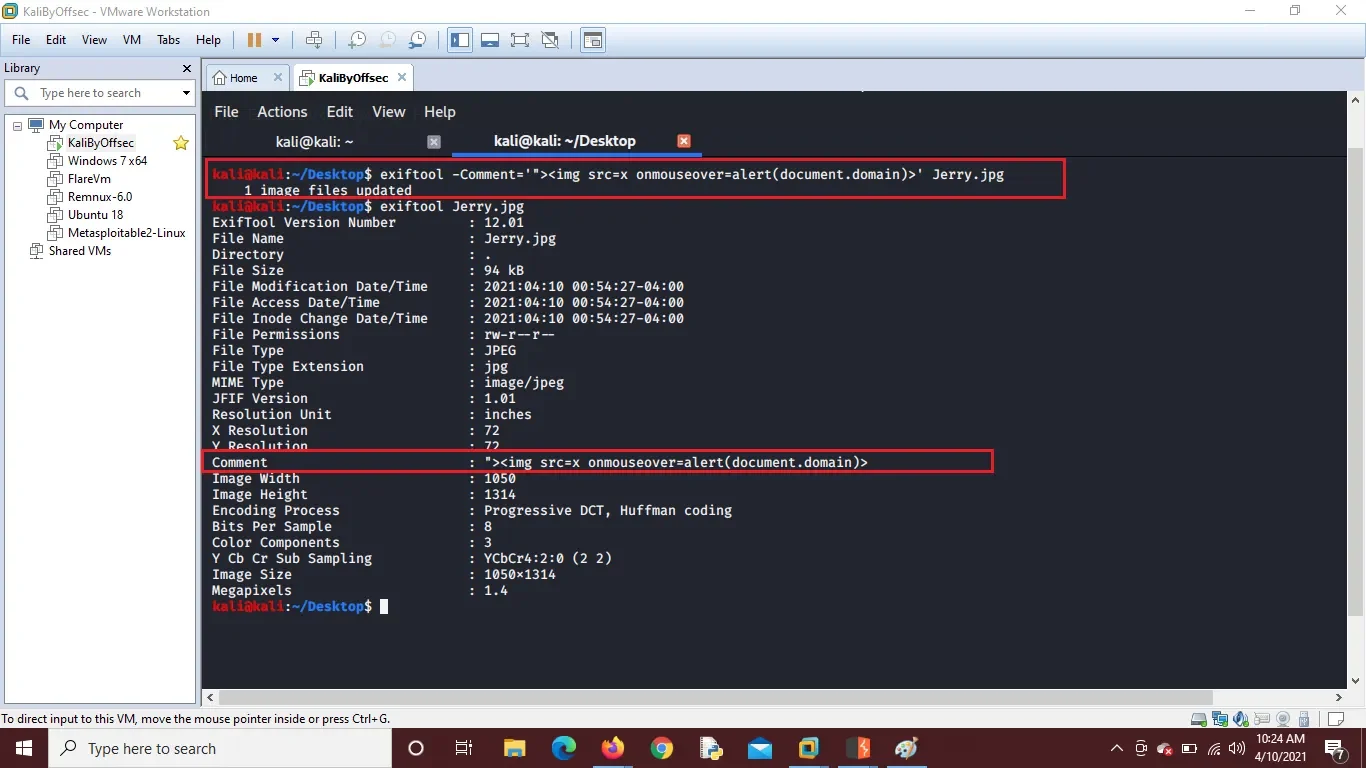
The report does not reproduce the exact Exiftool command line or the exact payload string; the screenshot shows the payload sitting in the Exif data of the file.
Step 6: upload the crafted image
The image was uploaded to the website, and the XSS popup fired.
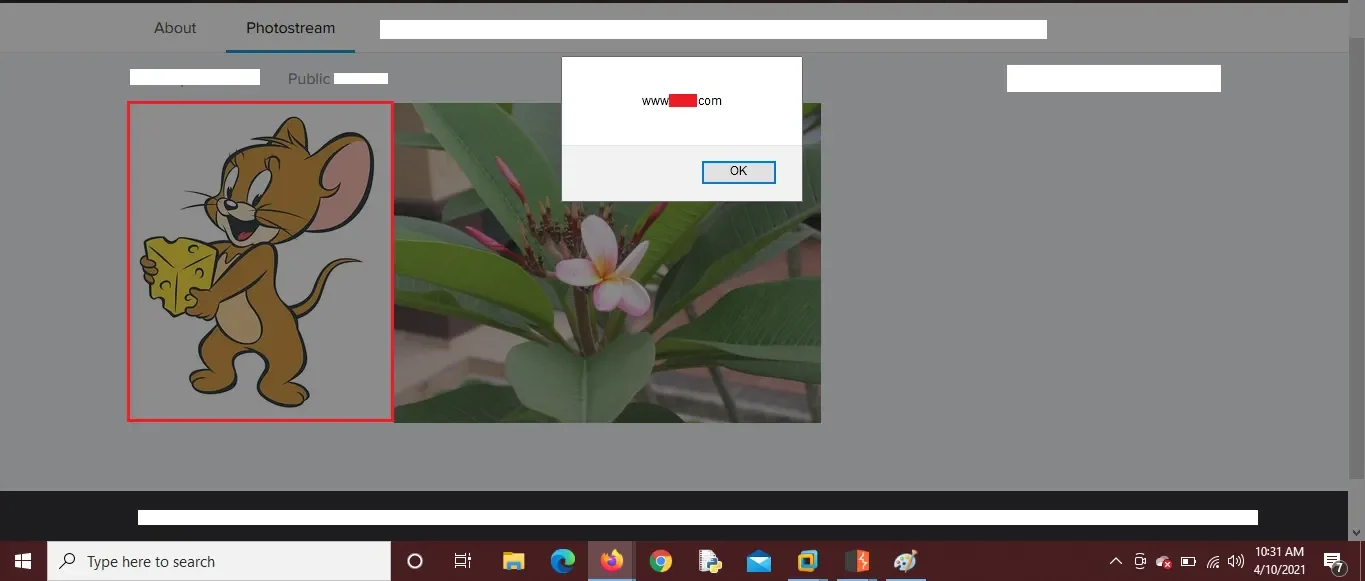
Because the image is public and the payload is stored in the file rather than reflected from a request, this is a stored XSS.
Root cause
In the researcher's opinion, the cause is in the image processing library that handles the image's metadata. Such libraries process the meta tags of an image, the Exif data, and in this case the Exif/DCF reader did not sanitise the Exif tags on upload. It should either have removed the Exif data or scanned the tags and converted the XSS payload into HTML entities. Because neither happened, the XSS payload in the Exif tags was not neutralised.
Impact
As written, the bug can allow an attacker to hijack a user's session and take over the account. Because it is stored and the image is public, the report considers it more severe than a reflected variant. The report does not describe which page or view displays the metadata.
Fix
The recommendation is to always strip the Exif data (metadata) from uploaded images. If stripping is not wanted, there should be a validation check on the metadata that detects a malicious payload in the Exif data and removes it.

Variants to test
- Other tags. The write-up uses the Comment/UserComment/ImageDescription tag. Try the remaining Exif IFD tags on an upload feature and see whether any of them is rendered unescaped; a positive result is the same popup from a tag other than Comment.
- Other formats. The report lists JPG, TIFF, PNG, JP2, PGF, MIFF, HDP, PSP, XCF, TIFF-based RAW, and some AVI and MOV files as carriers of Exif data. Upload each accepted format with a payload in its metadata; a positive result is execution from a format the site treats as an image or video.
- Download versus display. Check both the download response and any page that renders the image or its metadata. A positive result is the payload executing in the browser context of the site rather than only appearing in the downloaded file.
- Chaining for severity. The report's own advice is to chain vulnerabilities rather than report the metadata exposure alone: an Exif leak rated P3 or P4 becomes a stored XSS rated P2 when the metadata is rendered. Look for the same pattern wherever user-supplied files are stored and later displayed.
What happened, in plain words
A website let people upload photos. Once uploaded, the photos were public, and anyone could download them again. The interesting part was not the picture itself but the small block of extra information that travels inside most photo files: the date it was taken, the camera model, and often a free-text comment. That block is called EXIF data.
The website kept that extra information intact and handed it back to anyone who downloaded the file. On its own, that is an Exif data exposure. The researcher who wrote this report wanted something bigger. If the website shows that comment text as part of the page rather than as plain text, a comment written by an attacker can become a script that runs in the browser. That is called Cross Site Scripting, or XSS.
So the plan was simple: put a tiny script into the comment field of a photo, upload it, and see whether the site runs it. It did. The popup that appeared is the classic proof that a script executed.
A quick comparison helps. Imagine a guest book at a hotel. Writing your name is fine. But if the hotel later reprints every entry on official letterhead without checking it, someone can write an instruction like "give this guest a master key" and it will look like the hotel's own instruction. EXIF data is the guest book entry; the website reprinting it without checking is the bug.
The two ratings that got combined
The report talks about a public rating system used by bug bounty platforms, Bugcrowd's Vulnerability Rating Taxonomy. It sorts bugs by how serious they are, from P1 (most serious) down to P5 (least).
An EXIF data exposure, meaning the site simply leaves the metadata in the file, is rated P4 there, and in some cases P3. The researcher's idea was to raise that rating by turning the exposure into something that actually executes code.
The report splits the EXIF ratings like this:
- P3 when the data is publicly available, for example in a comment section.
- P4 when only a few users are invited to work on a specific project.
XSS has its own categories. The write-up mentions two:
- Reflected: the script comes back in the immediate response to one request, so it only affects the person who sent that request.
- Stored: the script is saved on the server and served to everyone who later views the page.
Stored is rated higher than reflected, because it reaches more people without them doing anything unusual. In this case the EXIF data was at the P3 level (public), and the XSS achieved was the stored kind, so the combined severity moved up to P2. The report's own advice follows from this: always try to chain vulnerabilities together to reach something more severe.
What EXIF actually is
EXIF stands for Exchangeable Image File Format. The report explains that this information is formatted according to the TIFF specification and may be found in JPG, TIFF, PNG, JP2, PGF, MIFF, HDP, PSP and XCF images, as well as many TIFF-based RAW images and even some AVI and MOV videos.
Inside a file, the metadata is organised into Image File Directories, shortened to IFDs. Think of an IFD as a labelled drawer inside the file. The Exif IFD is one such drawer, holding a set of tags that record Exif-specific attributes. A tag is just a named field: one tag for the camera make, one for the date, one for a comment, and so on.
Of all those tags, the report focuses on one: the Comment tag, also known as the UserComment tag or the ImageDescription tag. For Exif users, the Comment tag is used to write keywords or comments on the image besides those in ImageDescription, and without the character code limitations of the ImageDescription tag. That comment is then processed by an Exif/DCF reader, the piece of software that reads the UserComment tag.
That last sentence is the heart of the bug. If a program reads the comment and puts it on a web page without checking it, the comment is no longer a comment. It is instructions.
The tools used
The report names one tool: Exiftool, used to write the payload into the image metadata. Exiftool is a free command-line program that can read and edit the metadata inside image files. You point it at a file and tell it which tag to change and to what value.
To read metadata back out of a downloaded file, the researcher used an online Exif viewer at http://exif.regex.info/exif.cgi. That is a website where you upload a file and it lists every tag it finds, so you can see exactly what the server kept.
The report does not describe any account details, user roles, software versions or other preconditions. The whole workflow assumes only that the tester can upload an image and download it again.
How the bug was found, step by step
Step 1: confirm the upload feature
The target website had an option to upload photos.
The screenshot shows the upload functionality on the site.
Step 2: upload a normal Exif image
The first upload was a normal image carrying Exif data, done to check for an Exif data exposure vulnerability.
Uploading Exif Image and Image Uploaded - Public: the image was accepted and made public. The point of using an ordinary photo first is to see the site's normal behaviour, without any attack, so that later differences are clearly caused by the payload and not by something else.
Step 3: download it and inspect the metadata
The site offered a download option, so the researcher downloaded the image and checked its Exif data with the online viewer.
Downloading The Image and the two Exif Data screenshots: the tags came back intact. That confirmed the server was not stripping metadata on upload. In plain terms, the site was storing the whole file, comment and all, and giving it back unchanged. If the comment survives a round trip, then a comment written by an attacker will survive it too.
Step 4: check a second image
Another image was downloaded from Google and its Exif data checked.
Normal Image: this step is about learning the shape of the data. Different cameras and different sources write different tags. Looking at a second file shows which tags are commonly present and which one is worth targeting.
Step 5: write the payload into the Comment tag
Using Exiftool, the XSS payload was inserted as Exif data into the image.
XSS Payload in Exif Data: the screenshot shows the payload sitting in the Exif data of the file. The report does not reproduce the exact Exiftool command line or the exact payload string. What matters conceptually is that the comment field now contains text that a browser would treat as code if it were ever placed on a page unescaped.
Step 6: upload the crafted image
The image was uploaded to the website, and the XSS popup fired.
XSS via Exif Data: the popup is the proof. A browser only shows that kind of popup when script has actually run. Because the image is public and the payload is stored in the file rather than reflected from a request, this is a stored XSS.
Why it happened
In the researcher's opinion, the cause is in the image processing library that handles the image's metadata. Such libraries process the meta tags of an image, the Exif data. In this case the Exif/DCF reader did not sanitise the Exif tags on upload.
Sanitising means cleaning input so that anything dangerous is neutralised before it is used. The report says the library should either have removed the Exif data entirely, or scanned the tags and converted the XSS payload into HTML entities. HTML entities are a way of writing a character so that the browser displays it as text instead of treating it as markup: the angle brackets that start a tag become harmless visible characters. Because neither happened, the XSS payload in the Exif tags was not neutralised.
What an attacker could do with it
The report states that the bug can allow an attacker to hijack a user's session and take over the account. A session is the state of being logged in: the site remembers you between page loads, usually with a cookie, a small piece of data your browser stores and sends back with each request. If script runs in your browser on that site, it can act with your logged-in identity.
Because the payload is stored and the image is public, the report considers it more severe than a reflected variant. The report does not describe which page or view displays the metadata.
How to fix it
The recommendation is to always strip the Exif data (metadata) from uploaded images. If stripping is not wanted, there should be a validation check on the metadata that detects a malicious payload in the Exif data and removes it.
In everyday terms: either throw the guest book away before reprinting, or read every entry and cross out anything that looks like an instruction.
Other things worth testing
The report's approach suggests several variations:
- Other tags. The write-up uses the Comment/UserComment/ImageDescription tag. Try the remaining Exif IFD tags on an upload feature and see whether any of them is rendered unescaped. A positive result is the same popup from a tag other than Comment.
- Other formats. The report lists JPG, TIFF, PNG, JP2, PGF, MIFF, HDP, PSP, XCF, TIFF-based RAW, and some AVI and MOV files as carriers of Exif data. Upload each accepted format with a payload in its metadata. A positive result is execution from a format the site treats as an image or video.
- Download versus display. Check both the download response and any page that renders the image or its metadata. A positive result is the payload executing in the browser context of the site rather than only appearing in the downloaded file.
- Chaining for severity. The report's own advice is to chain vulnerabilities rather than report the metadata exposure alone: an Exif leak rated P3 or P4 becomes a stored XSS rated P2 when the metadata is rendered. Look for the same pattern wherever user-supplied files are stored and later displayed.
Glossary
- EXIF (Exchangeable Image File Format): extra information stored inside a photo or video file, such as camera model, date and comments.
- Metadata: data about data; here, the information about an image that is stored alongside the pixels.
- TIFF: a file format specification that EXIF metadata is formatted according to.
- IFD (Image File Directory): a labelled section inside an image file that groups related metadata tags.
- Tag: a named field in metadata, for example the Comment tag or the camera make tag.
- Comment / UserComment / ImageDescription tag: the metadata field used to store free-text comments about an image.
- Exif/DCF reader: software that reads the Exif tags, including the UserComment tag, from a file.
- Exiftool: a free command-line program for reading and editing metadata in image files.
- Reflected XSS: the script comes back in the immediate response to one request and only affects the person who sent it.
- Stored XSS: the script is saved on the server and served to everyone who later views the affected page.
- Payload: the piece of text an attacker supplies that is meant to be executed or interpreted.
- Popup: a browser dialog; here, the visible proof that script ran.
- Sanitise: clean input so that anything dangerous is neutralised before use.
- HTML entities: a way of writing characters so a browser shows them as text rather than treating them as markup.
- Session: the state of being logged in, usually kept by a cookie the browser sends with each request.
- Cookie: a small piece of data a website stores in your browser and receives back on later requests.
- Bugcrowd Vulnerability Rating Taxonomy (VRT): a public list that sorts vulnerabilities by severity, from P1 (most serious) to P5 (least).
- P1 to P5: the severity levels in that taxonomy, P1 being the highest.
- Rendering path: the part of a website that takes stored data and displays it on a page.




