A CSP-bypass XSS via GitLab Flavored Markdown render
A stored cross-site scripting (XSS) vulnerability existed in GitLab Flavored Markdown rendering because placeholder replacements were not fully sanitised when placed inside a span tag, allowing HTML injection. An attacker could execute arbitrary JavaScript in a victim's browser, bypassing Content Security Policy (CSP).

GitLab
Originally disclosed on GitLab
- Fixed in 27 days
- Disclosed after 27 days
⚠️ Please read the process on how to fix security issues before starting to work on the issue. Vulnerabilities must be fixed in a security mirror.
HackerOne report #3255849 by yvvdwf on 2025-07-16, assigned to @katwu:
Report | Attachments | How To Reproduce
Report
Hello,
Gitlab has addressed my previous report by sanitizing all placeholder replacements:
###  https://gitlab.com/gitlab-org/gitlab/-/blob/9bdd6c76fe248eb3217bd01eeebbf03f8725af95/lib/banzai/filter/placeholders_post_filter.rb#L204-206
      # The action param represents the Proc to call in order to retrieve the value
      def replace_placeholder_action(action)
        CGI.escapeHTML(action.call(context) || '')
      end
Although, this sanitization is not enough as HTML injection is still possible when there is a placeholder inside a <span> tag, for example:
<span data-placeholder=true><a class=has-tooltip data-html=true title="label description %{latest_tag}">scoped::label</a></span>
In the example above, the content inside <a> tag is what rendered by a scoped label. Its title attribute represents the label's description which is sanitized normally.
As the placeholder, e.g., %{latest_tag} is present inside <span>, it will be replaced later by the latest tag which may contain any HTML tags. Thus it leads to HTML injection when the tooltip is shown, then XSS.
Reproduce
-
We use GitLab Development Kit (GDK) to reproduce the issue.
-
As we will use scoped labels which are available on on premium or utimate tiers, you will need to have an Enterprise Edition license.
Step 0. Setup
-
Start SDK: Open
https://gitlab.com/gitlab-org/gitlab, clickEdit/Gitpod, then follow the steps to install and start gitlab on Gitpod.io -
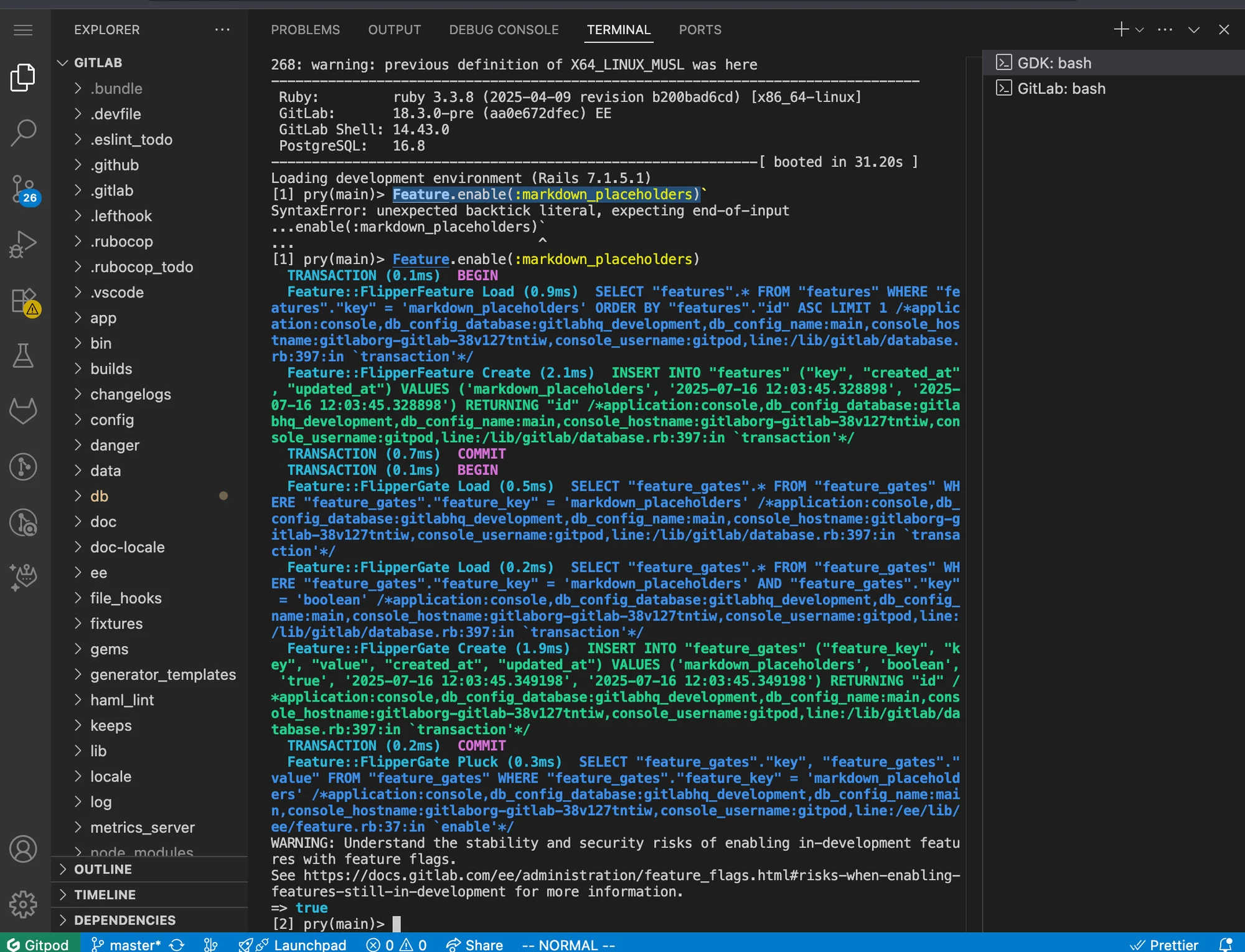
Enable
markdown_placeholders:
+ open GDK console:gdk rails console,
+ then, enter:Feature.enable(:markdown_placeholders)
- Go to
Admin/Settings/General/Add License, then upload your Enterprise Edition license.
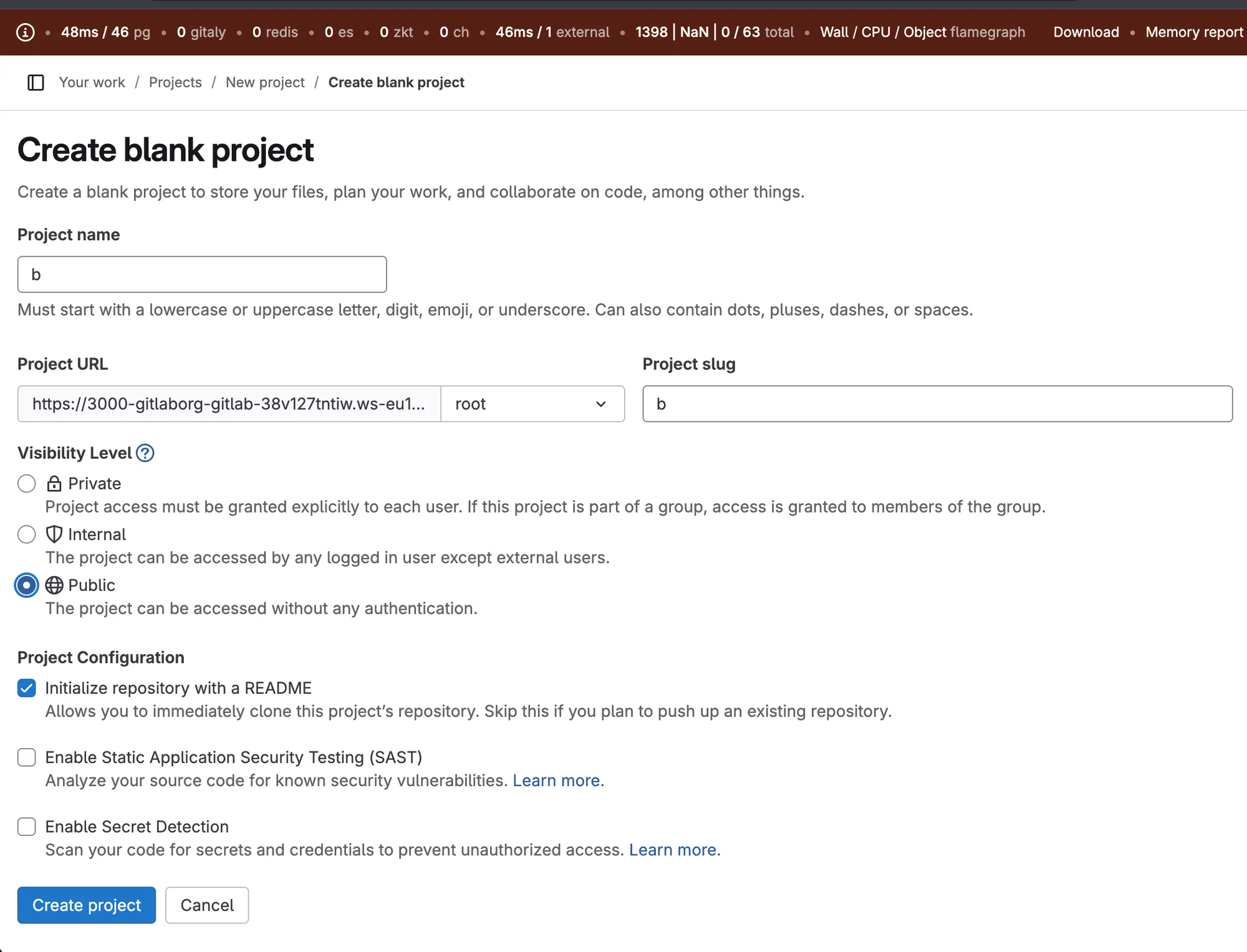
Step 1. Create a new project root/b:
- open Gitlab of this GDK instance, then create a new project
b - note: the project name
bis important as it is used in Step 4
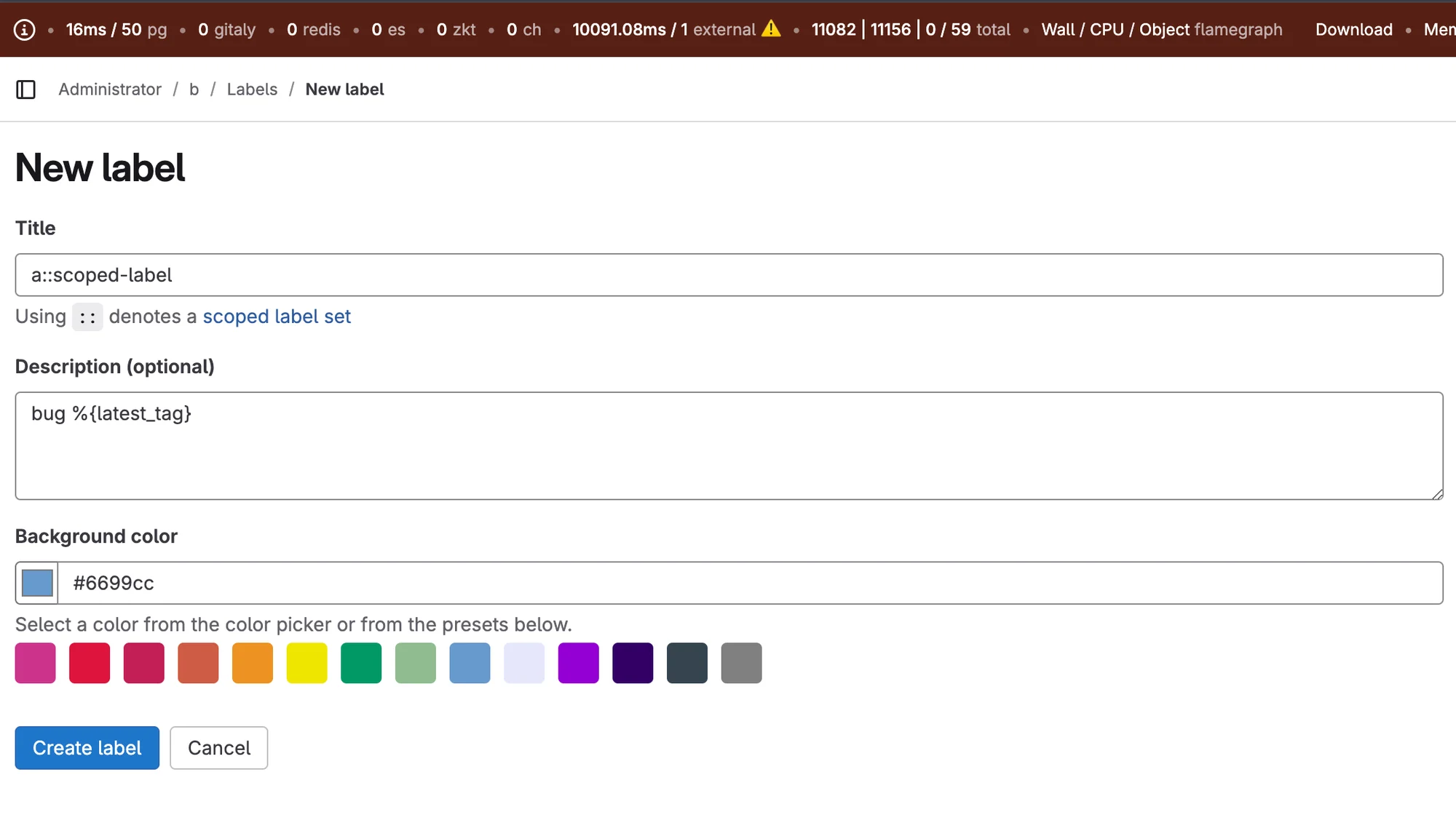
Step 2. Add a scoped label:
- Open
Manage/Labels, clickNew labelbutton to create the following scoped label:- Title:
a::scoped-label - Description:
bug %{latest_tag}
- Title:
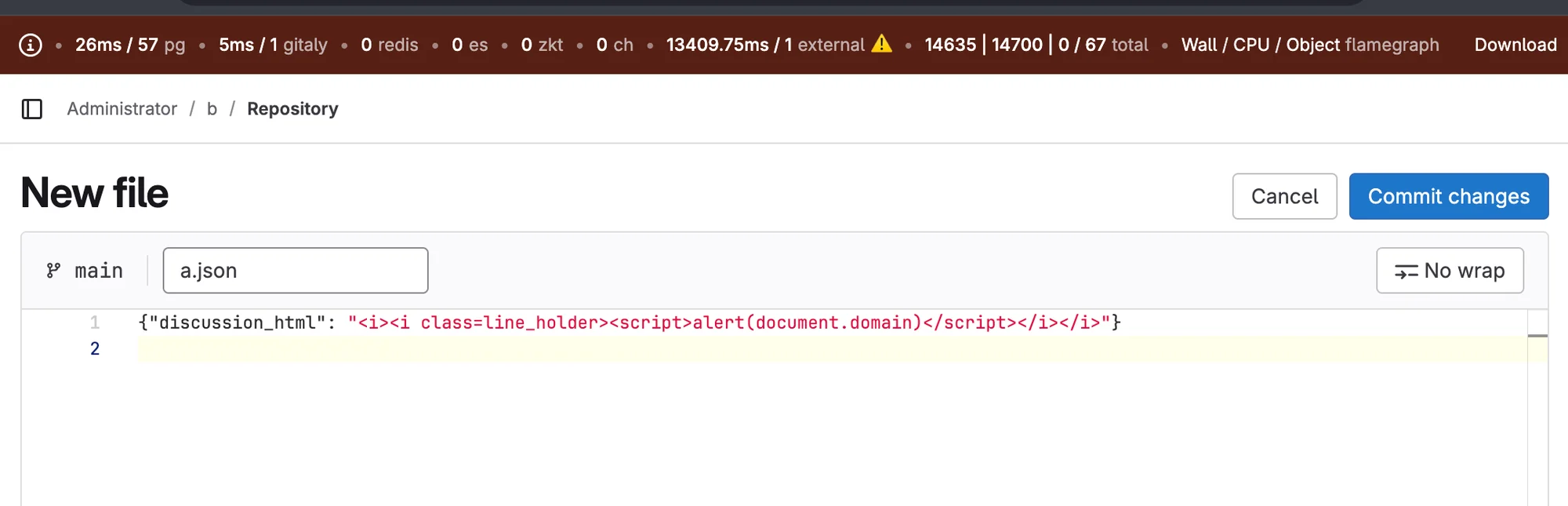
Step 3. Add payload:
Add a a.json file into the project using the following content:
{"discussion_html": "<i><i class=line_holder><script>alert(document.domain)</script></i></i>"}
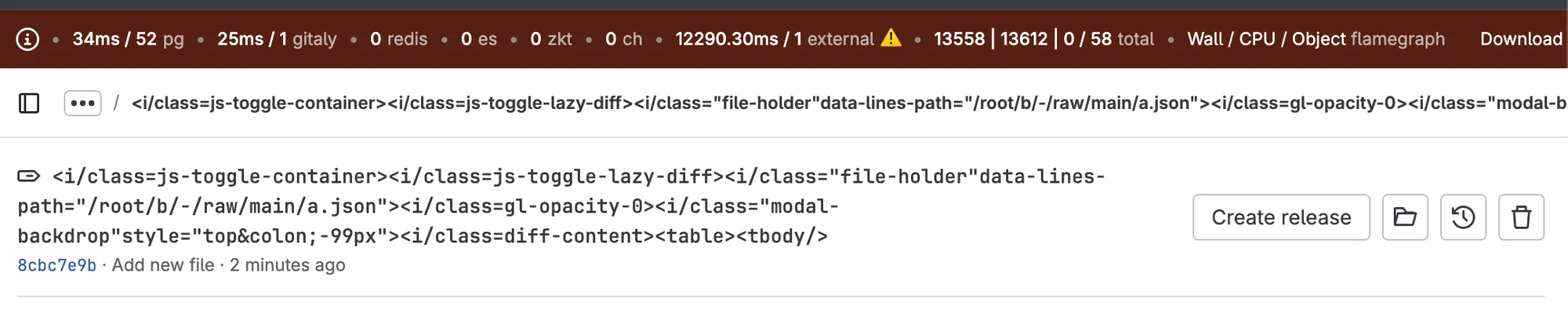
Step 4. Add a vulnerable tag
- Go to
Code/Tags, then create a new tag using the followingTag name:
<i/class=js-toggle-container><i/class=js-toggle-lazy-diff><i/class="file-holder"data-lines-path="/root/b/-/raw/main/a.json"><i/class=gl-opacity-0><i/class="modal-backdrop"style="top:-99px"><i/class=diff-content><table><tbody/>
Step 5. Create a snippet:
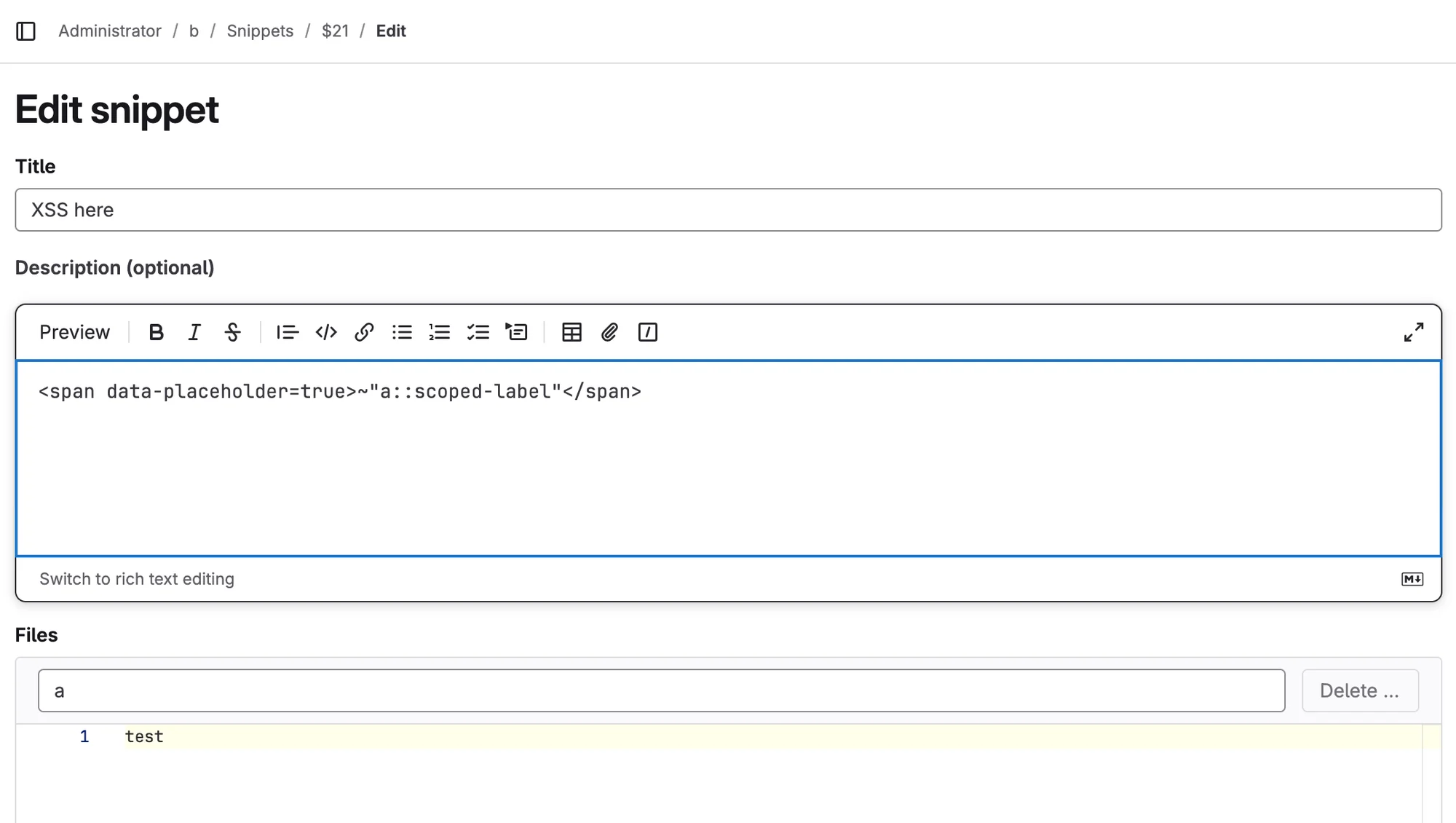
- Go to
Code/Snippets, then create a new public snippet within the following parameters:- Title:
XSS here - Description:
<span data-placeholder=true>~"a::scoped-label"</span> - Files:
a
- Title:
Step 7. Exploit
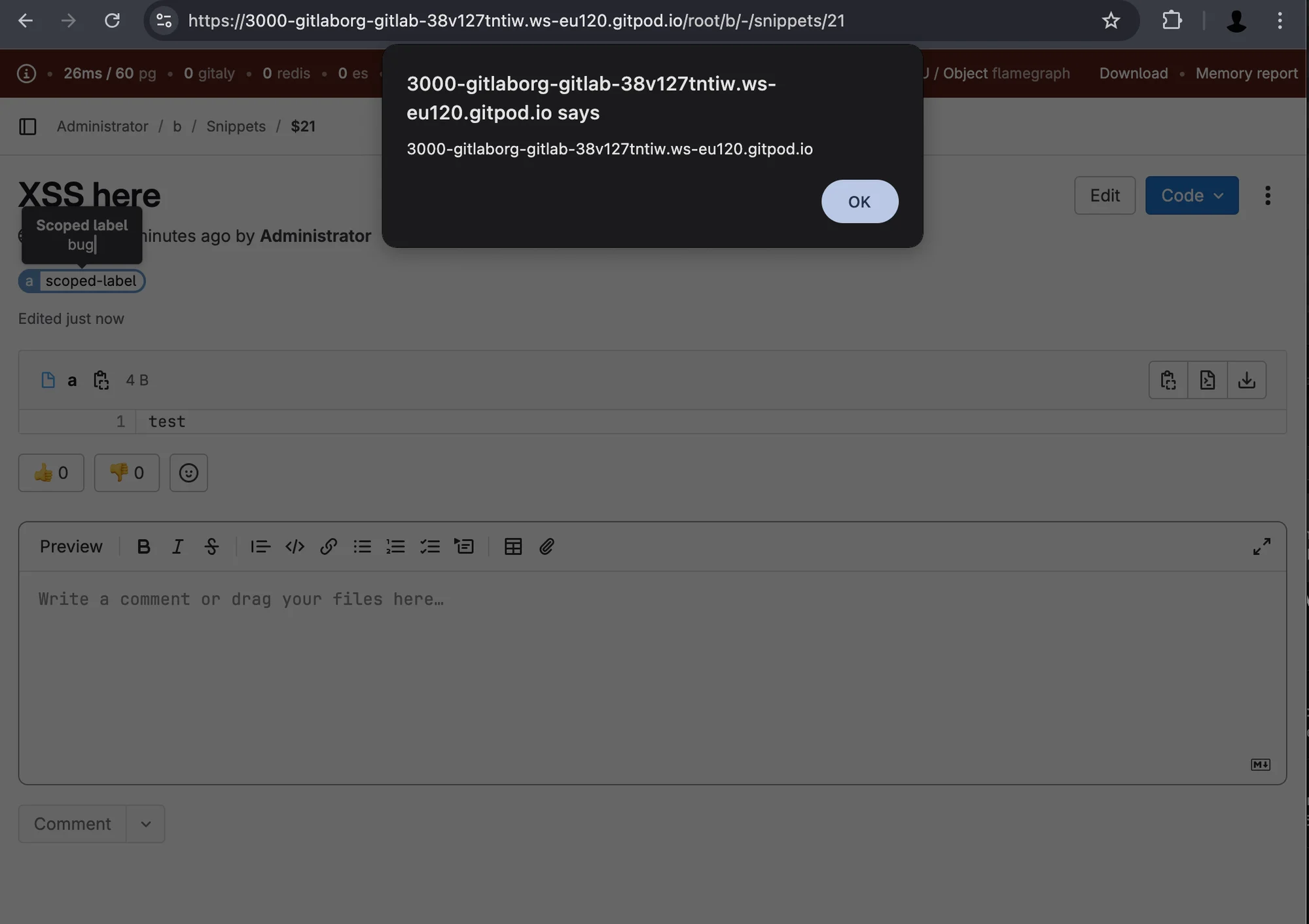
- After creating the snippet, view it, move the mouse over the label, then click anywhere, you will see a popup alert.
Impact
Stored-XSS with CSP-bypass allows attackers to execute arbitrary actions on behalf of victims at the client side.
Attachments
Warning: Attachments received through HackerOne, please exercise caution!
- 1.new-project.png
- 0.enable-feature.png
- 2.new-label.png
- 3.a.json.png
- 4.new-tag.png
- 5.new-snippet.png
- 6.click.png
How To Reproduce
Please add reproducibility information to this section:
Not written yet. The AI write-up for this report has not been written yet. The Original tab links to the source.
How it worked
Root cause
Likely the placeholder replacement mechanism did not properly escape HTML when the placeholder was inside a span tag, allowing injected HTML to be rendered.
Impact
Stored XSS with CSP bypass allows attackers to execute arbitrary actions on behalf of victims at the client side.
What the attacker needed
GitLab Enterprise Edition license; markdown_placeholders feature enabled; victim views the snippet and interacts
How it was found
- Enable the markdown_placeholders feature flag in GitLab.
- Create a new project named 'b'.
- Add a scoped label with title 'a::scoped-label' and description 'bug %{latest_tag}'.
- Add a file 'a.json' with malicious discussion_html content.
- Create a tag with a crafted name containing HTML.
- Create a public snippet with description containing a span with data-placeholder and the scoped label reference.
Explained by bugbounty.wiki with AI from the original and checked against quotes from it; it can still be wrong. Read the original before relying on a detail.
Not written yet. The AI write-up for this report has not been written yet. The Original tab links to the source.
This report describes a stored XSS bug in GitLab. When a user views a snippet containing a specially crafted label, malicious HTML and JavaScript can run in their browser. This lets an attacker act as the victim, for example stealing data or performing actions on their behalf.
What is XSS?
Script an attacker supplies runs in another user's browser, on the target's origin, with that user's session.




