Content injection via Incidents Timeline description
The Incidents Timeline description markdown filter was vulnerable to HTML injection because the image link filter did not sanitise the alt attribute. An attacker could inject arbitrary HTML, leading to XSS on self-managed instances without a strict CSP, or use injected elements to send POST requests on behalf of a victim, potentially causing account takeover.

GitLab
Originally disclosed on GitLab
- Fixed in 37 days
- Disclosed after 37 days
HackerOne report #1647446 by yvvdwf on 2022-07-23, assigned to @nmalcolm:
Report | Attachments | How To Reproduce
Report
Content injection via Incidents Timeline description
Gitlab recently relased a feature allowing to add descriptions in the timeline of an incident. Its markdown description is filtered by TimelineEventPipeline pipeline which includes Filter::ImageLinkFilter filter. The latter is vulnerable to arbitrary content injection, thus leads to XSS.
This is the venerable code because link_replaces_image is true in TimelineEventPipeline.
  link.children = if link_replaces_image
           img['alt'] || img['data-src'] || img['src']
    else
            img.clone
     end
Consequently, we can inject any HTML content by using alt attribute whose value is not sanitized. Although the injected HTML content will be sanitized one more times using Dompurify when showing in Web browser, but there are few exceptions:
-
there exists
data-disable-withattribute that is not sanitized and allows attackers to inject any HTML content, even<iframe>,<scripttags, etc. Attackers may get full XSS in the Gitlab self-managed instances that are not protected by a restricted CSP as I reported -
when combining with other gadgets, the
classattribute allows attackers may send arbitrary POST requests on behalf of victims. This leads to the possibility of admin user escalation or account takeover (when the account was created via a third party provider.
The following steps shows a demo of account takeover attack on Gitlab.com. The exploitation should be the same as in 1628009.
Step to reproduce
-
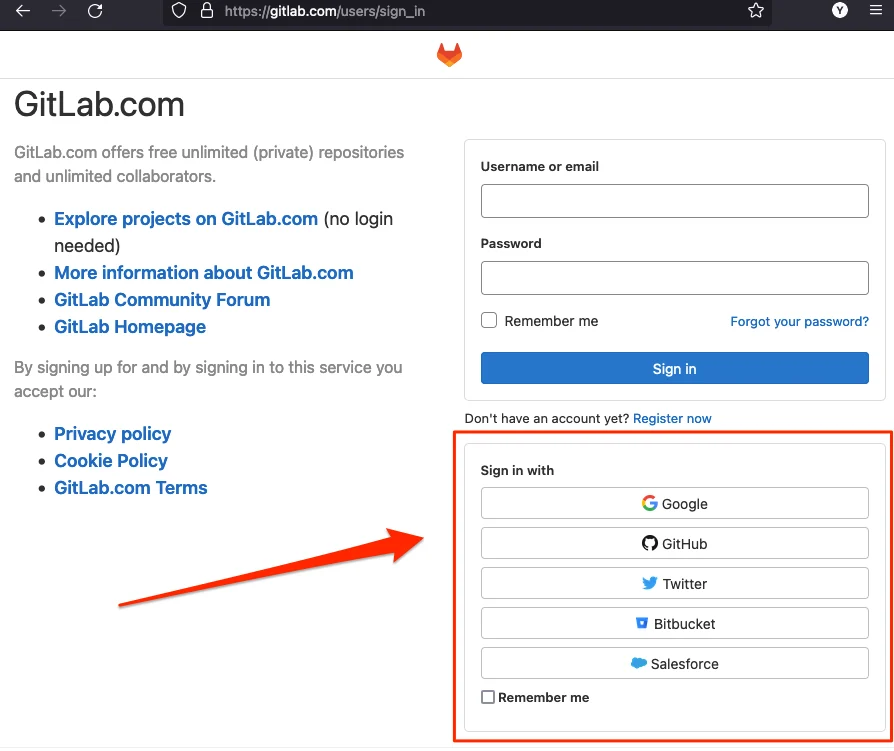
These steps will be done on Gitlab.com. You need to have a victim account to take over. This account is registered on Gitlab.com by logging in via a third provider, such as, a Google, Github, Twitter, Bitbucket, or Saleforce.
-
On an existing project (or create a new project), Goto
Monitor/Incidents, then click onCreate incidentbutton to create a new incident. Then fill the form as you want. Then clickCreate issueto create a new incident. You will be redirected to the result. -
Now click on
Timelinelink, then click onAdd new timeline eventand fill theTimeline textusing the following payload:
<img src=x alt="<a class='js-issuable-todo fixed-top fixed-bottom text-hide cursor-defaul' data-create-path=/-/profile/password?_method=put&user%5Bnew_password%5D=12345678&user%5Bpassword_confirmation%5D=12345678><style> .tab-content>.tab-pane{display: block !important}</style>">
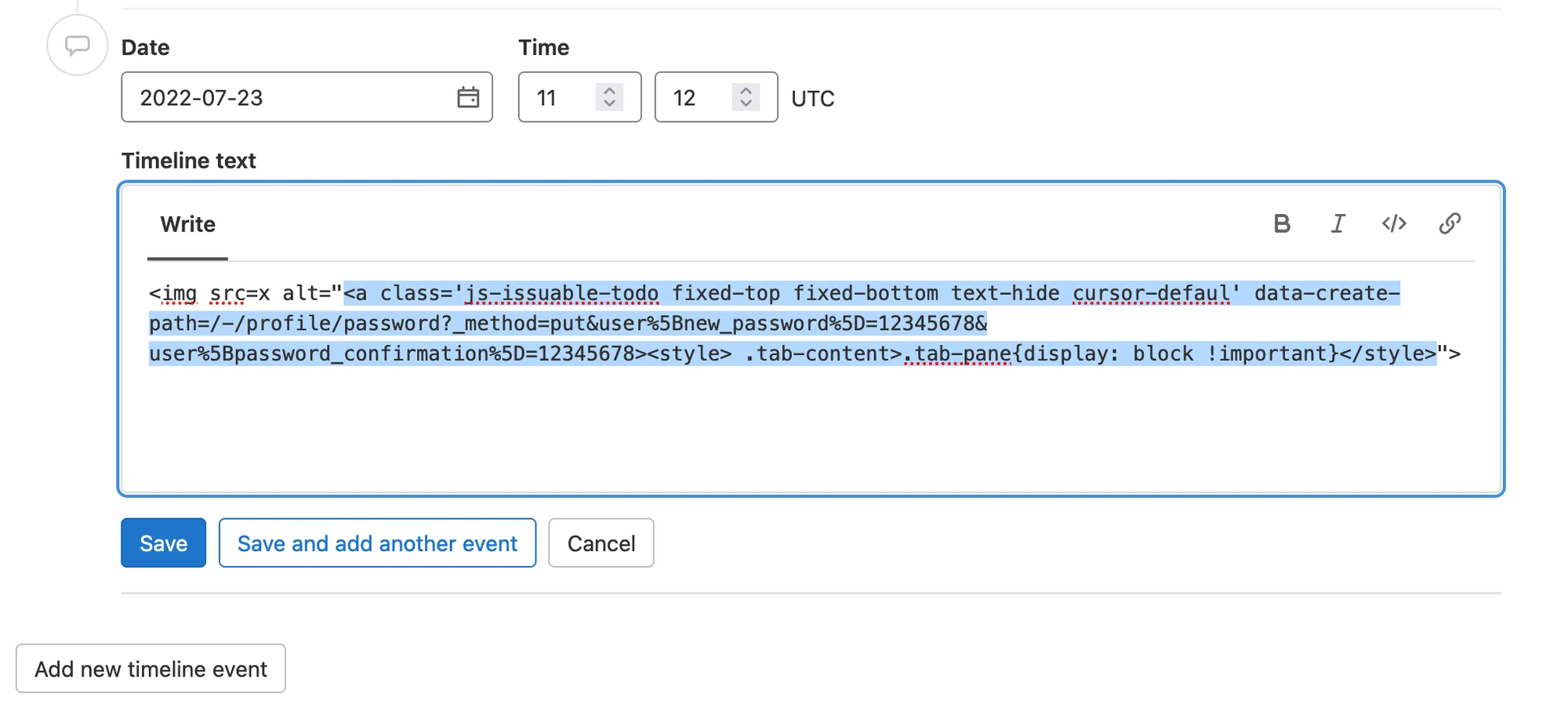
-
Click on
Savebutton. -
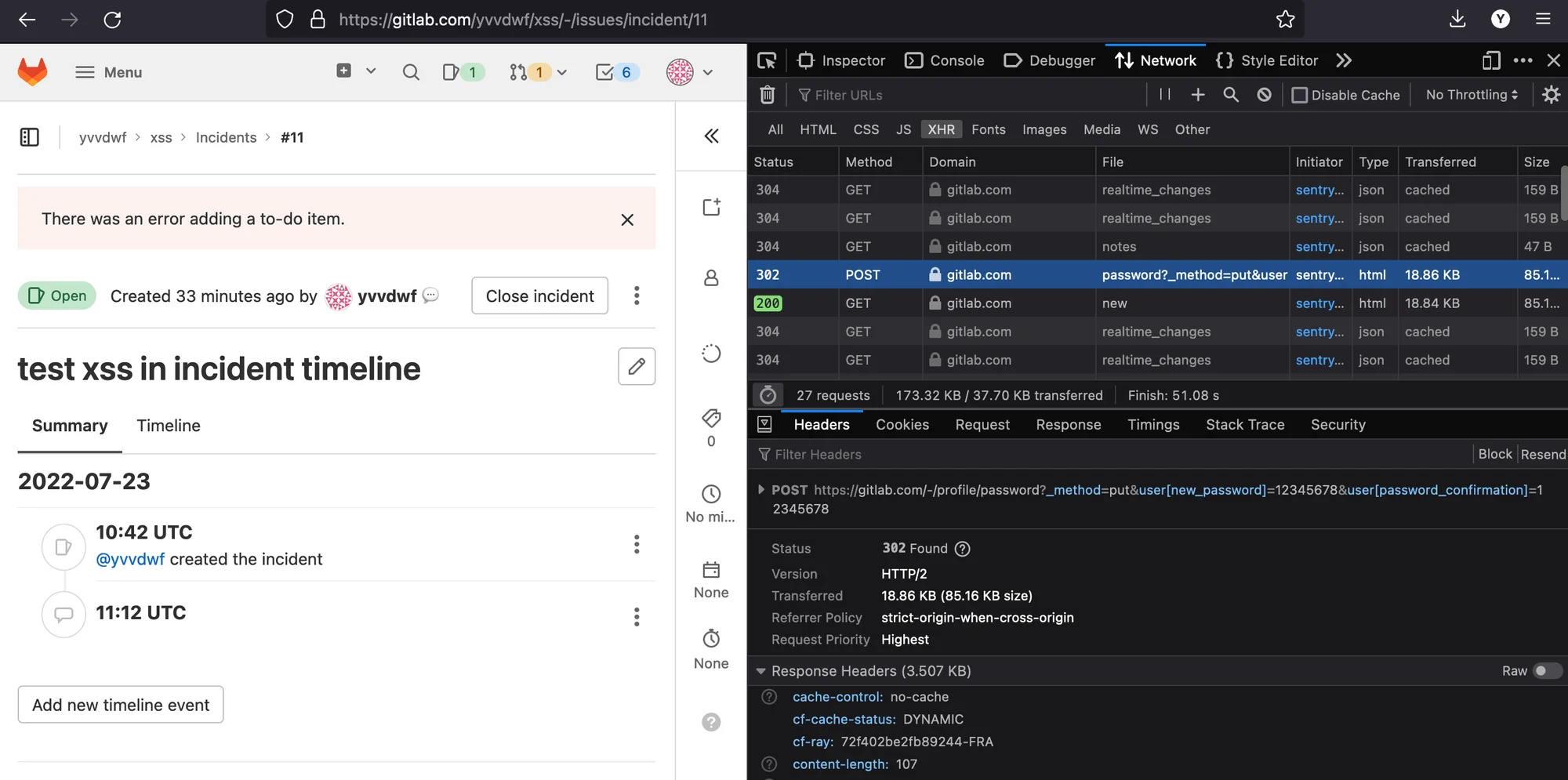
You may notice that:
- the timeline is shown by default (not summary of incident). This is caused by the content in
<style>tag we injected - a transparent layer on the top of the web page. If you click on that layer, you will trigger a POST request.
- the timeline is shown by default (not summary of incident). This is caused by the content in
- Now logout Gitlab.com, then login with a third party provider to generate a new account on Gitlab.com
-
(If the attack project is not public, then we need to invite the victim to be a member of the project so that the victim can access to the incident page)
-
As the victim, visit the incident page and click anywhere (the topmost transparent layer)
-
Refresh the page, you should now be logged out from Gitlab.com as your password was changed
-
Here is an example, that is in a private project: https://gitlab.com/yvvdwf/xss/-/issues/incident/11
Impact
HTML injection allows attackers to (1) get full XSS in the Gitlab self-managed instances that are not protected by a restricted CSP, or (2) to send arbitrary POST request on behalf of victims that can lead to permission escalation or even account takeover, etc.
Impact
HTML injection allows attackers to (1) get full XSS in the Gitlab self-managed instances that are not protected by a restricted CSP, or (2) to send arbitrary POST request on behalf of victims that can lead to permission escalation or even account takeover, etc.
Attachments
Warning: Attachments received through HackerOne, please exercise caution!
How To Reproduce
Please add reproducibility information to this section:
Not written yet. The AI write-up for this report has not been written yet. The Original tab links to the source.
How it worked
Root cause
Likely the image link filter did not sanitise the alt attribute when replacing an image with a link, allowing arbitrary HTML injection.
Impact
HTML injection allows attackers to get full XSS in self-managed instances not protected by a restricted CSP, or to send arbitrary POST requests on behalf of victims that can lead to permission escalation or account takeover.
What the attacker needed
Victim account via third-party provider; victim visits incident page; victim clicks on the page
How it was found
- Create an incident in a project and open its Timeline.
- Add a new timeline event with a crafted image tag in the description.
- Save the event; the injected style makes the timeline visible and adds a transparent layer.
- Log out and log in via a third-party provider to create a victim account.
- As the victim, visit the incident page and click anywhere on the transparent layer.
- Refresh the page; the victim is logged out because their password was changed.
Explained by bugbounty.wiki with AI from the original and checked against quotes from it; it can still be wrong. Read the original before relying on a detail.
Not written yet. The AI write-up for this report has not been written yet. The Original tab links to the source.
When you add a description to an incident timeline, the system converts markdown to HTML. A filter that handles images failed to clean the alt text of an image, so an attacker could put HTML code there. That HTML could run scripts or make the victim's browser send requests, which might let the attacker take over the account.
What is XSS?
Script an attacker supplies runs in another user's browser, on the target's origin, with that user's session.




