Full read SSRF in Analytics Dashboard bypassing all localhost restrictions (GET and POST)
The Analytics Dashboard integration allowed the Cube API URL to be user-controlled and set allow_local_requests to true, enabling server-side requests to localhost. An attacker could read full responses from internal services, including the GitLab main page, by redirecting requests to localhost ports.

GitLab
Originally disclosed on GitLab
- Fixed in 22 days
- Disclosed after 22 days
⚠️ Please read the process on how to fix security issues before starting to work on the issue. Vulnerabilities must be fixed in a security mirror.
HackerOne report #2697456 by joaxcar on 2024-09-04, assigned to GitLab Team:
Report | Attachments | How To Reproduce
Report
Summary
There exists a full read (GET and POST) SSRF in the Analytics Dashboard integration. An attacker can fully control the port, path and parameters on the request and read the full response. The attack can target localhost even on instances where all local access has been turned off
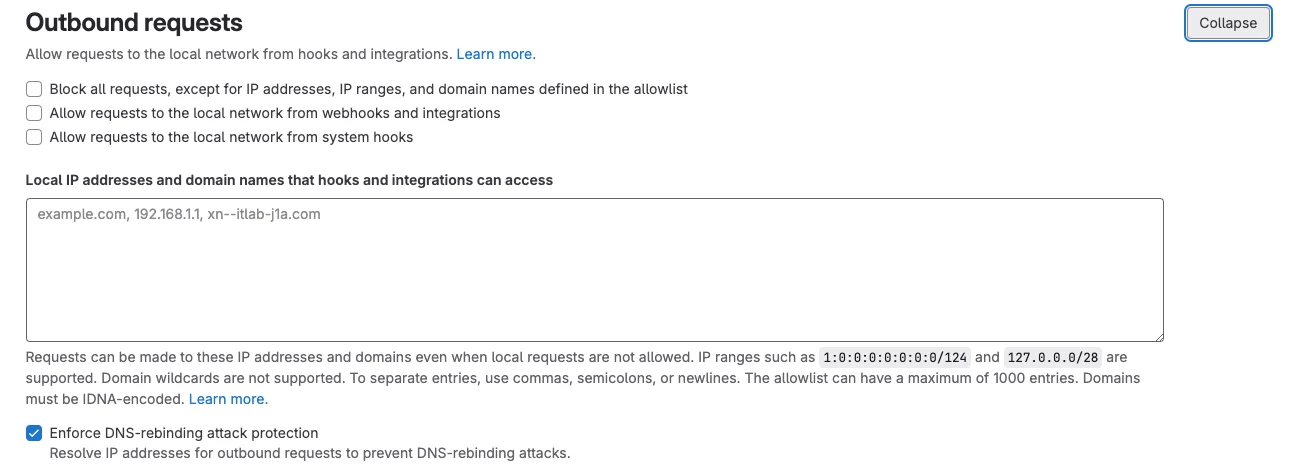
The issue is that the method query_data that is used to fetch data from Cube looks like this
def query_data
      options = {
        allow_local_requests: true,
        headers: cube_security_headers
      }

      begin
        response = if params[:path] == 'meta'
                     Gitlab::HTTP.get(cube_server_url(params[:path]), options)
                   else
                     ::Gitlab::HTTP.post(
                       cube_server_url(params[:path]),
                       options.merge(body: { query: params[:query], queryType: params[:queryType] }.to_json)
                     )
                   end

        body = Gitlab::Json.parse(response.body)
      rescue Gitlab::Json.parser_error, *Gitlab::HTTP::HTTP_ERRORS => e
        return ServiceResponse.error(message: e.message, reason: :bad_gateway)
      end
...
    end
where you can see that the allow_local_requests: true flag is set. This is dangerous as the cube_server_url is user controlled. If the request hits an internal service that do not respond with JSON the return ServiceResponse.error(message: e.message, reason: :bad_gateway) will return the full response as is and return it in the GraphQL error message.
When the requested path is not meta the ::Gitlab::HTTP.post will run. And as this will follow redirects by default we can abuse this to hit any service as either a GET (by sending the request to a 301 redirect that converts the request to GET) or as POST (by sending the request to a 307 redirect that preserve POST).
The base request will go to http://YOURSERVER.com/cubejs-api/v1/load, this is not a problem as we can just make our server respond with a redirect like this http://localhost:PORT/PATH?QUERY and that will be the request that hits the backend.
I have made a small script to scan ports using this but have not run it against prod. I have tested redirecting to http://127.0.0.1:8080 on prod and that gave me the gitlab main page back in the response (as this is the port of the webserver).
Please get back to me if I am allowed to test further to see what I can find, or if there is a list of ports I can try out.
Steps to reproduce
I have verified this on my local GDK instance, where it is easier to see that it is hitting the local host. But as its quite cumbersome to set it up I will provide a POC for prod first
(note step 4 IP 159.223.181.253:4567 this is my own collector server on Digitalocean. Its possible to set up your own, but its only needed to get a valid configuration and does not do anything else, if you want to run your own deploy https://gitlab.com/gitlab-org/analytics-section/product-analytics/devkit on a droplet)
- Create a new Group with an
ultimatesubscription. Use a trial account - In the new group create a new project
- Go to
https://gitlab.com/GROUPNAME/PROJECTNAME/-/settings/analytics - Fill out the form with
Snowplow configurator connection string:http://test:[email protected]:4567Collector host:https://example.comCube API URL:https://joaxcar.com/get/1234/Cube API key:anything
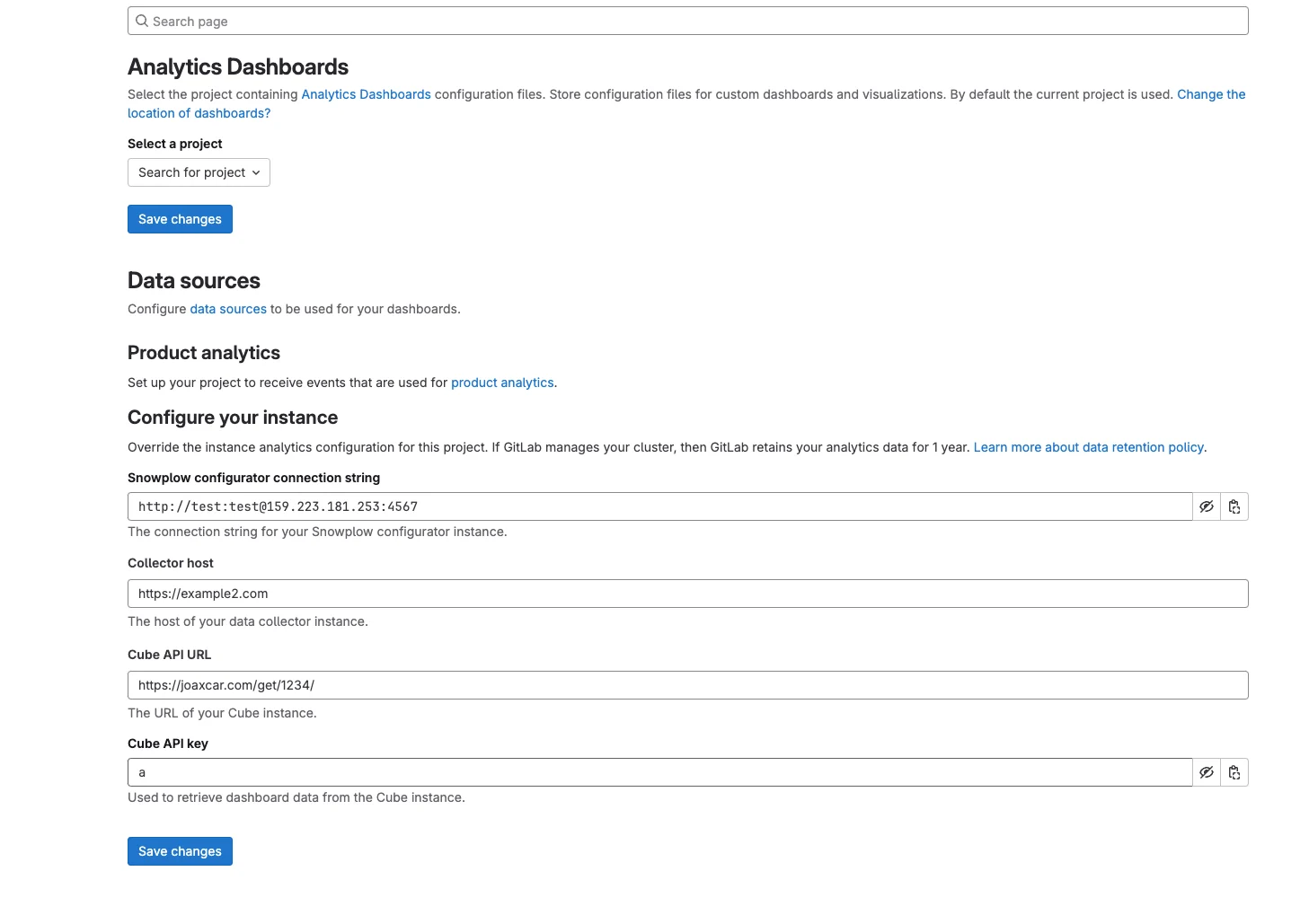
- Save the configuration
- Go to
https://gitlab.com/GROUPNAME/PROJECTNAME/-/analytics/dashboards/product-analytics-onboarding - Select the left option
connect to your own provider, make sure to have devtools open - Search for
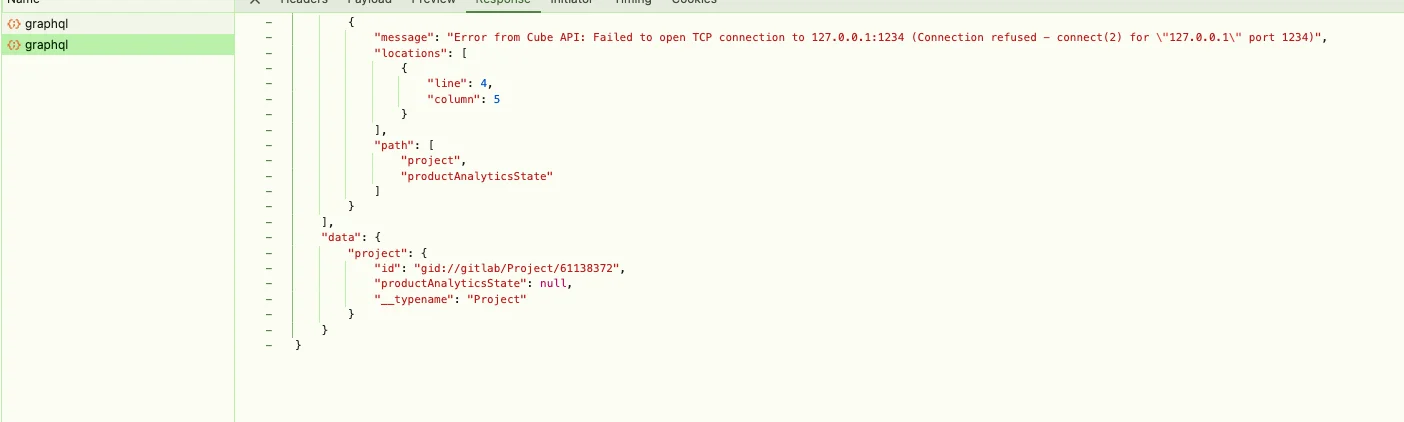
graphqlin the network tab and look for the last one it should contain an error in the response saying that127.0.0.1:1234did not accept a connection. This is as there is nothing running on 1234 - Go back to
https://gitlab.com/GROUPNAME/PROJECTNAME/-/settings/analyticsand change theCube API URLtohttps://joaxcar.com/get/8181/ - Do step 6-8 again. You should now have the full content of gitlab.com main page in the error instead. This has now been served from
localhost:8181
(only for gitlab triage)To play with this localy on GDK follow these steps:
- Install GDK
- Follow the guide here to set up a local analytics system https://gitlab.com/gitlab-org/analytics-section/product-analytics/devkit
- Connect it to your GDK like so https://gitlab.com/gitlab-org/analytics-section/product-analytics/devkit#connecting-gdk-to-your-devkit
- Now you should be able to use this server to set everything up in GDK
- Host a "redirect service" somewhere that will throw a redirect on any request ending in
cubejs-api/v1/load. My POC above use this config in.htaccess
[RewriteRule ^get/([0-9]+)/cubejs-api/v1/load$ /poc/gitlab/port.php?port=$1 [L,QSA]
RewriteCond %{REQUEST_URI} ^/post/([0-9]+)/cubejs-api/v1/load$](<RewriteCond %{REQUEST_URI} ^/get/([0-9]+)/cubejs-api/v1/load$
RewriteRule ^get/([0-9]+)/cubejs-api/v1/load$ /poc/gitlab/port.php?port=$1 [L,QSA]>)
that will redirect all requests based on the path to my script at /poc/gitlab/port.php?port=$1 looking like this
<?php
header("Location: http://127.0.0.1:" . $_GET['port'], true, 301);
exit;
?>
It is also possible to build a more efficient port-scan by just using a single redirect that will return different ports each time its requested, its then possible to loop the graphql request and scan the full port range quickly
Impact
Full read (and potentially write) SSRF POST and GET that bypass all localhost filters.
I know that this kind of SSRF got rated as critical here https://hackerone.com/reports/878779 but that was unauthenticated which should put this one at high at least. But as stated I have not done extensive testing against prod, it might be that this SSRF using POST could also have integrity impact.
What is the current bug behavior?
Cube requests are allowed to hit localhost despite not being allowed in settings.
What is the expected correct behavior?
As Cube URL is user controlled it should follow the same rules as other webhooks and services
Output of checks
This bug happens on GitLab.com
Impact
Full read (and potentially write) SSRF POST and GET that bypass all localhost filters.
Attachments
Warning: Attachments received through HackerOne, please exercise caution!
- Screenshot_2024-09-04_at_10.48.11.png
- Screenshot_2024-09-04_at_12.04.07.png
- Screenshot_2024-09-04_at_12.04.20.png
How To Reproduce
Please add reproducibility information to this section:
Not written yet. The AI write-up for this report has not been written yet. The Original tab links to the source.
How it worked
Root cause
The query_data method set allow_local_requests to true and used a user-controlled cube_server_url, so requests could reach localhost and the full response was returned in GraphQL errors when the response was not JSON.
Impact
Full read (and potentially write) SSRF via GET and POST that bypasses all localhost filters, though the reporter notes they have not done extensive testing against production.
What the attacker needed
A GitLab.com account with an ultimate trial; ability to create a group and project; an attacker-controlled redirect server
The fix
The Cube URL should follow the same localhost restrictions as other webhooks and services.
How it was found
- Create a new group with an ultimate subscription (trial account) and a new project.
- Go to the project's analytics settings and fill the form with a Snowplow connection string, collector host, Cube API URL pointing to an attacker-controlled redirect service, and any Cube API key.
- Save the configuration.
- Go to the product analytics onboarding dashboard, select 'connect to your own provider', and open developer tools.
- In the network tab, find the GraphQL request; the response error shows the result of the request to the Cube API URL.
- Change the Cube API URL to a different redirect path and repeat to see the full content of the GitLab main page served from localhost.
Explained by bugbounty.wiki with AI from the original and checked against quotes from it; it can still be wrong. Read the original before relying on a detail.
Not written yet. The AI write-up for this report has not been written yet. The Original tab links to the source.
Server-side request forgery (SSRF) is when an attacker makes a server send requests to internal systems that are not normally reachable from the internet. Here, the analytics dashboard let users set a URL that the server would call, and it did not block requests to localhost, so the server could be tricked into fetching internal pages and returning them to the attacker.
What is SSRF?
The server can be made to fetch an address the attacker chooses, reaching internal services, cloud metadata or other customers' data.


