SSRF via repository mirror URL
The GitLab repository mirroring feature allowed a user to supply a malformed git URL that bypassed SSRF protections, causing the server to connect to an arbitrary internal host and port. An attacker could use this to establish TCP connections to internal network resources, often resulting in blind SSRF where limited error output is returned.

GitLab
Originally disclosed on GitLab
- Fixed in 4 months
- Disclosed after 4 months
HackerOne report #860196 by sky003 on 2020-04-27, assigned to @jeremymatos:
Summary
SSRF protection can be bypassed by using malformed git repository URL. URL format:
git://localhost:[port]/[controlled-payload]@[legit-host]/
Example: git://localhost:1234/[email protected]/
Steps to reproduce
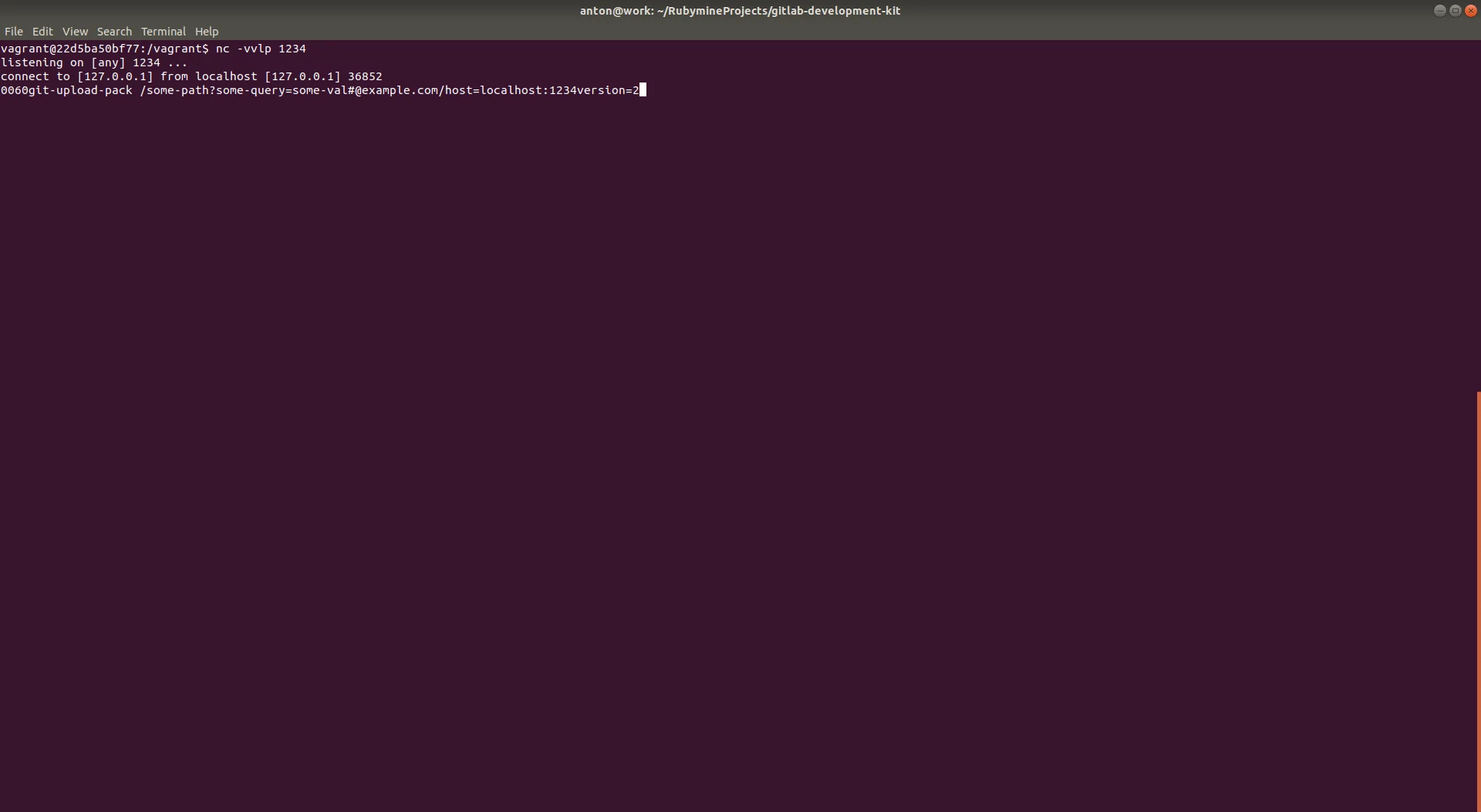
_1. Log into the gitlab server and start TCP listener on port 1234 ($ nc -vvlp 1234).
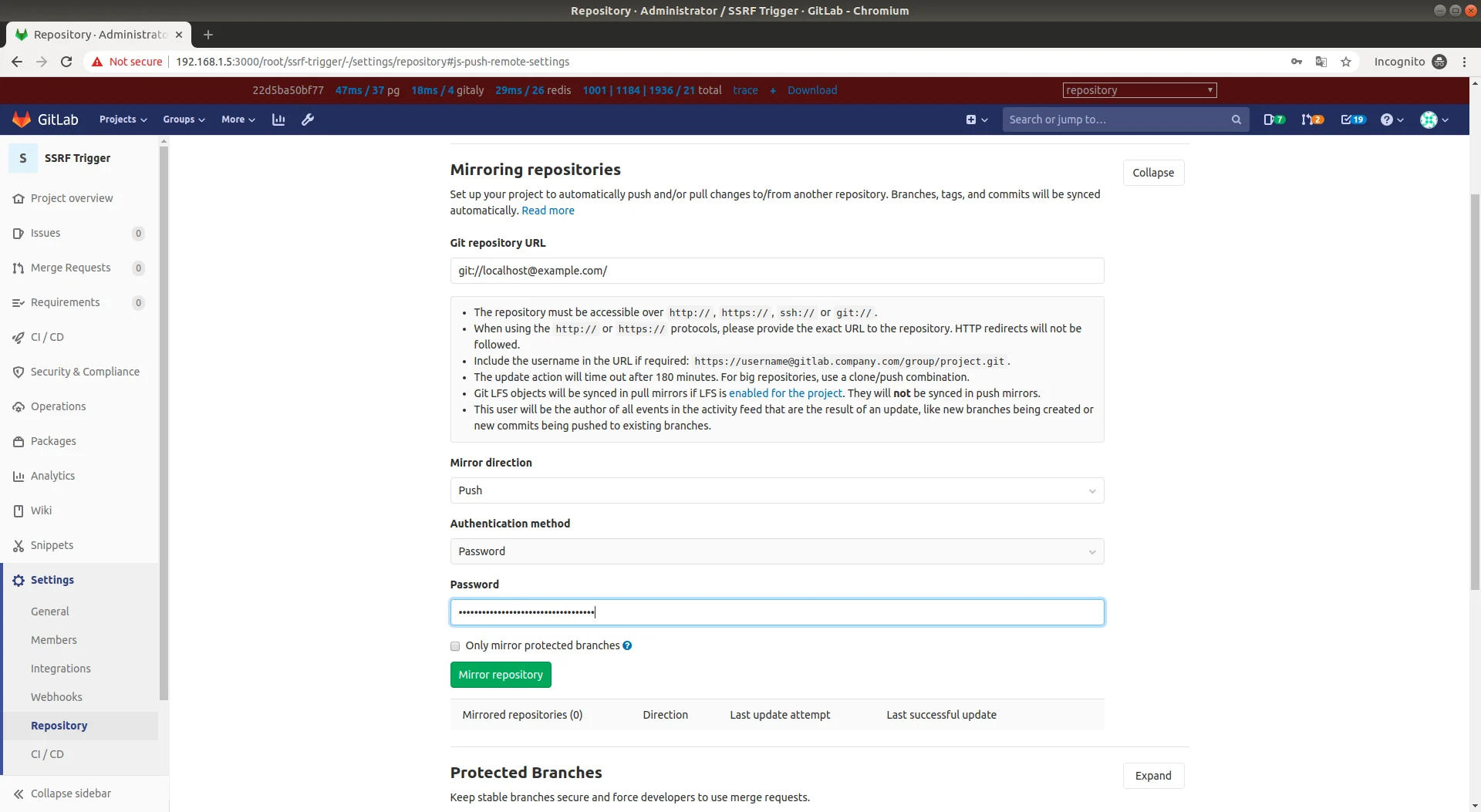
_2. Open "Settings" > "Repository" > "Mirroring repositories" and use the following payload to create a mirror:
Git repository URL: git://[email protected]/
Password: 1234/some-path?some-query=some-val#
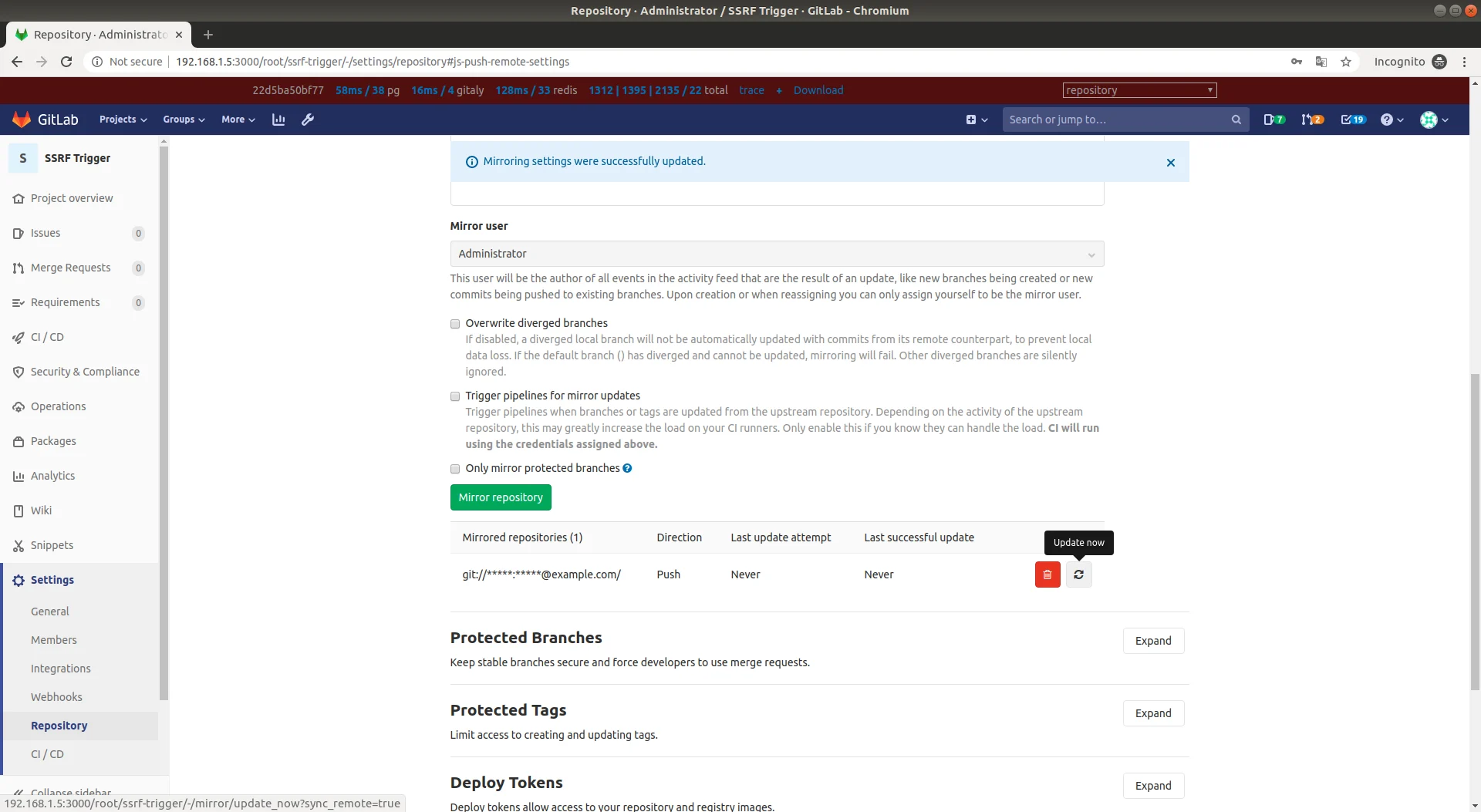
_3. Trigger an update for the mirror you created.
_4. Check TCP listener. You should see the incoming connection.
Impact
Malicious user can establish TCP connection with local/internal network resources. For the most cases it's gonna be a blind SSRF (malicious user can read some git output from repository mirror update status, which is an error message).
What is the current bug behavior?
There's URL parsing differentials with gitlab app and git.
What is the expected correct behavior?
Since "git" protocol is not designed to have any authentication mechanism, I guess the URL part which contains the credentials can be safely removed.
Impact
Malicious user can establish TCP connection with local/internal network resources. For the most cases it's gonna be a blind SSRF (malicious user can read some git output from repository mirror update status, which is an error message).
Attachments
Warning: Attachments received through HackerOne, please exercise caution!
Not written yet. The AI write-up for this report has not been written yet. The Original tab links to the source.
How it worked
Root cause
Likely a URL parsing differential between GitLab's SSRF validation and the git client, where the git client interprets the host differently from the validator.
Impact
A malicious user could establish TCP connections to local or internal network resources, mostly resulting in blind SSRF with limited error output visible.
What the attacker needed
Access to GitLab repository mirroring settings; ability to create or modify a mirror
The fix
The URL part containing credentials should be removed for the git protocol, as it is not designed to have authentication.
How it was found
- Log into the GitLab server and start a TCP listener on a chosen port.
- Go to Settings > Repository > Mirroring repositories and create a mirror using a malformed git URL and a password field containing additional path and query data.
- Trigger an update for the created mirror.
- Check the TCP listener to observe the incoming connection.
Explained by bugbounty.wiki with AI from the original and checked against quotes from it; it can still be wrong. Read the original before relying on a detail.
Not written yet. The AI write-up for this report has not been written yet. The Original tab links to the source.
SSRF (Server-Side Request Forgery) is when an attacker tricks a server into making requests to places it shouldn't, like internal systems. Here, the mirroring feature let users provide a git URL, and a specially crafted URL made the server connect to an internal address instead of the intended external one. This could let an attacker probe internal networks, though usually without seeing much response.
What is SSRF?
The server can be made to fetch an address the attacker chooses, reaching internal services, cloud metadata or other customers' data.



